
Multi-Language Support for iOS App
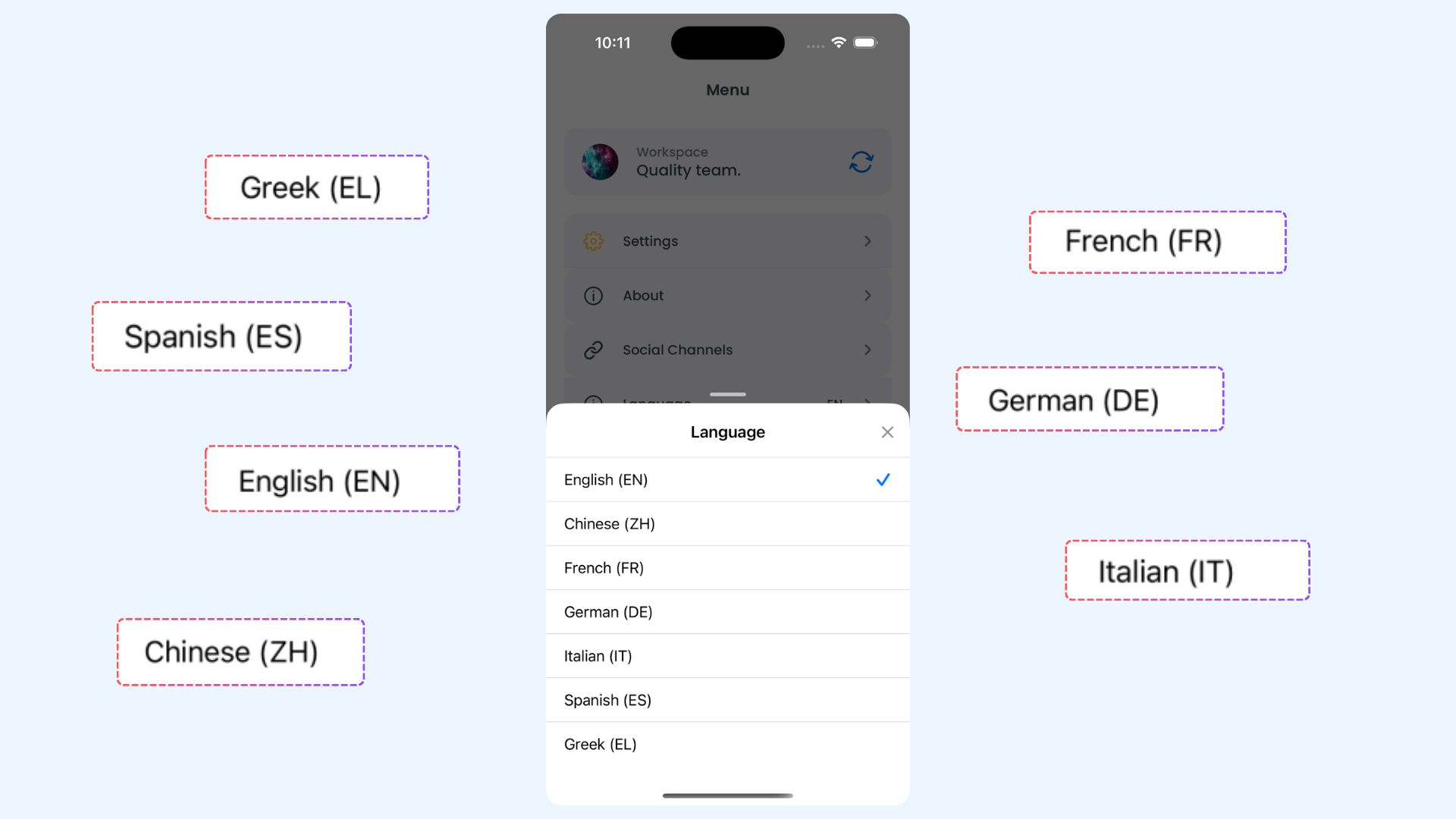
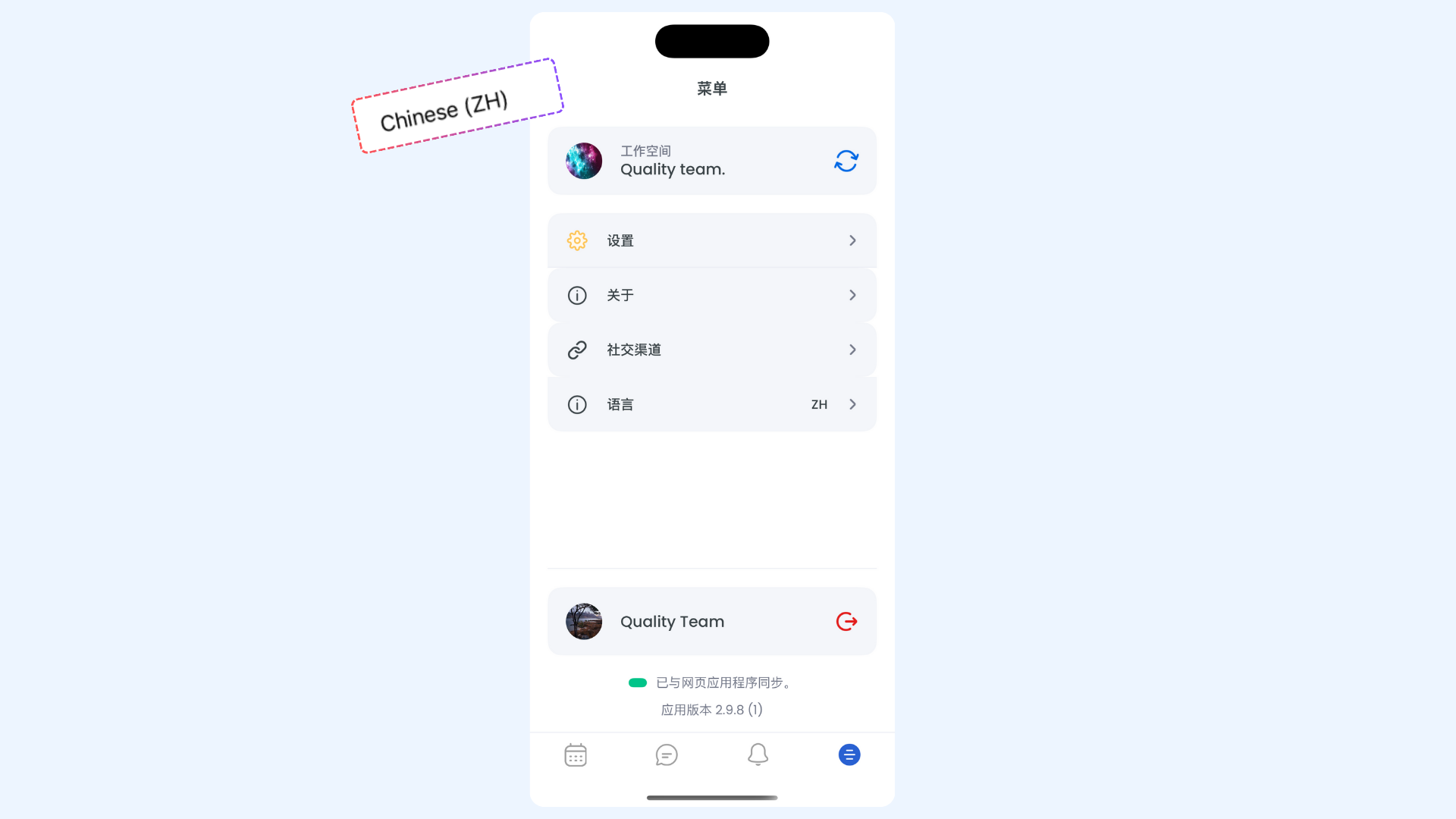
ContentStudio’s iOS app now includes built-in Multilingual Support, allowing you to use the app in your preferred language. You can easily switch between supported languages right from the app settings, making navigation and usage smoother for global users.
In this Article:
How to change the Language
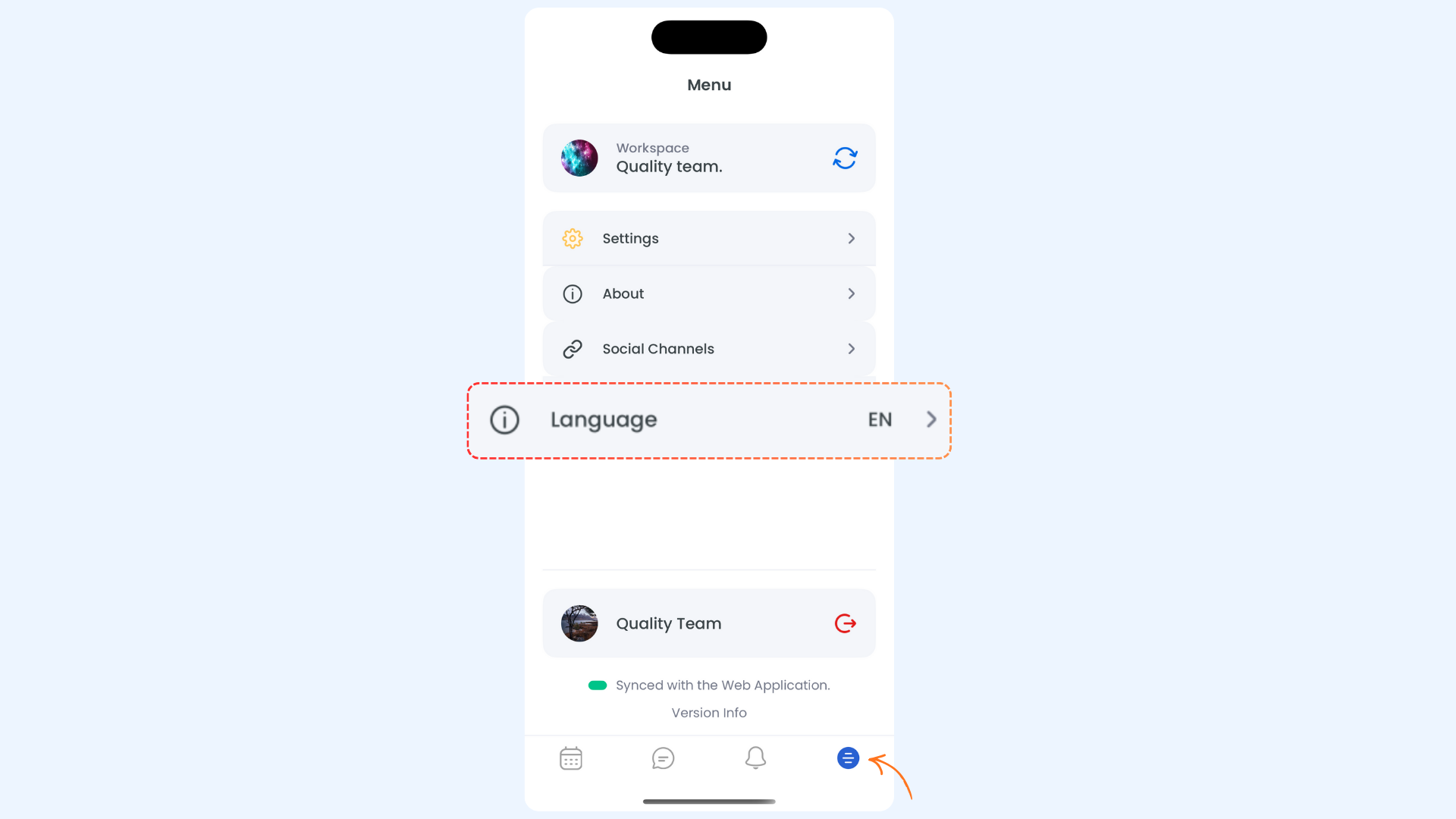
- English
- Chinese
- French
- German
- Italian
- Spanish
- Greek
FAQs
1. Will changing the language affect my content or captions?
No, changing the app language only affects the interface text (menus, labels, settings, etc.). Your posts, captions, and drafts remain unchanged.
2. Do I need to restart the app after switching languages?
No, the app updates instantly when you select a new language.
3. Does the language setting sync with the web version?
Not automatically. The iOS app language works independently from the web app language — you can set each according to your preference.