Onboarding with ContentStudio
Welcome to ContentStudio🚀. Your onboarding is designed to be seamless and efficient. In just a few guided steps, you’ll set up your account, connect your social channels, and start leveraging AI-powered content management to streamline your social media workflow. Whether you choose the Full Suite or the API Plan, everything you need is ready and accessible.
In this Article
Get Started: Create Your Account & Choose a Plan
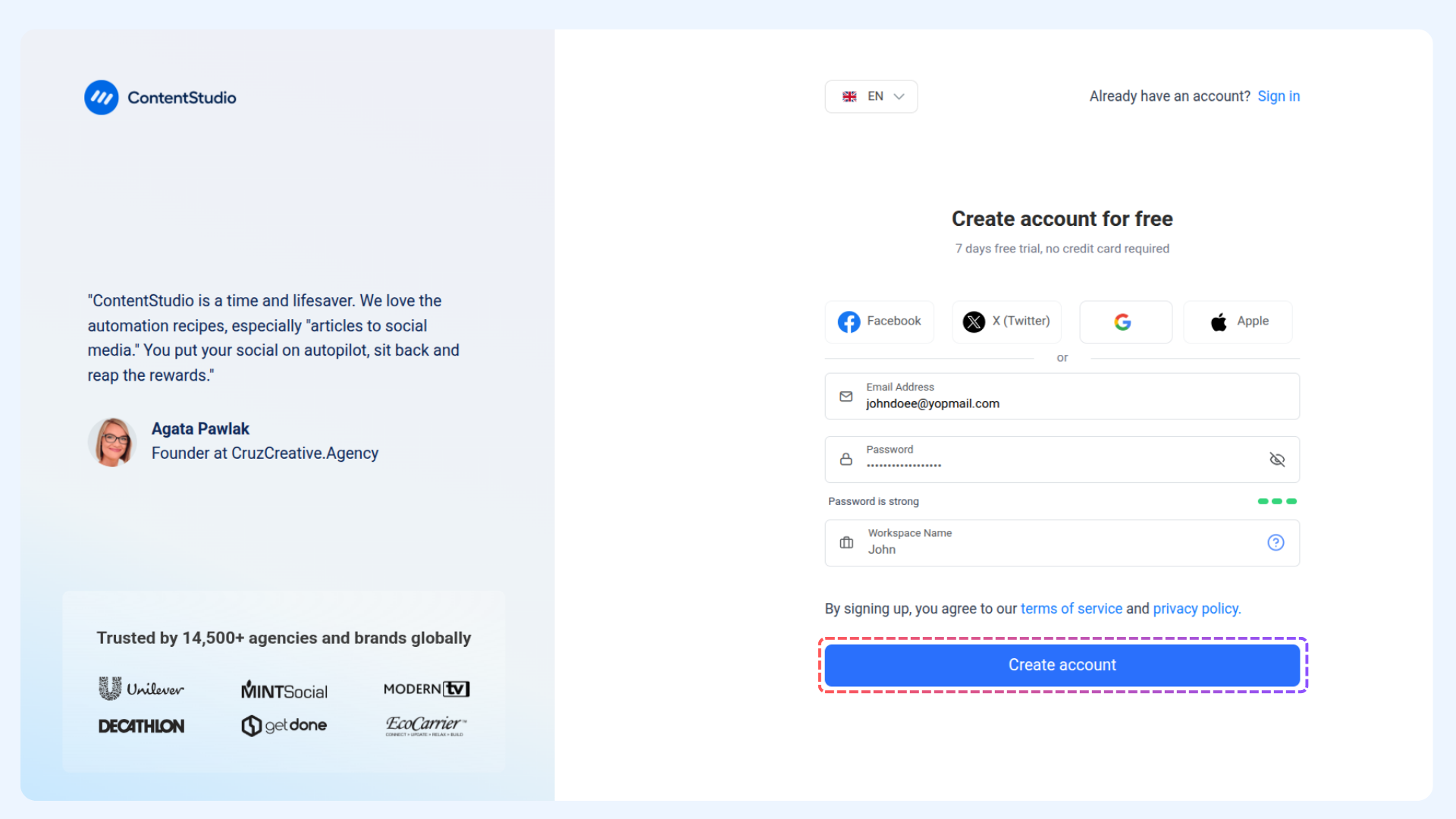
Start by creating your account. You have multiple options:
Email, Password, and Workspace Name
Or connect with Facebook, Twitter, Google, or Apple
Click Create Account to proceed.
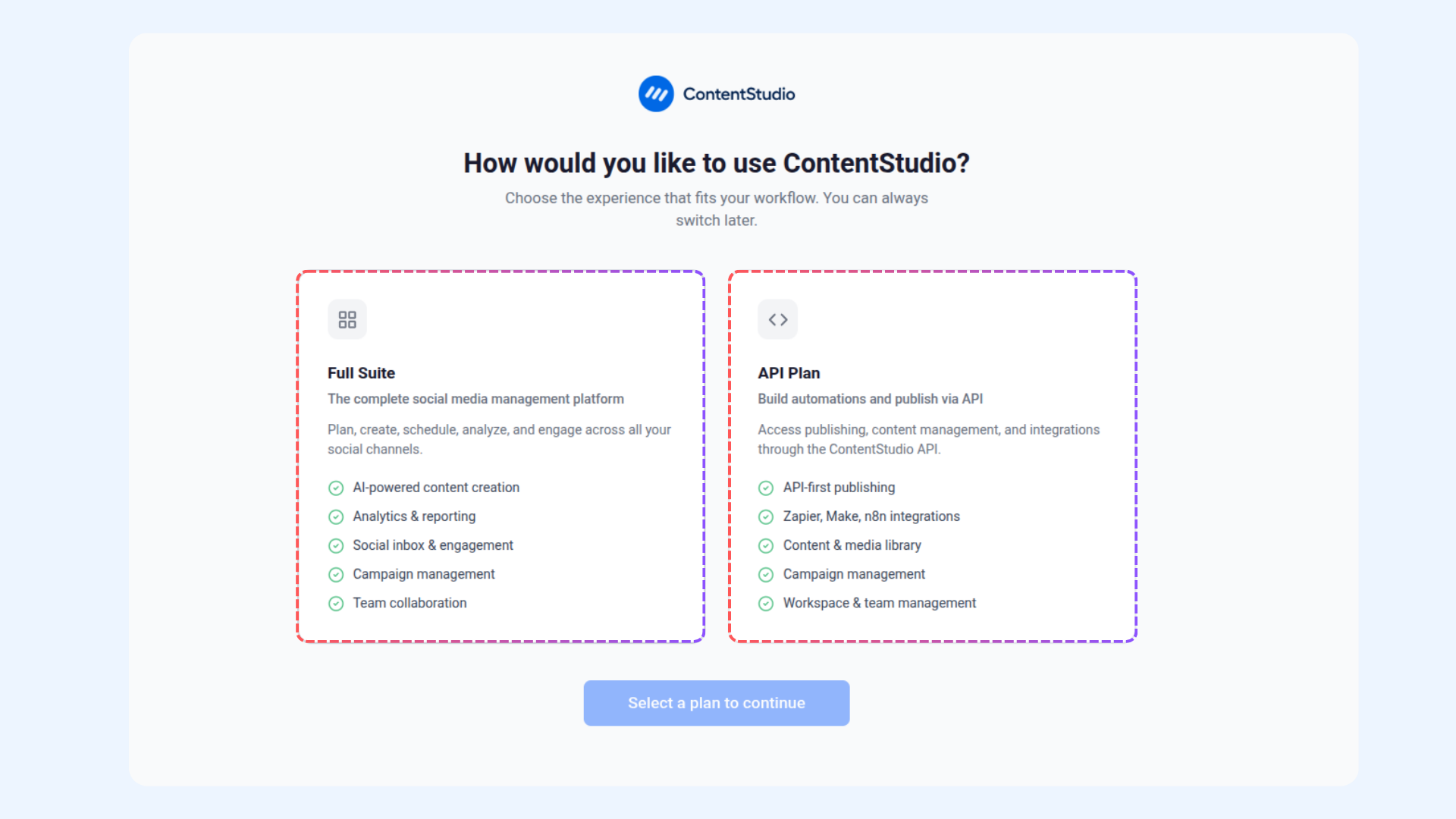
Choose the plan that fits your workflow:
Full Suite: Manage all social channels, create AI-powered content, analyze performance, collaborate with your team, and run campaigns.
API Plan: Focus on automations and API-based publishing, including Zapier integrations, content & media library, campaigns, and team management.
Click on your choice to continue.
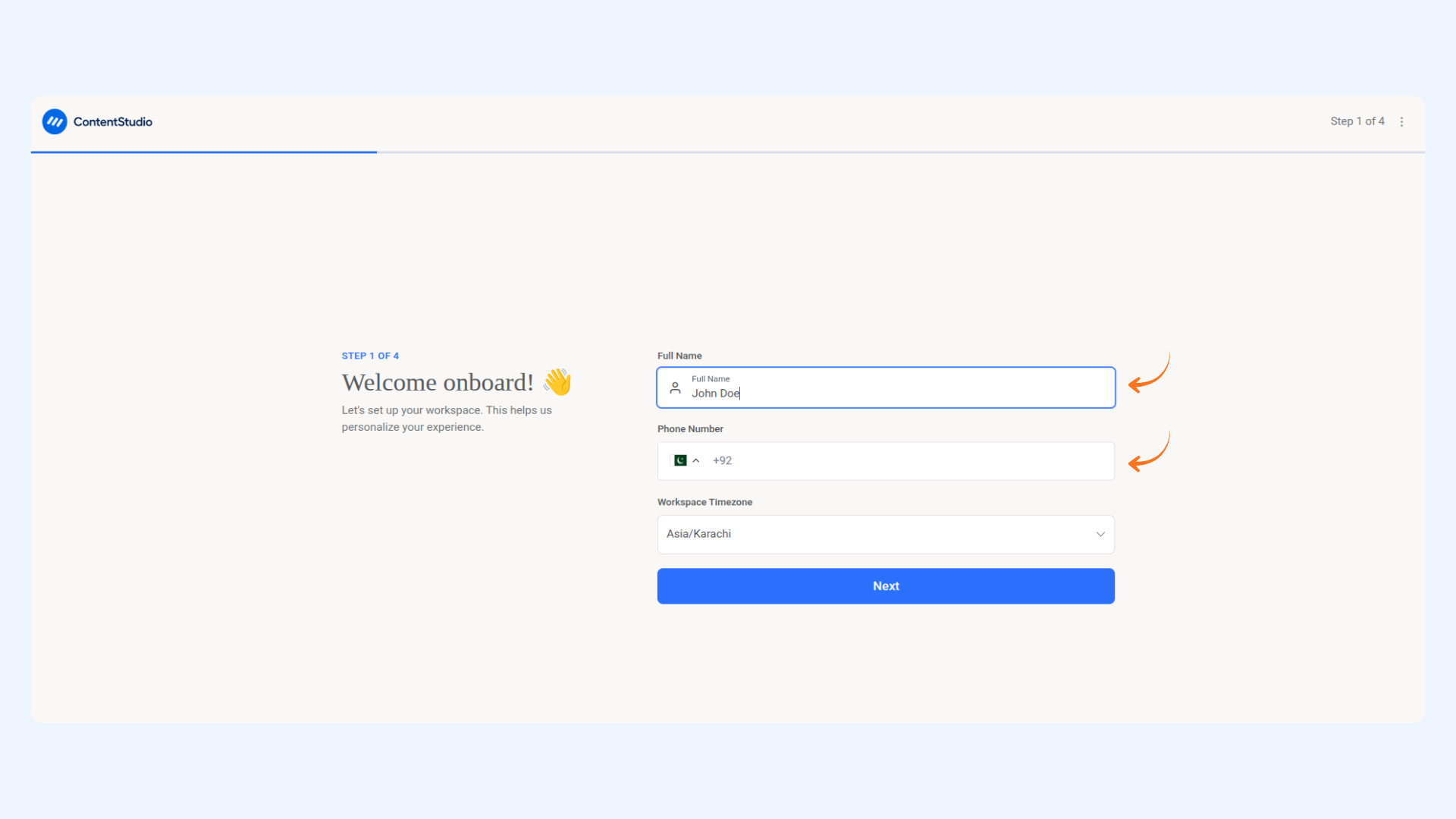
Your 4-Step Onboarding to Get Started
Enter your details:
Full Name
Phone Number
Workspace Time Zone
Click Next.
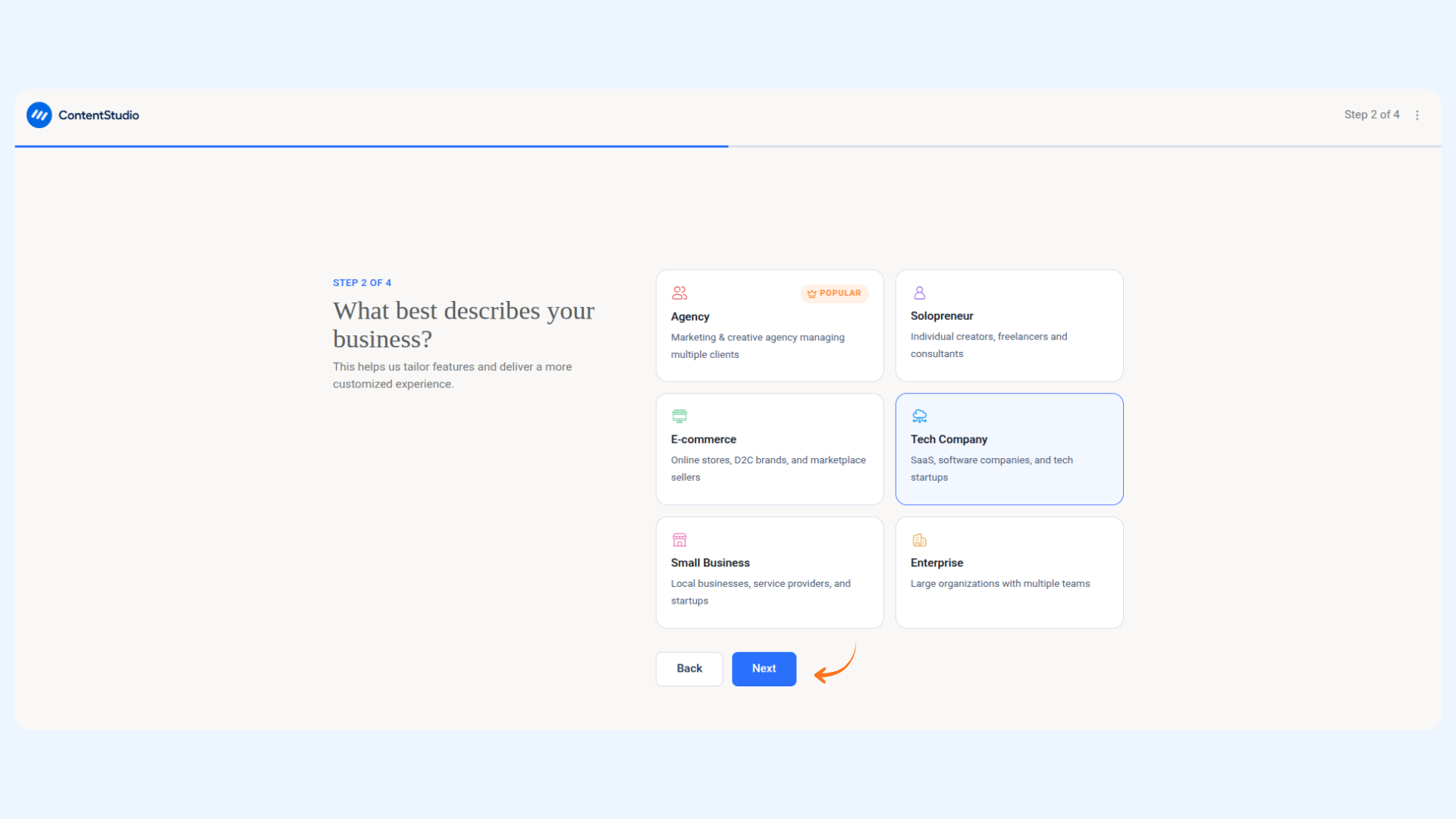
Select what best describes your business:
Agency
Tech Company
E-commerce
Other
Click Next.
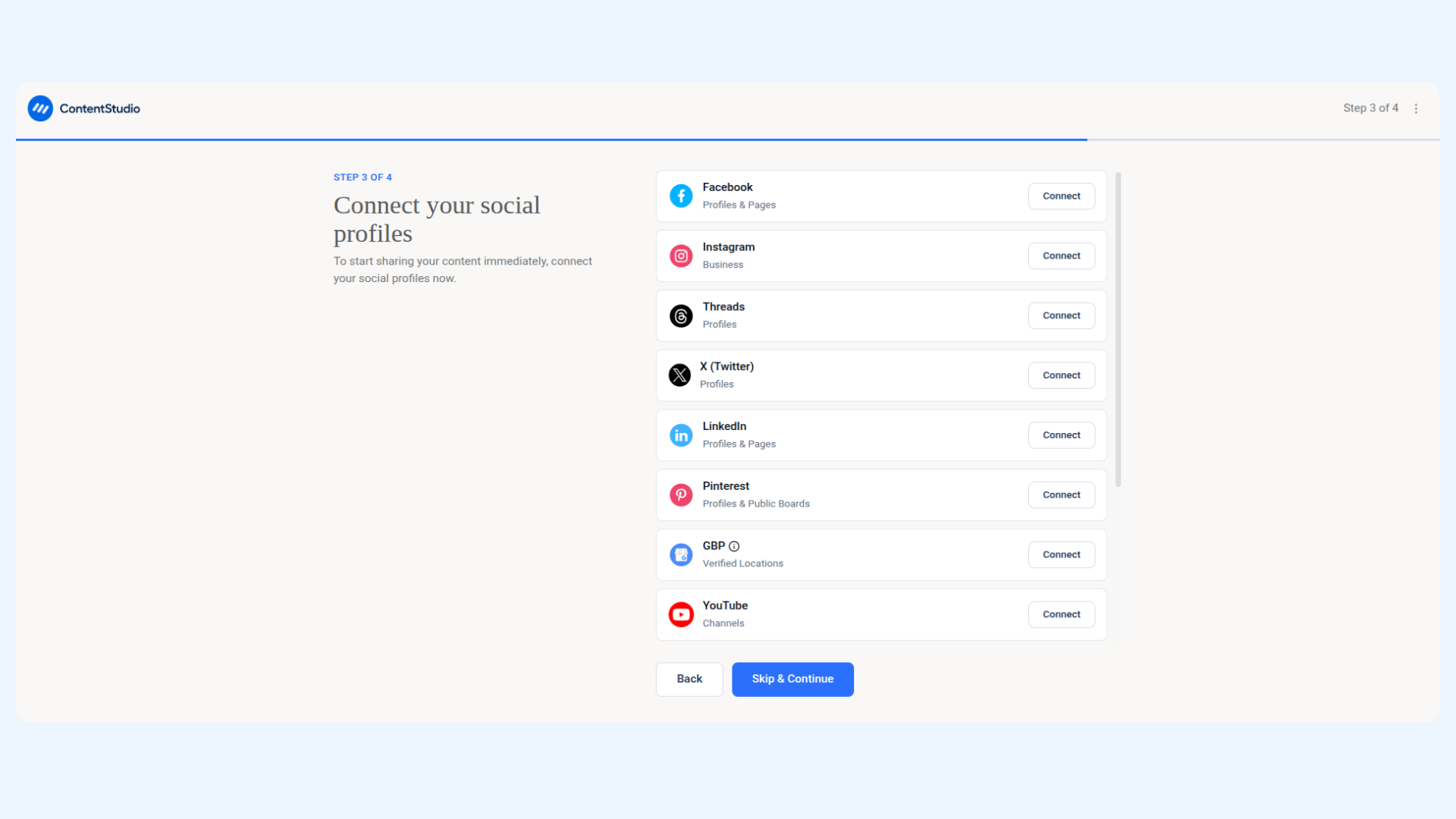
Connect your social media accounts:
Select platforms to connect now
Or click Skip and Continue
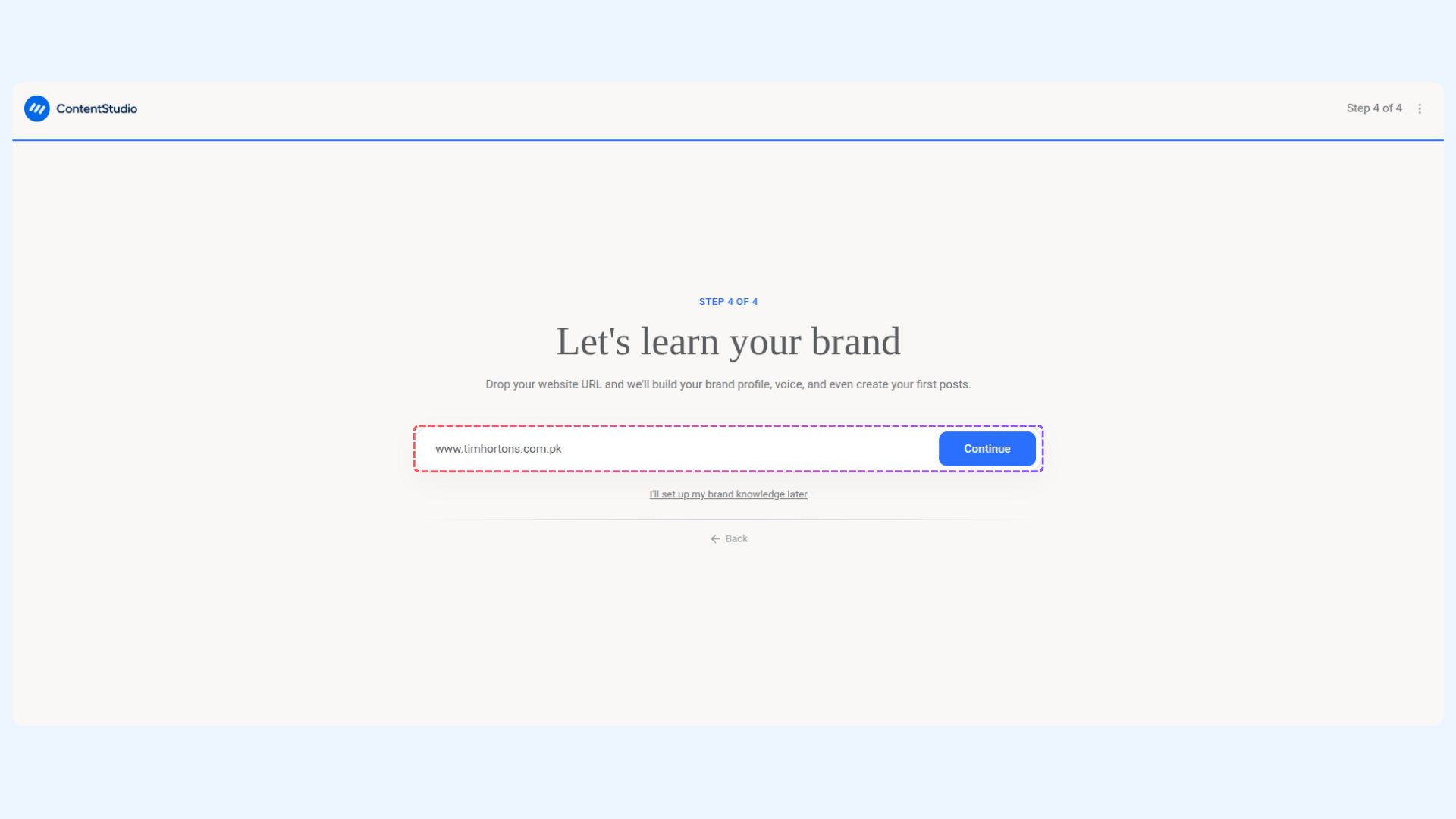
Build your brand profile:
Add your Website URL to fetch brand identity
Or choose "I'll set up my brand knowledge later"
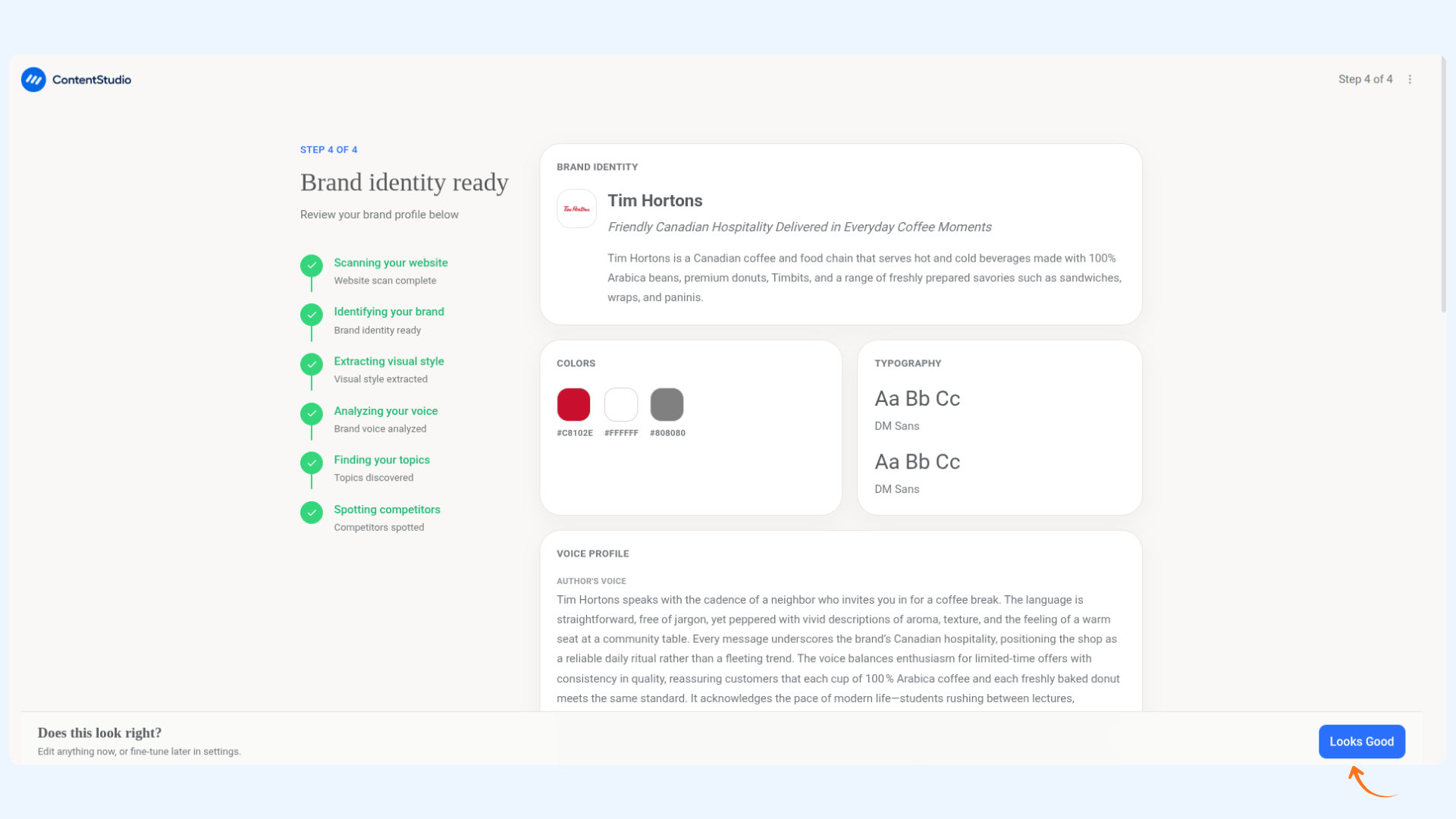
Review your brand, then click Looks Good. AI-generated posts will be created and available on your dashboard.
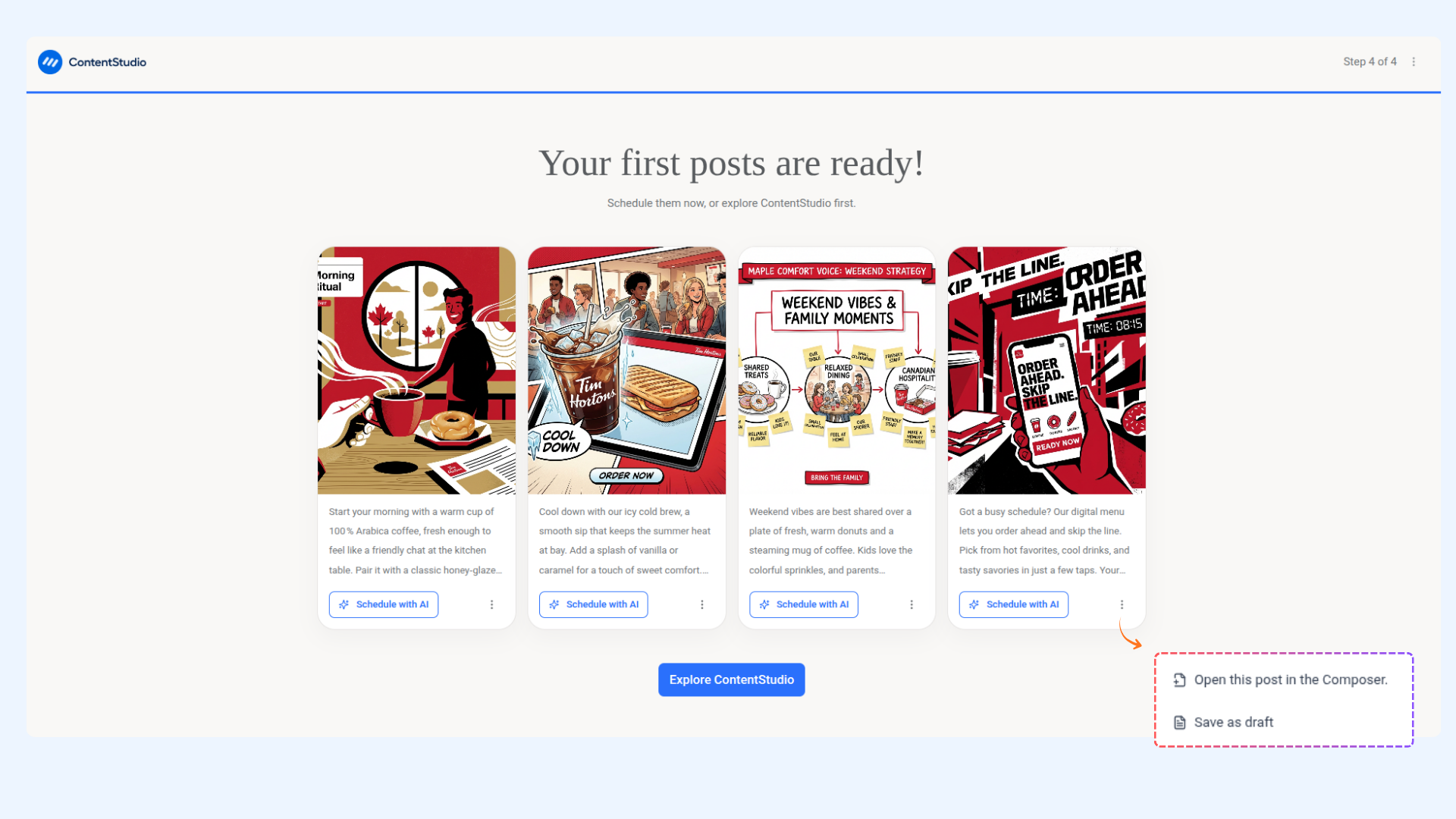
Your first AI posts are ready:
Four posts generated based on your brand voice.
Open them in the composer, save as draft, or schedule directly.
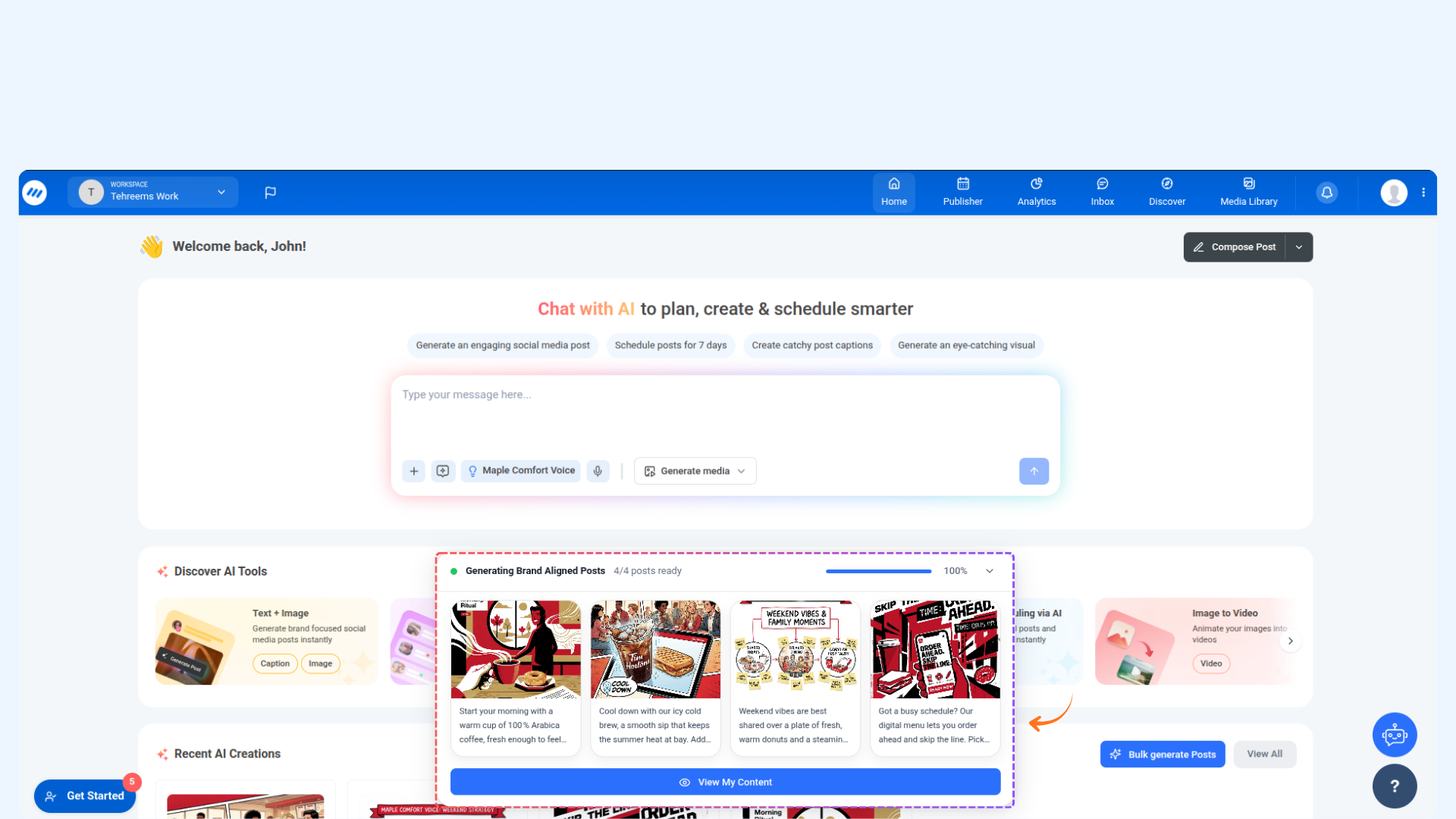
Posts appear in Recent AI Creation on the dashboard.
Click Explore ContentStudio to start managing your content.
You’re all set. Your ContentStudio dashboard is ready, and AI-generated content is queued for you. Start creating, scheduling, and analyzing with ease.
Managing Your AI Content
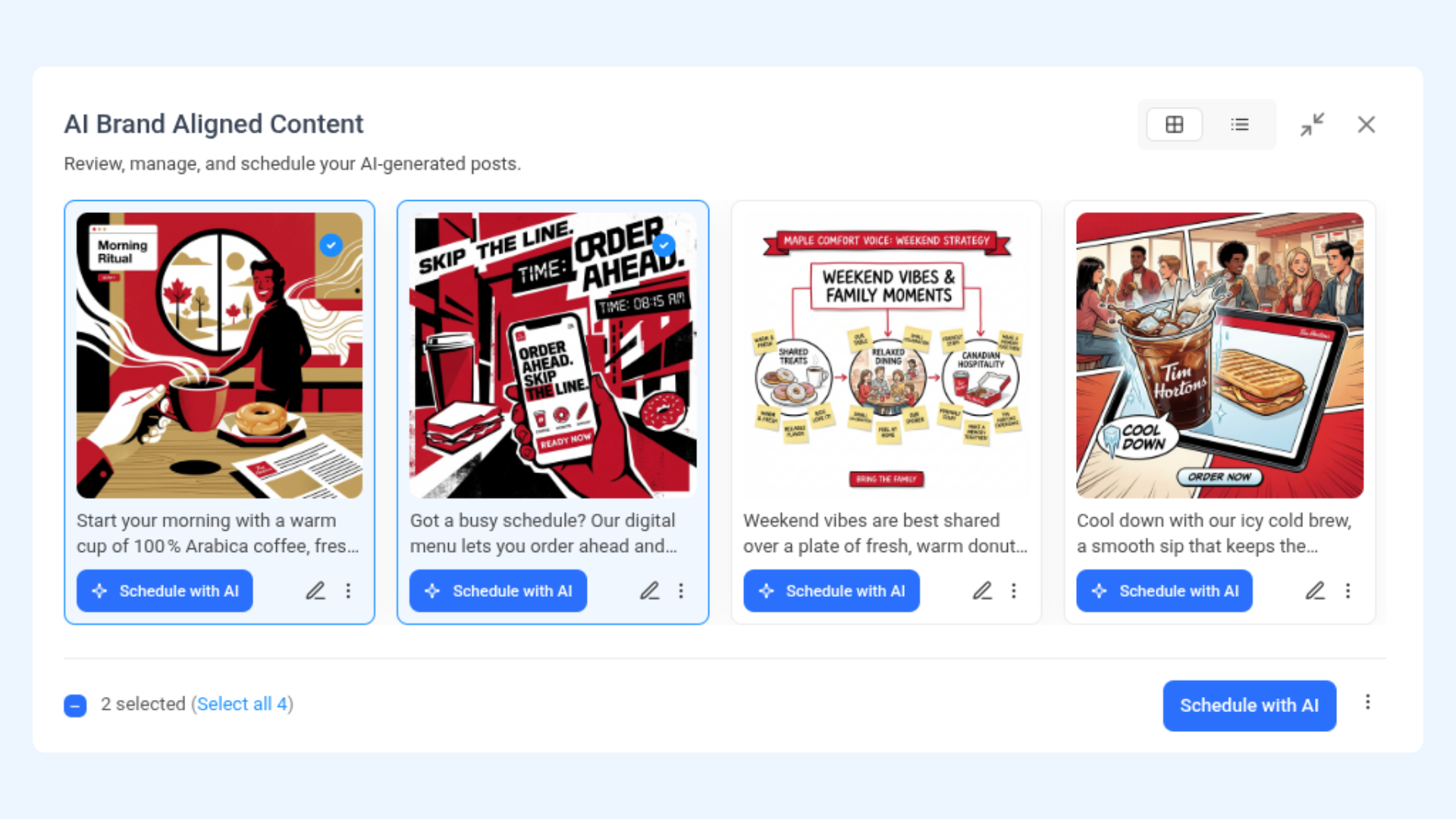
Manage your AI-generated content:
Click View My Content to open all generated posts.
Select posts individually or in bulk.
Choose to Schedule, Save as Draft, or Open in Composer.
You can revisit these anytime from Recent AI Creation.
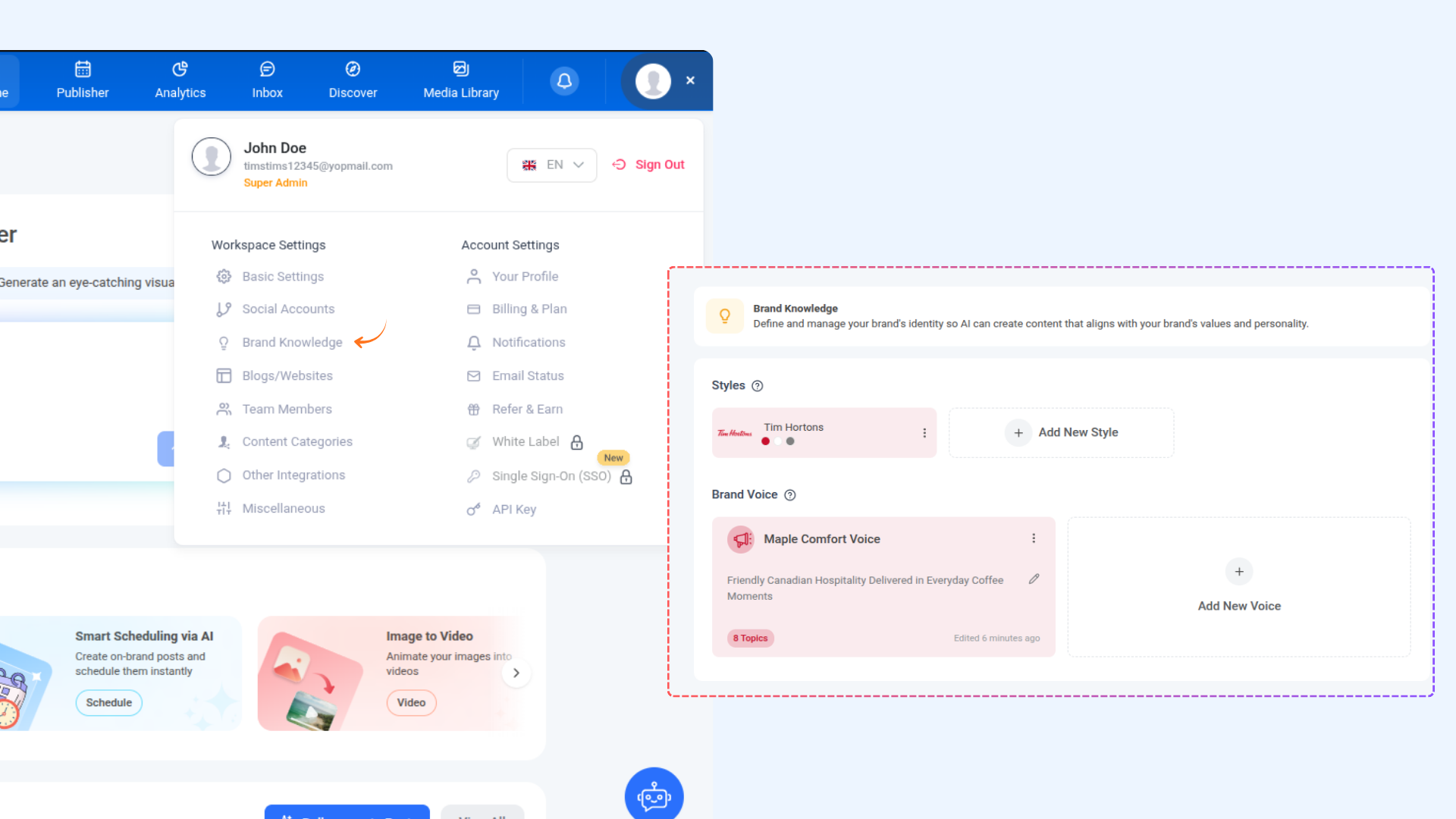
Access and update your brand knowledge:
Click your Profile.
Go to Brand Knowledge.
Edit your brand voice, tone, style, and other details.
Changes will reflect in future AI-generated content.
FAQs
Q: Where can I find my AI-generated content?
A: Your generated posts are available on the dashboard under <strong>Recent AI Creation</strong>. You can also access them through the <strong>View My Content</strong> option.
Q: Can I edit or customize the generated posts?
A: Absolutely. You can open any post in the composer to edit content, adjust tone, add media, or schedule it according to your needs.
Q: What happens if I skip adding my website during onboarding?
A: You can set up your brand later from <strong>Profile → Brand Knowledge</strong>. Once added, AI-generated content will align more closely with your brand voice and style.
Q: Can I update my brand voice and identity later?
A: Yes. Navigate to <strong>Brand Knowledge</strong> from your profile to update your brand’s tone, style, and other details at any time.
Q: When are AI posts generated?
A: AI posts are generated after you complete the brand setup step. If you skip ahead, they will continue generating in the background and appear on your dashboard once ready.
Q: Can I change my plan after signing up?
A: Yes. You can upgrade or switch between plans anytime from your account settings.
Was this article helpful?