

How to manage pending approvals in planner
ContentStudio allows you to review and approve content before publishing to ensure quality control and avoid any mistakes. With the In Review feature, you can manage posts awaiting approval, handle missed reviews, and bulk-approve multiple posts at once.
Let us get in! 🤩
In this article:
Manage In Review content
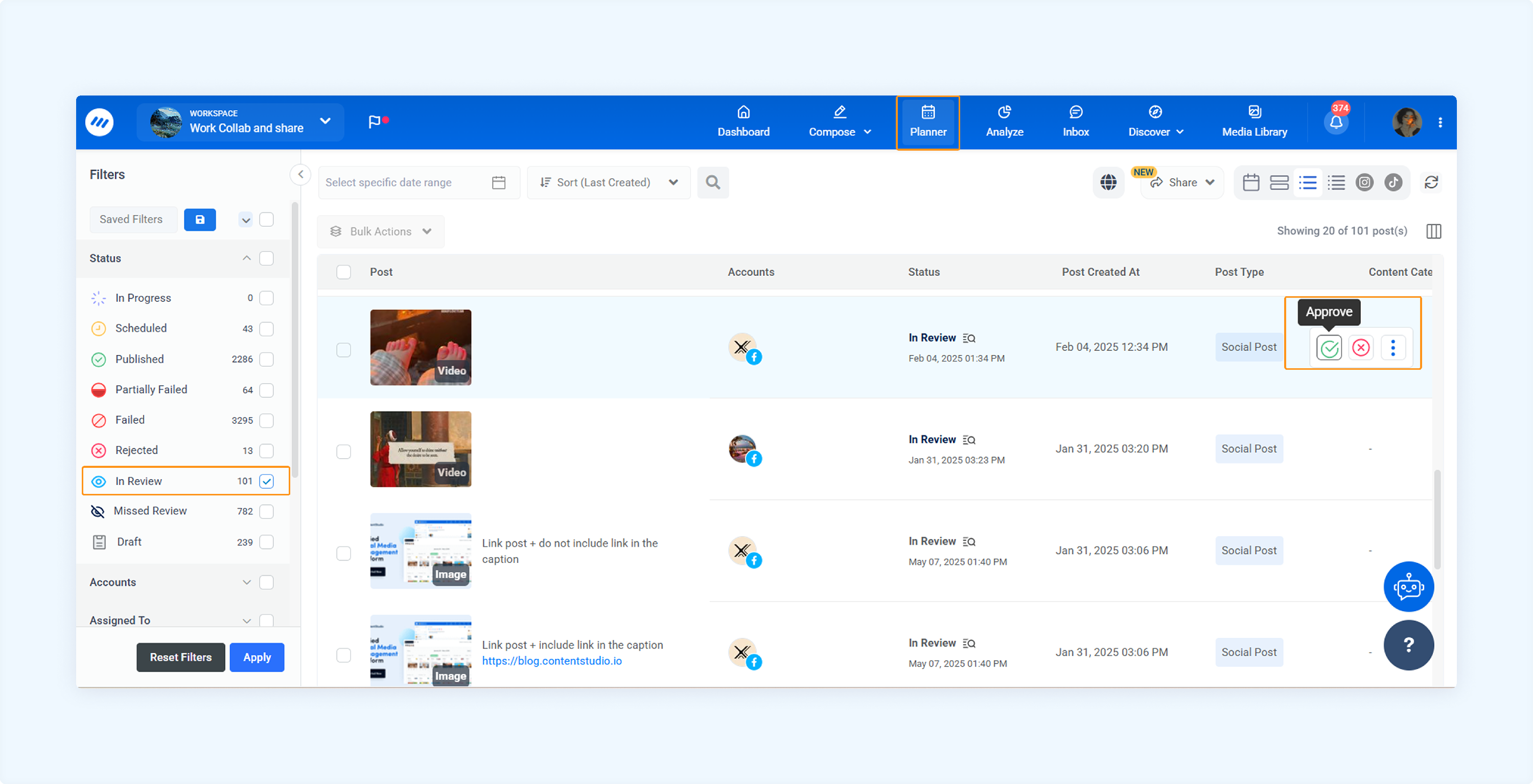
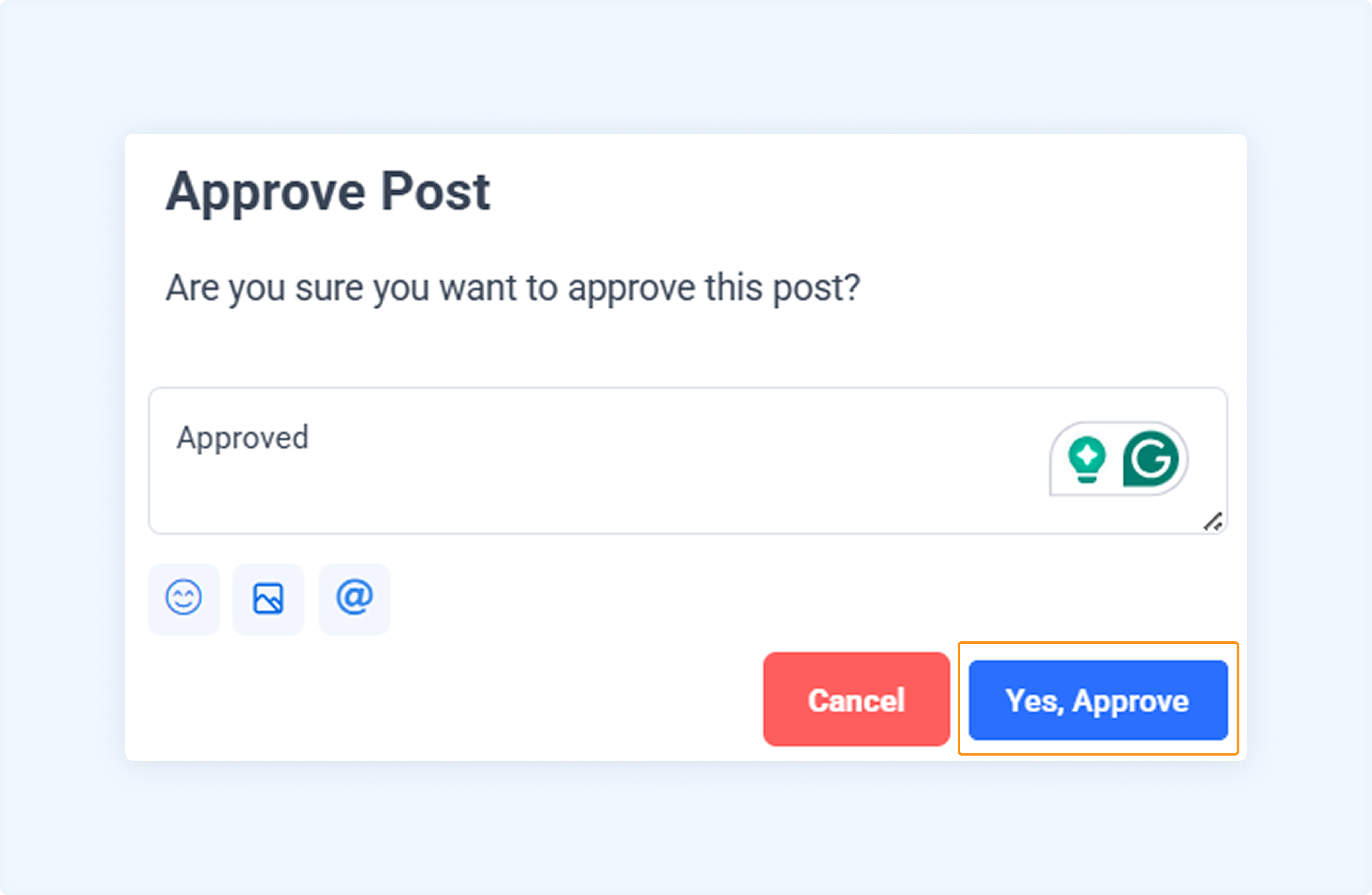
Manage Missed Review content
If you miss reviewing content before the scheduled time, it won't be published. Instead, it will move to the Missed Review section.
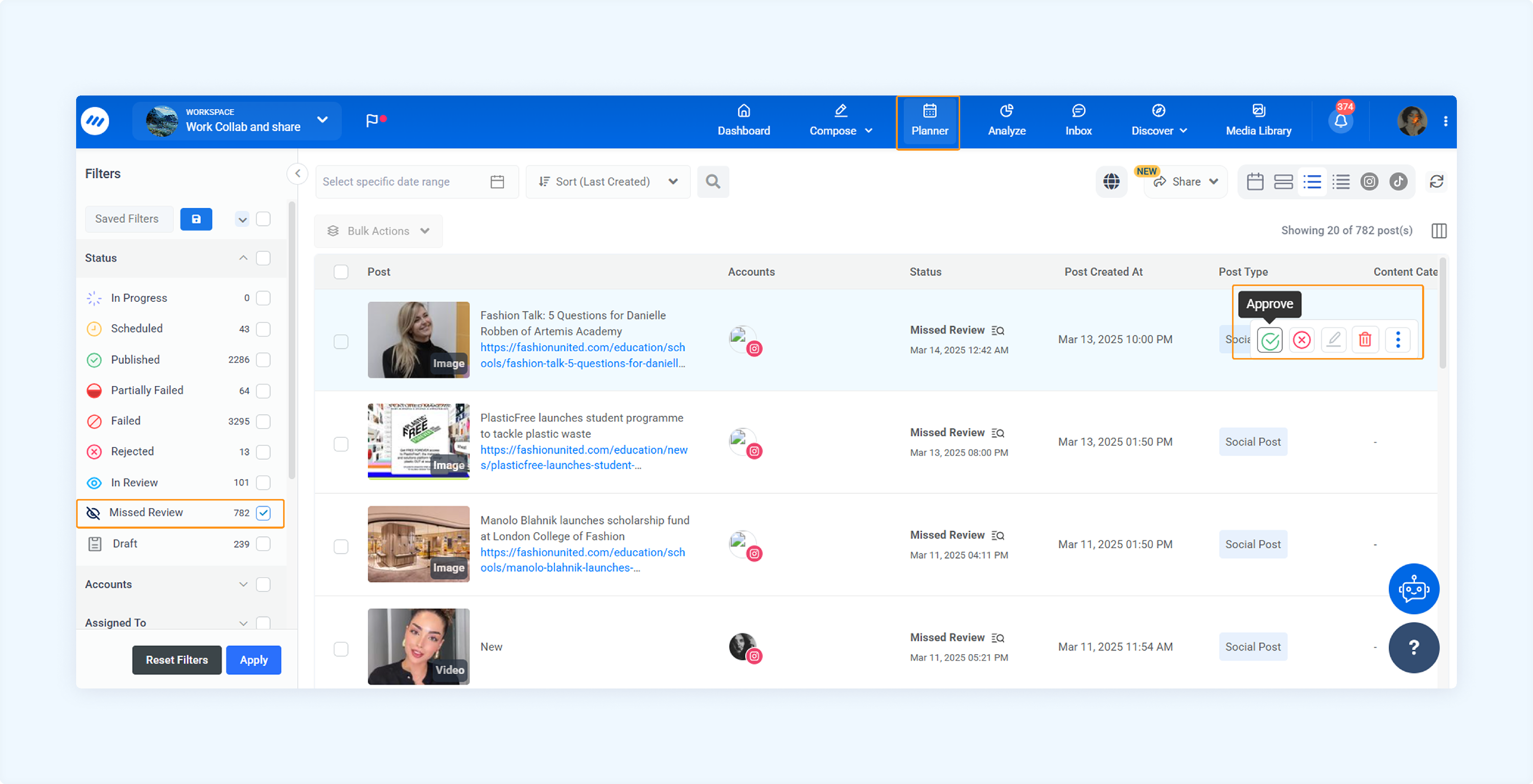
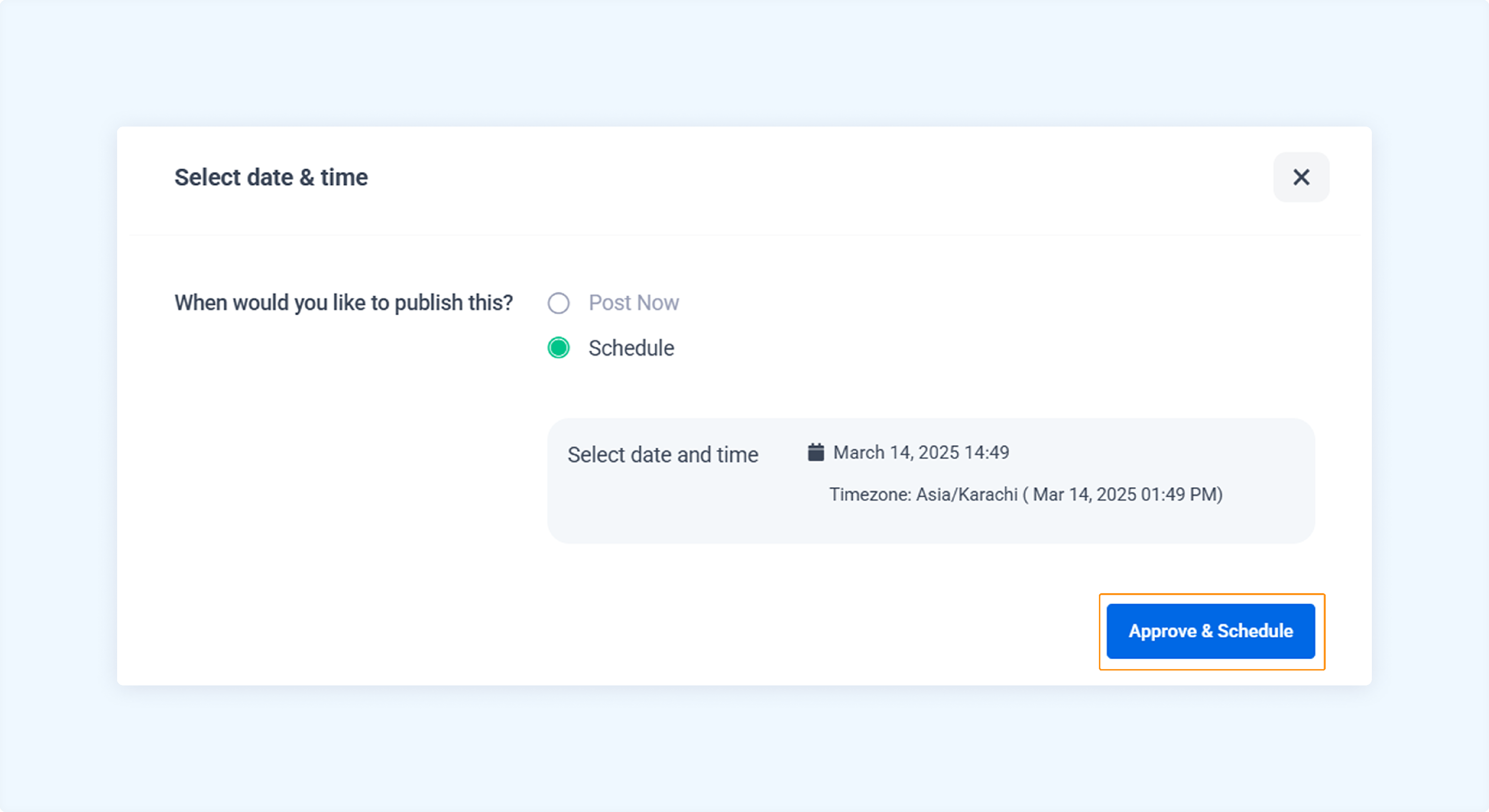
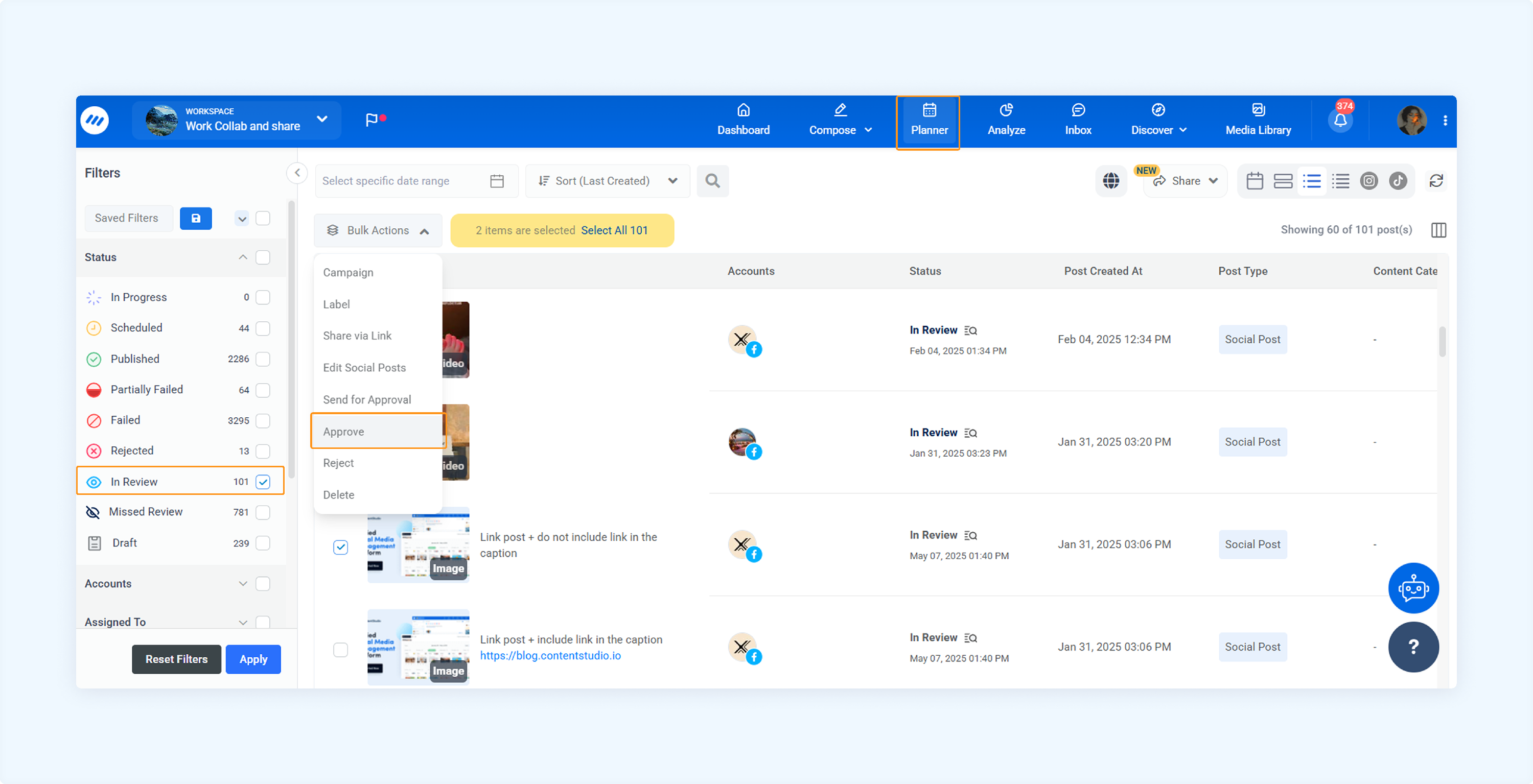
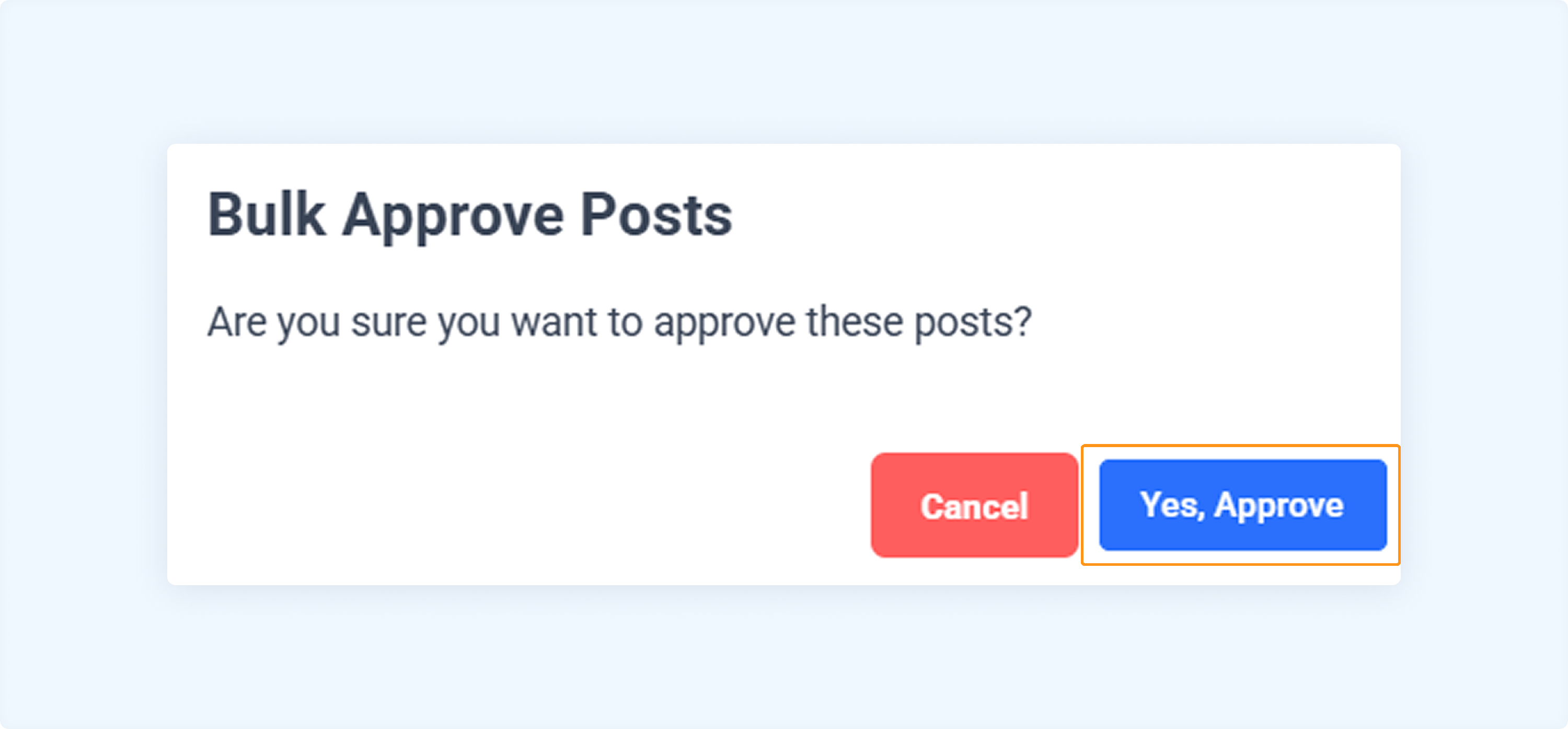
Bulk approve all In Review content
To approve multiple posts at once, follow these steps:
FAQs
Q1: Will I be notified when a post is moved to the Missed Review section?
A: No, there is no direct notification for missed reviews, but you can filter posts by 'Missed Review' status in the Planner to track such posts.
Q2: How long does a post stay in the In Review or Missed Review section?
A: The post will remain in the respective section until manually approved or rescheduled. Such posts are not auto-deleted or expire.
Q3: Is there a way to track which admin approved a post?
A: Yes, you can view the approval history of each post by clicking on the post in the Planner. It shows who approved the content and when.
Was this article helpful?