

Exporting competitor analytics reports - Instagram
ContentStudio introduces a new Export button that allows you to download detailed Instagram competitor reports in a clean, structured PDF format. This feature enables seamless reporting, sharing, and analysis of competitor performance.
Let us dig in 😜
In this article:
Where to find the export button
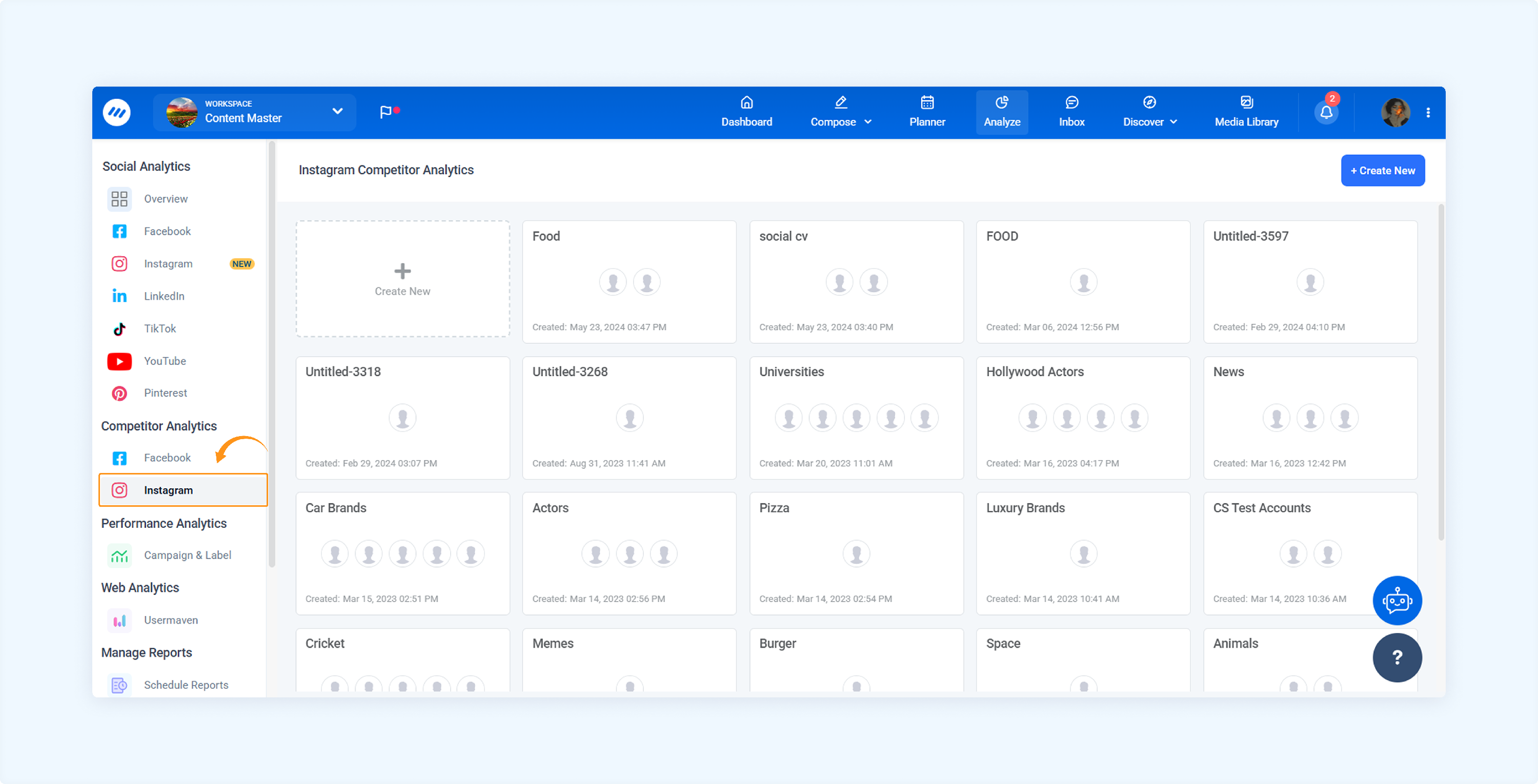
Navigate to AnalYTICS → Competitor Analytics. Select the Instagram tab.
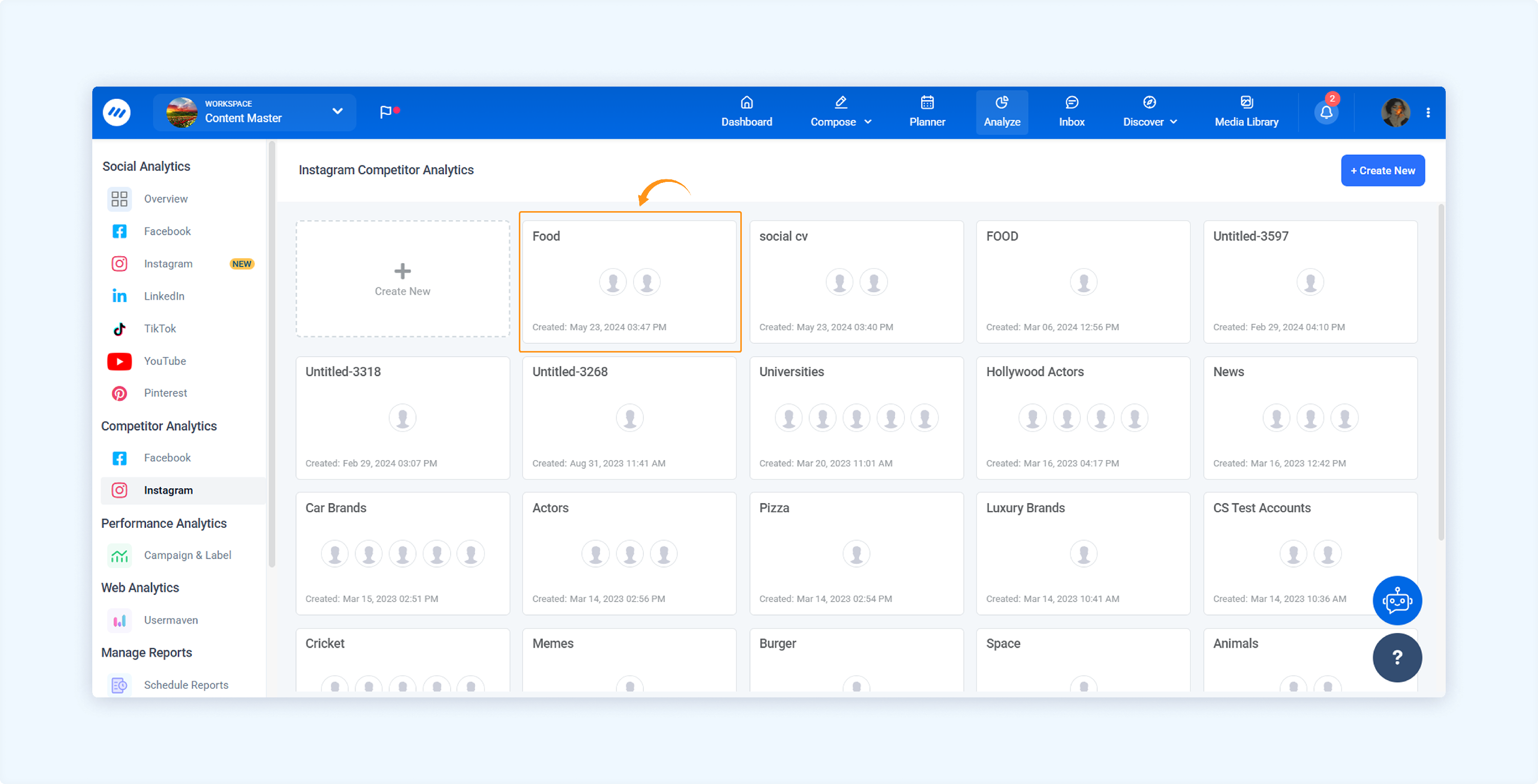
Open any existing competitor report.
You'll now see a new Export button in the top-right section of the report.
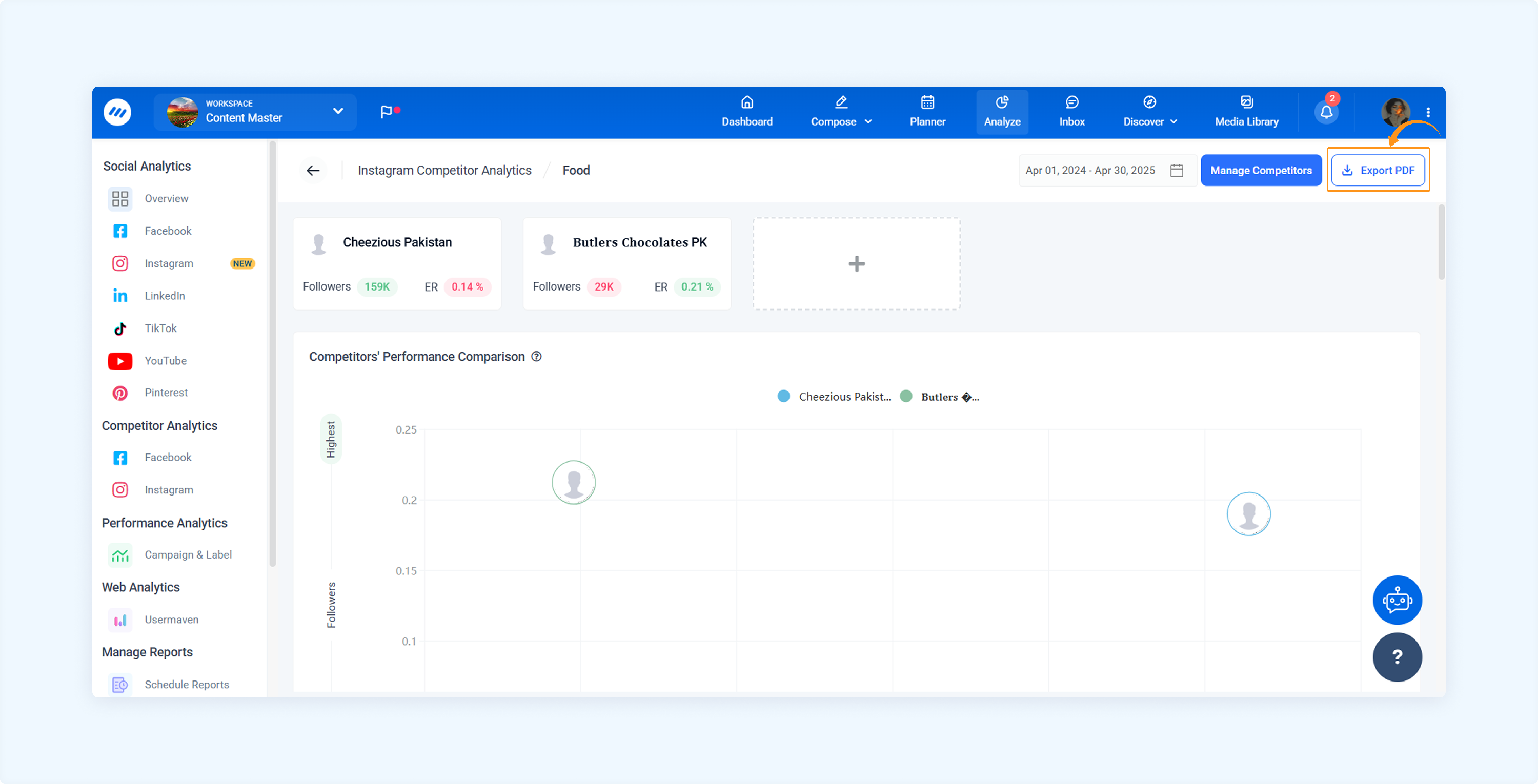
Click the Export button. The system will generate a report based on:
The selected competitor's social accounts
The chosen date range
FAQs
Q1: Can I export reports for both Facebook and Instagram competitors?
A: The export feature is available for Facebook and Instagram reports under the Competitor Analytics section.
Q2: Can I customize the layout or content of the PDF report?
A: The layout is currently fixed to maintain consistency across reports. However, it is designed with improved readability, pagination, and platform branding (avatars, selected date range, etc.).
Q3: Where can I find previously exported reports?
A: All exported reports are available under the Download Reports section. You can track the download progress there and re-download any past reports.
Q4: What happens if the PDF export fails?
A: If the export fails, you’ll receive an error message with an option to retry. Please ensure your internet connection is stable and that valid data is available for export.
Was this article helpful?