

How to fix Auth errors? (Facebook Permissions Error #200)
If you encounter Facebook Permissions Error 200 when trying to post to your Facebook Page or Group via ContentStudio, the issue is likely due to a permissions problem. Follow these steps to reauthorize your Facebook account and resolve the error.
In this article:
Remove ContentStudio from Facebook
Log in to your Facebook account and go to Settings & Privacy.
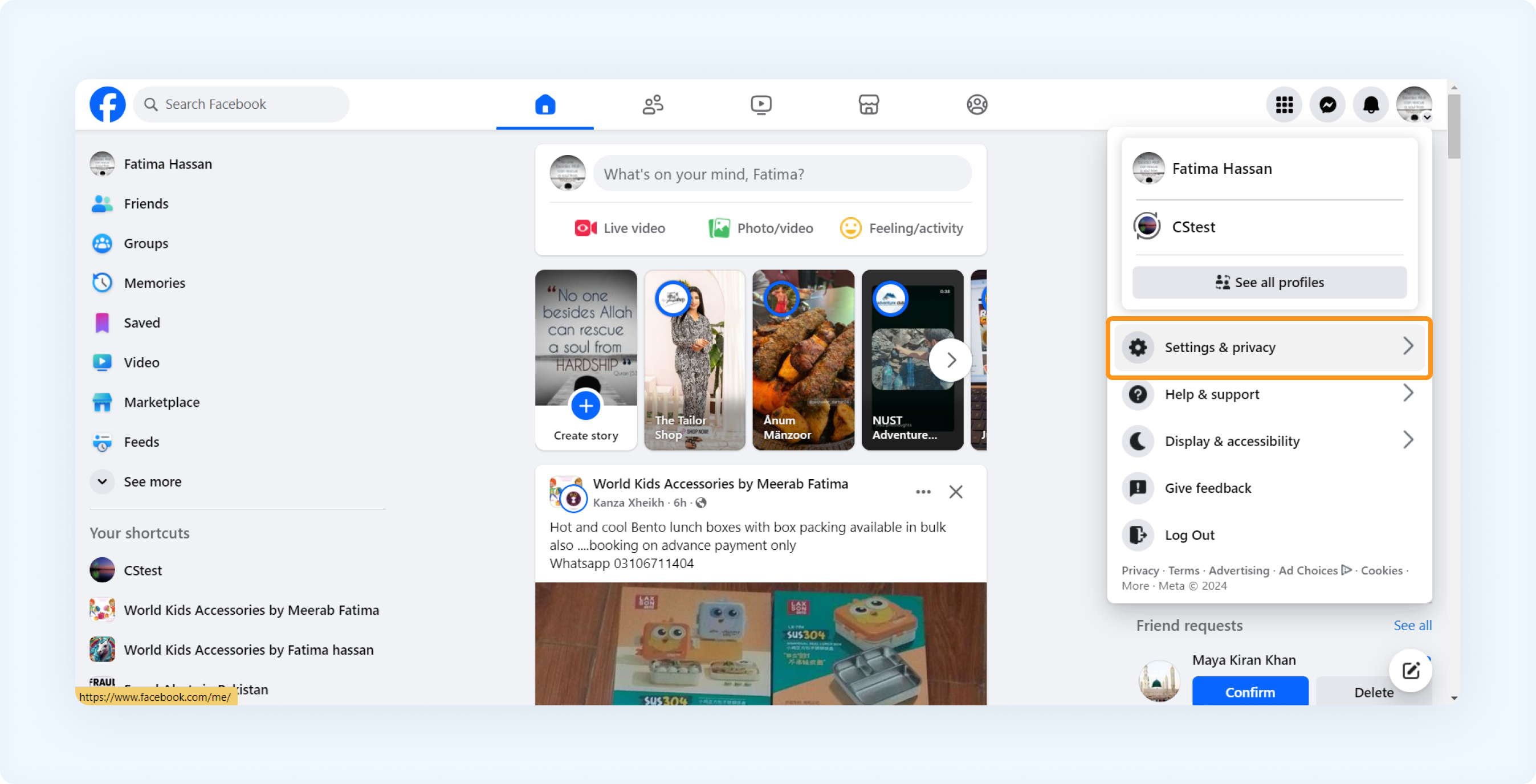
Under Settings & privacy, click Settings
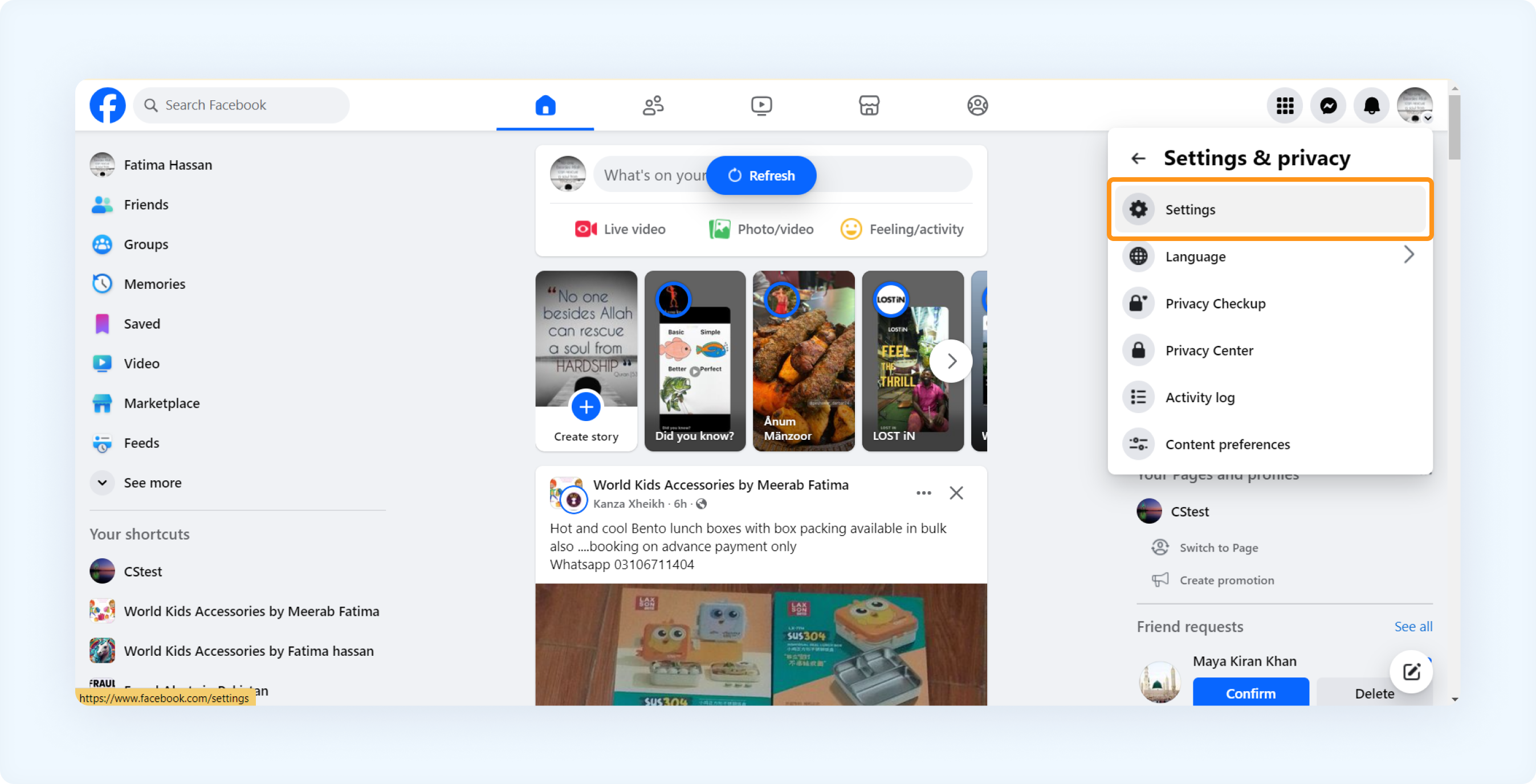
In the left-hand menu, select Business Integrations.
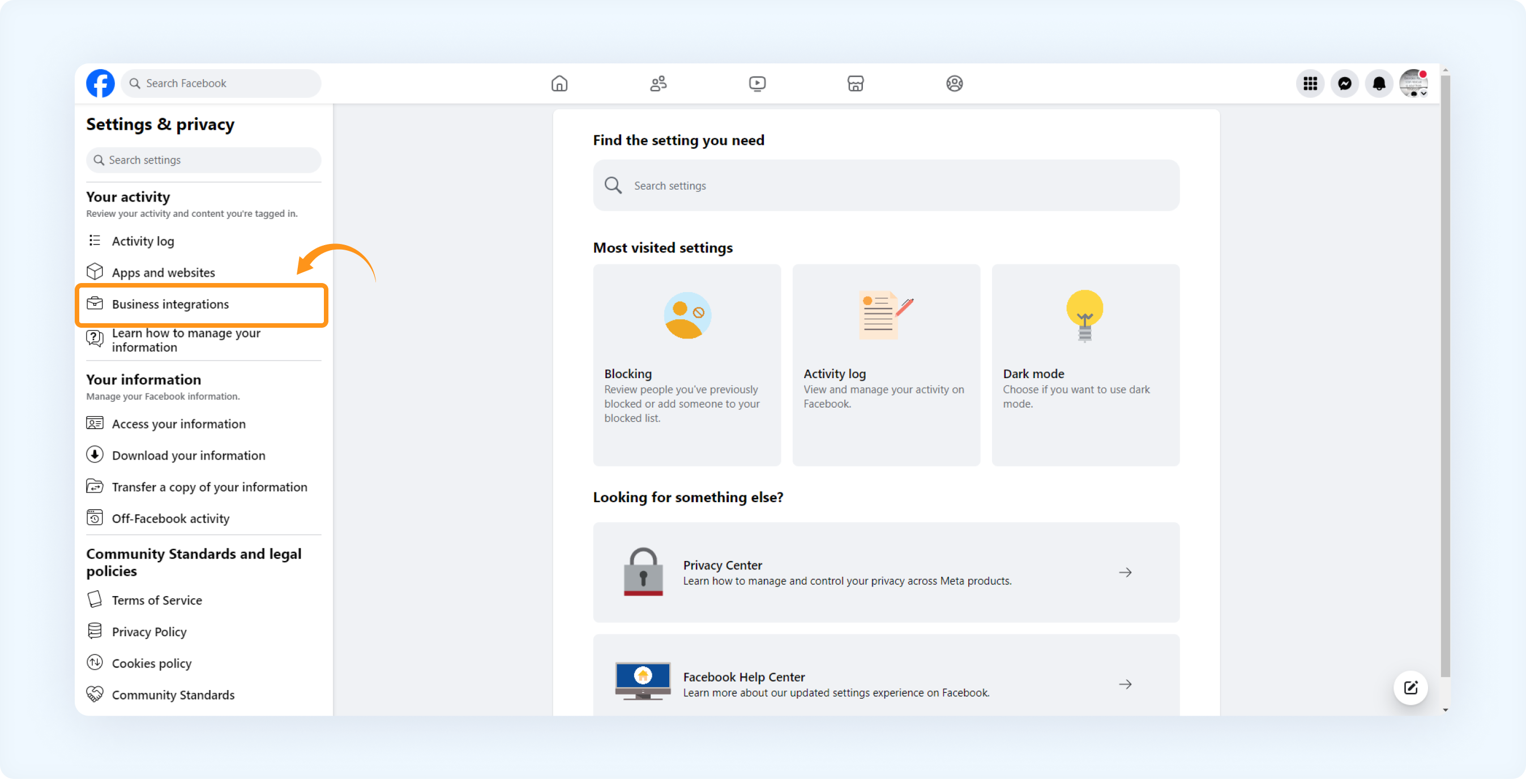
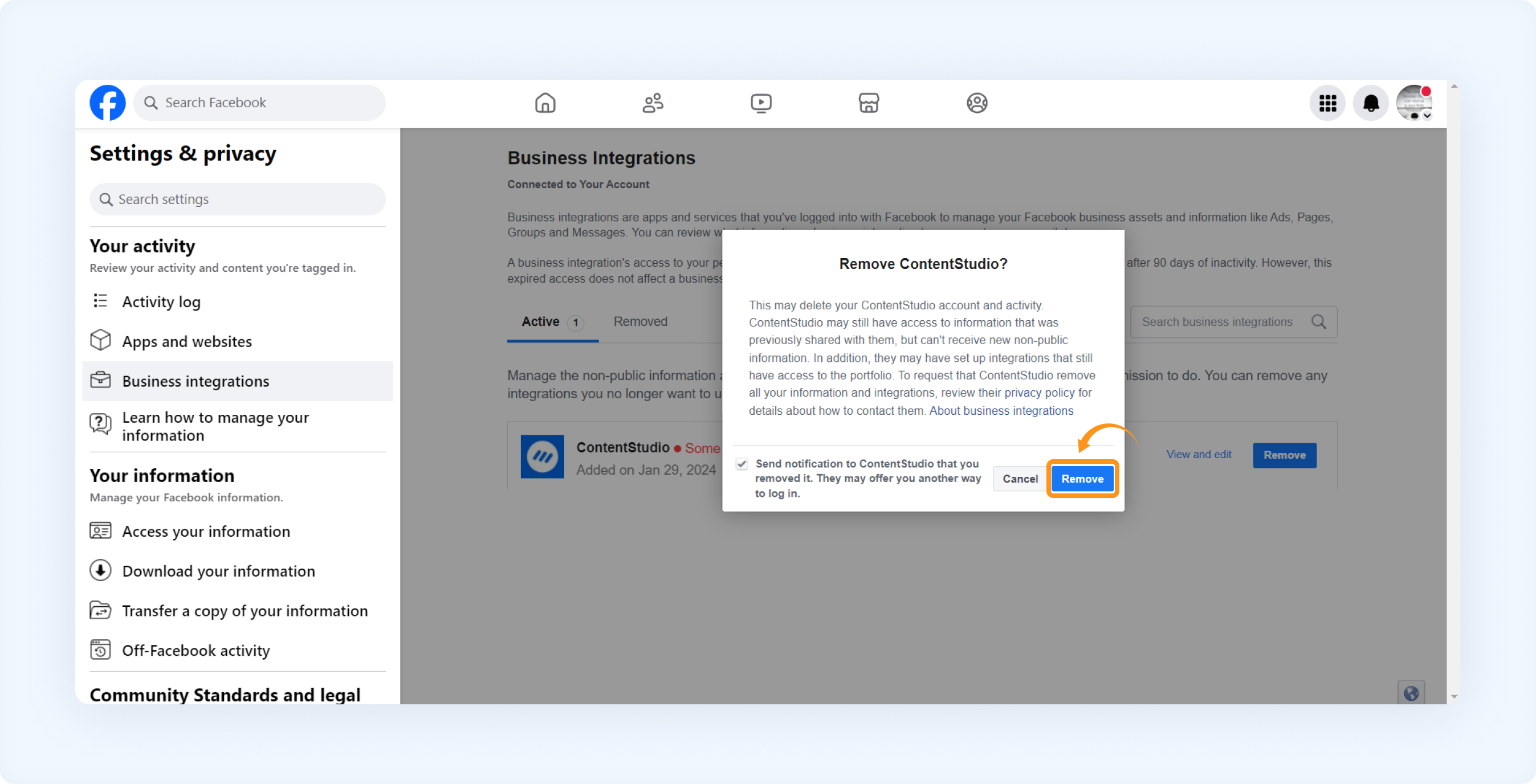
Find ContentStudio in the list of apps and click Remove.
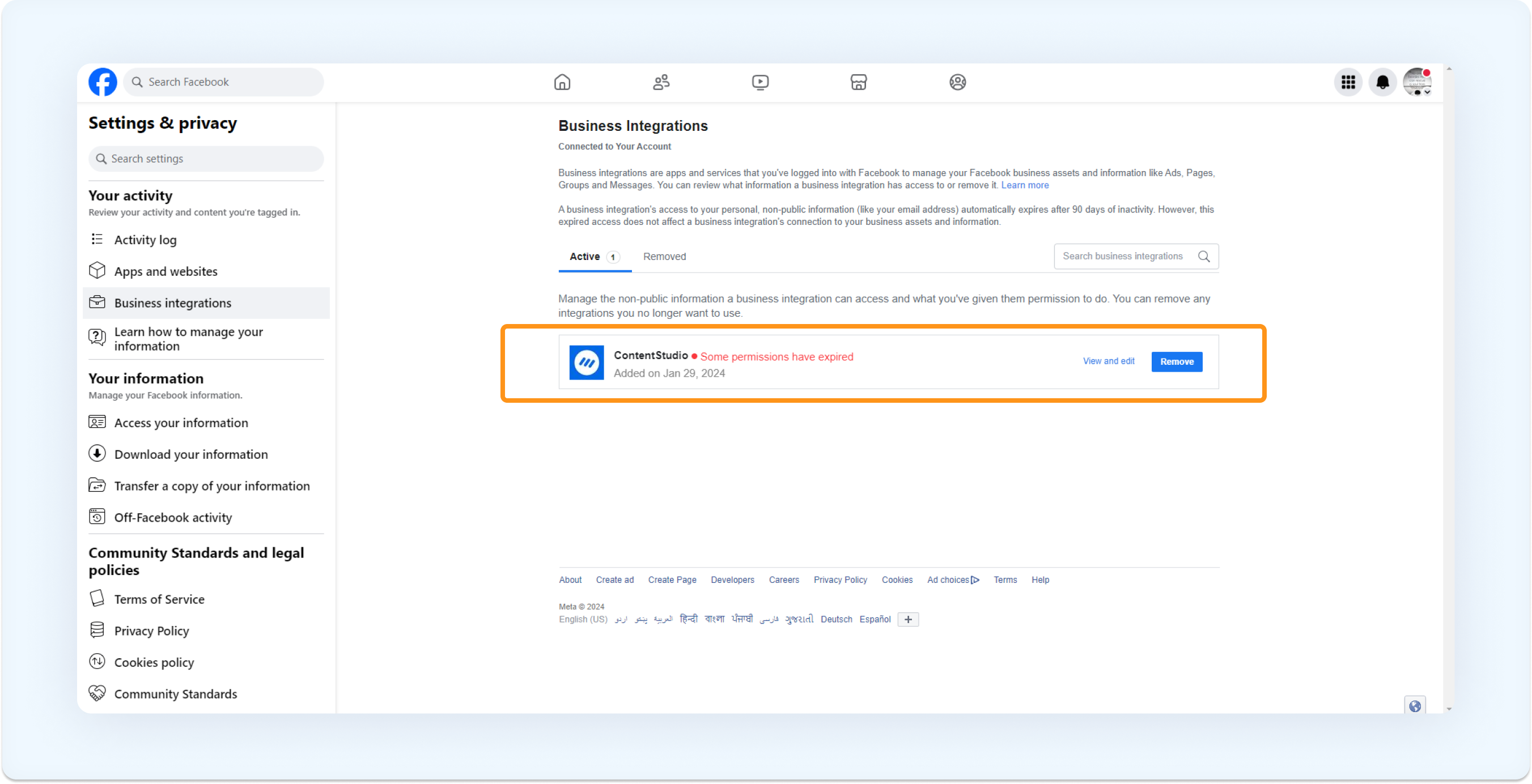
A confirmation pop-up will appear. Check or uncheck the notification checkbox as needed, then click Remove.
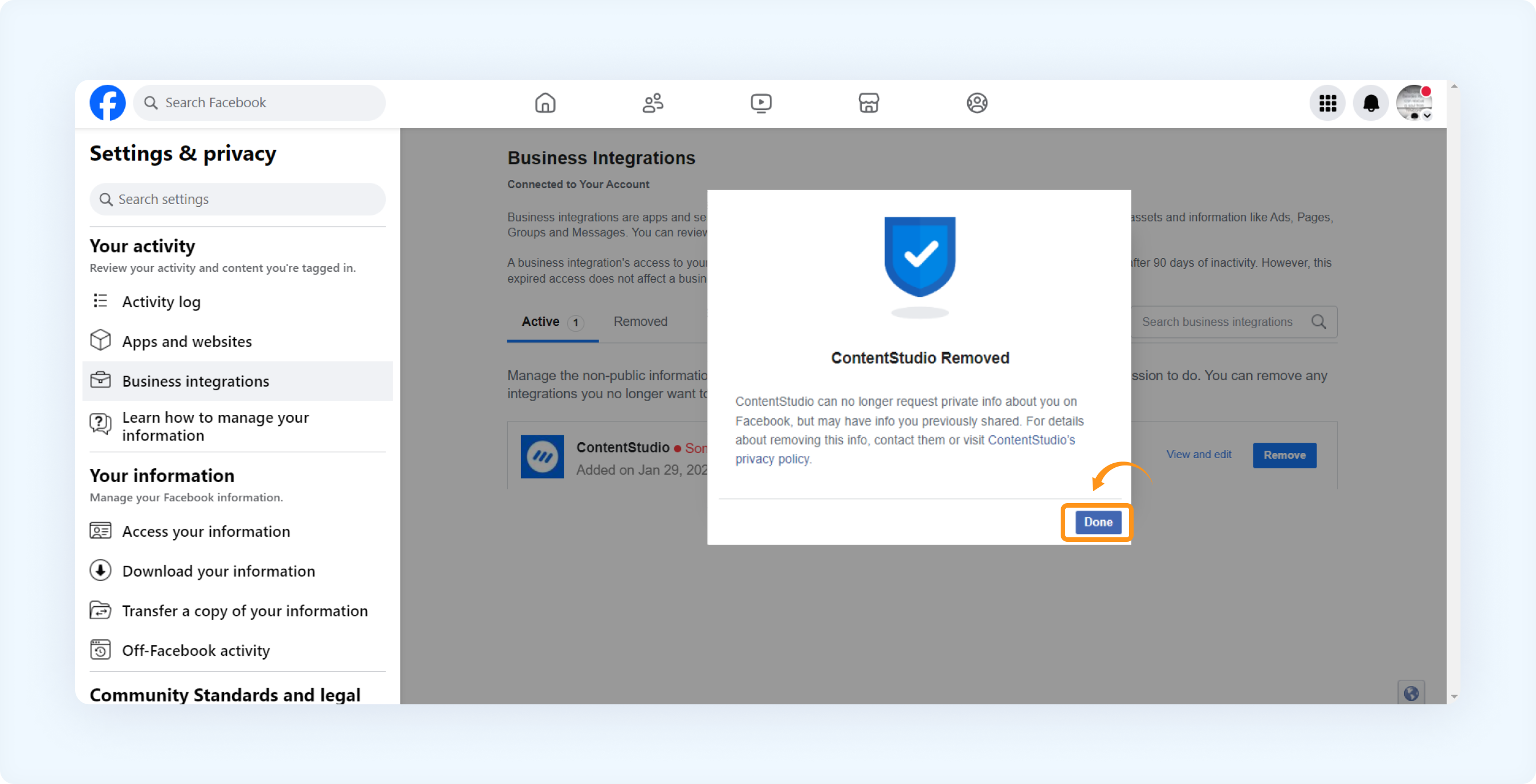
ContentStudio has now been successfully removed from your Facebook integrations.
Reconnect Facebook page to ContentStudio
Once you've removed the integration from Facebook, you need to reconnect it in ContentStudio:
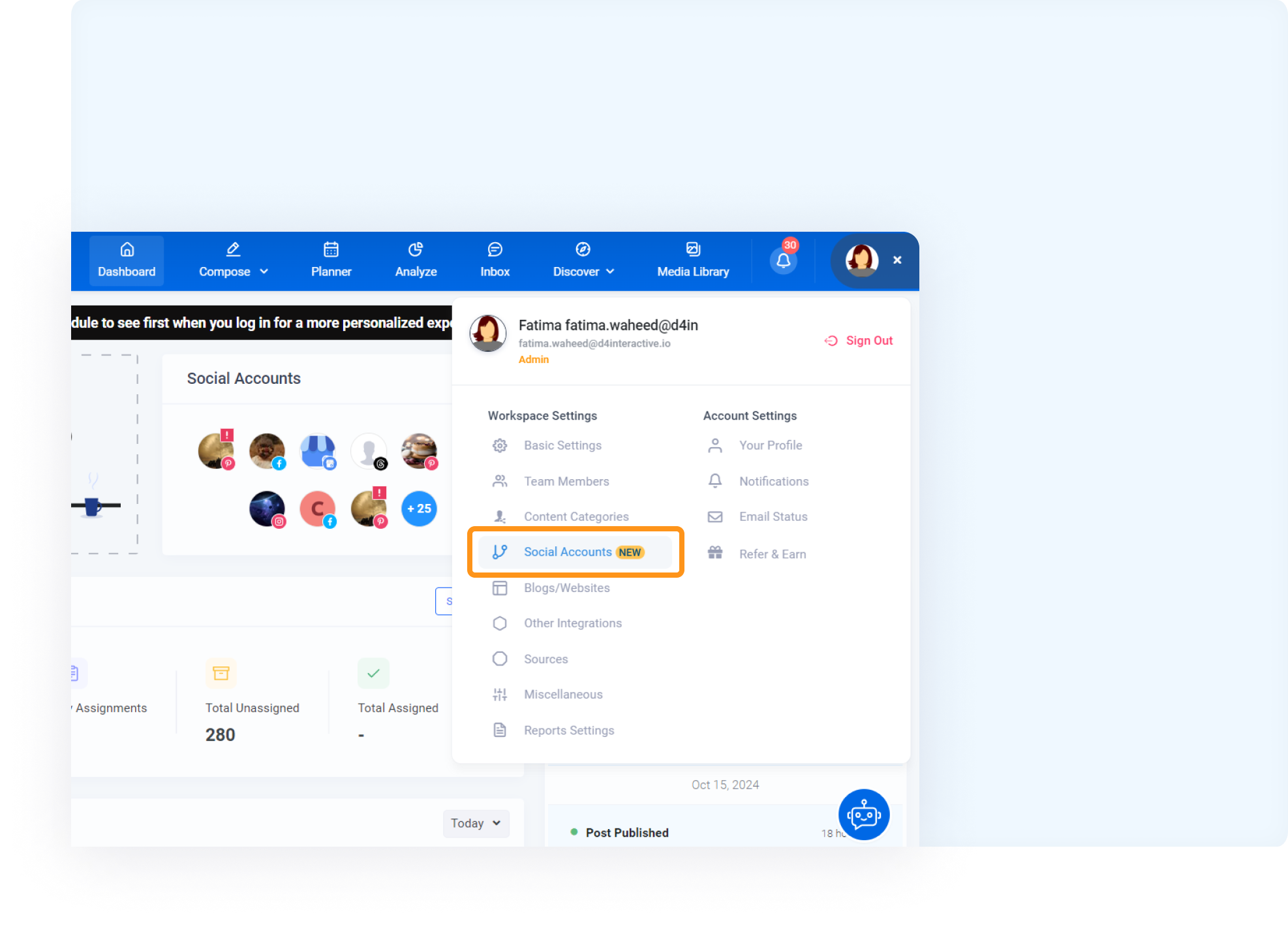
Log in to your ContentStudio account and go to Settings > Social Accounts
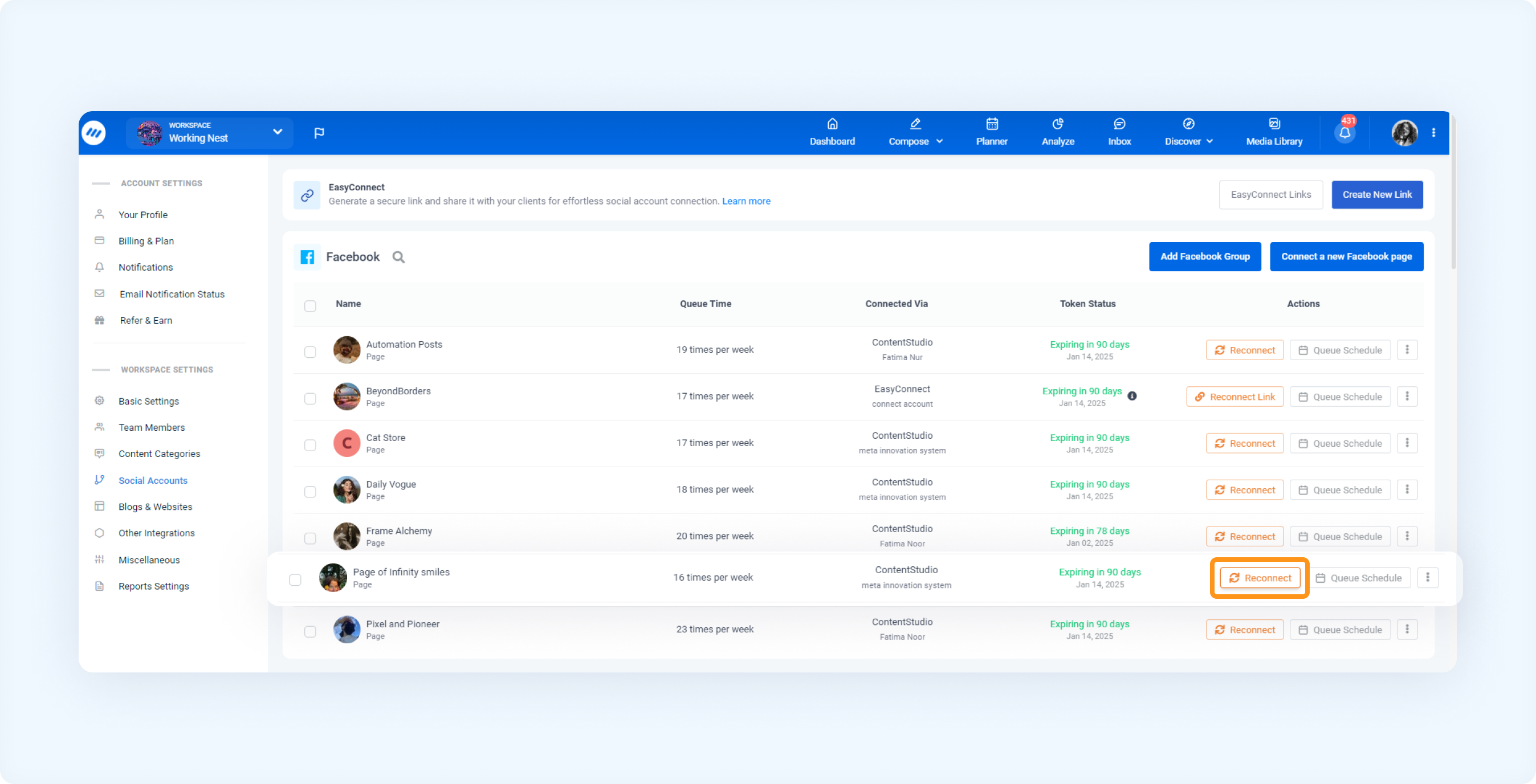
Under the Facebook section, locate the profile from which you previously removed ContentStudio. In the Action column, click the Reconnect.
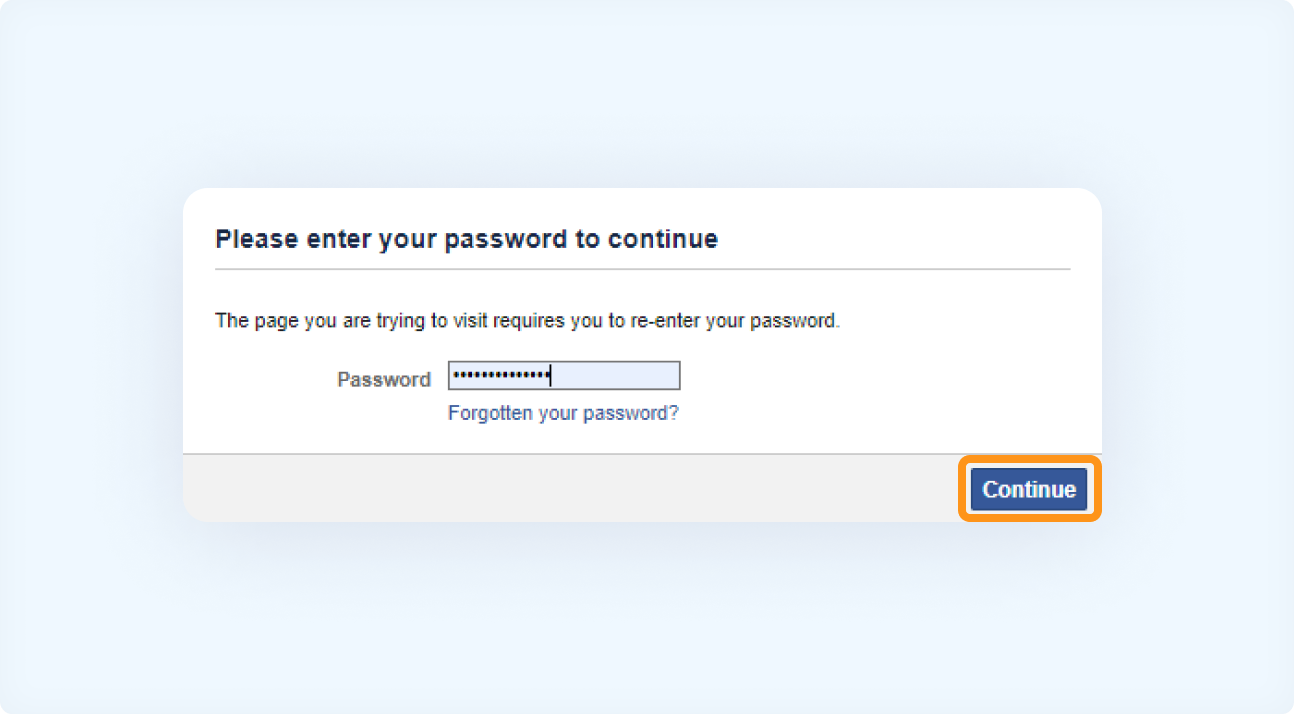
A pop-up window will appear, prompting you to enter your Facebook password. After entering it, click Continue.
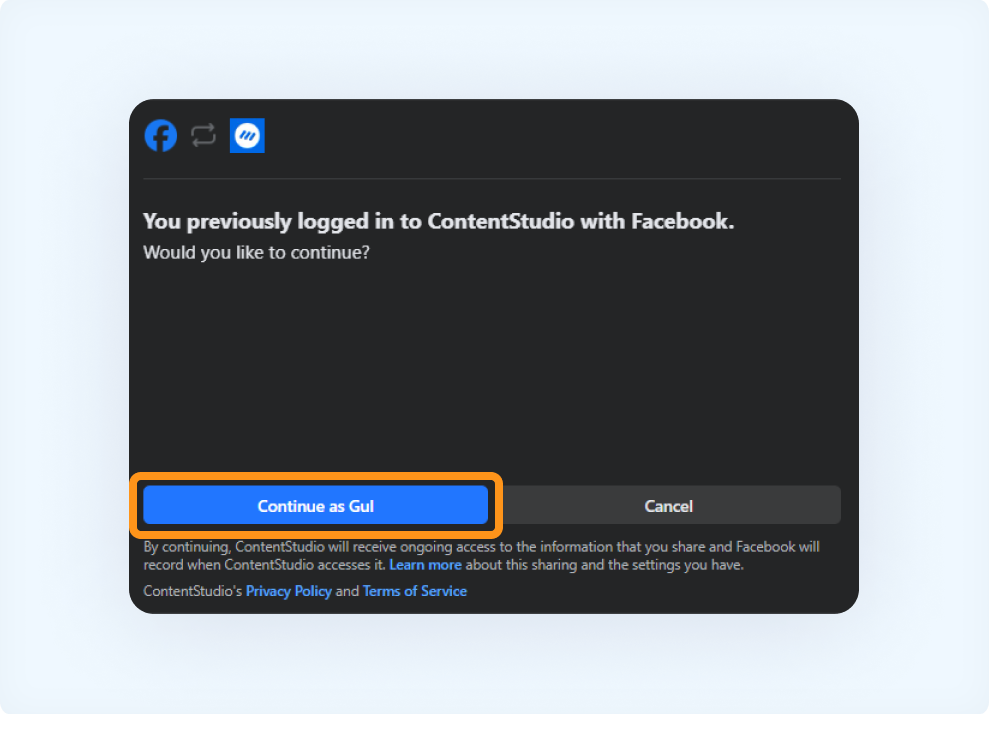
Review the access permissions for ContentStudio, then press Continue as [Your Name].
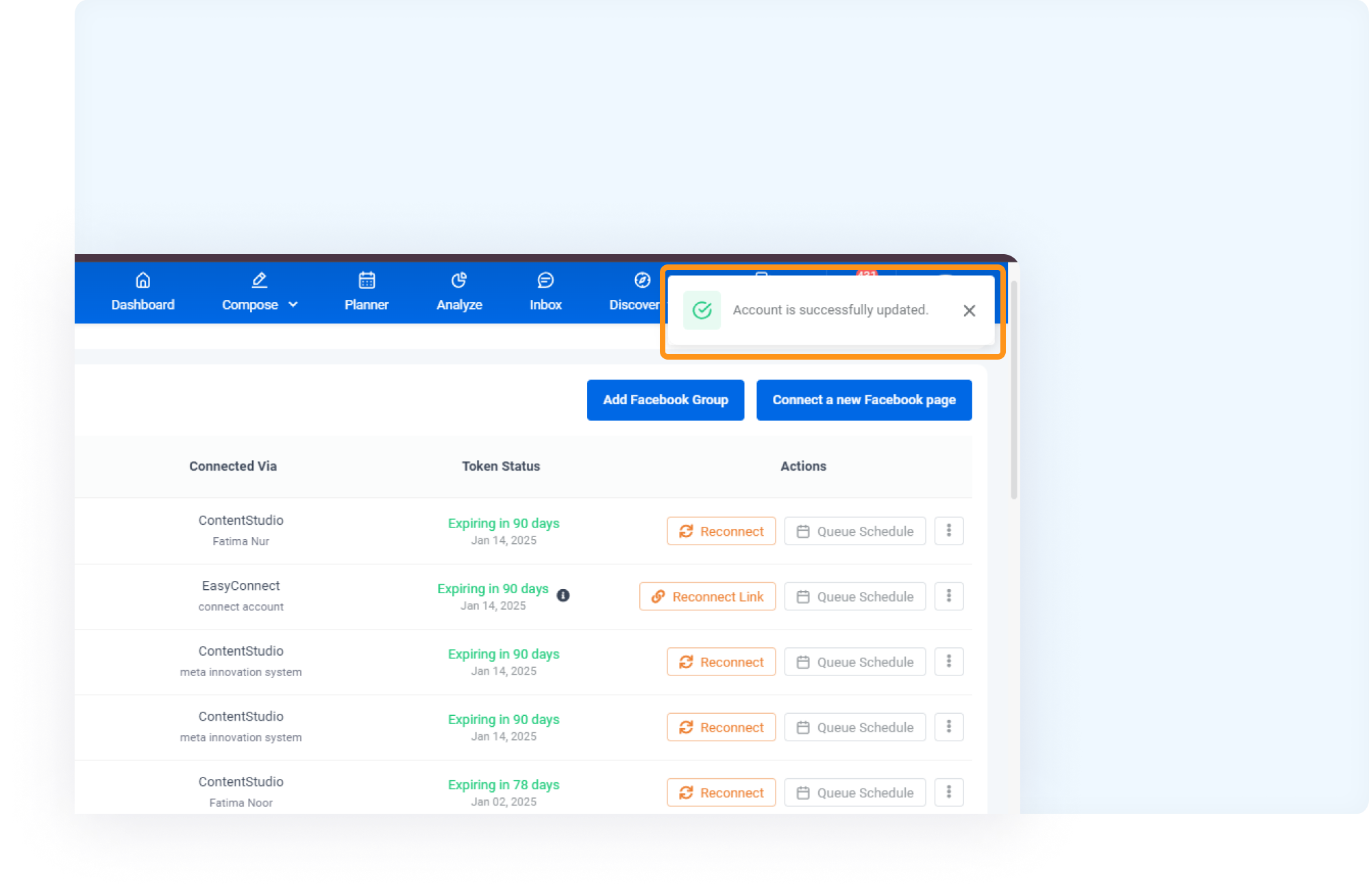
You will receive a notification that your account is successfully updated.
FAQs
Q1: What is Facebook Error 200?
A: Facebook Error 200 usually occurs when required permissions to post content are missing or revoked.
Q2: How can I prevent this error in the future?
A: Ensure that all permissions are granted when connecting your Facebook account to ContentStudio, and periodically review your Facebook integrations to avoid issues.
Q3: Can ContentStudio fix Facebook account-specific issues?
A: No, for any account-related issues, please contact Facebook directly through their Help Center.
Was this article helpful?