
Billing and Pricing
This guide explains how ContentStudio plans work, the billing options available, and what happens when you pause or cancel a subscription through Paddle. Use this to understand plan differences, upgrade options, and important account lifecycle events.
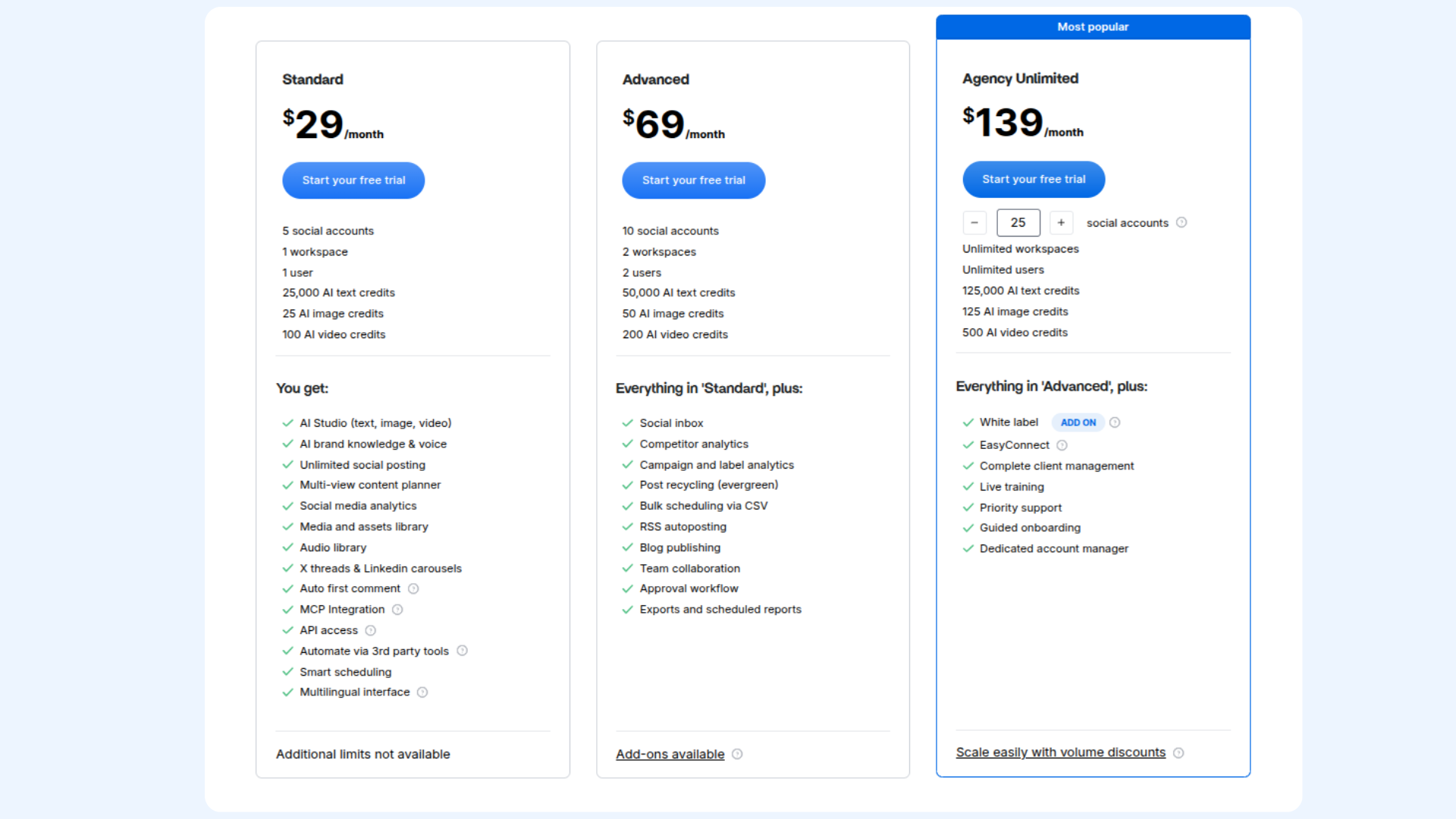
Available Plans
Free Trial Information
ContentStudio offers a one-time 14-day free trial for new users. During this trial, users can explore all features and set up their account before choosing a subscription plan.
Each user is eligible for only one free trial. If a new trial account is created, previously connected social accounts from an earlier trial cannot be reconnected in the new trial environment.
If a user did not get the chance to use their trial or needs an extension for any reason, they can contact the support team at support@contentstudio.io for assistance.

Billing Options
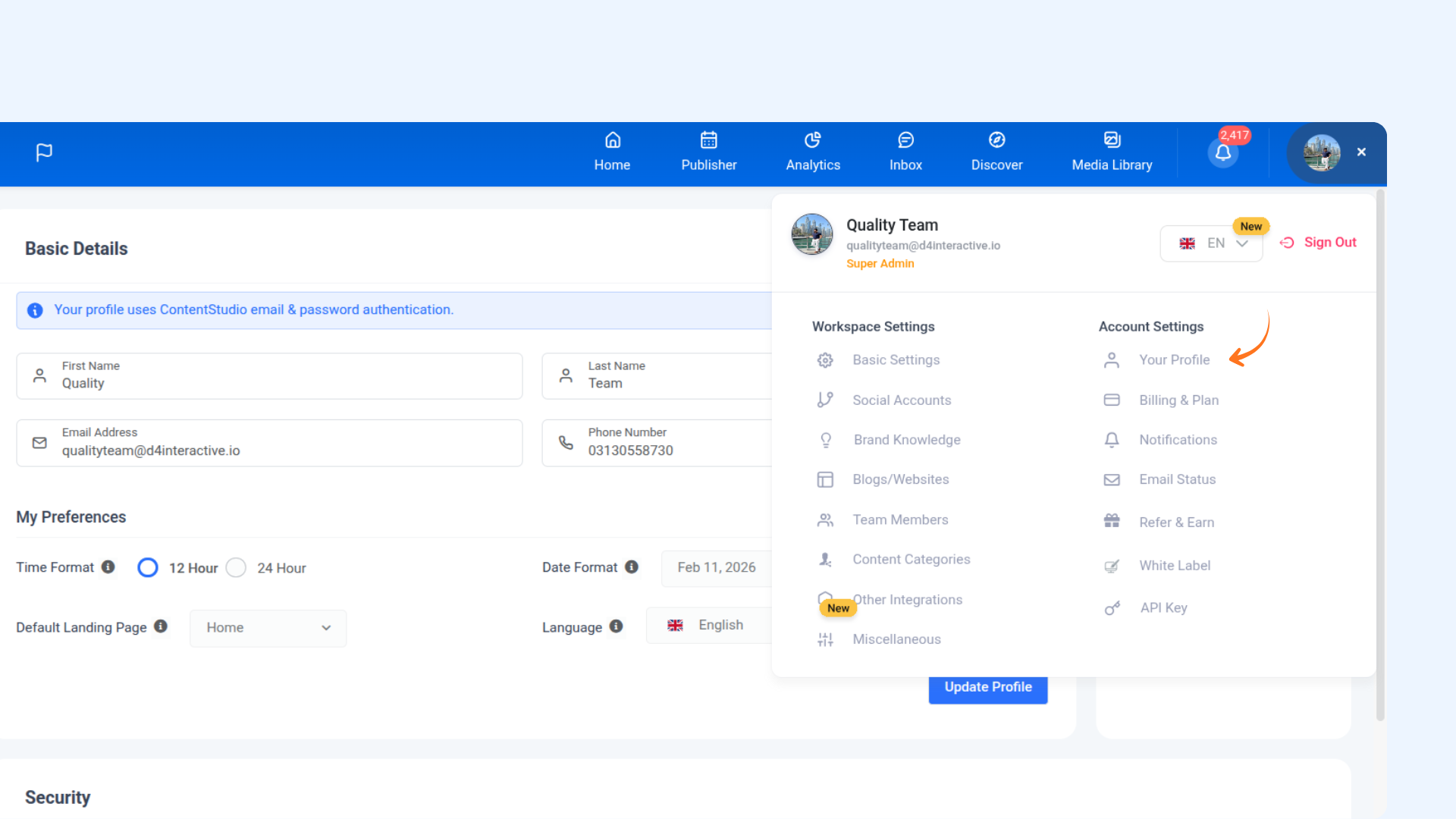
Billing and Plan Access Permissions
ContentStudio’s billing and subscription settings follow a role-based access structure to ensure secure account management.
Add-Ons and Scaling Limits for Plans
1. Add-ons
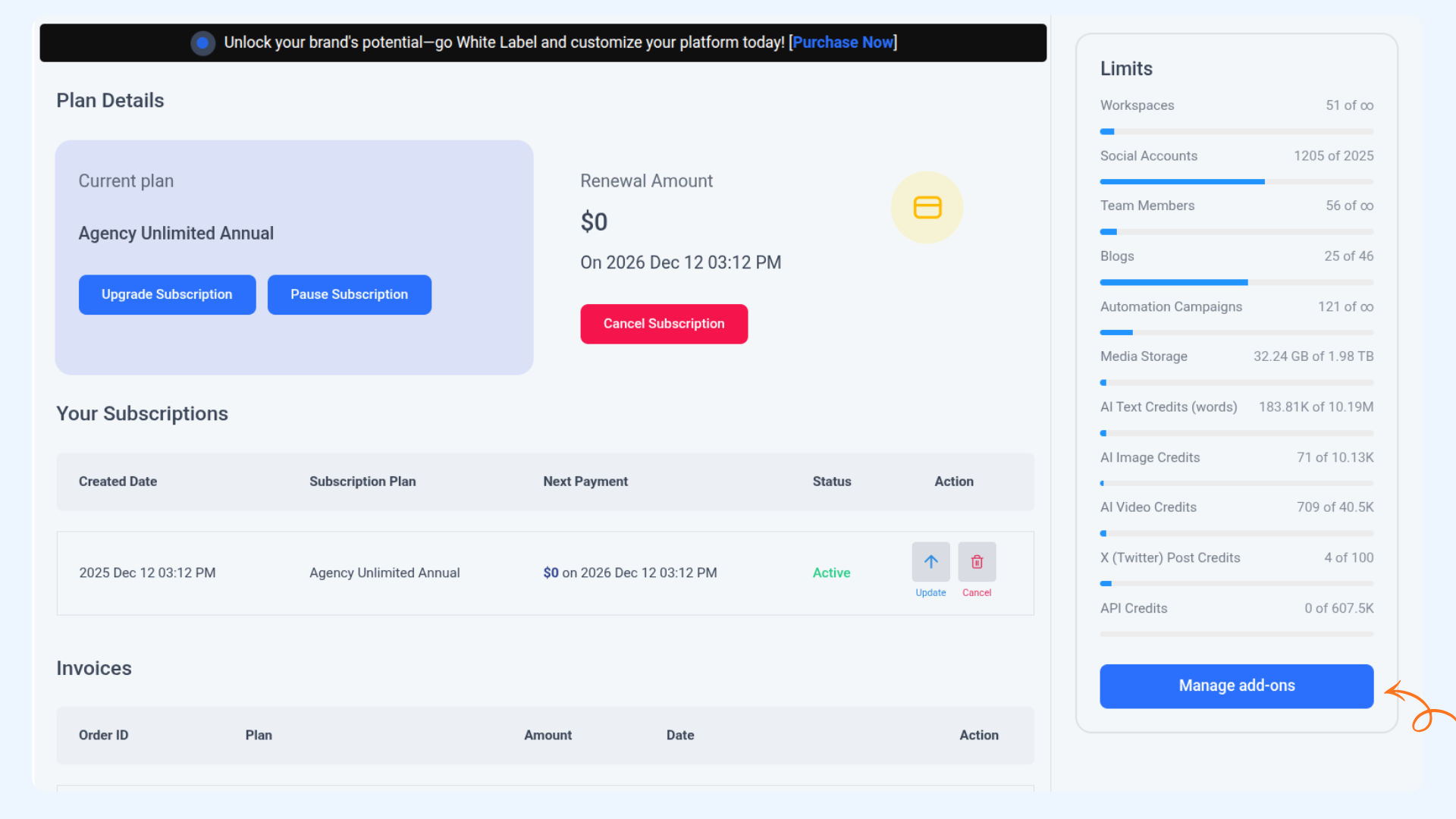
Users on the Advanced and Agency Unlimited plans can increase their usage limits by purchasing add-ons directly from the billing settings. Add-on pricing is displayed in real time when selected, and charges are prorated within the current billing cycle.
2. Social Accounts
Advanced Plan
- Base limit: 10 social accounts included
- Extra accounts: $5 per additional social account per month
Agency Unlimited Plan (Tiered Pricing)
Social account pricing becomes cheaper as volume increases.
| Social Accounts Added | Price per Account / Month |
|---|---|
| 25 to 50 | $5 |
| 51 to 100 | $4 |
| 101 to 200 | $3 |
| 201 to 500 | $2 |
| 501+ | $1 |
Users, Workspaces, and Other Add-Ons:
Advanced Plan Add-Ons
- Extra users: $10 per user per month
- Extra workspaces: $10 per workspace per month
Agency Unlimited Plan
Workspaces and team members are effectively unlimited at the base level. However, higher social account limits are handled through tiered social add-on pricing.
| Add-On | Price (Monthly) |
|---|---|
| Extra Workspaces | $10 per workspace |
| Extra Team Members | $10 per member |
| Extra Blog Publishing Sites | $5 per blog |
| Media Storage | $0.50 per GB |
| AI Image Credits | $5 per 100 credits |
| Additional AI Text Credits | $0.75 per 1,000 (volume pricing available) |

Feature Availability Across Plans
| Feature | Standard | Advanced | Agency Unlimited | Enterprise |
|---|---|---|---|---|
| Workspaces | 1 | 2 | Unlimited | Custom |
| Team Members | 1 | 2 | Unlimited | Custom |
| Social Accounts | 5 | 10 (Add-ons available) | 25 (Add-ons available) | Custom |
| Social Inbox | Not included | Included | Included | Included |
| Approval Workflows | Not included | Included | Included | Included |
| White Label | Not included | Optional | Available | Available |
| API and SSO | Not included | Not included | Optional | Included |
Subscription Status Changes
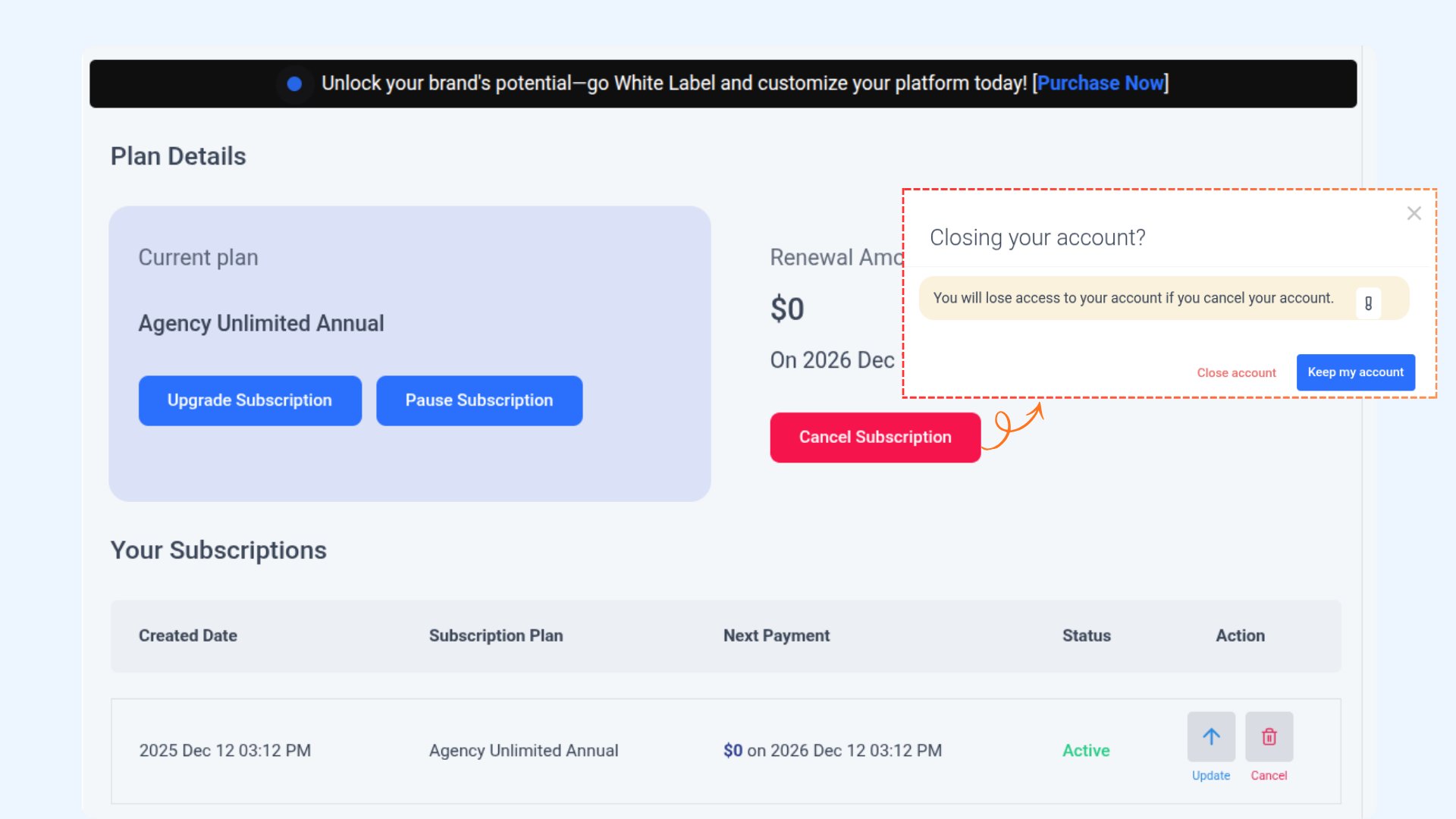
Paddle manages the subscription lifecycle, including pausing and cancelling. These actions affect your billing, access, and renewal behaviour.
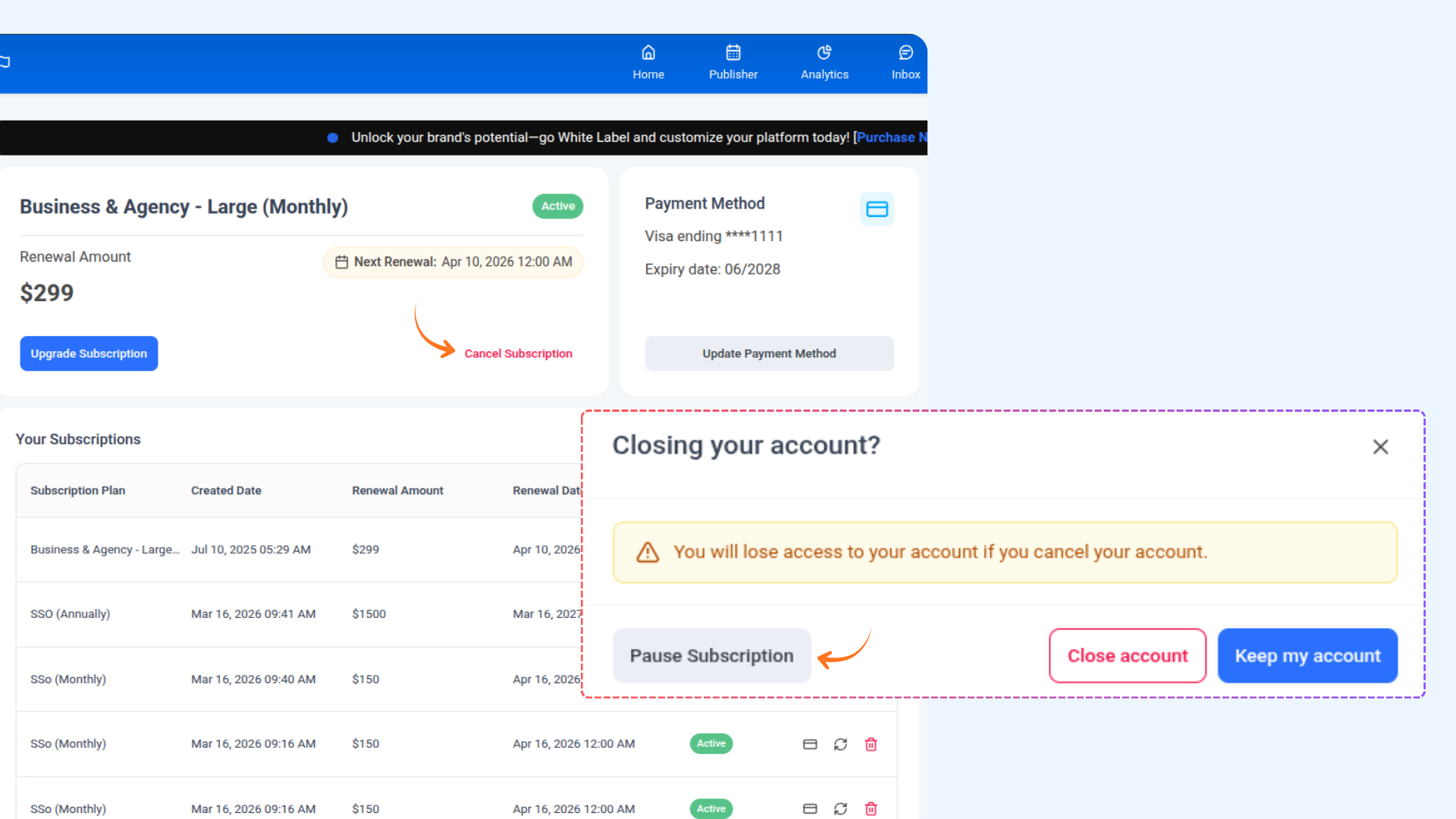
Pausing a Subscription
Pausing allows users to temporarily stop billing without ending the subscription.
What Happens When You Pause:
- Billing stops during the pause.
- Data and settings remain safe.
- Pausing can take effect immediately or at the end of the current billing cycle.
- The subscription can be resumed at any time.
- When resumed, billing restarts and full access returns.
When Pausing is Useful:
- The user wants a short break from content publishing.
- The user does not want to lose account data or workspace setup.
- The user wants to temporarily avoid being billed.

Cancelling a Subscription
Cancelling is a permanent action and stops any future renewals.
What Happens When You Cancel:
- Billing stops permanently.
- Access remains available until the end of the current billing period unless cancelled immediately.
- The subscription cannot be resumed; the user has to resubscribe.
- Users who return later must create a new subscription.
When Cancellation Makes Sense:
- The user is no longer using the platform.
- The user does not plan to return in the near future.

| Action | Billing | Access | Data | Can Resume |
|---|---|---|---|---|
| Pause | Temporarily stops | Restricted during pause unless resumed | Retained | Yes |
| Cancel | Stops permanently | Ends after period, user needs to re-subscribe | Retained | No |
Invoices
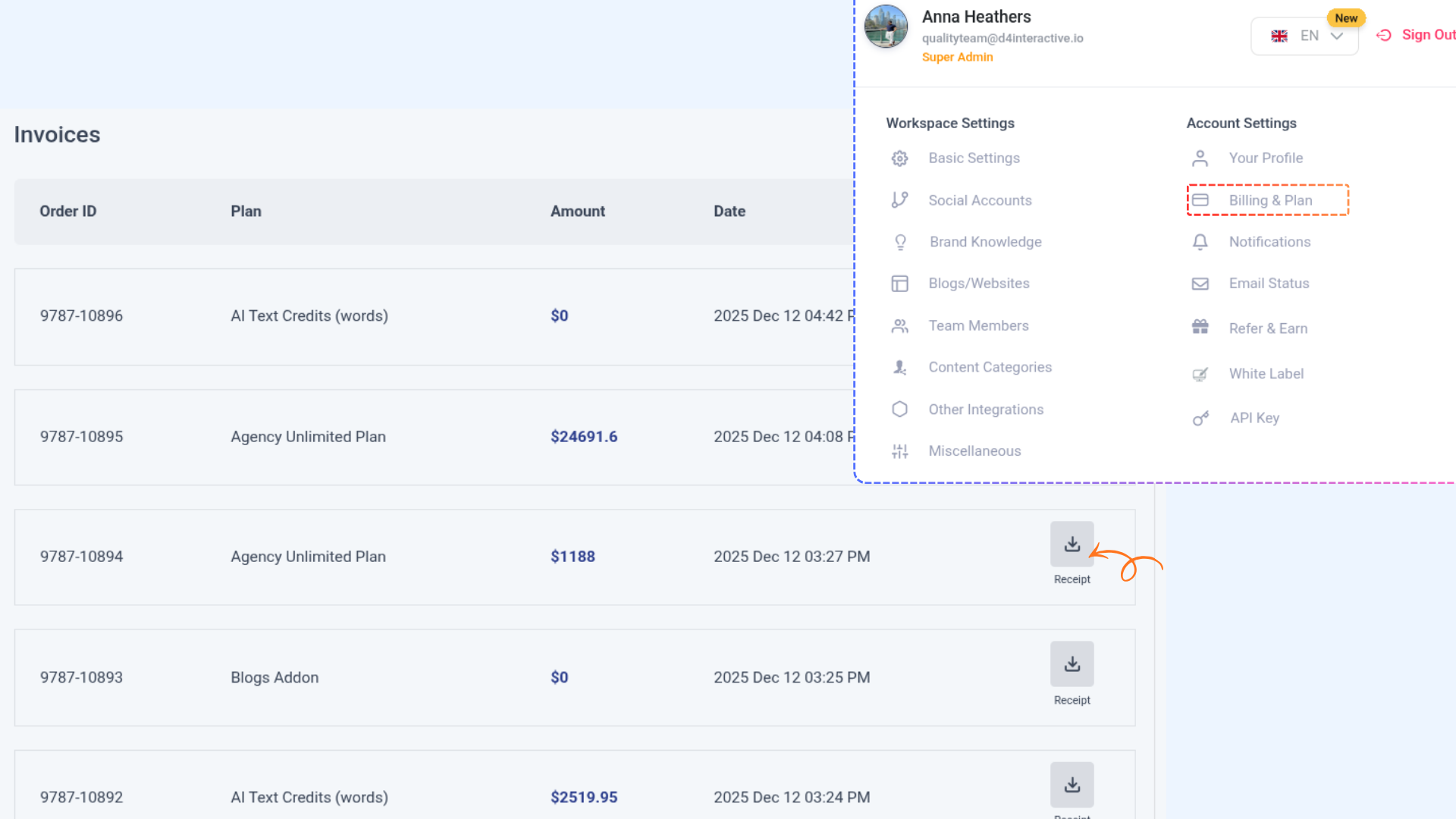
You can view all your invoices in Settings → Billing & Plan. Each invoice provides a detailed summary of your subscription charges.
To download a receipt, simply click on the download icon next to the invoice. This allows you to save a copy for your records.

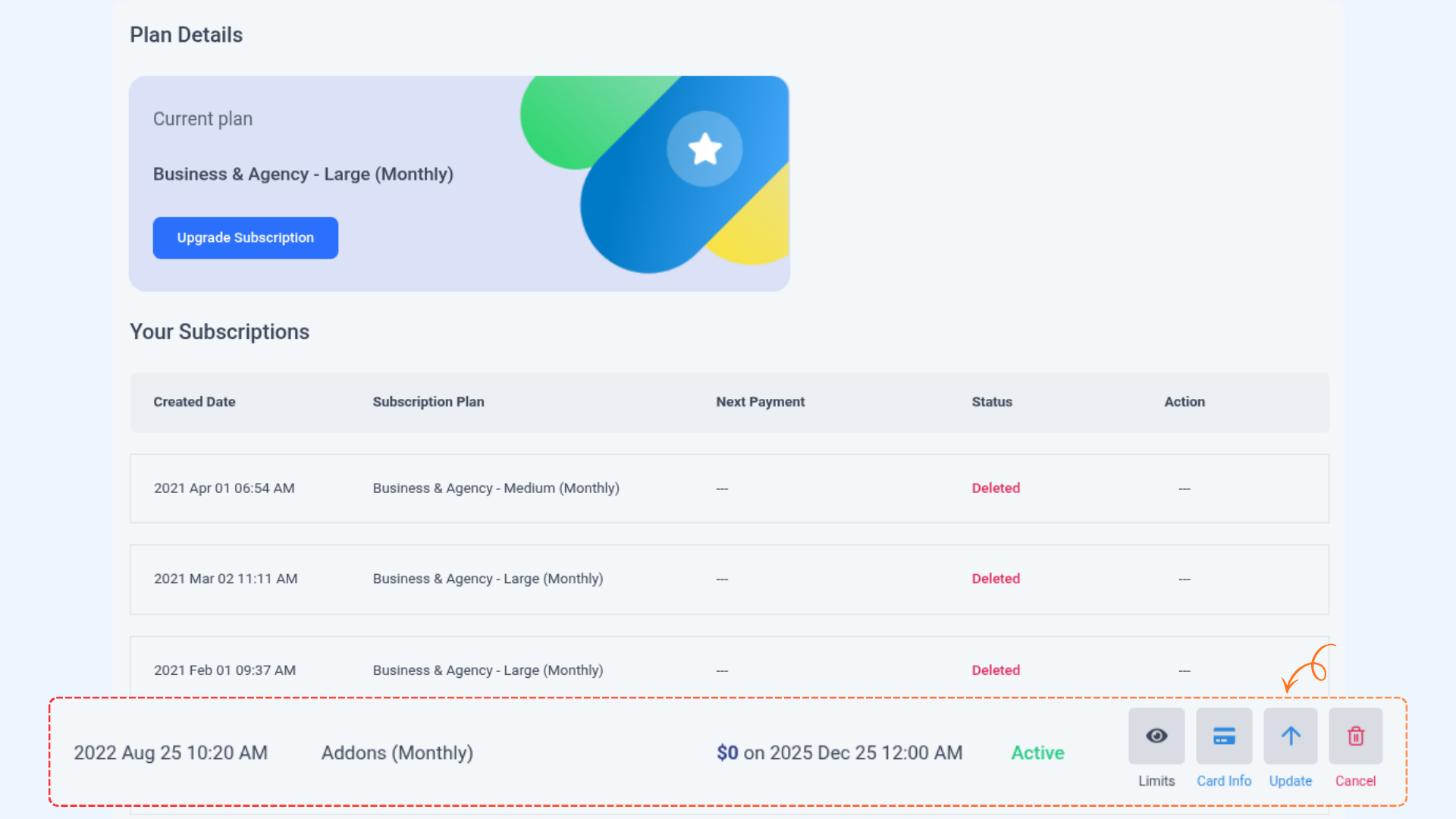
How to Update Card Information