

Sign in on Android devices
📱 Welcome to ContentStudio on Android!
Ready to take your content anywhere? Make sure you have a ContentStudio account set up on the web, then hop into the Android app. With just a few taps, you’ll be signed in and ready to plan, publish, and manage your content on the go! 🚀
In this Article:
How to Sign In on Android
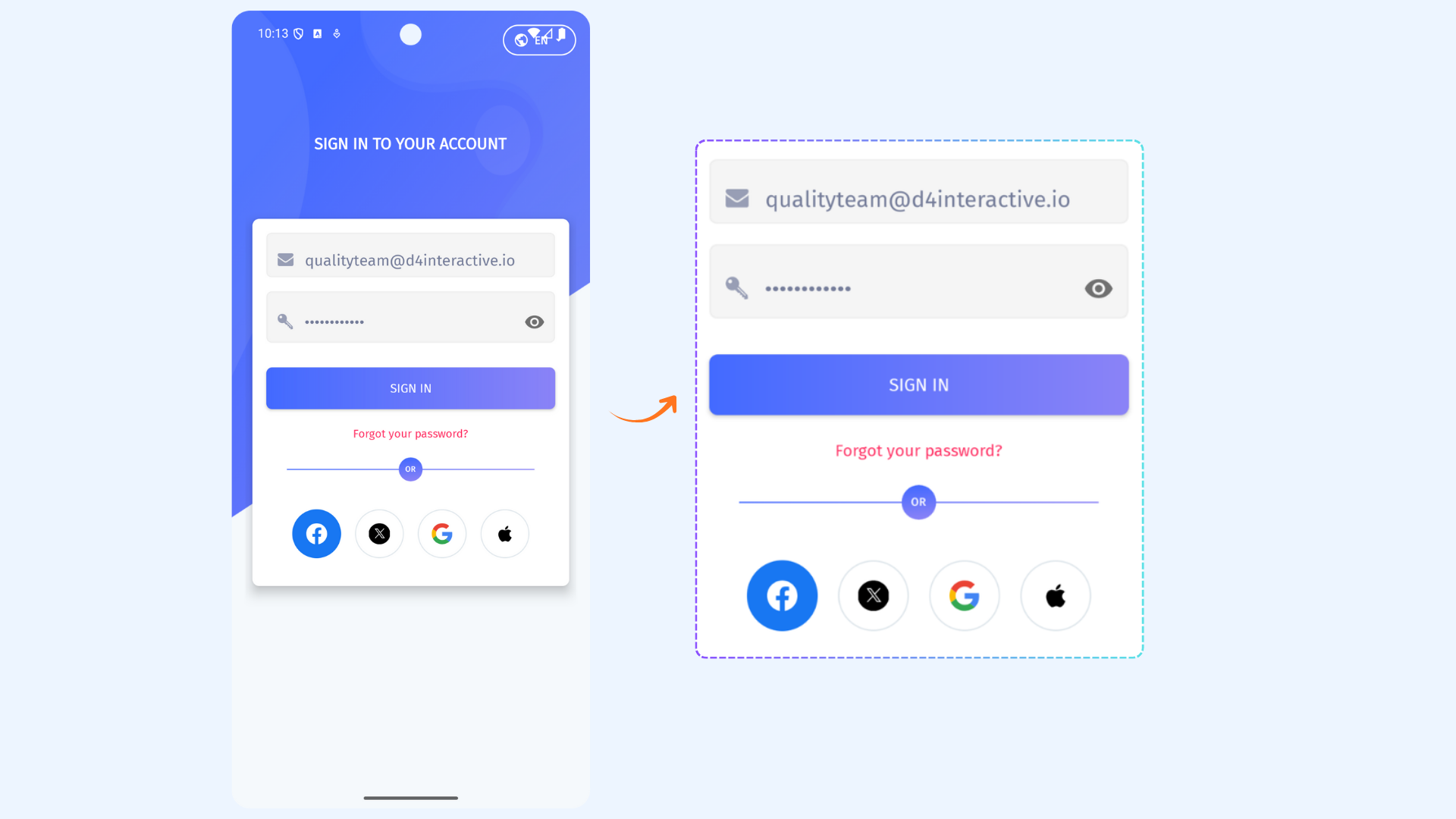
If you already have a ContentStudio account, you can sign in on your Android device using any of the supported sign-in methods below.
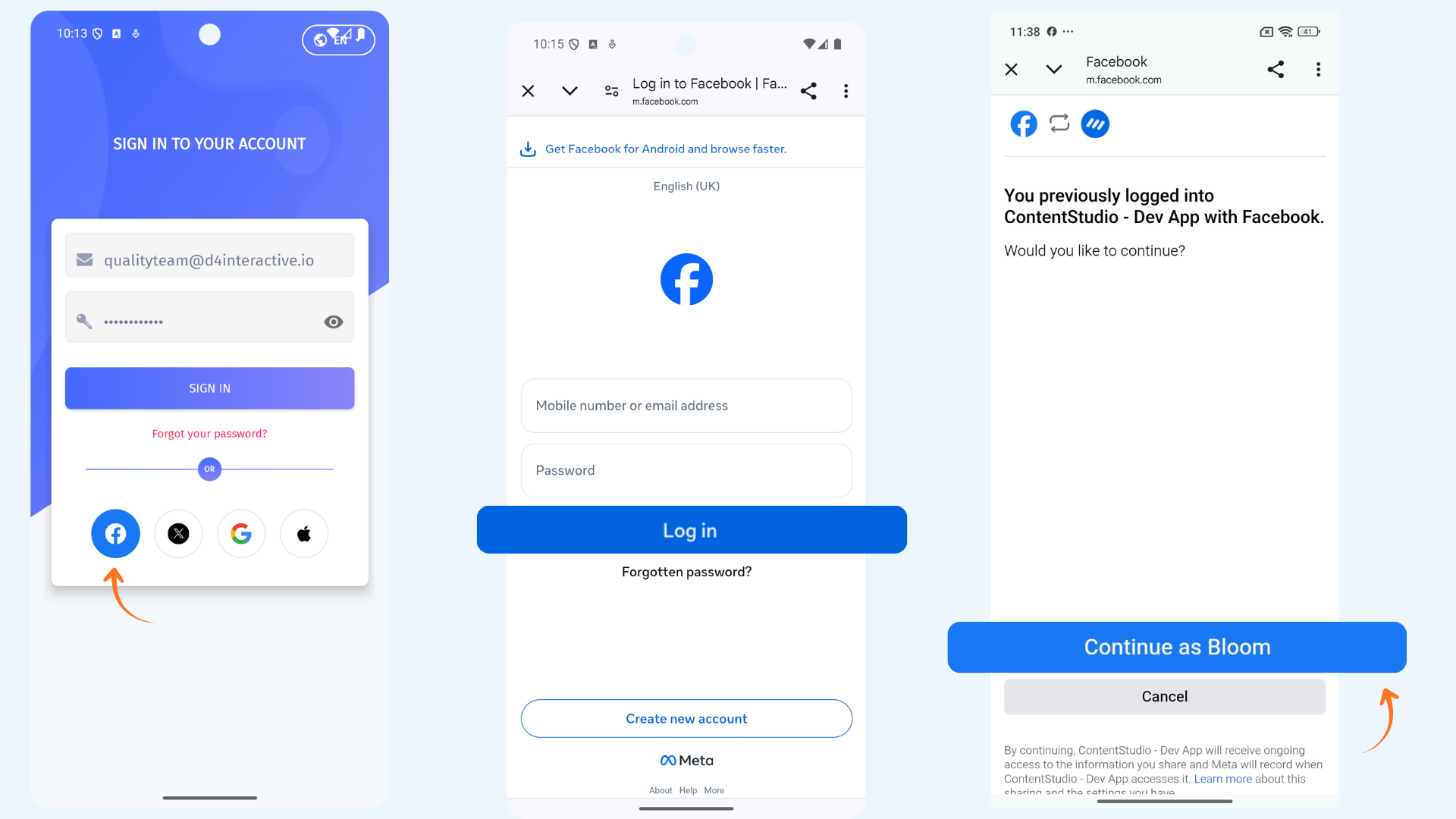
Sign In with Facebook
Tap Continue with Facebook and enter your Facebook credentials if prompted.
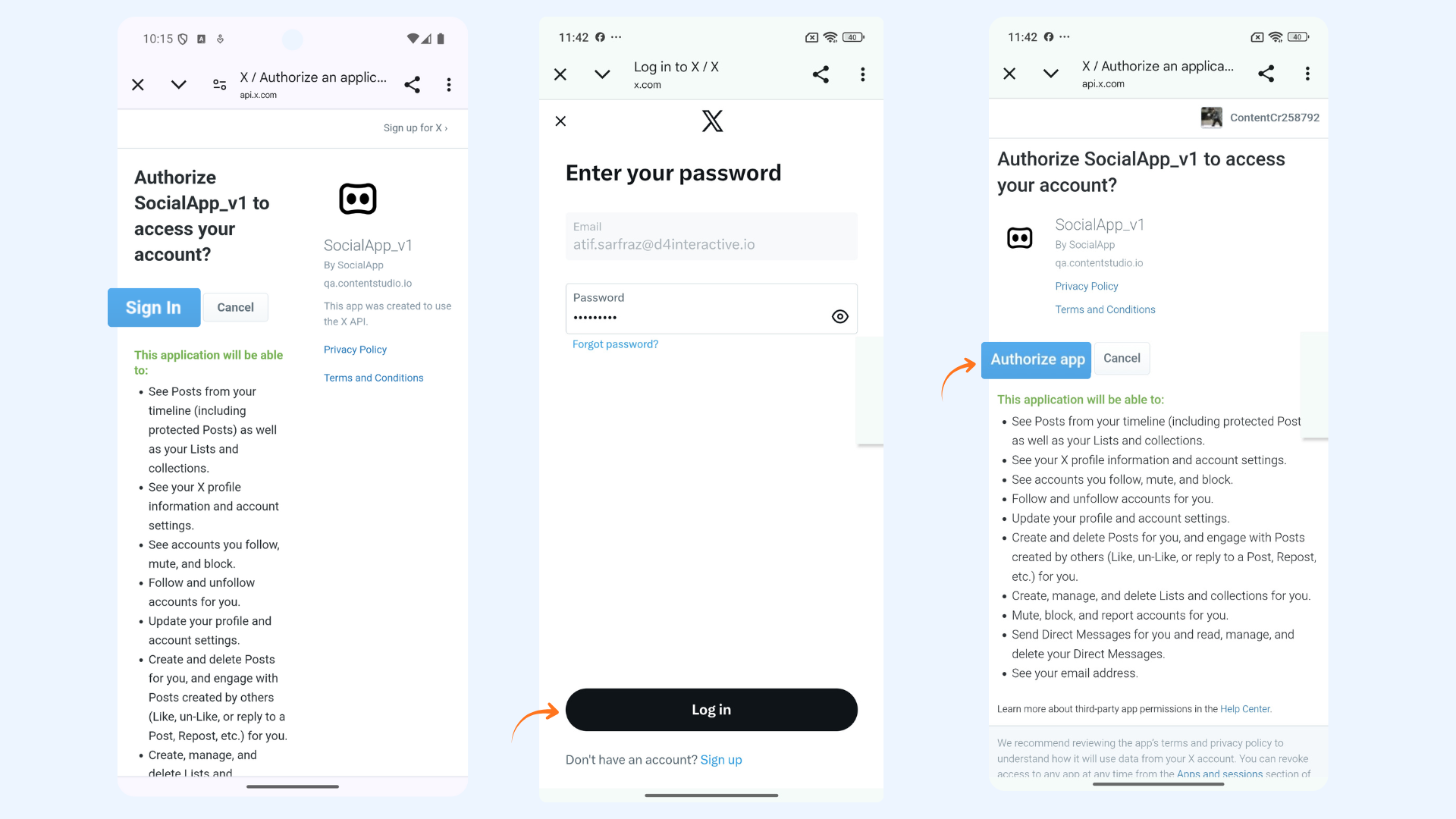
Sign In with X (Twitter)
Tap Continue with X and log in using your X (Twitter) account credentials.
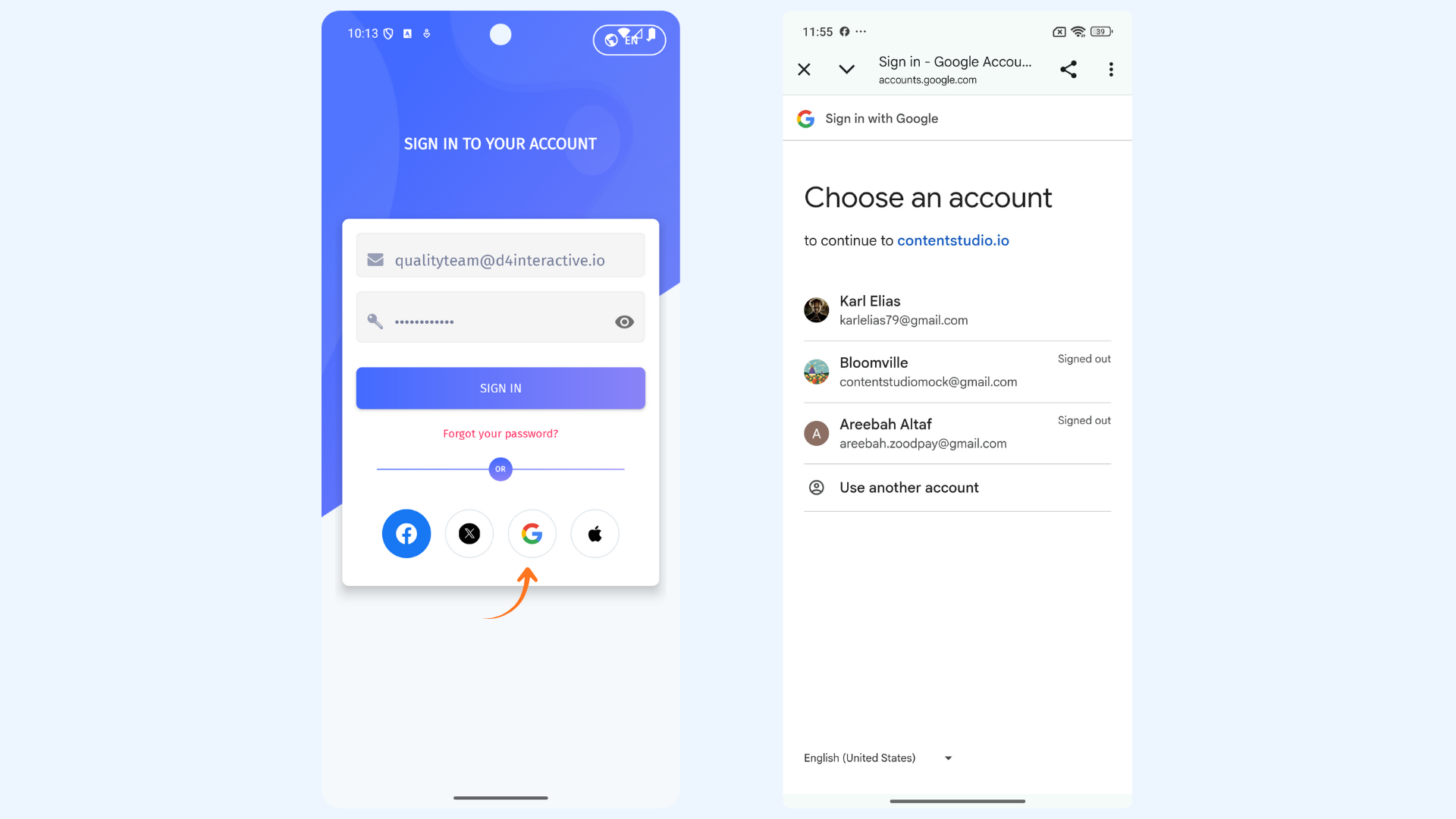
Sign In with Google
Tap Continue with Google and select your Google account to sign in.
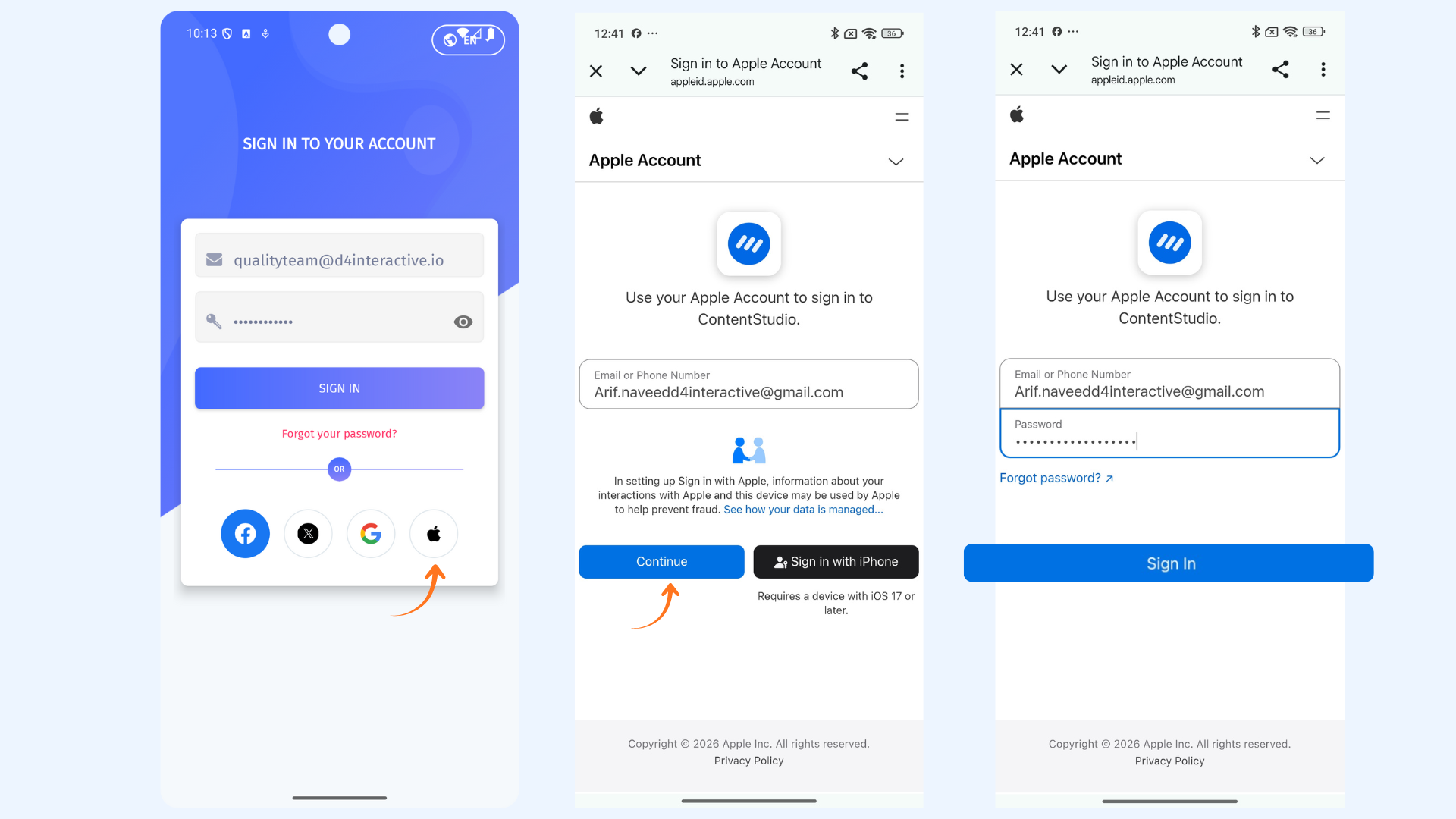
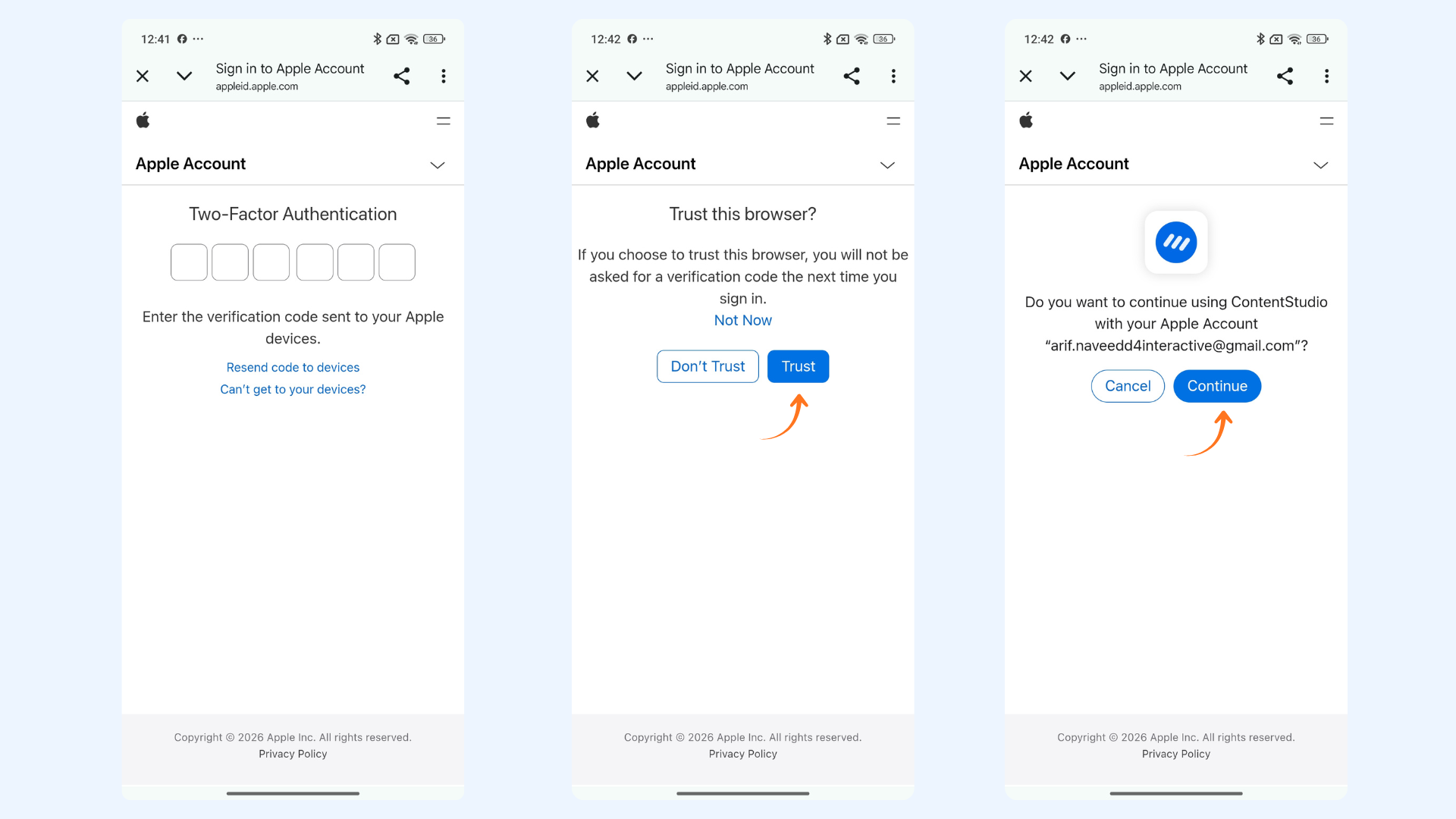
Sign In with Apple
Tap Continue with Apple and follow the on-screen instructions to authenticate your account.
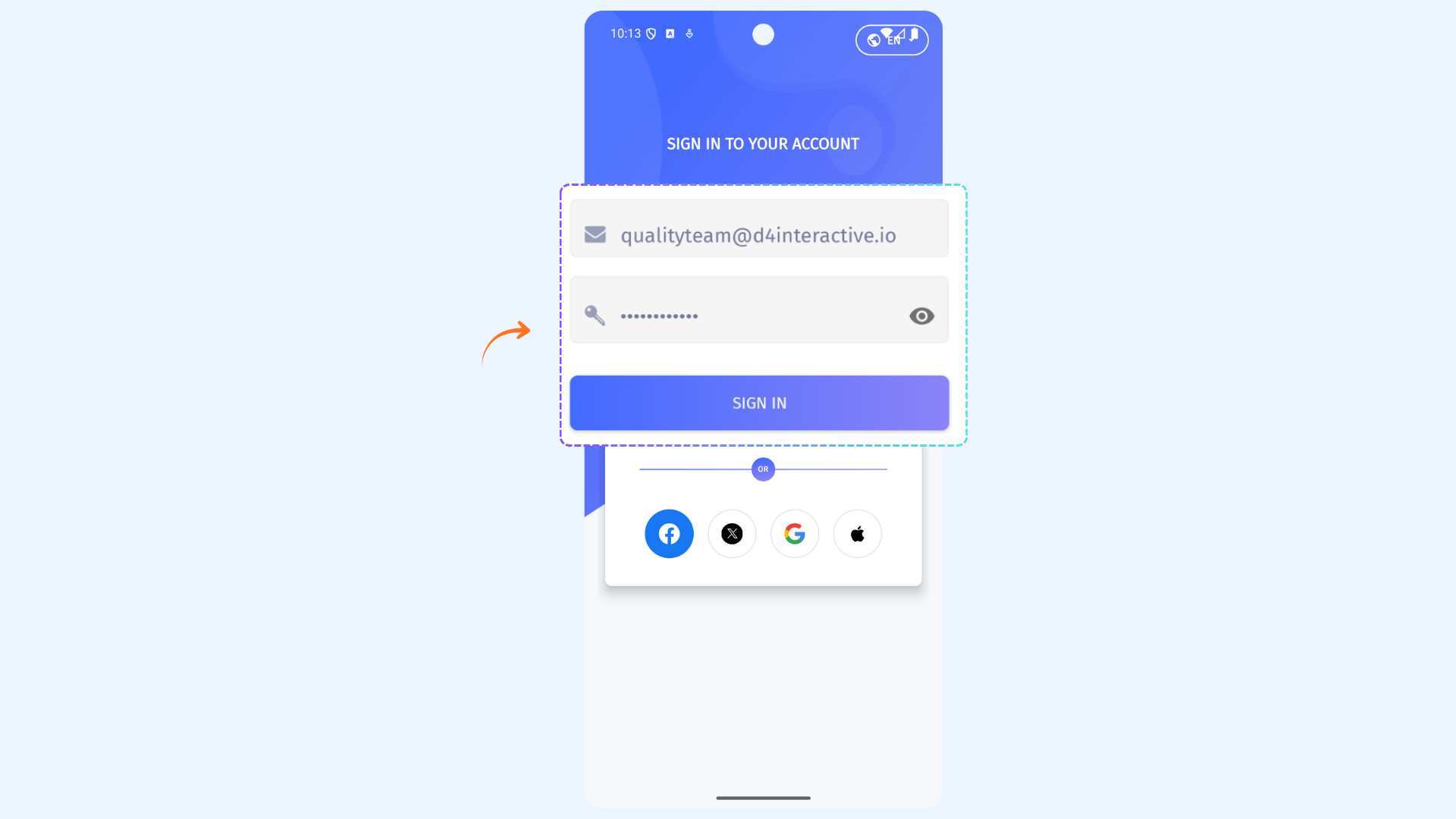
Sign In with Email
Enter your Email Address and Password, then tap Sign In.
FAQs
Q1: Can I create a new ContentStudio account on Android?
A: Not yet! Account creation (Sign Up) is only available on the web. Once you have an account, you can sign in on your Android device.
Q2: Which sign-in methods are supported on Android?
A: You can sign in using Facebook, X (Twitter), Google, Apple, or your Email.
Q3: I forgot my password. How can I reset it?
A: Tap Sign In with Email, then select Forgot Password on the login screen. Follow the instructions to reset your password.
Was this article helpful?