

How to Sign Up or Sign in using Google
Now, signing in or up for ContentStudio is a breeze with our new Google account integration! No more juggling usernames and passwords; just one click to access your platform.
Ready to experience seamless simplicity? Let's get started! 🚀
Sign up
1. If you’re a new user, you can sign up quickly using your Google account. Click here to get started: ContentStudio Sign Up.
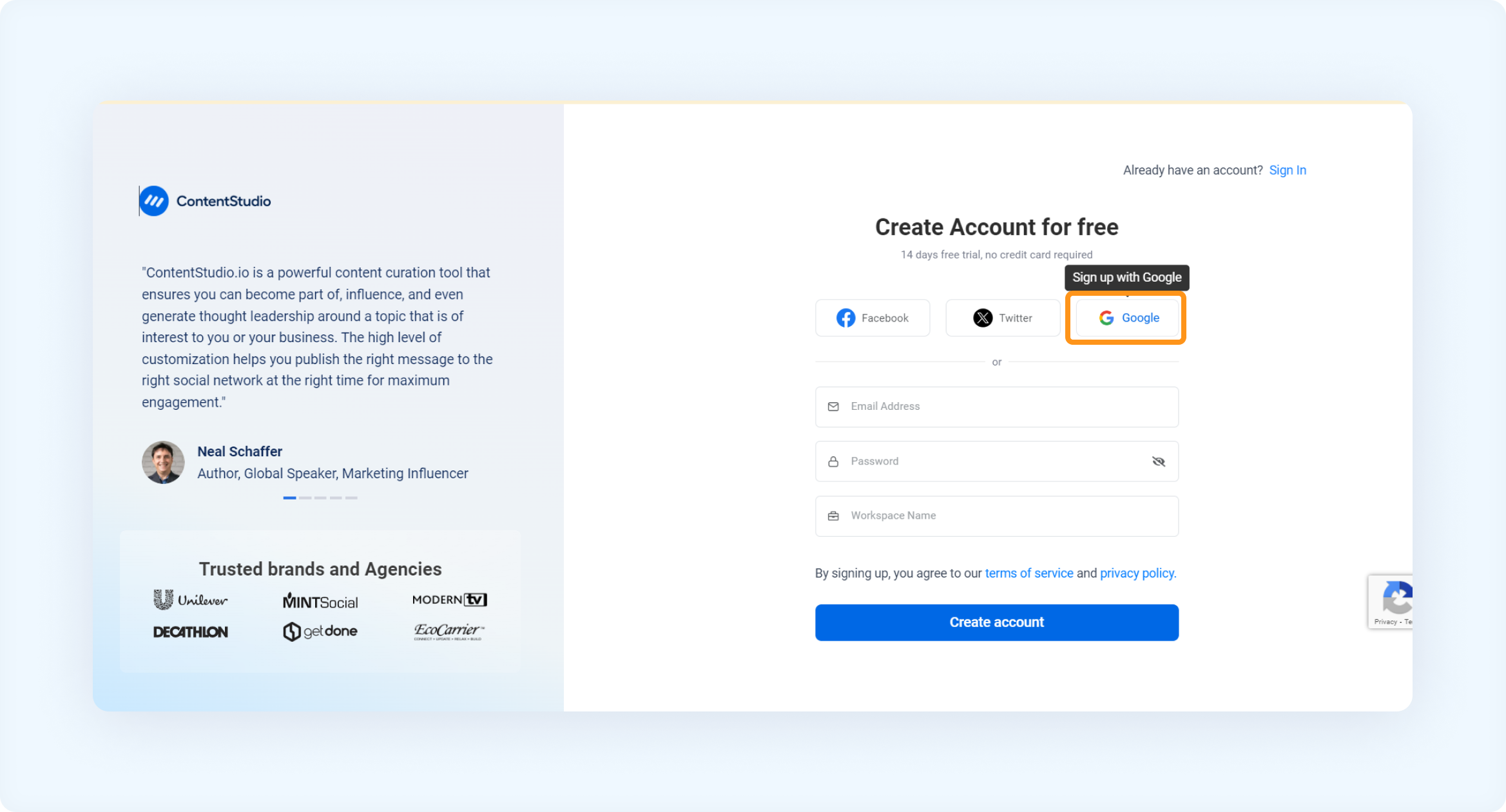
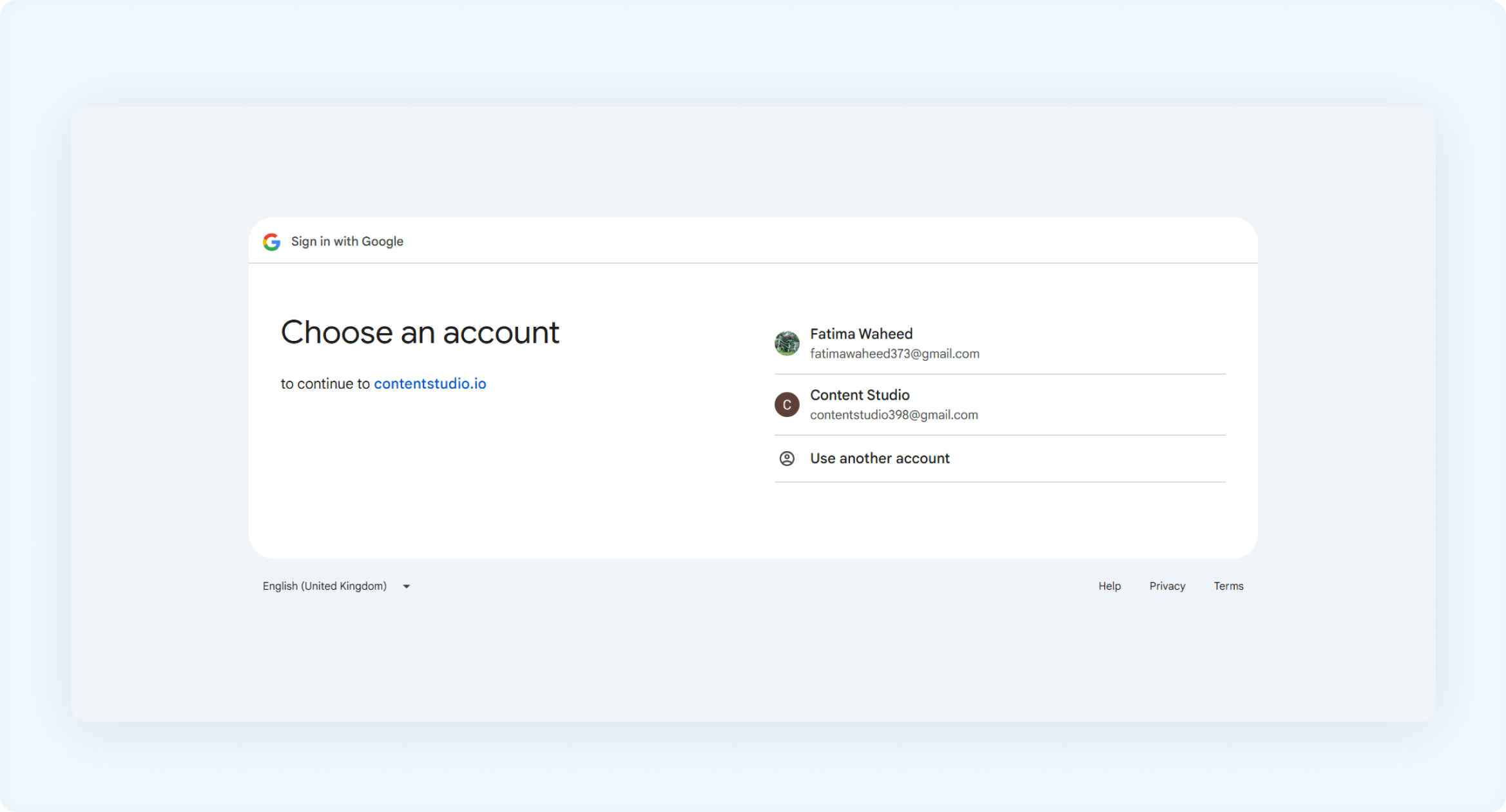
2. Click on the Google icon to continue with “Sign up with Google”. 3. Choose an existing Google account, or select Use another account to sign up with a different one.
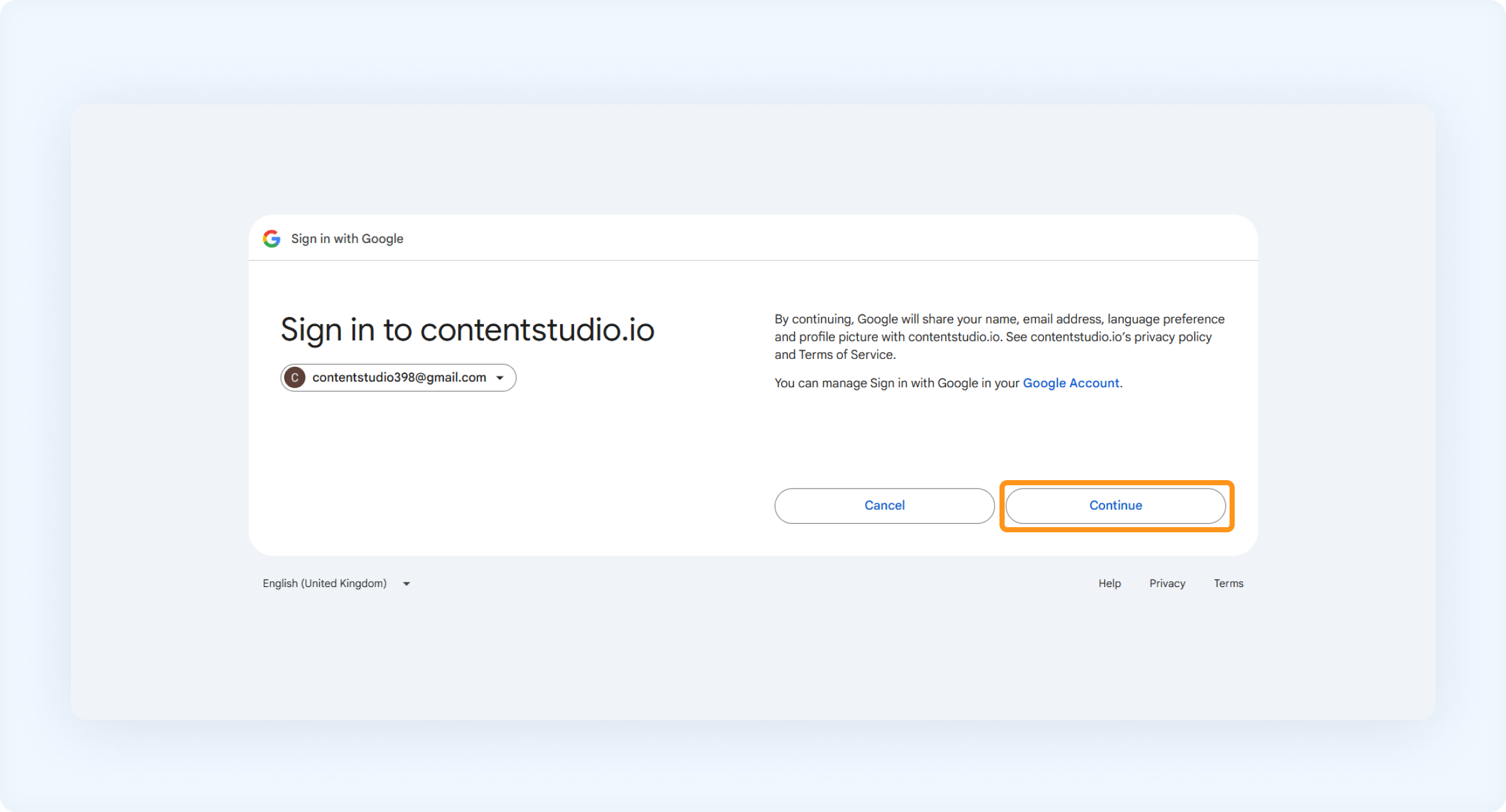
4. Click Continue to complete the sign-up process.
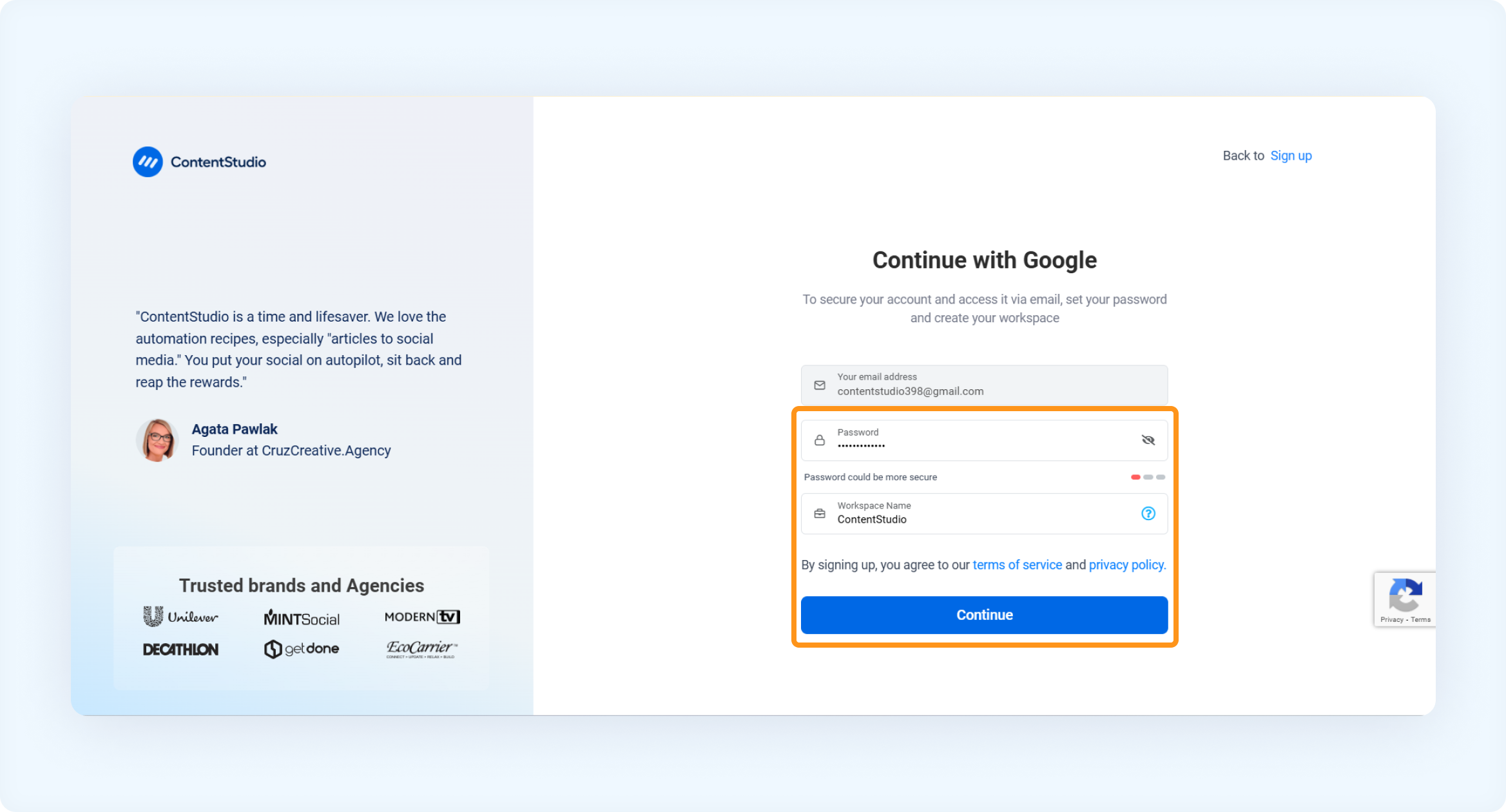
5. Set a secure password for your account and enter your Workspace Name to finish the setup.
6. Enter your Full Name and select the appropriate Workspace Timezone.
Select whether you'd like to use the Full Suite or API Plan
Enter your website URL to build setup your brand.
9. Choose the category that best describes your business from the available options.
10. You can watch the Getting Started tutorial for a quick overview, or skip it and explore the platform on your own.
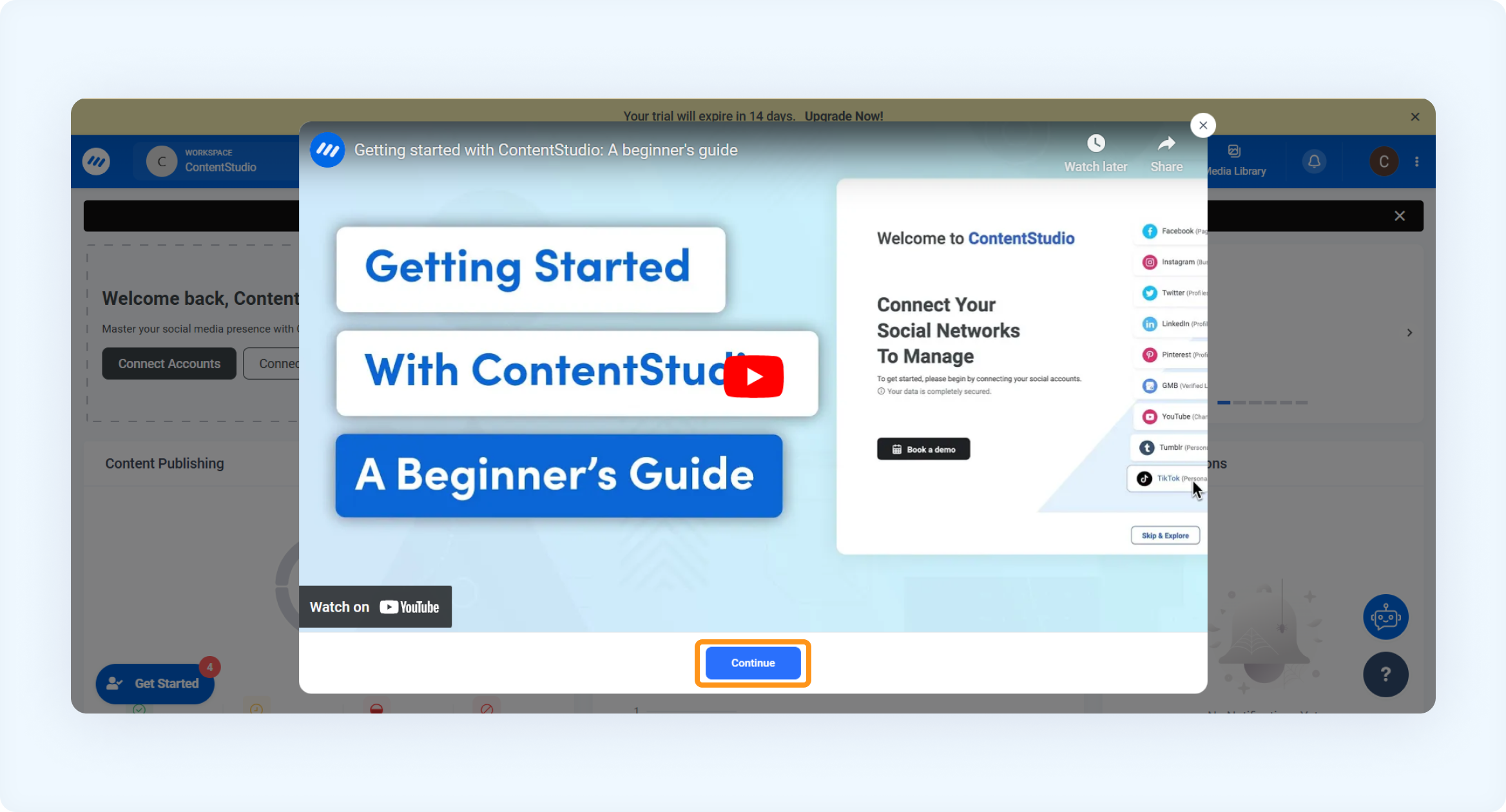
Once you complete the sign-up process, you will be directed to the Main Dashboard, where you can start using ContentStudio.
Sign in
1. Go to the ContentStudio Login page to access your account.
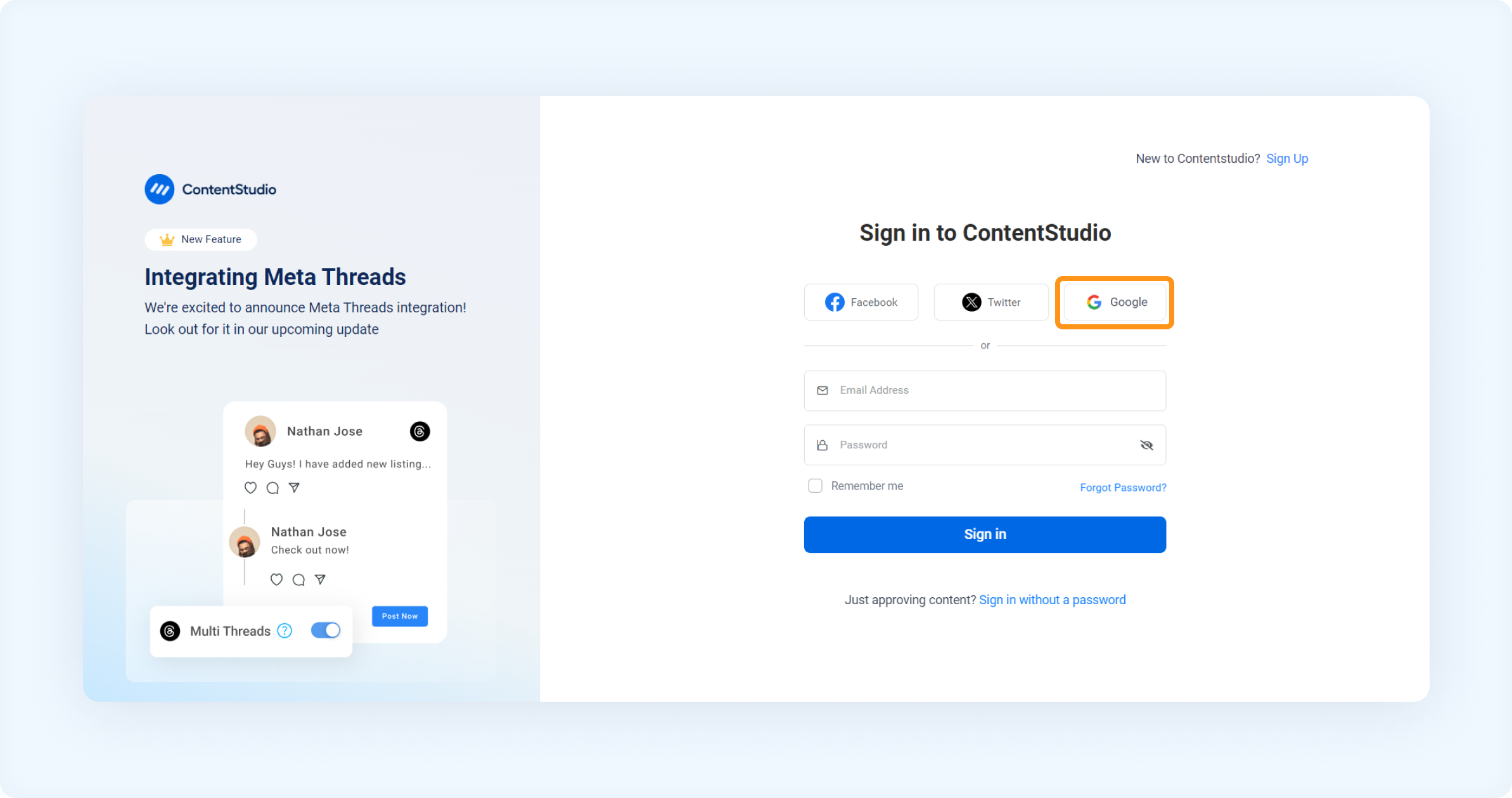
2. Click on the Google icon to continue with your Google account. 3. Select your Google account from the list, or choose Use another account if you want to sign in with a different one.
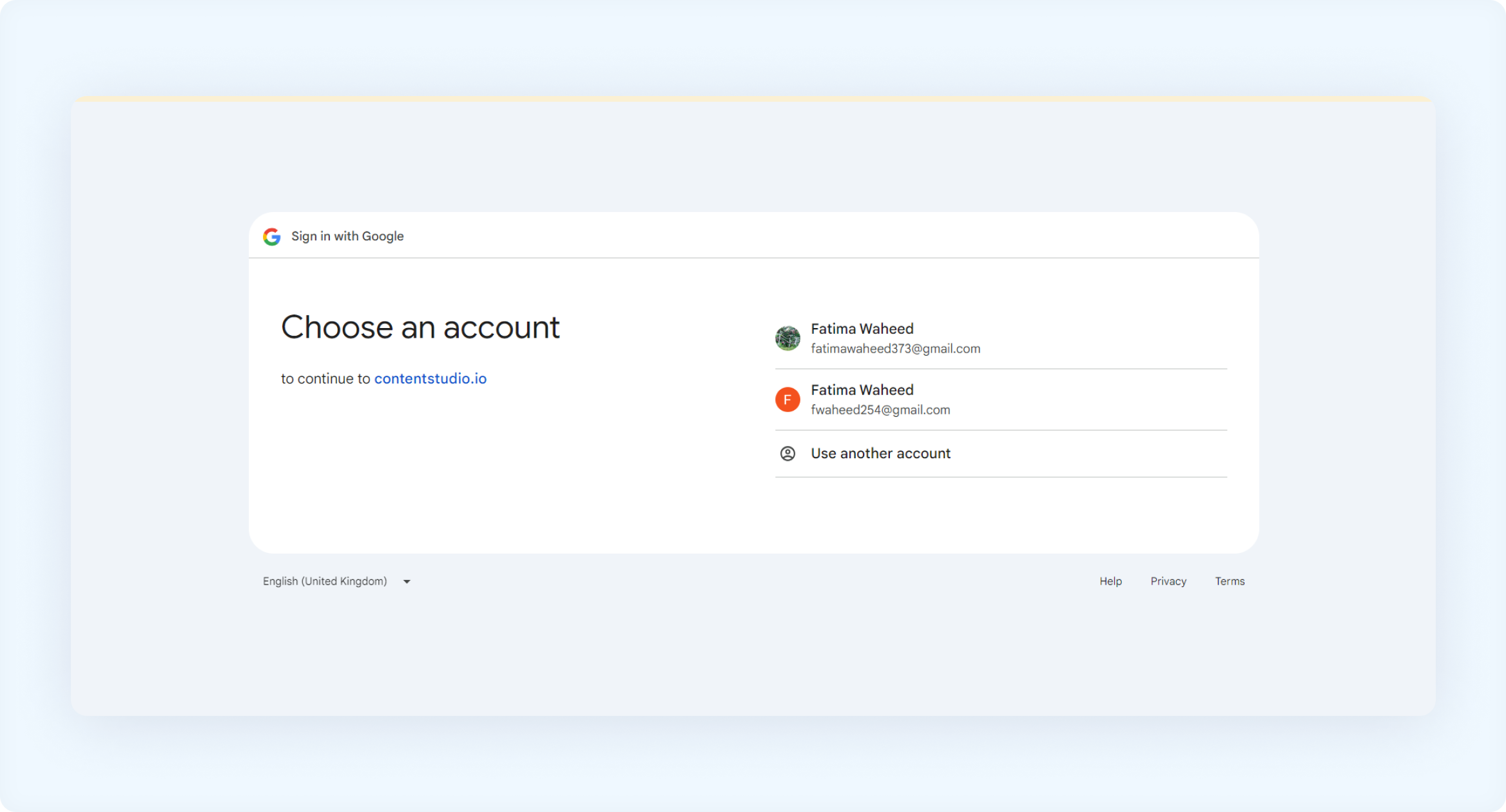
You will be signed in to your ContentStudio account.
Welcome aboard! Start exploring ContentStudio and make the most of your workspace 🚀
FAQs
Q: Can I change my Workspace name after creating it?
A: Yes, you can update your Workspace name anytime from the Settings section.
Q: Do I have to connect social accounts during sign-up?
A: No, this step is optional. You can skip it during setup and connect accounts later from Settings → Social Accounts.
Q: What if I forget my password?
A: Simply go to the ContentStudio Login page and click Forgot Password to reset it.
Q: How do I contact support if I face issues signing in?
A: You can reach our support team via the in-app chat widget or visit our Help Center.
Was this article helpful?