
In-App Purchases on iOS
Upgrade your ContentStudio subscription in seconds using Apple’s secure in-app purchase system. It’s fast, smooth, and designed to keep your experience uninterrupted—whether you’re on mobile or working from the web.
In this Article:
Available Plan on iOS
ContentStudio offers one subscription plan through the iOS app: Standard (Mobile) Plan
This plan is billed monthly and includes the same core features as the Standard plan available on the web.
How to Upgrade Your Subscription on iOS
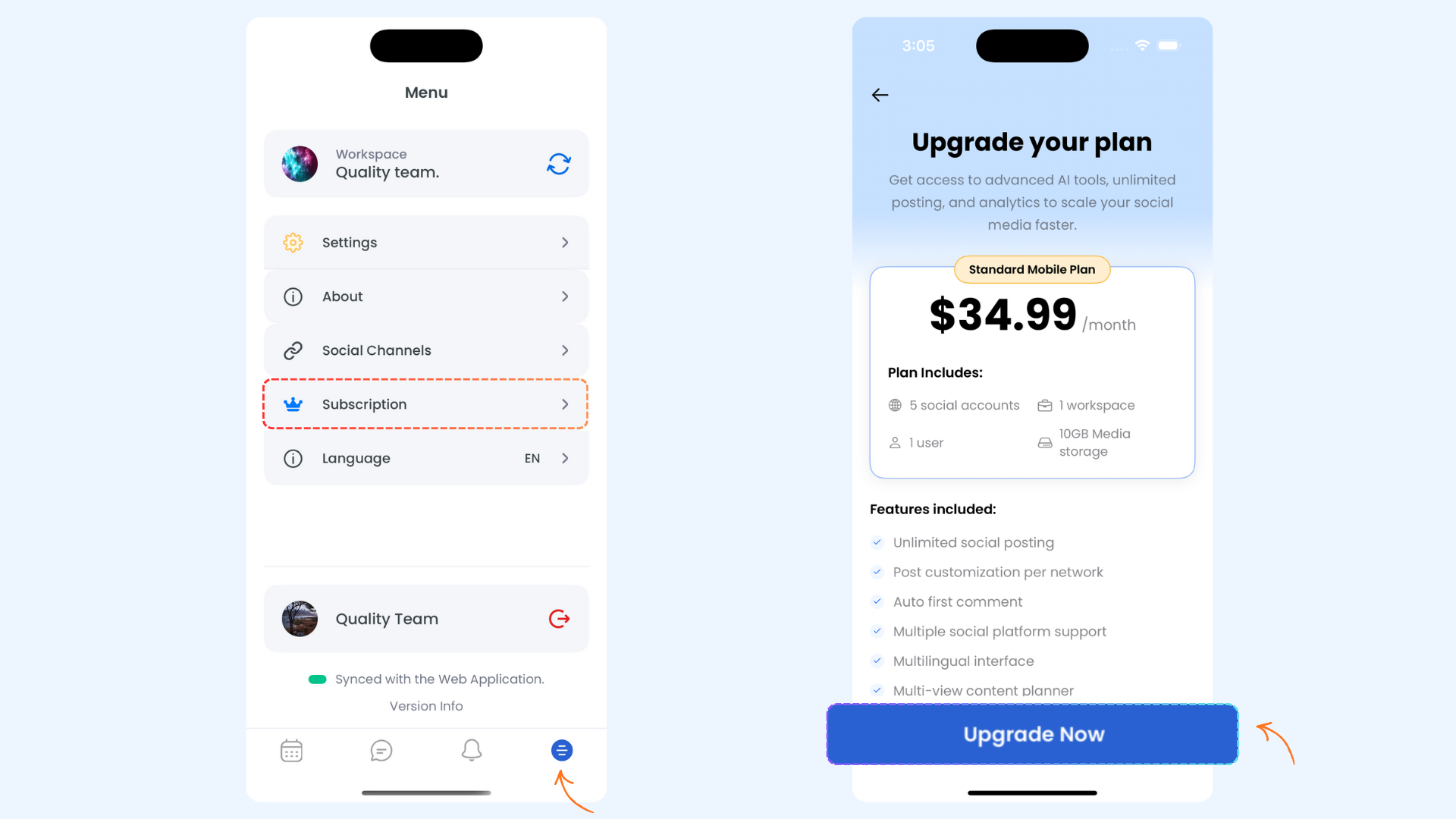
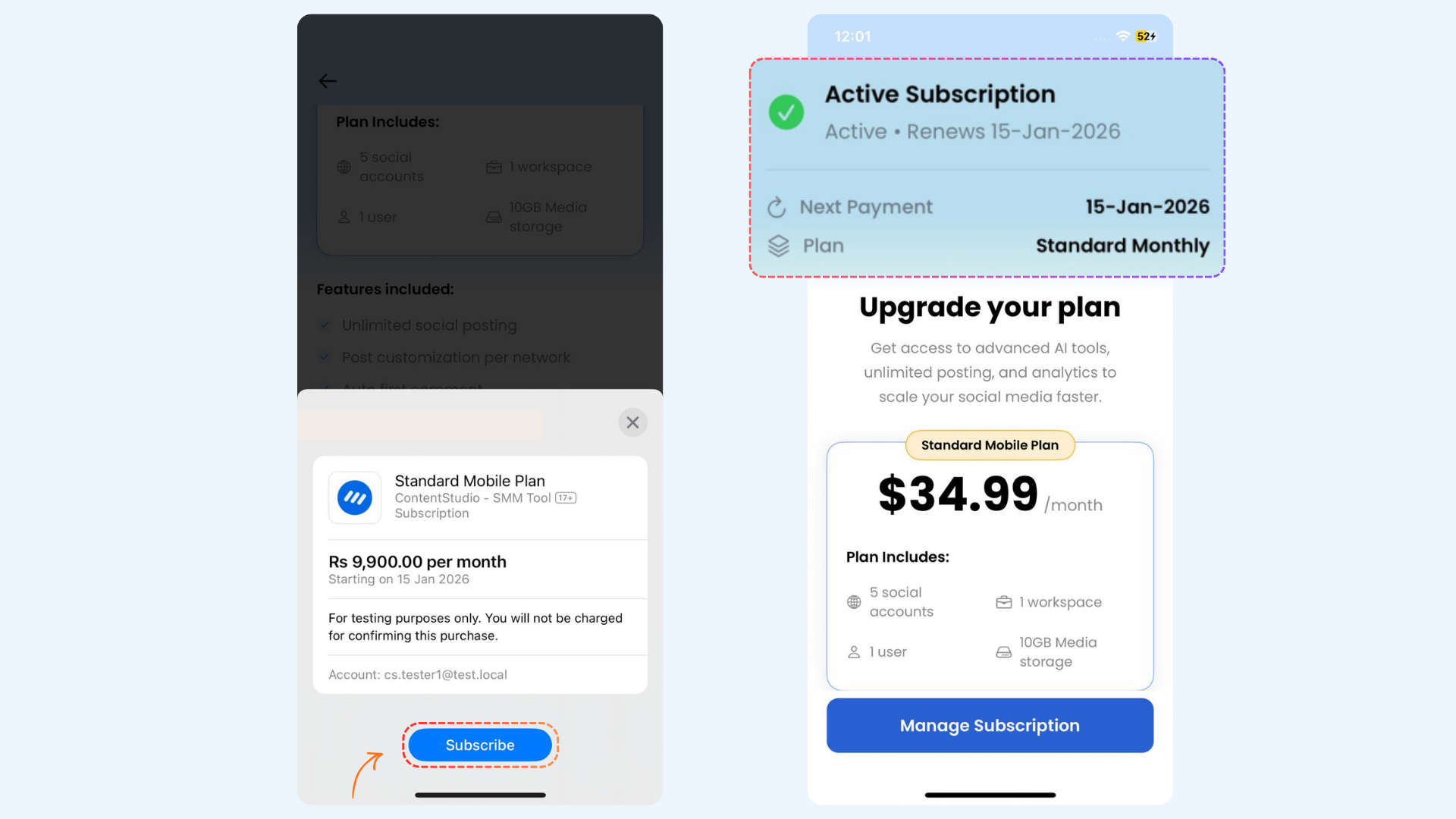
Managing Your iOS Subscription
After upgrading, the Subscriptions screen shows important details, including:
- Your current plan
- Subscription status
- The next billing date
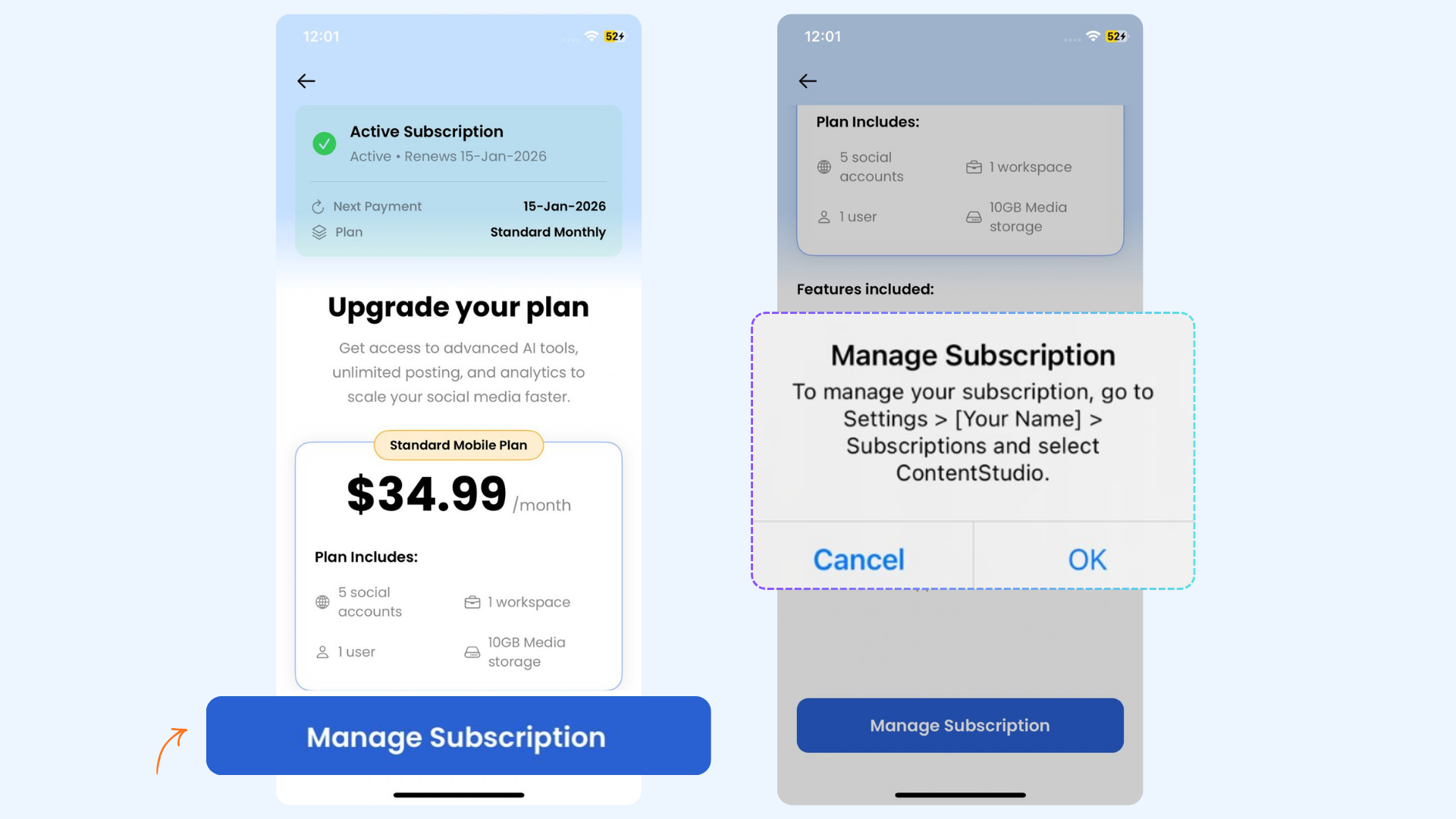
All billing, renewals, and cancellations for iOS subscriptions are managed through Apple.
- You can use the same account on both mobile and web
- Your active plan is visible when you log in on the web
- If you want to explore additional plans or billing options, advanced plans are available through the ContentStudio website
- iOS subscriptions are billed and managed by Apple.
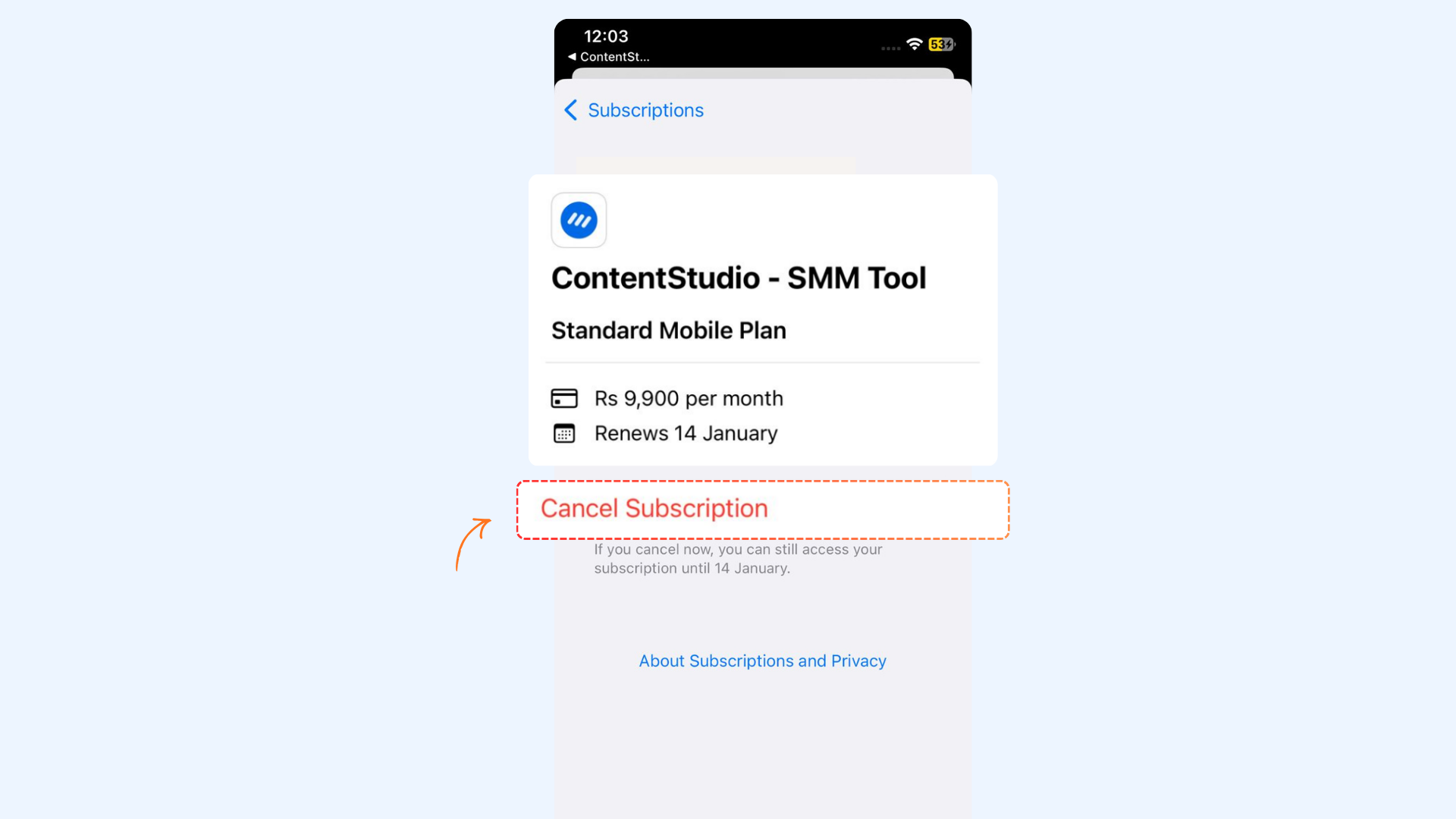
- Subscription changes, cancellations, or refunds must be handled through your Apple ID.
- ContentStudio cannot cancel or modify Apple subscriptions on your behalf.
Cancelling Your iOS Subscription
FAQ's
Is there a trial period for iOS subscriptions?
Yes, new users get a 14-day trial. You can upgrade anytime during the trial from the upgrade banner in the app.
Can I cancel or modify my iOS subscription from ContentStudio?
No. All billing, renewals, and cancellations are managed directly through Apple ID subscription settings.
Are annual plans available on iOS?
No. iOS subscriptions are billed monthly only. Annual and advanced plans are available on the ContentStudio website.
Where can I see my billing and subscription details?
You can view your current plan, subscription status, and next billing date from the Subscriptions screen in the iOS app.
Can I use my iOS subscription on the web?
Yes. Your iOS subscription is linked to your ContentStudio account and works across both mobile and web platforms.