
Auto Replies in Inbox
ContentStudio’s Inbox Auto Replies feature helps you automatically respond to incoming messages, comments, and reviews using either AI or your own custom replies. Whether it’s billing questions, shipping inquiries, or general support, it keeps your audience engaged at all times 📥.
Setting up a rule only takes a few minutes, and once it’s live, it runs quietly in the background so your team can focus on what matters most.
In this Article:
How to Use Inbox Auto-Replies
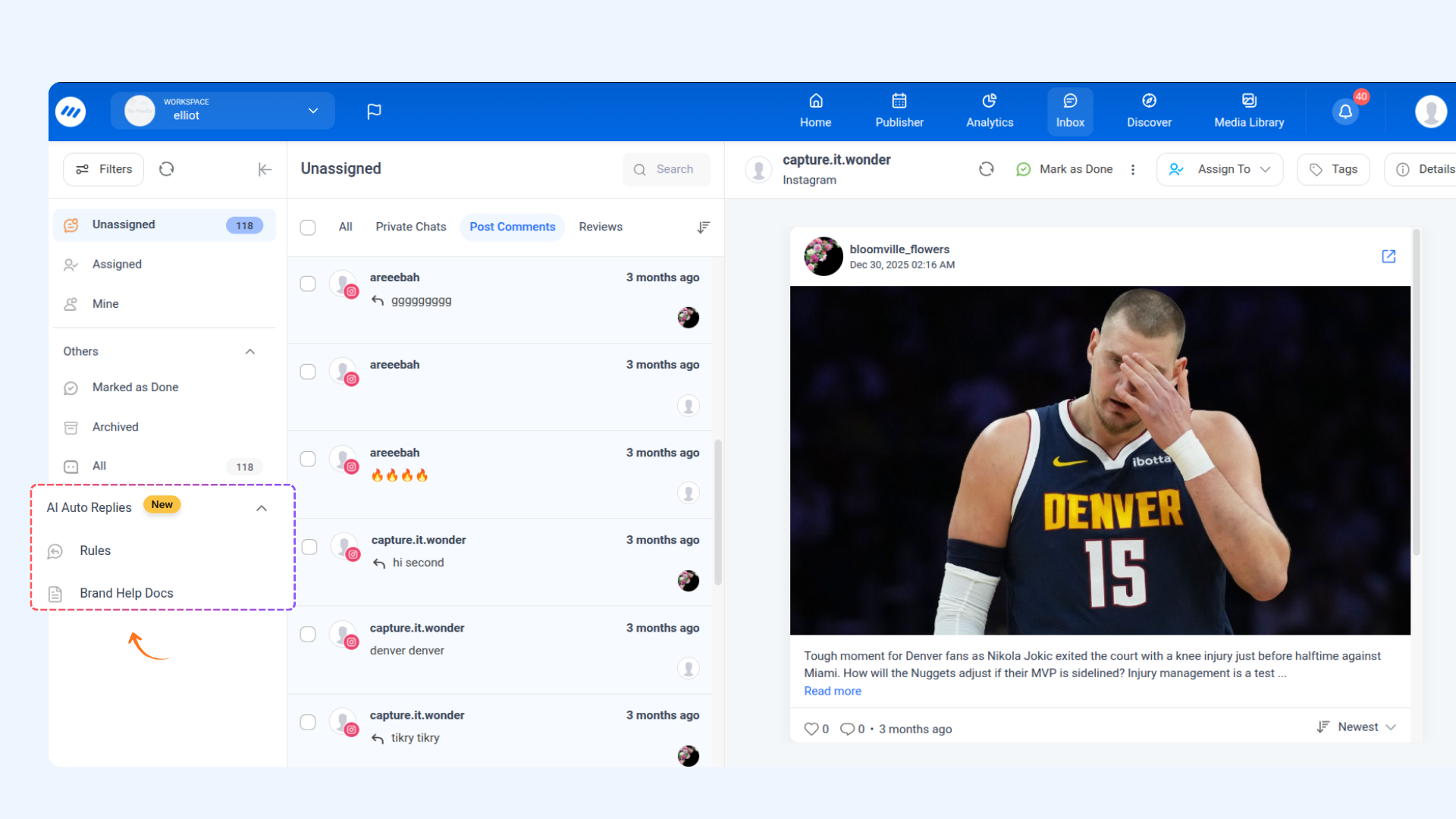


- Private Chat — applies to Facebook and Instagram Direct Messages.
- Post Comments — applies to comments on Facebook, Instagram, YouTube, and LinkedIn posts.
- Reviews — applies to reviews on Google Business Profile.

AI Reply Vs. Manual Reply
- AI Reply (Premium) — ContentStudio's AI generates a contextual, dynamic response automatically based on your instructions.
- Manual Reply — You write a fixed reply message that will be sent every time the rule is triggered.

- AI Response Instructions (optional) — Tell the AI how to respond. For example: Thank the customer, provide their tracking link, and mention delivery takes 3–5 business days. Keep it friendly.
- Brand Voice — Choose a pre-configured brand voice from the dropdown to keep your replies consistent with your brand's tone. Select None if you don't have one set up.
- AI Send Mode — Choose between:
- Send Automatically — The AI reply is sent to the customer immediately without any review.
- Save as Draft — The reply is saved as a draft for your team to review before sending.
- Use Help Docs — Toggle this on if you want the AI to reference your uploaded help documentation when crafting responses. Once enabled, use the Select Documents dropdown to choose which documents to include.

- Full Name
- First Name
- Last Name
- Email Address
- Contact Number


How to Purchase AI Auto-Reply Credits
AI Auto-Reply is a usage-based feature. If you've used up your monthly credits or need more, you can purchase additional AI Auto-Reply Credits directly from your billing settings. Here's how:

Frequently Asked Questions
Q: How many auto-reply rules can I create? You can create multiple rules, but the number of AI-powered replies is capped monthly. You can track your usage at the top of the Auto-Replies page (e.g., 0 of 500 used this month).
Q: What's the difference between AI Reply and Manual Reply? AI Reply generates a unique, context-aware response each time using ContentStudio's AI — great for handling varied customer messages. Manual Reply sends the same pre-written message every time the rule is triggered — useful for consistent, templated responses like confirmation messages or out-of-office notices.
Q: Will the AI reply be sent without anyone reviewing it? Only if you set the AI Send Mode to Send Automatically. If you'd prefer to review replies before they go out, select Save as Draft instead.
Q: Can I apply one rule to multiple social media accounts? Yes. When selecting accounts in the Which accounts? dropdown, you can choose as many accounts as needed. The same rule will apply across all selected accounts.
Q: What happens if a message matches keywords in more than one rule? ContentStudio will evaluate the rules and apply the most relevant match. It's a good practice to keep your trigger keywords specific to avoid overlap between rules.
Q: Can I use the Manual Reply without any variables? Absolutely. Variables are entirely optional. You can write a plain, fixed message with no personalization if that suits your use case.