

Namecheap: Setting up a White label domain
In this Article:
Setting up a white-label domain
Purchase your domain from Namecheap (or use an existing domain) and sign in to your account.
From the left-hand menu, select Domain List.
Click the Manage button next to your selected domain.
Navigate to the Advanced DNS tab.
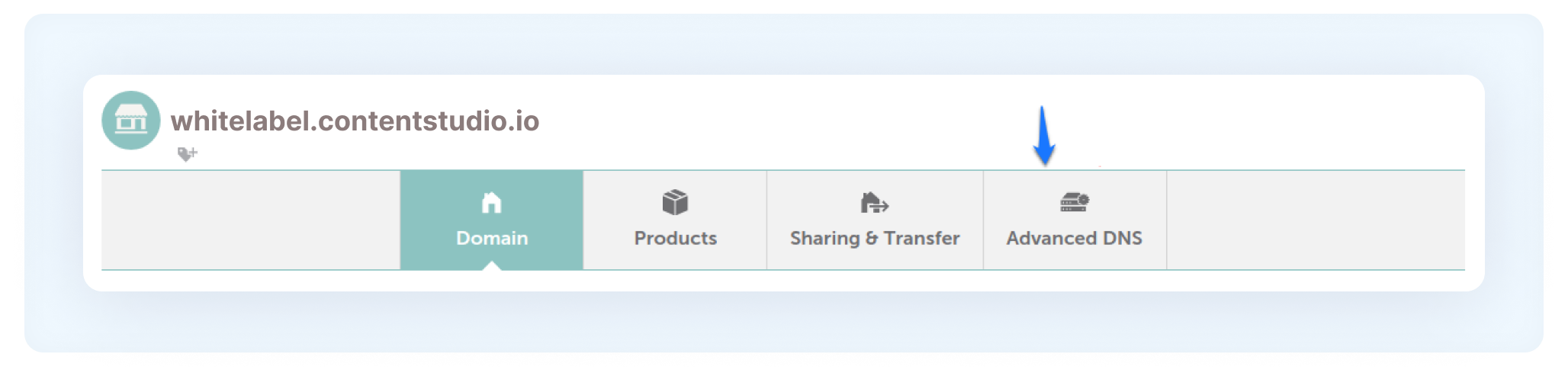
Scroll to the Host Records section and click Add New Record.
From the Type dropdown menu, select CNAME Record.

FAQs
Q1: Do I need to purchase my domain from Namecheap to use this setup?
No. You can use any domain, as long as you have access to its DNS settings. These steps apply specifically to domains managed within Namecheap.
Q2: What should I enter in the CNAME record?
In the Value / Target field, enter:
whitelabel.contentstudio.io
Make sure there are no extra spaces or typos.
Q3: How long does it take for DNS changes to reflect?
DNS updates may take anywhere from a few minutes to 24–48 hours to fully propagate, depending on your DNS settings.
Q4: What if my white-label domain is not working after setup?
Double-check that the CNAME record is correctly added and that there are no conflicting records (such as an existing A record for the same host). If the issue persists, contact ContentStudio support for assistance.
Was this article helpful?