

How to reconnect your Facebook & Instagram to solve permission errors
If you'd like to reconnect your ContentStudio application with Instagram & Facebook and make sure you have given ContentStudio all the permissions, you need to follow these step-by-step guidelines:
Navigate to Facebook:
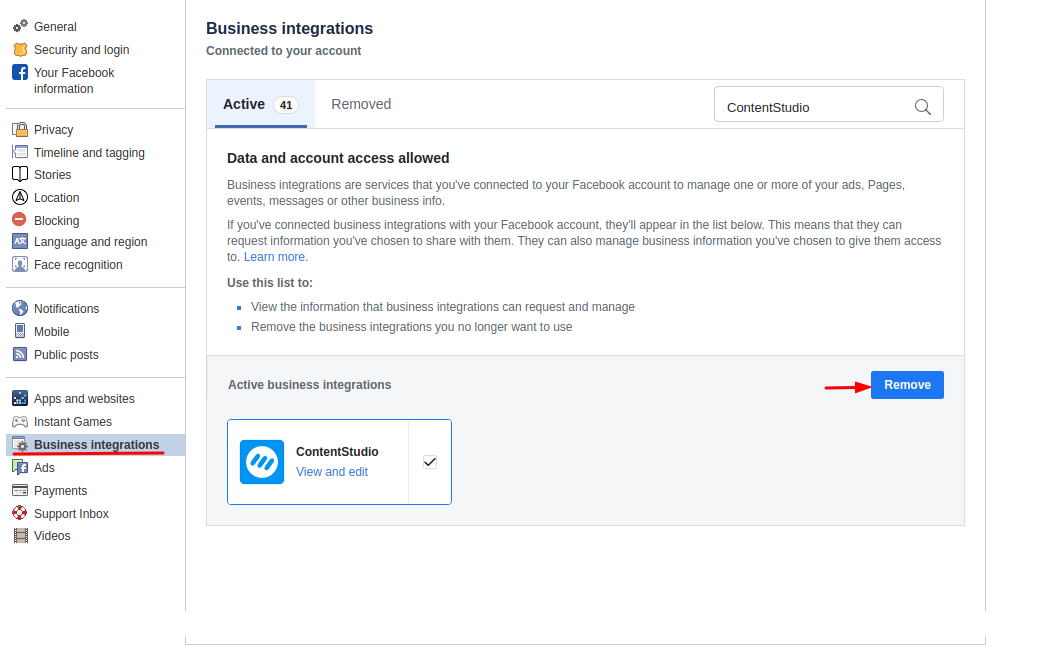
Log in to your Facebook account and then navigate to Settings and then Business Integrations, or you can click on this link.
Search for the ContentStudio application in the Business Integrations. Once you find the application, select the application and click on the Remove button.
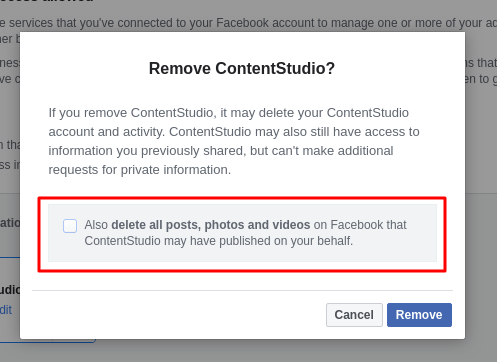
Leave the Checkbox Unticked:
Upon clicking the remove button, you will see the popup. Make sure you unticked the checkbox unticked and then click Remove.
Reconnect your Token in ContentStudio
Now, you can navigate to ContentStudio and reconnect your account from there and make sure you allow all of the permissions while connecting your account. Once you do that, your planned/scheduled posts will go seamlessly to your social channels. See the images below.


Was this article helpful?