

Remove a social account
If you want to remove any of your social accounts for some reason, then ContentStudio provides you basic steps that lead you towards that process.
Delete a social account
Go to Settings in your ContentStudio dashboard.
Click on Social Accounts from the drop-down menu.
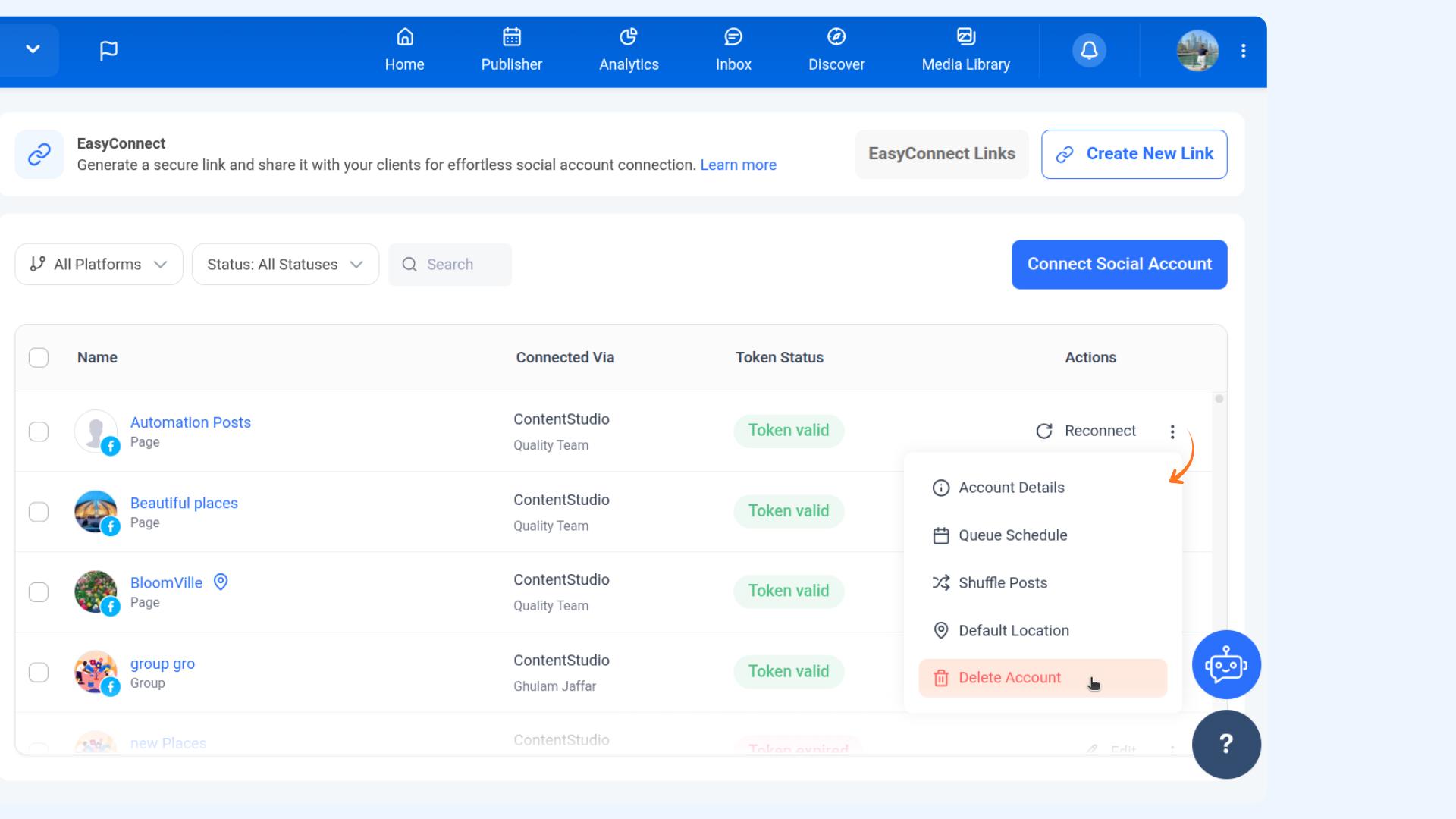
Locate the social account you want to remove. Click on the 3 dots next to it, then select Delete Account.
A pop-up will appear. Click Remove, then confirm by selecting Yes (or No to cancel).
FAQs
Q1: Will removing a social account delete my posts?
No, it only disconnects the account from ContentStudio. Posts on the social platform remain intact.
Q2: Can I reconnect the account later?
Yes, you can reconnect it anytime by following the usual connection process.
Q3: What happens to scheduled posts for the removed account?
Scheduled posts for that account will no longer be published. Adjust or reschedule them before removal.
Q4: Can I remove multiple accounts at once?
No, each account must be removed individually.
Was this article helpful?