

Publish blog posts using Content Pen
ContentStudio just got even more powerful. With the integration of Contentpen, new users can now write high-quality, SEO-optimized blog content faster than ever — all without leaving the ContentStudio ecosystem. Contentpen is a dedicated blog writing tool built for speed and search performance, and it's now just a few clicks away inside your ContentStudio workspace. Whether you're crafting long-form articles or building out your content calendar, this integration makes the whole process smoother, smarter, and more efficient. 📝
How to Access and Set Up Contentpen
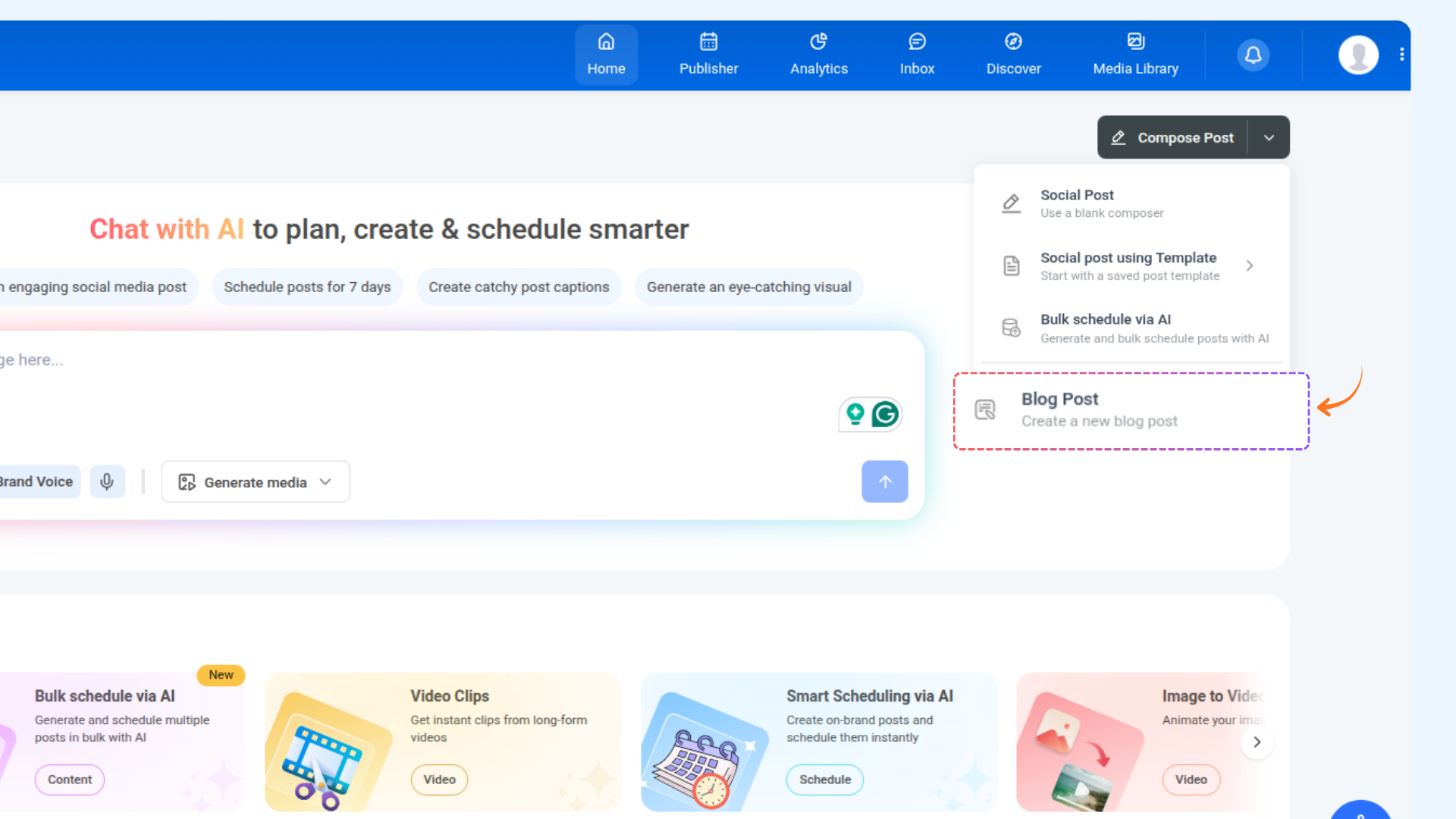
From your ContentStudio Home page, click the dropdown arrow next to the Compose Post button.
In the dropdown menu that appears, select Blog Post.
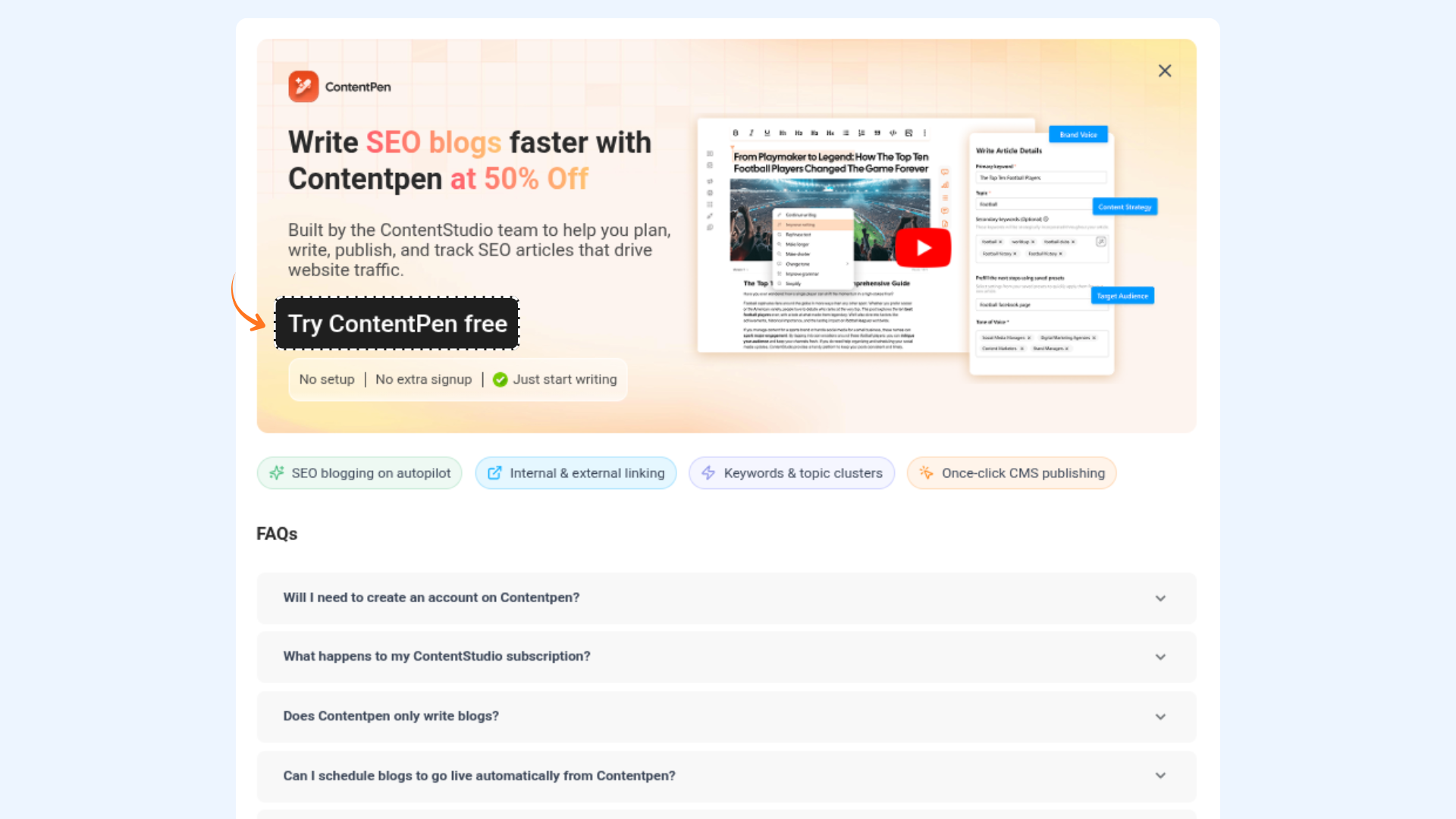
A modal will appear on screen prompting you to get started with Contentpen.
As a Super Admin, click the "Try Contentpen Free" button inside the modal. You'll be redirected to Contentpen's onboarding flow to set up your account.
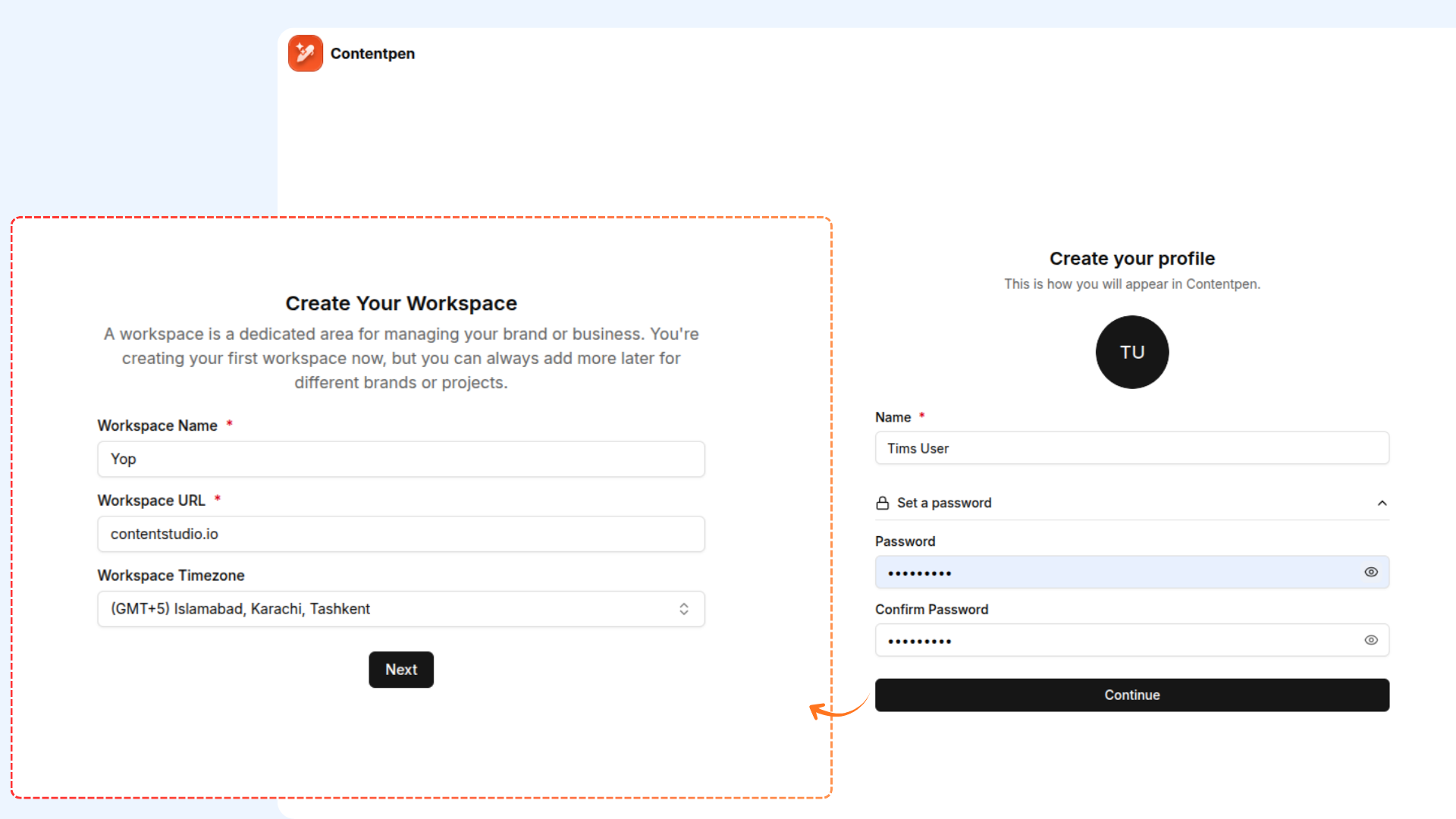
The first onboarding screen is your profile setup. Your name will already be pre-filled from your ContentStudio account — no need to re-enter it. Simply set a password for your Contentpen account and proceed.
On the second screen, configure your Contentpen workspace. Enter your workspace URL and select your timezone to ensure your content scheduling aligns with your location.
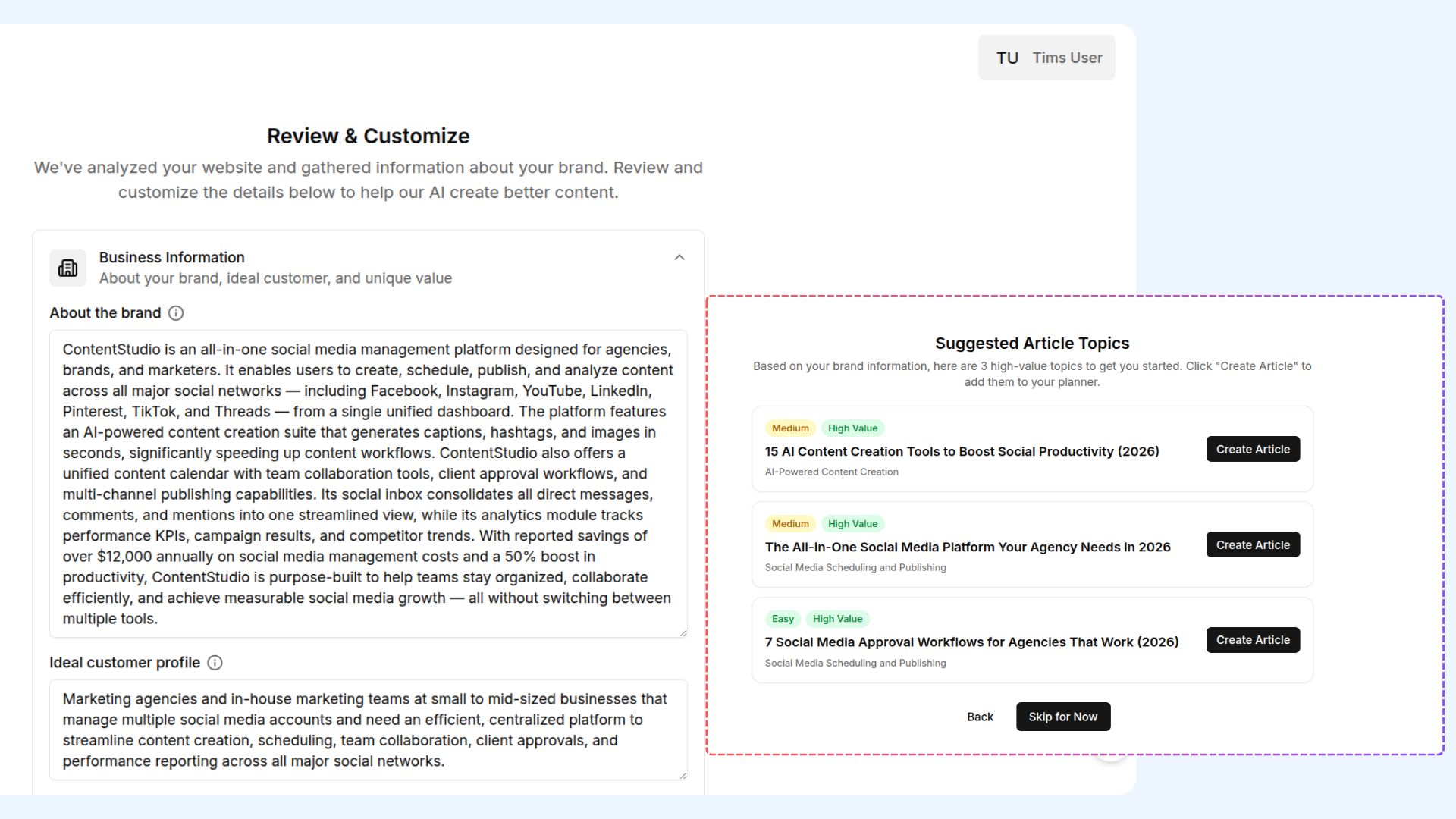
The remaining steps will guide you through Brand Voice Setup — where you define the tone and style ContentPen should use when writing for your brand.
Next, you'll receive Article Suggestions tailored to your niche or industry to help you hit the ground running. Once done, your Contentpen account is fully set up and ready to use! 🎉
FAQs
Who can access ContentPen through ContentStudio?
ContentPen is now available to all ContentStudio users, both new and existing. Every user will be routed to ContentPen for blog writing, ensuring a unified and enhanced writing experience across the platform.
Why can't I see the "Try Contentpen Free" button?
The "Try Contentpen Free" button is only visible to Super Admins. If you're a team member or don't have Super Admin privileges, you won't see this option. Reach out to your workspace's Super Admin to get access or receive your ContentPen login credentials.
Do existing ContentStudio users need to switch to ContentPen?
Yes. All existing users will now be transitioned to ContentPen for blog writing. The previous built-in blog tool in ContentStudio will no longer be used, and ContentPen will serve as the default writing experience for everyone.
Can a Super Admin share Contentpen access with team members?
Yes. The Super Admin sets up the Contentpen account during onboarding and can then share access or credentials with their team members as needed.
Where can I learn more about Contentpen's features?
Visit the Contentpen blog and knowledge base at https://contentpen.ai/blog for tutorials, feature guides, and best practices.
Was this article helpful?