

Multi-Language Support for Web App
The Multi-Language Support – Web App feature allows users to experience the platform in their preferred language, making it accessible to a wider global audience. With this update, all key sections of the web app—including menus, buttons, labels, and notifications—can be viewed in multiple languages.
In this Article:
How to Change the Language:
Click on your profile icon in the top-right corner. You can either select Your Profile from the dropdown menu, or directly choose the Language option and change it to:
English
French
German
Italian
Spanish
Greek
Chinese
Polish
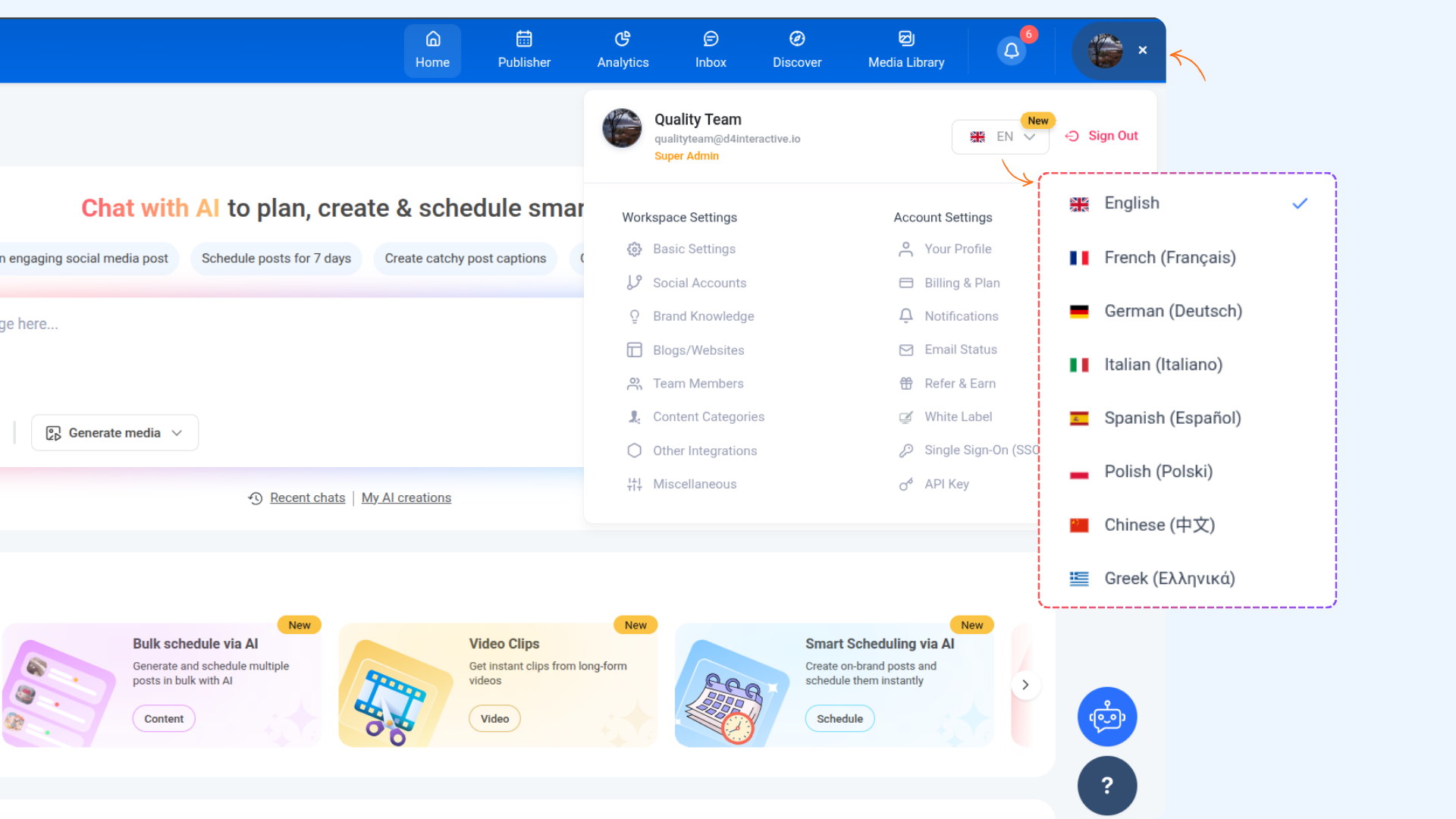
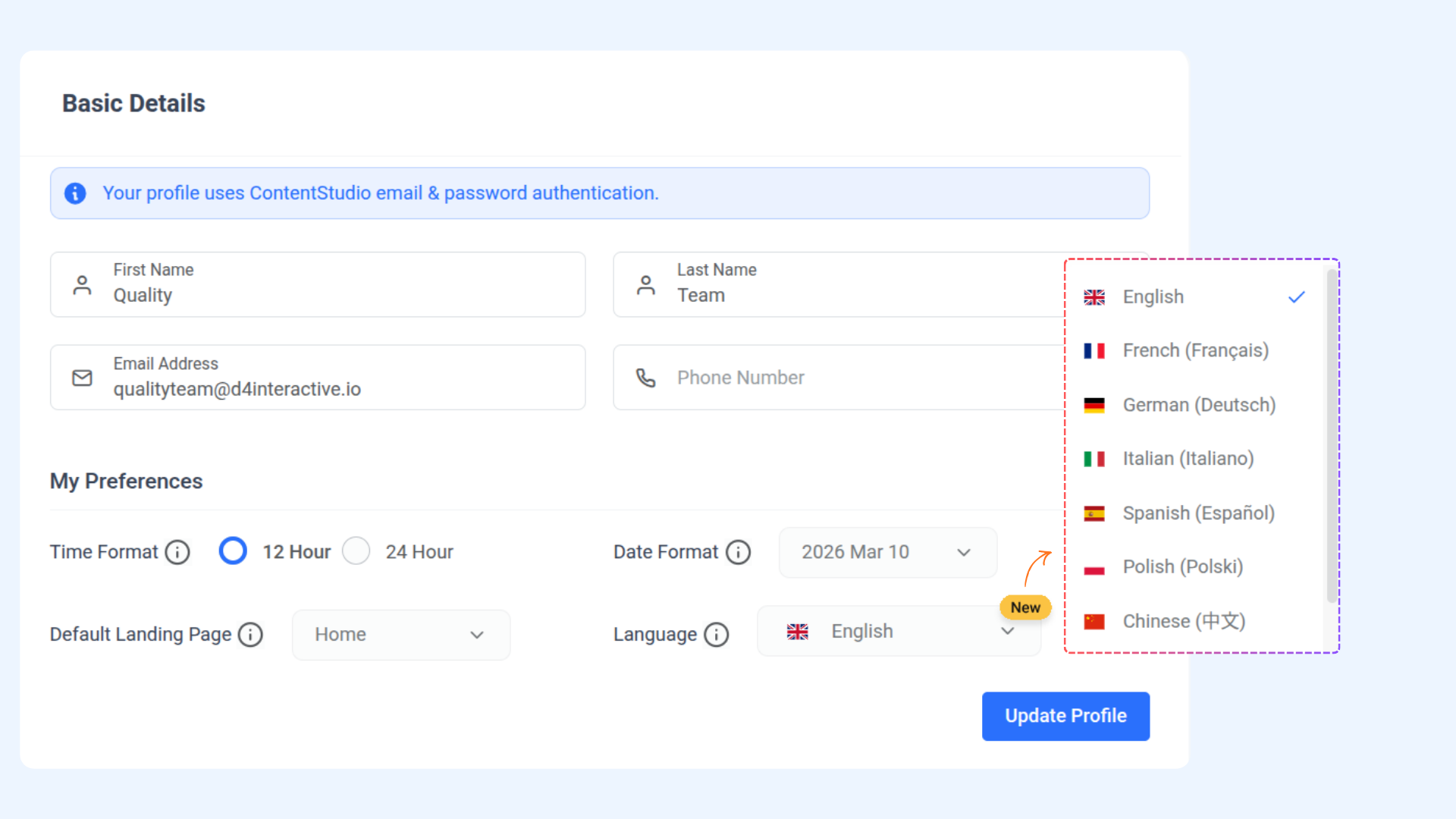
In Your Profile, under the My Preferences section, open the Language dropdown and select your preferred language:
English
French
German
Italian
Spanish
Chinese
Greek
Polish
Click Update Profile to save your changes (this will be saved at the profile level).
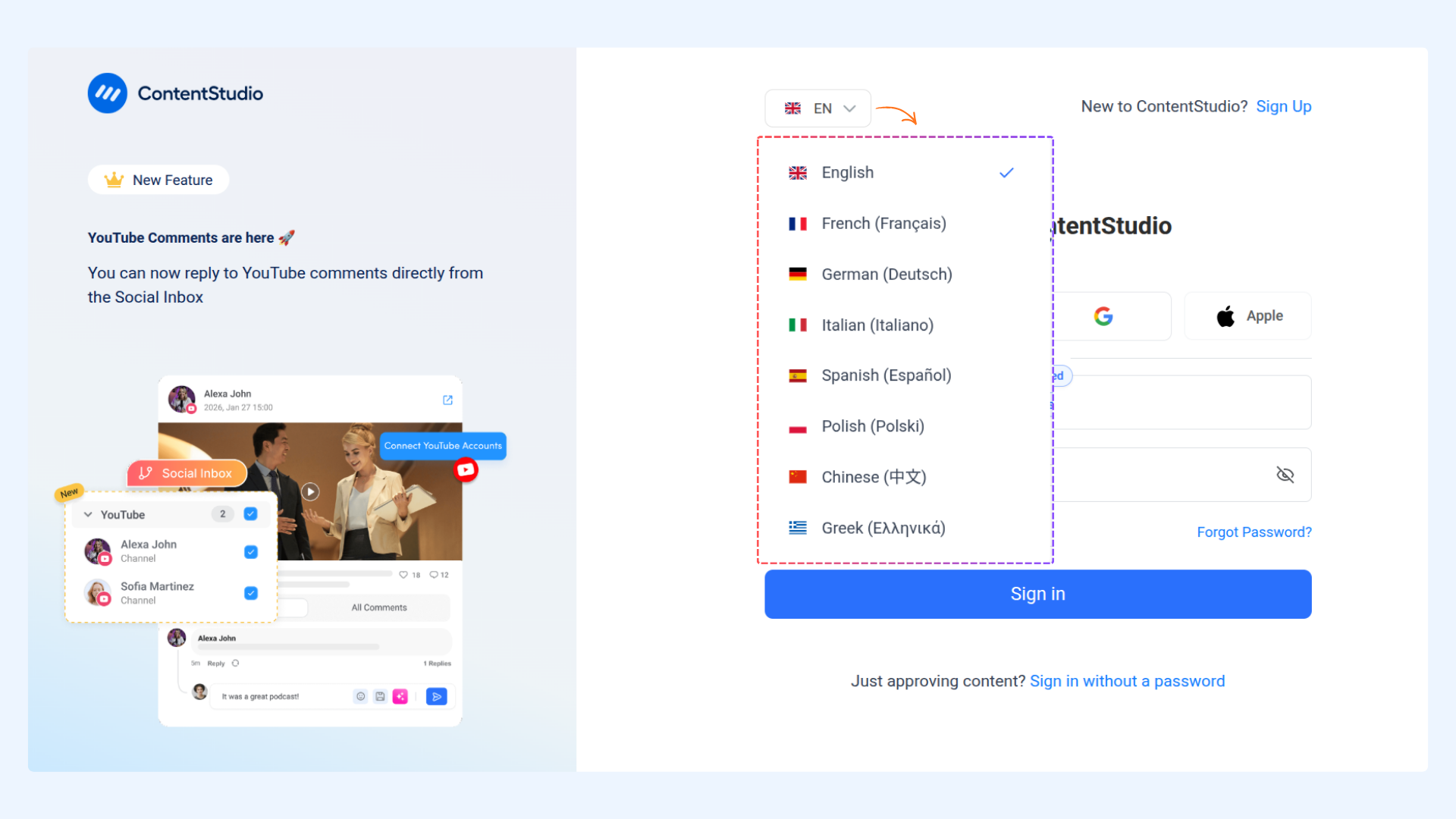
You can also change the Language directly from the login page using the language selector displayed at the top before signing in.
Once updated, the web app will instantly reflect your selected language, ensuring a consistent experience across all pages and features.
FAQs
Q1: Will changing the language affect my account data?
No, changing the language only updates the interface text. Your data and settings remain unchanged.
Q2: Can I switch back to English anytime?
Yes, you can return to Profile Settings → My Preferences → Language and select English again at any time.
Q3: Are more languages planned to be added in the future?
Yes, additional languages may be introduced in upcoming updates to improve accessibility for a wider audience.
Was this article helpful?