

ContentStudio API
ContentStudio’s API lets you manage workspaces, social accounts, and posts programmatically. This guide provides an overview of the available endpoints and explains how to authenticate and use the API effectively. By using your API key, you can connect ContentStudio with integrations like Zapier, Make.com, or custom applications.
📖 In this article
This guide walks you through everything you need to use the ContentStudio API — from getting your API key to managing posts, workspaces, media, and team members programmatically.
Authentication & Setup3 topics
Workspaces5 topics
Social Accounts3 topics
Posts Management6 topics
Comments & Notes2 topics
Media Library2 topics
Social Inbox5 topics
Analytics3 topics
API Logs & Best Practices1 topic
FAQs4 topics
How to Get Your ContentStudio API Key
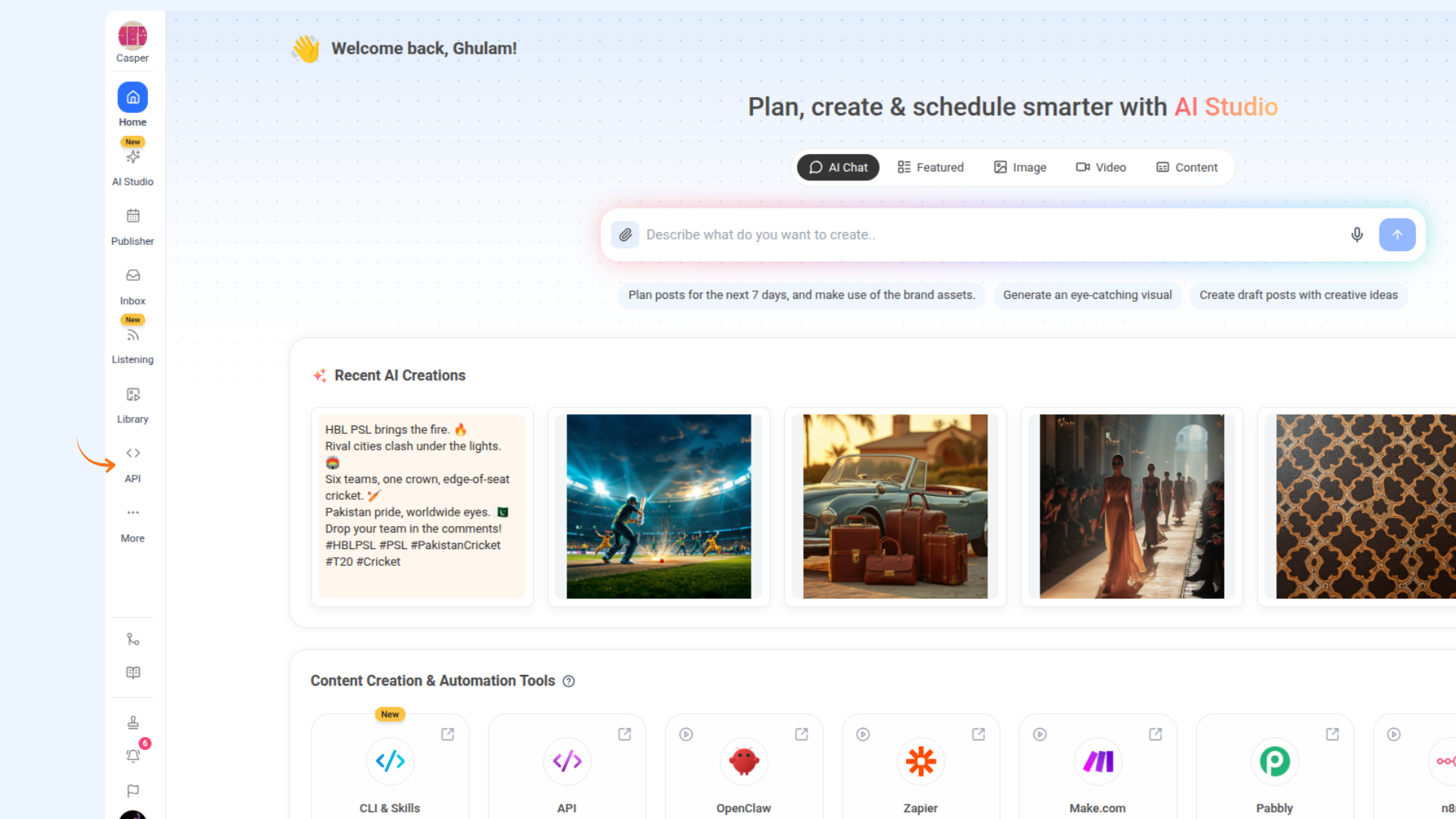
On the home page, click on the API module from the left navigation bar.
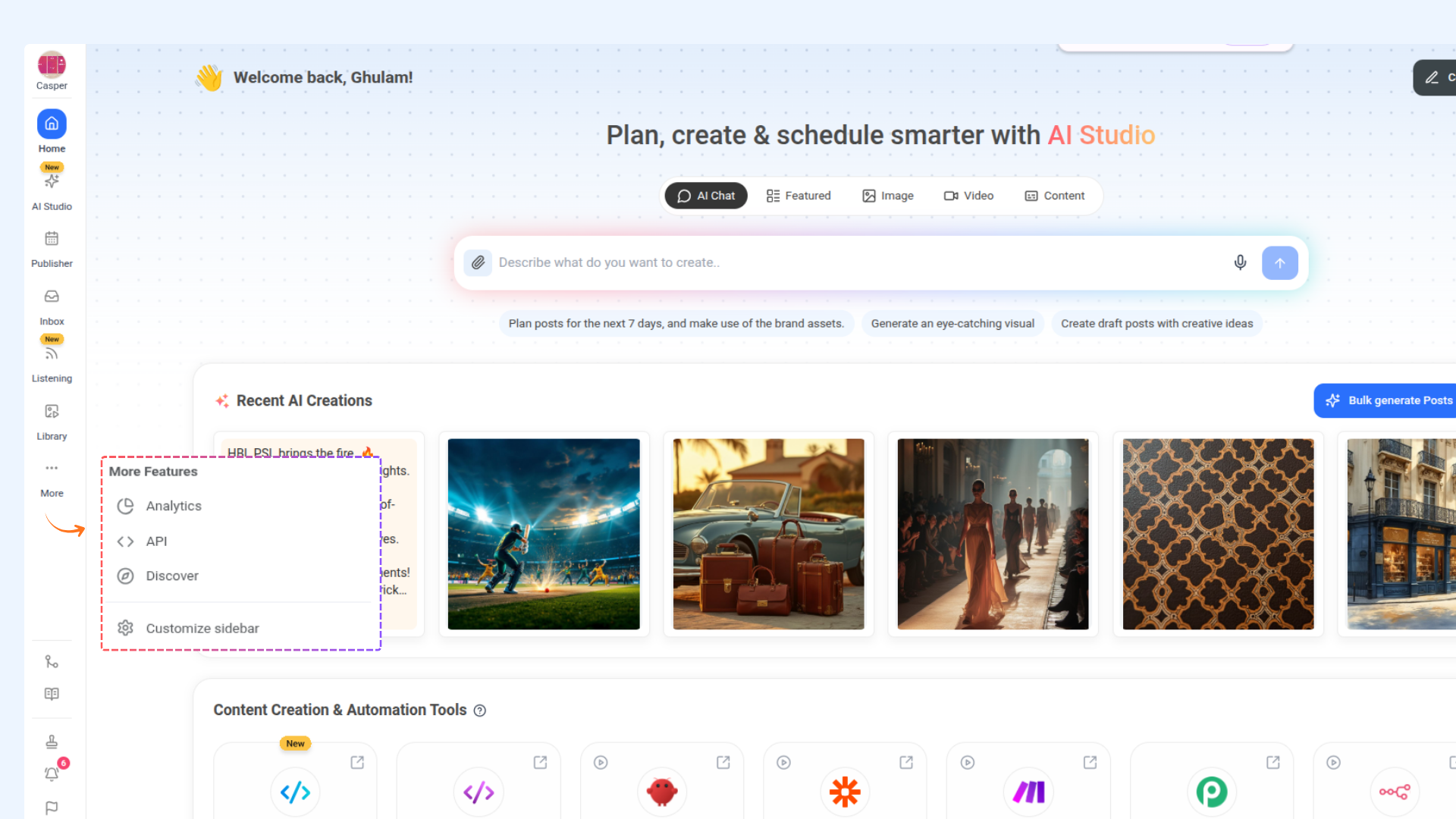
If you don't see it, click the three dots (•••) at the bottom of the sidebar — it may be listed there. Otherwise, click Customize Sidebar, turn the API toggle on, and it will appear in your navigation.
Click on Generate API Key and copy your unique API key.
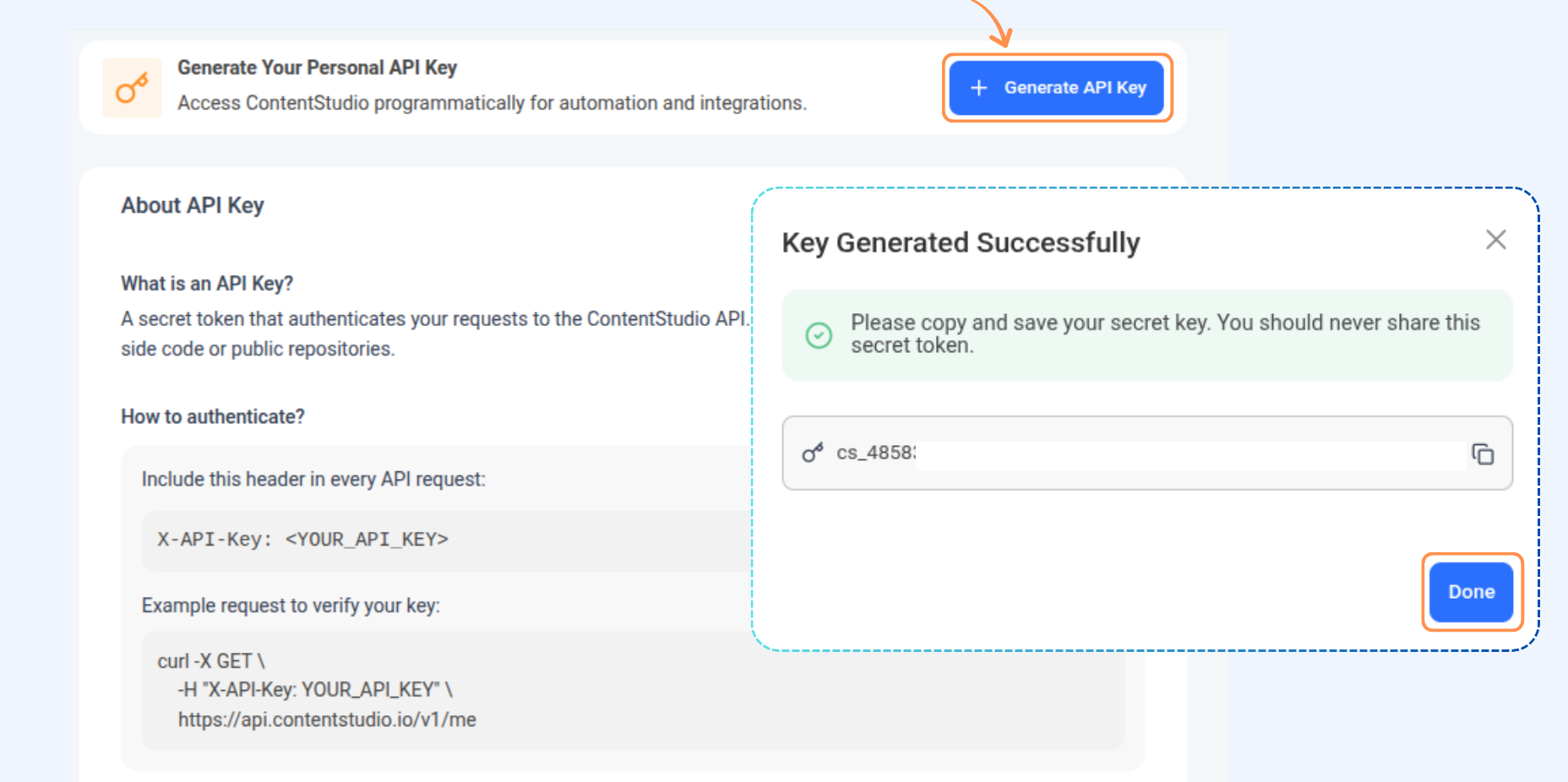
You can now use this API key wherever required, such as in Zapier, Make.com, or when connecting with other integrations.
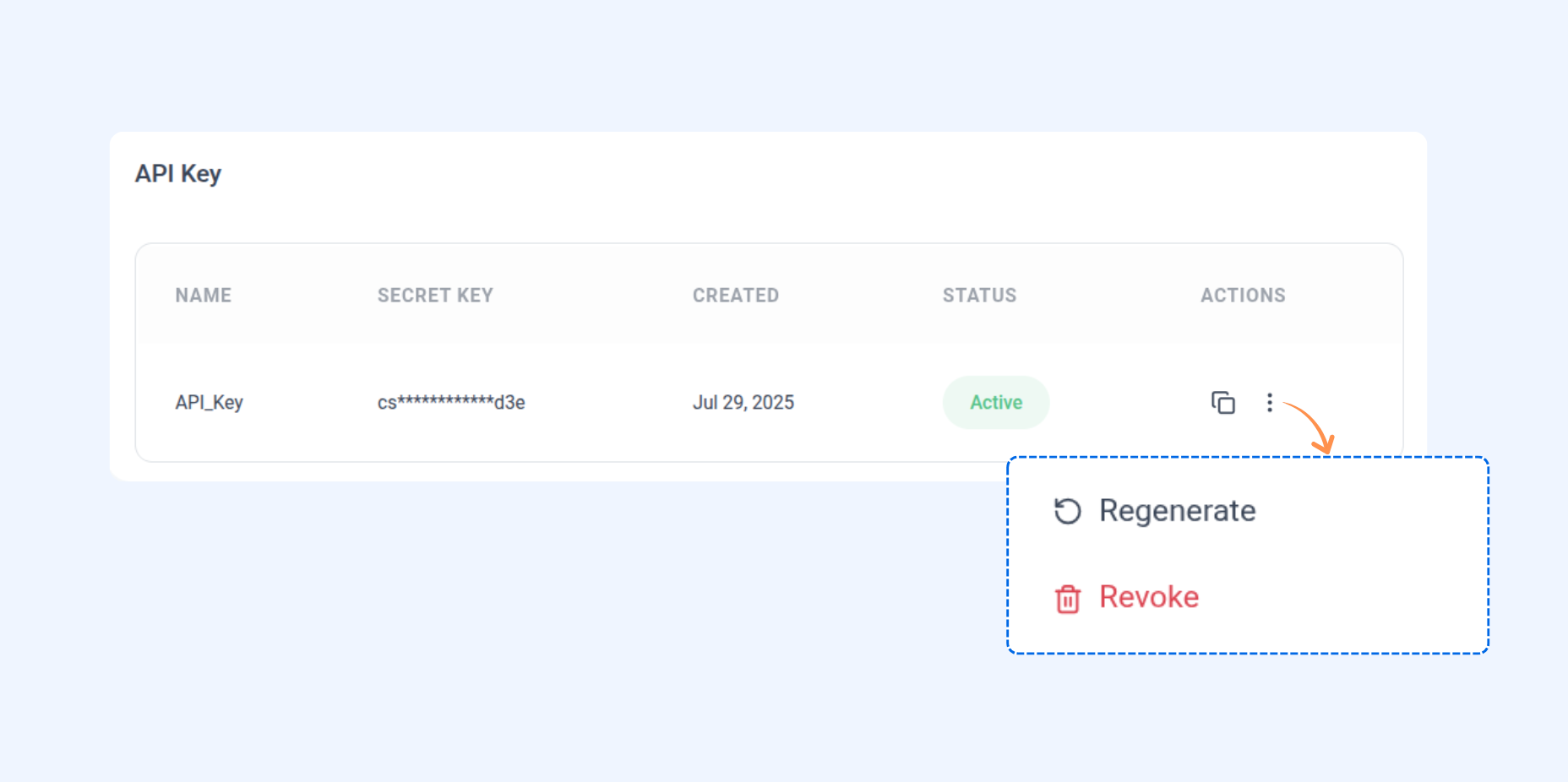
Click on the three dots next to your API key. You’ll see two options:
Regenerate: Create a new API key if your current one is compromised or you want to reset access.
Revoke: Permanently disable the existing API key if it’s no longer needed.
Authentication
Authenticate all requests with your API key in the request header. For a complete list of available endpoints and examples, see the ContentStudio API Guide.
Header format:
X-API-Key: <YOUR_API_KEY>
Example using cURL:
cURL -H "X-API-Key: <YOUR_API_KEY>" \
https://api.contentstudio.io/api/v1/me
This authenticates your request and grants access to API endpoints.
Endpoints-Get Authenticated User
Retrieve information about the currently authenticated user.
Endpoint: GET /api/v1/me
cURL Example:
cURL -X GET "https://api.contentstudio.io/api/v1/me" \
  -H "X-API-Key: <YOUR_API_KEY>"
Connect Social Accounts
You can now connect social accounts to your workspace directly through the API. Bluesky and Facebook Groups are connected manually using credentials. All other platforms use an OAuth-based flow.
Connect Bluesky Account
Endpoint:
POST /api/v1/workspaces/{workspace_id}/add/blueskycURL Example:
curl -X POST "https://api.contentstudio.io/api/v1/workspaces/{workspace_id}/add/bluesky" \
  -H "X-API-Key: <YOUR_API_KEY>" \
  -H "Content-Type: application/json" \
  -d '{
    "handle": "yourname.bsky.social",
    "app_password": "xxxx-xxxx-xxxx-xxxx"
  }'
Connect Facebook Group
Adds a Facebook Group connection using its name and an optional image URL. No browser step is required.
Endpoint: POST /api/v1/workspaces/{workspace_id}/add/facebook-group
cURL Example:
curl -X POST "https://api.contentstudio.io/api/v1/workspaces/{workspace_id}/add/facebook-group" \
  -H "X-API-Key: <YOUR_API_KEY>" \
  -H "Content-Type: application/json" \
  -d '{
    "name": "My Facebook Group",
    "image": "https://example.com/group.jpg"
  }'
Connect via OAuth (All Other Platforms)
Generates a one-time authorization URL for connecting to an OAuth-based social account. Use process=connect for new accounts and process=reconnect (with account_id ) to refresh an expired or invalid account.
Supported platforms:
facebook
facebook-profile
instagram
instagram-via-facebook
twitter
linkedin
pinterest
tiktok
youtube
threads
gmb
tumblr
Endpoint: POST /api/v1/workspaces/{workspace_id}/connect/{platform}
cURL Example:
curl -X POST "https://api.contentstudio.io/api/v1/workspaces/{workspace_id}/connect/facebook?process=connect" \
  -H "X-API-Key: <YOUR_API_KEY>"
cURL Response:
{
  "status": true,
  "message": "Authorization URL generated. Open this URL in a browser to connect your Facebook account.",
  "data": {
    "authorization_url": "https://www.facebook.com/v18.0/dialog/oauth?client_id=...&state=...",
    "session_id": "cs_sess_abc123def456",
    "platform": "facebook",
    "process": "connect",
    "account_name": "My Business Page",
    "expires_at": "2026-04-16T17:30:00Z",
    "next_steps": [
      "Open the authorization_url in a web browser."
    ],
    "security": {
      "expires_in_minutes": 30,
      "single_use": true,
      "warning": "Do not share this URL. It grants one-time access to connect an account to your workspace."
    }
  }
}
Redirect back after completing an OAuth connection
You can now specify a return_url when initiating an OAuth connect or reconnect flow. Once the user finishes authorizing (or cancels) in the browser, they'll be redirected back to this URL instead of a default ContentStudio page.
Description: Optional URL the user is sent back to from the browser after finishing the connect flow. Must be an absolute http(s) URL.
Endpoint: POST /api/v1/workspaces/{workspace_id}/connect/{platform}
cURL Example:
curl -X POST "http://api-prod.contentstudio.io/api/v1/workspaces/610a1e660cb4130c40d372/connect/facebook?process=connect&return_url=https://yourapp.com/settings/integrations" \--header 'X-API-Key: YOUR_SECRET_TOKEN'
cURL Response:
{
  "status": true,
  "message": "Authorization URL generated. Open this URL in a browser to connect your Facebook account.",
  "data": {
    "authorization_url": "https://www.facebook.com/v18.0/dialog/oauth?client_id=...&state=...",
    "session_id": "cs_sess_abc123def456",
    "platform": "facebook",
    "process": "connect",
    "account_name": "My Business Page",
    "expires_at": "2026-04-16T17:30:00Z",
    "next_steps": [
      "Open the authorization_url in a web browser."
    ],
    "security": {
      "expires_in_minutes": 30,
      "single_use": true,
      "warning": "Do not share this URL. It grants one-time access to connect an account to your workspace."
    }
  }
}
Remove a Social Account
Disconnect and remove a connected social account from the workspace.
Endpoint:
DELETE /api/v1/workspaces/{workspace_id}/accounts/{account_id}cURL Example:
curl -X DELETE "https://api-prod.contentstudio.io/api/v1/workspaces/{workspace_id}/accounts/{account_id}" \
  -H "X-API-Key: "
cURL Response:
{
  "status": true,
  "message": "Social account removed successfully"
}
Get Workspaces
Fetch a list of workspaces linked to your account.
Endpoint: GET /api/v1/workspaces
cURL Example:
cURL -X GET "https://api.contentstudio.io/api/v1/workspaces?page=1&per_page=10" \

-H "X-API-Key: <YOUR_API_KEY>"
🎨 AI Images
Synchronous AI image generation and image tools.
List AI Image Tools
Live image-tool capabilities from the AI service, including each tool's JSON input schema. Video tools are not exposed.
Endpoint: GET /api/v1/workspaces/{workspace_id}/ai/images/tools
cURL Example:
curl https://api.contentstudio.io/api/v1/workspaces/610a1e660cb41530ca40d372/ai/images/tools \
  --header 'X-API-Key: YOUR_SECRET_TOKEN'
cURL Response:
json
{
  "status": true,
  "message": "AI image tools retrieved successfully.",
  "data": {
    "tools": [
      {
        "key": "remove-background",
        "name": "Remove Background",
        "label": "Background Remover",
        "description": "string",
        "inputs": [{}],
        "controls": [{}],
        "supports_brand": false,
        "input_schema": {}
      }
    ]
  }
}
List Available Image Models
Live image-model catalogue from the AI service with supported dimension presets.
Endpoint: GET /api/v1/workspaces/{workspace_id}/ai/images/models
cURL Example:
curl https://api.contentstudio.io/api/v1/workspaces/610a1e660cb41530ca40d372/ai/images/models \
  --header 'X-API-Key: YOUR_SECRET_TOKEN'
cURL Response:
json
{
  "status": true,
  "message": "AI image models retrieved successfully.",
  "data": {
    "models": [
      {
        "key": "nano-banana-pro",
        "supported_dimensions": [
          "square",
          "portrait",
          "landscape",
          "story",
          "wide"
        ],
        "supported_resolutions": ["string"],
        "supported_qualities": ["string"],
        "default_dimension": "string"
      }
    ]
  }
}
Brand Knowledge Status
Reports whether the workspace has brand knowledge and whether it is enabled. Brand content is never returned.
Endpoint: GET /api/v1/workspaces/{workspace_id}/ai/brand
cURL Example:
curl https://api.contentstudio.io/api/v1/workspaces/610a1e660cb41530ca40d372/ai/brand \
  --header 'X-API-Key: YOUR_SECRET_TOKEN'
cURL Response:
json
{
  "status": true,
  "message": "Brand status retrieved successfully.",
  "data": {
    "configured": true,
    "enabled": true
  }
}
Generate an Image
Synchronously generates one or more images and saves every returned image to the workspace media library. Supplying image_url or image_urls switches the request to image-to-image editing. Brand knowledge applies to both text and image transformations. The top-level media_id is the first result and is directly usable as content.media.media_ids when creating a post.
Endpoint: POST /api/v1/workspaces/{workspace_id}/ai/images/generate
cURL Example:
curl -X POST https://api.contentstudio.io/api/v1/workspaces/610a1e660cb41530ca40d372/ai/images/generate \
  --header 'X-API-Key: YOUR_SECRET_TOKEN' \
  --header 'Content-Type: application/json' \
  --data '{
    "prompt": "A flat-lay of autumn coffee beans on linen",
    "dimensions": "square_hd"
  }'
cURL Response:
json
{
  "status": true,
  "message": "Image generated.",
  "data": {
    "media_id": "66f1a2b3c4d5e6f708192a3b",
    "url": "https://storage.googleapis.com/.../generated.png",
    "width": 1024,
    "height": 1024,
    "mime_type": "image/png",
    "model_used": "nano-banana-pro",
    "brand_applied": true,
    "credits": {
      "consumed": 1,
      "available": 412
    },
    "persist_error": "string",
    "images": [
      {
        "media_id": "string",
        "url": "string",
        "width": 0,
        "height": 0,
        "mime_type": "string"
      }
    ]
  }
}
Invoke an Image Tool
Synchronously runs one image tool, validates against its live input schema, and saves the result to the workspace media library. Prompt-driven tools can apply workspace brand knowledge.
Endpoint: POST /api/v1/workspaces/{workspace_id}/ai/images/tools/{tool_key}
cURL Example:
curl -X POST https://api.contentstudio.io/api/v1/workspaces/610a1e660cb41530ca40d372/ai/images/tools/remove-background \
  --header 'X-API-Key: YOUR_SECRET_TOKEN' \
  --header 'Content-Type: application/json' \
  --data '{
    "image_url": "https://example.com/your-image.png",
    "use_brand": true
  }'
🎬 AI Videos
Async AI video generation, tools, and job status.
Get Async Video Job Status
Status of a video job the public API submitted. Terminal jobs are answered entirely from the local record; a still-active job is polled live from the originating engine.
Endpoint: GET /api/v1/workspaces/{workspace_id}/ai/jobs/{job_id}
cURL Example:
curl https://api.contentstudio.io/api/v1/workspaces/610a1e660cb41530ca40d372/ai/jobs/wjob_abc123 \
  --header 'X-API-Key: YOUR_SECRET_TOKEN'
cURL Response:
json
{
  "status": true,
  "message": "Job status retrieved successfully.",
  "data": {
    "job_id": "wjob_abc123",
    "status": "queued",
    "stage": "string",
    "message": "string",
    "result": {},
    "estimated_credits": 0,
    "credits": 0,
    "brand_applied": true
  }
}
Cancel an Async Video Job
Cancels a still-active job. Partial work may consume credits.
Endpoint: DELETE /api/v1/workspaces/{workspace_id}/ai/jobs/{job_id}
cURL Example:
curl -X DELETE https://api.contentstudio.io/api/v1/workspaces/610a1e660cb41530ca40d372/ai/jobs/wjob_abc123 \
  --header 'X-API-Key: YOUR_SECRET_TOKEN'
cURL Response:
json
{
  "status": true,
  "message": "Job cancelled.",
  "data": {
    "job_id": "wjob_abc123",
    "status": "cancelled"
  }
}
List Async Video Jobs
Video jobs the public API itself submitted for this workspace. Filterable by status and paginated.
Endpoint: GET /api/v1/workspaces/{workspace_id}/ai/jobs
cURL Example:
curl https://api.contentstudio.io/api/v1/workspaces/610a1e660cb41530ca40d372/ai/jobs?status=completed&page=1&per_page=15 \
  --header 'X-API-Key: YOUR_SECRET_TOKEN'
cURL Response:
json
{
  "status": true,
  "message": "Jobs retrieved successfully.",
  "data": [{}],
  "pagination": {
    "current_page": 0,
    "per_page": 0,
    "total": 0,
    "last_page": 0
  }
}
List AI Video Tools
Enabled video tools with their input descriptors and controls. Image tools are not exposed.
Endpoint: GET /api/v1/workspaces/{workspace_id}/ai/videos/tools
cURL Example:
curl https://api.contentstudio.io/api/v1/workspaces/610a1e660cb41530ca40d372/ai/videos/tools \
  --header 'X-API-Key: YOUR_SECRET_TOKEN'
cURL Response:
json
{
  "status": true,
  "message": "AI video tools retrieved successfully.",
  "tools": [
    {
      "key": "motion-control",
      "label": "Motion Control",
      "description": "string",
      "inputs": [{}],
      "controls": [{}]
    }
  ]
}
List Available Video Models
Every model the generate endpoint can select, with modes, resolutions, and durations. Live registry, not a curated subset.
Endpoint: GET /api/v1/workspaces/{workspace_id}/ai/videos/models
cURL Example:
curl https://api.contentstudio.io/api/v1/workspaces/610a1e660cb41530ca40d372/ai/videos/models \
  --header 'X-API-Key: YOUR_SECRET_TOKEN'
cURL Response:
json
{
  "status": true,
  "message": "AI video models retrieved successfully.",
  "models": [
    {
      "key": "wan-2.7",
      "provider": "fal",
      "modes": [
        "text-to-video",
        "image-to-video",
        "reference-to-video"
      ],
      "supported_resolutions": ["720p", "1080p"],
      "supported_durations": ["string"],
      "supported_ratios": ["string"],
      "supports_audio": true,
      "default_duration": "string",
      "default_resolution": "string",
      "default_aspect_ratio": "string"
    }
  ]
}
Estimate Video Generation Cost
Real, model-priced credit cost and processing-time estimate for a generate request. Nothing is submitted or charged.
Endpoint: POST /api/v1/workspaces/{workspace_id}/ai/videos/estimate
cURL Example:
curl -X POST https://api.contentstudio.io/api/v1/workspaces/610a1e660cb41530ca40d372/ai/videos/estimate \
  --header 'X-API-Key: YOUR_SECRET_TOKEN' \
  --header 'Content-Type: application/json' \
  --data '{
    "duration_seconds": 4,
    "model": "wan-2.7",
    "resolution": "720p",
    "generation_mode": "text-to-video",
    "enable_audio": true,
    "aspect_ratio": "16:9",
    "enhance_prompt": true
  }'
Submit a Video Generation Job
Asynchronously submits text-to-video, image-to-video, or reference-to-video generation and returns a job handle immediately. Poll GET .../ai/jobs/{job_id} for the result.
Endpoint: POST /api/v1/workspaces/{workspace_id}/ai/videos/generate
cURL Example:
curl -X POST https://api.contentstudio.io/api/v1/workspaces/610a1e660cb41530ca40d372/ai/videos/generate \
  --header 'X-API-Key: YOUR_SECRET_TOKEN' \
  --header 'Content-Type: application/json' \
  --data '{
    "prompt": "A drone shot flying over autumn coffee fields",
    "model": "wan-2.7",
    "duration_seconds": 4,
    "resolution": "720p",
    "aspect_ratio": "16:9",
    "enable_audio": true,
    "enhance_prompt": true,
    "use_brand": false
  }'
Invoke a Dedicated Video Tool
Submits motion-control, lip-sync, or talking-avatar and returns a job handle immediately. Poll GET .../ai/jobs/{job_id} for the result.
Endpoint: POST /api/v1/workspaces/{workspace_id}/ai/videos/tools/{tool_key}
cURL Example:
curl -X POST https://api.contentstudio.io/api/v1/workspaces/610a1e660cb41530ca40d372/ai/videos/tools/motion-control \
  --header 'X-API-Key: YOUR_SECRET_TOKEN' \
  --header 'Content-Type: application/json' \
  --data '{}'
cURL Response:
json
{
  "status": true,
  "message": "Video tool submitted.",
  "data": {
    "job_id": "wjob_abc123",
    "status_url": "/api/v1/workspaces/610a1e660cb41530ca40d372/ai/jobs/wjob_abc123",
    "status": "queued",
    "estimated_credits": 0,
    "estimated_seconds": 0
  }
}
Get Content Categories for a workspace
Retrieve the list of content categories for a specific workspace with resolved social account information. Global categories are excluded.
Endpoint: GET /api/v1/workspaces/{workspace_id}/content-categories
cURL Example:
curl http://api.contentstudio.io/api/v1/workspaces/610a1e56b41530ca40d372/content-categories \
  --header 'X-API-Key: YOUR_SECRET_TOKEN'
cURL Response:
{
  "status": true,
  "message": "Content categories retrieved successfully.",
  "current_page": 1,
  "per_page": 10,
  "total": 25,
  "last_page": 3,
  "from": 1,
  "to": 10,
  "data": [
    {
      "_id": "625d0674cebc2f5e7743",
      "name": "My Category",
      "color": "color_15",
      "state": "active",
      "accounts": [
        {
          "_id": "10692115395",
          "platform": "facebook",
          "name": "My Facebook Page"
        }
      ],
      "slots_count": 5,
      "posts_count": 10,
      "color_code": "#544c72"
    }
  ]
}
Get campaigns for a workspace
Retrieve paginated list of campaigns (folders) for a specific workspace, sorted alphabetically by name.
Endpoint: GET/api/v1/workspaces/{workspace_id}/campaigns
cURL Example:
curl http://api-prod.contentstudio.io/api/v1/workspaces/610a1e660cb4130c40d372/campaigns \
  --header 'X-API-Key: YOUR_SECRET_TOKEN'
cURL Response:
{
  "status": true,
  "message": "Campaigns retrieved successfully",
  "current_page": 1,
  "per_page": 10,
  "total": 25,
  "last_page": 3,
  "from": 1,
  "to": 10,
  "data": [
    {
      "_id": "625d06734ceb636c2f5e7743",
      "name": "Q1 Marketing",
      "color": "color_9"
    }
  ]
}
Get labels for a workspace
Retrieve paginated list of labels for a specific workspace, sorted alphabetically by name.
Endpoint: GET /api/v1/workspaces/{workspace_id}/labels
cURL Example:
curl http://api-prod.contentstudio.io/api/v1/workspaces/610a1ecb41530ca40d372/labels \
--header 'X-API-Key: YOUR_SECRET_TOKEN'
cURL Response:
{
"status": true,
"message": "Labels retrieved successfully",
"current_page": 1,
"per_page": 10,
"total": 25,
"last_page": 3,
"from": 1,
"to": 10,
"data": [
{
  "_id": "625d06734ceb636c2f5e7743",
  "name": "Urgent",
  "color": "color_1"
}
]
}
List Media assets
Retrieve a paginated list of media assets for a workspace with filtering, search, and sort options.
Endpoint: GET /api/v1/workspaces/{workspace_id}/media
cURL Example:
curl http://api-prod.contentstudio.io/api/v1/workspaces/610a1e660cb30ca40d372/media \
--header 'X-API-Key: YOUR_SECRET_TOKEN'
cURL Response:
{
"status": true,
"message": "Media retrieved successfully.",
"current_page": 1,
"per_page": 20,
"total": 150,
"last_page": 8,
"from": 1,
"to": 20,
"data": [
{
  "_id": "625d06734ceb636c2f5e7743",
  "name": "banner.jpg",
  "url": "https://storage.googleapis.com/.../banner.jpg",
  "mime_type": "image/jpeg",
  "extension": "jpg",
  "size": 245760,
  "type": "image",
  "folder_id": null,
  "is_processing": false,
  "created_at": "2026-03-16T07:33:51.539Z",
  "dimensions": {
    "width": 1920,
    "height": 1080
  }
}
]
}
Upload media
Upload a media file or import from URL into the workspace media library. Provide either a file or a URL, not both.
Endpoint: POST /api/v1/workspaces/{workspace_id}/media
cURL Example:
curl http://api-prod.contentstudio.io/api/v1/workspaces/610a1e660cb41530ca40d372/media \
--request POST \
--header 'Content-Type: multipart/form-data' \
--header 'X-API-Key: YOUR_SECRET_TOKEN' \
--form 'file=' \
--form 'url=https://example.com/image.jpg' \
--form 'folder_id=625d06734ceb636c2f5e7743'
cURL Response:
{
"status": true,
"message": "Media uploaded successfully.",
"data": {
"_id": "625d06734ceb636c2f5e7743",
"name": "photo.jpg",
"url": "https://storage.googleapis.com/.../photo.jpg",
"mime_type": "image/jpeg",
"extension": "jpg",
"size": 245760,
"type": "image",
"folder_id": null,
"is_processing": false,
"created_at": "2026-03-16T07:33:51.539Z",
"dimensions": {
  "width": null,
  "height": null
}
}
}
Get Social Accounts
Retrieve connected social accounts for a workspace.
Endpoint: GET /api/v1/workspaces/{workspace_id}/accounts
cURL Example:
cURL -X GET "https://api.contentstudio.io/api/v1/workspaces/{workspace_id}/accounts?platform=facebook,instagram" \
  -H "X-API-Key: <YOUR_API_KEY>"
Get Posts
Fetch posts from a workspace with filtering options (draft, scheduled, published, etc.).
Endpoint: GET /api/v1/workspaces/{workspace_id}/posts
cURL Example:
cURL -X GET "https://api.contentstudio.io/api/v1/workspaces/{workspace_id}/posts?status[]=scheduled&per_page=10" \
  -H "X-API-Key: <YOUR_API_KEY>"
cURL Reponse :
Create Post
Create and schedule a new post and add the first comment.
You can now choose from three publishing types: Draft, Schedule, or Queued.
Endpoint: POST /api/v1/workspaces/{workspace_id}/posts
cURL Example:
{
  "content": {
    "text": "Check out our latest product launch! ",
    "media": {
      "images": [
        "https://example.com/image1.jpg"
      ],
      "video": "https://example.com/video.mp4"
    }
  },
  "accounts": [
    "BjniecijWv",
    "350830594784444",
    "17841453340834745"
  ],
  "post_type": "reel+story",
"hide_client": true,
  "scheduling": {

 "publish_type": "draft",
    "scheduled_at": "2024-12-25 15:30:00"
  },
  "first_comment": {
    "message": "Great product! Check the details in comments.",
    "accounts": [
      "BjniecijWv",
      "350830594784444"
    ]
  }
}
Set Facebook Text Background
Apply a background to a Facebook text post by passing the background ID in your post creation request.
To retrieve the full list of available background IDs, use:
Endpoint: GET /api/v1/workspaces/{workspace_id}/facebook/text-backgrounds
cURL Example:
curl -X POST "https://api.contentstudio.io/api/v1/workspaces/{workspace_id}/posts" \
-H "X-API-Key:
-H "Content-Type: application/json" \
-d '{
"content": {
  "text": "Exciting news coming your way!"
},
"accounts": [
  "350830594784444"
],
"post_type": "feed",
"scheduling": {
  "publish_type": "scheduled",
  "scheduled_at": "2026-05-01 10:00:00"
},
"facebook_options": {
  "facebook_background_id": "191761991491375"
}}'
cURL Response:
{
"status": true,
"message": "Post created successfully.",
"data": {
"id": "61e006a89be9dd0cd07ec692",
"content": {
  "text": "Exciting news coming your way!"
},
"facebook_options": {
  "facebook_background_id": "191761991491375"
},
"scheduling": {
  "status": "scheduled",
  "scheduled_at": "2026-05-01T10:00:00Z"
}}
}
To apply a background, pass the background ID in your request using the following format:
"facebook_options": {
   "facebook_background_id": "106018623298955"
}
Here are the ID's of different Facebook backgrounds for text:

106018623298955
1903718606535395
1881421442117417
249307305544279
1777259169190672
303063890126415
122708641613922
319468561816672
365653833956649
618093735238824
191761991491375
2193627793985415
200521337465306
1821844087883360
177465482945164
160419724814650
255989551804163
248623902401250
240401816771706
1868855943417360
1792915444087912
1654916007940525
1679248482160767
518948401838663
423339708139719
204187940028597
621731364695726
518596398537417
134273813910336
217321755510854
323371698179784
901751159967576
552118025129095
263789377694911
606643333067842
458988134561491
548109108916650
175493843120364
338976169966519
206513879997925
168373304017982
1271157196337260
174496469882866
862667370603267
127541261450947
218067308976029
688479024672716
238863426886624
301029513638534
154977255088164
1941912679424590
396343990807392
143093446467972
161409924510923
145893972683590
217761075370932
931584293685988
148862695775447
100114277230063
558836317844129
172497526576609
433967226963128
197865920864520
643122496026756
762009070855346
228164237768720
146487026137131
221828835275596Delete Post
Endpoint: DELETE /api/v1/workspaces/{workspace_id}/posts/{post_id}
cURL Example:
cURL -X DELETE "https://api.contentstudio.io/api/v1/workspaces/{workspace_id}/posts/{post_id}" \
  -H "X-API-Key: <YOUR_API_KEY>"
Update a Post
Update a post that has not been published yet. Accepts the same payload as Create Post. Posts that are already published or currently being published cannot be edited.
Endpoint: PUT /api/v1/workspaces/{workspace_id}/posts/{post_id}
cURL Example:
curl -X PUT "https://api-prod.contentstudio.io/api/v1/workspaces/{workspace_id}/posts/{post_id}" \
  -H "X-API-Key: <YOUR_API_KEY>"
Request Body:
{
  "content": {
    "text": "Updated post text"
  },
  "accounts": [
    "BjniecijWv"
  ],
  "scheduling": {
    "publish_type": "scheduled",
    "scheduled_at": "2026-01-10 15:30:00"
  },
  "approval": {
    "approvers": [
      "627a078300a7d866600e7d02"
    ],
    "approve_option": "anyone",
    "notes": "Please review before publishing"
  },
  "approval_workflow": {
    "workflow_id": "66a1f2e4c8b9a1234567890d",
    "workflow_action": "keep",
    "notes": "Please review before publishing"
  }
}
cURL Response:
{
  "status": true,
  "message": "Post updated successfully",
  "data": {
    "id": "66a1f2e4c8b9a1234567890a",
    "post_url": "https://app.contentstudio.io/my-workspace/publisher/planner/list-view?plan_ids=66a1f2e4c8b9a1234567890a",
    "warning": ""
  }
}
Approve or reject a post
Approve or reject a single post that is under review with an optional comment.
Endpoint: POST /api/v1/workspaces/{workspace_id}/posts/{post_id}/approval
cURL Example:
curl http://api-prod.contentstudio.io/api/v1/workspaces/610a1e660cb41530ca40d372/posts/68872722d9c2a0366a00ae32/approval \
--request POST \
--header 'Content-Type: application/json' \
--header 'X-API-Key: YOUR_SECRET_TOKEN' \
--data '{
"action": "approve",
"comment": ""
}
Fetch post comments
Retrieve a paginated list of comments for a specific post
Endpoint: GET /api/v1/workspaces/{workspace_id}/posts/{post_id}/comments
cURL Example:
curl http://api-prod.contentstudio.io/api/v1/workspaces/610a1e660cb41530ca40d372/posts/66a1f2e4c8b9a1234567890a/comments \
--header 'X-API-Key: YOUR_SECRET_TOKEN'
cURL Response:
{
"status": true,
"message": "Comments fetched successfully",
"current_page": 1,
"per_page": 20,
"total": 45,
"last_page": 3,
"from": 1,
"to": 20,
"data": [
{
  "_id": "66a1f2e4c8b9a1234567890a",
  "comment": "Great post!",
  "is_note": false,
  "mentioned_users": [
    {
      "_id": "627a078300a7d866600e7d02",
      "name": "John Doe"
    }
  ],
  "author": {
    "_id": "627a078300a7d866600e7d02",
    "name": "Jane Smith",
    "profile_picture": "https://example.com/avatar.jpg"
  },
  "created_at": "2026-01-15T10:30:00.000000Z",
  "updated_at": "2026-01-15T10:30:00.000000Z"
}
]
}
Add a comment to a post
Create a new comment or internal note on a post
Endpoint: POST /api/v1/workspaces/{workspace_id}/posts/{post_id}/comments
cURL Example:
curl http://api-prod.contentstudio.io/api/v1/workspaces/610a1e660cb41530ca40d372/posts/66a1f2e4c8b9a1234567890a/comments \
--request POST \
--header 'Content-Type: application/json' \
--header 'X-API-Key: YOUR_SECRET_TOKEN' \
--data '{
"comment": "This looks great, ready to publish!",
"is_note": false,
"mentioned_users": [
"user456"
]
}'
cURL Response:
{
"status": true,
"message": "Comment created successfully",
"data": {
"_id": "66a1f2e4c8b9a1234567890a",
"comment": "Great post!",
"is_note": false,
"mentioned_users": [
  {
    "_id": "627a078300a7d866600e7d02",
    "name": "John Doe"
  }
],
"author": {
  "_id": "627a078300a7d866600e7d02",
  "name": "Jane Smith",
  "profile_picture": "https://example.com/avatar.jpg"
},
"created_at": "2026-01-15T10:30:00.000000Z",
"updated_at": "2026-01-15T10:30:00.000000Z"
}
}
Get workspace team members
Retrieve a paginated list of team members for a specific workspace. Useful for selecting approvers when creating posts with approval workflows.
Endpoint: GET /api/v1/workspaces/{workspace_id}/posts/{post_id}/comments
cURL Example:
curl http://api-prod.contentstudio.io/api/v1/workspaces/610a1e660cb41530ca40d372/team-members \
--header 'X-API-Key: YOUR_SECRET_TOKEN'
cURL Response:
{
"status": true,
"message": "Team members retrieved successfully",
"current_page": 1,
"per_page": 10,
"total": 5,
"last_page": 1,
"from": 1,
"to": 5,
"data": [
{
  "_id": "627a078300a7d866600e7d02",
  "name": "John Doe",
  "email": "john@example.com",
  "profile_picture": "https://example.com/avatar.jpg",
  "role": "admin",
  "membership": "member"
}
]
}
Best Practices
Keep it safe: Never share your API key publicly.
Rotate if needed: You can revoke and regenerate keys anytime from settings.
Use only where needed: Paste the key only into trusted platforms or integrations.
📊 Analytics
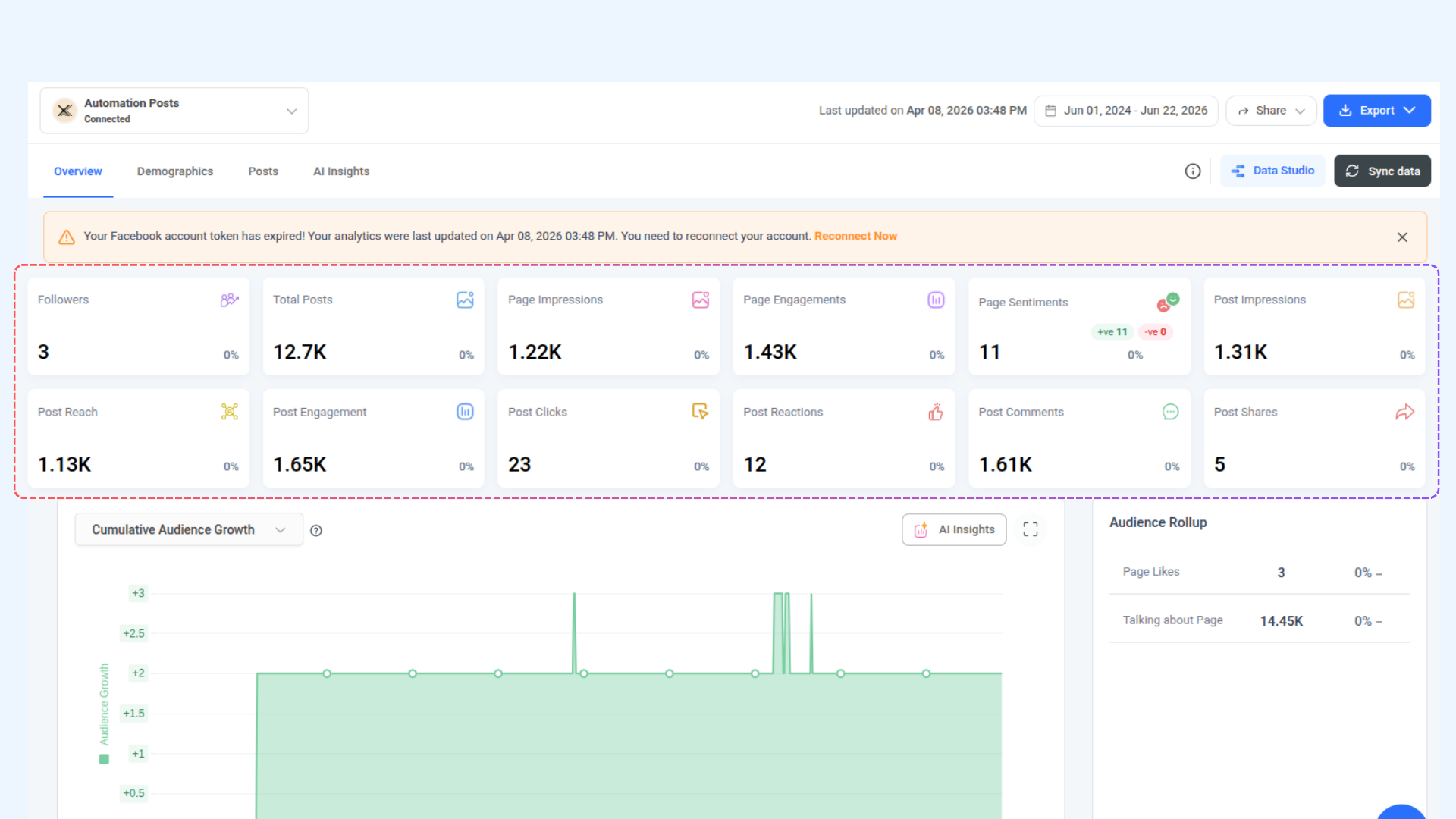
Access analytics data programmatically for your connected social accounts. Retrieve audience insights, post performance, engagement trends, video metrics, and demographic breakdowns — all scoped to a specific workspace and date range.
Get Facebook Analytics Summary
Retrieve Facebook Page summary KPIs for the selected period, with current vs. previous period comparison and percentage change.
Endpoint: GET /api/v1/workspaces/{workspace_id}/analytics/facebook/summary
cURL Example:
curl -X GET "https://api-prod.contentstudio.io/api/v1/workspaces/{workspace_id}/analytics/facebook/summary?platform_id=111000111000&start_date=2026-01-01&end_date=2026-01-31" \
  -H "X-API-Key: <YOUR_API_KEY>"
cURL Response:
{
  "status": true,
  "summary": {
    "current": {
      "fan_count": 42500,
      "page_follows": 41800,
      "talking_about_count": 1240,
      "page_impressions": 185000,
      "page_impressions_paid": 62000,
      "page_impressions_organic": 123000,
      "page_engagements": 3800,
      "page_positive_feedback": 520,
      "page_negative_feedback": 48,
      "total_posts": 22,
      "post_engagement": 2950,
      "post_reactions": 1820,
      "post_comments": 480,
      "post_clicks": 1650,
      "post_impressions": 145000,
      "post_reach": 98000,
      "post_reposts": 320,
      "post_positive_sentiment": 1480,
      "post_negative_sentiment": 210
    },
    "previous": { "..." },
    "difference": { "..." },
    "percentage": { "..." }
  }
}
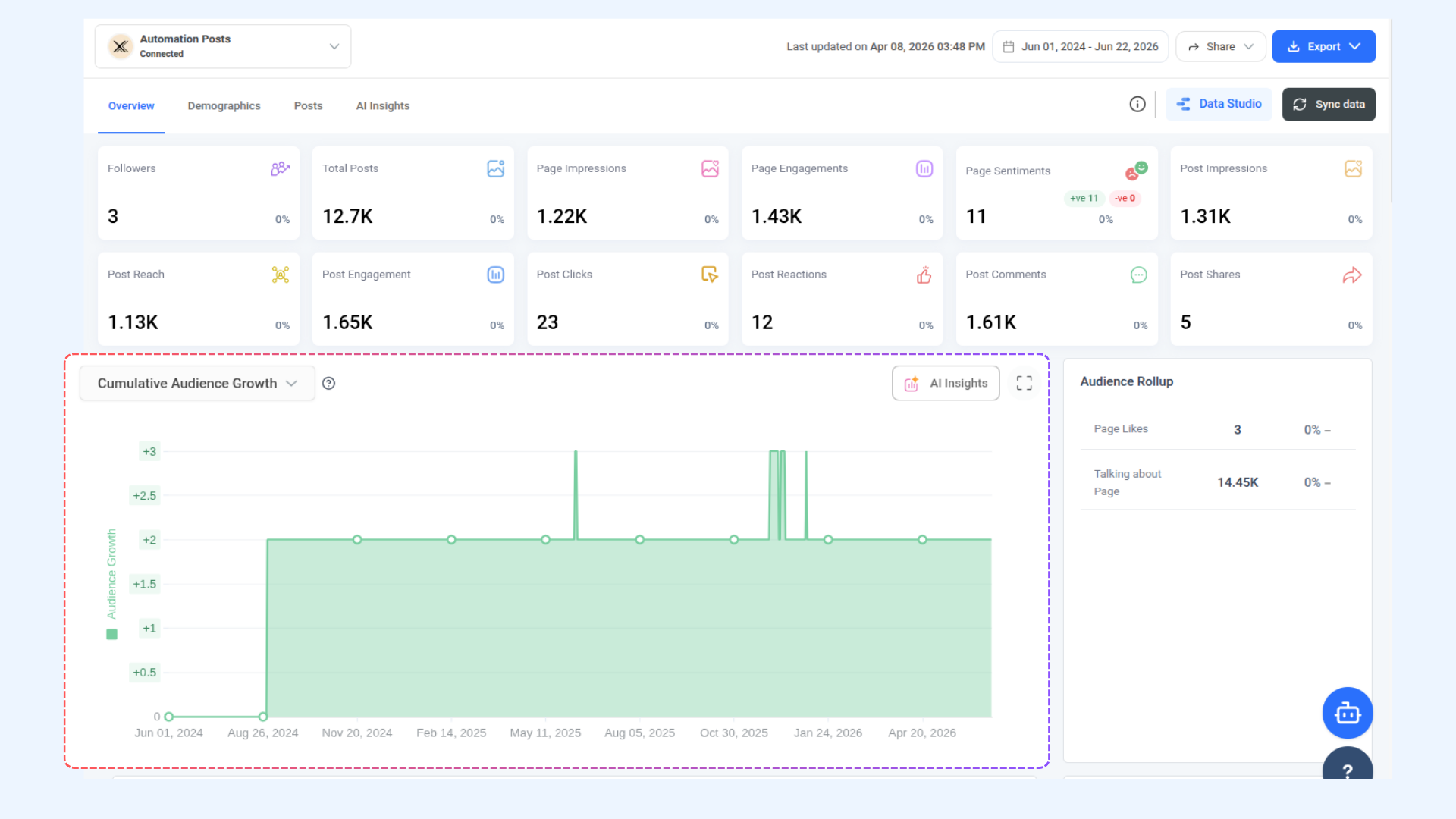
Get Facebook Audience Growth
Retrieve fan and follower growth over time, including daily likes, unlikes, and engagement data.
Endpoint: GET /api/v1/workspaces/{workspace_id}/analytics/facebook/audience-growth
cURL Example:
 curl -X GET "https://api-prod.contentstudio.io/api/v1/workspaces/{workspace_id}/analytics/facebook/audience-growth?platform_id=111000111000&start_date=2026-01-01&end_date=2026-01-31" \
  -H "X-API-Key: <YOUR_API_KEY>"
cURL Response:
{
  "status": true,
  "audience_growth": {
    "show_data": 1,
    "data": [
      {
        "date": "2026-01-31",
        "fan_count": 42500,
        "page_fans_daily": 150,
        "page_fans_by_like": 155,
        "page_fans_by_unlike": 5,
        "page_impressions": 6800,
        "page_engagements": 460
      }
    ]
  },
  "audience_growth_rollup": {
    "current": {
      "avg_page_fans_by_like": 4.2,
      "avg_page_fans_by_unlike": 0.5,
      "fan_count": 42500,
      "talking_about_count": 1240,
      "post_count": 22
    },
    "previous": { "..." }
  }
}
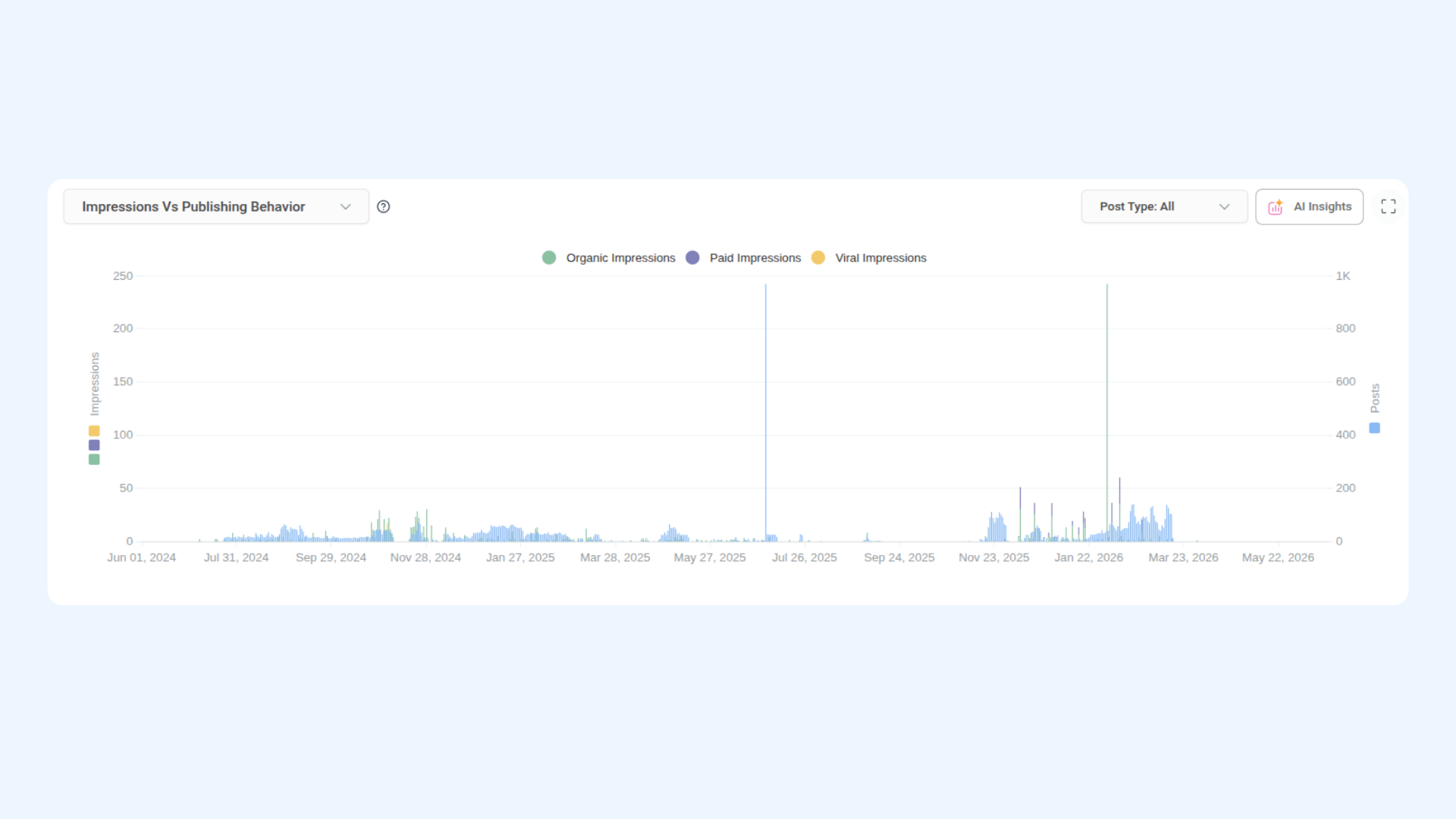
Get Facebook Publishing Behaviour
Retrieve daily post performance broken down by impressions, reach, and engagement type (paid, organic, viral), with optional filtering by media type.
Endpoint: GET /api/v1/workspaces/{workspace_id}/analytics/facebook/publishing-behaviour
cURL Example:
curl -X GET "https://api-prod.contentstudio.io/api/v1/workspaces/{workspace_id}/analytics/facebook/publishing-behaviour?platform_id=111000111000&start_date=2026-01-01&end_date=2026-01-31&media_type=images,videos" \
  -H "X-API-Key: <YOUR_API_KEY>"
cURL Response:
{
  "status": true,
  "publishing_behaviour": {
    "data": [
      {
        "date": "2026-01-31",
        "reactions_engagement": 490,
        "comments_engagement": 138,
        "shares_engagement": 90,
        "paid_impressions": 19500,
        "organic_impressions": 39000,
        "viral_impressions": 7900,
        "paid_reach": 16500,
        "organic_reach": 32000,
        "viral_reach": 6700,
        "post_count": 2
      }
    ]
  },
  "publishing_behaviour_rollup": {
    "current": {
      "post_count": 22,
      "post_engagement": 2950,
      "post_reactions": 1820,
      "post_comments": 480,
      "post_clicks": 1650,
      "post_impressions": 145000,
      "post_shares": 320
    },
    "previous": { "..." }
  }
}
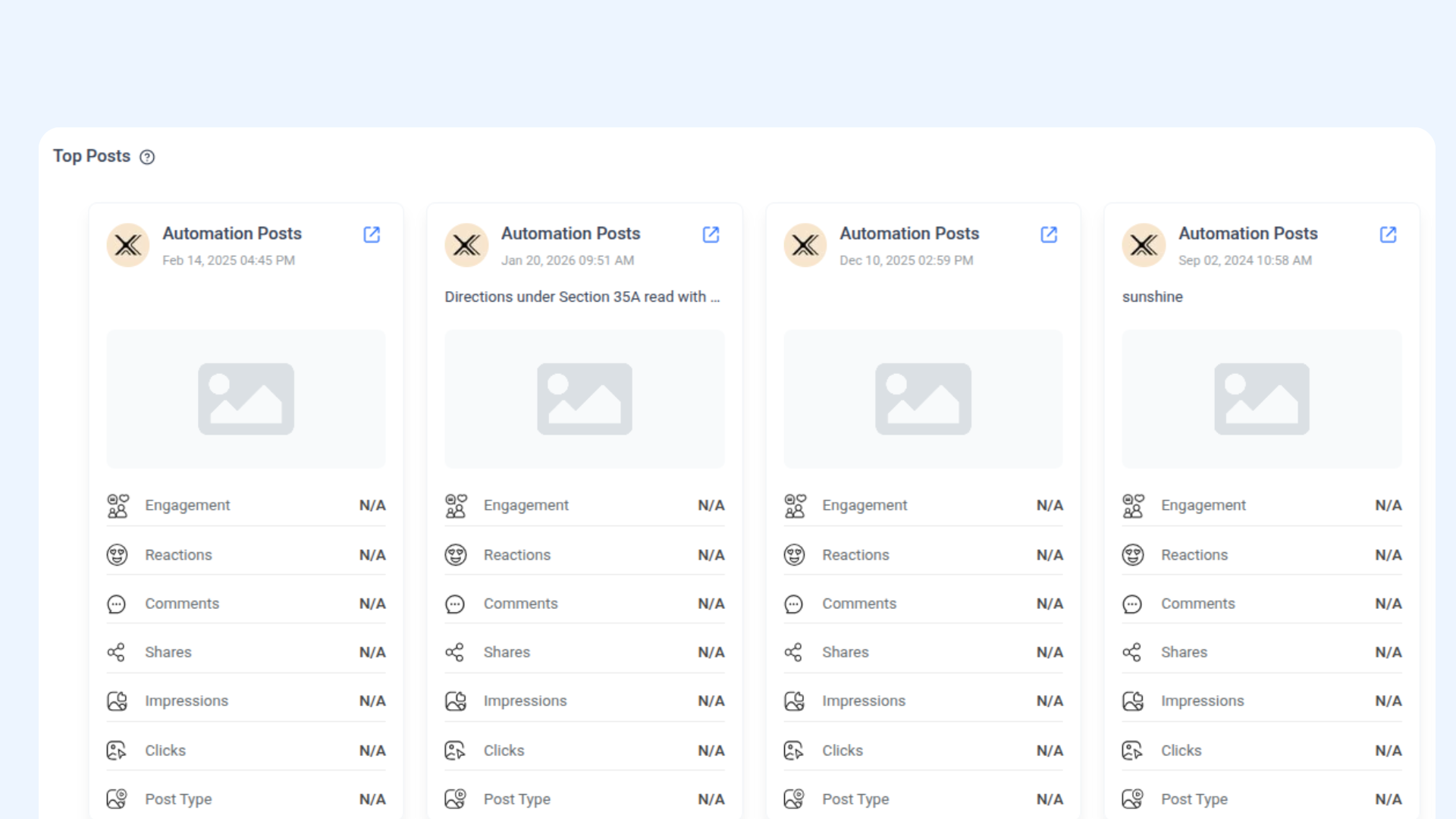
Get Facebook Top Posts
Retrieve top-performing posts ranked by engagement, with pagination, sorting, and media type filtering.
Endpoint: GET /api/v1/workspaces/{workspace_id}/analytics/facebook/top-posts
cURL Example:
curl -X GET "https://api-prod.contentstudio.io/api/v1/workspaces/{workspace_id}/analytics/facebook/top-posts?platform_id=111000111000&start_date=2026-01-01&end_date=2026-01-31&limit=15&order_by=post_engagement" \
  -H "X-API-Key: <YOUR_API_KEY>"
cURL Response:
{
  "status": true,
  "top_posts": [
    {
      "platform_account_name": "ContentStudio",
      "platform_id": "111000111000",
      "post_id": "111000111000_902341",
      "permalink": "https://facebook.com/111000111000/posts/902341",
      "status_type": "added_photos",
      "media_type": "images",
      "caption": "New year, new playbook.",
      "like_count": 482,
      "reaction_count": 597,
      "share_count": 14,
      "comment_count": 37,
      "post_clicks": 88,
      "post_engagement": 621,
      "impression_count": 4820,
      "impression_count_organic": 4500,
      "impression_count_paid": 0,
      "impression_count_viral": 320,
      "post_video_views": 0,
      "created_at": "2026-01-22T14:08:00Z",
      "media_assets": [ { "..." } ]
    }
  ]
}
Get Facebook Top Posts (Filtered)
Retrieve top-performing video and reel posts, filtered by media type and ranked by impressions by default.
Endpoint: GET /api/v1/workspaces/{workspace_id}/analytics/facebook/top-posts/filtered
cURL Example:
curl -X GET "https://api-prod.contentstudio.io/api/v1/workspaces/{workspace_id}/analytics/facebook/top-posts/filtered?platform_id=111000111000&start_date=2026-01-01&end_date=2026-01-31&media_type=videos,reels" \
  -H "X-API-Key: <YOUR_API_KEY>"
cURL Response:
{
  "status": true,
  "top_posts": [
    {
      "platform_account_name": "ContentStudio",
      "post_id": "111000111000_889123",
      "media_type": "videos",
      "video_id": "884921",
      "caption": "Behind the scenes: launch week.",
      "like_count": 720,
      "reaction_count": 884,
      "share_count": 32,
      "comment_count": 56,
      "post_video_views": 18420,
      "impression_count": 24180,
      "post_engagement": 940,
      "created_at": "2026-01-14T11:02:00Z",
      "media_assets": [ { "..." } ]
    }
  ]
}
Get a Single Facebook Post
Retrieve full analytics data for a single Facebook post by its platform-native post ID.
Endpoint: GET /api/v1/workspaces/{workspace_id}/analytics/facebook/post
cURL Example:
curl -X GET "https://api-prod.contentstudio.io/api/v1/workspaces/{workspace_id}/analytics/facebook/post?platform_id=111000111000&post_id=111000111000_902341" \
  -H "X-API-Key: <YOUR_API_KEY>"
cURL Response:
{
  "status": true,
  "post": {
    "platform_account_name": "ContentStudio",
    "post_id": "111000111000_902341",
    "permalink": "https://facebook.com/111000111000/posts/902341",
    "media_type": "images",
    "caption": "New year, new playbook.",
    "like_count": 482,
    "reaction_count": 597,
    "share_count": 14,
    "comment_count": 37,
    "post_engagement": 621,
    "impression_count": 4820,
    "impression_count_organic": 4500,
    "impression_count_paid": 0,
    "post_video_views": 0,
    "created_at": "2026-01-22T14:08:00Z",
    "media_assets": [ { "..." } ]
  }
}
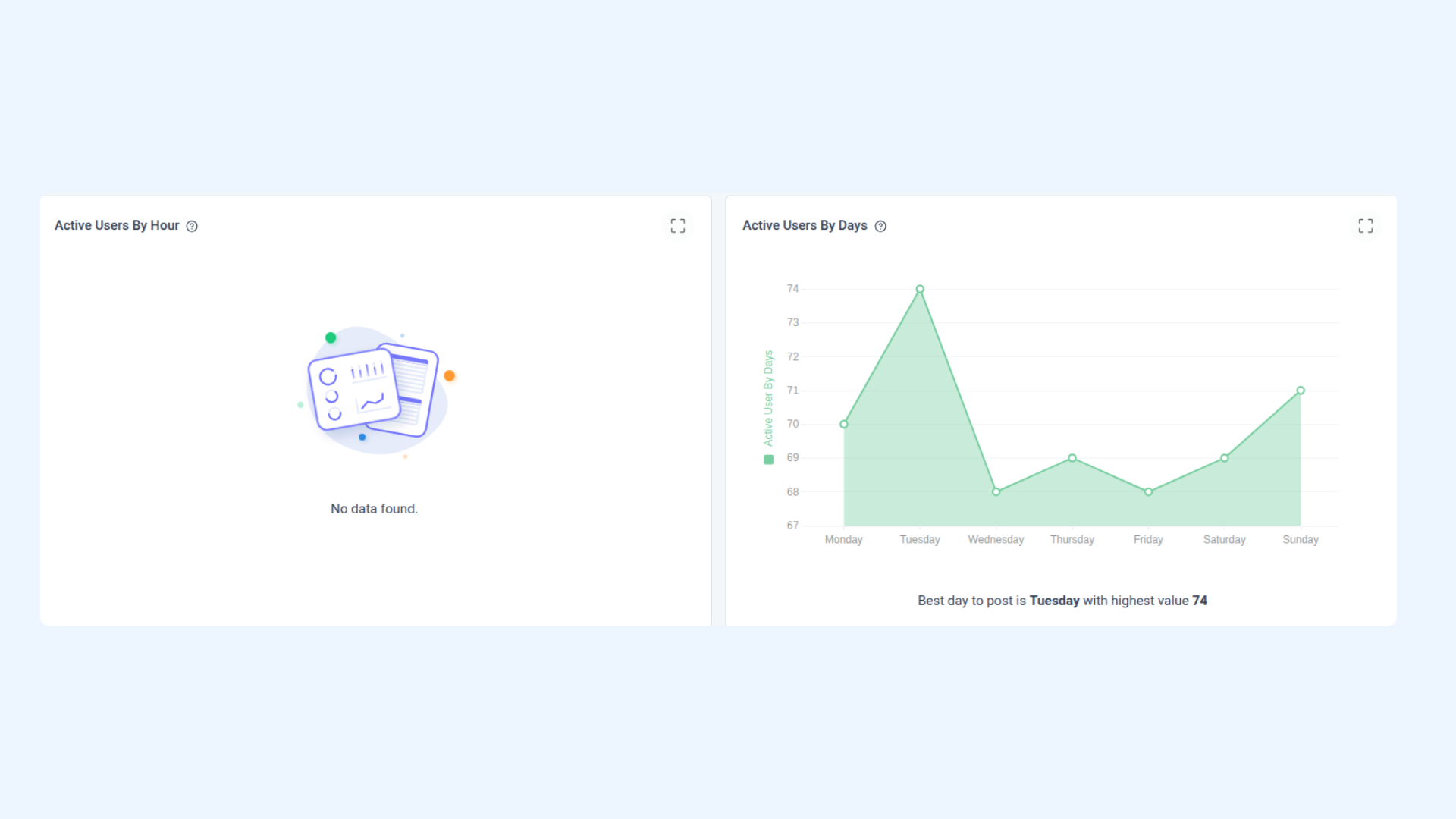
Get Facebook Active Users
Retrieve the hours and days of the week when your Page audience is most active.
Endpoint: GET /api/v1/workspaces/{workspace_id}/analytics/facebook/active-users
curl -X GET "https://api-prod.contentstudio.io/api/v1/workspaces/{workspace_id}/analytics/facebook/active-users?platform_id=111000111000&start_date=2026-01-01&end_date=2026-01-31" \
  -H "X-API-Key: <YOUR_API_KEY>"
cURL Response:
{
  "status": true,
  "active_users": {
    "active_users_hours": {
      "highest_value": 4800,
      "highest_hour": 20,
      "data": [
        { "hour": 20, "value": 4800 }
      ]
    },
    "active_users_days": {
      "highest_value": 18500,
      "highest_day": "Wednesday",
      "data": [
        { "day": "Wednesday", "value": 18500 }
      ]
    }
  }
}
Get Facebook Page Impressions
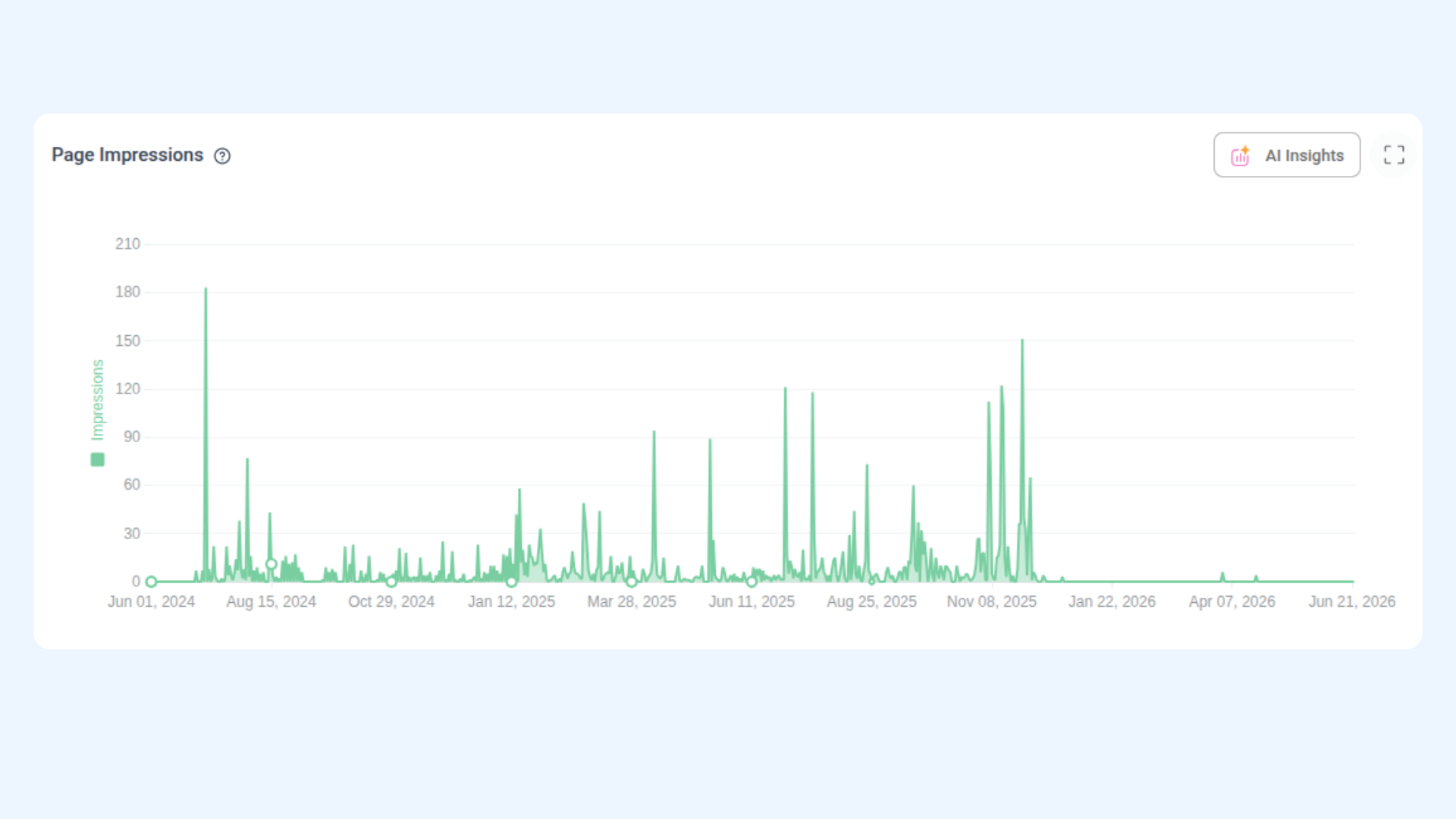
Retrieve daily page impression totals with period-over-period averages.
Endpoint: GET /api/v1/workspaces/{workspace_id}/analytics/facebook/impressions
cURL Example:
curl -X GET "https://api-prod.contentstudio.io/api/v1/workspaces/{workspace_id}/analytics/facebook/impressions?platform_id=111000111000&start_date=2026-01-01&end_date=2026-01-31" \
  -H "X-API-Key: <YOUR_API_KEY>"
cURL Response:
{
  "status": true,
  "impressions": {
    "data": [
      { "date": "2026-01-31", "page_impressions": 5020 }
    ]
  },
  "impressions_rollup": {
    "current": {
      "total_impressions": 185000,
      "avg_impressions_per_day": 5968,
      "avg_impressions_per_week": 41776
    },
    "previous": {
      "total_impressions": 168000,
      "avg_impressions_per_day": 5419,
      "avg_impressions_per_week": 37933
    }
  }
}
Get Facebook Page Engagement
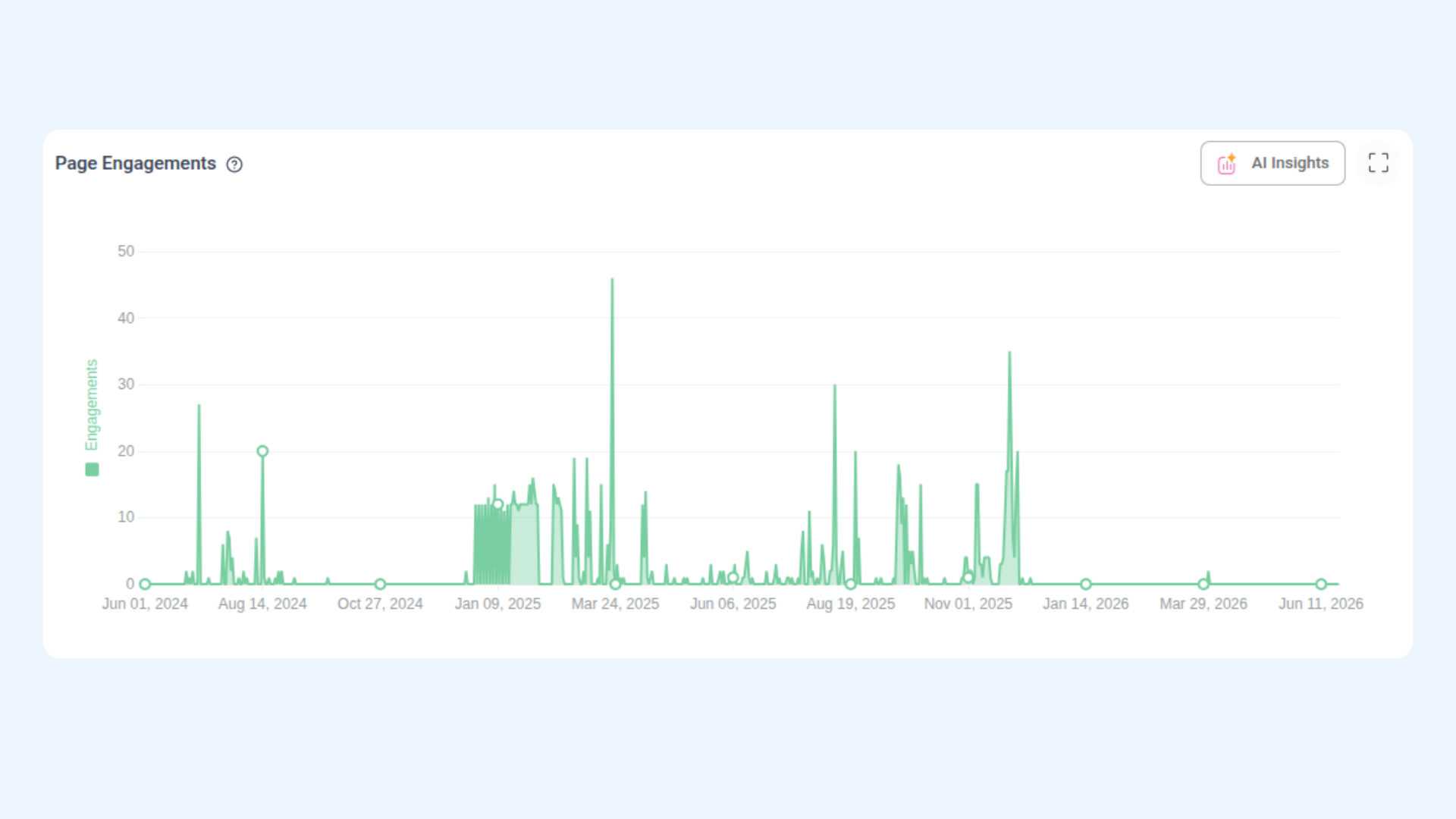
Retrieve daily page engagement totals with period-over-period averages.
Endpoint: GET /api/v1/workspaces/{workspace_id}/analytics/facebook/engagement
cURL Example:
curl -X GET "https://api-prod.contentstudio.io/api/v1/workspaces/{workspace_id}/analytics/facebook/engagement?platform_id=111000111000&start_date=2026-01-01&end_date=2026-01-31" \
  -H "X-API-Key: <YOUR_API_KEY>"
cURL Response:
{


  "status": true,
  "engagement": {
    "engagement": {
      "data": [
        { "date": "2026-01-31", "page_engagements": 300 }
      ]
    },
    "engagement_rollup": {
      "current": {
        "page_engagements": 3800,
        "avg_engagements_per_day": 122.6,
        "avg_engagements_per_week": 858.2
      },
      "previous": {
        "page_engagements": 3400,
        "avg_engagements_per_day": 109.7,
        "avg_engagements_per_week": 767.9
      }
    }
  }
}
Get Facebook Reels Insights
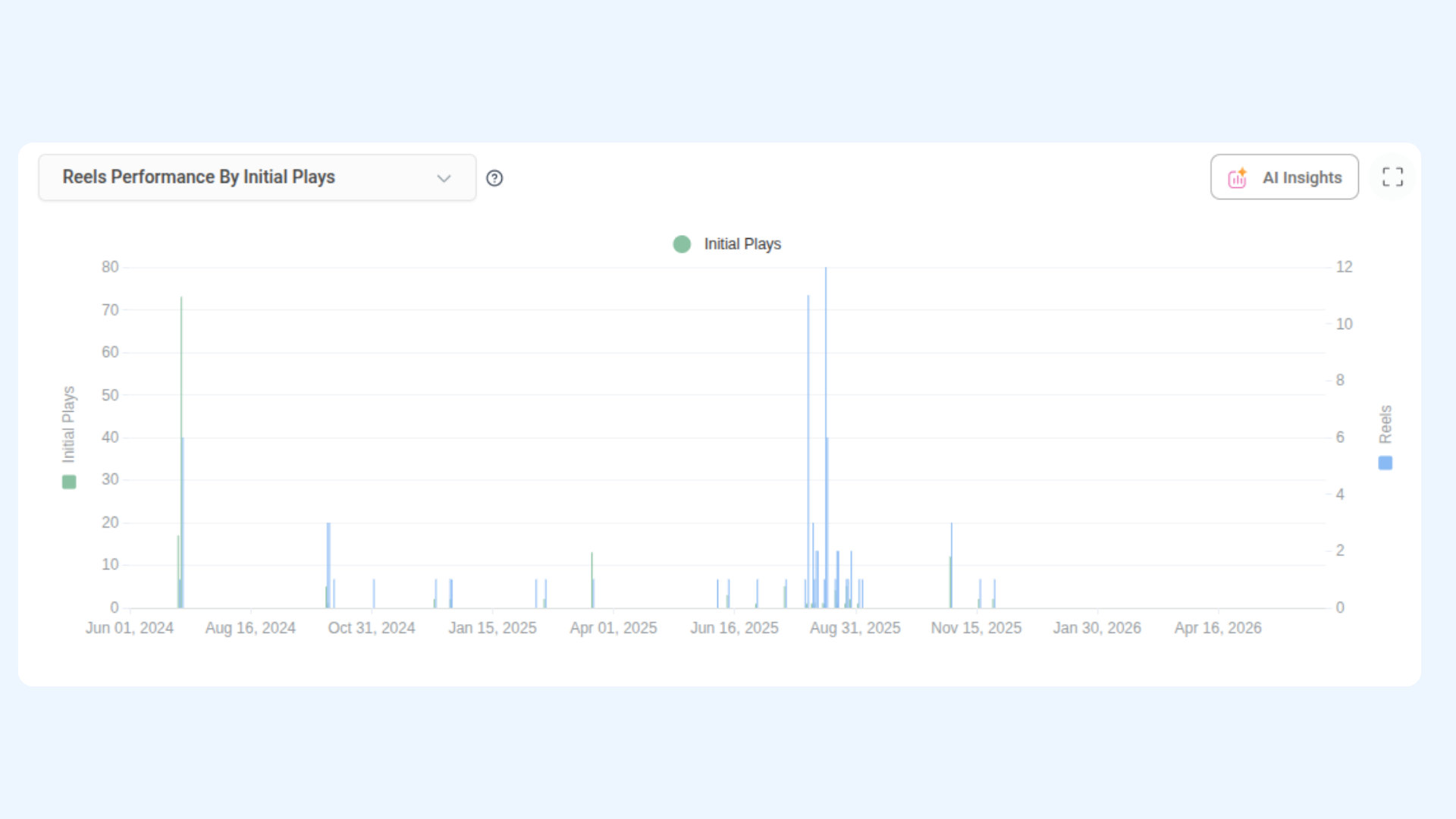
Retrieve performance data for Facebook Reels including watch time, initial plays, reach, and engagement.
Endpoint: GET /api/v1/workspaces/{workspace_id}/analytics/facebook/reels
cURL Example:
curl -X GET "https://api-prod.contentstudio.io/api/v1/workspaces/{workspace_id}/analytics/facebook/reels?platform_id=111000111000&start_date=2026-01-01&end_date=2026-01-31" \
  -H "X-API-Key: <YOUR_API_KEY>"
cURL Response:
{
  "status": true,
  "reels": {
    "show_data": 1,
    "data": [
      {
        "date": "2026-01-31",
        "total_reels": 3,
        "total_seconds_watched": 6840.2,
        "initial_plays": 5120,
        "engagement": 210,
        "reactions": 134,
        "comments": 52,
        "shares": 24
      }
    ]
  },
  "reels_rollup": {
    "current": {
      "total_reels": 6,
      "average_seconds_watched": 2245.6,
      "total_seconds_watched": 13470,
      "initial_plays": 9770,
      "reach": 7820,
      "engagement": 428
    },
    "previous": { "..." }
  }
}
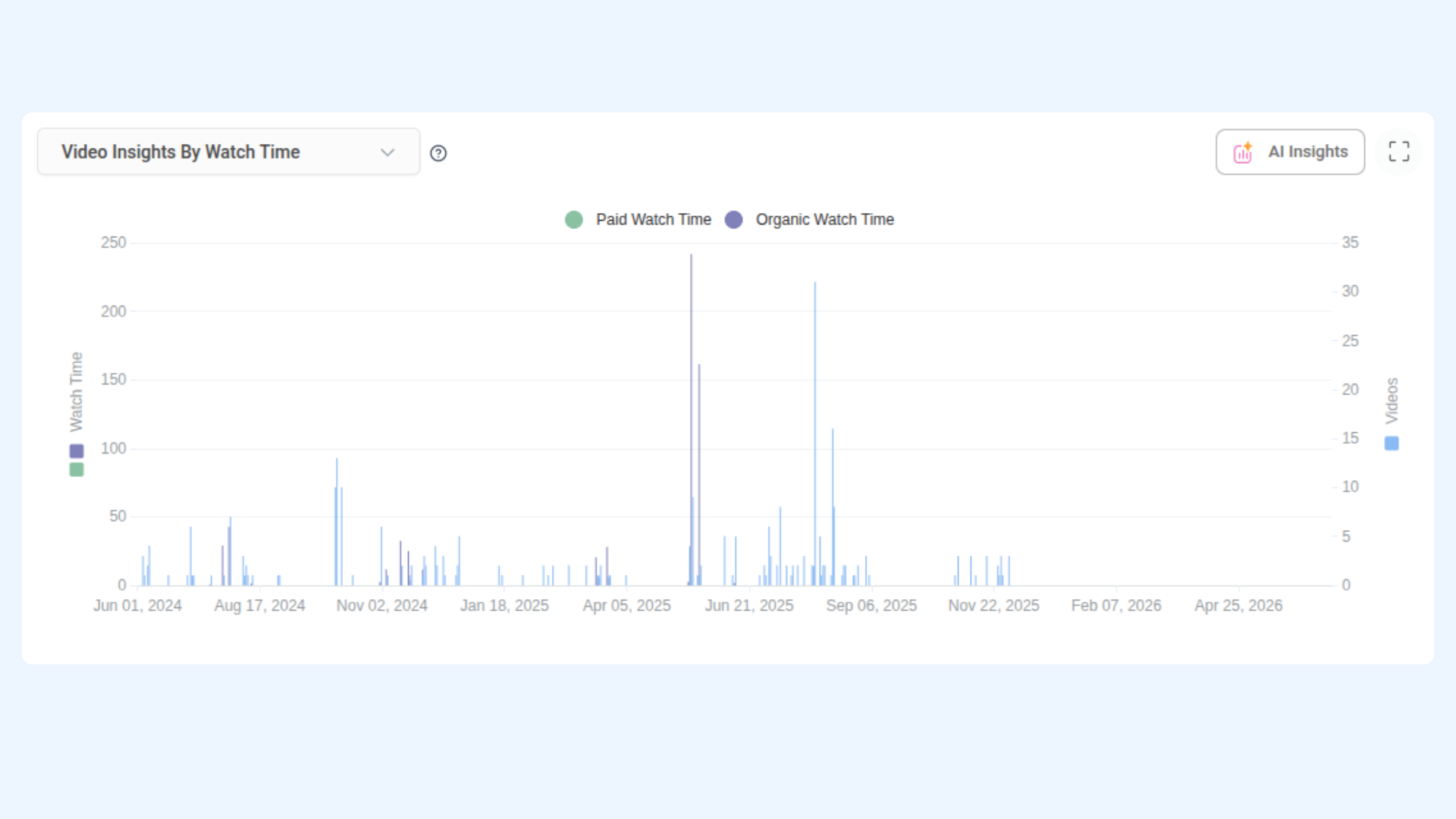
Get Facebook Video Insights
Retrieve video performance metrics split by organic and paid, including total view time, views, and post-level engagement.
Endpoint: GET /api/v1/workspaces/{workspace_id}/analytics/facebook/video-insights
cURL Example:
curl -X GET "https://api-prod.contentstudio.io/api/v1/workspaces/{workspace_id}/analytics/facebook/video-insights?platform_id=111000111000&start_date=2026-01-01&end_date=2026-01-31" \
  -H "X-API-Key: <YOUR_API_KEY>"
cURL Response:
{
  "status": true,
  "video_insights": {
    "data": [
      {
        "date": "2026-01-31",
        "total_view_time": 21240.7,
        "organic_view_time": 20800,
        "paid_view_time": 440.7,
        "total_views": 7240,
        "organic_views": 7100,
        "paid_views": 140,
        "comments": 32,
        "reactions": 210,
        "shares": 18,
        "total_posts": 3
      }
    ]
  },
  "video_rollup": {
    "current": {
      "total_view_time": 54481.2,
      "total_views": 17980,
      "organic_views": 17480,
      "paid_views": 500
    },
    "previous": { "..." }
  }
}
Get Facebook Audience Demographics
Retrieve audience breakdown by gender, age group, country, and city.
Endpoint: GET /api/v1/workspaces/{workspace_id}/analytics/facebook/demographics
cURL Example:
curl -X GET "https://api-prod.contentstudio.io/api/v1/workspaces/{workspace_id}/analytics/facebook/demographics?platform_id=111000111000&start_date=2026-01-01&end_date=2026-01-31" \ -H "X-API-Key: <YOUR_API_KEY>"
cURL Response:
{

"status": true,
"audience_gender": { "male": 24000, "female": 18000, "unknown": 500 },
"fans": 42500,
"audience_age": {
"fans_age": {
  "13-17": 850, "18-34": 12400, "25-34": 10200,
  "35-44": 8600, "45-54": 5200, "55-64": 3100, "65+": 2150
},
"max_age": 34
},
"max_gender_age": { "max_value": 10200, "age": "25-34", "gender": "male" },
"audience_country": { "US": 18000, "GB": 5200, "CA": 3100 },
"audience_city": { "New York, NY": 3200, "Los Angeles, CA": 2800 }
}
Get Facebook Demographics Overview
Retrieve a combined overview of audience demographics including gender, age, country, and city data.
Endpoint: GET/api/v1/workspaces/{workspace_id}/analytics/facebook/demographics/overview
cURL Example:
curl -X GET "https://api-prod.contentstudio.io/api/v1/workspaces/{workspace_id}/analytics/facebook/demographics/overview?platform_id=111000111000&start_date=2026-01-01&end_date=2026-01-31" \ -H "X-API-Key: <YOUR_API_KEY>"
cURL Response: (same structure as Demographics above)
Get Facebook Audience Location
Retrieve audience distribution by country and city.
Endpoint: GET /api/v1/workspaces/{workspace_id}/analytics/facebook/audience-location
cURL Example:
curl -X GET "https://api-prod.contentstudio.io/api/v1/workspaces/{workspace_id}/analytics/facebook/audience-location?platform_id=111000111000&start_date=2026-01-01&end_date=2026-01-31" \ -H "X-API-Key: <YOUR_API_KEY>
cURL Response:
{
  "status": true,
  "audience_gender": { "male": 24000, "female": 18000, "unknown": 500 },
  "fans": 42500,
  "audience_country": { "US": 18000, "GB": 5200, "CA": 3100, "AU": 2400, "IN": 2100 },
  "audience_city": {
    "New York, NY": 3200,
    "Los Angeles, CA": 2800,
    "London, United Kingdom": 2100,
    "Sydney, Australia": 1900
  }
}
Get Facebook AI Insights
Retrieve AI-generated insights for your Facebook Page performance based on the selected date range and insight type.
Endpoint: GET /api/v1/workspaces/{workspace_id}/analytics/facebook/ai-insights
cURL Example:
curl -X GET "https://api-prod.contentstudio.io/api/v1/workspaces/{workspace_id}/analytics/facebook/ai-insights?platform_id=111000111000&start_date=2026-01-01&end_date=2026-01-31&limit=5&language=en" \ -H "X-API-Key: <YOUR_API_KEY>"
cURL Response:
{
  "status": true,
  "data": {
    "insights": "Engagement peaked on Tuesdays. Video content outperforms images by 2.4x."
  },
  "message": ""
}
Get Instagram Analytics Summary
Retrieve Instagram profile summary KPIs for the selected period, with current vs. previous period comparison and percentage change.
Endpoint: GET /api/v1/workspaces/{workspace_id}/analytics/instagram/summary
cURL Example:
curl -X GET "https://api-prod.contentstudio.io/api/v1/workspaces/{workspace_id}/analytics/instagram/summary?platform_id=17841400000001234&start_date=2026-01-01&end_date=2026-01-31" \ -H "X-API-Key: <YOUR_API_KEY>"
cURL Response:
{
  "status": true,
  "summary": {
    "current": {
      "followers_count": 35800,
      "follows_count": 420,
      "profile_impressions": 92000,
      "profile_views": 8400,
      "profile_engagement": 4200,
      "profile_reach": 68000,
      "accounts_engaged": 3100,
      "total_posts": 24,
      "post_engagement": 3600,
      "post_reactions": 2400,
      "post_comments": 580,
      "post_saves": 720,
      "post_reach": 82000,
      "post_views": 145000,
      "total_stories": 45,
      "eng_rate": 3.8
    },
    "previous": { "..." },
    "difference": { "..." },
    "percentage": { "..." }
  }
}
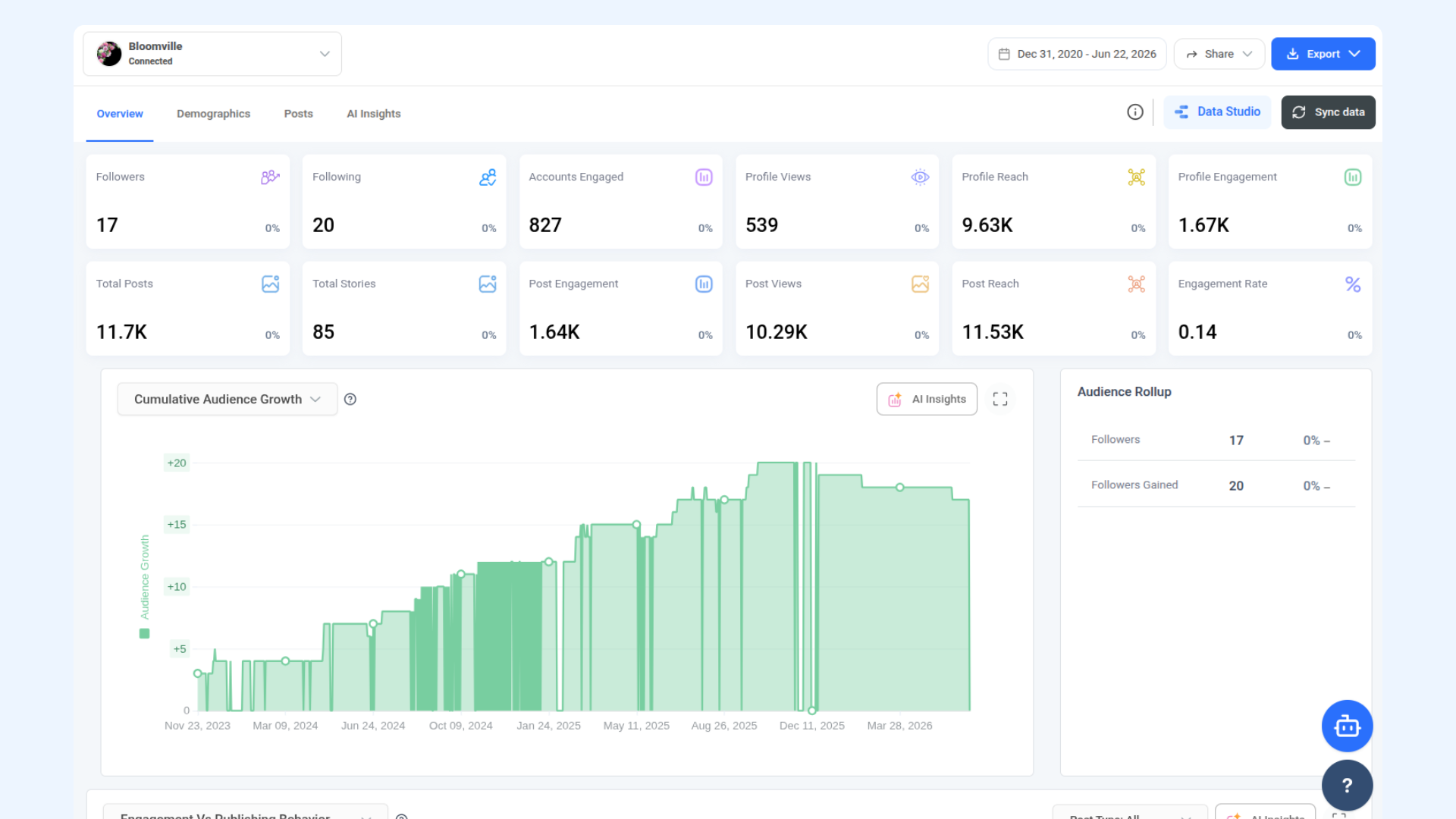
Get Instagram Audience Growth
Retrieve daily post performance broken down by likes, comments, saves, reach, impressions, and views, with a rollup by media type.
Endpoint: GET /api/v1/workspaces/{workspace_id}/analytics/instagram/publishing-behaviour
cURL Example:
curl -X GET "https://api-prod.contentstudio.io/api/v1/workspaces/{workspace_id}/analytics/instagram/publishing-behaviour?platform_id=17841400000001234&start_date=2026-01-01&end_date=2026-01-31" \ -H "X-API-Key: <YOUR_API_KEY>"
cURL Response:
{
  "status": true,
  "publishing_behaviour": [
    {
      "date": "2026-01-31",
      "likes": 720,
      "comments": 158,
      "saved": 210,
      "engagement": 1088,
      "reach": 24000,
      "impressions": 41000,
      "views": 56000,
      "total_posts": 4
    }
  ],
  "publishing_behaviour_rollup": {
    "current": [
      {
        "media_type": "IMAGE",
        "total_posts": 14,
        "likes": 4200,
        "comments": 860,
        "saved": 1100,
        "engagement": 6160,
        "reach": 145000,
        "views": 180000
      }
    ],
    "previous": [ { "..." } ]
  }
}
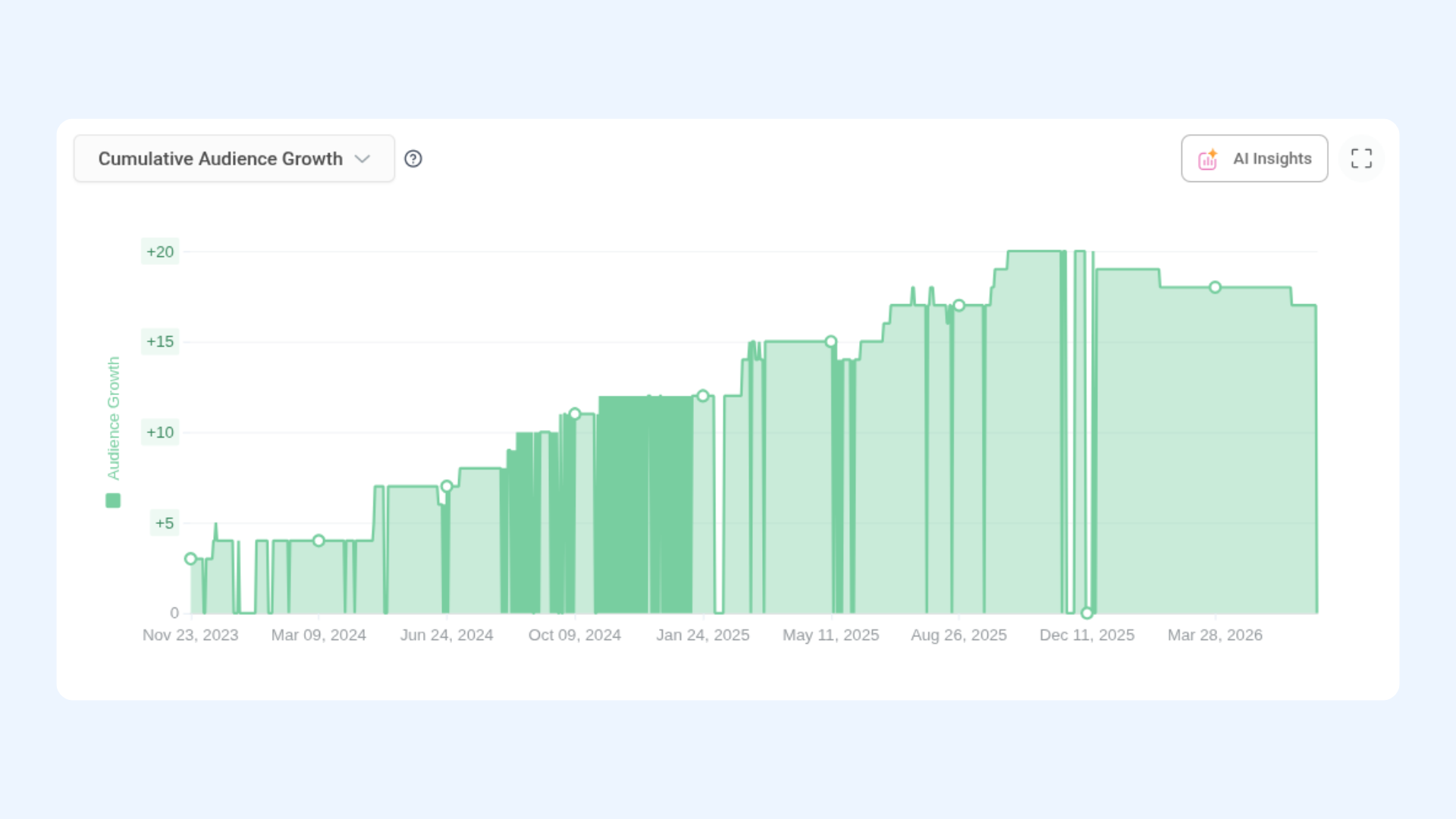
Get Instagram Top Posts
Retrieve top-performing feed posts ranked by engagement, with pagination and sorting options.
Endpoint: GET /api/v1/workspaces/{workspace_id}/analytics/instagram/top-posts
cURL Example:
curl -X GET "https://api-prod.contentstudio.io/api/v1/workspaces/{workspace_id}/analytics/instagram/top-posts?platform_id=17841400000001234&start_date=2026-01-01&end_date=2026-01-31&limit=15&order_by=post_engagement" \
  -H "X-API-Key: <YOUR_API_KEY>"
cURL Response:
{
  "status": true,
  "top_posts": [
    {
      "post_id": "17841400008460056",
      "platform_id": "17841400000001234",
      "caption": "New collection just dropped!",
      "media_type": "IMAGE",
      "entity_type": "FEED",
      "permalink": "https://www.instagram.com/p/abc123/",
      "like_count": 1240,
      "comment_count": 185,
      "saved": 320,
      "post_engagement": 1745,
      "reach": 28000,
      "impression_count": 42000,
      "views": 0,
      "share_count": 0,
      "day_of_week": "Friday",
      "hour_of_day": 18,
      "created_at": "2026-01-12T18:00:00Z",
      "saved_at": "2026-01-12T18:05:00Z"
    }
  ]
}
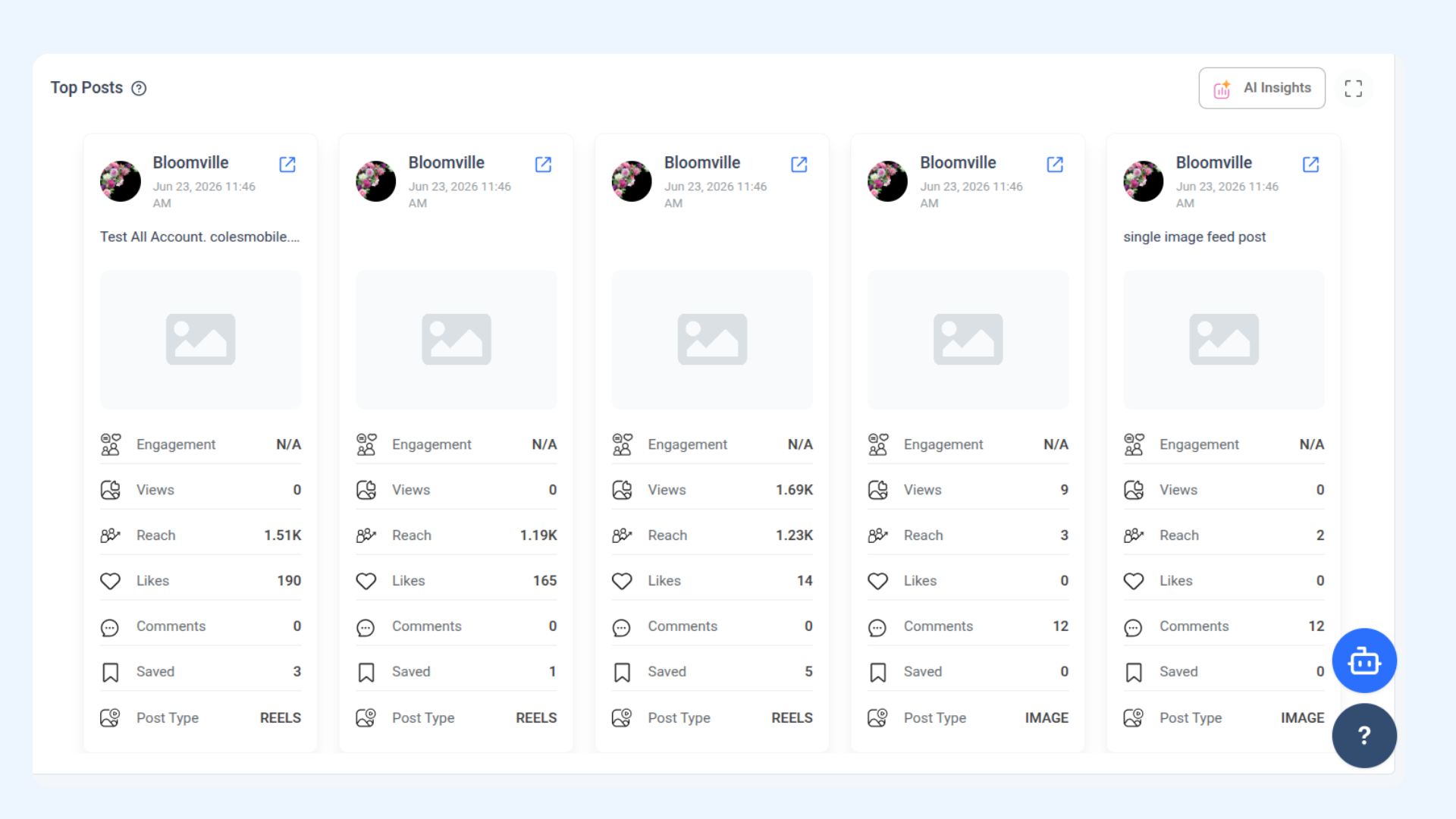
Get Instagram Top Posts (Filtered)
Retrieve top-performing Reels and video posts, filtered by media type and ranked by impressions by default.
Endpoint: GET /api/v1/workspaces/{workspace_id}/analytics/instagram/top-posts/filtered
cURL Example:
curl -X GET "https://api-prod.contentstudio.io/api/v1/workspaces/{workspace_id}/analytics/instagram/top-posts/filtered?platform_id=17841400000001234&start_date=2026-01-01&end_date=2026-01-31&media_type=REELS" \
  -H "X-API-Key: <YOUR_API_KEY>"
cURL Response:
{
  "status": true,
  "top_posts": [
    {
      "post_id": "17841400008460099",
      "platform_id": "17841400000001234",
      "caption": "Reel of the week 🎬",
      "media_type": "REELS",
      "entity_type": "REELS",
      "permalink": "https://www.instagram.com/reel/xyz789/",
      "like_count": 2100,
      "comment_count": 240,
      "saved": 410,
      "post_engagement": 2750,
      "reach": 52000,
      "impression_count": 78000,
      "views": 64000,
      "share_count": 320,
      "day_of_week": "Wednesday",
      "hour_of_day": 12,
      "created_at": "2026-01-14T12:00:00Z",
      "saved_at": "2026-01-14T12:04:00Z"
    }
  ]
}
Get a Single Instagram Post
Retrieve full analytics data for a single Instagram post by its platform-native post ID.
Endpoint: GET /api/v1/workspaces/{workspace_id}/analytics/instagram/post
cURL Example:
curl -X GET "https://api-prod.contentstudio.io/api/v1/workspaces/{workspace_id}/analytics/instagram/post?platform_id=17841400000001234&post_id=17841400008460056" \
  -H "X-API-Key: <YOUR_API_KEY>"
cURL Response:
{
  "status": true,
  "post": {
    "post_id": "17841400008460056",
    "platform_id": "17841400000001234",
    "caption": "New collection just dropped!",
    "media_type": "IMAGE",
    "entity_type": "FEED",
    "permalink": "https://www.instagram.com/p/abc123/",
    "like_count": 1240,
    "comment_count": 185,
    "saved": 320,
    "post_engagement": 1745,
    "reach": 28000,
    "impression_count": 42000,
    "views": 0,
    "share_count": 0,
    "day_of_week": "Friday",
    "hour_of_day": 18,
    "created_at": "2026-01-12T18:00:00Z",
    "saved_at": "2026-01-12T18:05:00Z"
  }
}
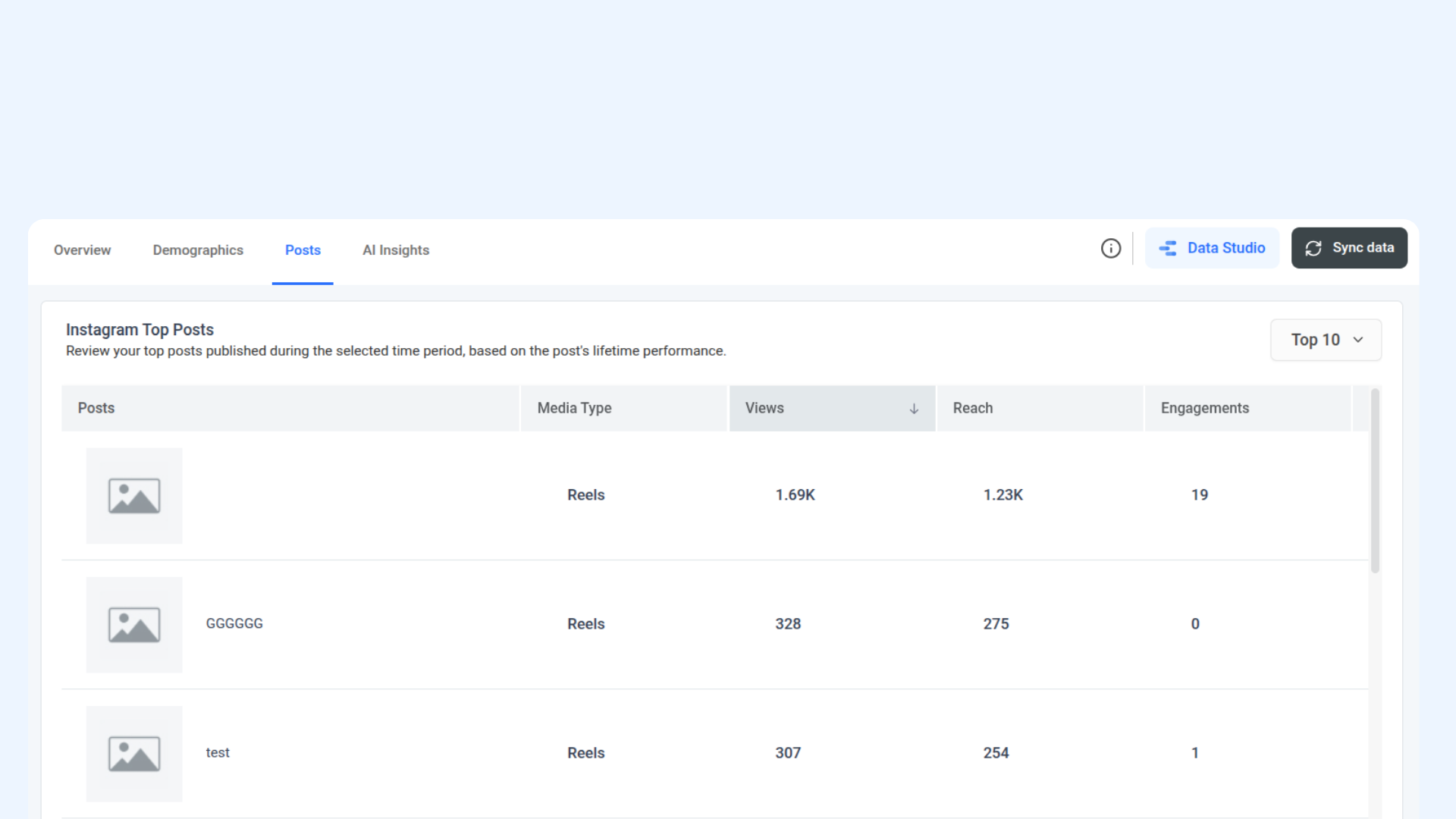
Get Instagram Active Users
Retrieve the hours and days of the week when your Instagram audience is most active.
Endpoint: GET /api/v1/workspaces/{workspace_id}/analytics/instagram/active-users
cURL Example:
curl -X GET "https://api-prod.contentstudio.io/api/v1/workspaces/{workspace_id}/analytics/instagram/active-users?platform_id=17841400000001234&start_date=2026-01-01&end_date=2026-01-31" \
  -H "X-API-Key: <YOUR_API_KEY>"
cURL Response:
{
  "status": true,
  "active_users_hours": {
    "highest_value": 5200,
    "highest_hour": 19,
    "data": [
      { "hour": 19, "value": 5200 }
    ]
  },
  "active_users_days": {
    "highest_value": 22000,
    "highest_day": "Saturday",
    "data": [
      { "day": "Saturday", "value": 22000 }
    ]
  }
}
Get Instagram Impressions
Retrieve daily profile impression totals with period-over-period averages.
Endpoint: GET /api/v1/workspaces/{workspace_id}/analytics/instagram/impressions
cURL Example:
curl -X GET "https://api-prod.contentstudio.io/api/v1/workspaces/{workspace_id}/analytics/instagram/impressions?platform_id=17841400000001234&start_date=2026-01-01&end_date=2026-01-31" \
  -H "X-API-Key: <YOUR_API_KEY>"
cURL Response:
{
  "status": true,
  "impressions": [
    { "date": "2026-01-31", "impressions": 41000 }
  ],
  "impressions_rollup": {
    "current": {
      "total_impressions": 92000,
      "avg_impressions": 2968
    },
    "previous": {
      "total_impressions": 84000,
      "avg_impressions": 2710
    }
  }
}
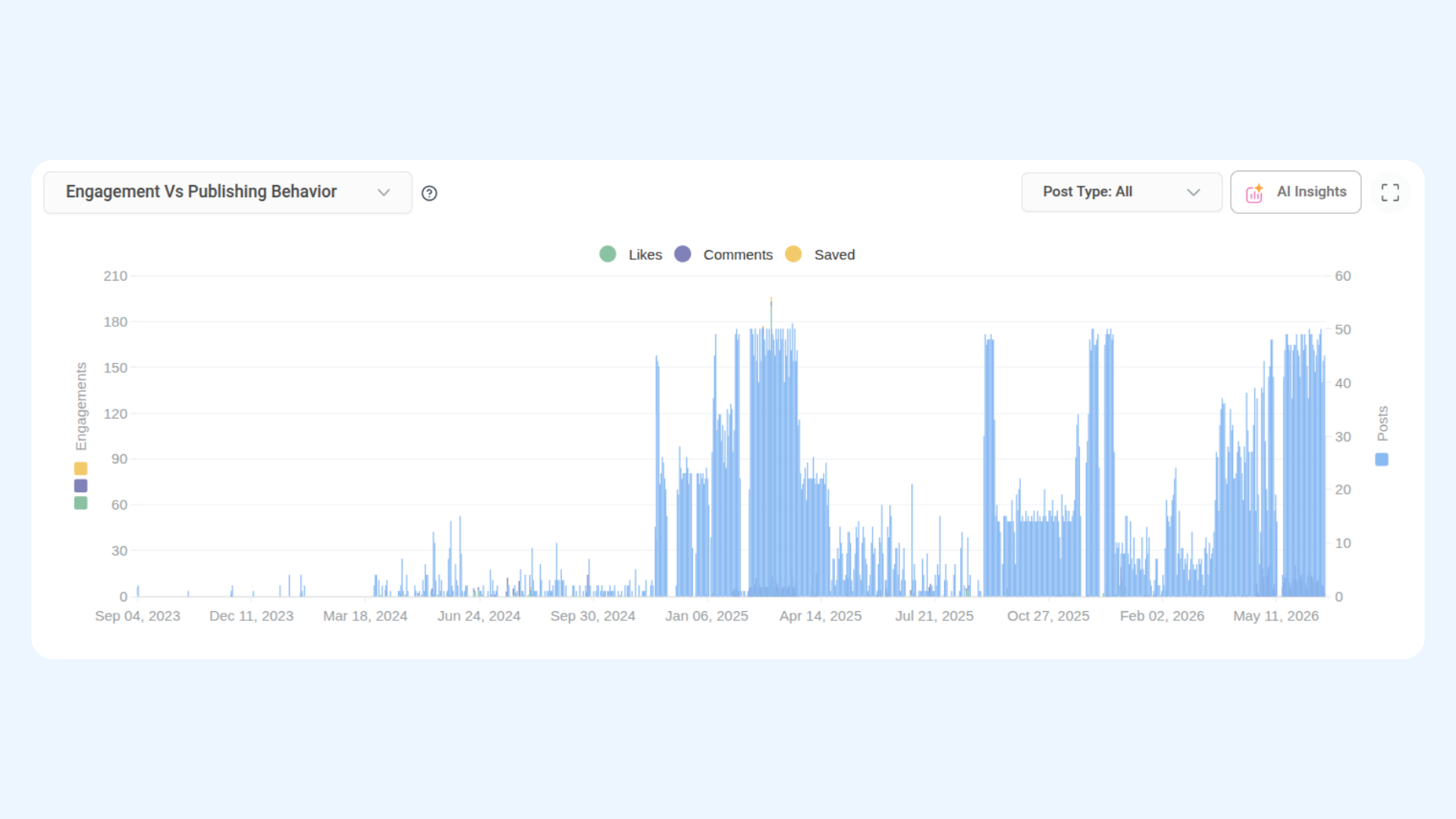
Get Instagram Engagement
Retrieve daily engagement totals including reactions, comments, saves, and post count, with period-over-period rollup.
Endpoint: GET /api/v1/workspaces/{workspace_id}/analytics/instagram/engagement
cURL Example:
curl -X GET "https://api-prod.contentstudio.io/api/v1/workspaces/{workspace_id}/analytics/instagram/engagement?platform_id=17841400000001234&start_date=2026-01-01&end_date=2026-01-31" \
  -H "X-API-Key: <YOUR_API_KEY>"
cURL Response:
{
  "status": true,
  "engagements": [
    {
      "date": "2026-01-31",
      "engagement": 1088,
      "comments": 158,
      "reactions": 720,
      "post_count": 4
    }
  ],
  "engagements_rollup": {
    "current": {
      "engagement": 3600,
      "avg_engagement": 116.1,
      "comments": 580,
      "reactions": 2400,
      "saved": 720,
      "count": 24
    },
    "previous": {
      "engagement": 3200,
      "avg_engagement": 103.2,
      "comments": 510,
      "reactions": 2100,
      "saved": 640,
      "count": 20
    }
  }
}
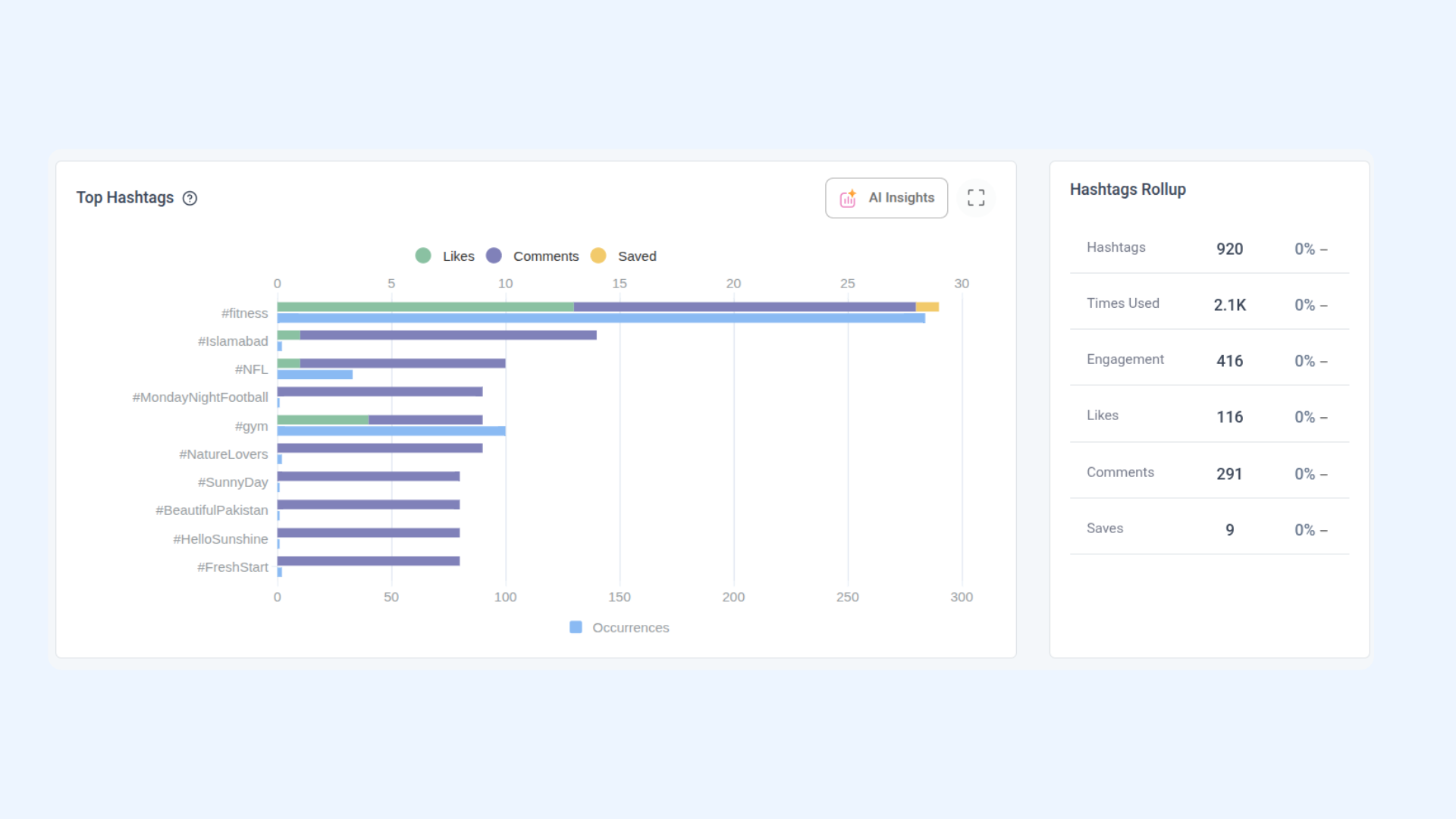
Get Instagram Hashtag Performance
Retrieve engagement metrics grouped by hashtag, with a rollup of total hashtag usage across the period.
Endpoint: GET /api/v1/workspaces/{workspace_id}/analytics/instagram/hashtags
cURL Example:
curl -X GET "https://api-prod.contentstudio.io/api/v1/workspaces/{workspace_id}/analytics/instagram/hashtags?platform_id=17841400000001234&start_date=2026-01-01&end_date=2026-01-31" \
  -H "X-API-Key: <YOUR_API_KEY>"
cURL Response:
{
  "status": true,
  "top_hashtags": [
    {
      "name": "#fashion",
      "engagement": 3800,
      "likes": 2800,
      "comments": 480,
      "saved": 520,
      "posts": 12
    }
  ],
  "top_hashtags_rollup": {
    "current": {
      "post_engagement": 18500,
      "total_likes": 14200,
      "total_comments": 2400,
      "total_saves": 2800,
      "total_unique_hashtags": 38,
      "total_hashtag_uses": 112
    },
    "previous": {
      "post_engagement": 16200,
      "total_likes": 12400,
      "total_comments": 2100,
      "total_saves": 2450,
      "total_unique_hashtags": 32,
      "total_hashtag_uses": 95
    }
  }
}
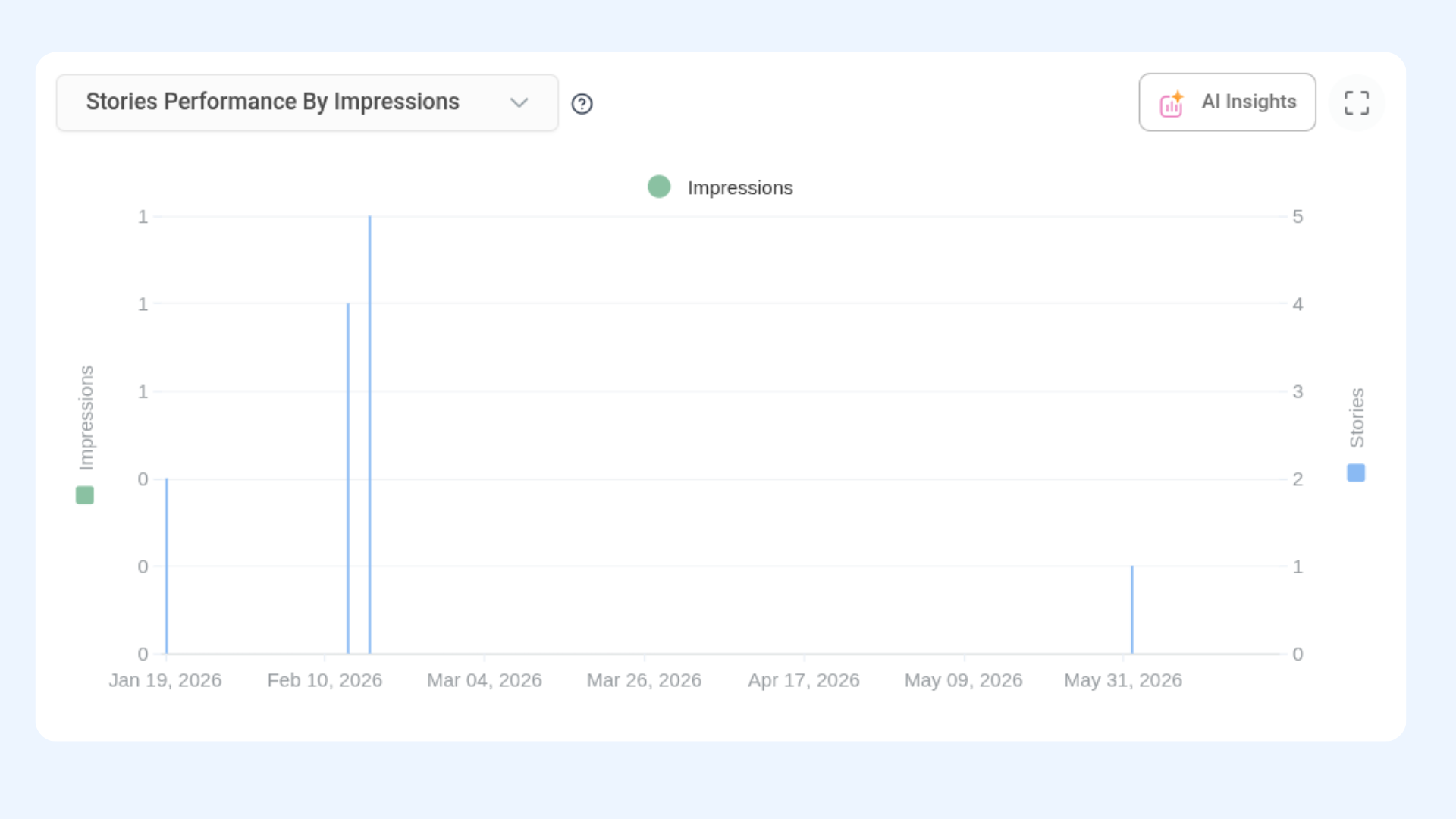
Get Instagram Stories Performance
Retrieve daily Stories metrics including impressions, reach, replies, exits, and tap-forward/back counts.
Endpoint: GET /api/v1/workspaces/{workspace_id}/analytics/instagram/stories-performance
cURL Example:
curl -X GET "https://api-prod.contentstudio.io/api/v1/workspaces/{workspace_id}/analytics/instagram/stories-performance?platform_id=17841400000001234&start_date=2026-01-01&end_date=2026-01-31" \
  -H "X-API-Key: <YOUR_API_KEY>"
cURL Response:
{
  "status": true,
  "stories_performance": [
    {
      "date": "2026-01-31",
      "avg_story_impressions": 4500,
      "story_impressions": 18000,
      "story_reach": 13500,
      "story_reply": 92,
      "story_exits": 450,
      "story_taps_forward": 1950,
      "story_taps_back": 360,
      "published_stories": 4
    }
  ],
  "stories_rollup": {
    "current": {
      "story_impressions": 185000,
      "avg_story_impressions": 4111,
      "story_reach": 138000,
      "story_reply": 950,
      "story_exits": 4800,
      "story_taps_forward": 21000,
      "story_taps_back": 3900,
      "published_stories": 45
    },
    "previous": { "..." }
  }
}
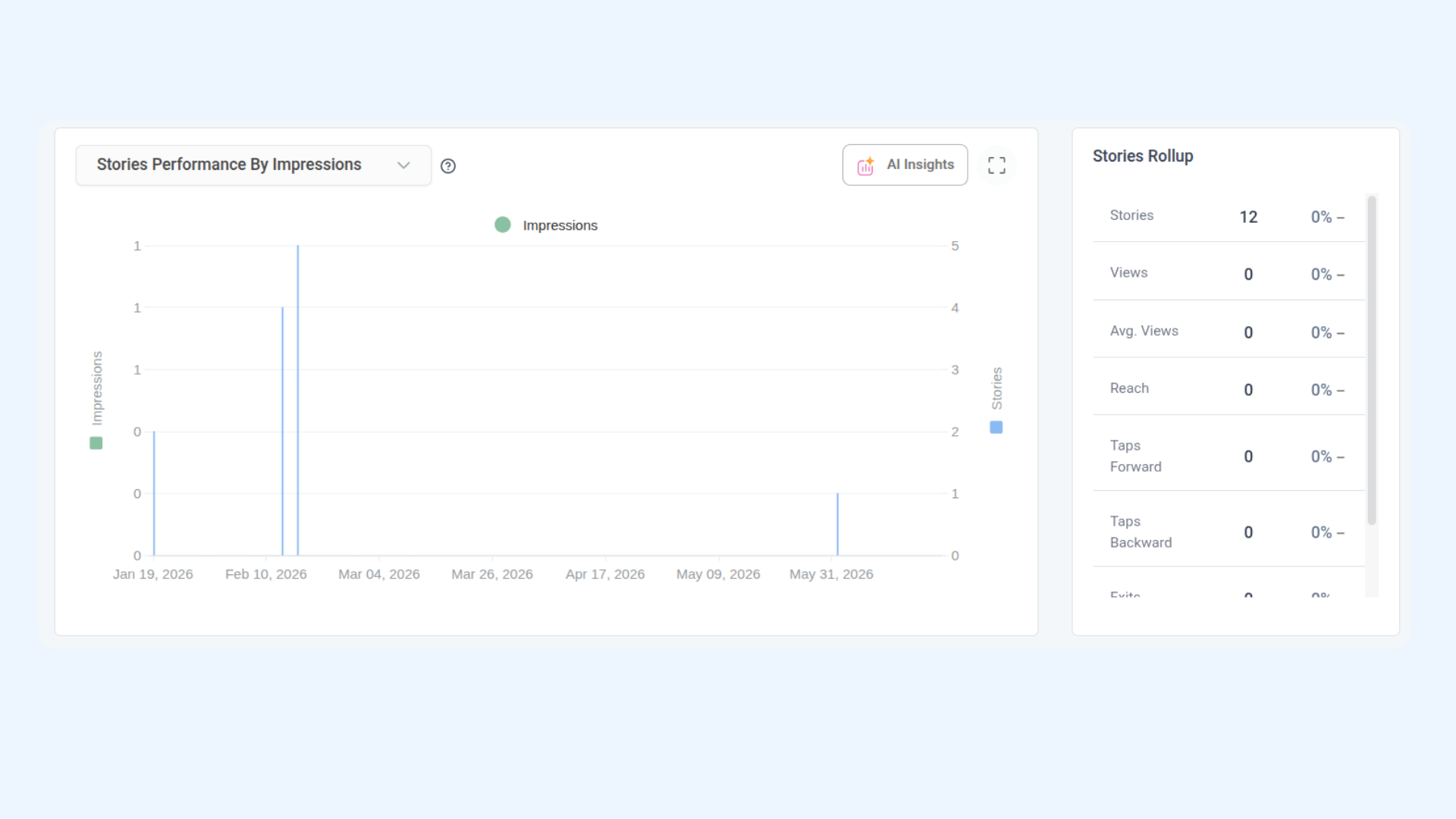
Get Instagram Reels Performance
Retrieve daily Reels metrics including engagement, watch time, likes, comments, saves, and shares.
Endpoint: GET /api/v1/workspaces/{workspace_id}/analytics/instagram/reels-performance
cURL Example:
curl -X GET "https://api-prod.contentstudio.io/api/v1/workspaces/{workspace_id}/analytics/instagram/reels-performance?platform_id=17841400000001234&start_date=2026-01-01&end_date=2026-01-31" \
  -H "X-API-Key: <YOUR_API_KEY>"
cURL Response:
{
  "status": true,
  "reels": [
    {
      "date": "2026-01-31",
      "total_posts": 3,
      "engagement": 2100,
      "likes": 1560,
      "comments": 245,
      "saves": 295,
      "shares": 210,
      "avg_watch_time": 13.1,
      "total_watch_time": 56000
    }
  ],
  "reels_rollup": {
    "current": {
      "engagement": 18500,
      "likes": 13800,
      "comments": 2200,
      "saves": 2800,
      "total_posts": 24,
      "shares": 1900,
      "avg_watch_time": 12.4,
      "total_watch_time": 425000
    },
    "previous": { "..." }
  }
}
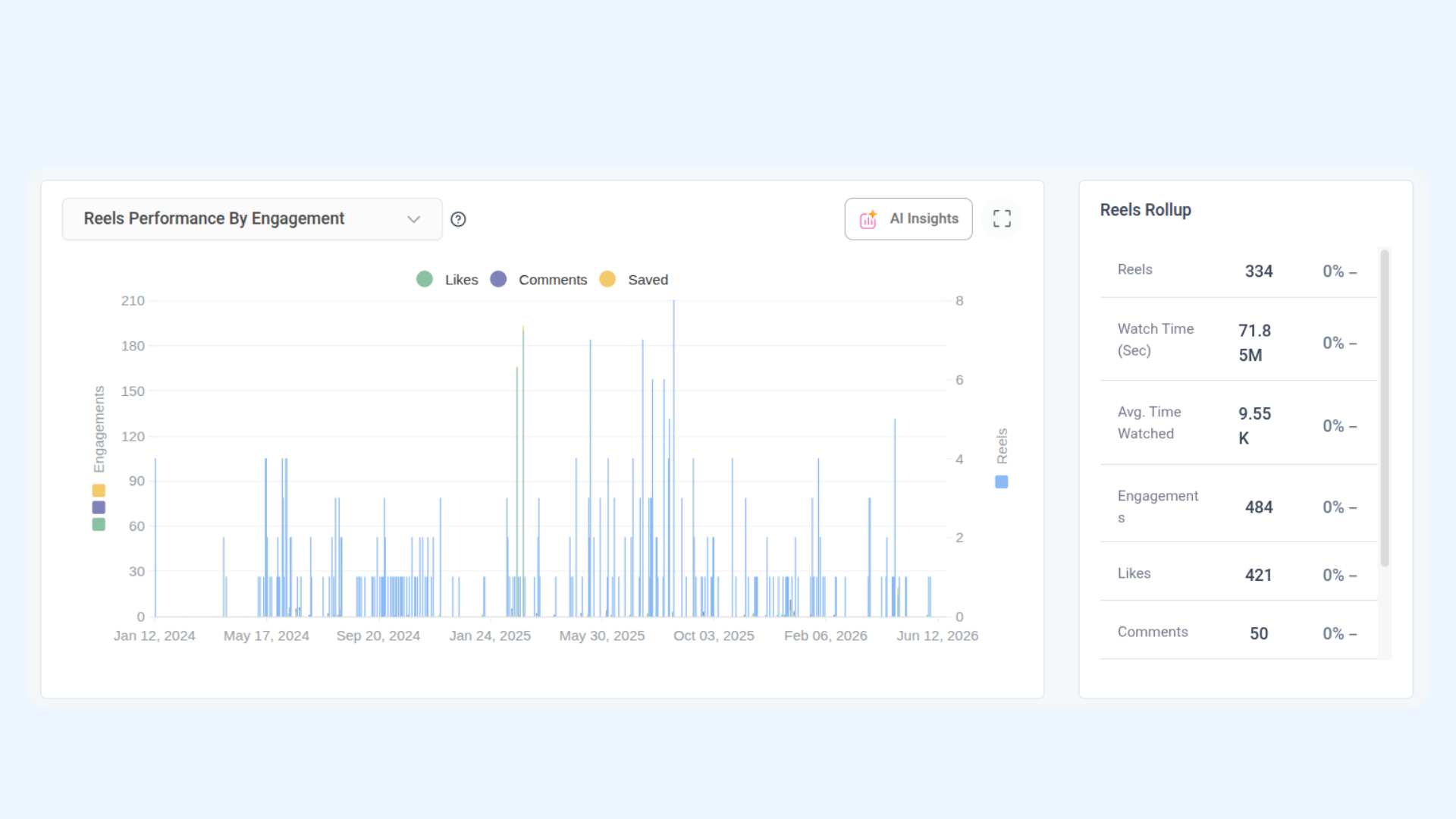
Get Instagram Audience Age & Gender
Retrieve audience breakdown by age group and gender, including the dominant age-gender segment.
Endpoint: GET /api/v1/workspaces/{workspace_id}/analytics/instagram/demographics-age
cURL Example:
curl -X GET "https://api-prod.contentstudio.io/api/v1/workspaces/{workspace_id}/analytics/instagram/demographics-age?platform_id=17841400000001234&start_date=2026-01-01&end_date=2026-01-31" \
  -H "X-API-Key: <YOUR_API_KEY>"
cURL Response:
{
  "status": true,
  "audience_age": {
    "13-17": 1250,
    "18-24": 9800,
    "25-34": 12400,
    "35-44": 7200,
    "45-54": 3100,
    "55-64": 1500,
    "65+": 550
  },
  "audience_gender": {
    "female": 21500,
    "male": 13800,
    "unknown": 500
  },
  "max_audience_age": {
    "gender": "female",
    "age": "25-34",
    "value": 7800
  }
}
Get Instagram Audience Location
Retrieve audience distribution by country and city.
Endpoint: GET /api/v1/workspaces/{workspace_id}/analytics/instagram/country-city
cURL Example:
curl -X GET "https://api-prod.contentstudio.io/api/v1/workspaces/{workspace_id}/analytics/instagram/country-city?platform_id=17841400000001234&start_date=2026-01-01&end_date=2026-01-31" \
  -H "X-API-Key: <YOUR_API_KEY>"
cURL Response:
{
  "status": true,
  "audience_city": {
    "New York, NY": 4200,
    "Los Angeles, CA": 3600,
    "London, United Kingdom": 2800,
    "Chicago, IL": 2200,
    "Sydney, Australia": 1900
  },
  "audience_country": {
    "US": 16500,
    "GB": 4800,
    "CA": 3200,
    "AU": 2900,
    "IN": 2400
  }
}
Get Instagram AI Insights
Retrieve AI-generated insights for your Instagram account performance based on the selected date range and insight type.
Endpoint: GET /api/v1/workspaces/{workspace_id}/analytics/instagram/ai-insights
cURL Example:
curl -X GET "https://api-prod.contentstudio.io/api/v1/workspaces/{workspace_id}/analytics/instagram/ai-insights?platform_id=17841400000001234&start_date=2026-01-01&end_date=2026-01-31&limit=5&language=en" \
  -H "X-API-Key: <YOUR_API_KEY>"
cURL Response:
{
  "status": true,
  "data": {
    "insights": "Reels drove 2.1x the engagement of static posts. Best posting window: weekdays 18:00–20:00."
  },
  "message": ""
}
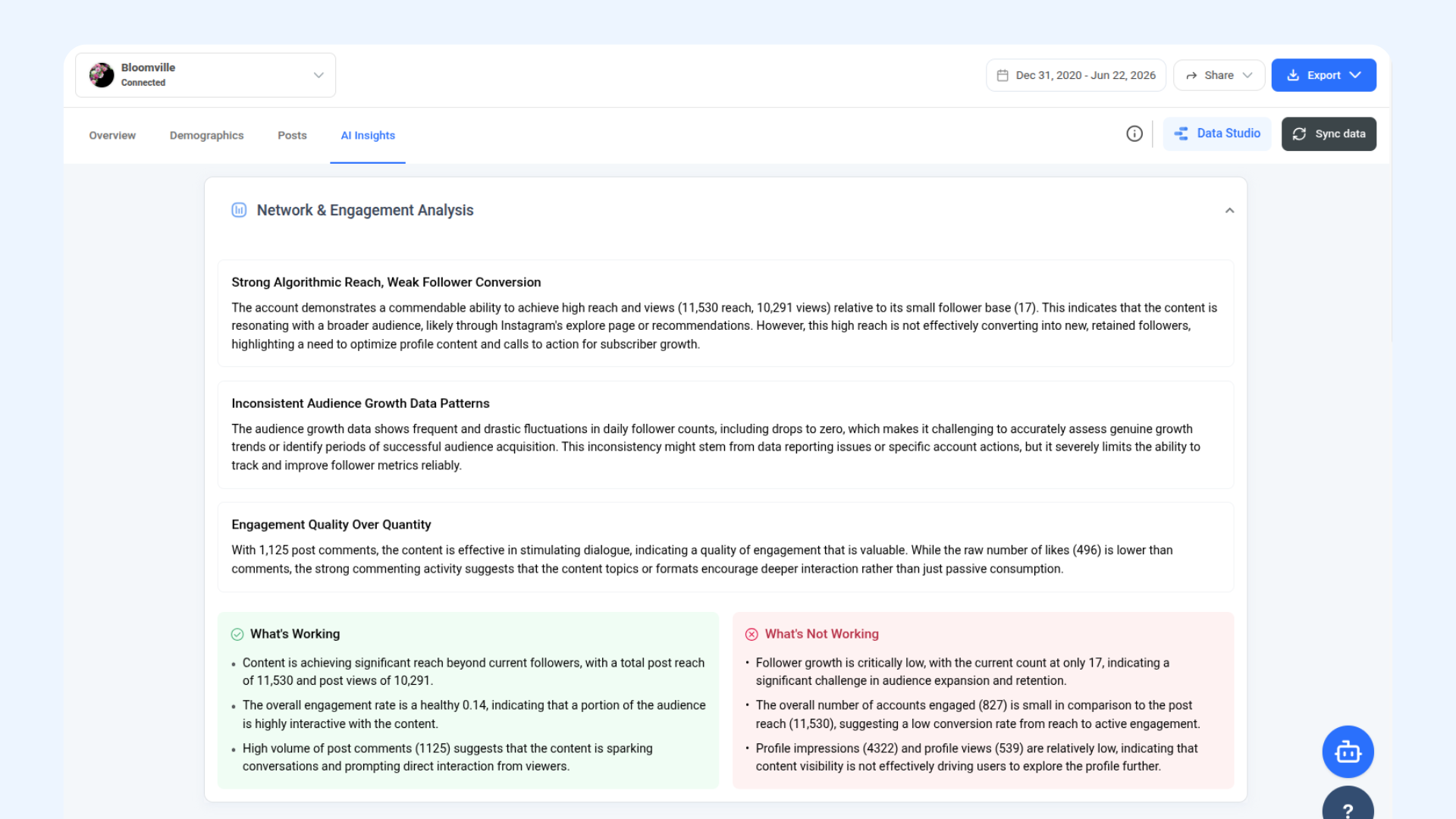
Youtube Analytics
1. Get YouTube Analytics Summary
Retrieve YouTube channel summary KPIs for the selected period, with current vs. previous period comparison and percentage change.
Endpoint: GET /api/v1/workspaces/{workspace_id}/analytics/youtube/summary
cURL Example:
curl -X GET "https://api-prod.contentstudio.io/api/v1/workspaces/{workspace_id}/analytics/youtube/summary?platform_id=UCxxxxxxxxxxxxxx&start_date=2026-01-01&end_date=2026-01-31" \
  -H "X-API-Key: <YOUR_API_KEY>"
cURL Response:
{
  "status": true,
  "summary": {
    "current": {
      "subscribers": 48200,
      "videos": 185,
      "views": 125000,
      "watch_time": 385000,
      "avg_view_duration": 184.2,
      "like": 4200,
      "dislike": 85,
      "comment": 620,
      "share": 380,
      "engagement": 5285
    },
    "previous": { "..." },
    "difference": { "..." },
    "percentage": { "..." }
  }
}
2. Get YouTube Subscriber Trend
Retrieve cumulative and daily subscriber growth over the selected period.
Endpoint: GET /api/v1/workspaces/{workspace_id}/analytics/youtube/subscriber-trend
cURL Example:
curl -X GET "https://api-prod.contentstudio.io/api/v1/workspaces/{workspace_id}/analytics/youtube/subscriber-trend?platform_id=UCxxxxxxxxxxxxxx&start_date=2026-01-01&end_date=2026-01-31" \
  -H "X-API-Key: <YOUR_API_KEY>"
cURL Response:
{
  "status": true,
  "subscriber_trend": [
    {
      "date": "2026-01-31",
      "subscribers_gained_daily": 85,
      "subscribers_total": 47027
    }
  ]
}
3. Get YouTube Subscriber Trend (Daily)
Retrieve daily subscriber gain alongside running totals, broken down per day.
Endpoint: GET /api/v1/workspaces/{workspace_id}/analytics/youtube/subscriber-trend-daily
cURL Example:
curl -X GET "https://api-prod.contentstudio.io/api/v1/workspaces/{workspace_id}/analytics/youtube/subscriber-trend-daily?platform_id=UCxxxxxxxxxxxxxx&start_date=2026-01-01&end_date=2026-01-31" \
  -H "X-API-Key: <YOUR_API_KEY>"
cURL Response:
{
  "status": true,
  "subscriber_trend_daily": [
    {
      "date": "2026-01-31",
      "subscribers_gained_daily": 85,
      "subscribers_total": 47027
    }
  ]
}
4. Get YouTube Engagement Trend
Retrieve cumulative and daily engagement metrics including likes, dislikes, shares, and comments over the selected period.
Endpoint: GET /api/v1/workspaces/{workspace_id}/analytics/youtube/engagement-trend
cURL Example:
curl -X GET "https://api-prod.contentstudio.io/api/v1/workspaces/{workspace_id}/analytics/youtube/engagement-trend?platform_id=UCxxxxxxxxxxxxxx&start_date=2026-01-01&end_date=2026-01-31" \
  -H "X-API-Key: <YOUR_API_KEY>"
cURL Response:
{
  "status": true,
  "engagement_trend": [
    {
      "date": "2026-01-31",
      "like_daily": 158,
      "like_total": 41358,
      "dislike_daily": 2,
      "dislike_total": 822,
      "share_daily": 14,
      "share_total": 3614,
      "comment_daily": 24,
      "comment_total": 5924,
      "engagement_daily": 198,
      "engagement_total": 51718
    }
  ]
}
5. Get YouTube Engagement Trend (Daily)
Retrieve the same engagement metrics as the trend endpoint, broken down strictly per day.
Endpoint: GET /api/v1/workspaces/{workspace_id}/analytics/youtube/engagement-trend-daily
cURL Example:
curl -X GET "https://api-prod.contentstudio.io/api/v1/workspaces/{workspace_id}/analytics/youtube/engagement-trend-daily?platform_id=UCxxxxxxxxxxxxxx&start_date=2026-01-01&end_date=2026-01-31" \
  -H "X-API-Key: <YOUR_API_KEY>"
cURL Response:
{
  "status": true,
  "engagement_trend": [
    {
      "date": "2026-01-31",
      "like_daily": 158,
      "like_total": 41358,
      "dislike_daily": 2,
      "dislike_total": 822,
      "share_daily": 14,
      "share_total": 3614,
      "comment_daily": 24,
      "comment_total": 5924,
      "engagement_daily": 198,
      "engagement_total": 51718
    }
  ]
}
6. Get YouTube Views Trend
Retrieve cumulative and daily video views split by subscriber and non-subscriber audiences.
Endpoint: GET /api/v1/workspaces/{workspace_id}/analytics/youtube/views-trend
cURL Example:
curl -X GET "https://api-prod.contentstudio.io/api/v1/workspaces/{workspace_id}/analytics/youtube/views-trend?platform_id=UCxxxxxxxxxxxxxx&start_date=2026-01-01&end_date=2026-01-31" \
  -H "X-API-Key: <YOUR_API_KEY>"
cURL Response:
{
  "status": true,
  "views_trend": [
    {
      "date": "2026-01-31",
      "subscriber_views_daily": 3100,
      "subscriber_views_total": 88100,
      "non_subscriber_views_daily": 1600,
      "non_subscriber_views_total": 43600,
      "video_views_daily": 4700,
      "video_views_total": 131700
    }
  ]
}
7. Get YouTube Views Trend (Daily)
Retrieve the same views breakdown as the trend endpoint, broken down strictly per day.
Endpoint: GET /api/v1/workspaces/{workspace_id}/analytics/youtube/views-trend-daily
cURL Example:
curl -X GET "https://api-prod.contentstudio.io/api/v1/workspaces/{workspace_id}/analytics/youtube/views-trend-daily?platform_id=UCxxxxxxxxxxxxxx&start_date=2026-01-01&end_date=2026-01-31" \
  -H "X-API-Key: <YOUR_API_KEY>"
cURL Response:
{
  "status": true,
  "views_trend": [
    {
      "date": "2026-01-31",
      "subscriber_views_daily": 3100,
      "subscriber_views_total": 88100,
      "non_subscriber_views_daily": 1600,
      "non_subscriber_views_total": 43600,
      "video_views_daily": 4700,
      "video_views_total": 131700
    }
  ]
}
8. Get YouTube Watch Time Trend
Retrieve cumulative and daily watch time in minutes, split by subscriber and non-subscriber audiences, with average view duration.
Endpoint: GET /api/v1/workspaces/{workspace_id}/analytics/youtube/watch-time-trend
cURL Example:
curl -X GET "https://api-prod.contentstudio.io/api/v1/workspaces/{workspace_id}/analytics/youtube/watch-time-trend?platform_id=UCxxxxxxxxxxxxxx&start_date=2026-01-01&end_date=2026-01-31" \
  -H "X-API-Key: <YOUR_API_KEY>"
cURL Response:
{
  "status": true,
  "watch_time": [
    {
      "date": "2026-01-31",
      "subscriber_watch_time_daily": 9300,
      "subscriber_watch_time_total": 261300,
      "non_subscriber_watch_time_daily": 4800,
      "non_subscriber_watch_time_total": 130800,
      "average_watch_time": 188.6
    }
  ]
}
9. Get YouTube Watch Time Trend (Daily)
Retrieve the same watch time breakdown as the trend endpoint, broken down strictly per day.
Endpoint: GET /api/v1/workspaces/{workspace_id}/analytics/youtube/watch-time-trend-daily
cURL Example:
curl -X GET "https://api-prod.contentstudio.io/api/v1/workspaces/{workspace_id}/analytics/youtube/watch-time-trend-daily?platform_id=UCxxxxxxxxxxxxxx&start_date=2026-01-01&end_date=2026-01-31" \
  -H "X-API-Key: <YOUR_API_KEY>"
cURL Response:
{
  "status": true,
  "watch_time": [
    {
      "date": "2026-01-31",
      "subscriber_watch_time_daily": 9300,
      "subscriber_watch_time_total": 261300,
      "non_subscriber_watch_time_daily": 4800,
      "non_subscriber_watch_time_total": 130800,
      "average_watch_time": 188.6
    }
  ]
}
10. Get YouTube Video Discovery Sources
Retrieve a breakdown of how viewers are finding your videos, with values and percentage share per traffic source.
Endpoint: GET /api/v1/workspaces/{workspace_id}/analytics/youtube/find-video
cURL Example:
curl -X GET "https://api-prod.contentstudio.io/api/v1/workspaces/{workspace_id}/analytics/youtube/find-video?platform_id=UCxxxxxxxxxxxxxx&start_date=2026-01-01&end_date=2026-01-31" \
  -H "X-API-Key: <YOUR_API_KEY>"
cURL Response:
{
  "status": true,
  "find_video": [
    {
      "name": "YouTube Search",
      "value": 68000,
      "perc_value": 54.4
    }
  ]
}
11. Get YouTube Video Sharing Breakdown
Retrieve a breakdown of how viewers are sharing your videos, with values and percentage share per sharing method.
Endpoint: GET /api/v1/workspaces/{workspace_id}/analytics/youtube/video-sharing
cURL Example:
curl -X GET "https://api-prod.contentstudio.io/api/v1/workspaces/{workspace_id}/analytics/youtube/video-sharing?platform_id=UCxxxxxxxxxxxxxx&start_date=2026-01-01&end_date=2026-01-31" \
  -H "X-API-Key: <YOUR_API_KEY>"
cURL Response:
{
  "status": true,
  "video_sharing": [
    {
      "name": "Copy Link",
      "value": 180,
      "perc_value": 47.4
    }
  ]
}
12. Get YouTube Top Posts
Retrieve top-performing videos ranked by both views and engagement.
Endpoint: GET /api/v1/workspaces/{workspace_id}/analytics/youtube/top-posts
cURL Example:
curl -X GET "https://api-prod.contentstudio.io/api/v1/workspaces/{workspace_id}/analytics/youtube/top-posts?platform_id=UCxxxxxxxxxxxxxx&start_date=2026-01-01&end_date=2026-01-31" \
  -H "X-API-Key: <YOUR_API_KEY>"
cURL Response:
{
  "status": true,
  "top_posts_ordered_by_views": [
    {
      "post_id": "dQw4w9WgXcQ",
      "title": "2026 Product Overview",
      "media_type": "video",
      "like_count": 4200,
      "comment_count": 620,
      "share_count": 380,
      "impression_count": 125000,
      "minutes_watched": 6418,
      "average_view_duration": 184.2,
      "average_view_percentage": 74.8,
      "engagement_rate": 4.23,
      "created_at": "2026-01-08T15:00:00Z"
    }
  ],
  "top_posts_ordered_by_engagement": [
    {
      "post_id": "abc123xyz",
      "title": "How We Grew 10x in 2025",
      "media_type": "video",
      "like_count": 5800,
      "comment_count": 840,
      "share_count": 520,
      "impression_count": 98000,
      "minutes_watched": 7120,
      "average_view_duration": 201.4,
      "average_view_percentage": 78.2,
      "engagement_rate": 7.31,
      "created_at": "2026-01-15T12:00:00Z"
    }
  ]
}
13. Get YouTube Least Performing Posts
Retrieve the lowest-performing videos ranked by both views and engagement.
Endpoint: GET /api/v1/workspaces/{workspace_id}/analytics/youtube/least-posts
cURL Example:
curl -X GET "https://api-prod.contentstudio.io/api/v1/workspaces/{workspace_id}/analytics/youtube/least-posts?platform_id=UCxxxxxxxxxxxxxx&start_date=2026-01-01&end_date=2026-01-31" \
  -H "X-API-Key: <YOUR_API_KEY>"
cURL Response:
{
  "status": true,
  "least_posts_ordered_by_views": [
    {
      "post_id": "zzz000",
      "title": "Behind the Scenes Clip",
      "media_type": "short",
      "like_count": 42,
      "comment_count": 8,
      "share_count": 5,
      "impression_count": 850,
      "minutes_watched": 180,
      "average_view_duration": 22.4,
      "average_view_percentage": 46.7,
      "engagement_rate": 0.65,
      "created_at": "2026-01-28T09:00:00Z"
    }
  ],
  "least_posts_ordered_by_engagement": [
    {
      "post_id": "zzz001",
      "title": "Quick Update",
      "media_type": "short",
      "like_count": 28,
      "comment_count": 4,
      "share_count": 3,
      "impression_count": 620,
      "minutes_watched": 95,
      "average_view_duration": 18.1,
      "average_view_percentage": 38.4,
      "engagement_rate": 0.48,
      "created_at": "2026-01-30T11:00:00Z"
    }
  ]
}
14. Get YouTube Sorted Top Posts
Retrieve a paginated, sortable list of top-performing videos ordered by a chosen metric.
Endpoint: GET /api/v1/workspaces/{workspace_id}/analytics/youtube/sorted-top-posts
cURL Example:
curl -X GET "https://api-prod.contentstudio.io/api/v1/workspaces/{workspace_id}/analytics/youtube/sorted-top-posts?platform_id=UCxxxxxxxxxxxxxx&start_date=2026-01-01&end_date=2026-01-31&order_by=post_engagement&limit=15" \
  -H "X-API-Key: <YOUR_API_KEY>"
cURL Response:
{
  "status": true,
  "top_posts": [
    {
      "post_id": "dQw4w9WgXcQ",
      "title": "2026 Product Overview",
      "media_type": "video",
      "like_count": 4200,
      "comment_count": 620,
      "share_count": 380,
      "impression_count": 125000,
      "minutes_watched": 6418,
      "average_view_duration": 184.2,
      "average_view_percentage": 74.8,
      "engagement_rate": 4.23,
      "created_at": "2026-01-08T15:00:00Z"
    }
  ]
}
15. Get a Single YouTube Video
Retrieve full analytics data for a single YouTube video by its post ID.
Endpoint: GET /api/v1/workspaces/{workspace_id}/analytics/youtube/video
cURL Example:
curl -X GET "https://api-prod.contentstudio.io/api/v1/workspaces/{workspace_id}/analytics/youtube/video?platform_id=UCxxxxxxxxxxxxxx&post_id=dQw4w9WgXcQ" \
  -H "X-API-Key: <YOUR_API_KEY>"
cURL Response:
{
  "status": true,
  "post": {
    "post_id": "dQw4w9WgXcQ",
    "title": "2026 Product Overview — What's New",
    "description": "A complete walkthrough of all new features released in 2026.",
    "duration": 742,
    "media_type": "video",
    "iframe_embed_url": "https://www.youtube.com/embed/dQw4w9WgXcQ",
    "share_url": "https://youtu.be/dQw4w9WgXcQ",
    "like_count": 4200,
    "dislike_count": 85,
    "comment_count": 620,
    "share_count": 380,
    "impression_count": 125000,
    "minutes_watched": 6418,
    "average_view_duration": 184.2,
    "average_view_percentage": 74.8,
    "engagement_rate": 4.23,
    "subscribers_gained": 78,
    "created_at": "2026-01-08T15:00:00Z"
  }
}
16. Get YouTube Performance Schedule
Retrieve daily engagement and views broken down by subscriber vs. non-subscriber audiences, useful for identifying the best days to publish.
Endpoint: GET /api/v1/workspaces/{workspace_id}/analytics/youtube/performance-schedule
cURL Example:
curl -X GET "https://api-prod.contentstudio.io/api/v1/workspaces/{workspace_id}/analytics/youtube/performance-schedule?platform_id=UCxxxxxxxxxxxxxx&start_date=2026-01-01&end_date=2026-01-31" \
  -H "X-API-Key: <YOUR_API_KEY>"
cURL Response:
{
  "status": true,
  "engagement": [
    {
      "date": "2026-01-31",
      "count": 3,
      "likes": 420,
      "dislikes": 9,
      "shares": 38,
      "comments": 64,
      "engagement": 531
    }
  ],
  "video_views": [
    {
      "date": "2026-01-31",
      "count": 3,
      "subscriber_views": 3100,
      "non_subscriber_views": 1600
    }
  ]
}
17. Get YouTube AI Insights
Retrieve AI-generated insights for your YouTube channel performance based on the selected date range and insight type.
Endpoint: GET /api/v1/workspaces/{workspace_id}/analytics/youtube/ai-insights
cURL Example:
curl -X GET "https://api-prod.contentstudio.io/api/v1/workspaces/{workspace_id}/analytics/youtube/ai-insights?platform_id=UCxxxxxxxxxxxxxx&start_date=2026-01-01&end_date=2026-01-31&limit=5&language=en" \
  -H "X-API-Key: <YOUR_API_KEY>"
cURL Response:
{
  "status": true,
  "data": {
    "insights": "Shorts grew subscribers 1.8x faster than long-form. Watch-time peaks on weekend uploads."
  },
  "message": ""
}
📊 Analytics: Meta Ads
Retrieve Meta (Facebook & Instagram) ads performance — spend, results by objective, campaign / ad set / ad tables, placement and demographic breakdowns, and AI-generated highlights.
List Connected Meta Ad Accounts
The starting point for every other Meta Ads endpoint: it returns the account_id they all require, along with the account's currency. Only ad accounts the API key's owner may read are returned — a collaborator sees the accounts assigned to them and nothing else.
Endpoint: GET /api/v1/workspaces/{workspace_id}/analytics/meta-ads/accounts
cURL Example:
curl https://api.contentstudio.io/api/v1/workspaces/610a1e660cb41530ca40d372/analytics/meta-ads/accounts \
--header 'X-API-Key: YOUR_SECRET_TOKEN'cURL Response:
json
{
"status": true,
"total": 3,
"limit": 15,
"offset": 0,
"accounts": [
{
"id": "act_1234567890",
"name": "Acme Corp — Paid Social",
"platform": "meta_ads",
"status": 1,
"currency": "USD",
"image": "https://cdn.contentstudio.io/ad-account.png",
"last_analytics_updated_at": "2026-08-17T04:12:09Z"
}
]
}Meta Ads Headline KPIs — Current vs Previous Period
Spend, reach, impressions, clicks, CPM, CPC and CTR for the requested range, each alongside the equivalent prior range and the absolute and percentage change. Monetary values are in currency.
Endpoint: GET /api/v1/workspaces/{workspace_id}/analytics/meta-ads/summary
cURL Example:
curl https://api.contentstudio.io/api/v1/workspaces/610a1e660cb41530ca40d372/analytics/meta-ads/summary?platform_id=act_1234567890&start_date=2026-08-01&end_date=2026-08-17 \
--header 'X-API-Key: YOUR_SECRET_TOKEN'cURL Response:
json
{
"status": true,
"currency": "USD",
"account_id": "act_1234567890",
"summary": {
"current": {
"spend": 4210.55,
"reach": 98000,
"impressions": 185000,
"clicks": 3820,
"cpm": 22.76,
"cpc": 1.1,
"ctr": 2.06
},
"previous": {
"spend": 3890.1,
"reach": 91000,
"impressions": 168000,
"clicks": 3410,
"cpm": 23.15,
"cpc": 1.14,
"ctr": 2.03
},
"difference": {
"spend": 320.45,
"reach": 7000,
"impressions": 17000,
"clicks": 410,
"cpm": -0.39,
"cpc": -0.04,
"ctr": 0.03
},
"percentage": {
"spend": 8.2,
"reach": 7.7,
"impressions": 10.1,
"clicks": 12,
"cpm": -1.7,
"cpc": -3.5,
"ctr": 1.5
}
}
}Results and Spend Grouped by Campaign Objective
Returns results and spend broken down by the campaign objective (e.g. sales, traffic, awareness).
Endpoint: GET /api/v1/workspaces/{workspace_id}/analytics/meta-ads/results-by-objective
cURL Example:
curl https://api.contentstudio.io/api/v1/workspaces/610a1e660cb41530ca40d372/analytics/meta-ads/results-by-objective?platform_id=act_1234567890&start_date=2026-08-01&end_date=2026-08-17 \
--header 'X-API-Key: YOUR_SECRET_TOKEN'Daily Time Series for One or More Metrics
Returns a daily time series for the requested metric(s), along with totals for the period.
Endpoint: GET /api/v1/workspaces/{workspace_id}/analytics/meta-ads/performance-over-time
cURL Example:
curl https://api.contentstudio.io/api/v1/workspaces/610a1e660cb41530ca40d372/analytics/meta-ads/performance-over-time?platform_id=act_1234567890&start_date=2026-08-01&end_date=2026-08-17&metric=spend \
--header 'X-API-Key: YOUR_SECRET_TOKEN'cURL Response:
json
{
"status": true,
"currency": "USD",
"metric": "spend",
"total": 4210.55,
"performance_trend": [
{
"date": "2026-08-01",
"value": 412.55
}
],
"series": {
"spend": [
{
"date": "2026-08-01",
"value": 412.55
}
],
"clicks": [
{
"date": "2026-08-01",
"value": 322
}
]
},
"totals": {
"spend": 4210.55,
"clicks": 3820
}
}One Metric Broken Down by Campaign, Ad Set or Ad
Returns one metric broken down by campaign, ad set, or ad level depending on the level parameter.
Endpoint: GET /api/v1/workspaces/{workspace_id}/analytics/meta-ads/performance-by-level
cURL Example:
curl https://api.contentstudio.io/api/v1/workspaces/610a1e660cb41530ca40d372/analytics/meta-ads/performance-by-level?platform_id=act_1234567890&start_date=2026-08-01&end_date=2026-08-17&metric=spend&level=campaign \
--header 'X-API-Key: YOUR_SECRET_TOKEN'One Metric Broken Down by Publisher Platform and Placement
Shows where the ads actually ran — Facebook, Instagram, Audience Network, Messenger, and the device platform within each.
Endpoint: GET /api/v1/workspaces/{workspace_id}/analytics/meta-ads/performance-by-placement
cURL Example:
curl https://api.contentstudio.io/api/v1/workspaces/610a1e660cb41530ca40d372/analytics/meta-ads/performance-by-placement?platform_id=act_1234567890&start_date=2026-08-01&end_date=2026-08-17&metric=spend \
--header 'X-API-Key: YOUR_SECRET_TOKEN'Campaigns with Per-Campaign Metrics
Paginated with limit/offset. total is the number of campaigns matching the filters, so page through by advancing offset until it reaches total. Each response also returns available_statuses and available_objectives, which are the accepted values of the status and objective filters for this account and range.
Endpoint: GET /api/v1/workspaces/{workspace_id}/analytics/meta-ads/campaigns
cURL Example:
curl https://api.contentstudio.io/api/v1/workspaces/610a1e660cb41530ca40d372/analytics/meta-ads/campaigns?platform_id=act_1234567890&start_date=2026-08-01&end_date=2026-08-17&limit=25&offset=0 \
--header 'X-API-Key: YOUR_SECRET_TOKEN'cURL Response:
json
{
"status": true,
"currency": "USD",
"total": 248,
"limit": 25,
"offset": 50,
"available_statuses": [
"ACTIVE",
"PAUSED"
],
"available_objectives": [
"OUTCOME_SALES",
"OUTCOME_TRAFFIC"
],
"campaigns": [
{
"id": "23851234567890123",
"name": "Spring Sale — Prospecting",
"parent_id": "23851234567890000",
"parent_name": "Spring Sale",
"status": "ACTIVE",
"objective": "OUTCOME_SALES",
"results": 182,
"spend": 4210.55,
"purchase_value": 18400,
"roas": 4.37,
"reach": 98000,
"impressions": 185000,
"frequency": 1.89,
"clicks": 3820,
"cpm": 22.76,
"cpc": 1.1,
"ctr": 2.06
}
]
}Ad Sets with Per-Ad-Set Metrics
Pass campaign_id to drill into one campaign's ad sets; omit it for every ad set in the account.
Endpoint: GET /api/v1/workspaces/{workspace_id}/analytics/meta-ads/ad-sets
cURL Example:
curl https://api.contentstudio.io/api/v1/workspaces/610a1e660cb41530ca40d372/analytics/meta-ads/ad-sets?platform_id=act_1234567890&start_date=2026-08-01&end_date=2026-08-17&limit=25&offset=0 \
--header 'X-API-Key: YOUR_SECRET_TOKEN'cURL Response:
json
{
"status": true,
"currency": "USD",
"total": 64,
"limit": 25,
"offset": 0,
"ad_sets": [
{
"id": "23851234567890123",
"name": "Spring Sale — Prospecting",
"parent_id": "23851234567890000",
"parent_name": "Spring Sale",
"status": "ACTIVE",
"objective": "OUTCOME_SALES",
"results": 182,
"spend": 4210.55,
"purchase_value": 18400,
"roas": 4.37,
"reach": 98000,
"impressions": 185000,
"frequency": 1.89,
"clicks": 3820,
"cpm": 22.76,
"cpc": 1.1,
"ctr": 2.06
}
]
}Ads with Per-Ad Metrics and Creative Details
Scope with campaign_id, ad_set_id, both, or neither. Rows include the creative's name, title, body and thumbnail URL.
Endpoint: GET /api/v1/workspaces/{workspace_id}/analytics/meta-ads/ads
cURL Example:
curl https://api.contentstudio.io/api/v1/workspaces/610a1e660cb41530ca40d372/analytics/meta-ads/ads?platform_id=act_1234567890&start_date=2026-08-01&end_date=2026-08-17&limit=25&offset=0 \
--header 'X-API-Key: YOUR_SECRET_TOKEN'Audience Breakdown by Age and Gender, Region or Country
Returns audience demographic data for the selected ad account, broken down by age, gender, region, or country.
Endpoint: GET /api/v1/workspaces/{workspace_id}/analytics/meta-ads/demographics
cURL Example:
curl https://api.contentstudio.io/api/v1/workspaces/610a1e660cb41530ca40d372/analytics/meta-ads/demographics?platform_id=act_1234567890&start_date=2026-08-01&end_date=2026-08-17 \
--header 'X-API-Key: YOUR_SECRET_TOKEN'AI-Generated Insights for an Ad Account
Returns AI-generated performance insights for the selected ad account. The response may initially return a generating status while the insights are being prepared.
Endpoint: GET /api/v1/workspaces/{workspace_id}/analytics/meta-ads/ai-insights
cURL Example:
curl https://api.contentstudio.io/api/v1/workspaces/610a1e660cb41530ca40d372/analytics/meta-ads/ai-insights?platform_id=act_1234567890&start_date=2026-08-01&end_date=2026-08-17 \
--header 'X-API-Key: YOUR_SECRET_TOKEN'cURL Response:
json
{
"status": "generating",
"phase": "extracting_data",
"request_id": "c6de5042f1c9aa5c",
"channel": "ai-insights-65d837ac69574fceac020bc2",
"event": "insights-c6de5042f1c9aa5c",
"started_at": "2026-08-19T12:24:38Z",
"elapsed_seconds": 0,
"platform": "meta_ads",
"insight_type": "aiInsightsDetailed",
"detailed": true,
"currency": "USD",
"account_id": "1234567890"
}📊 Analytics: Google Ads
Retrieve Google Ads performance — spend, conversions, campaign / ad group / ad tables, keywords, search terms, Shopping, conversion reporting, demographics, and AI-generated highlights.
List Connected Google Ads Accounts
The starting point for every other Google Ads endpoint: it returns the account_id they all require, along with the account's currency. Only ad accounts the API key's owner may read are returned — a collaborator sees the accounts assigned to them and nothing else.
Endpoint: GET /api/v1/workspaces/{workspace_id}/analytics/google-ads/accounts
cURL Example:
curl https://api.contentstudio.io/api/v1/workspaces/610a1e660cb41530ca40d372/analytics/google-ads/accounts \
--header 'X-API-Key: YOUR_SECRET_TOKEN'cURL Response:
json
{
"status": true,
"total": 3,
"limit": 15,
"offset": 0,
"accounts": [
{
"id": "act_1234567890",
"name": "Acme Corp — Paid Social",
"platform": "meta_ads",
"status": 1,
"currency": "USD",
"image": "https://cdn.contentstudio.io/ad-account.png",
"last_analytics_updated_at": "2026-08-17T04:12:09Z"
}
]
}Google Ads Headline KPIs — Current vs Previous Period
Spend, impressions, clicks, CTR, average CPC and conversions for the requested range, each alongside the equivalent prior range and the absolute and percentage change. Monetary values are in currency.
Endpoint: GET /api/v1/workspaces/{workspace_id}/analytics/google-ads/summary
cURL Example:
curl https://api.contentstudio.io/api/v1/workspaces/610a1e660cb41530ca40d372/analytics/google-ads/summary?account_id=1234567890&start_date=2024-01-01&end_date=2024-01-31&timezone=America/New_York \
--header 'X-API-Key: YOUR_SECRET_TOKEN'cURL Response:
json
{
"status": true,
"currency": "USD",
"account_id": "1234567890",
"summary": {
"current": {
"spend": 8420.1,
"impressions": 412000,
"clicks": 9840,
"ctr": 2.39,
"avg_cpc": 0.86,
"conversions": 312.5
}
}
}Daily Time Series for One or More Metrics
Ask for several metrics at once with metrics=spend,clicks,conversions and they arrive under series, keyed by metric name — one request, one query, however many metrics. A single-metric request (metric=spend) returns the flat performance_trend array instead. Granularity is daily; it is the only granularity the ads data supports.
Endpoint: GET /api/v1/workspaces/{workspace_id}/analytics/google-ads/performance-over-time
cURL Example:
curl https://api.contentstudio.io/api/v1/workspaces/610a1e660cb41530ca40d372/analytics/google-ads/performance-over-time?account_id=1234567890&start_date=2024-01-01&end_date=2024-01-31&metrics=spend,clicks,conversions&timezone=America/New_York \
--header 'X-API-Key: YOUR_SECRET_TOKEN'cURL Response:
json
{
"status": true,
"currency": "USD",
"metric": "spend",
"total": 8420.1,
"performance_trend": [
{
"date": "2026-08-01",
"value": 412.55
}
],
"series": {},
"totals": {}
}One Metric Broken Down by Campaign, Ad Group or Ad
Returns one metric broken down by campaign, ad group, or ad level depending on the level parameter.
Endpoint: GET /api/v1/workspaces/{workspace_id}/analytics/google-ads/performance-by-level
cURL Example:
curl https://api.contentstudio.io/api/v1/workspaces/610a1e660cb41530ca40d372/analytics/google-ads/performance-by-level?account_id=1234567890&start_date=2024-01-01&end_date=2024-01-31&level=campaign&metric=spend&timezone=America/New_York \
--header 'X-API-Key: YOUR_SECRET_TOKEN'One Metric Broken Down by Campaign Type
Search, Display, Video, Shopping, Performance Max and the rest — Google's advertising channel types. Meta Ads has no equivalent breakdown.
Endpoint: GET /api/v1/workspaces/{workspace_id}/analytics/google-ads/performance-by-type
cURL Example:
curl https://api.contentstudio.io/api/v1/workspaces/610a1e660cb41530ca40d372/analytics/google-ads/performance-by-type?account_id=1234567890&start_date=2024-01-01&end_date=2024-01-31&metric=spend&timezone=America/New_York \
--header 'X-API-Key: YOUR_SECRET_TOKEN'Campaigns with Per-Campaign Metrics
Paginated with limit/offset. total is the number of campaigns matching the filters, so page through by advancing offset until it reaches total. Filter by campaign type with type; accepted values for status and type are returned in each response under available_statuses and available_types.
Endpoint: GET /api/v1/workspaces/{workspace_id}/analytics/google-ads/campaigns
cURL Example:
curl https://api.contentstudio.io/api/v1/workspaces/610a1e660cb41530ca40d372/analytics/google-ads/campaigns?account_id=1234567890&start_date=2024-01-01&end_date=2024-01-31&limit=25&offset=0&order_by=spend&order_dir=desc&timezone=America/New_York \
--header 'X-API-Key: YOUR_SECRET_TOKEN'cURL Response:
json
{
"status": true,
"currency": "USD",
"total": 42,
"limit": 25,
"offset": 0,
"available_statuses": [
"ENABLED",
"PAUSED"
],
"available_types": [
"SEARCH",
"PERFORMANCE_MAX"
],
"campaigns": [
{}
]
}Ad Groups with Per-Ad-Group Metrics
Pass campaign_id to drill into one campaign's ad groups; omit it for every ad group in the account. This is the Google equivalent of Meta's ad sets.
Endpoint: GET /api/v1/workspaces/{workspace_id}/analytics/google-ads/ad-groups
cURL Example:
curl https://api.contentstudio.io/api/v1/workspaces/610a1e660cb41530ca40d372/analytics/google-ads/ad-groups?account_id=1234567890&start_date=2024-01-01&end_date=2024-01-31&limit=25&offset=0&order_by=spend&order_dir=desc&timezone=America/New_York \
--header 'X-API-Key: YOUR_SECRET_TOKEN'Ads with Per-Ad Metrics
Scope with campaign_id, ad_group_id, both, or neither.
Endpoint: GET /api/v1/workspaces/{workspace_id}/analytics/google-ads/ads
cURL Example:
curl https://api.contentstudio.io/api/v1/workspaces/610a1e660cb41530ca40d372/analytics/google-ads/ads?account_id=1234567890&start_date=2024-01-01&end_date=2024-01-31&limit=25&offset=0&order_by=spend&order_dir=desc&timezone=America/New_York \
--header 'X-API-Key: YOUR_SECRET_TOKEN'Keywords with Per-Keyword Metrics
The keywords being bid on, with their match type. Scope with campaign_id and/or ad_group_id. Meta Ads has no equivalent.
Endpoint: GET /api/v1/workspaces/{workspace_id}/analytics/google-ads/keywords
cURL Example:
curl https://api.contentstudio.io/api/v1/workspaces/610a1e660cb41530ca40d372/analytics/google-ads/keywords?account_id=1234567890&start_date=2024-01-01&end_date=2024-01-31&limit=25&offset=0&order_by=spend&order_dir=desc&match_type=EXACT&timezone=America/New_York \
--header 'X-API-Key: YOUR_SECRET_TOKEN'Search Terms with Per-Term Metrics
The actual queries people typed that triggered an ad, as opposed to the keywords bid on. Scope with campaign_id and/or ad_group_id. Meta Ads has no equivalent.
Endpoint: GET /api/v1/workspaces/{workspace_id}/analytics/google-ads/search-terms
cURL Example:
curl https://api.contentstudio.io/api/v1/workspaces/610a1e660cb41530ca40d372/analytics/google-ads/search-terms?account_id=1234567890&start_date=2024-01-01&end_date=2024-01-31&limit=25&offset=0&order_by=spend&order_dir=desc&timezone=America/New_York \
--header 'X-API-Key: YOUR_SECRET_TOKEN'Shopping Campaign Product Performance
Per-product performance for Shopping campaigns. Returns an empty list for accounts that run none. Meta Ads has no equivalent.
Endpoint: GET /api/v1/workspaces/{workspace_id}/analytics/google-ads/shopping
cURL Example:
curl https://api.contentstudio.io/api/v1/workspaces/610a1e660cb41530ca40d372/analytics/google-ads/shopping?account_id=1234567890&start_date=2024-01-01&end_date=2024-01-31&limit=25&offset=0&order_by=spend&order_dir=desc&timezone=America/New_York \
--header 'X-API-Key: YOUR_SECRET_TOKEN'Conversions Over Time
Daily conversion counts and value. The figure is Google's own attributed count, not a raw event count.
Endpoint: GET /api/v1/workspaces/{workspace_id}/analytics/google-ads/conversions/over-time
cURL Example:
curl https://api.contentstudio.io/api/v1/workspaces/610a1e660cb41530ca40d372/analytics/google-ads/conversions/over-time?account_id=1234567890&start_date=2024-01-01&end_date=2024-01-31&timezone=America/New_York \
--header 'X-API-Key: YOUR_SECRET_TOKEN'Conversions Grouped by Conversion Action
Returns conversion data grouped by the specific conversion action that was triggered.
Endpoint: GET /api/v1/workspaces/{workspace_id}/analytics/google-ads/conversions/by-action
cURL Example:
curl https://api.contentstudio.io/api/v1/workspaces/610a1e660cb41530ca40d372/analytics/google-ads/conversions/by-action?account_id=1234567890&start_date=2024-01-01&end_date=2024-01-31&timezone=America/New_York \
--header 'X-API-Key: YOUR_SECRET_TOKEN'Conversion Actions Configured on the Account
The conversion actions themselves — what the account is set up to count. Pass campaign_id to return only the actions a single campaign recorded conversions against.
Endpoint: GET /api/v1/workspaces/{workspace_id}/analytics/google-ads/conversion-actions
cURL Example:
curl https://api.contentstudio.io/api/v1/workspaces/610a1e660cb41530ca40d372/analytics/google-ads/conversion-actions?account_id=1234567890&start_date=2024-01-01&end_date=2024-01-31&limit=25&offset=0&order_by=spend&order_dir=desc&timezone=America/New_York \
--header 'X-API-Key: YOUR_SECRET_TOKEN'Conversion Funnel — Impressions Through to Conversions
Returns the full conversion funnel from impressions through to conversions for the selected account and date range.
Endpoint: GET /api/v1/workspaces/{workspace_id}/analytics/google-ads/conversion-funnel
cURL Example:
curl https://api.contentstudio.io/api/v1/workspaces/610a1e660cb41530ca40d372/analytics/google-ads/conversion-funnel?account_id=1234567890&start_date=2024-01-01&end_date=2024-01-31&timezone=America/New_York \
--header 'X-API-Key: YOUR_SECRET_TOKEN'Audience Breakdown by Age, Gender and Location
Unlike the Meta endpoint, this returns every demographic breakdown the account has in one response rather than taking a breakdown selector. Pass country to narrow the geographic table.
Endpoint: GET /api/v1/workspaces/{workspace_id}/analytics/google-ads/demographics
cURL Example:
curl https://api.contentstudio.io/api/v1/workspaces/610a1e660cb41530ca40d372/analytics/google-ads/demographics?account_id=1234567890&start_date=2024-01-01&end_date=2024-01-31&country=US&metric=spend&timezone=America/New_York \
--header 'X-API-Key: YOUR_SECRET_TOKEN'AI-Generated Insights for an Ad Account
Two insight types over the same dataset, selected with type: aiInsightsSummary is a compact summary and aiInsightsDetailed is the full read-out. Generation is asynchronous: the first call returns a generating status, and repeating the same request returns the insight once it is ready. Results are cached for 24 hours, so a repeated call is normally immediate.
Endpoint: GET /api/v1/workspaces/{workspace_id}/analytics/google-ads/ai-insights
cURL Example:
curl https://api.contentstudio.io/api/v1/workspaces/610a1e660cb41530ca40d372/analytics/google-ads/ai-insights?account_id=1234567890&start_date=2024-01-01&end_date=2024-01-31&type=aiInsightsSummary&language=en&timezone=America/New_York \
--header 'X-API-Key: YOUR_SECRET_TOKEN'cURL Response:
json
{
"status": "generating",
"phase": "extracting_data",
"request_id": "c6de5042f1c9aa5c",
"channel": "ai-insights-65d837ac69574fceac020bc2",
"event": "insights-c6de5042f1c9aa5c",
"started_at": "2026-08-19T12:24:38Z",
"elapsed_seconds": 0,
"platform": "meta_ads",
"insight_type": "aiInsightsDetailed",
"detailed": true,
"currency": "USD",
"account_id": "1234567890"
}How to View Your API Request Logs
Click on your profile picture in the top-right corner, and go to API Key. Then click on Request Log to open the API log page.
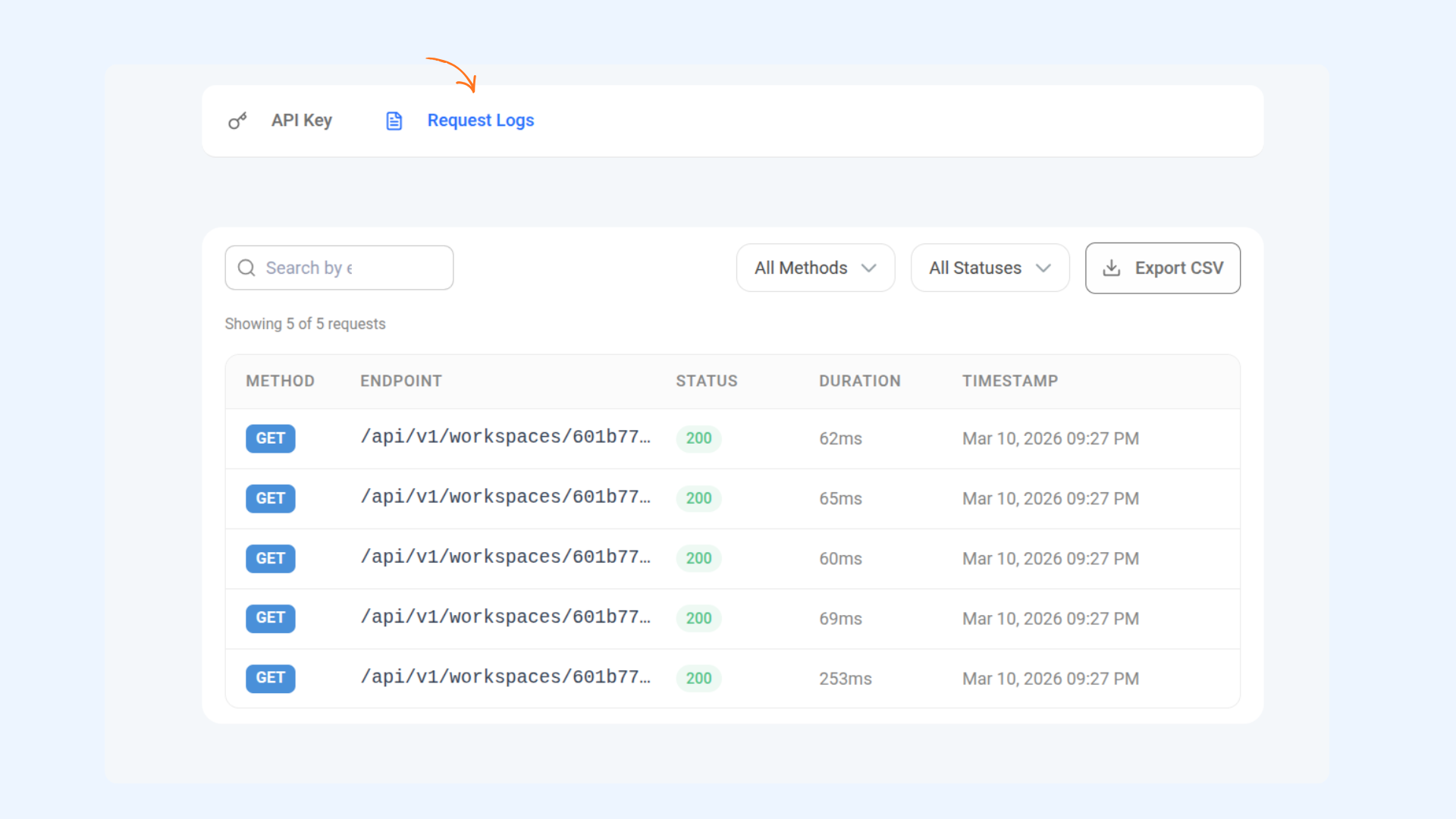
Use the Methods dropdown to filter your requests by GET, POST, PUT, PATCH, or DELETE.
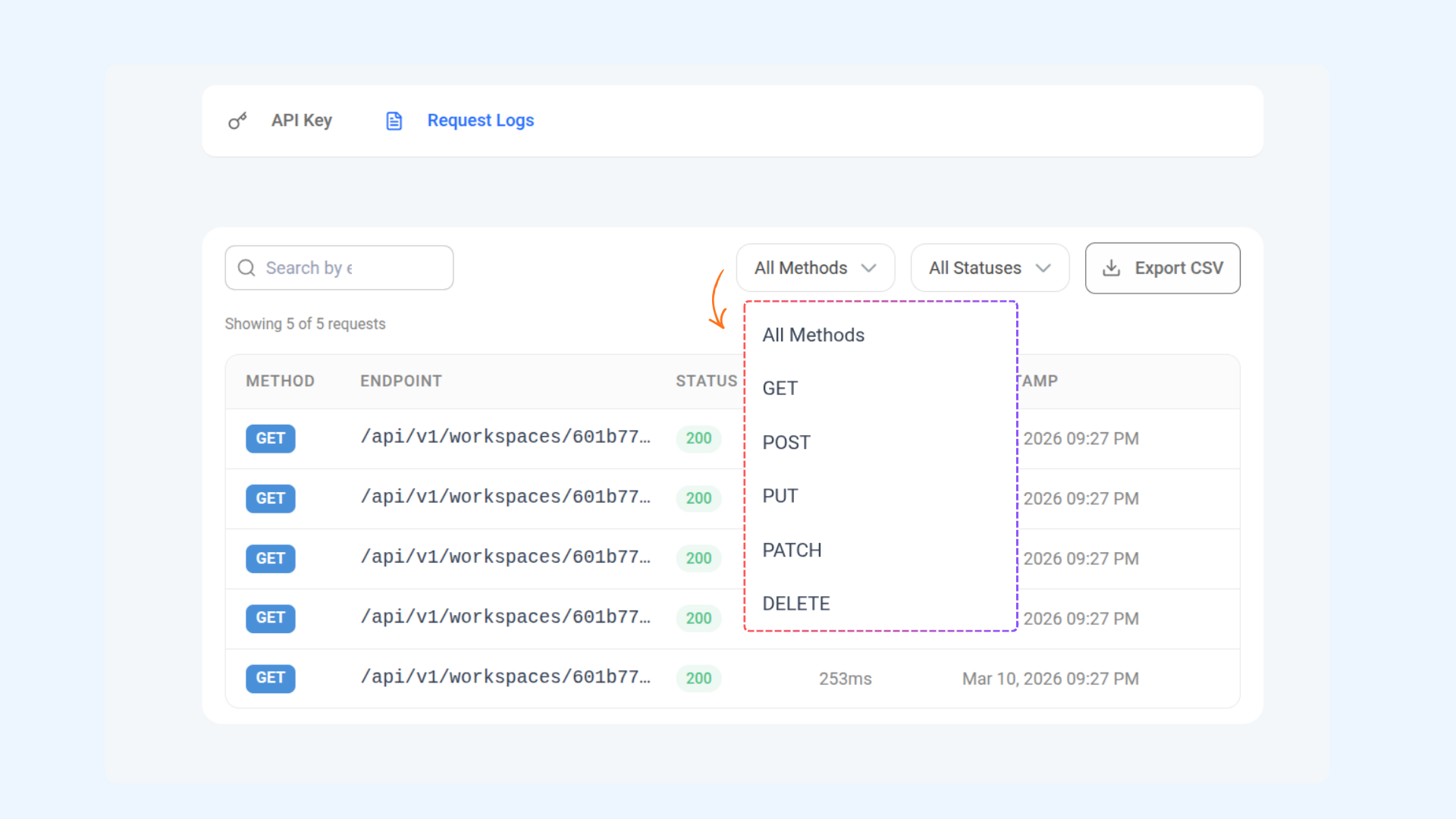
Use the Statuses dropdown to filter requests by Success (2xx), Client Error (4xx), or Server Error (5xx).
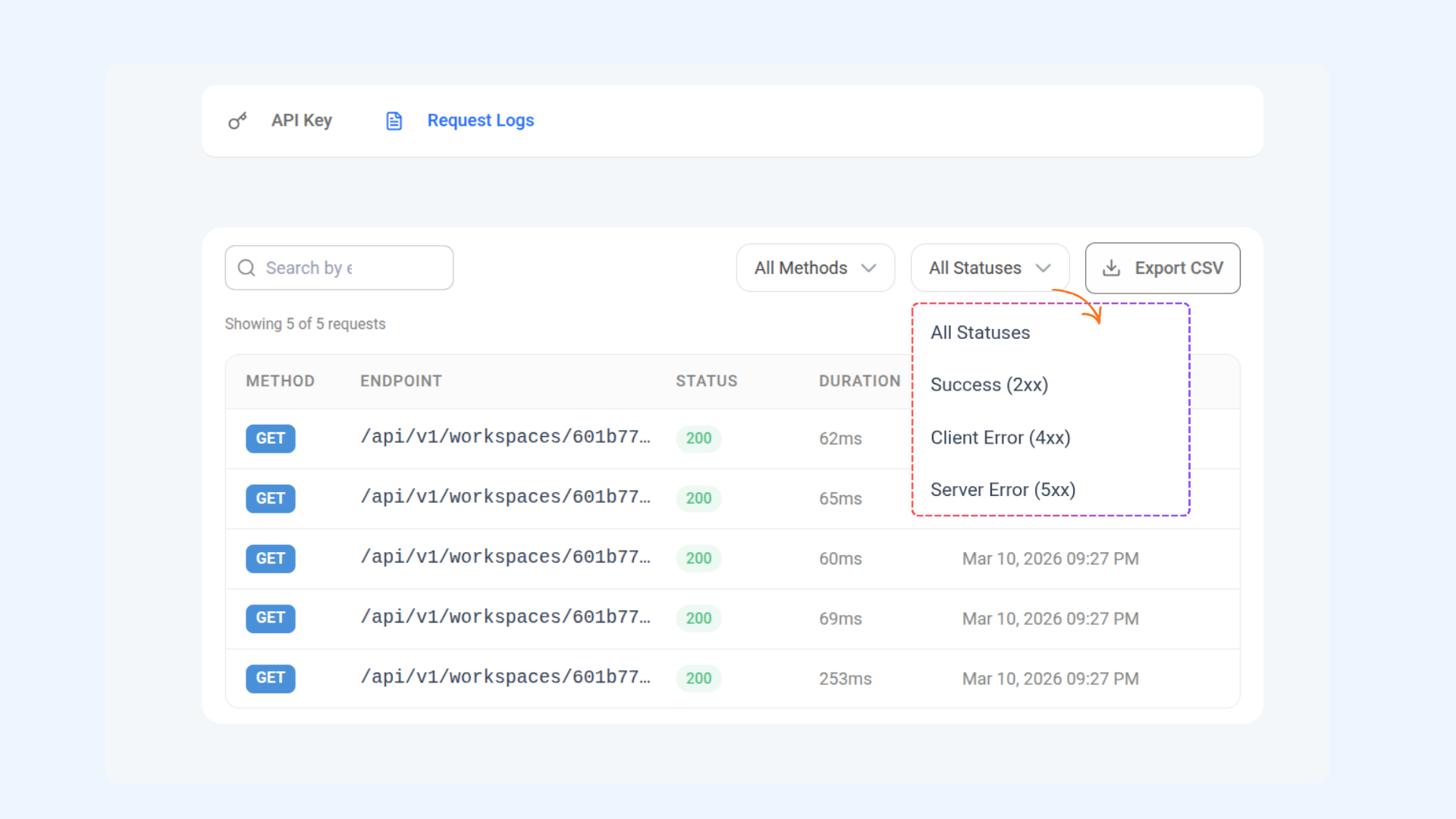
Once filters are applied, click the Export CSV button to download your API request logs.
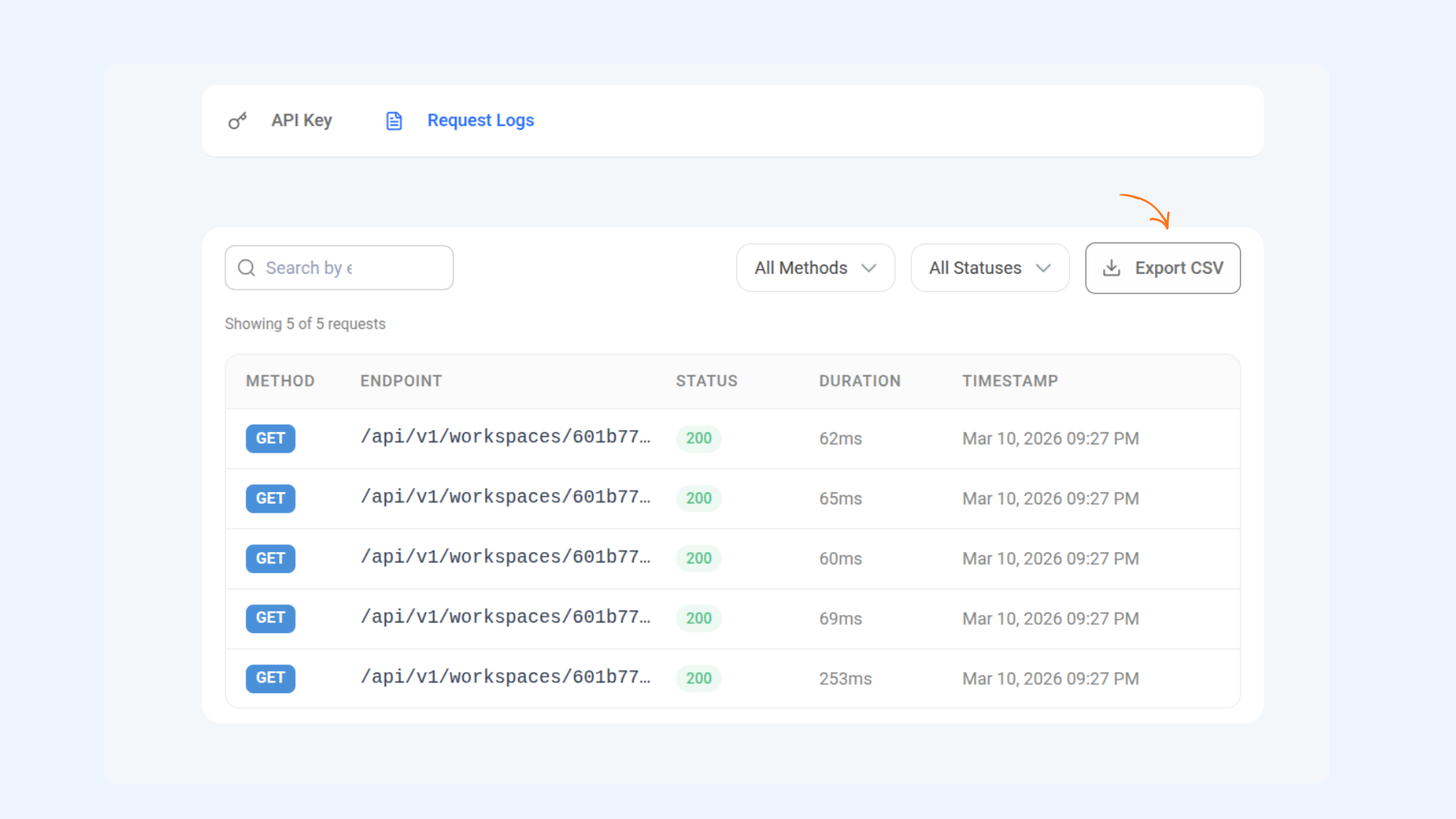
Related Articles
FAQs
Q1. Where can I use the ContentStudio API key?
You can use it to authenticate integrations with tools like Zapier, Make.com, or directly when making API requests.
Q2. Can I generate multiple API keys?
No, only one active API key is available per account at a time.
Q3. What happens if I regenerate my API key?
The old key will stop working immediately, and you’ll need to update the new key anywhere you were using it (Zapier, Make.com, custom apps, etc.).
Q4. What happens if I revoke my API key?
Revoking permanently disables the key. Any integrations using it will stop working until you generate a new one.
Q5. Is my API key private?
Yes. Treat it like a password — never share it publicly or expose it in client-side code.
Was this article helpful?