

Integrating ContentStudio in Claude
ContentStudio’s MCP makes it possible to connect directly with Claude Desktop, so you can fetch workspaces, access accounts, and generate content without leaving your workflow. With a simple setup and a single command, you can integrate AI into your publishing process — making content creation faster and more efficient.
In this article:
How to Set-up MCP Server with Claude Desktop for ContentStudio
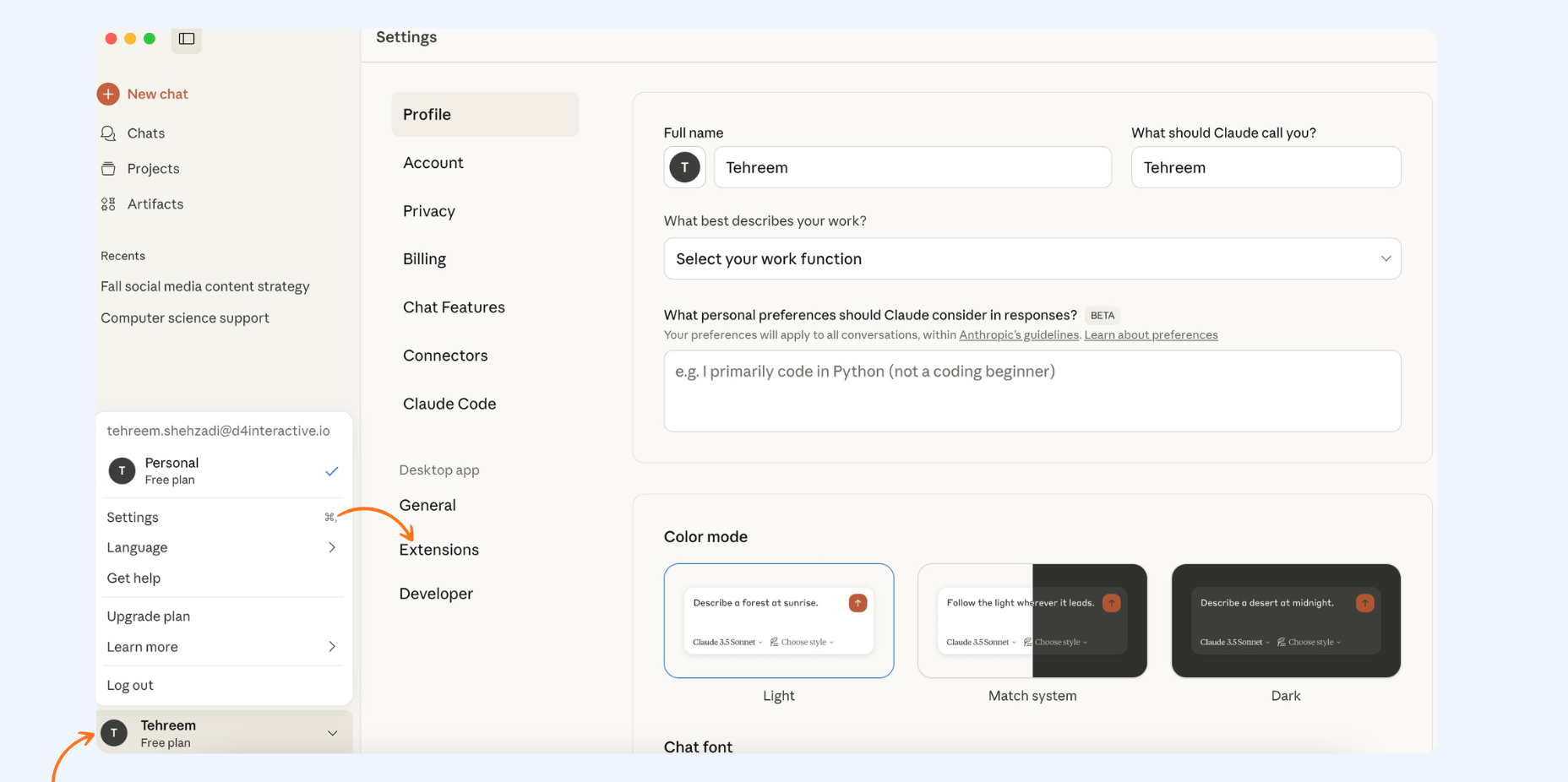
Download Claude Desktop and sign into it.
Download ContentStudio's MCP (.mcpb) from this link.
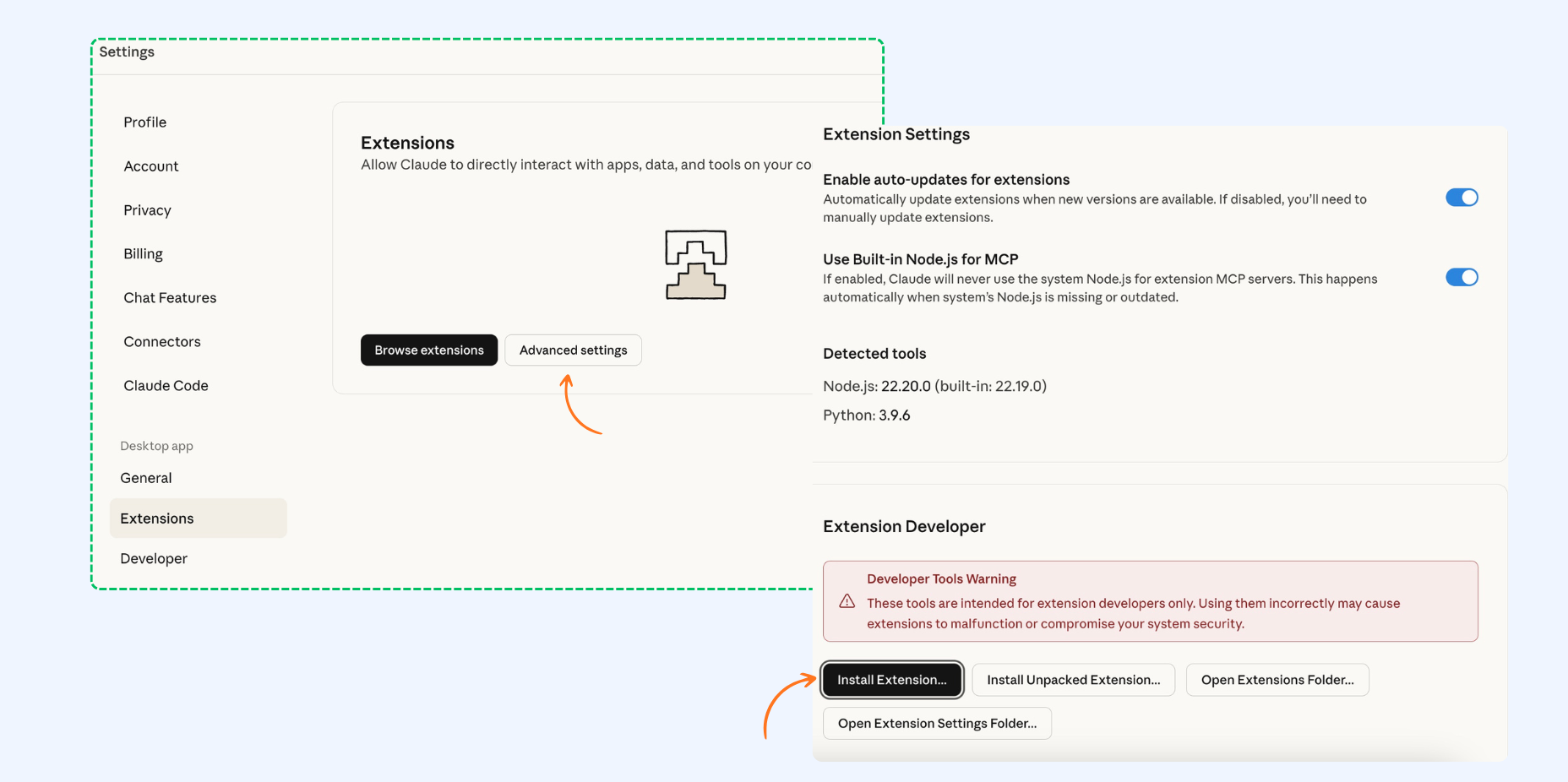
In Claude Desktop, go to Settings → Extensions → Advanced Settings → Install Extension and select the downloaded
.mcpbfile.
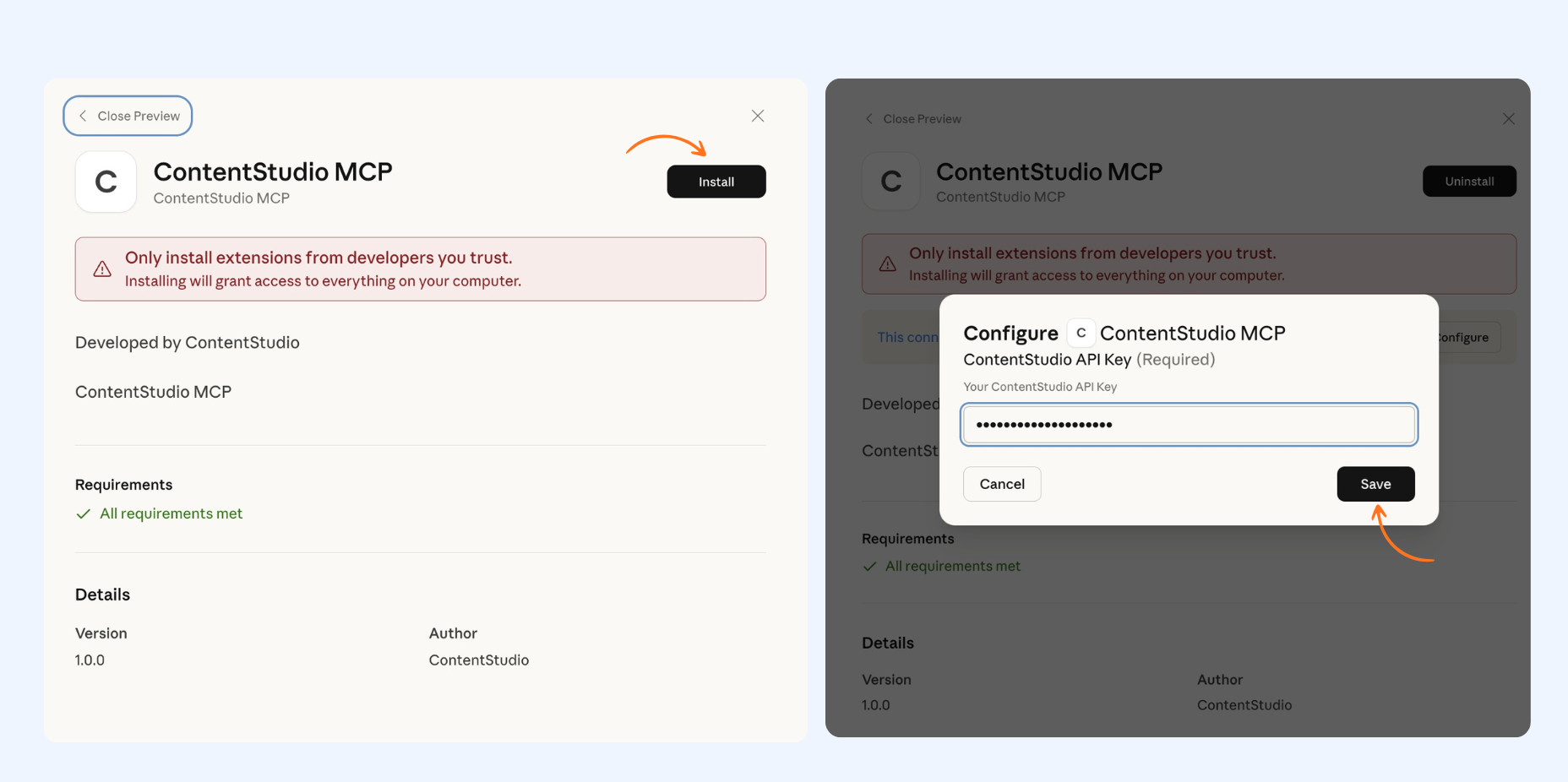
Go to ContentStudio API Key Settings and create a new API key.
You can also view this guide for detailed steps on generating an API key.
Go back to Claude Desktop and paste the generated key. Click Save.
That's it ✅ Test your connection by starting a new chat and asking it to list your ContentStudio accounts.
Use Case: Creating Posts in ContentStudio with Claude
You can ask Claude to perform a wide range of actions in ContentStudio — from fetching your accounts and workspaces to generating ready-to-publish content. The process is simple: give it a command, and it handles the rest automatically.
As an example, let’s walk through how you can ask it to create social media posts inside ContentStudio.
Start a new chat in Claude Desktop and give the command:
"Create 10 social media posts for ContentStudio."
Behind the scenes, Claude first validates your API token, then fetches your workspace and connected social accounts before creating posts.
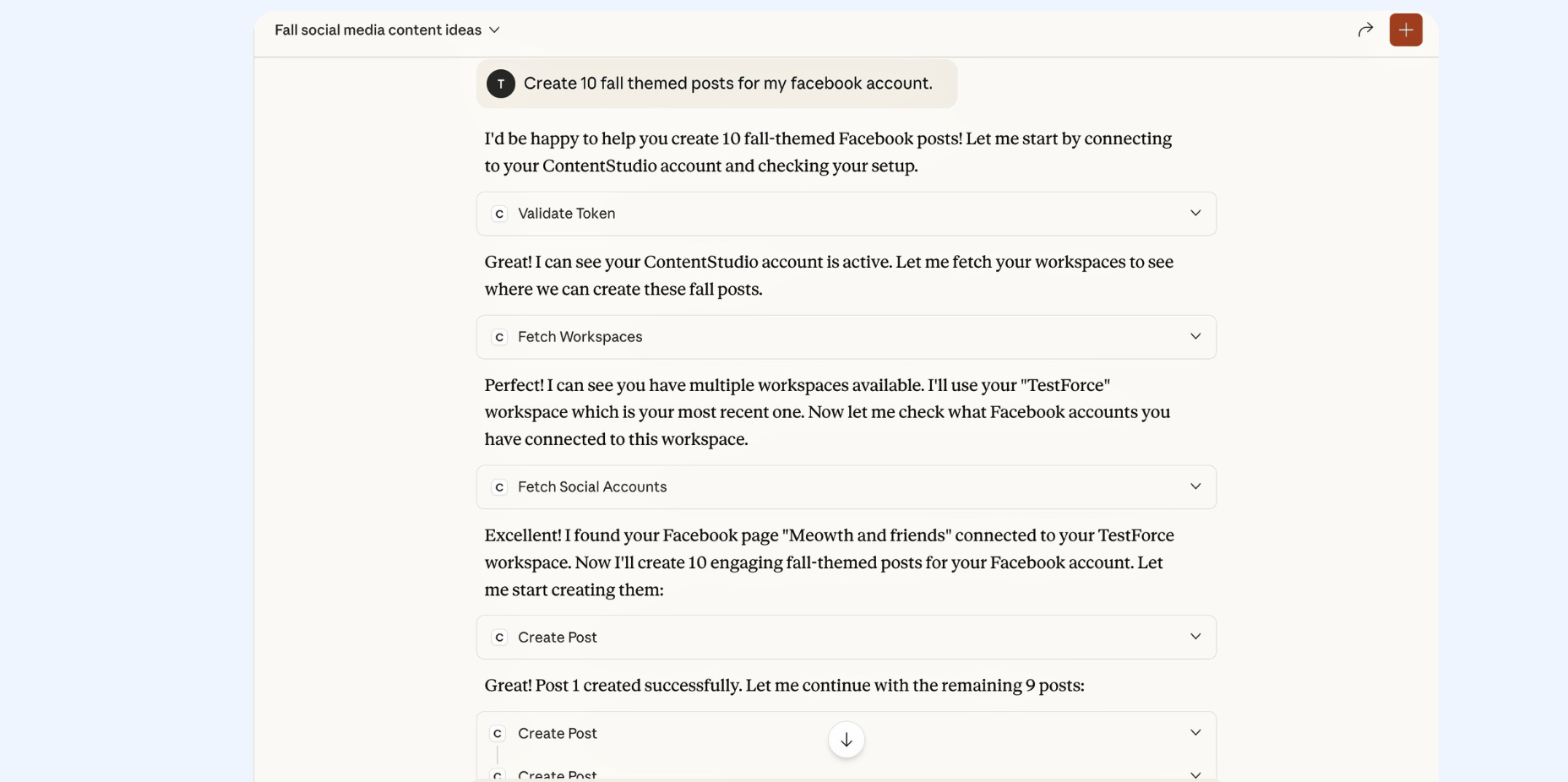
Claude automatically generates the posts and prepares them for publishing inside ContentStudio.
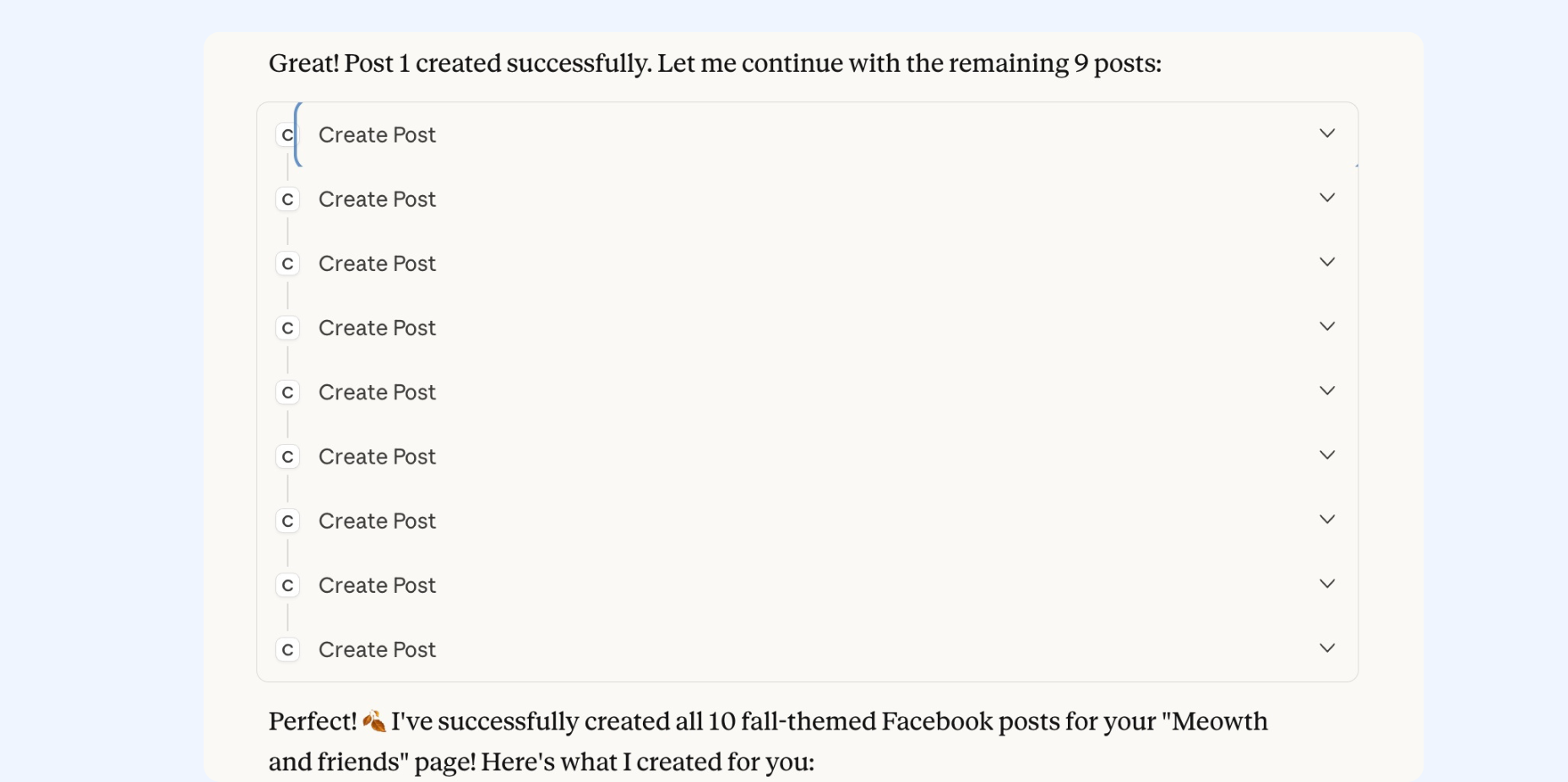
Go to your ContentStudio account and visit the Publisher section to review your posts and publish them.
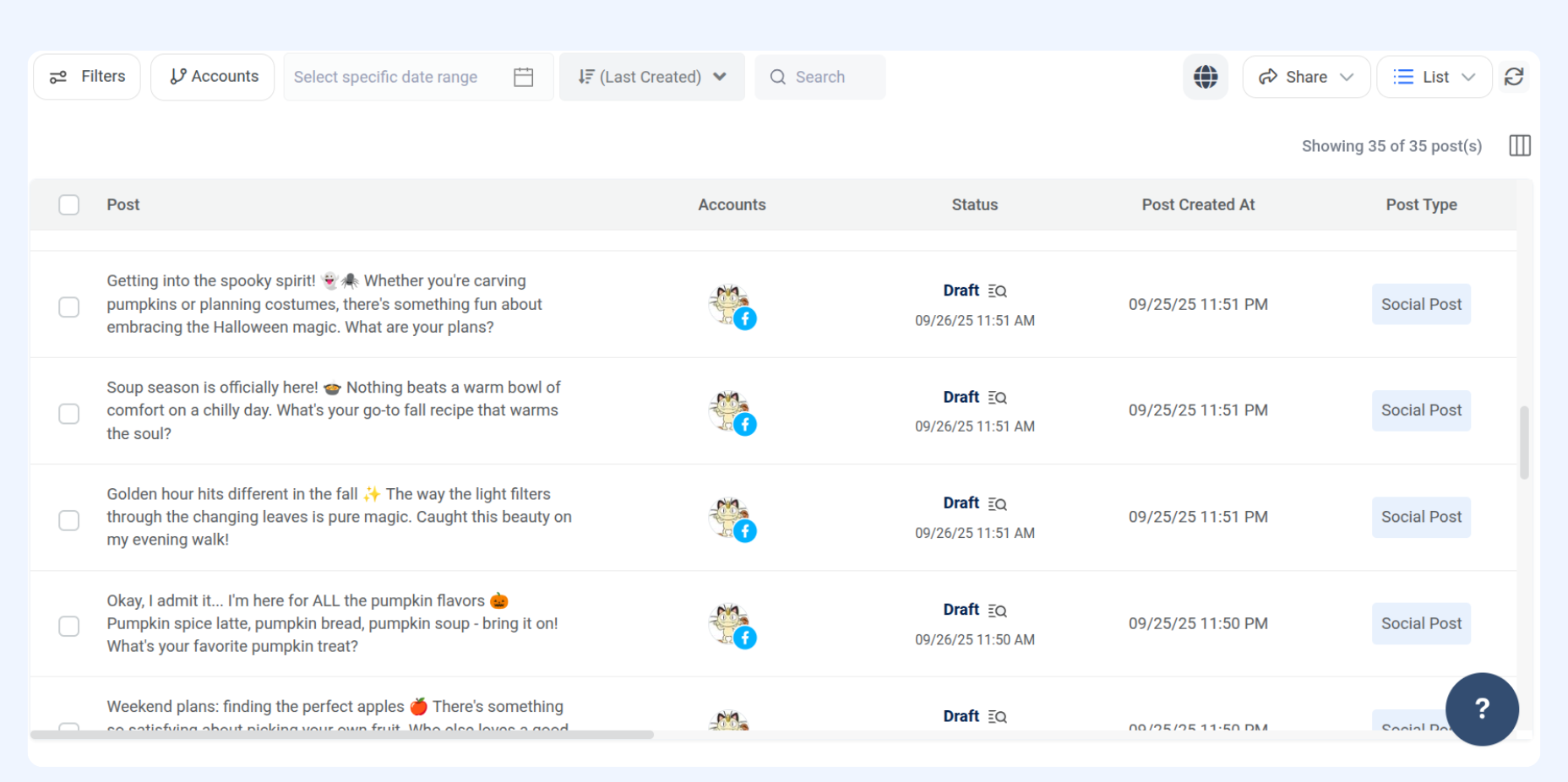
That’s it — with just a single command, your posts are generated and ready inside ContentStudio.
FAQs
Q1. Do I need an API key to use ContentStudio with Claude?
Yes, you must generate an API key from ContentStudio and add it to Claude Desktop before using MCP.
Q2. Can I create posts for multiple social accounts at once?
Yes. Claude first validates your token, then fetches your workspace and all connected accounts. You can choose where the posts should go.
Q3. Will Claude automatically publish my posts?
By default, Claude prepares the posts. You can review them in the Publisher section of ContentStudio before publishing.
Related Articles
Was this article helpful?