What is Planner and how to view posts in Planner?
The Planner module in ContentStudio helps you schedule, manage, and track your social media and blog content effortlessly. With multiple views, filters, bulk actions, and collaboration tools, you can stay organized and streamline your workflow.
From calendar-based scheduling 📅 to shareable links, internal comments, and campaign organization, the Planner ensures smooth content planning. Let’s explore how you can make the most of it.
In this article:
Different Views in the Planner
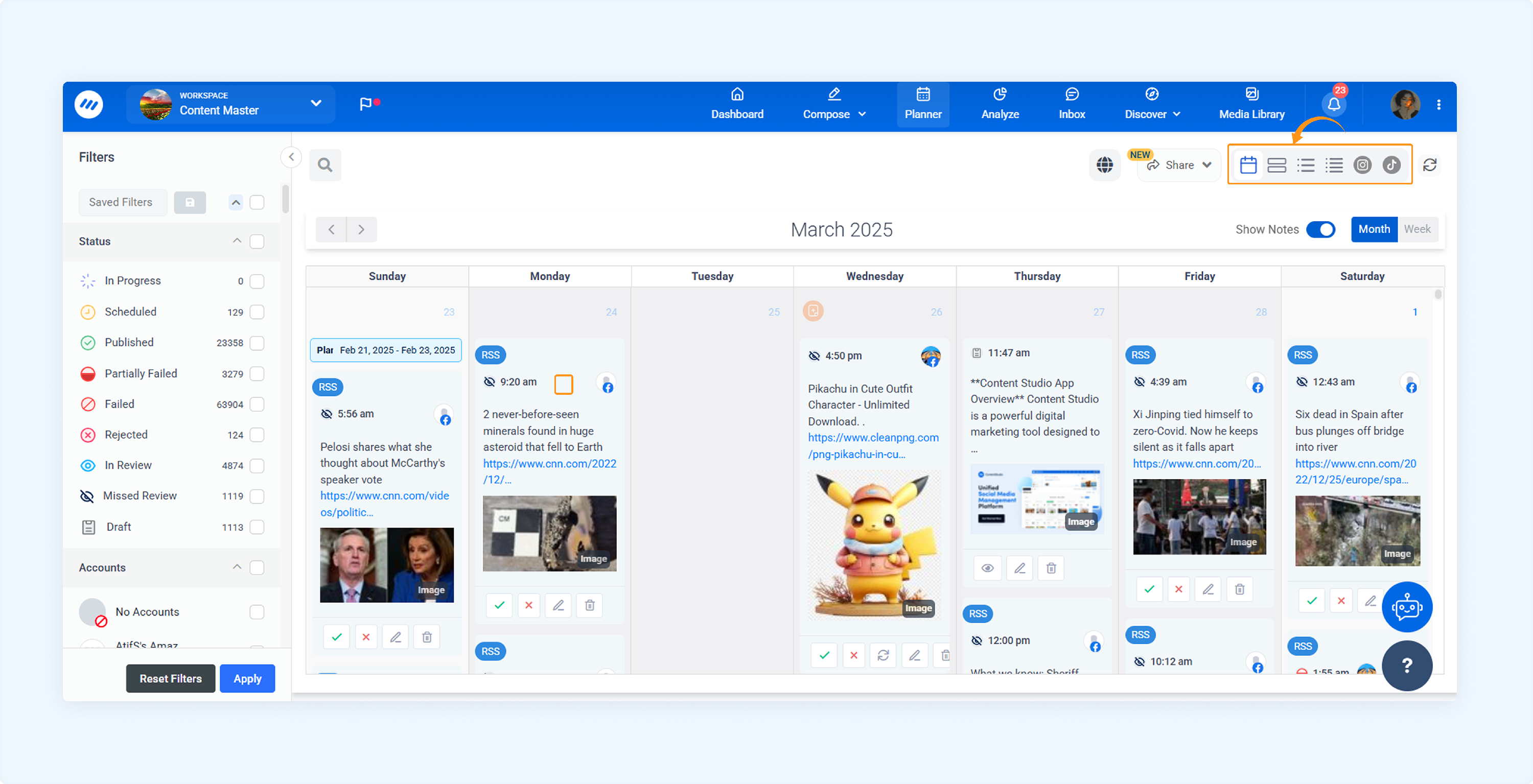
Go to Planner. From the left-hand side, choose your preferred view: Calendar, Feed, List, Compact List, or Grids.
Calendar View
The Calendar View displays your scheduled posts in a daily, weekly, or monthly layout. It helps you visualize your content timeline, monitor publishing frequency, and easily identify any content gaps.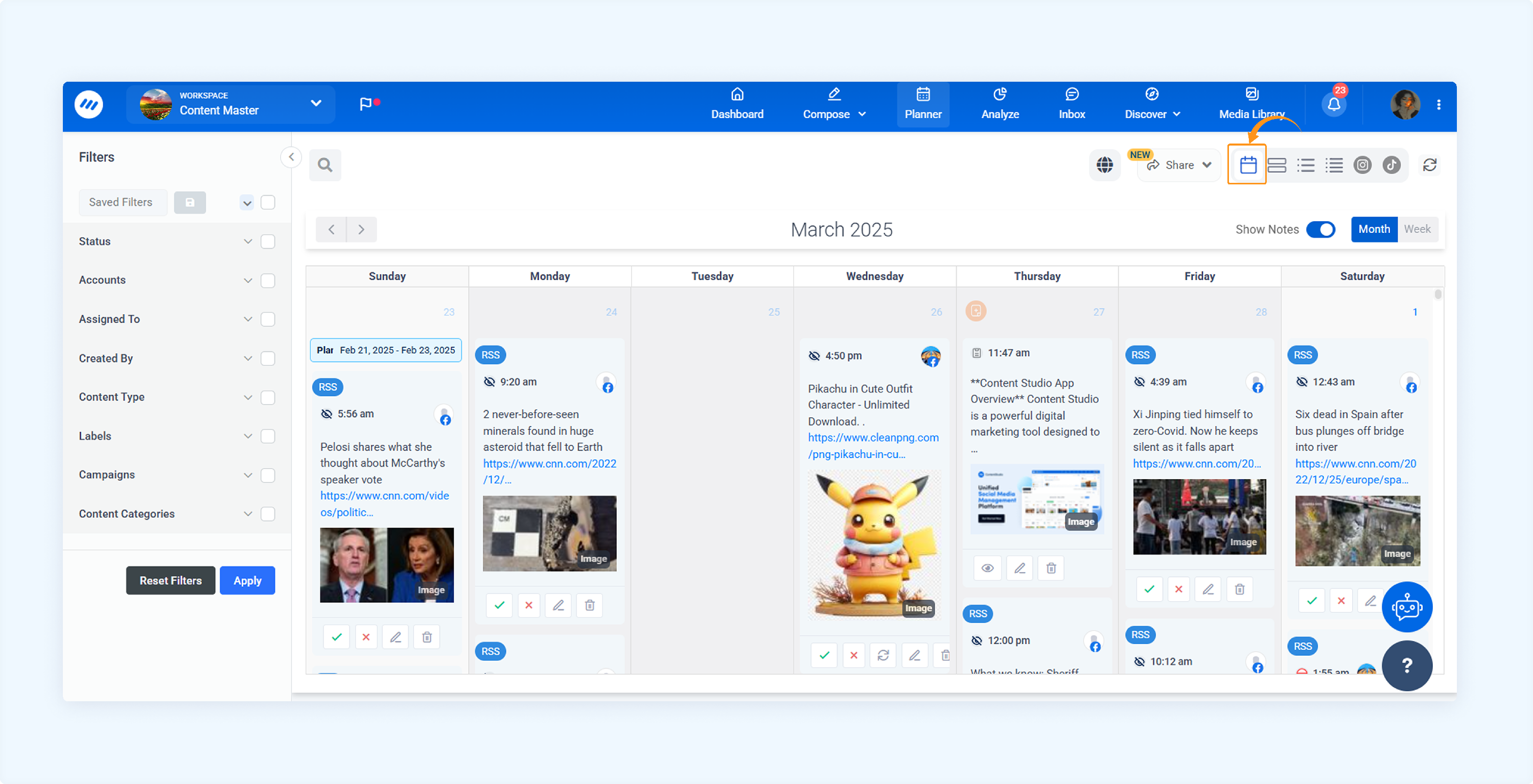
Feed View
The Feed View displays your scheduled posts in a continuous scrolling format, similar to a social media feed. It is ideal for quickly reviewing post details and monitoring your overall content strategy. You can also view and manage comments for a selected post from the right-hand panel.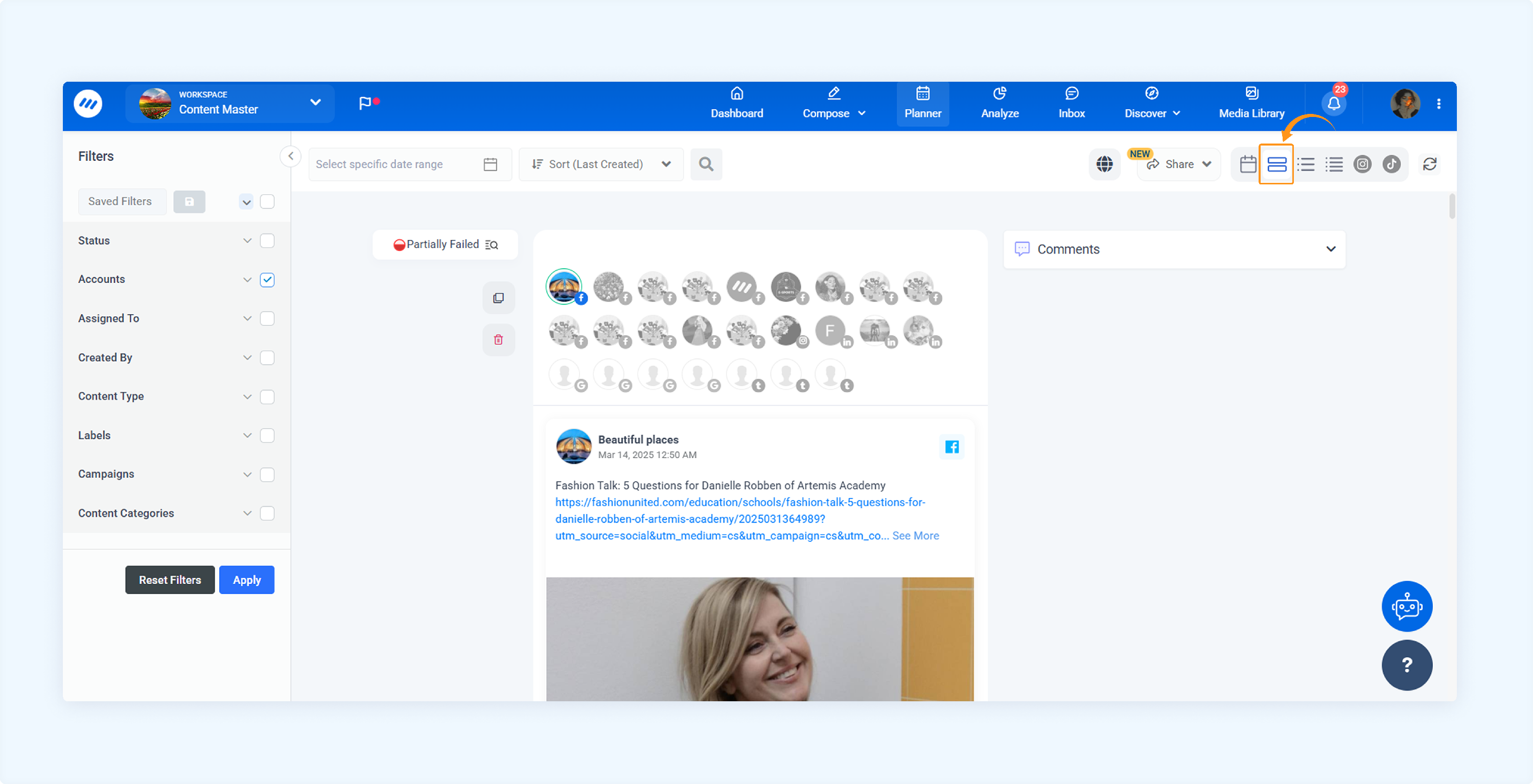
List View
The List View provides a detailed, sequential overview of your scheduled posts. It is useful for reviewing content at a glance, analyzing your publishing strategy, and identifying posts that require review or editing.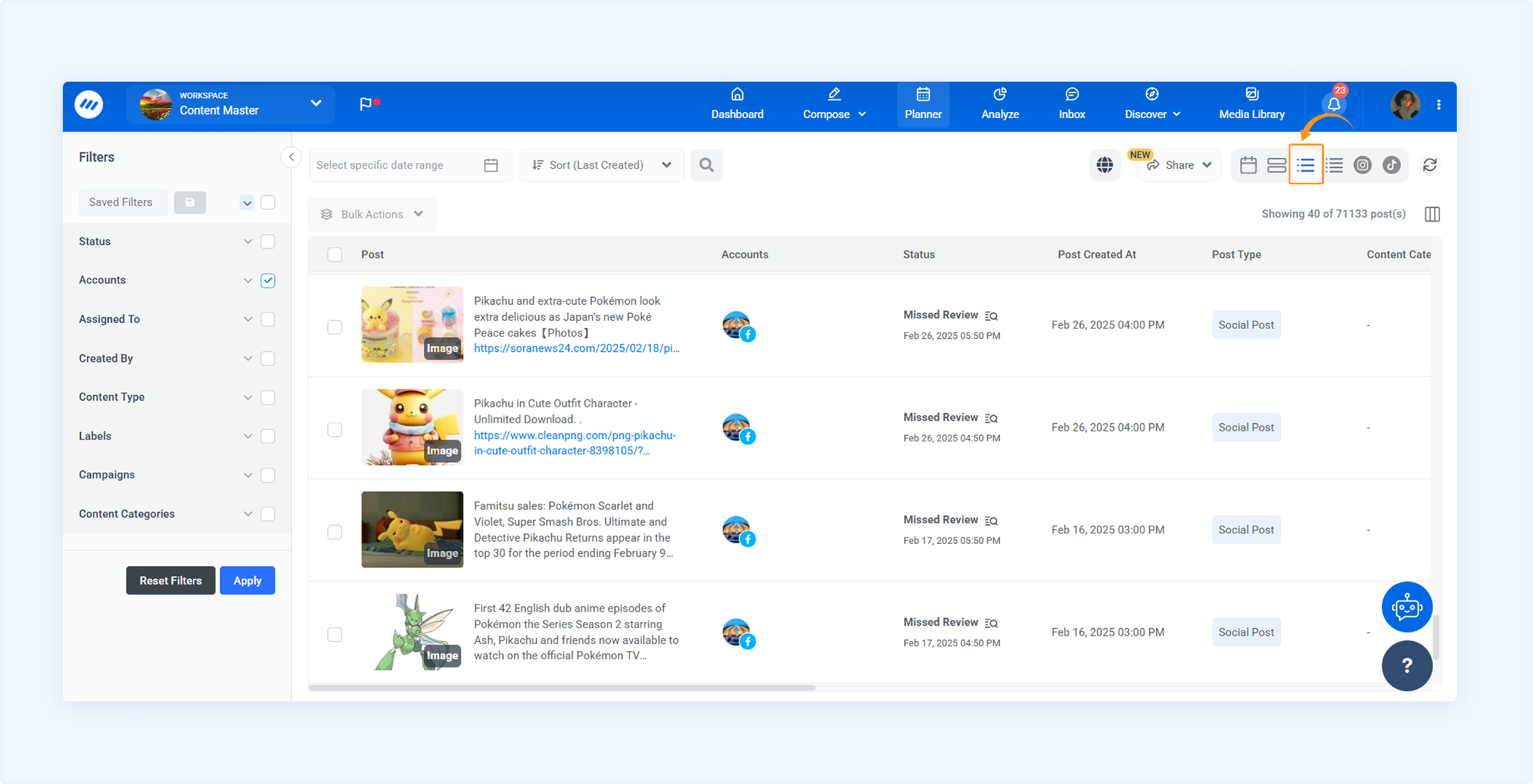
Compact List View
The Compact List View displays posts in a condensed layout, allowing you to view more items at once. This view is ideal for quick approvals, bulk actions, and efficiently managing large volumes of content.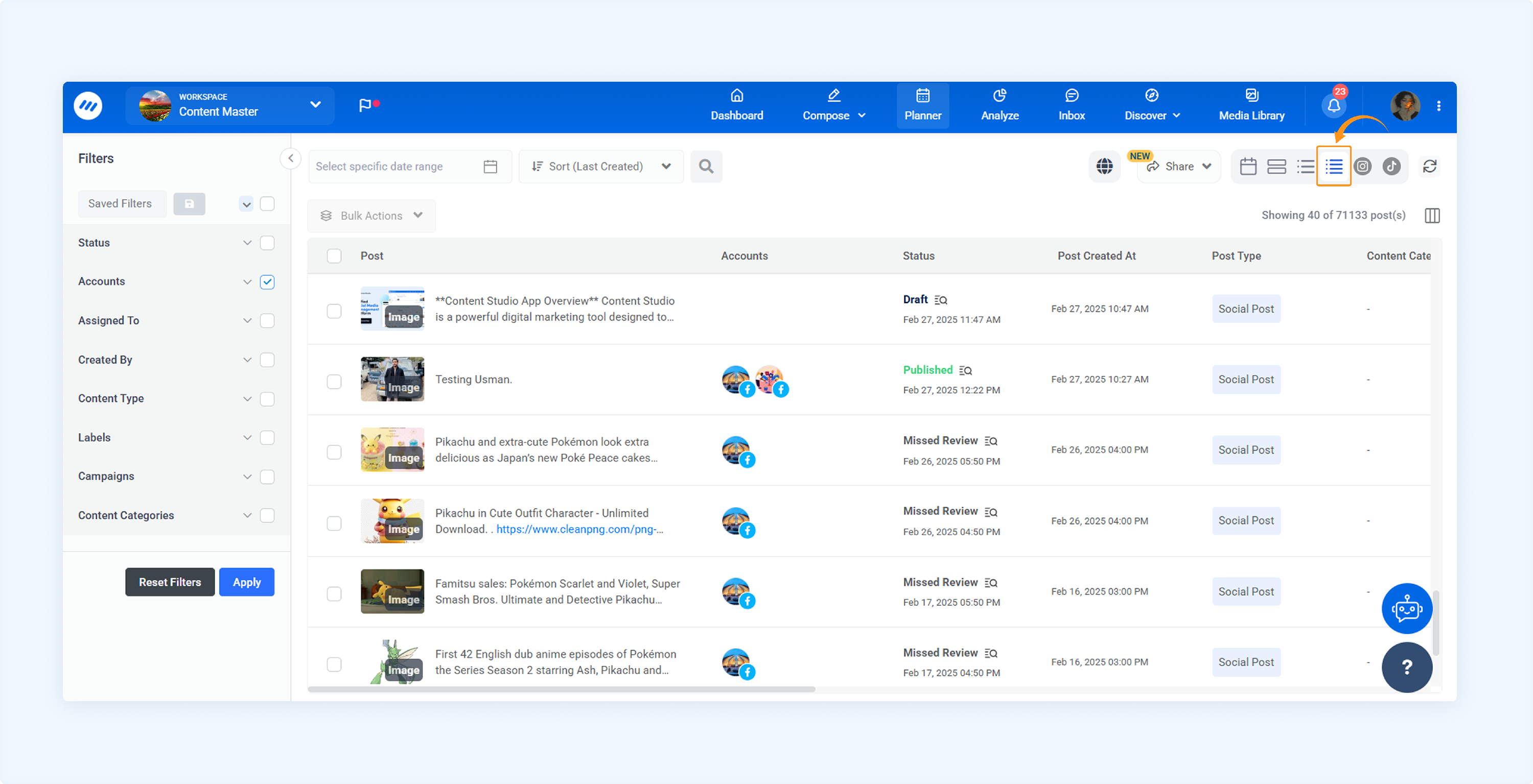
Instagram Grid View
The Instagram Grid View displays your posts in a visual grid layout that mirrors how content appears on Instagram. This view helps you review the overall aesthetic, spacing, and visual consistency of your Instagram feed before publishing.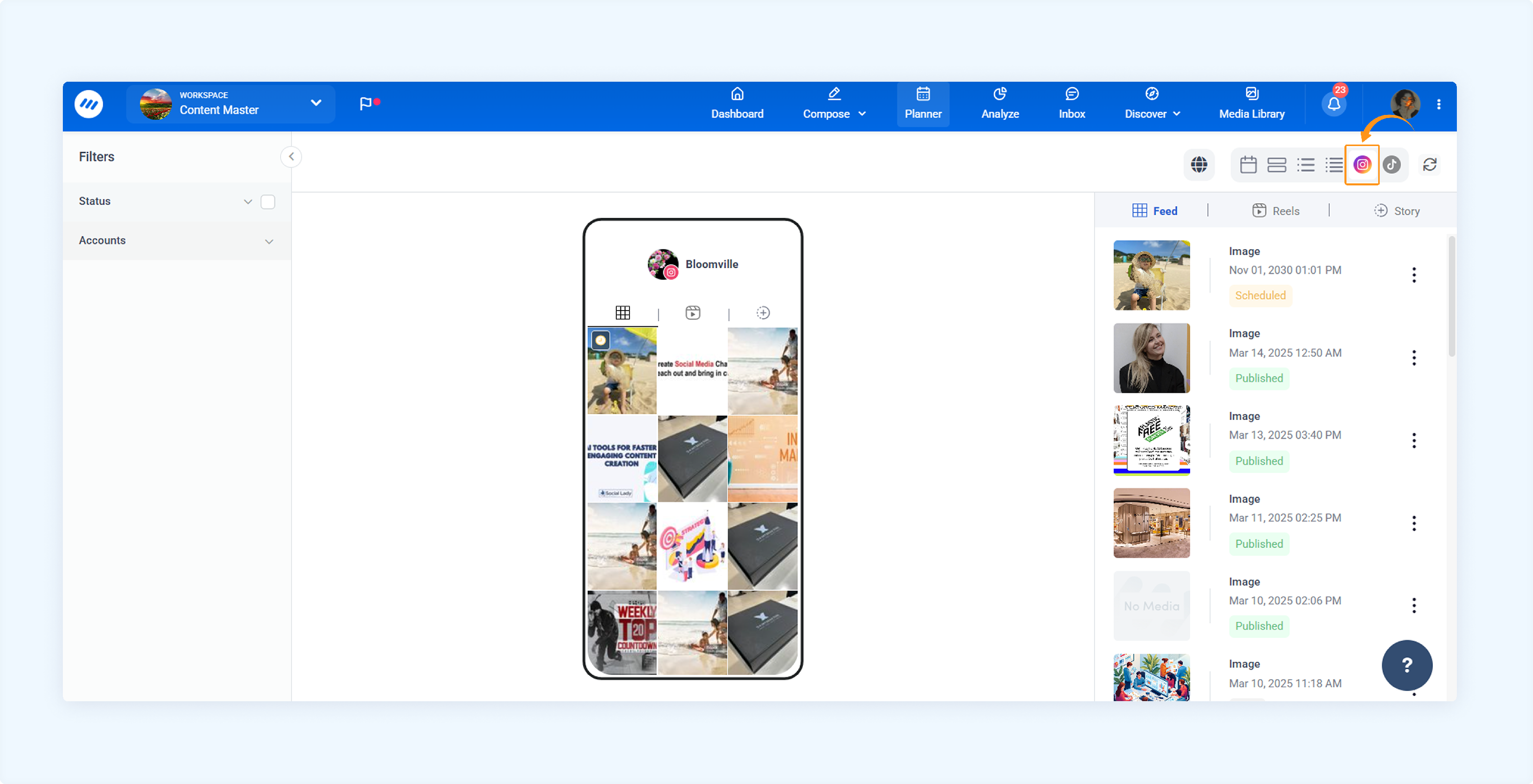
TikTok Grid View
The TikTok Grid View presents your posts in a grid format optimized for TikTok. It allows you to preview video thumbnails and assess how your content will appear on your TikTok profile.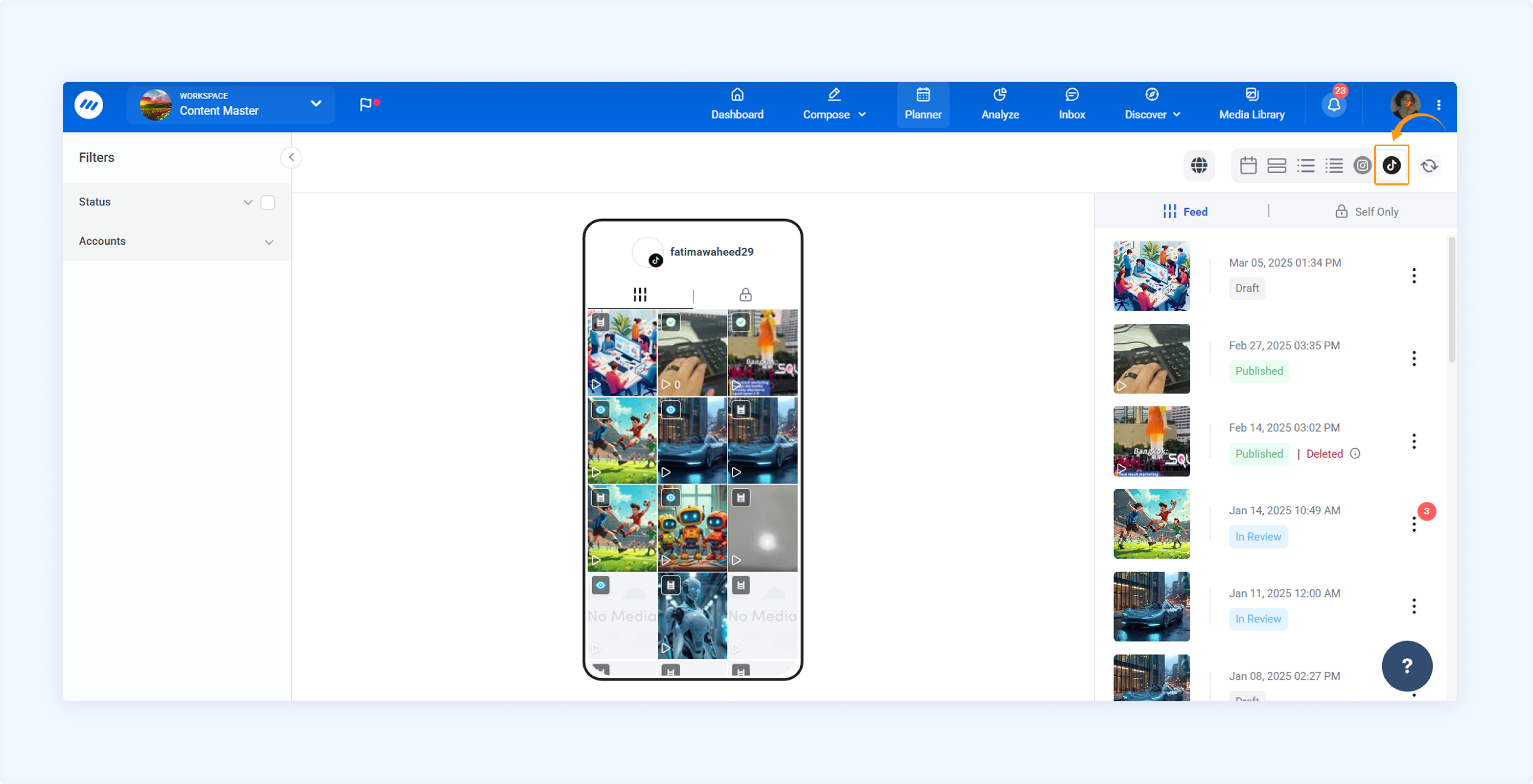
Key Features of Planner
Filters for Accounts and Platforms
Refine your Planner content using filters based on accounts, platforms, post status, and other criteria.
Learn more about using filters in Planner
Managing Notes and Internal Comments
You can add Internal Comments and Notes to collaborate with your team.
Learn more about using comments and notes in Planner
Generating Shareable Links from Planner
Content creators can instantly generate a link to share their complete calendar. This makes collaboration easier by allowing external users, approvers, or clients to view and interact with scheduled content, approve or reject posts, and add comments.
Create a shareable link for the entire calendar
Calendar view on shareable external links
Tracking Performance and Analytics from Planner
You can view post-specific analytics and seamlessly navigate to the Analyze module for more in-depth metrics.
Learn how to view posts analytics in Planner
Organizing Content with Campaigns and Labels
You can assign campaigns and labels to your posts directly from the post preview, simplifying organizing and filtering your content across all views.
Campaign and label enhancements
Assign campaign to social posts
FAQs
Q1: Can I switch between views at any time?
A: Yes, you can easily switch between view without losing any data.
Q2: How can I track posts that need approval?
A: Use the "Filter by Status" option to view posts marked as "In Review."
Q3: Can I bulk edit or approve posts from the Planner?
You can select multiple posts in List and Compact views and perform bulk actions like Approving, Editing or Deleting.
Q4: How far in advance can I schedule posts?
You can schedule posts for up to 12 months in advance.
Q5: Can I view the post-performance from the Planner?
Yes, you can track post performance and engagement metrics directly from the Planner after publishing**.**
Q6: Can I assign tasks to team members from the Planner?
No, but you can use internal comments and notes to collaborate and communicate tasks within the team.
Q7: Does the Planner support time zone adjustments?
Yes, posts are scheduled based on your selected workspace time zone, ensuring accurate publishing times.
Was this article helpful?