

How To Set Up Instagram Business Account?
Here's how to switch your personal account to a business account!
Go to your Instagram Account Settings
Click the top-right menu option for Settings. Click on Account and scroll down to the bottom of the screen to Switch to Professional Account. This will be a blue call to action.
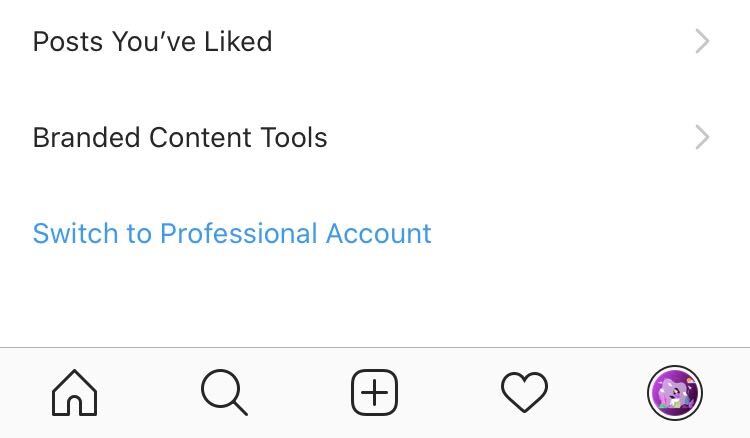
Switch to Instagram professional account
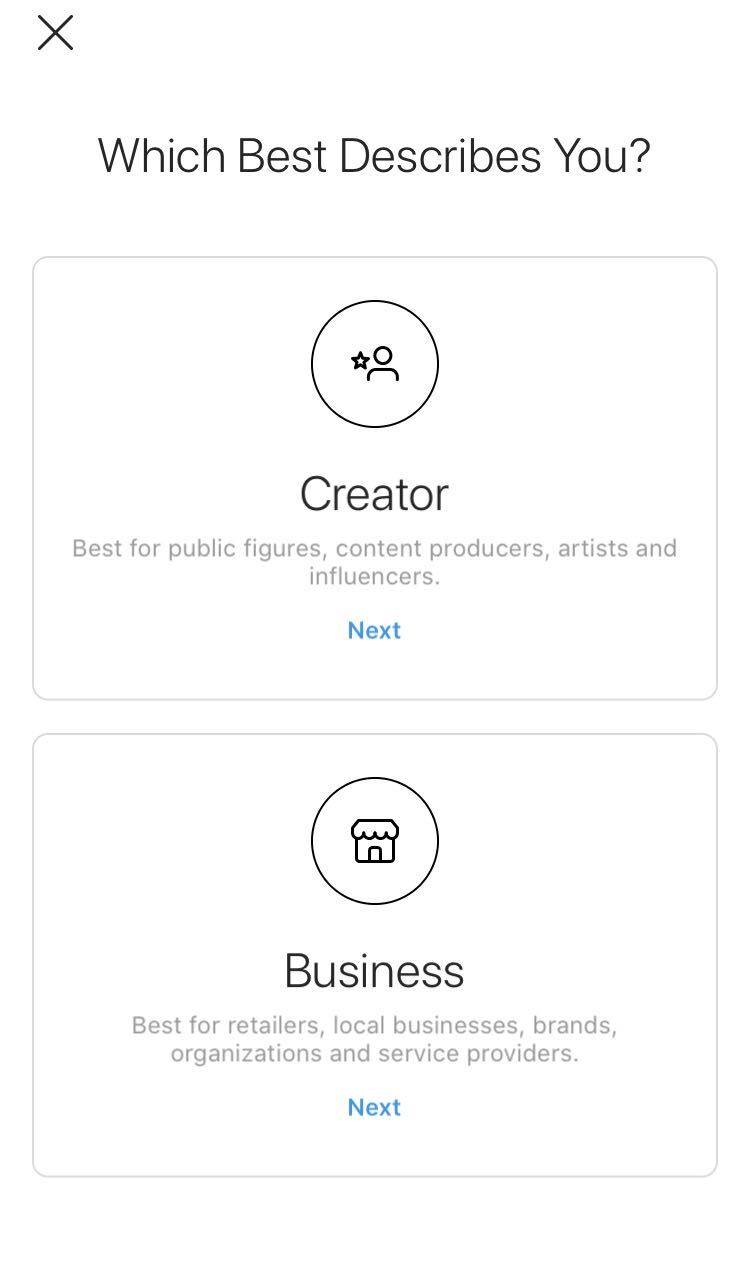
Upon clicking, you will see two options: Creator, or Business. If you better describe yourself as a Business, click on the latter.
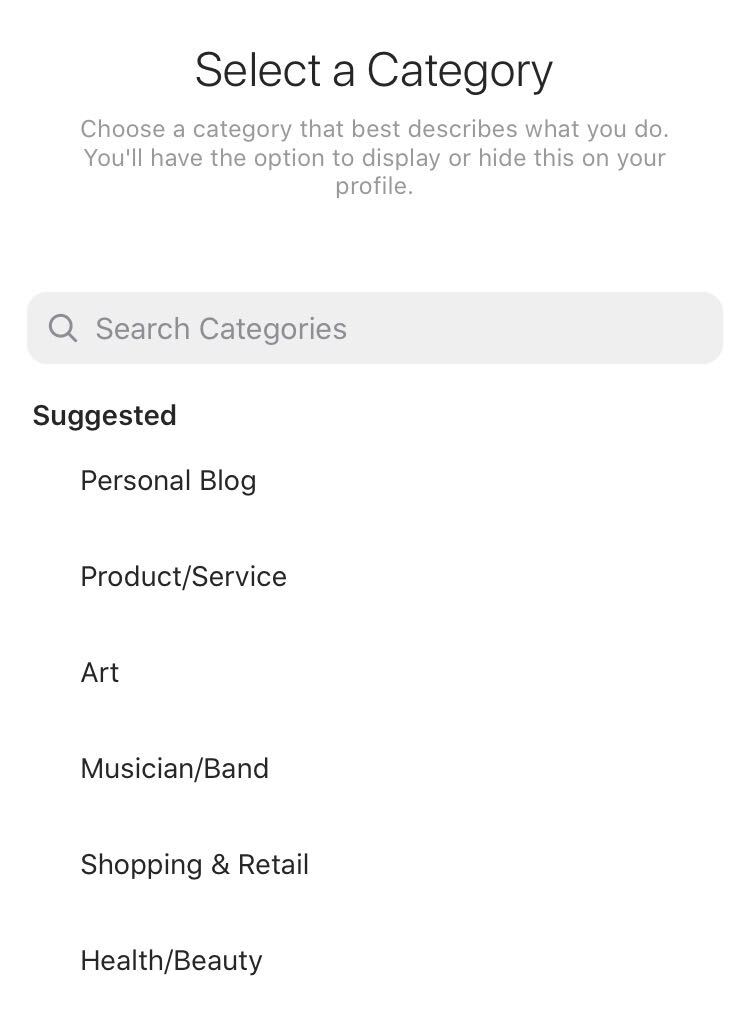
Select Category
Make sure the most suitable category best describes your business! You can even search for more categories to match up.
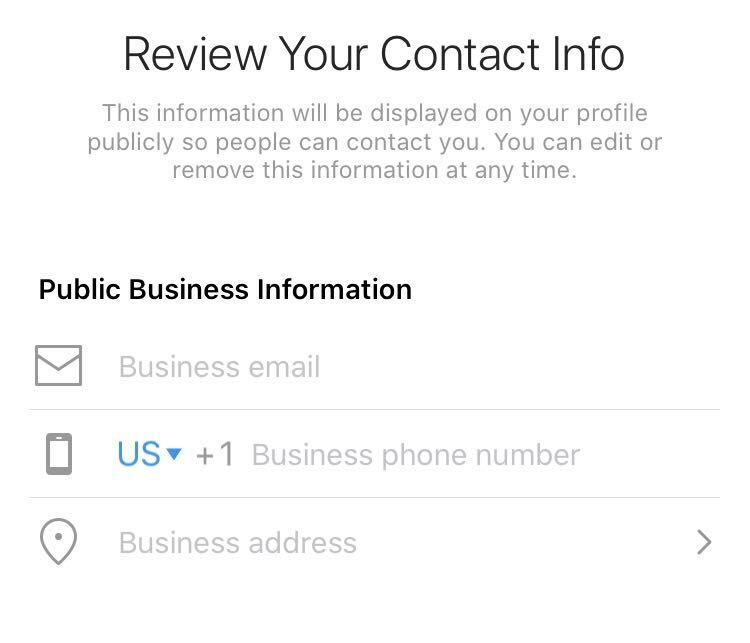
Review Your Contact Information
Add your business contact information so it's convenient for customers to contact you. You have the option to add a business email, phone number, and address. Make sure to add all of these, as this builds credibility!
Connect Facebook
If you're creating a business profile, for which you already have a Facebook Page, you will get an option to connect your Instagram.
Add detailed Information.
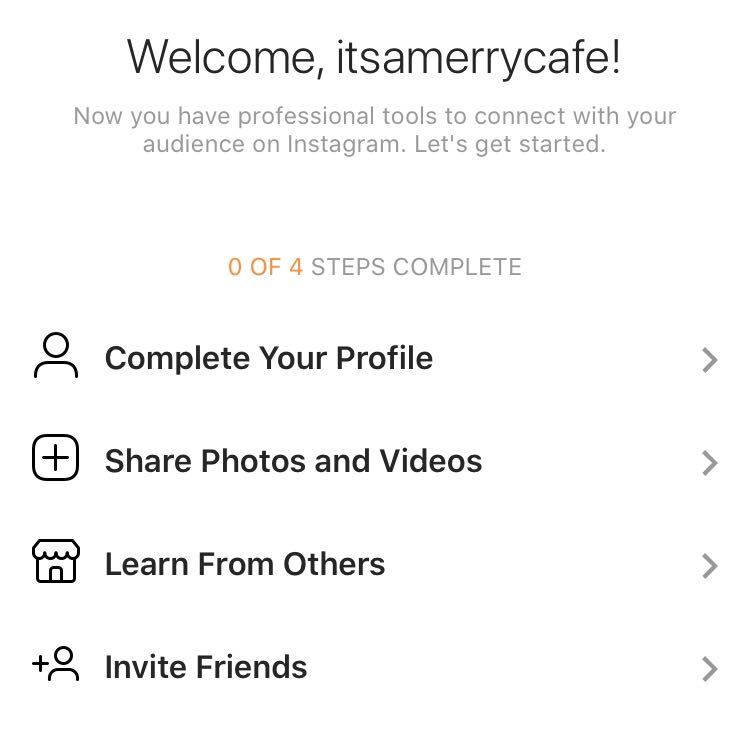
You will see four options. Explore each of these to optimize your account.
Make sure you have completed all the details about your business. Share photos and videos to expand growth on your channel.
Lastly, make sure you have invited all of your friends and contacts to support you!
Like, Share, Follow, Post, and Grow!
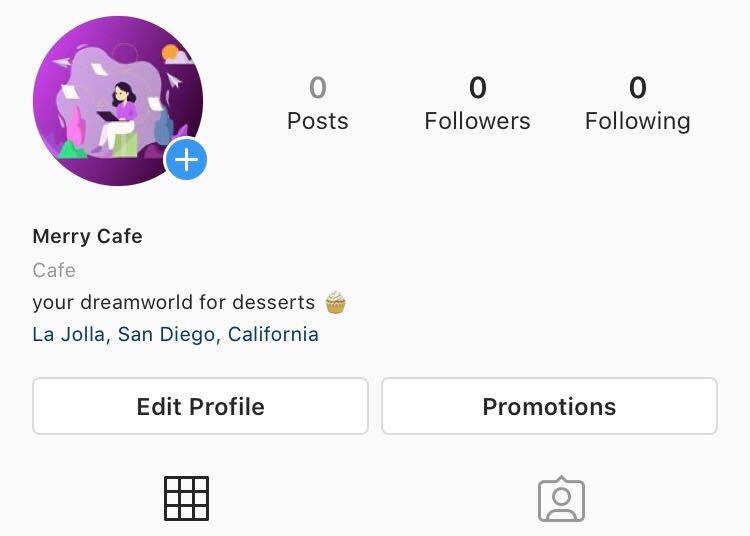
Your Instagram Business is going to look like this:
Make sure to maintain high engagement from your followers by posting regularly. Check out our blog post for the optimal frequency to post on social media. That's all for today, folks!
Was this article helpful?