

Link Shortener
Each social media post is an opportunity to engage your audience and drive them toward your sales, promotions, or special offers using a call to action with shortened links.
ContentStudio offers four link-shortening integrations—Replug, Cstu, Firebase Dynamic, and Bit.ly—that connect directly with your selected brands and campaigns.
In this article:
Steps to connect link-shortening plugins:
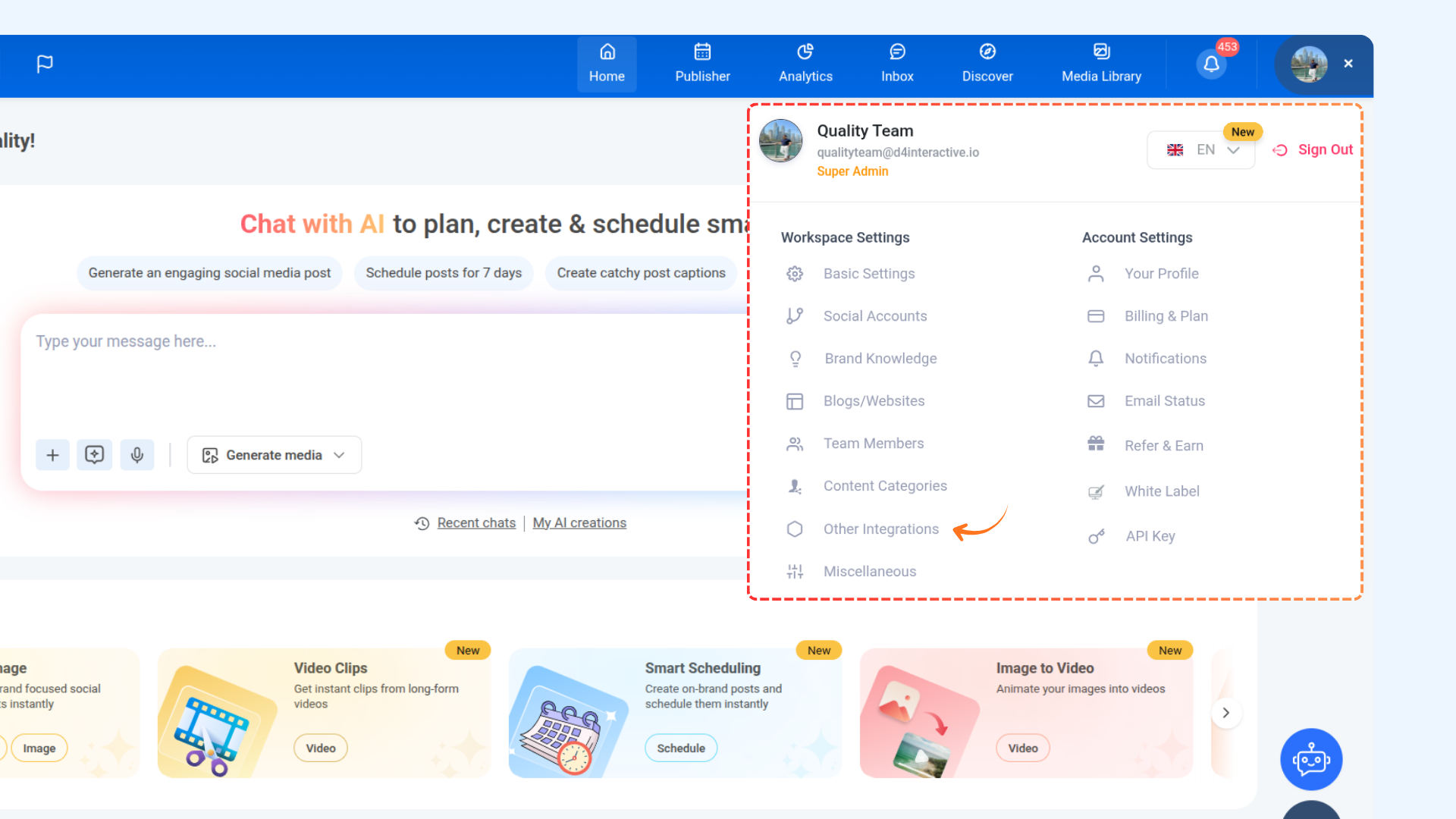
Click on your profile icon and navigate to Other Integrations from the settings menu.
From the list of available link-shortening options, click Connect next to the service you want to link with ContentStudio.
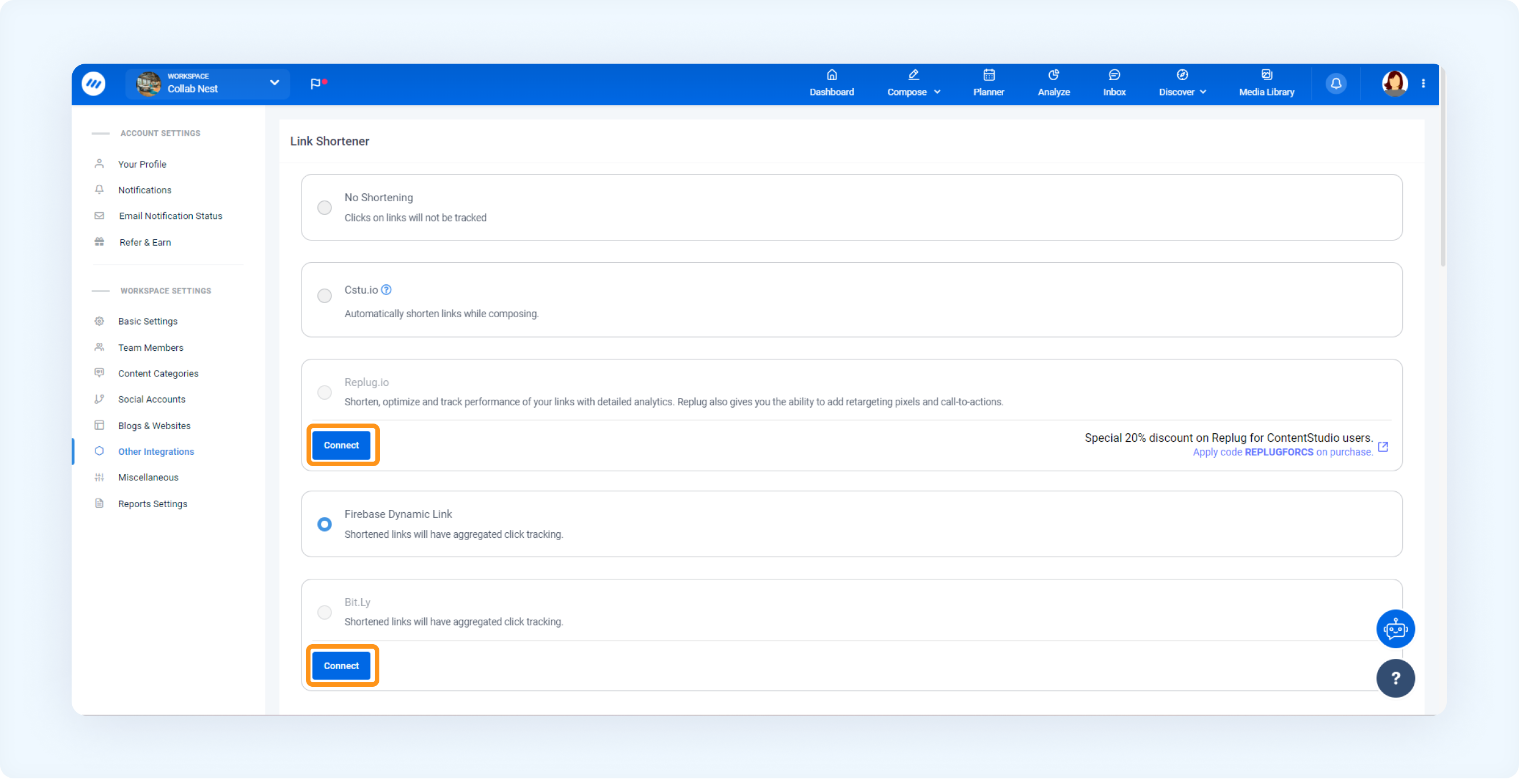
After clicking Connect, you’ll be redirected to the selected link shortener’s authorization page. Enter your credentials and complete the authorization process.
FAQs
Q1: What is the benefit of using a link shortener in my social media posts?
A: A link shortener allows you to create concise, easy-to-read URLs that improve click-through rates and make posts look cleaner. Additionally, shortened links help track audience engagement on specific promotions, sales, or campaigns.
Q2. Which link shorteners are supported by ContentStudio?
A: ContentStudio offers four link-shortening integrations: Replug, Cstu, Firebase Dynamic, and Bit.ly. These allow you to connect shortened links directly to your brands and campaigns.
Was this article helpful?