

Multi-Language Support for Android App
ContentStudio’s Android app now speaks six languages, making it easier than ever for users around the world to enjoy a more personalized experience. With built-in multilingual support, you can switch to your preferred language directly from app settings and enjoy smoother navigation and a more comfortable, localized interface wherever you are in the world. 🌎
How to change the Language
Open the ContentStudio Android App on your device and tap the Menu icon located at the top-left corner of the screen.
Click on Settings.
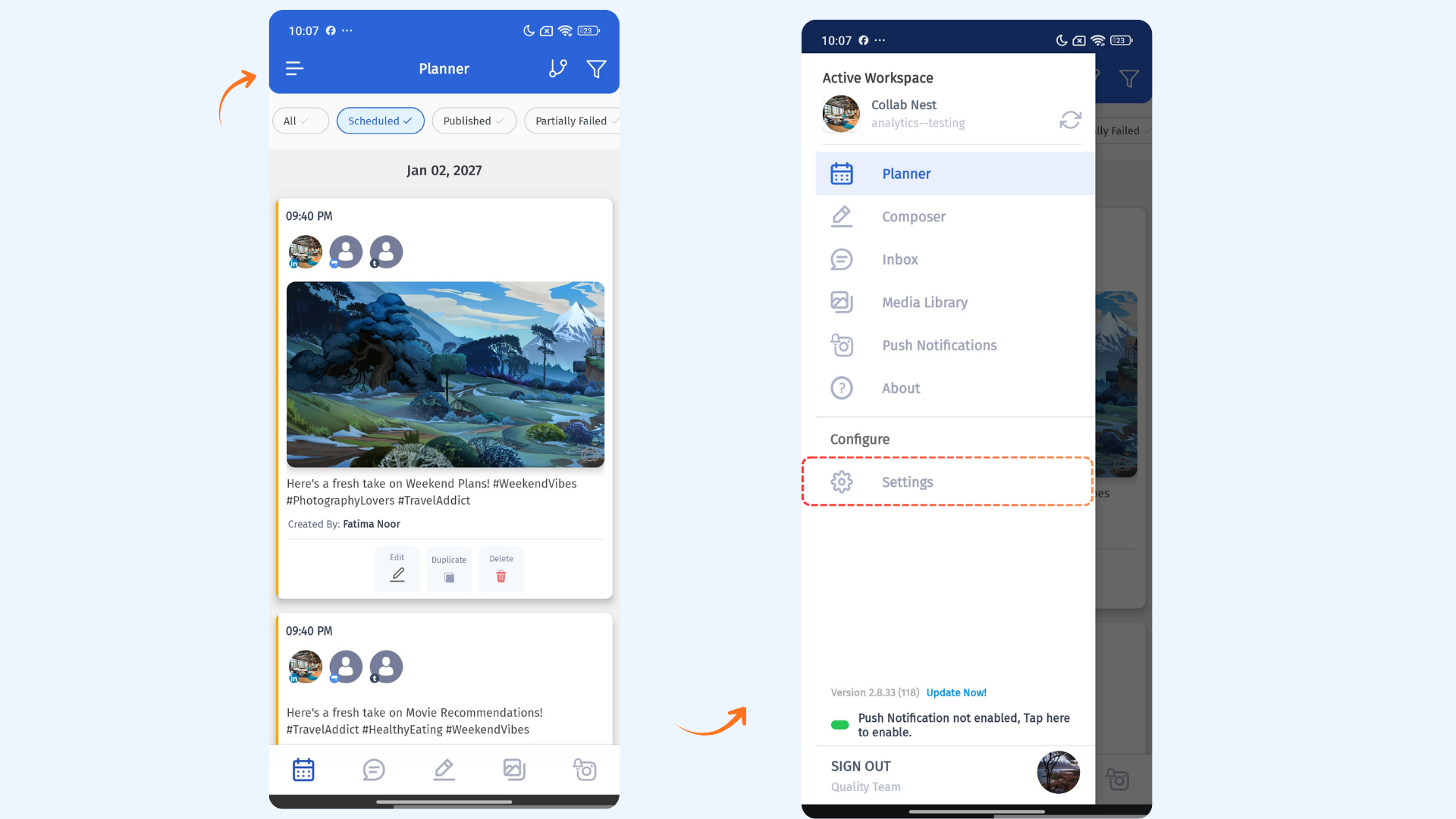
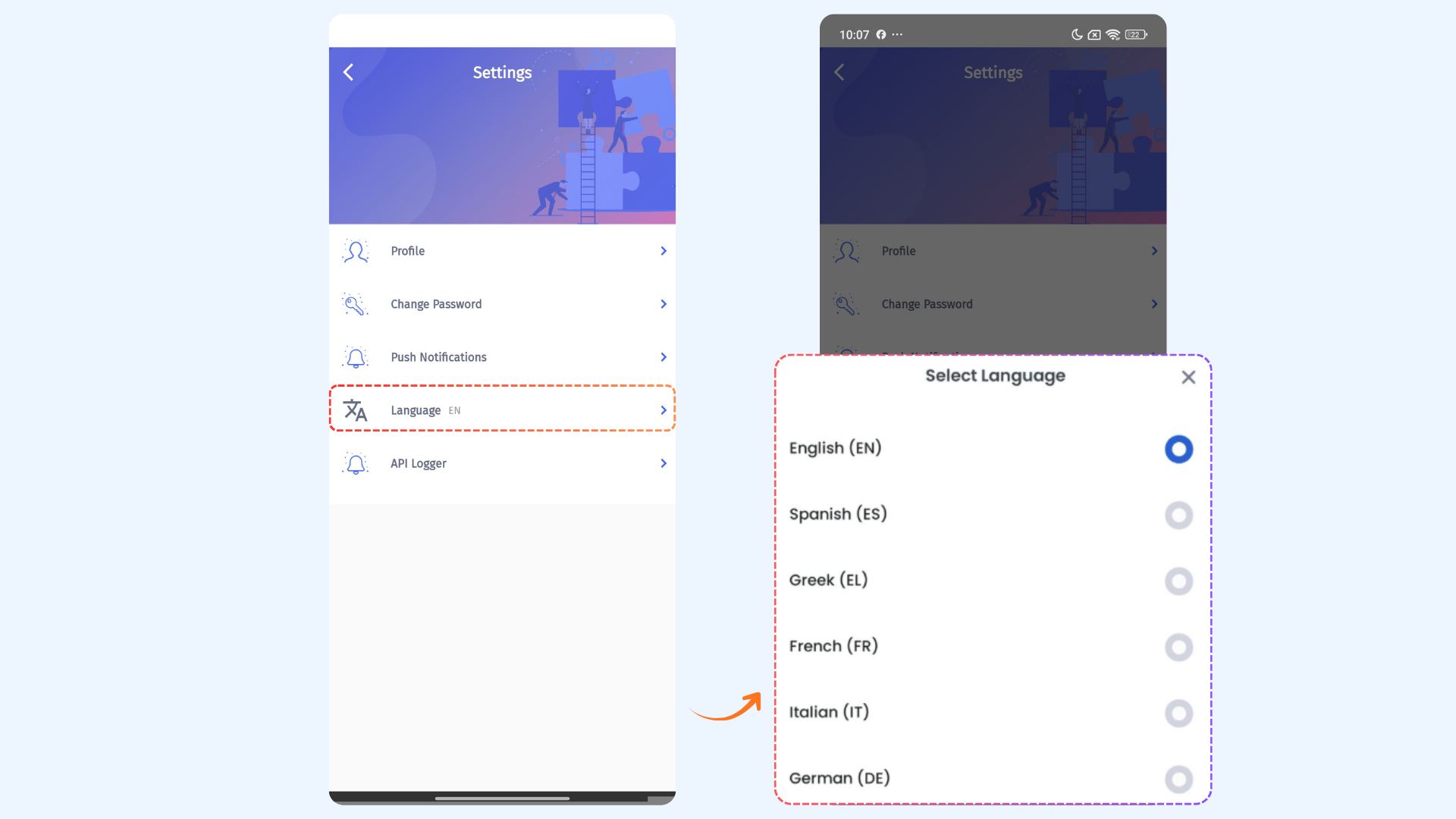
Tap on Settings. The following languages will appear. Choose your preferred language:
English
French
German
Italian
Spanish
Greek
The app interface will instantly update to reflect your selected language.
FAQs
Q1: Does changing the language impact my account or data?
No. Updating the language only changes the app’s interface text. Your account data and settings stay the same.
Q2: Can I change the language back to English later?
Yes. You can switch back anytime by opening the Menu, tapping Settings, and selecting Language, then choosing English.
Q3: Will more languages be supported in the future?
Yes. We plan to add more languages in future updates to make the app accessible to more users.
Was this article helpful?