

Remove a user from a Workspace
If you need to remove a team member from a workspace for any reason, follow these easy steps below. It only takes a few clicks to manage your team safely.
Steps to Remove a Team Member
Go to the Workspaces page from your Dashboard.
Then, click on the View All button.
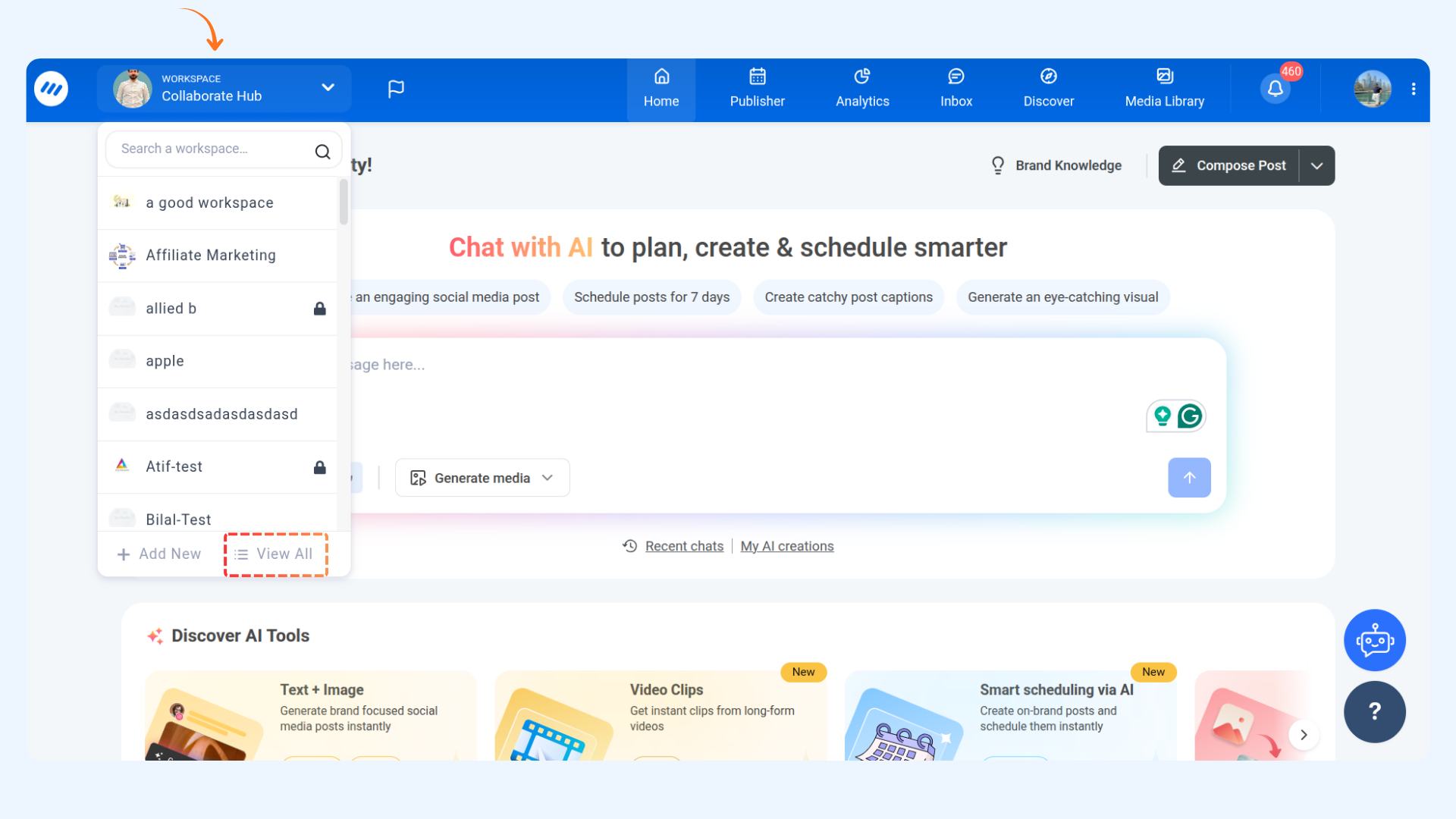
Click on Manage Team and Roles in the workspace settings.
Hover over the user you wish to remove, click the Bin icon, and confirm by clicking Yes.
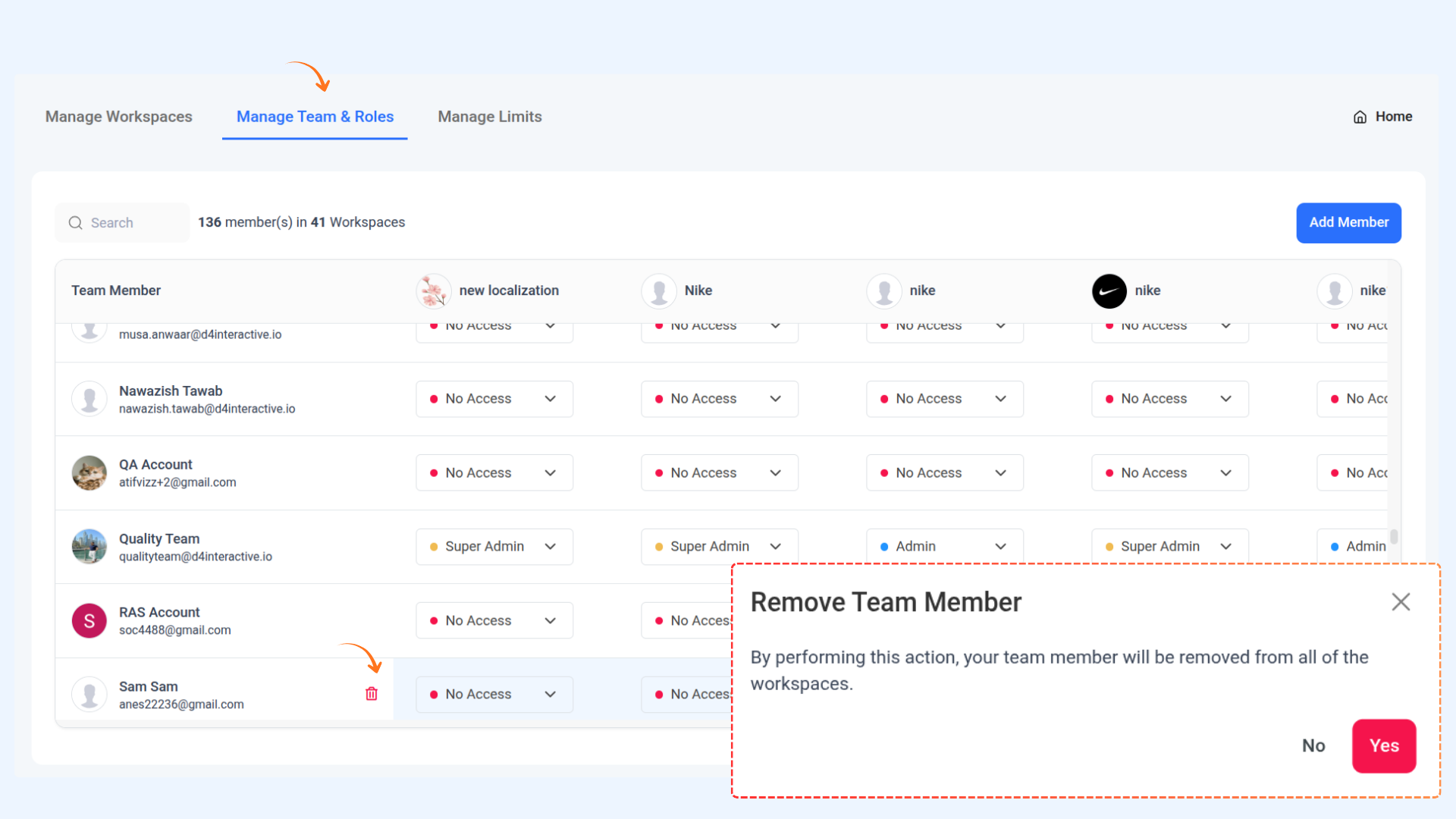
🎉 Success! The member has been successfully removed from the workspace.
FAQs
Q: Can I undo removing a member?
A: No, once removed, they must be re-invited to join again.
Q: Who can remove team members?
A: Only workspace admins have the permission to remove members.
Q: Will the removed member still see past projects?
A: No, they immediately lose access to all workspace content.
Was this article helpful?