

How to Edit a Published Post
Even after hitting publish, you might spot a typo or realize your caption needs an update. ContentStudio gives you the flexibility to edit captions of published posts without going back to the native platforms.
How to Edit a Published Post
Need to fix a typo, update hashtags, or refine your caption? ContentStudio makes it simple to edit published posts directly from your Planner.
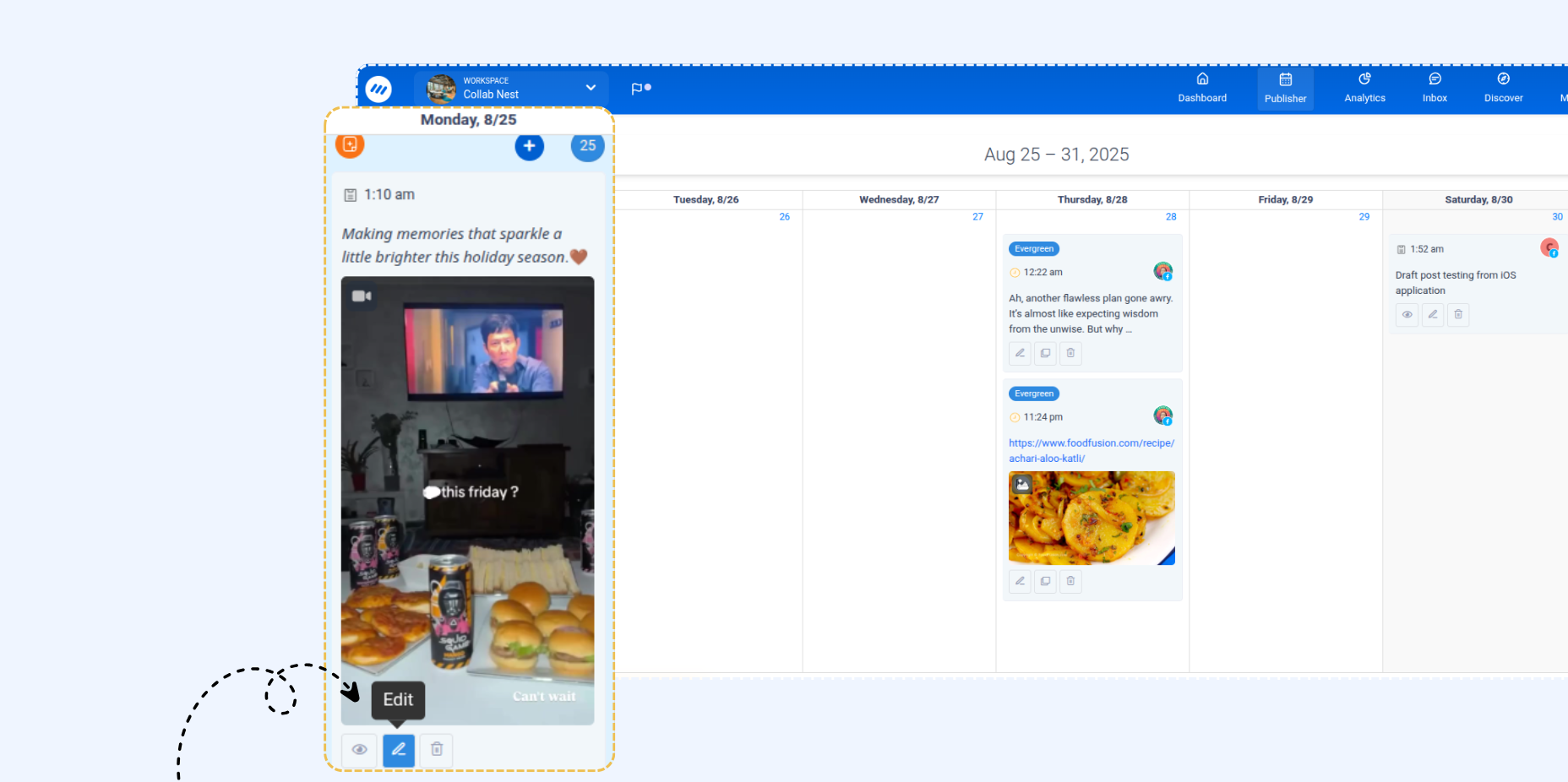
Go to Publisher → Planner. Locate your published post and click on the Edit icon to open the Composer.
Update your caption — fix typos, edit formatting, add/remove mentions, or adjust hashtags. Use the preview to check your changes before saving.
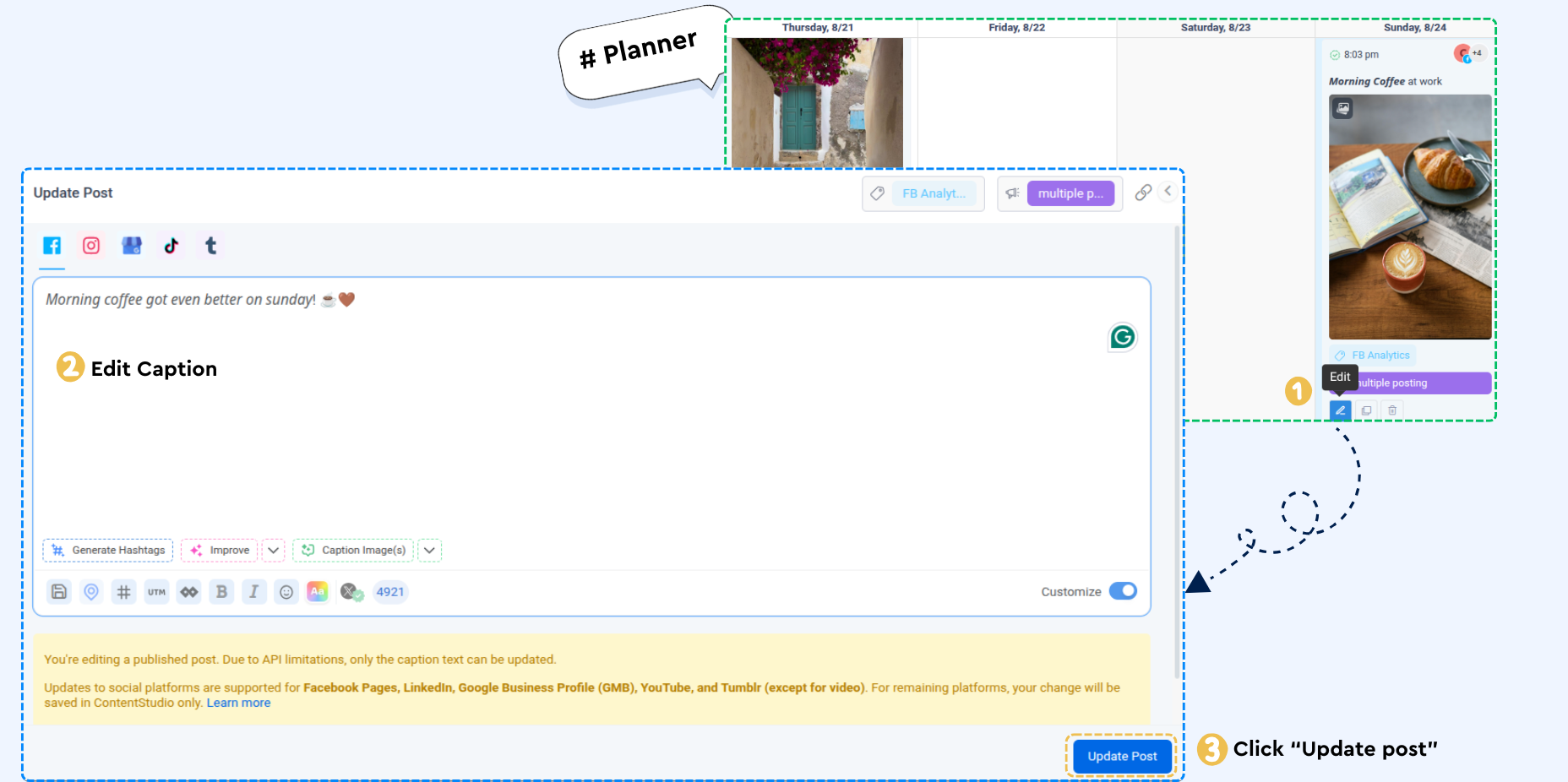
Click Update to save.
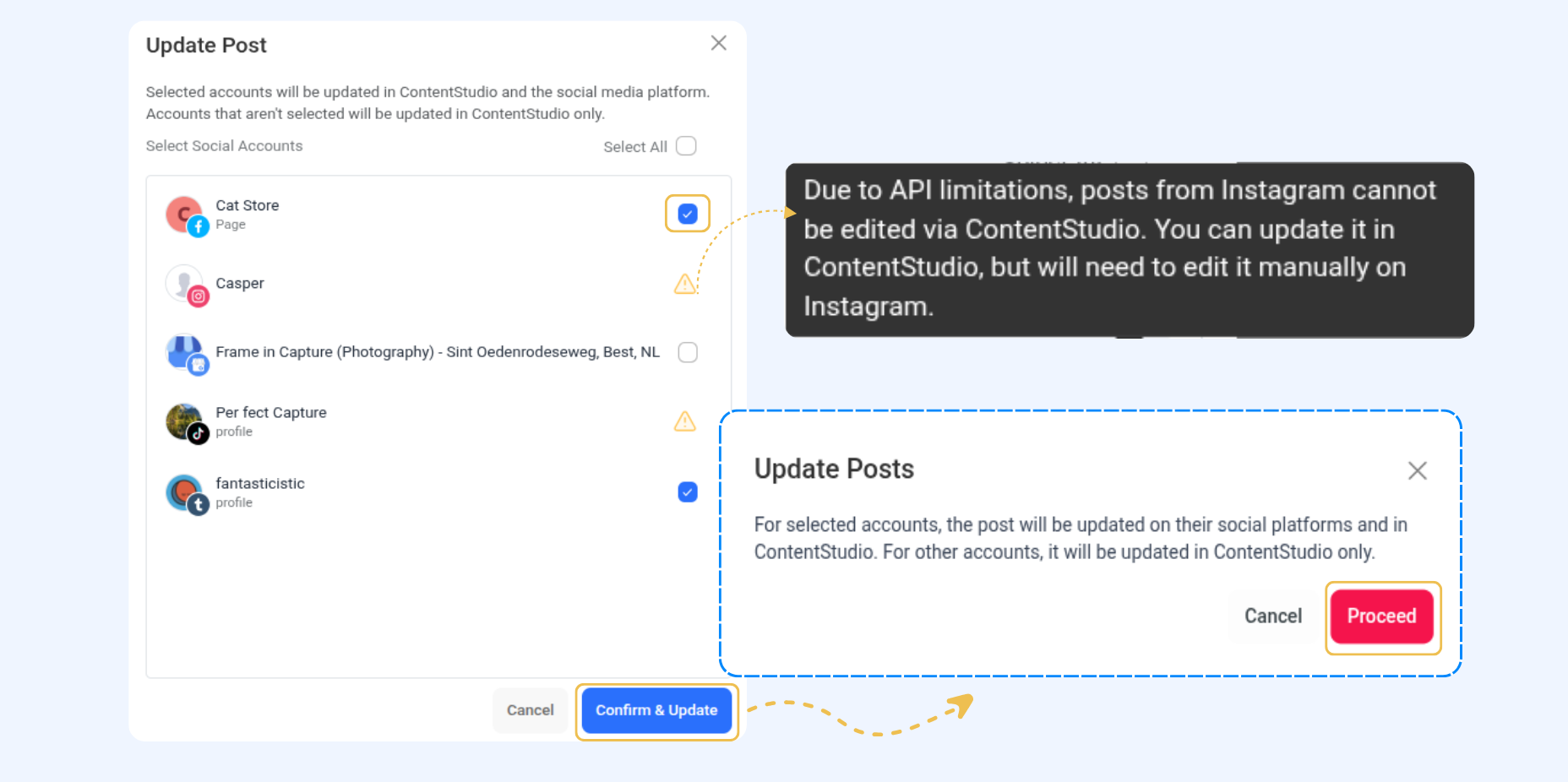
This table highlights which social media platforms support editing posts through ContentStudio. Depending on the platform, users may be able to fully update their captions or make changes only within ContentStudio without affecting the live post.
Platform | What You Can Edit |
|---|---|
Facebook Pages | Caption (text) only |
Facebook Profiles | Editing not supported via API |
Facebook Groups | Editing not supported via API |
Instagram Business and Creator Accounts | Caption (text) only |
LinkedIn Pages | Caption (text) only |
LinkedIn Profiles | Caption (text) only |
Google Business Profile (GBP) | Caption (text) only |
YouTube | Caption (description text) only |
Tumblr | Caption (text) only |
X (Twitter) | Editing not supported via API |
TikTok | Editing not supported via API |
Threads | Editing not supported via API |
Bluesky | Editing not supported via API |
Editing not supported via API |
FAQs
Q1: Which platforms allow me to edit my posts directly from ContentStudio?
A: Platforms like Tumblr support full edits via API. Facebook, LinkedIn, GMB, and YouTube allow partial edits (caption/text only). Other platforms like Instagram, TikTok, Threads, Bluesky, and Pinterest do not support API-based post edits. However, they can still be edited in ContentStudio.
Q2: What happens if I edit a post on a platform that doesn’t allow API edits?
A: Any changes you make will be saved in ContentStudio only and won’t update the live post on the native platform.
Q3: Can I remove a platform from the update scope while editing?
A: Yes, unchecking a platform during confirmation removes its accounts from the update process. Only the selected platforms will receive the updated caption.
Q4: Can I edit media (images/videos) when updating a post?
A: No, media-upload blocks are hidden during post edits. If the original post contains media, the thumbnail remains as-is and cannot be replaced.
Was this article helpful?