

Social Listening
Social Listening helps you monitor conversations about your brand, competitors, and industry across multiple social platforms in real time — all from one unified dashboard.
Instead of manually checking platforms for mentions, Social Listening automatically collects and organizes conversations for you. From brand reputation monitoring to competitor tracking and trend discovery, it gives you a clearer understanding of what people are saying online.
In this Article:
What is Social Listening?
Social Listening is the process of tracking online conversations related to specific keywords, brands, competitors, or topics across social media and web platforms.
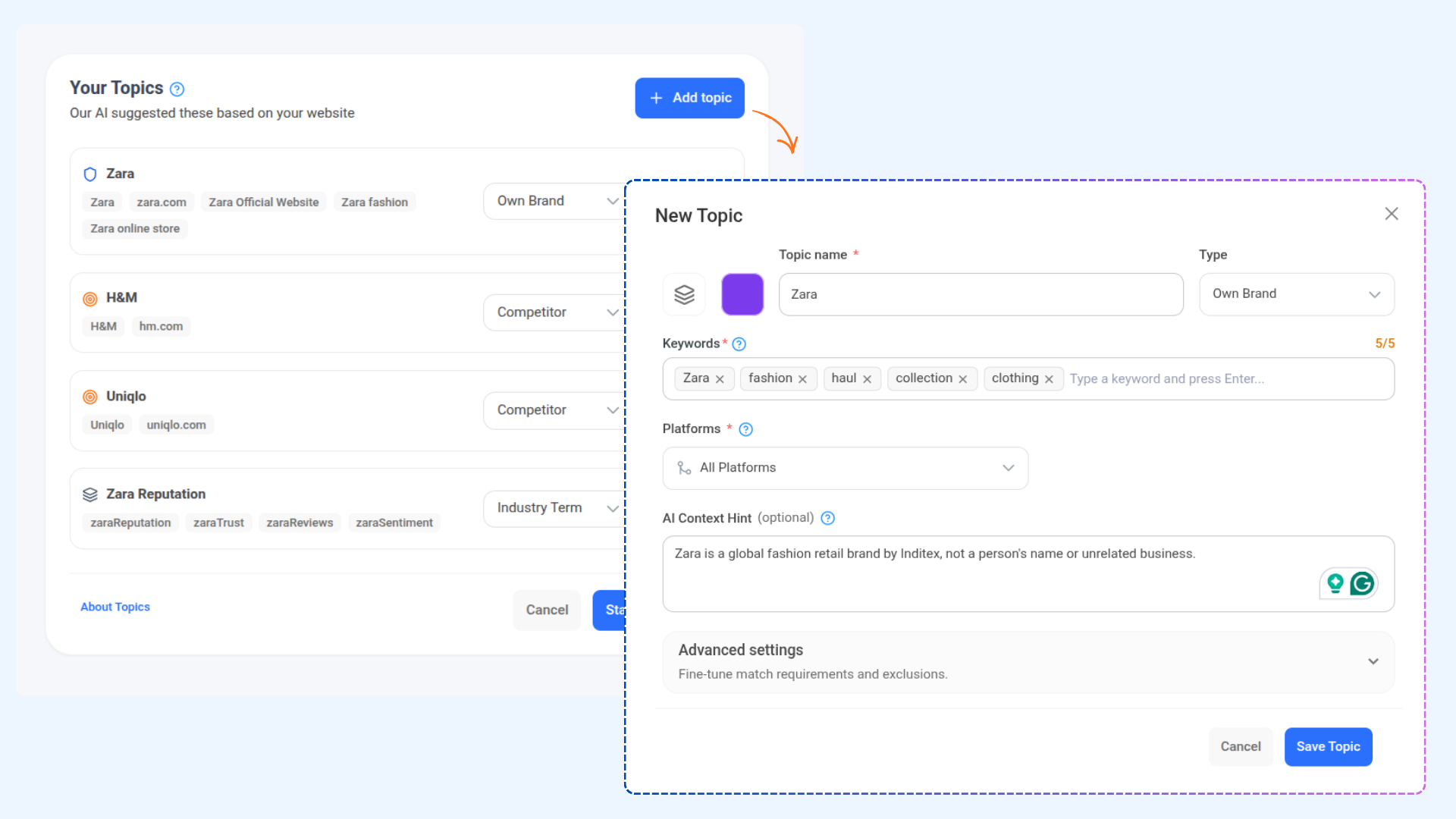
In ContentStudio, Social Listening is organized through Topics. Each topic allows you to define:
What you want to monitor
Which platforms to monitor
Which keywords to track
How mentions should be filtered
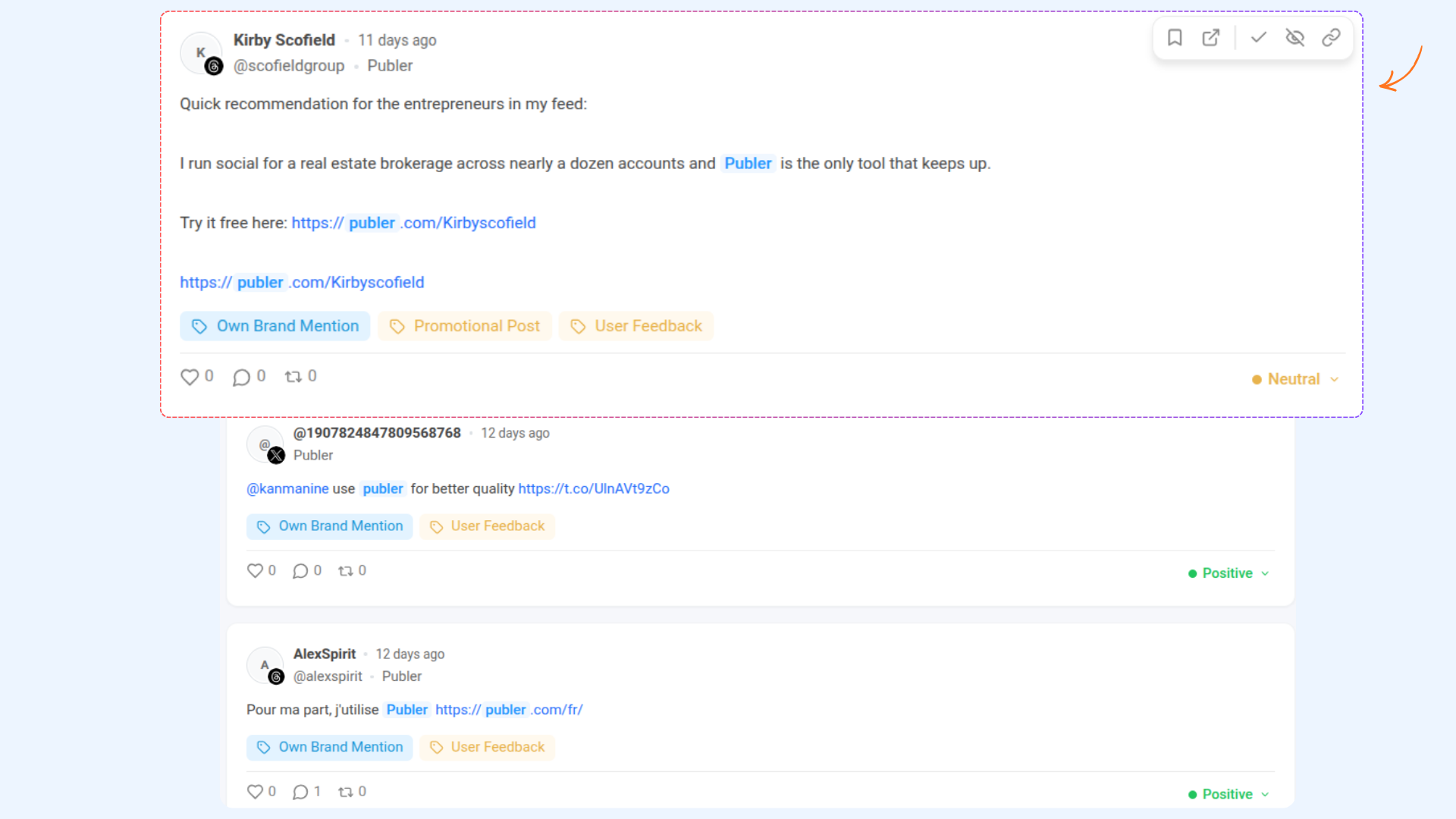
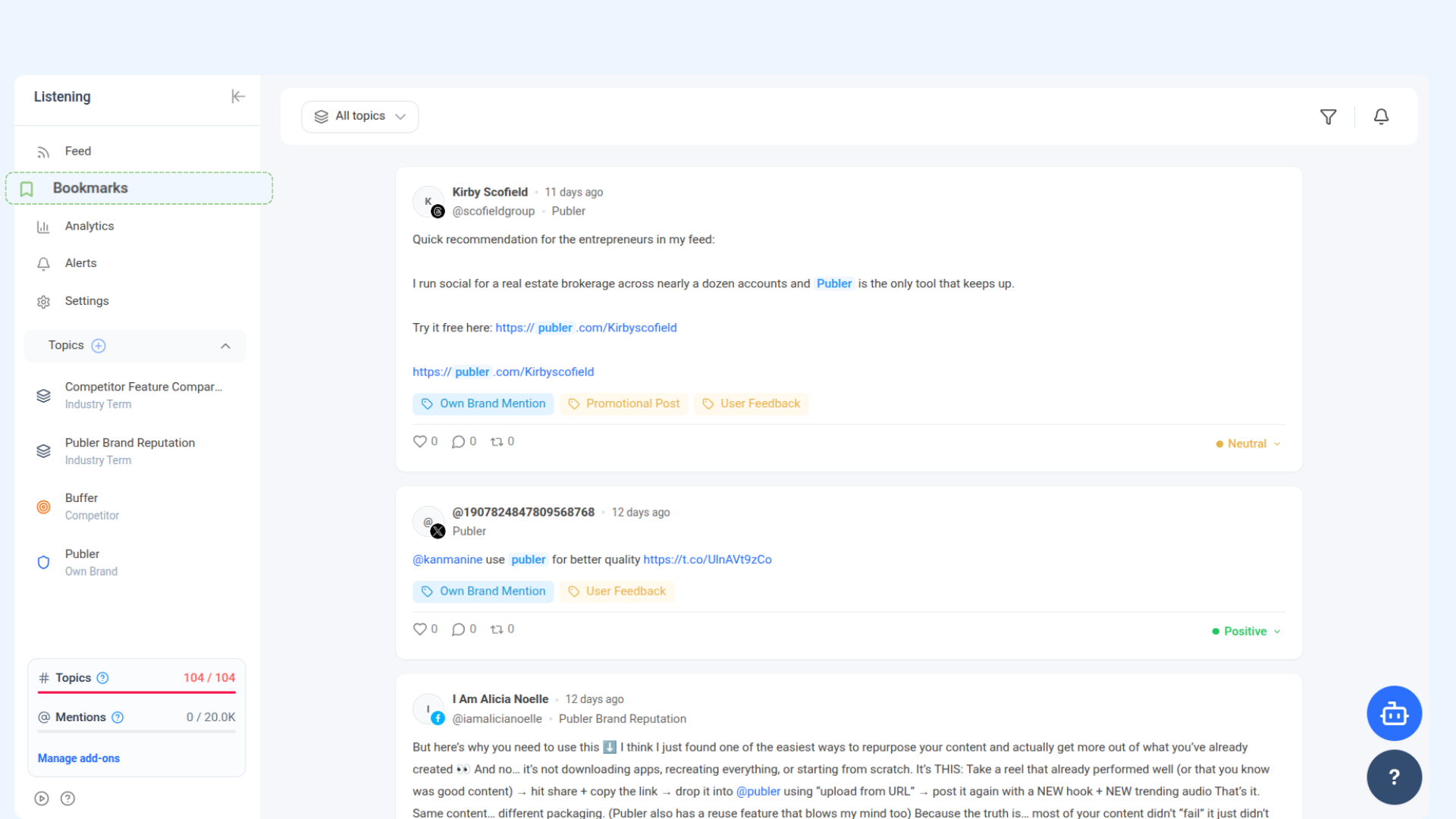
The system then collects mentions from your selected platforms and displays them in a centralized feed with AI-powered insights like sentiment analysis, tagging, and engagement categorization.
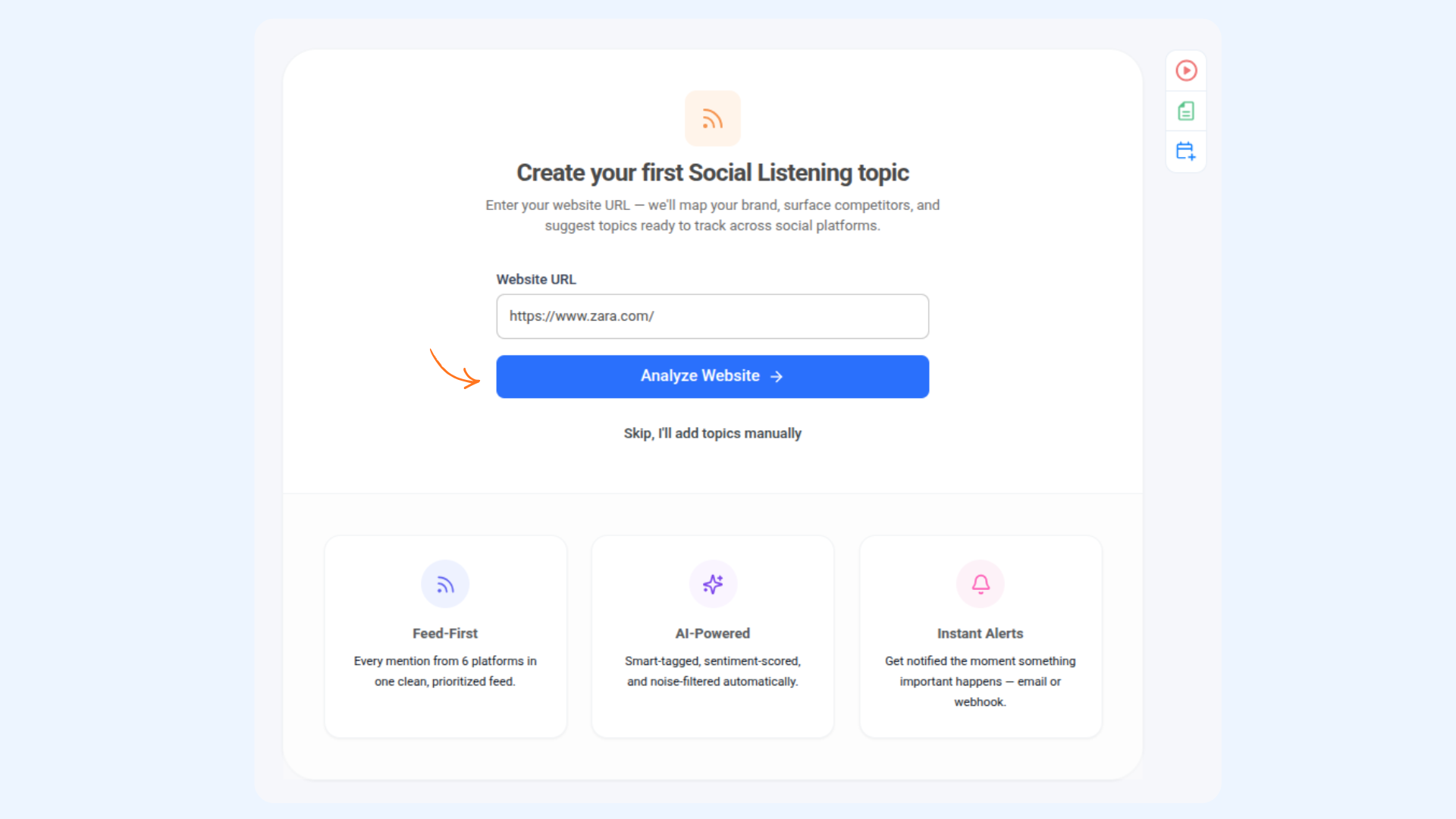
How to configure a Topic
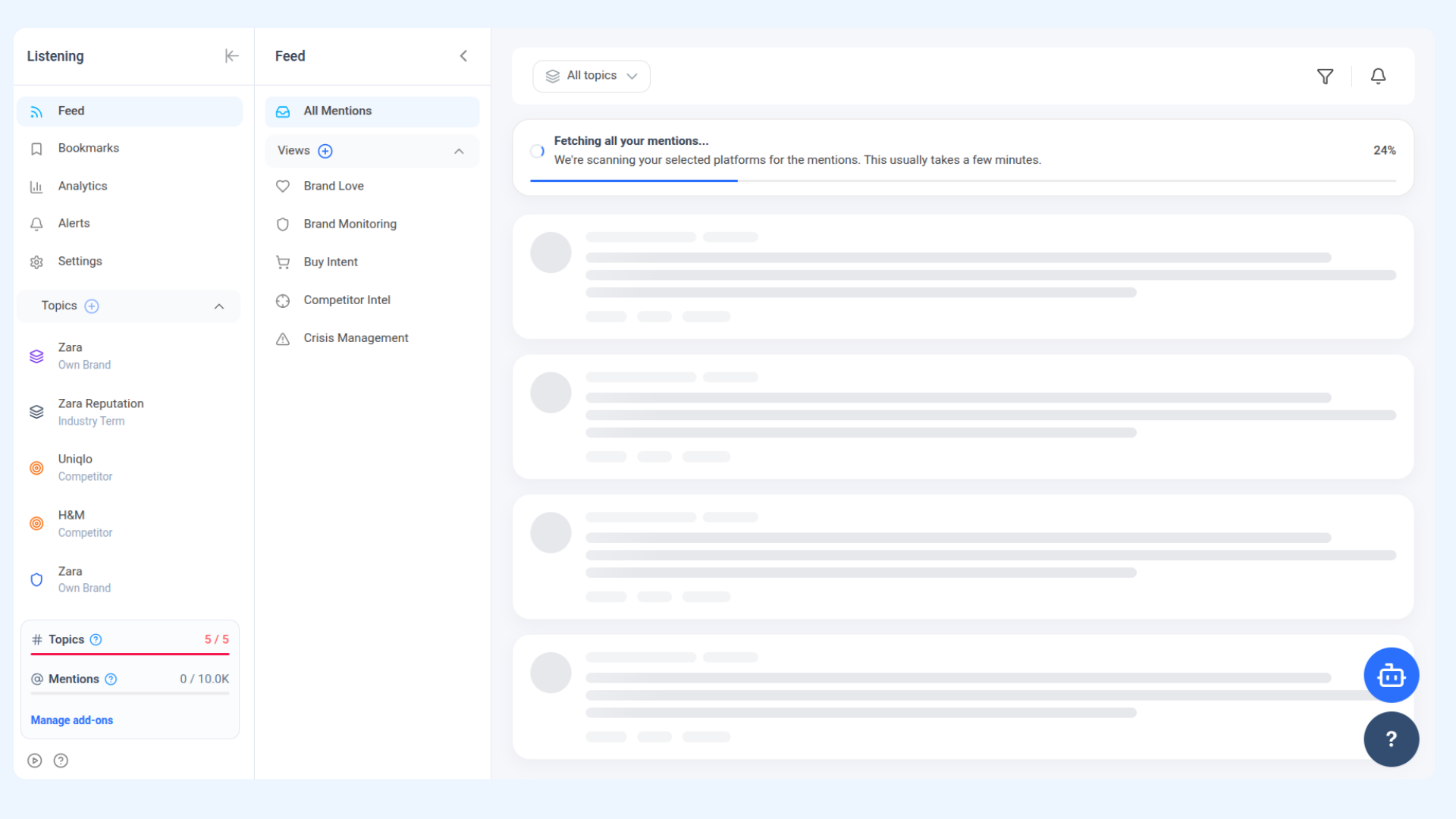
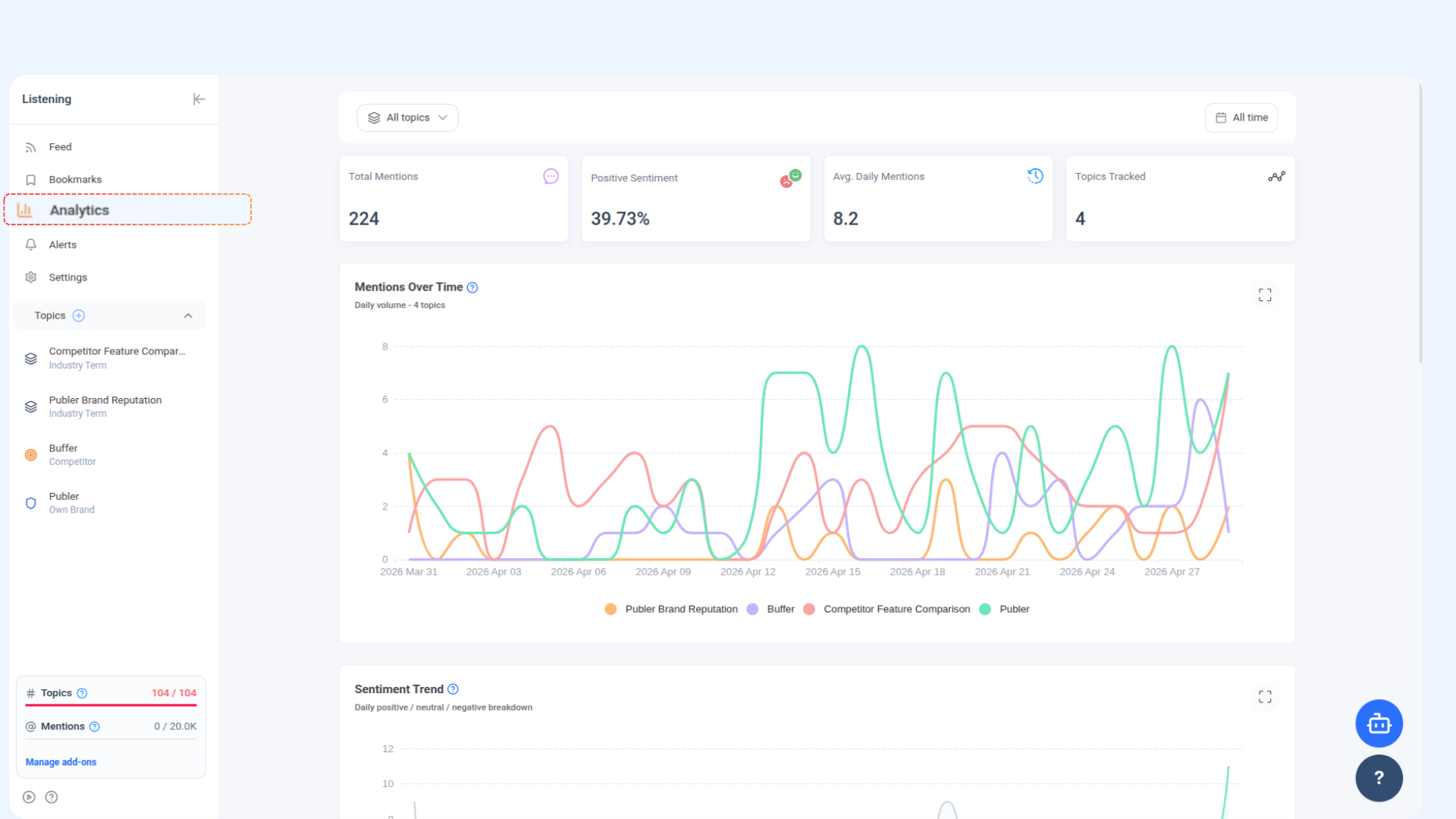
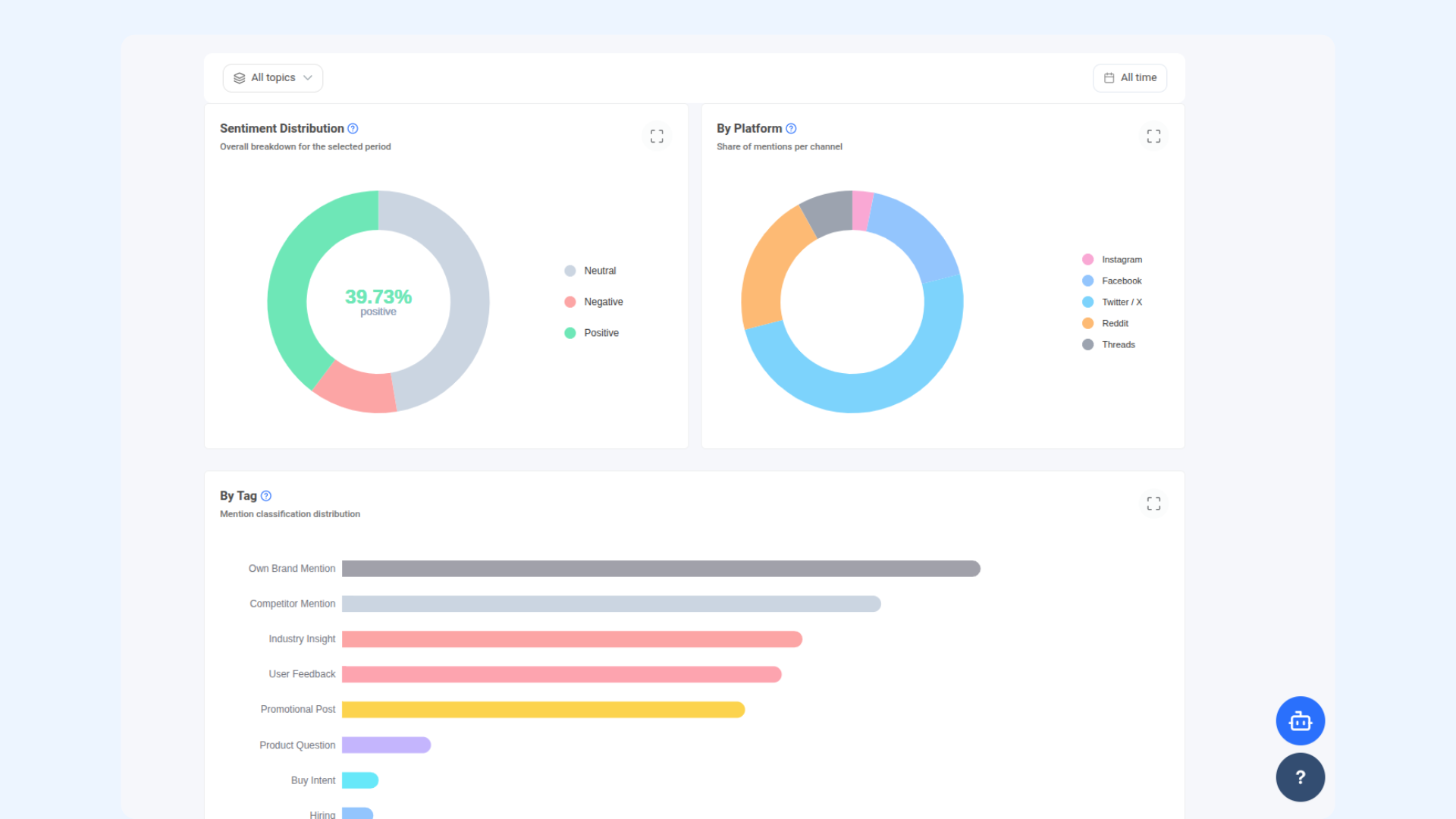
About the Social Listening Dashboard
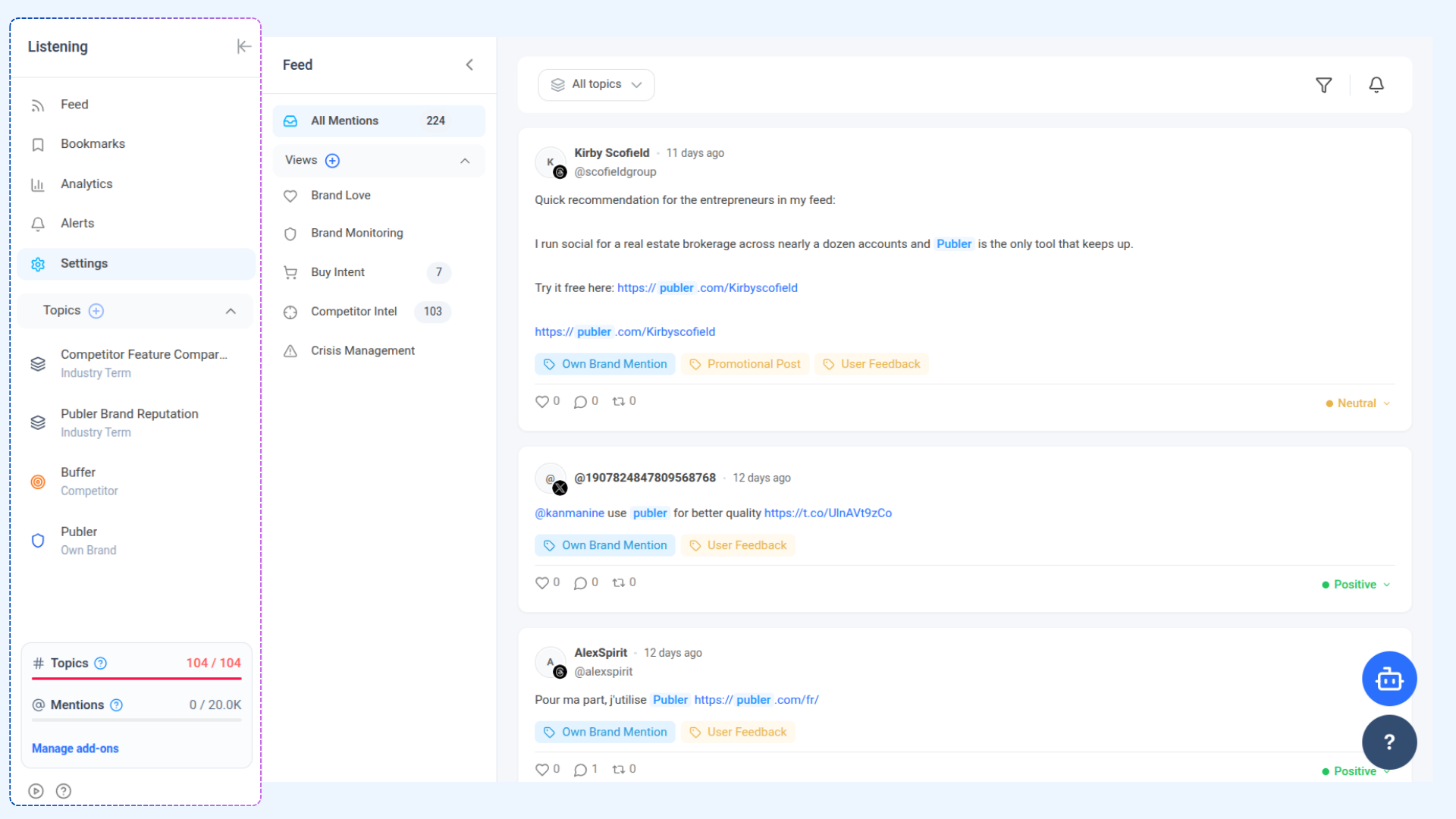
Understanding Mentions and AI tags
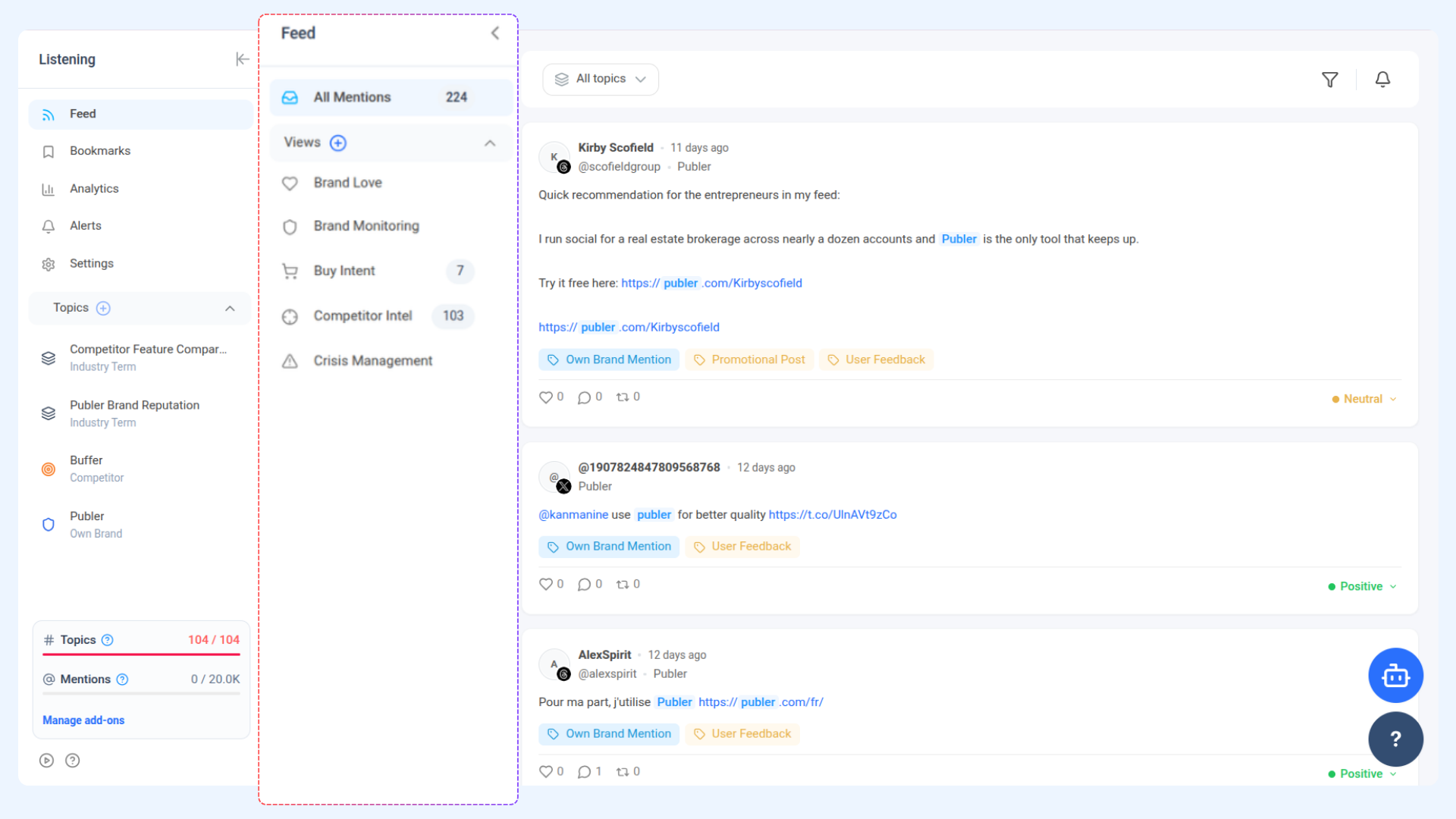
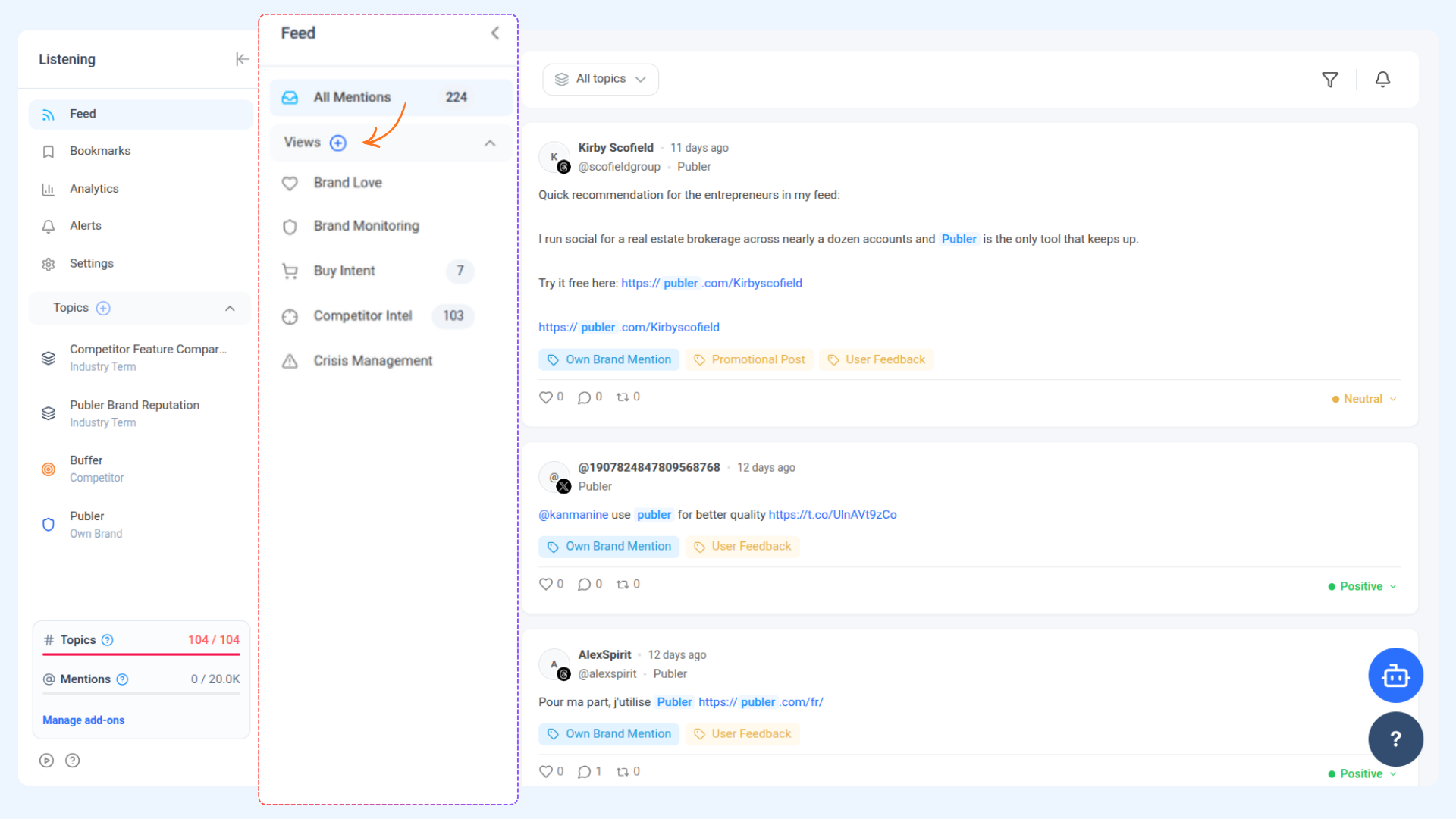
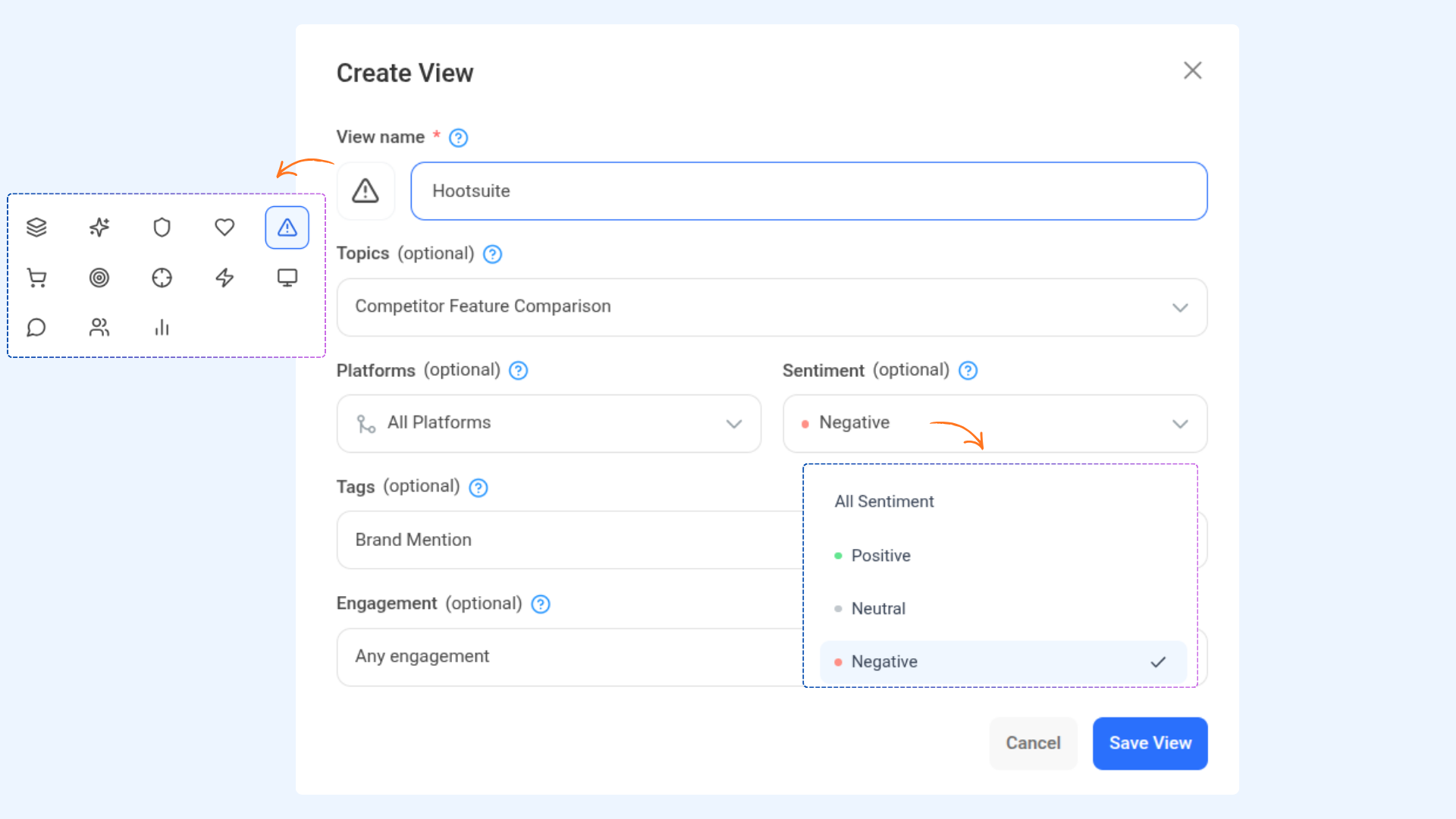
How to create a View in Feed
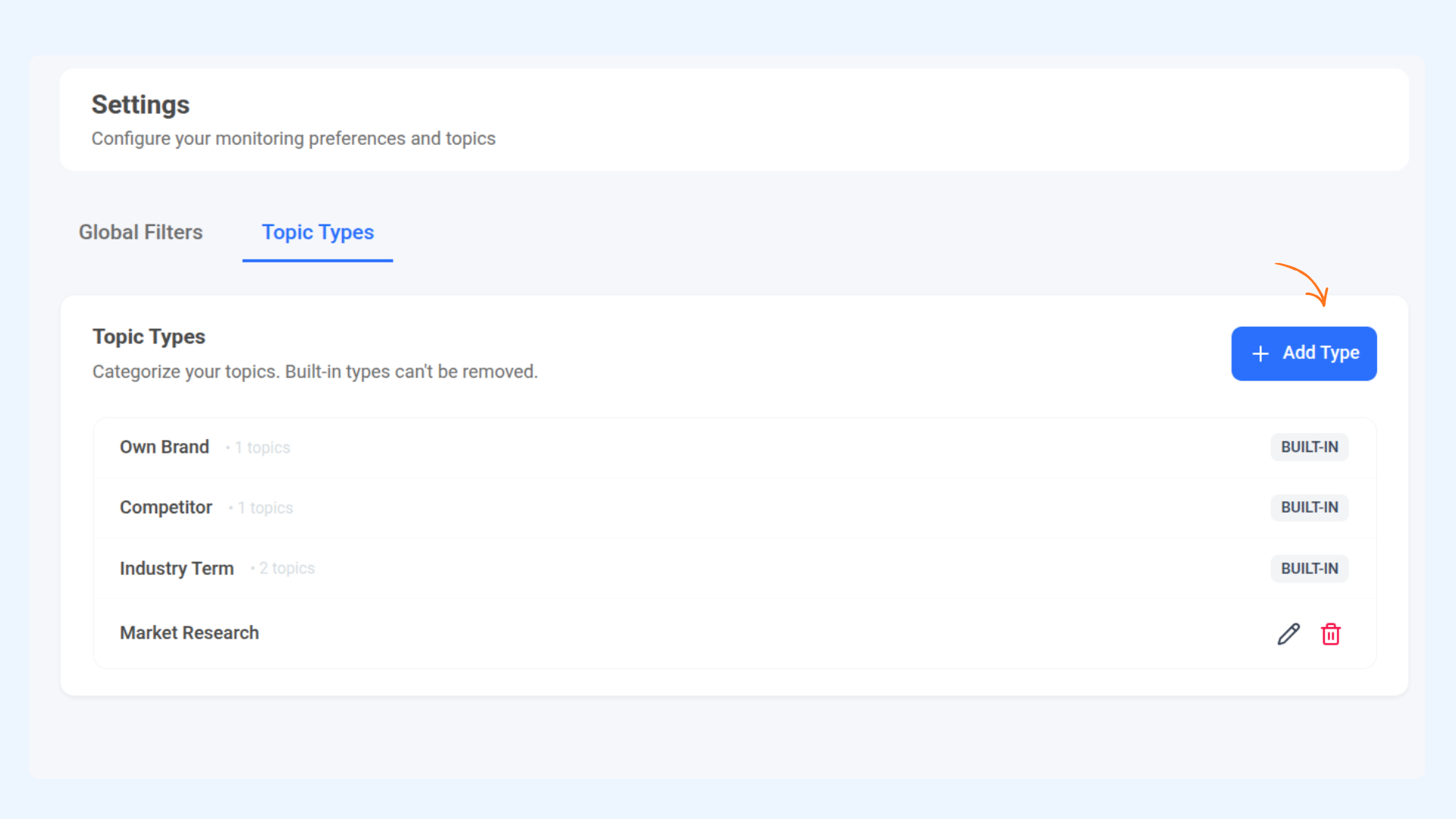
Settings
FAQs
How many topics can I monitor at once?
You can monitor up to 5 active topics at the same time.
How many keywords can I add per topic?
Each topic supports up to 5 keywords.
How long does mention fetching take?
Fetching mentions usually takes a few minutes depending on selected platforms and monitoring scope.
Can I monitor competitors?
Yes. You can create competitor-specific topics to track mentions and conversations related to competing brands.
What does the AI Context Hint do?
It helps AI better understand your topic and improves mention relevance and filtering accuracy.
Can I create custom feed views?
Yes. Custom views allow you to filter mentions by topics, platforms, sentiment, tags, and engagement.
Can I bookmark mentions?
Yes. Important mentions can be bookmarked and accessed later from the Bookmarks section.
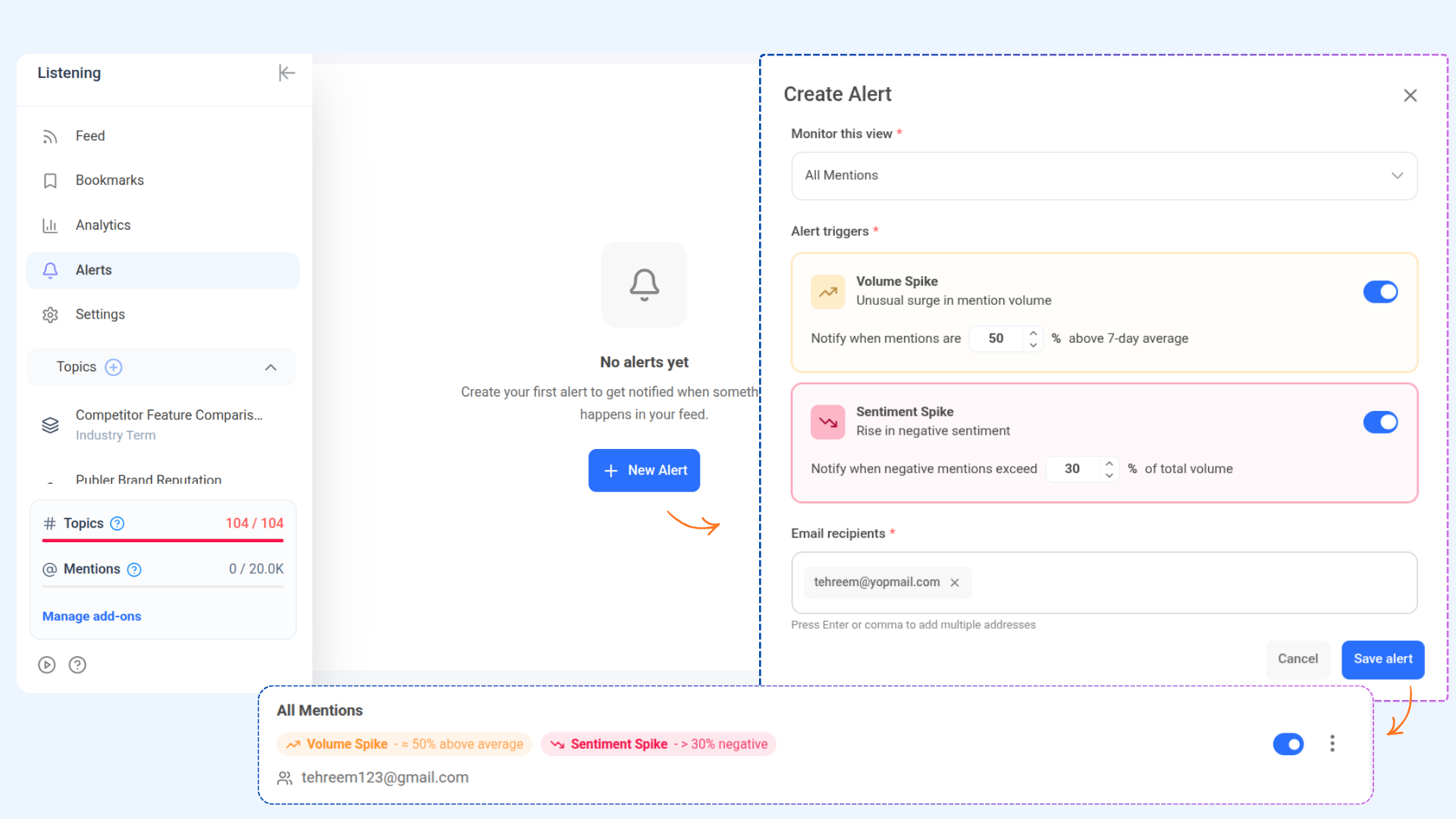
What alerts are available?
You can create alerts for:
Volume spikes
Sentiment spikes
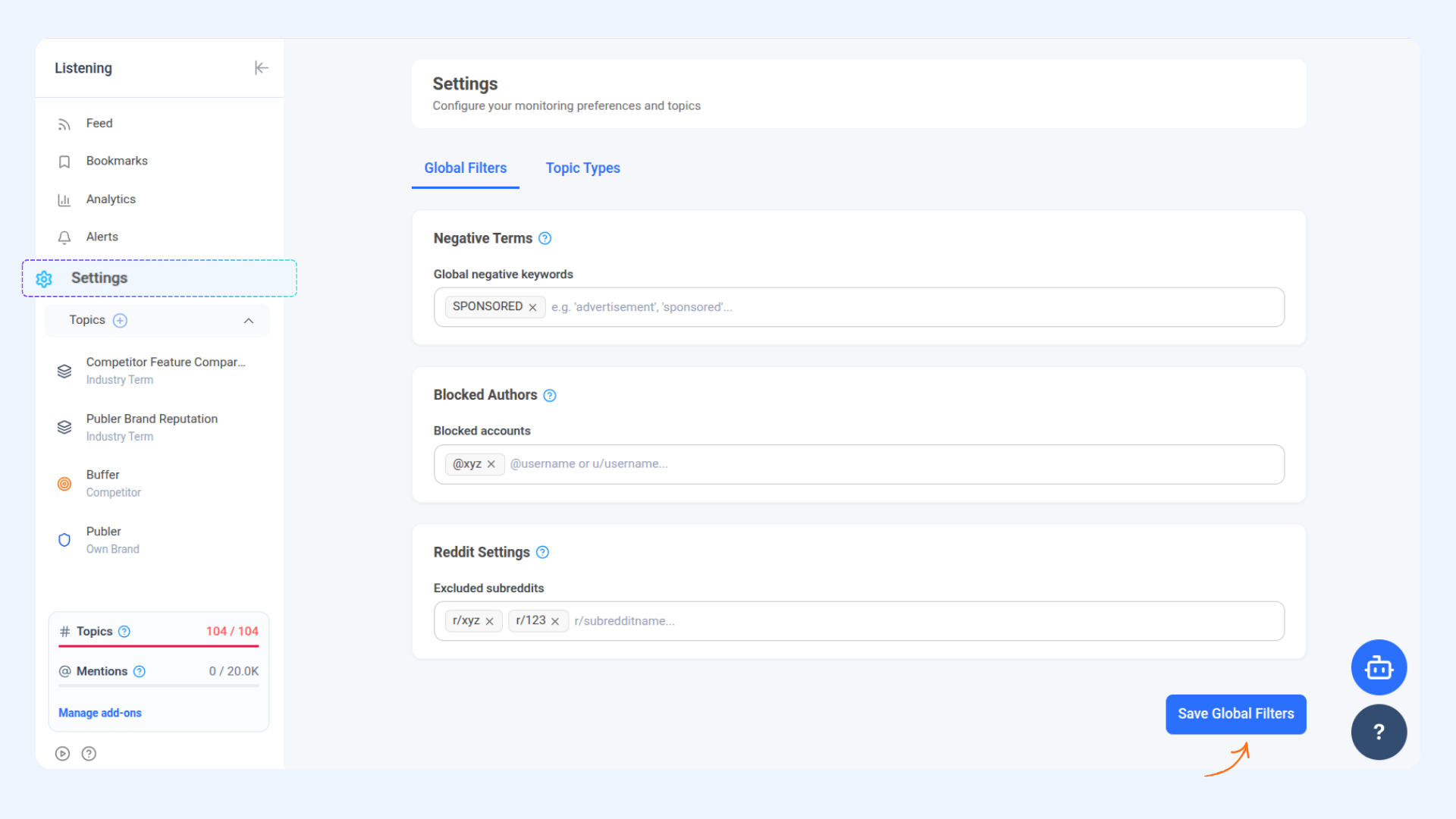
Can I block unwanted mentions?
Yes. Use Negative Terms and Blocked Authors inside Settings to filter unwanted content.
Can I filter analytics by topic?
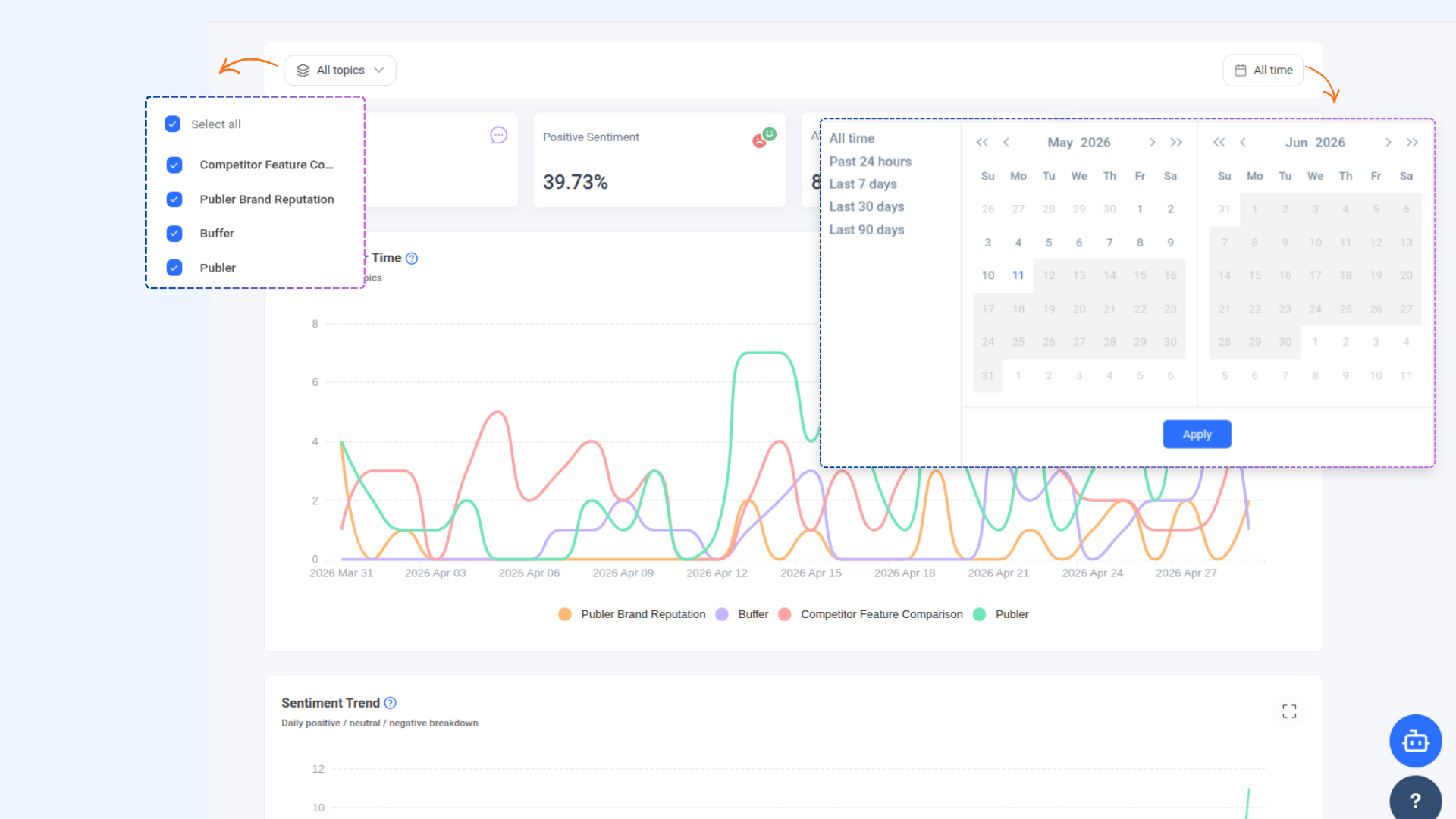
Yes. Analytics can be filtered by topic and date range.
Was this article helpful?