

How to Analyze Your Audience Demographics
The Audience Demographics section in your Analytics dashboard helps you understand who your followers are and where they come from. This data includes insights into age groups, gender distribution, and geographic locations, so you can create content that better resonates with your audience.
In this article:
Audience Demographics
Meta has deprecated Facebook Audience data by Age and Gender. If your account was connected before 14 March 2024, you can still access insights. Accounts connected after this date will not have access to age and gender data due to API restrictions.
Demographics data is currently available for Facebook and Instagram only.
Accessing Audience Demographics:
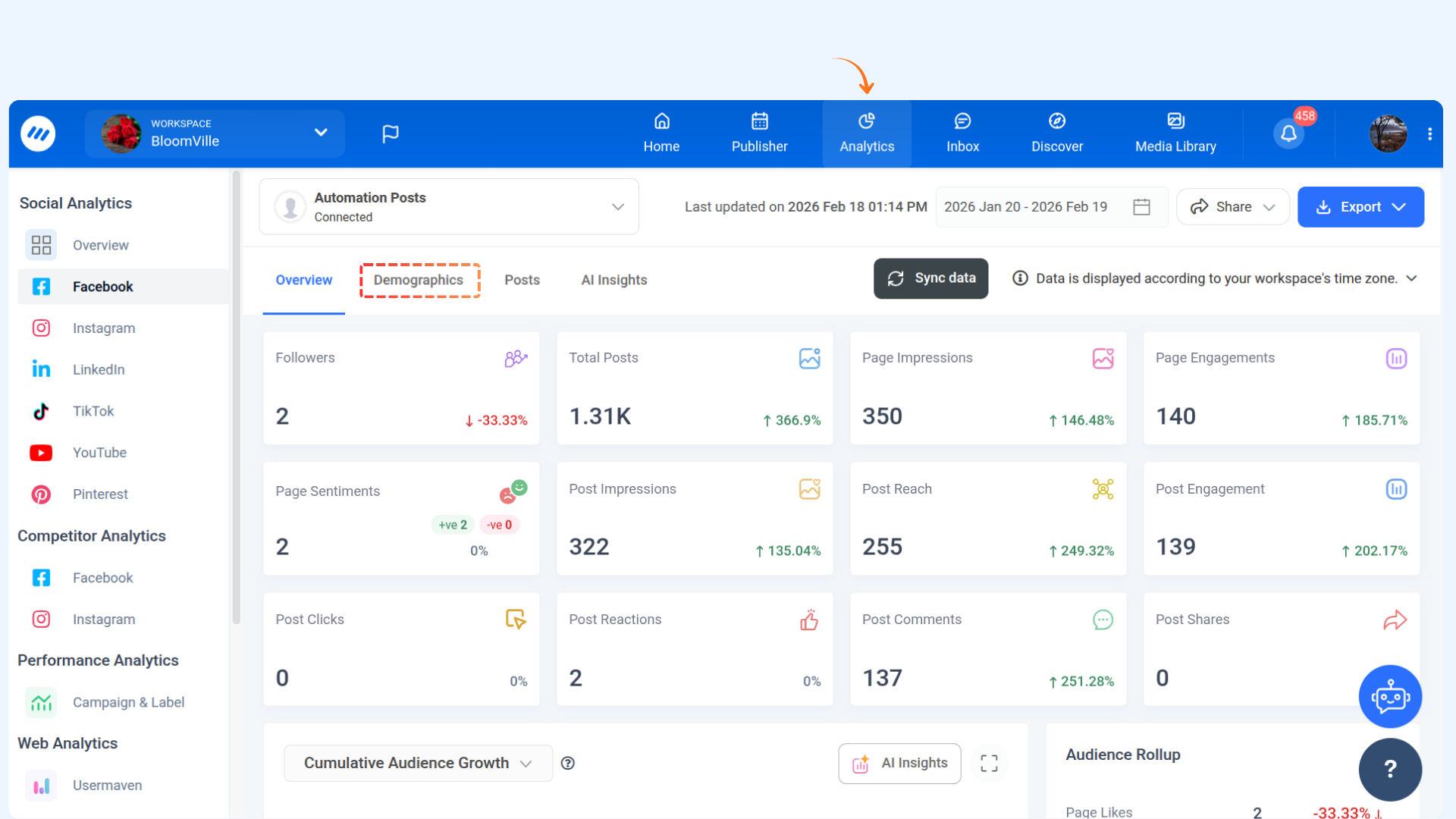
Overview of Audience Demographics:
The demographics tab shows your top audience by gender and age, as well as your top location.
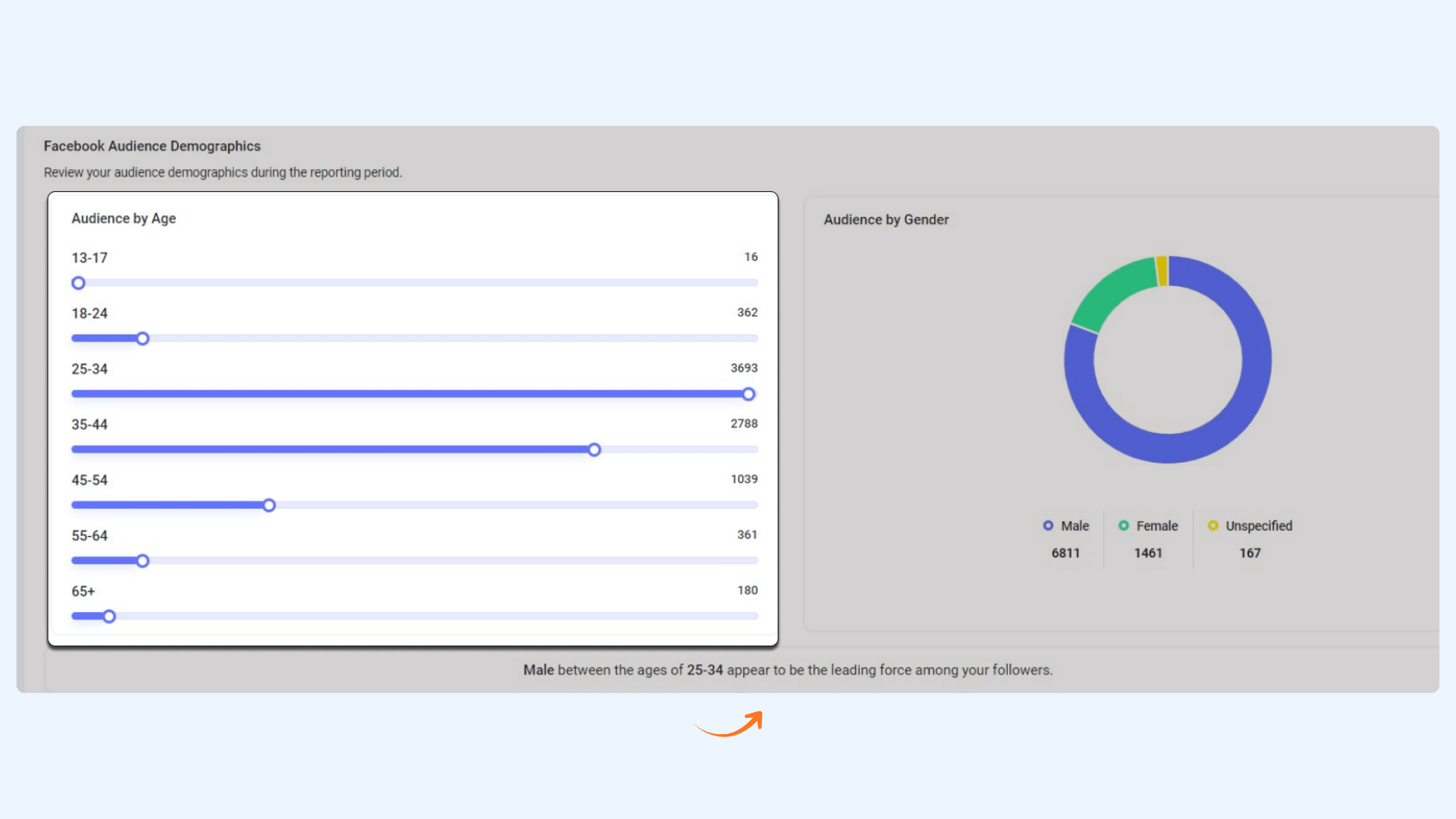
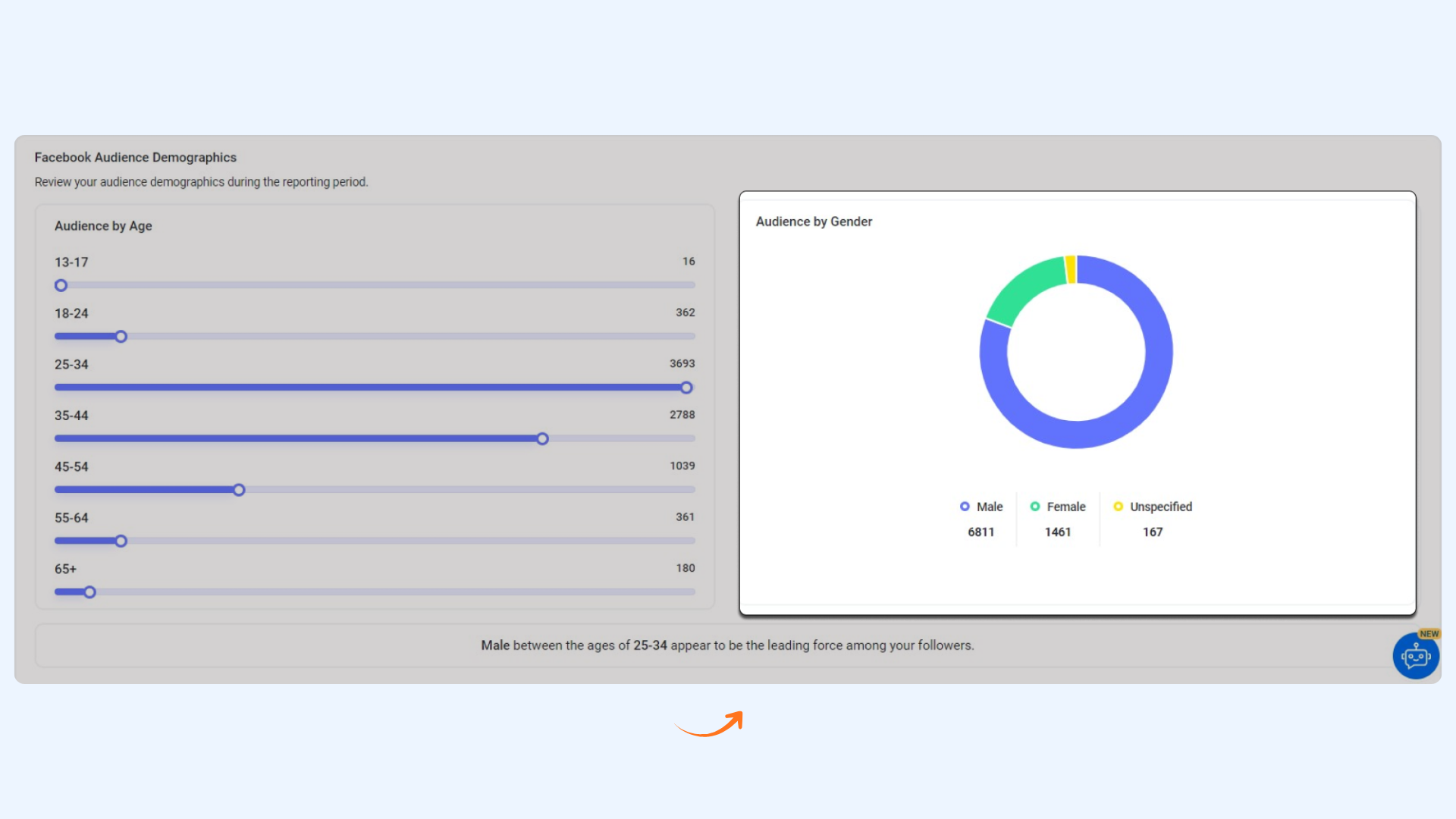
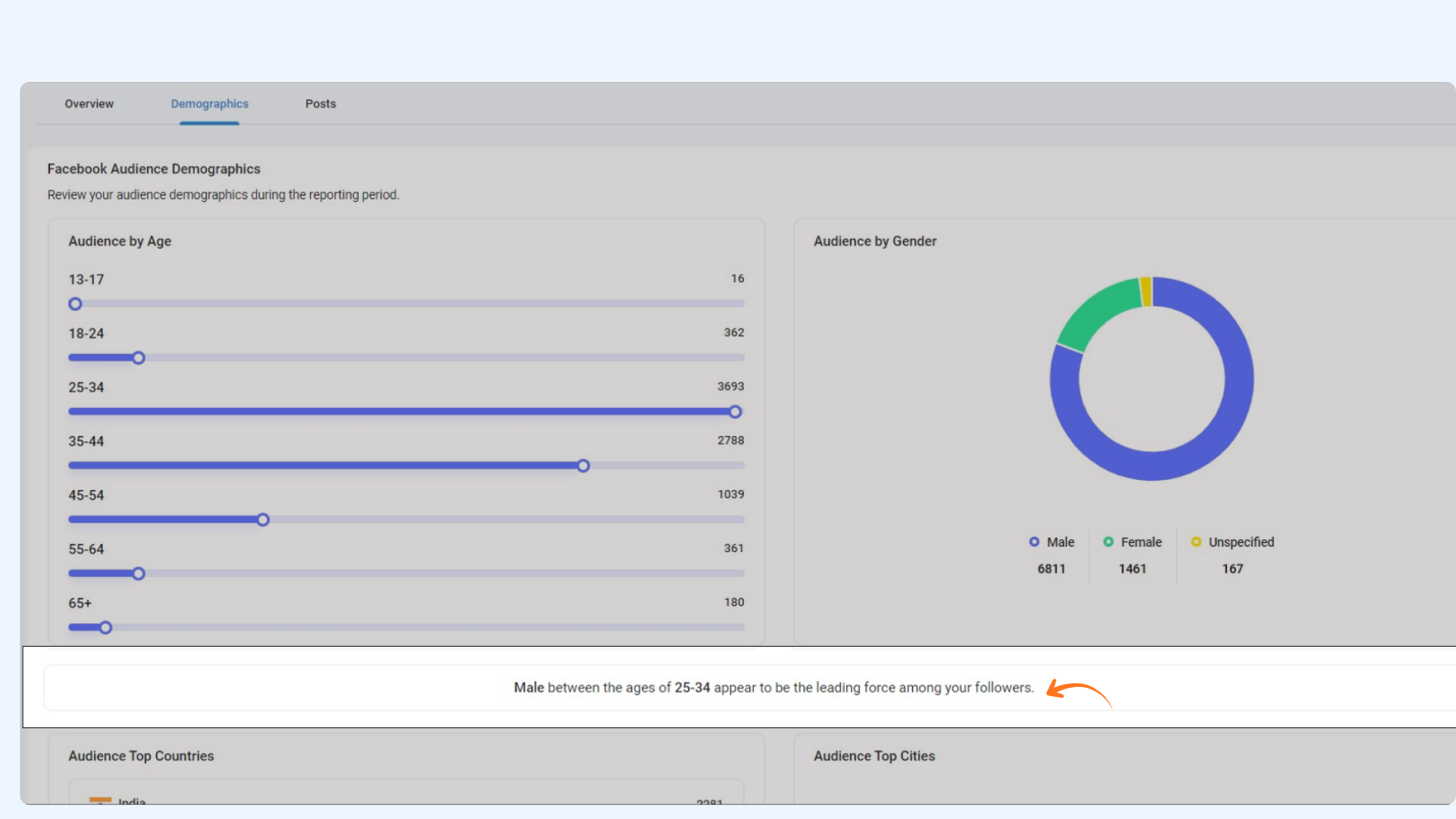
Audience by Top Countries & Cities
FAQs
1. Why can’t I see Age and Gender data for my Facebook page?
Meta has deprecated access to Facebook Audience data by age and gender for newly connected accounts.
If your Facebook page was connected after 14 March 2024, this data will not be available.
2. Why is no demographic data showing for my page?
Audience demographics will only appear if your Facebook page has more than 100 fans. Pages with fewer than 100 fans will not display demographic insights.
3. Does demographic data include historical insights?
No. Demographics data starts accumulating from the day your Facebook page is connected. Past historical demographic data is not available due to API restrictions.
4. Can I view demographics for LinkedIn?
No. Demographics insights for LinkedIn are currently not supported. The Audience tab only shows data for Facebook and Instagram.
5. Can I view demographics for multiple accounts?
Yes. If you manage multiple accounts under the same social network (e.g., multiple Facebook pages), you can switch between them using the account dropdown at the top of the dashboard.
6. Can I change the date range for analysis?
Yes. You can select a custom date range. The default view shows the past 30 days, and predefined ranges are also available for quick selection.
Was this article helpful?