

How to Share Analytics via Link
Want to keep your clients or teammates updated without sending endless reports? 📊 With Shareable Analytics Link, you can easily generate a secure link to your analytics dashboard and share it with anyone, no login required!
Sharing Analytics via Link
You can easily share platform-specific analytics with clients or teammates using a secure, shareable link. Follow these steps:
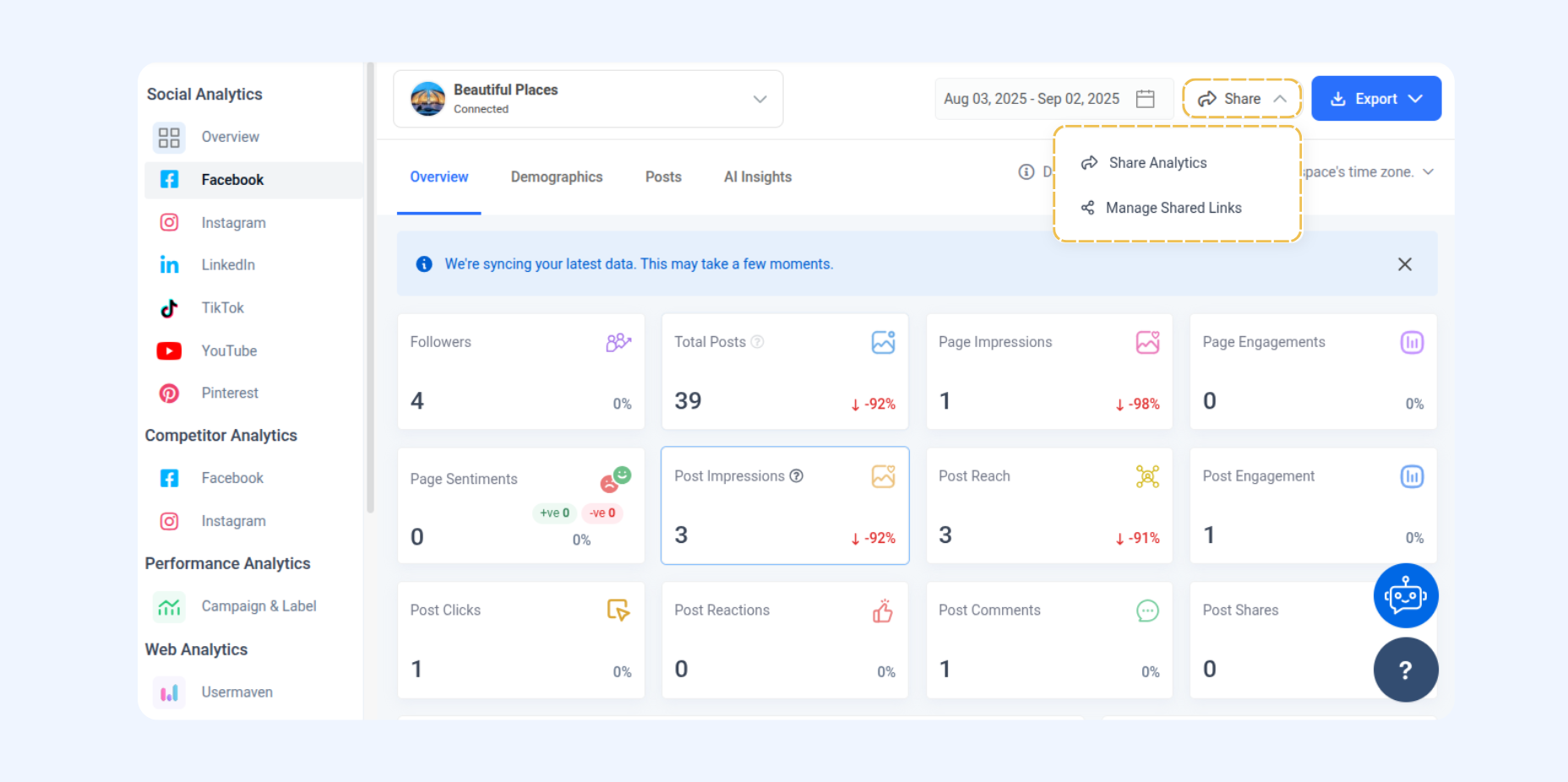
Go to Analytics, then select Overview or any platform listed under Social Analytics (e.g., Facebook, Instagram, LinkedIn, etc.).
On the selected platform’s Analytics page, click the Share button located at the top-right corner.
In the Create Shareable Link window, fill in the required details:
Title – Name your shareable report.
Password Protection – Optionally enable for extra security.
Date Range – Choose Dynamic (viewers can adjust dates) or Fixed (locked date range).
Account Access – Share only selected accounts or allow switching to all connected accounts.
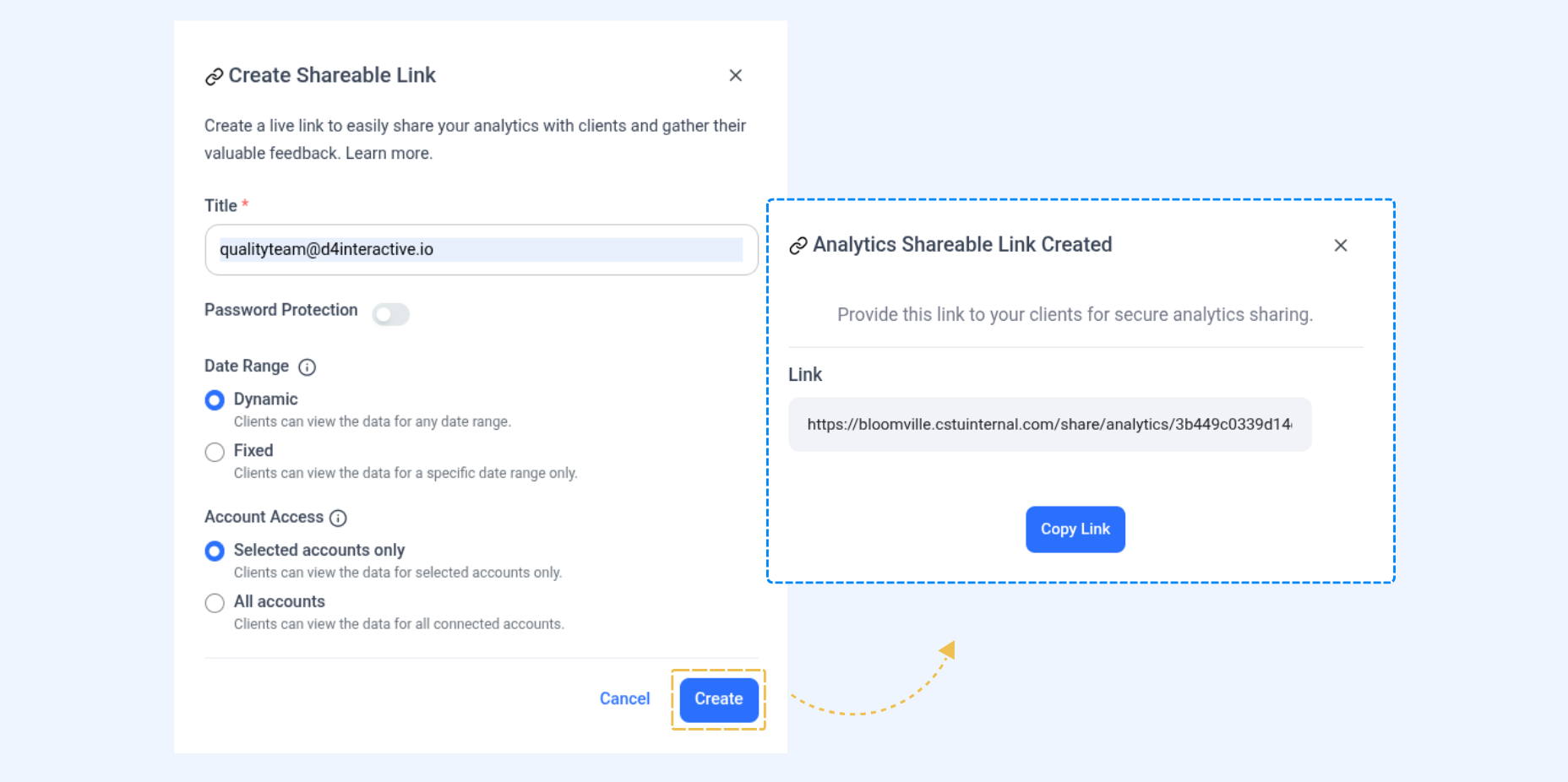
When you create a shareable analytics link, you can choose how the date range works:
Dynamic (default – last 30 days): The report starts with the last 30 days, but anyone opening the link can adjust the dates themselves.
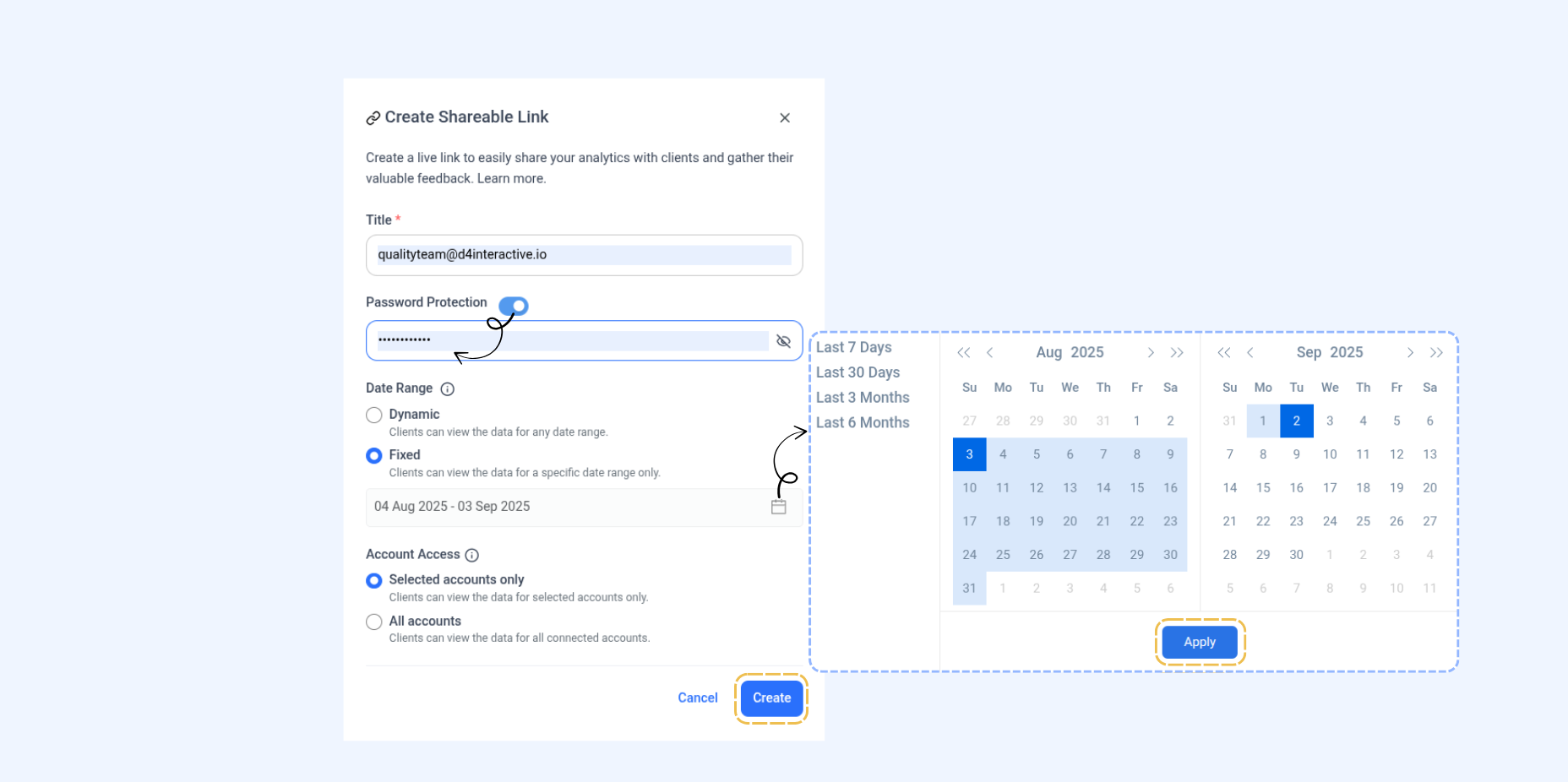
Fixed: You set the dates before sharing, and viewers can only see that specific time period.
You can also protect a shared analytics link with a password so only people with the password can open it.
Set the password when creating the link.
Viewers must enter it before accessing the report.
FAQs
Q1: Can I share analytics for a specific platform only (e.g., Facebook or Instagram)?
Yes. From the left sidebar, open Social Analytics, select the platform, then create a shareable link for that platform’s report.
Q2: Do viewers need a ContentStudio account to open the shared link?
No. Anyone with the link can view the report, unless you enable Password Protection.
Q3: What’s the difference between Dynamic and Fixed date range?
Dynamic lets viewers change the date range. Fixed locks the report to the dates you selected.
Q4: Can I protect my analytics report with a password?
Yes. In the Create Shareable Link window, toggle Password Protection and set a password.
Q5: Can I update or revoke a shareable link later?
Yes. Manage or revoke links anytime from Analytics → Shared Links.
Q6: Is the data in the shared link real-time?
Yes. The report reflects the latest available data (subject to each platform’s refresh frequency).
Related Articles
Was this article helpful?