

How to Analyze your Top Posts
The top Posts section highlights the posts that have received the highest levels of engagement, including likes, comments, shares, and other relevant metrics. It helps you identify which content resonates most with your audience.
In this Article:
Accessing Top Posts
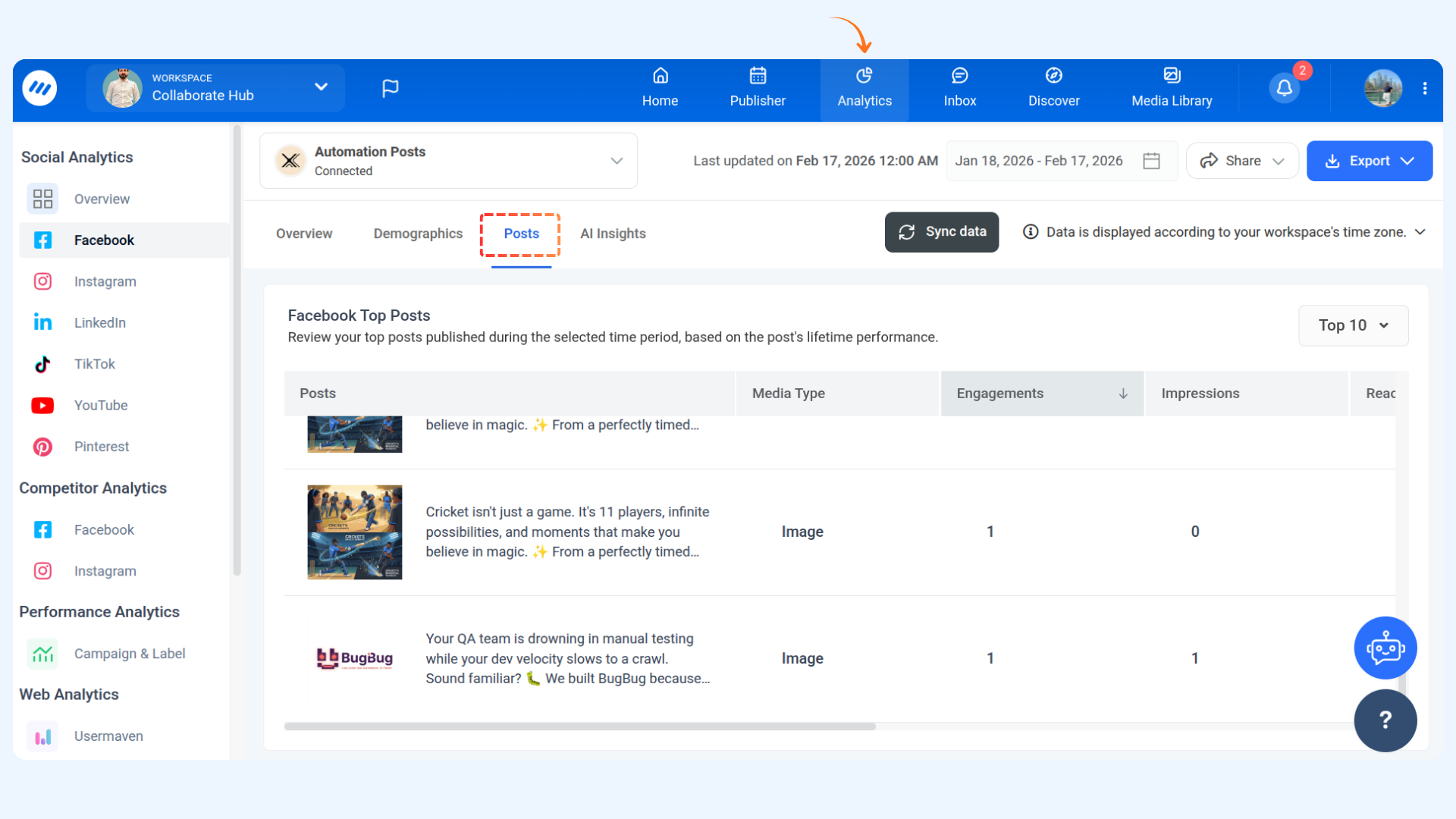
Navigate to Analytics from the Home.
Choose any social network from the left panel (e.g., Facebook).
Select the Posts tab.
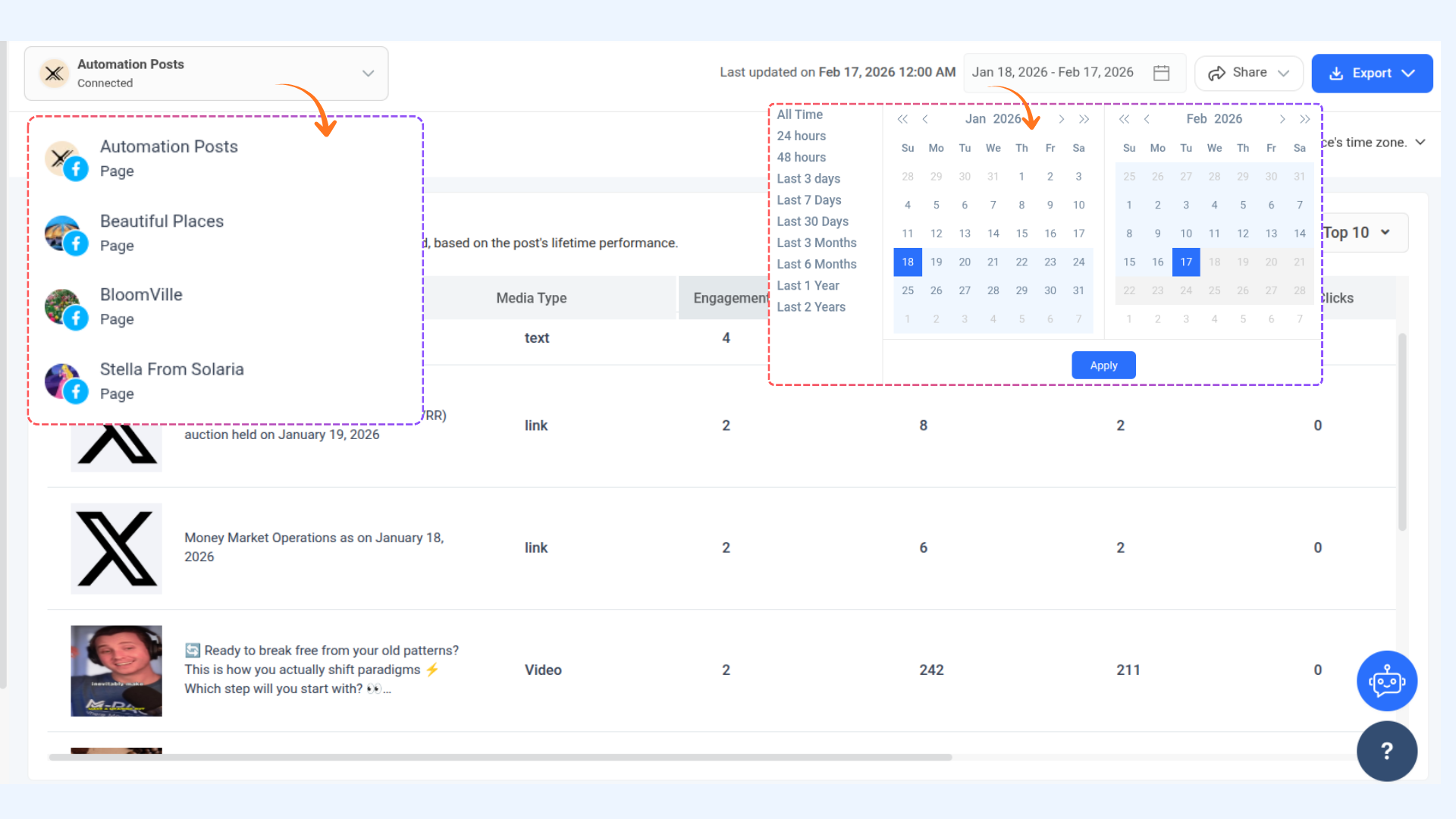
If you have multiple social accounts from one network (e.g., multiple Facebook Pages), you can select any account from the top dropdown.
Select a date range to analyze. The default range is Past 30 Days, and predefined ranges are available for quick selection.
Overview of Top Posts:
The Posts tab displays the posts that received the most Engagements and Impressions during the selected period.
For Facebook:
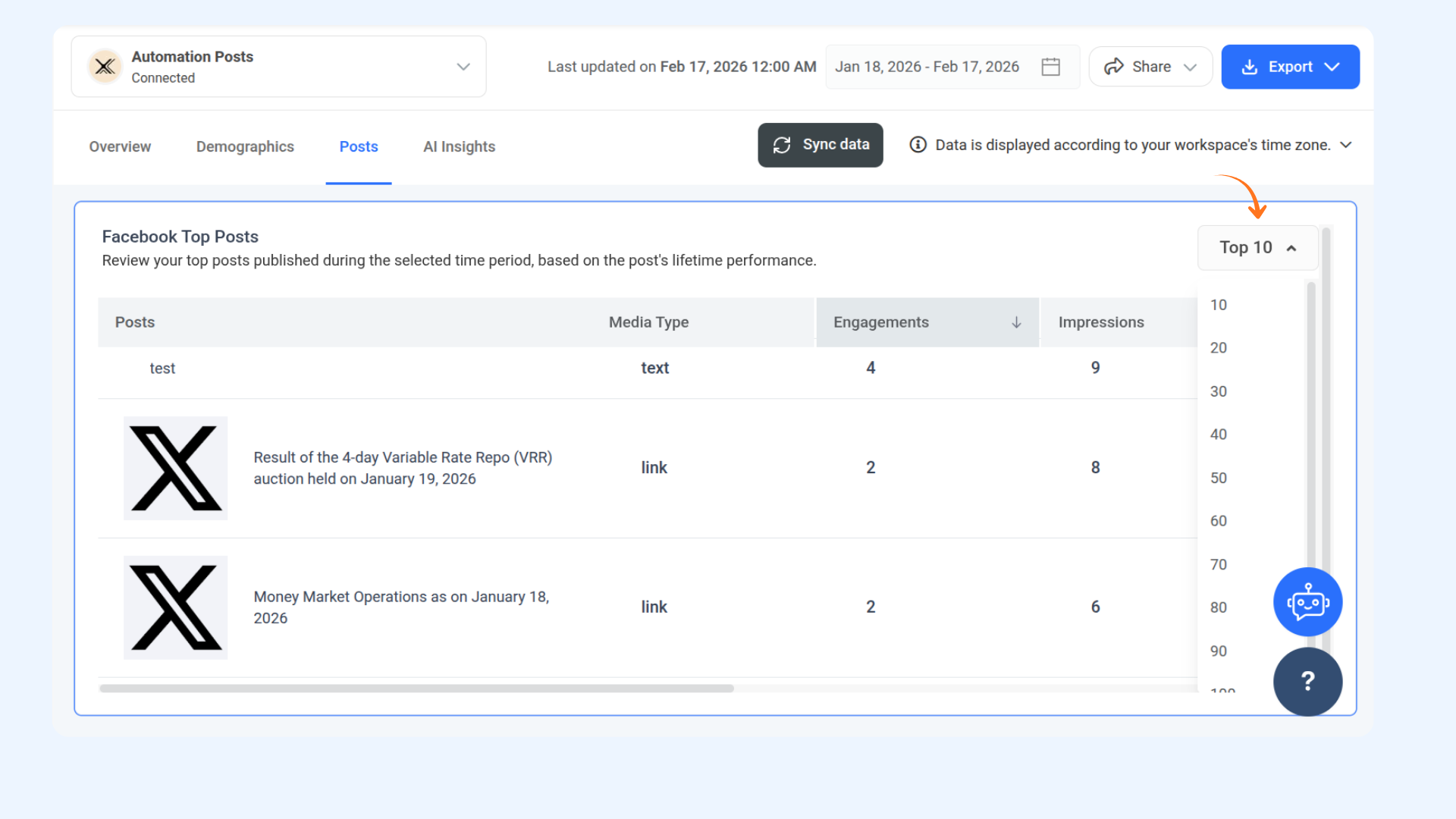
By default, we display the Top 10 performing Facebook posts for the selected period. You can adjust this and filter the results to show anywhere between 10 and 100 top-performing posts.
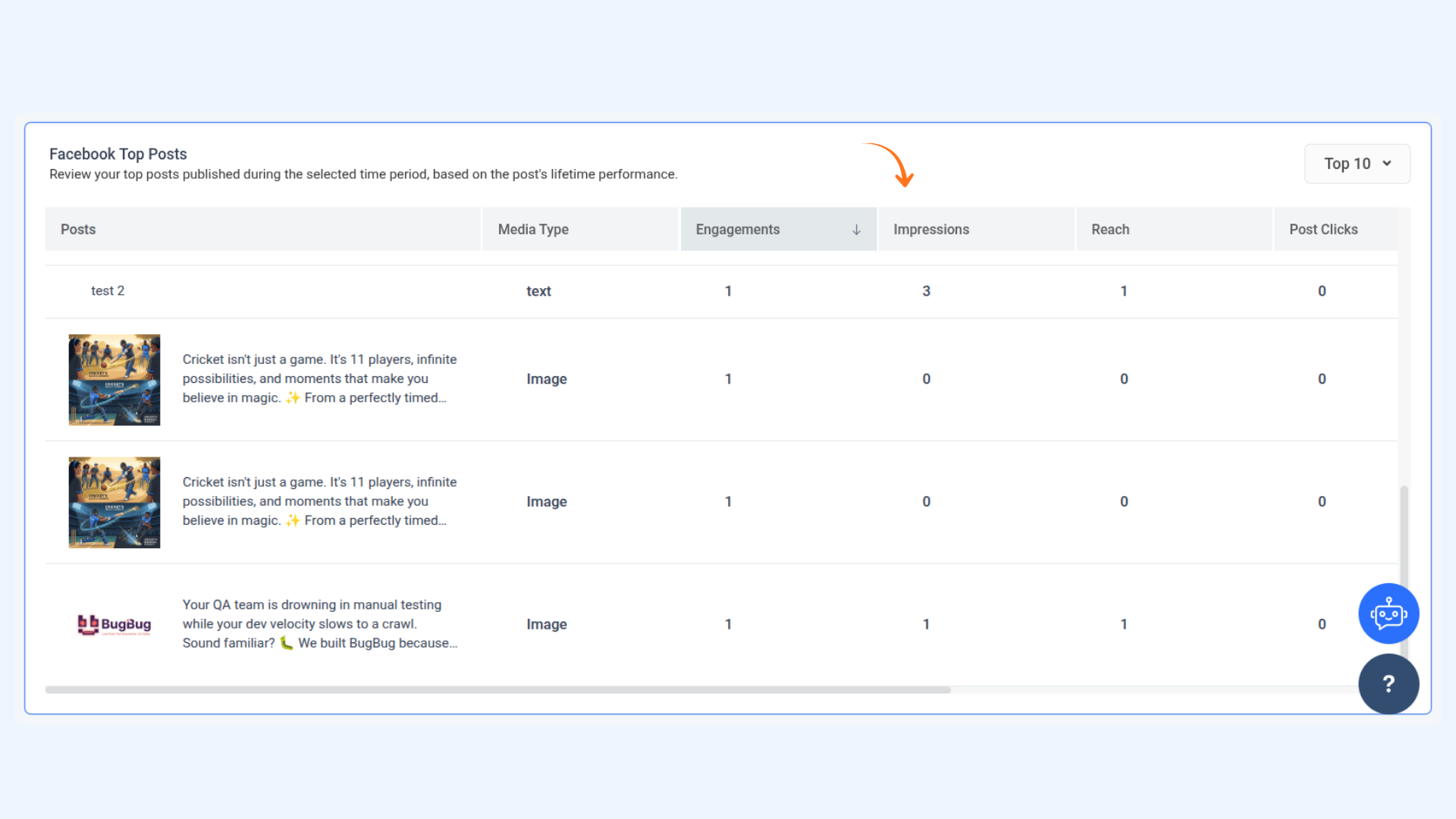
For each listed Facebook top post, the following metrics are shown:
Engagements
Likes
Comments
Shares
You can click on any post to open its detailed view with additional metrics.
Clicking on a post opens a pop-up preview displaying the following statistics:
Total Engagements
Impressions
Post Clicks
Reactions
Comments
FAQs
1. What does the Top Posts section show?
The Top Posts section displays the posts that received the highest engagement within your selected date range, helping you identify your best-performing content.
2. How do I access my Top Posts?
Go to Analyze, select your preferred social network, and open the Posts tab. You can also choose a specific account and adjust the date range from the top dropdown.
3. What information is shown for each post?
You can view key metrics such as engagements, likes, comments, and shares. Clicking on a post opens a detailed preview with additional performance insights.
4. Why is a post image missing in the preview?
If you select a very long date range, the image may not display due to token expiry. Reconnecting your account usually fixes the issue.
Was this article helpful?