

How to unlock X(Twitter) add-on?
This add-on ensures a smooth account connection and posting experience for all users. As a Super Admin or Admin with billing access, you can conveniently manage your X (Twitter) posting credits using the Add-ons modal in ContentStudio. This functionality is designed to help you extend your posting capacity across all workspaces and connected X profiles — especially useful for power users and agencies managing high-volume publishing.
Let us get in!
In this article:
What’s new?
What’s new?
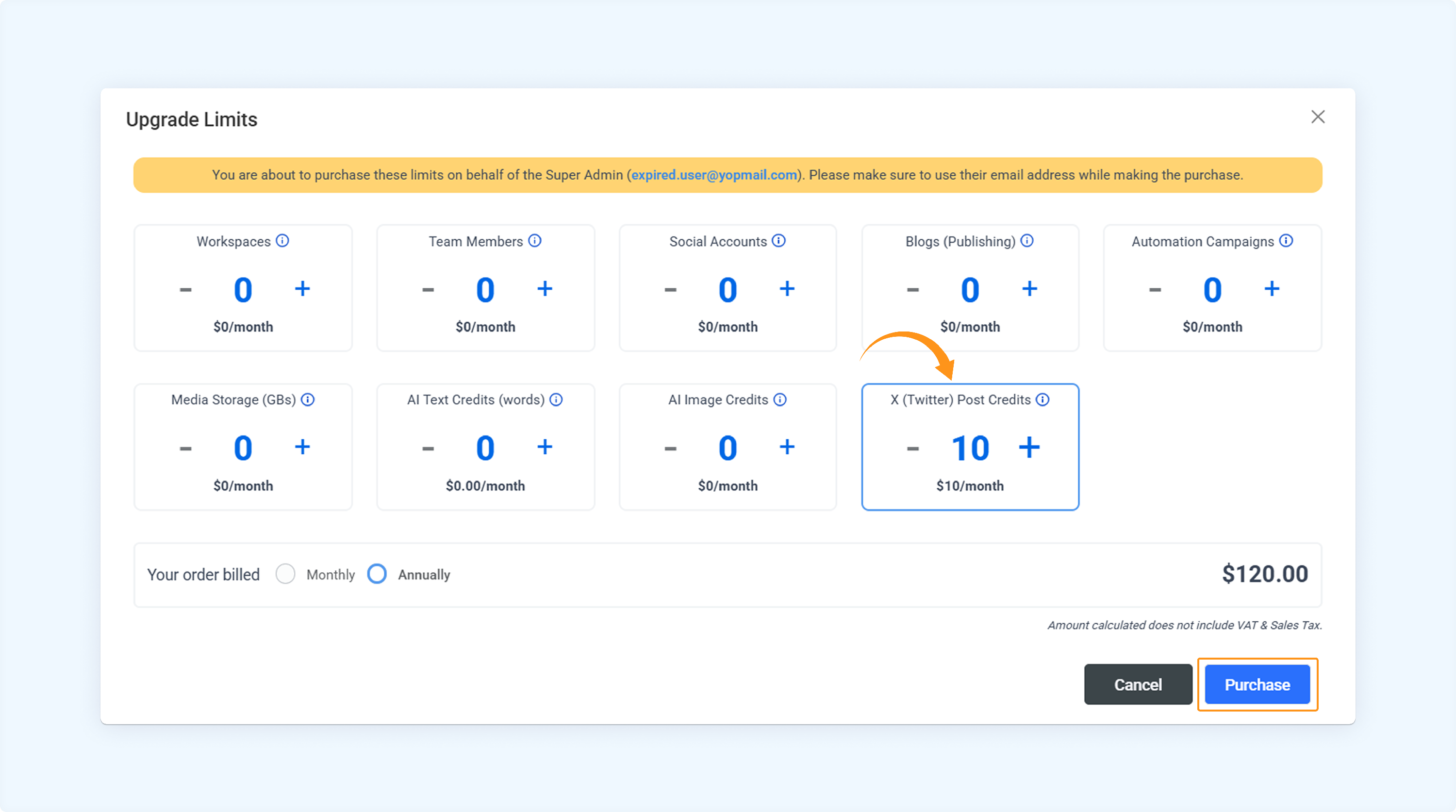
You can now purchase an "X (Twitter) Posting Credits" add-on directly from the Add-ons modal.
Add-on Name: X (Twitter) Posting Credits
Price: $10/month per unit
Benefit per unit:
✅ +300 X posts/month
✅ Daily cap: 10 posts/day
✅ Applies account-wide across all workspaces and all connected X profiles
How to unlock the X(Twitter) add-on?
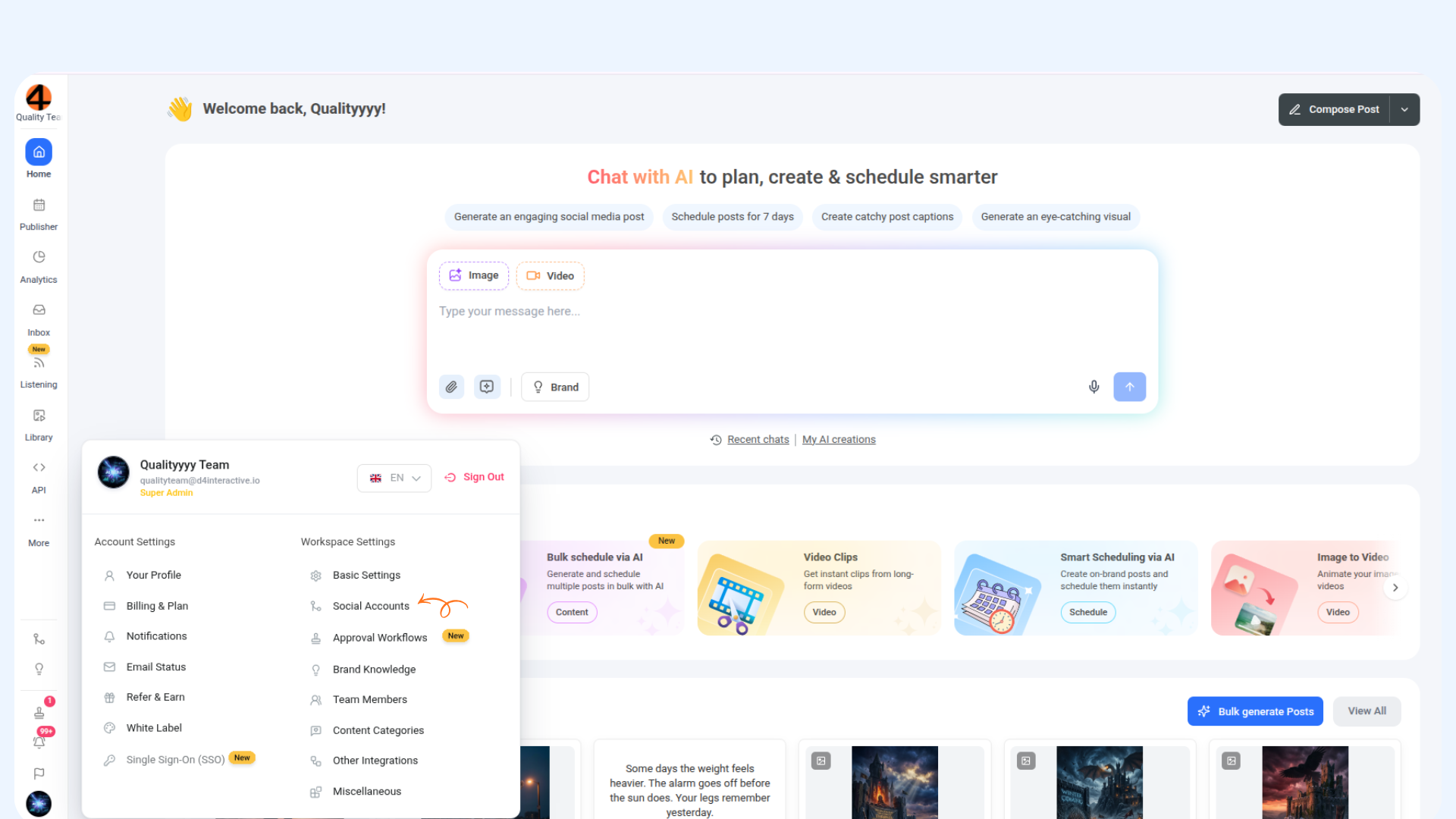
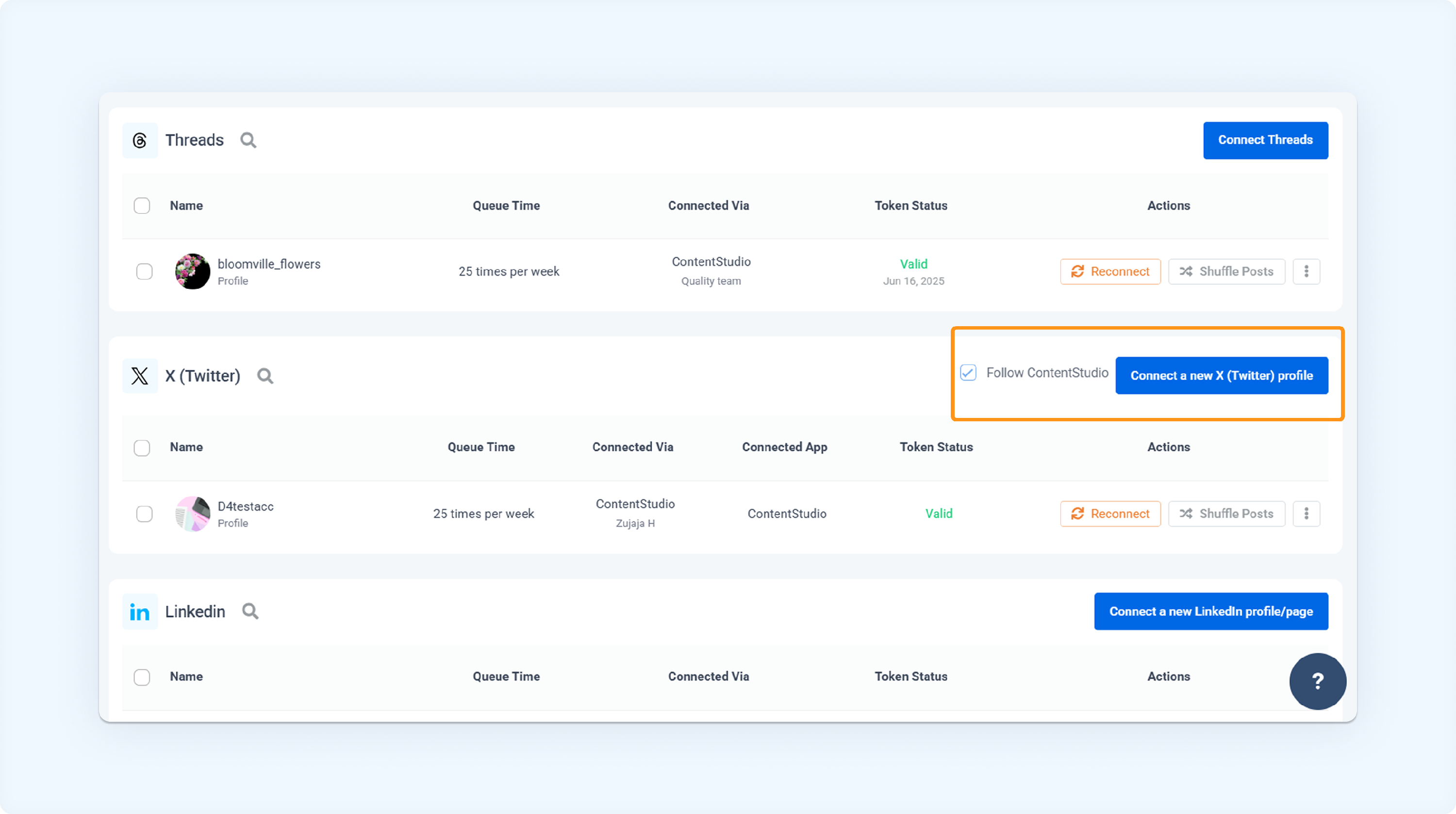
Head to Social Accounts.
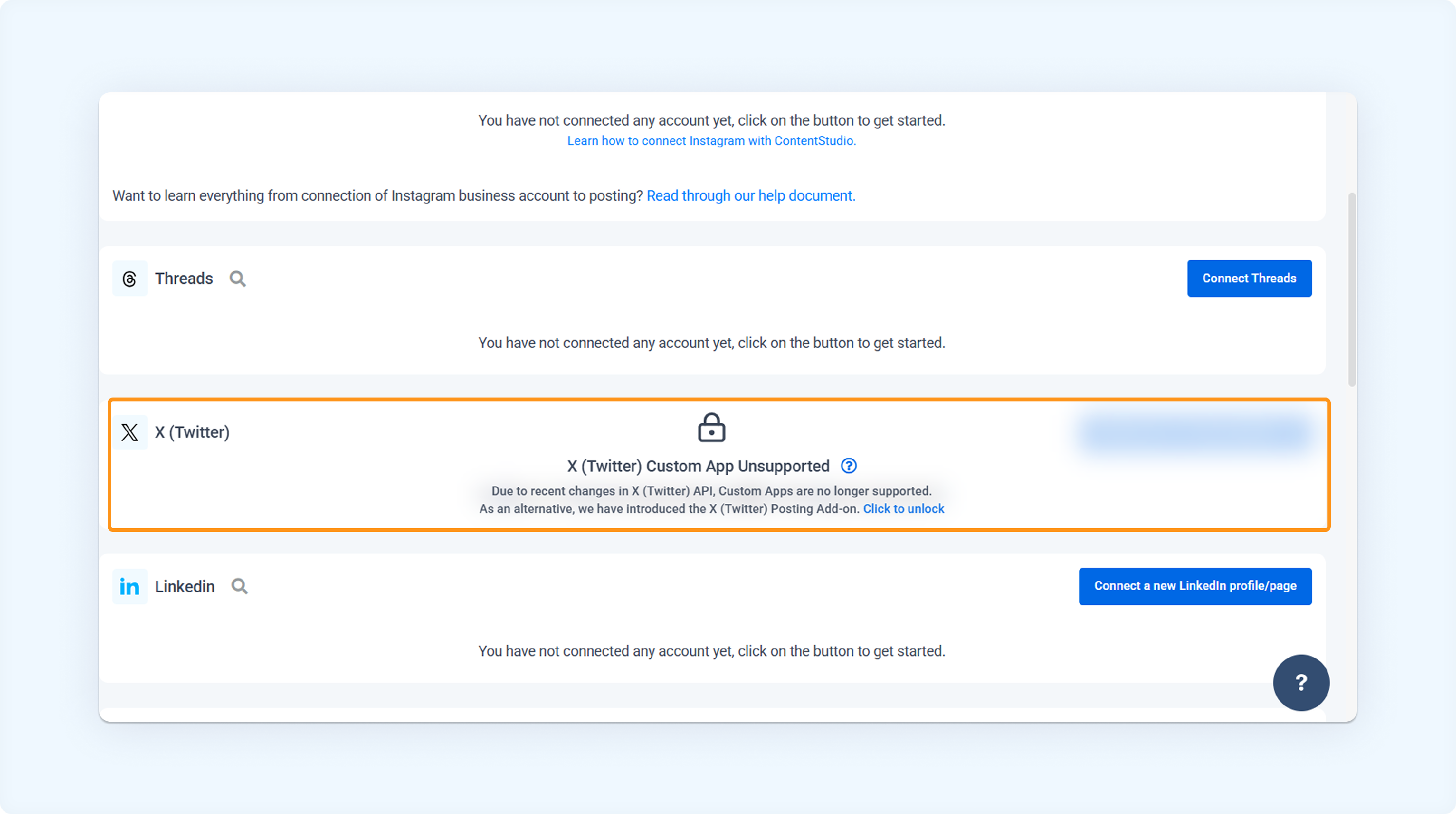
Locate X (Twitter) and click to unlock.
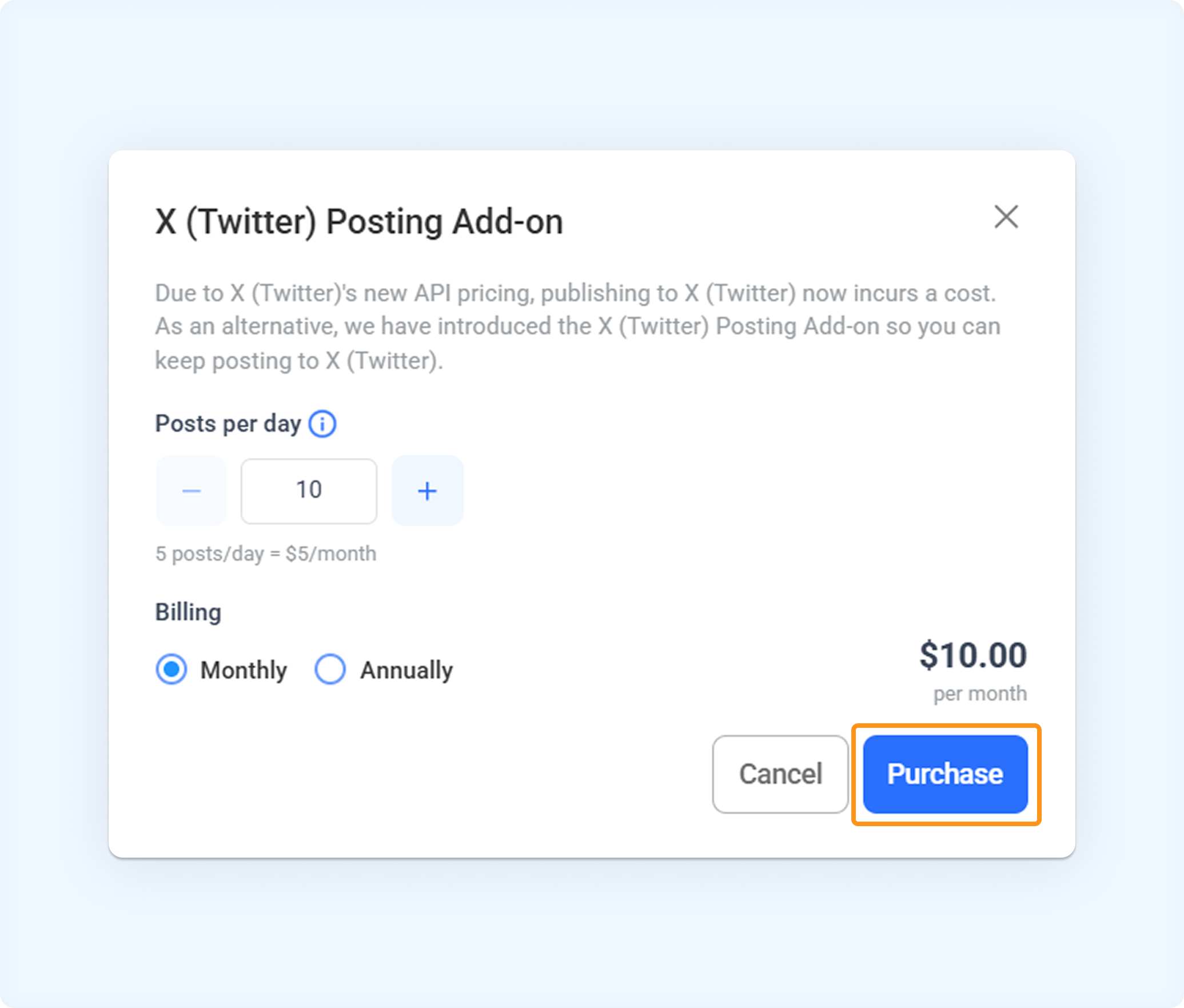
A pop-up will appear. Purchase the X (Twitter) Posting Add-on. Enter the post-per-day limit (10 is base) and billing type (Monthly/Annually).
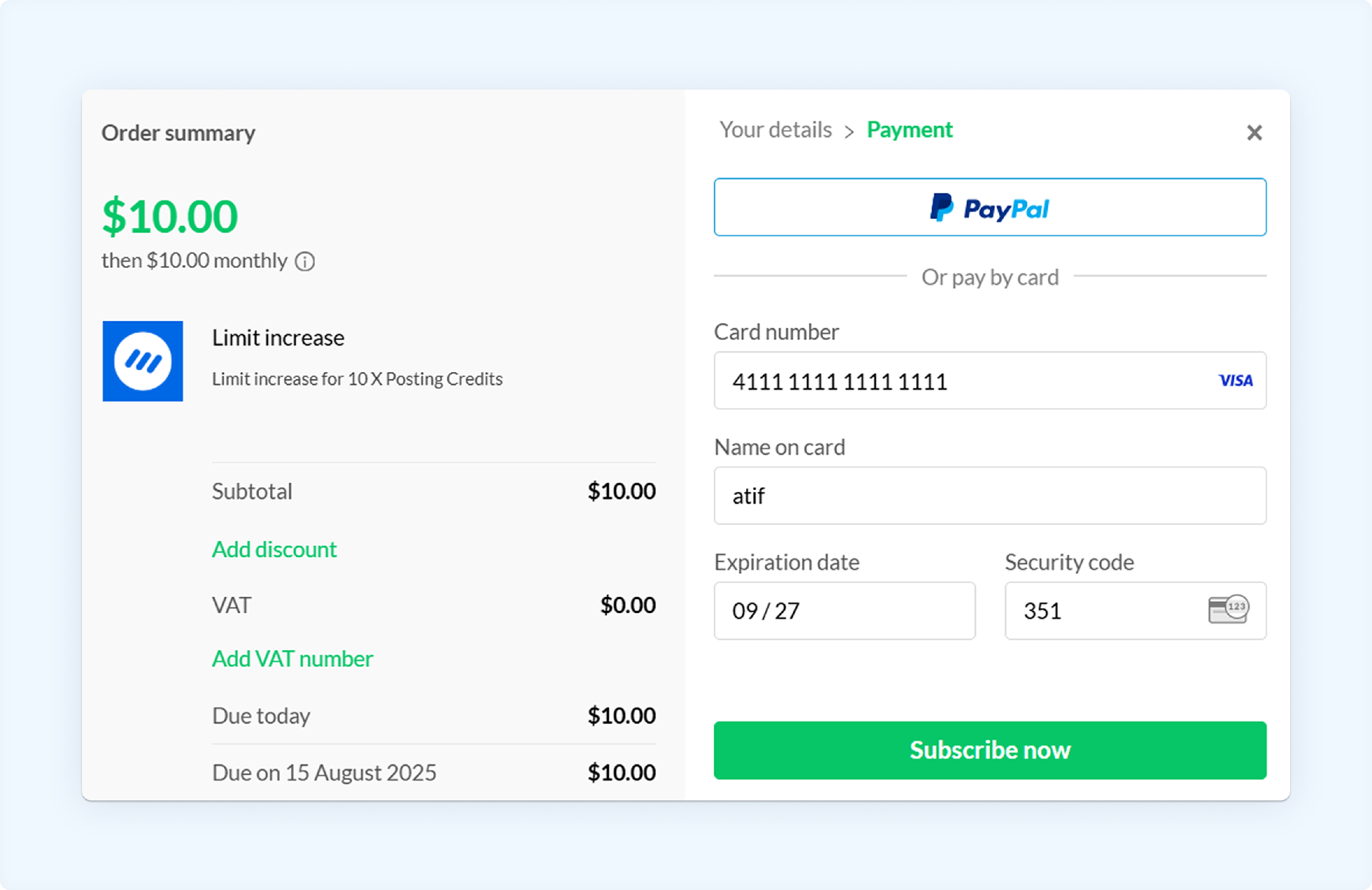
Enter your details and card information, then click Subscribe now.
Once done, connect your X (Twitter) account.
Compose X(Twitter) post
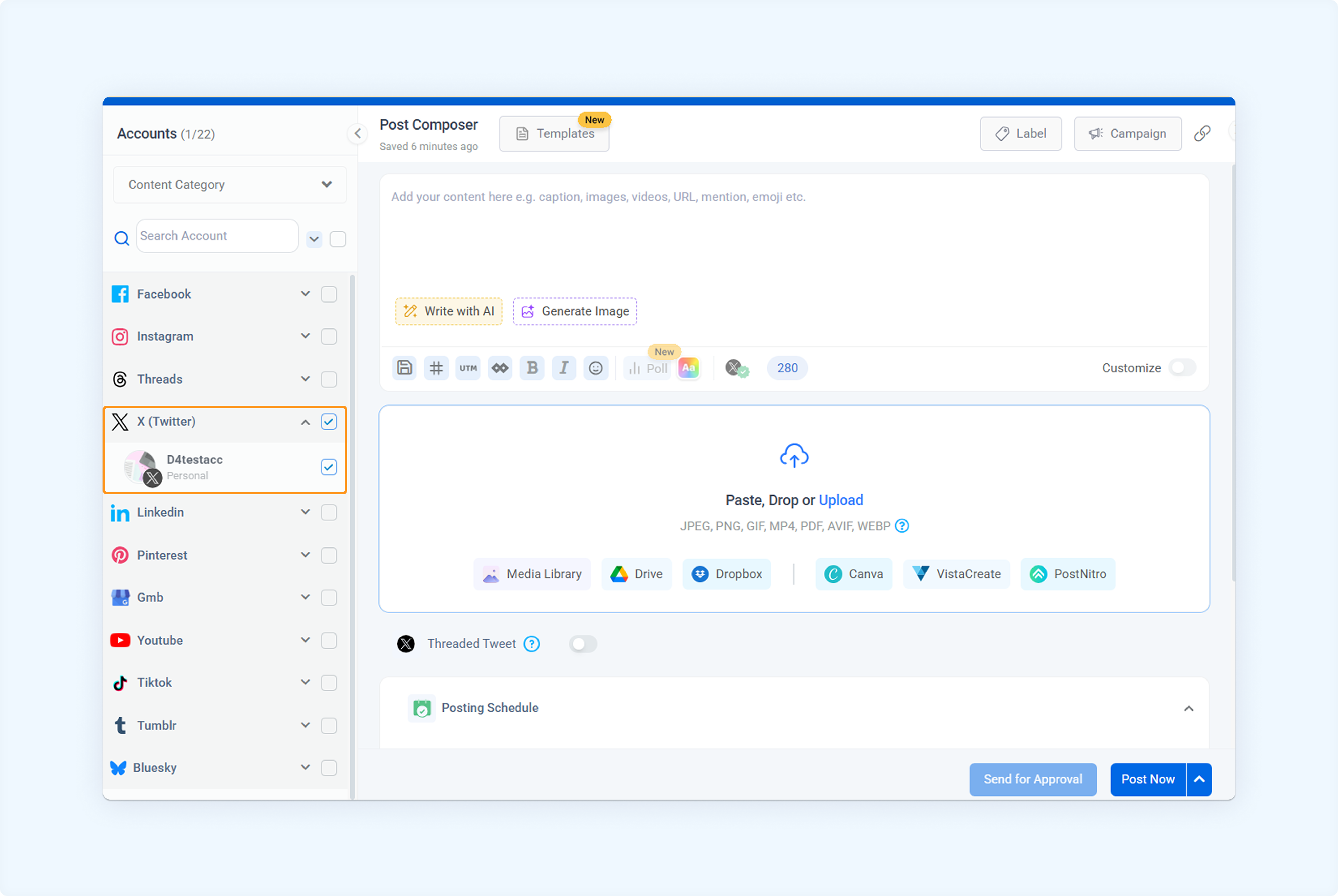
Head to Dashboard -> Compose.
Select your desired X (Twitter) account and compose a post.
In the posting schedule section, view your daily posting limits.
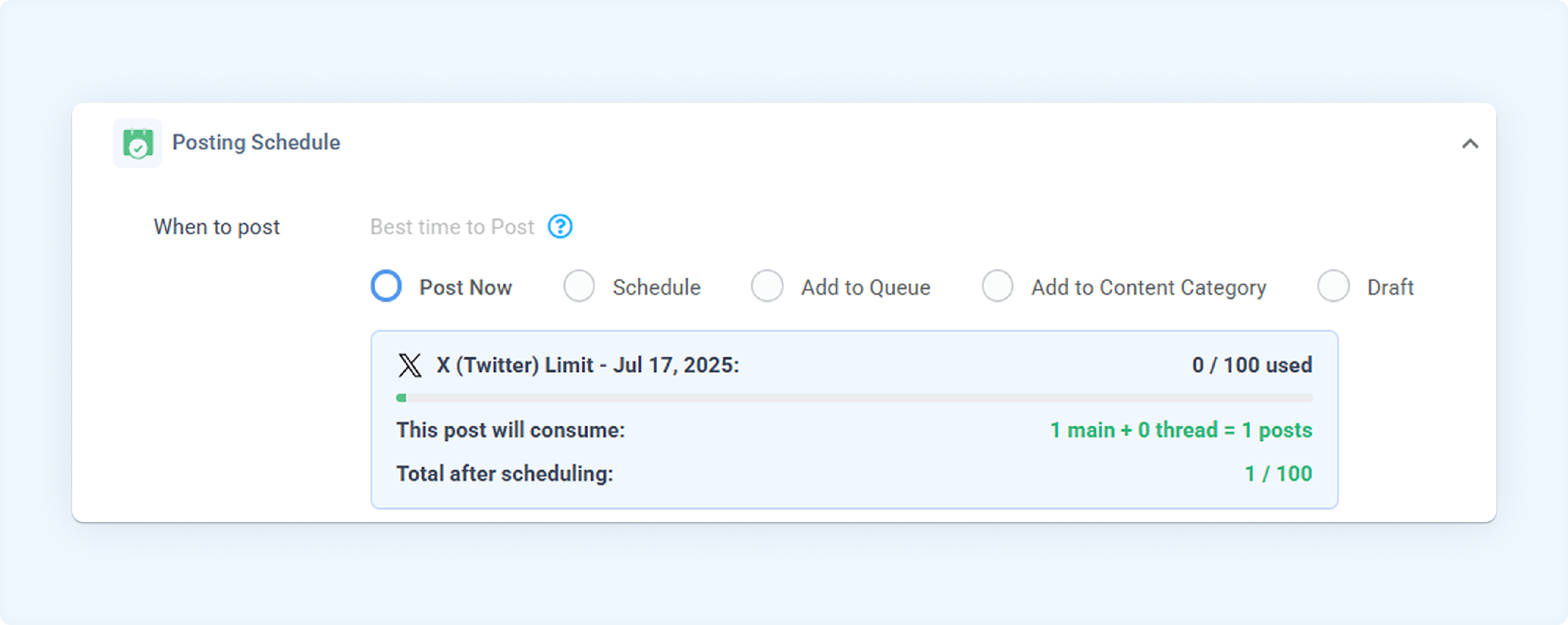
If daily limits are reached, increase them as described below.
Increase add-on limits.
To manage X (Twitter) posting credits:
Go to Settings > Billing & Plan
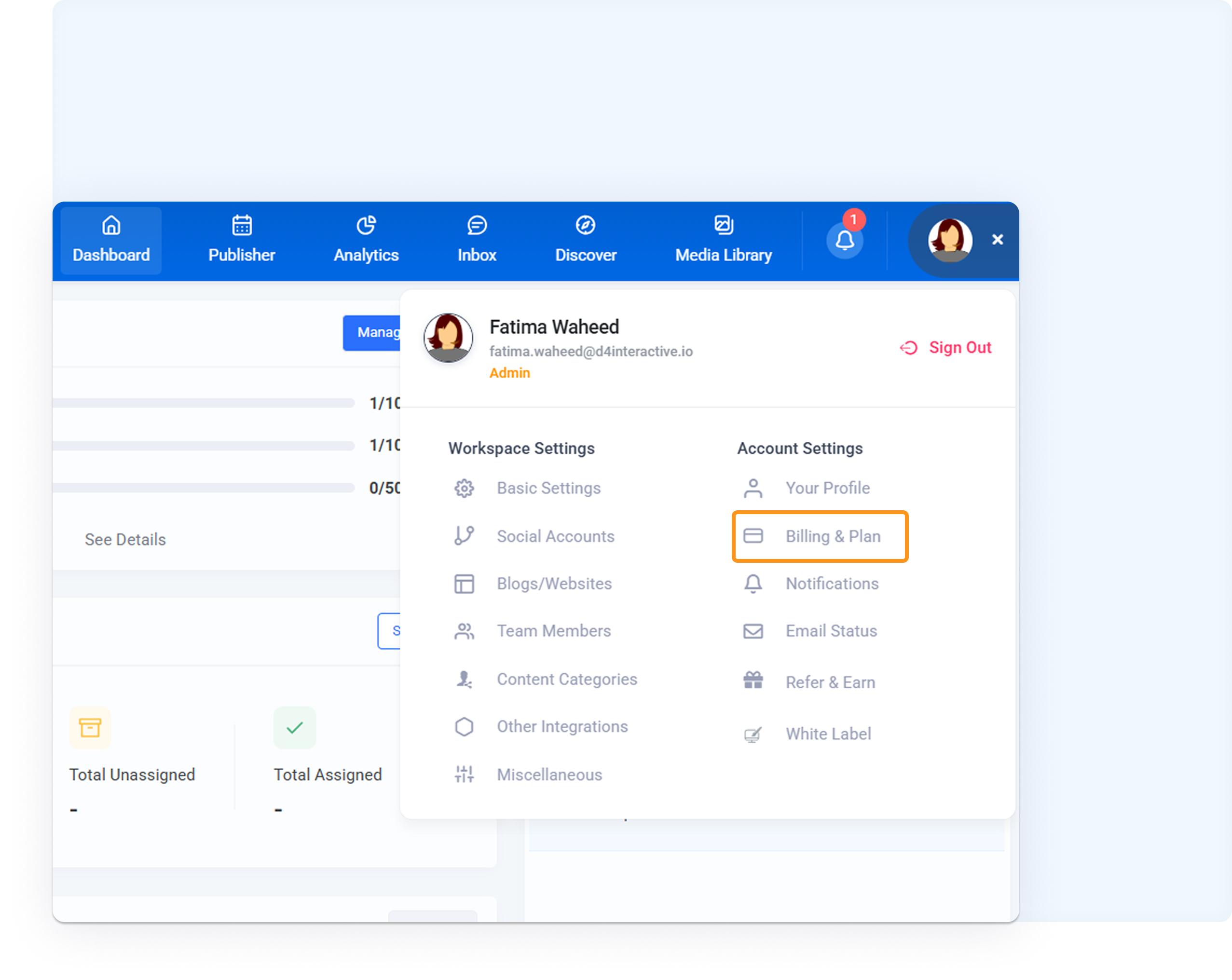
Click Manage add-ons.
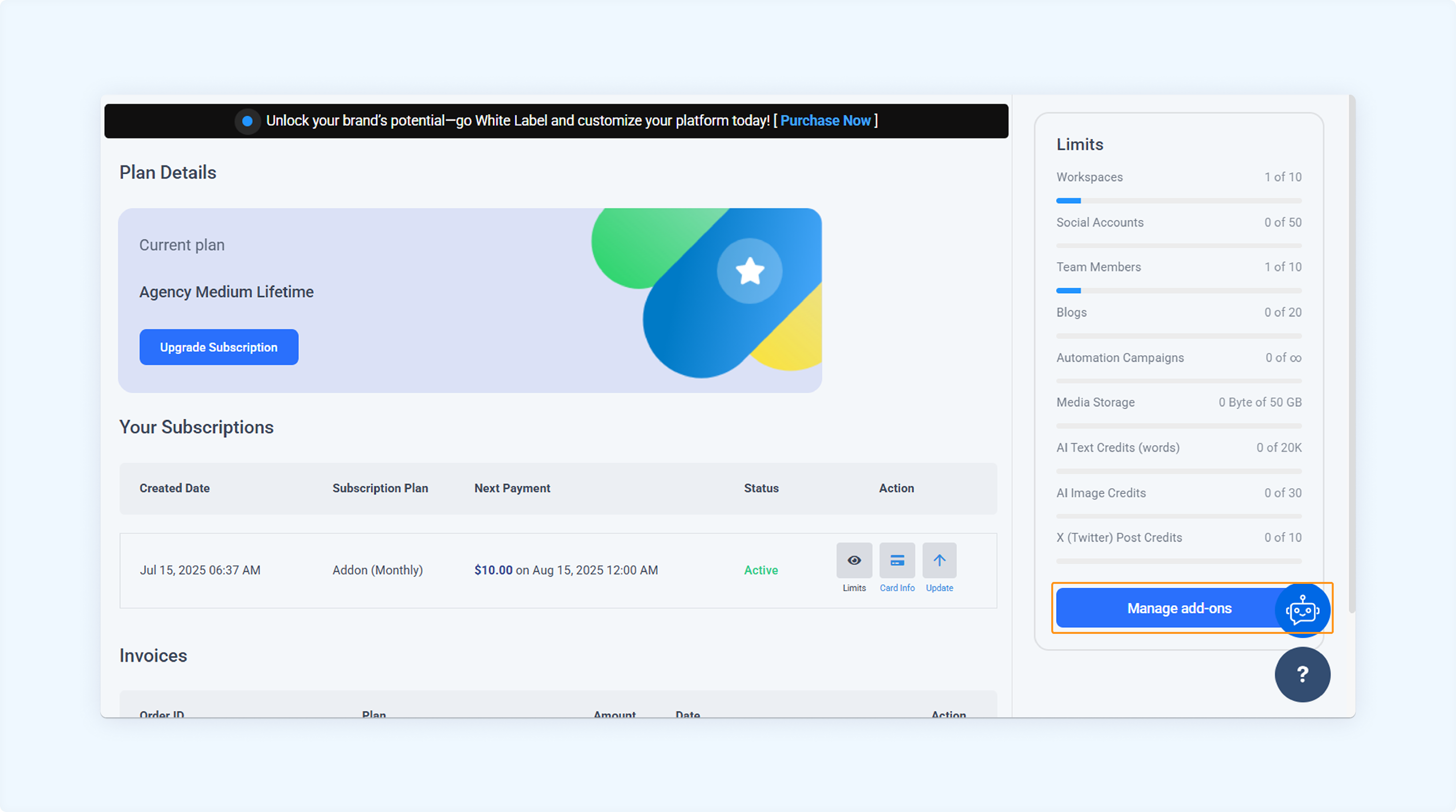
In the X (Twitter) Posting Credits section, choose the number of units, confirm purchase — cost will be added to billing.
📌 Key Notes
✅ Applies across all workspaces and all connected X profiles.
✅ Ideal for teams managing multiple client accounts or high-frequency campaigns.
FAQs
Q1: What happens if I reach my daily or monthly X posting limit?
A: Once you hit the daily or monthly cap, your scheduled X posts will fail to publish until your limit resets or you purchase additional add-on units.
Q2: Will I be notified when I’m close to reaching my X posting limit?
A: Currently, notifications are not triggered automatically, so we recommend monitoring your posting activity regularly to avoid hitting the cap unexpectedly.
Q3: Does the add-on support threaded (multi-part) X posts?
A: Yes, threaded posts are supported. However, each tweet in a thread counts as a separate post towards your daily and monthly quota.
Q4: Can I connect multiple X accounts under one add-on purchase?
A: Yes, the add-on applies account-wide, meaning all connected X profiles across all workspaces share the same posting quota.
Was this article helpful?