

How to post on Meta Threads using ContentStudio
You can now seamlessly connect your Threads account to ContentStudio. This integration allows you to manage and schedule your Threads posts directly from our platform, streamlining your workflow and ensuring your content is consistently engaging and timely. 📅✨
This guide will walk you through the simple steps to connect your Threads account and start leveraging this powerful new feature. 🚀
Let us dive in! 😍
In this article:
How to connect a Threads account:
Go to ContentStudio.
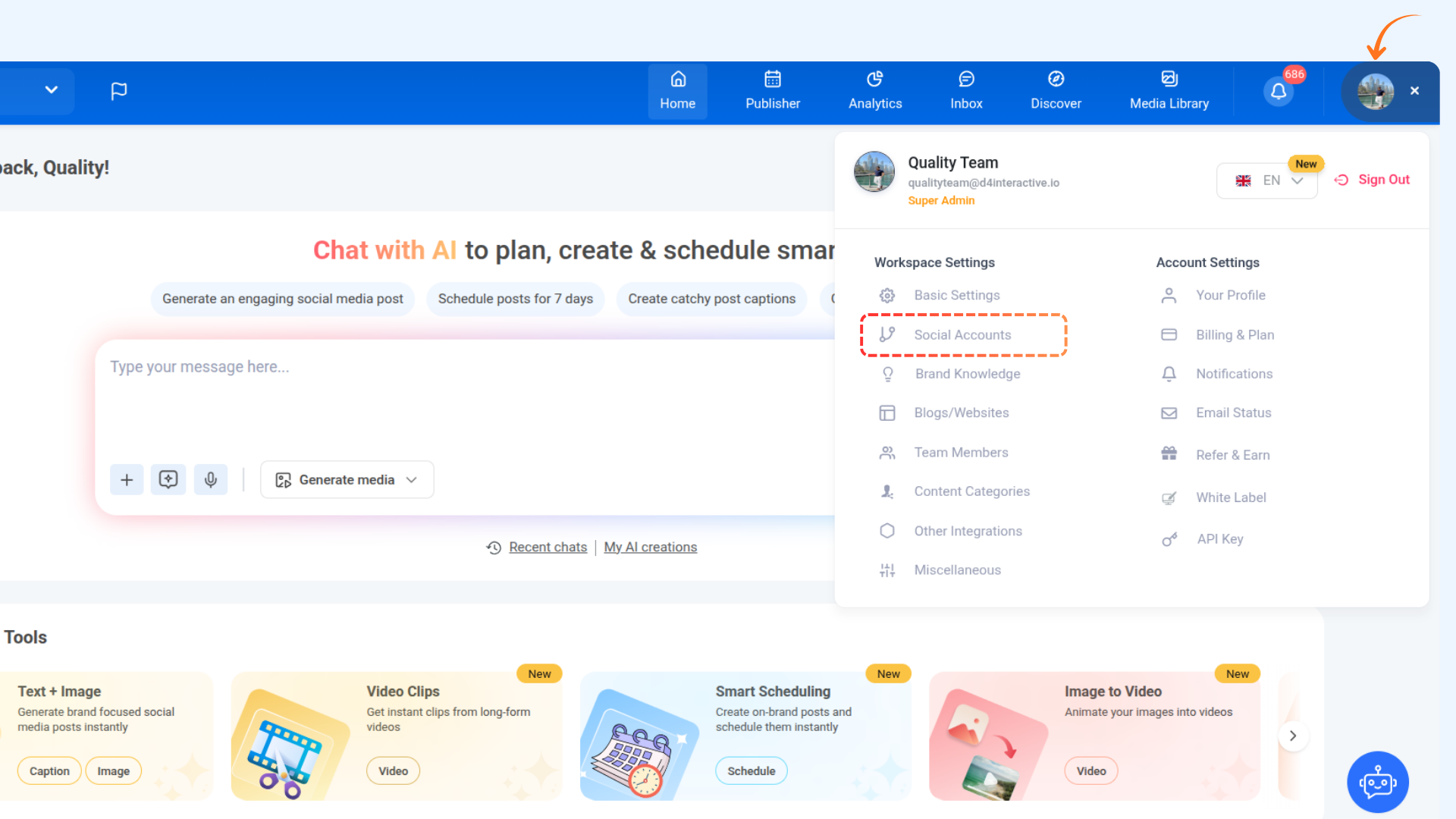
Click on the profile picture in the top right corner and select Social Accounts.
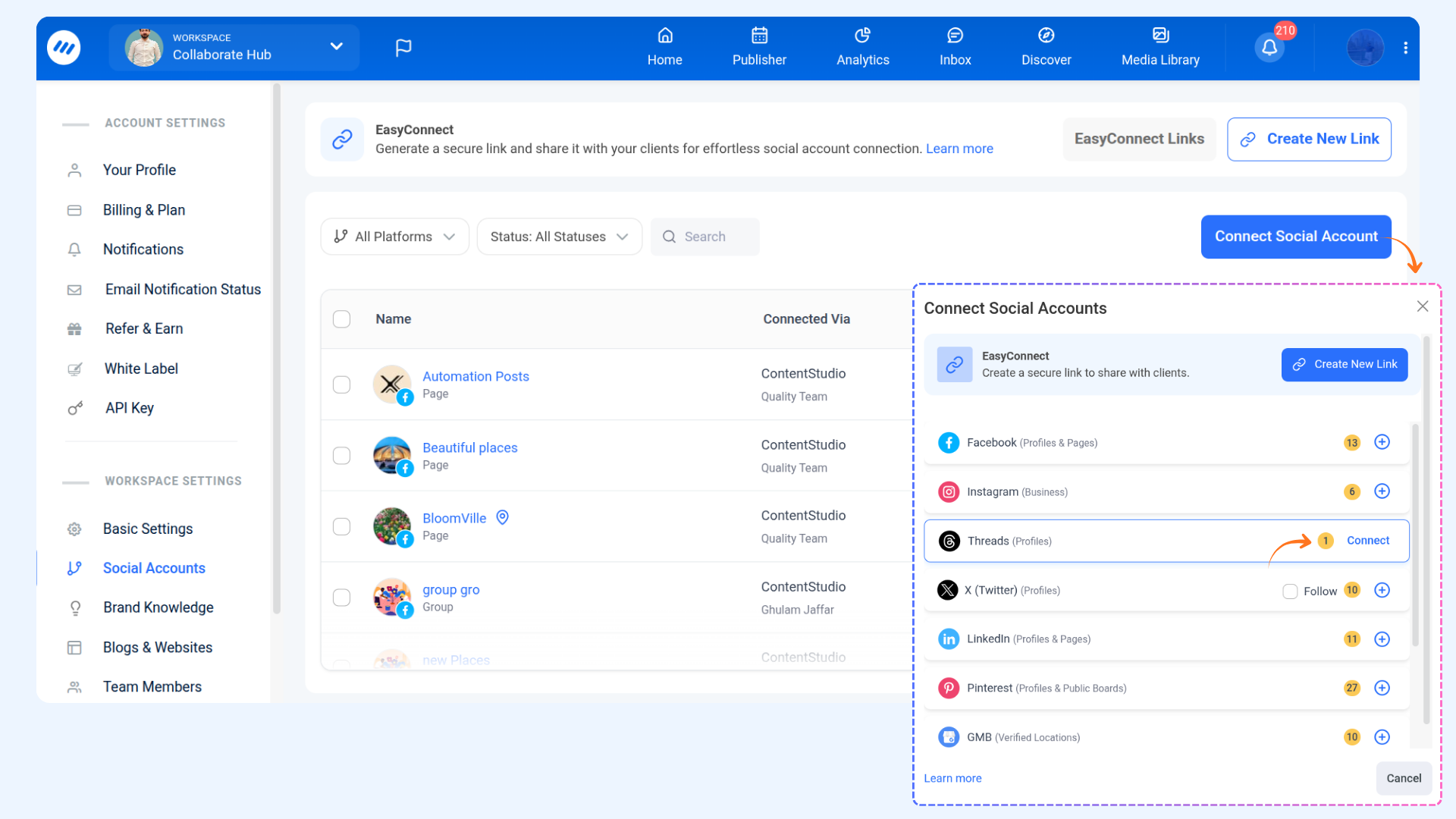
Click on the Connect Social Accounts button and then click Connect.
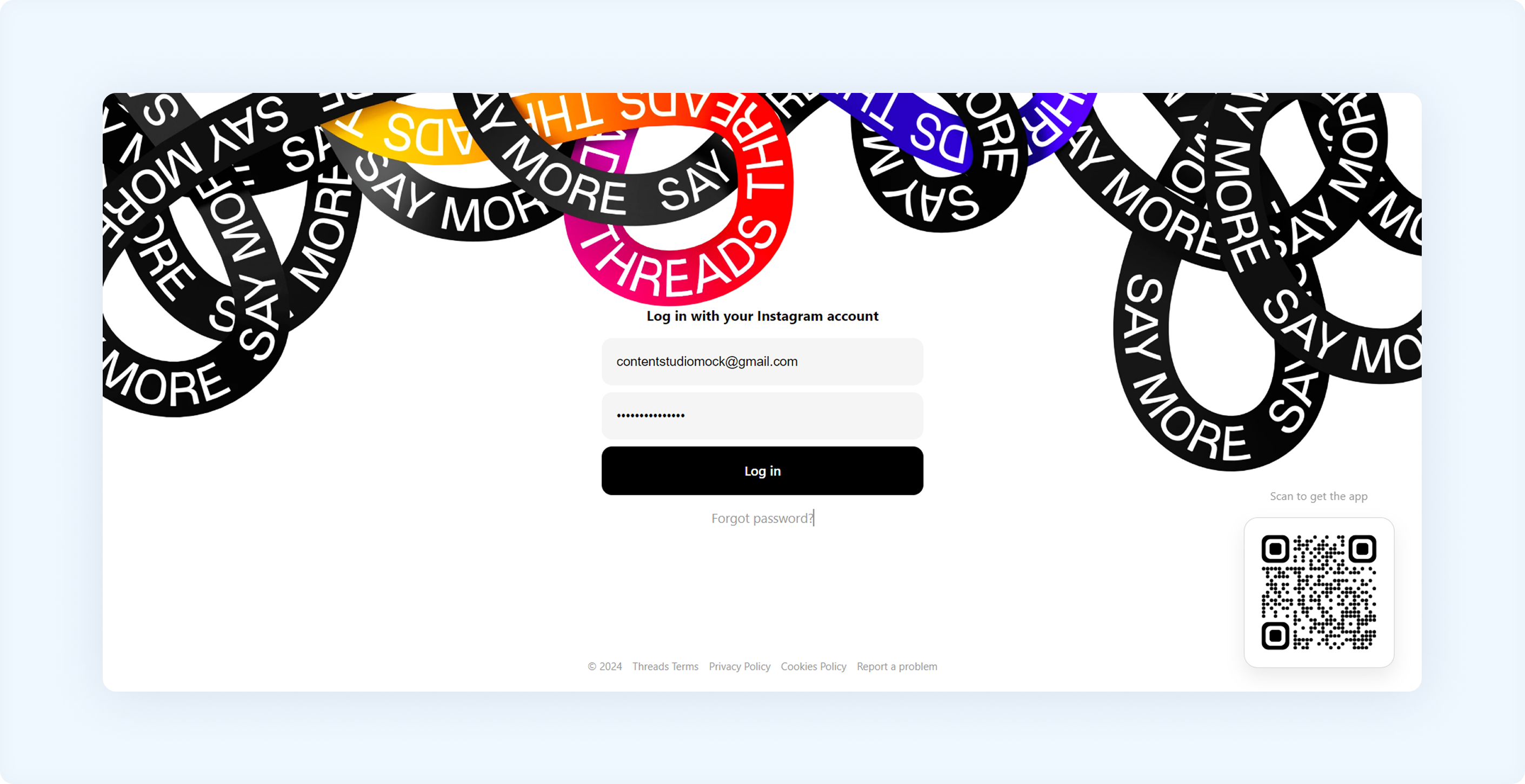
If you haven’t logged in to your Threads account, you’ll be redirected to the Threads login page. Enter your login details to connect your account to ContentStudio.
Post on Threads via ContentStudio
Head to Compose → Social Post.
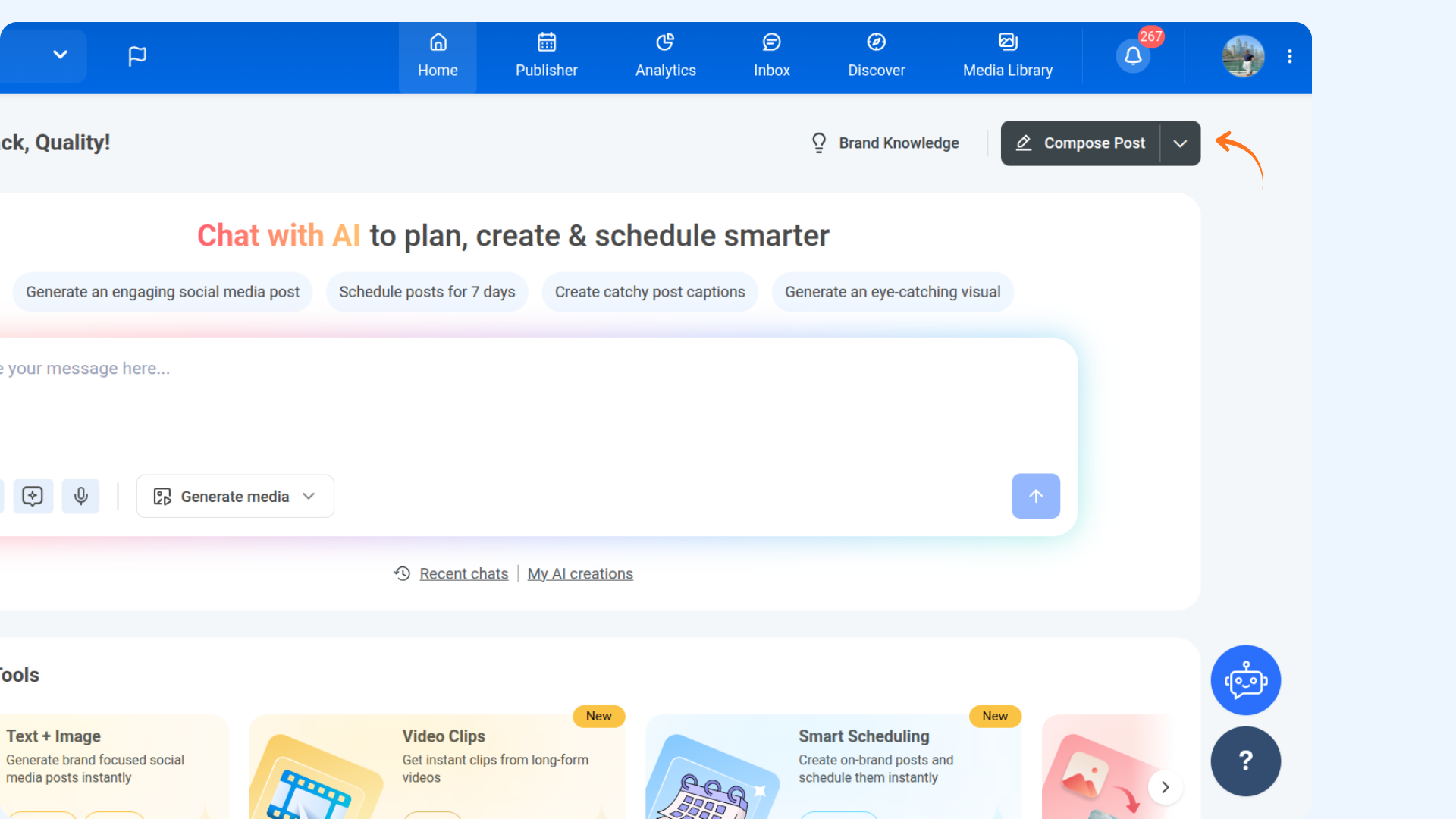
Select the desired Threads account and compose your post. The preview is visible on the right side of the screen.
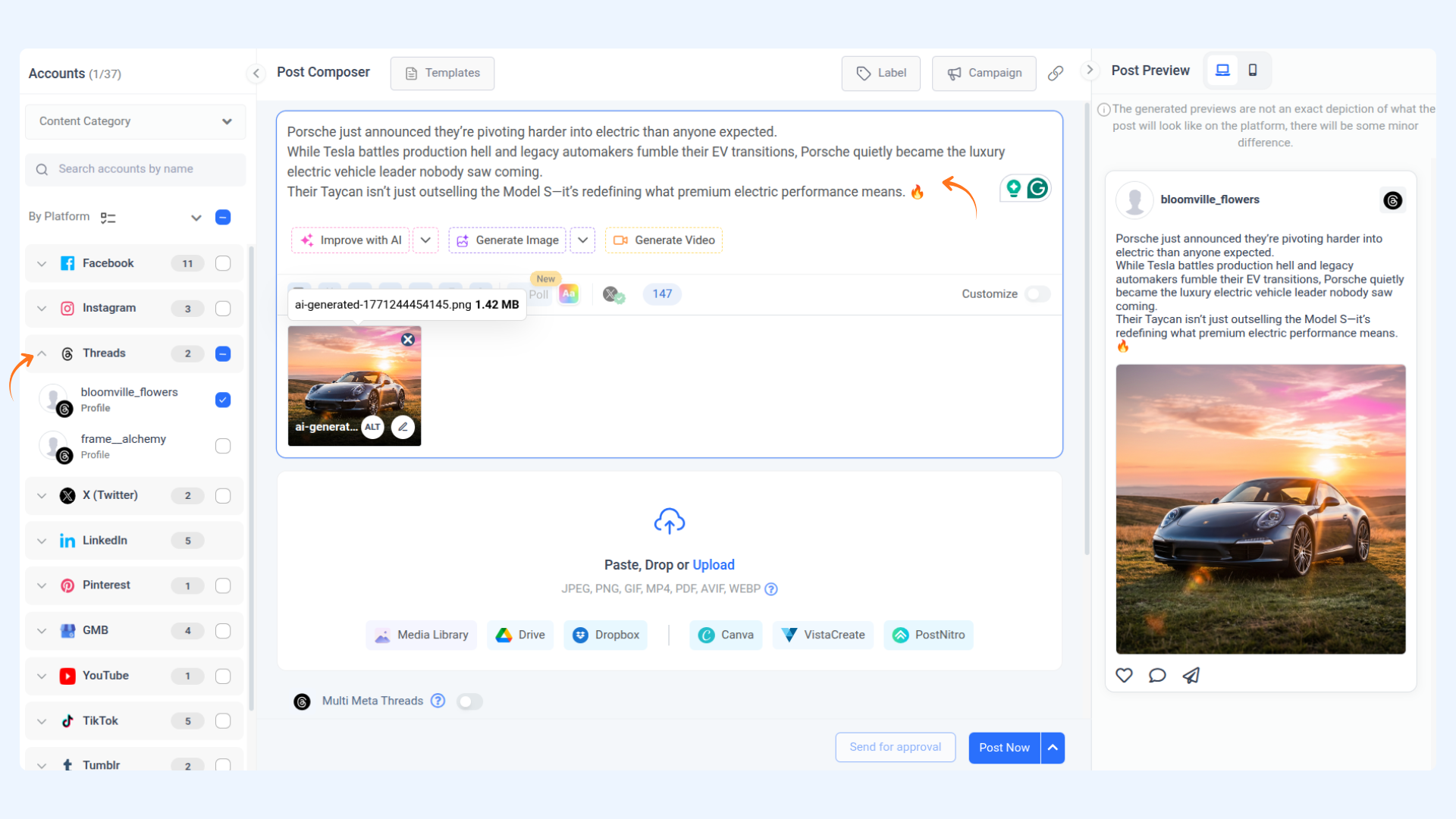
Image Specifications
Property | Details |
|---|---|
Format | JPEG and PNG |
File Size | Maximum 8 MB |
Aspect Ratio Limit | 10:1 |
Minimum Width | 320px (auto-scaled if needed) |
Maximum Width | 1440px (auto-scaled if needed) |
Video Specifications
Property | Details |
|---|---|
Container | MOV or MP4 |
File Size | Maximum 1 GB |
Other Limitations
Type | Limit |
|---|---|
Text Posts | 500 characters |
Carousel Posts | Minimum 2, Maximum 10 children |
API Publishing Limit | 250 posts per 24-hour moving period |
To post multiple threads, toggle the Multi Threads button. The preview will update accordingly.
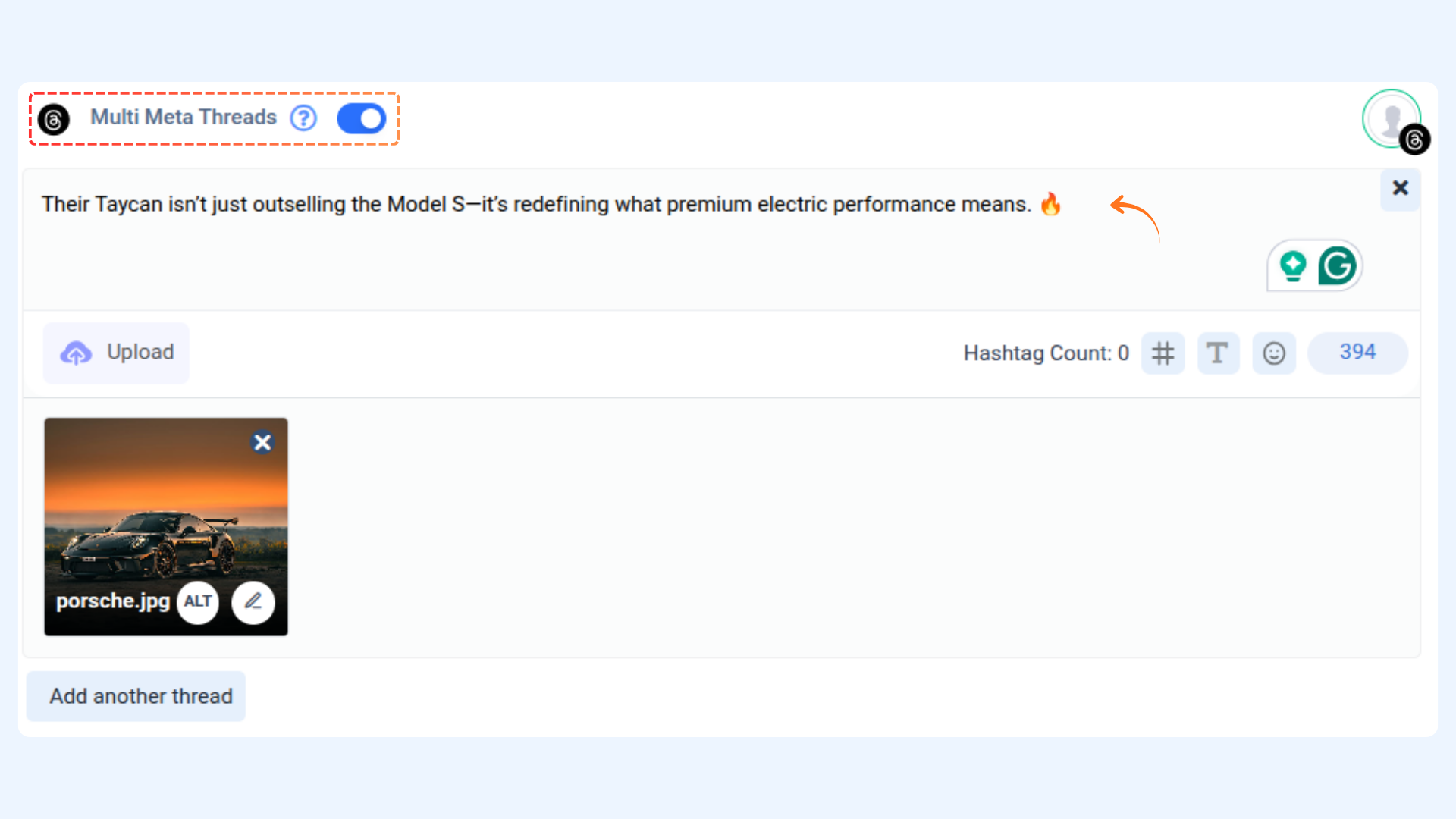
Once finalized, choose your posting schedule or click Post Now.
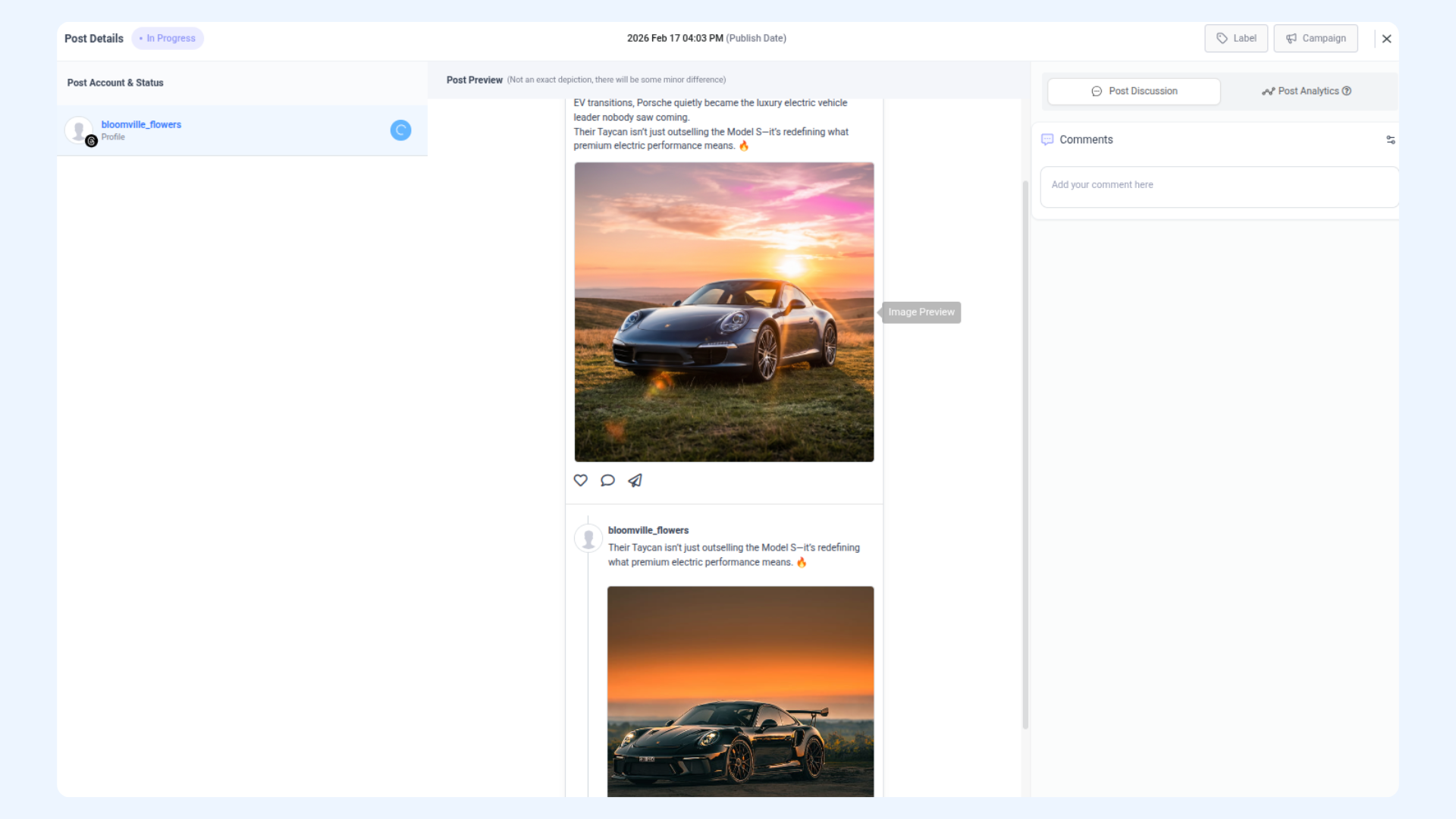
In the Planner, you can view each Thread status separately.
Happy Posting 💥
FAQs
Q1: Do you need an Instagram account to schedule Threads posts?
A: Yes, Instagram and Threads accounts are connected. You must have an Instagram account linked to your Threads account.
Q2: Are there limits to how many posts I can share on Threads?
A: Yes, a limit of 250 posts per Thread profile every 24 hours.
Q3: Can I post images and videos on the Thread post?
A: Yes, you can post images and videos as well.
Was this article helpful?