

Simultaneously posting content on Facebook: story, reel, and feed
This guide explains how to enhance your Facebook posting by combining different post types with your story posts. You can:
Post a feed post along with a story
Combine a reel post with a story
Share as a single story
Follow this guide to maximize your Facebook presence by seamlessly integrating multiple content formats in one cohesive post.
In this article:
Posting a Feed post with the Story
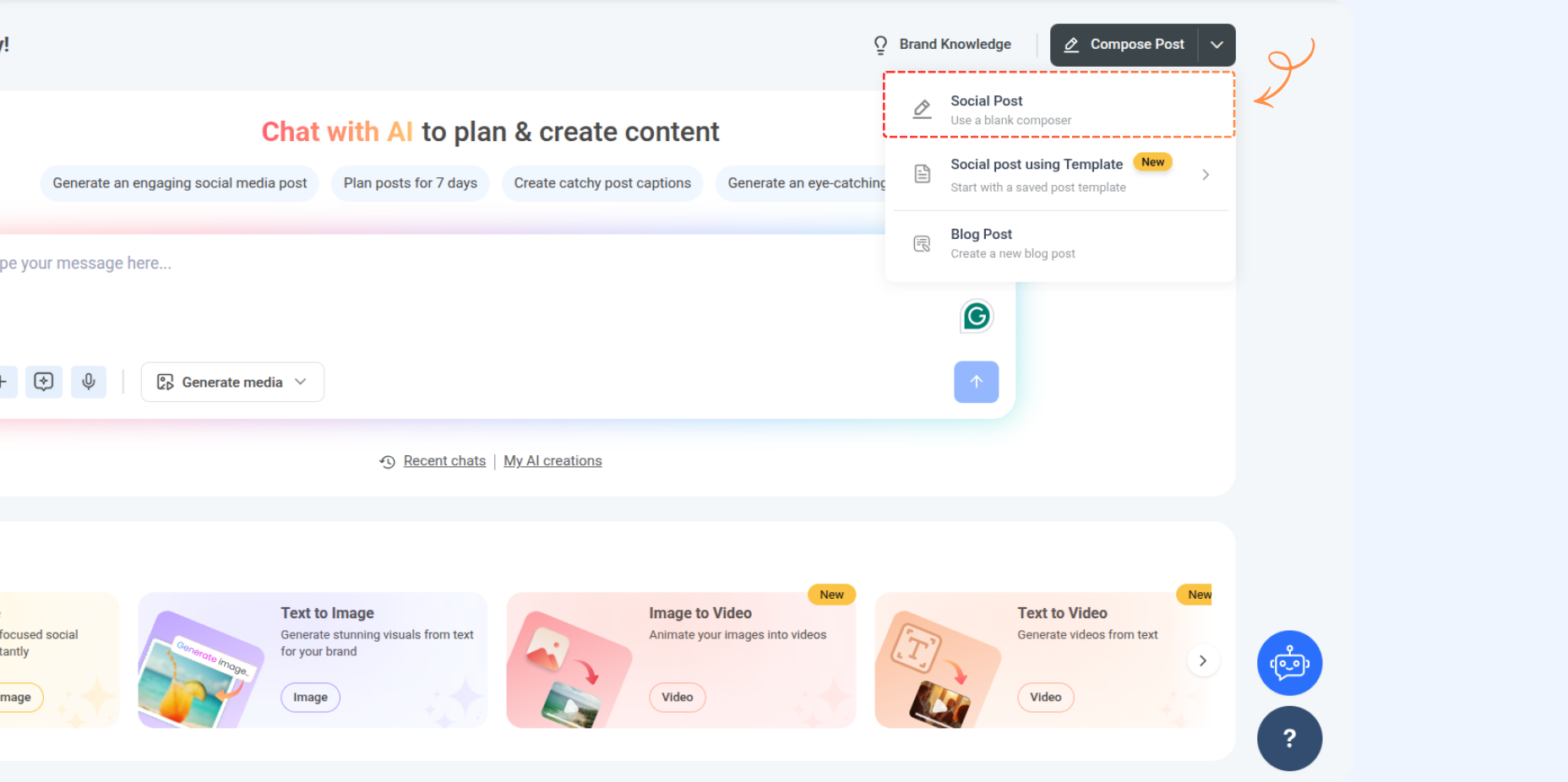
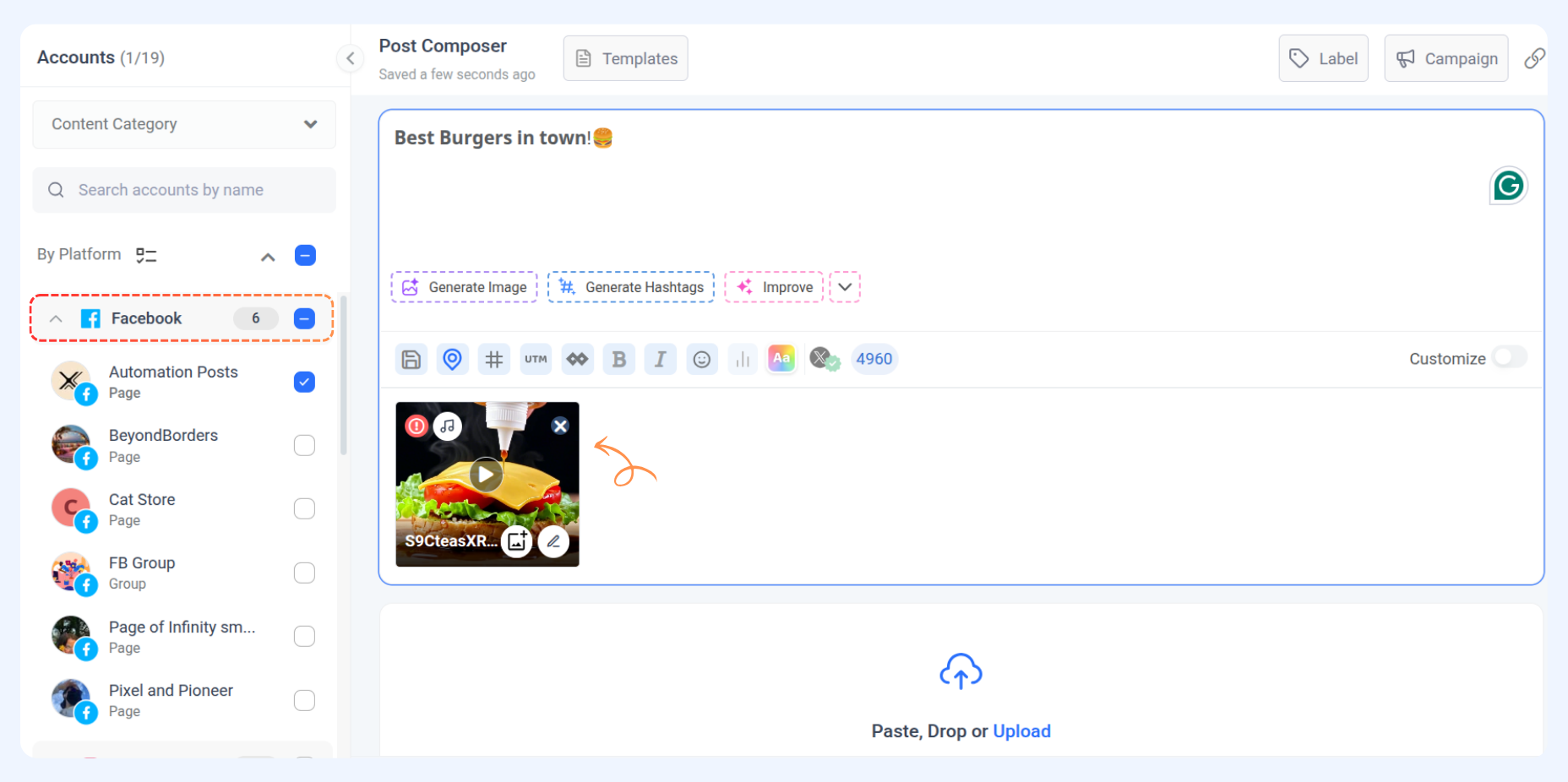
Head to Compose → Social Post
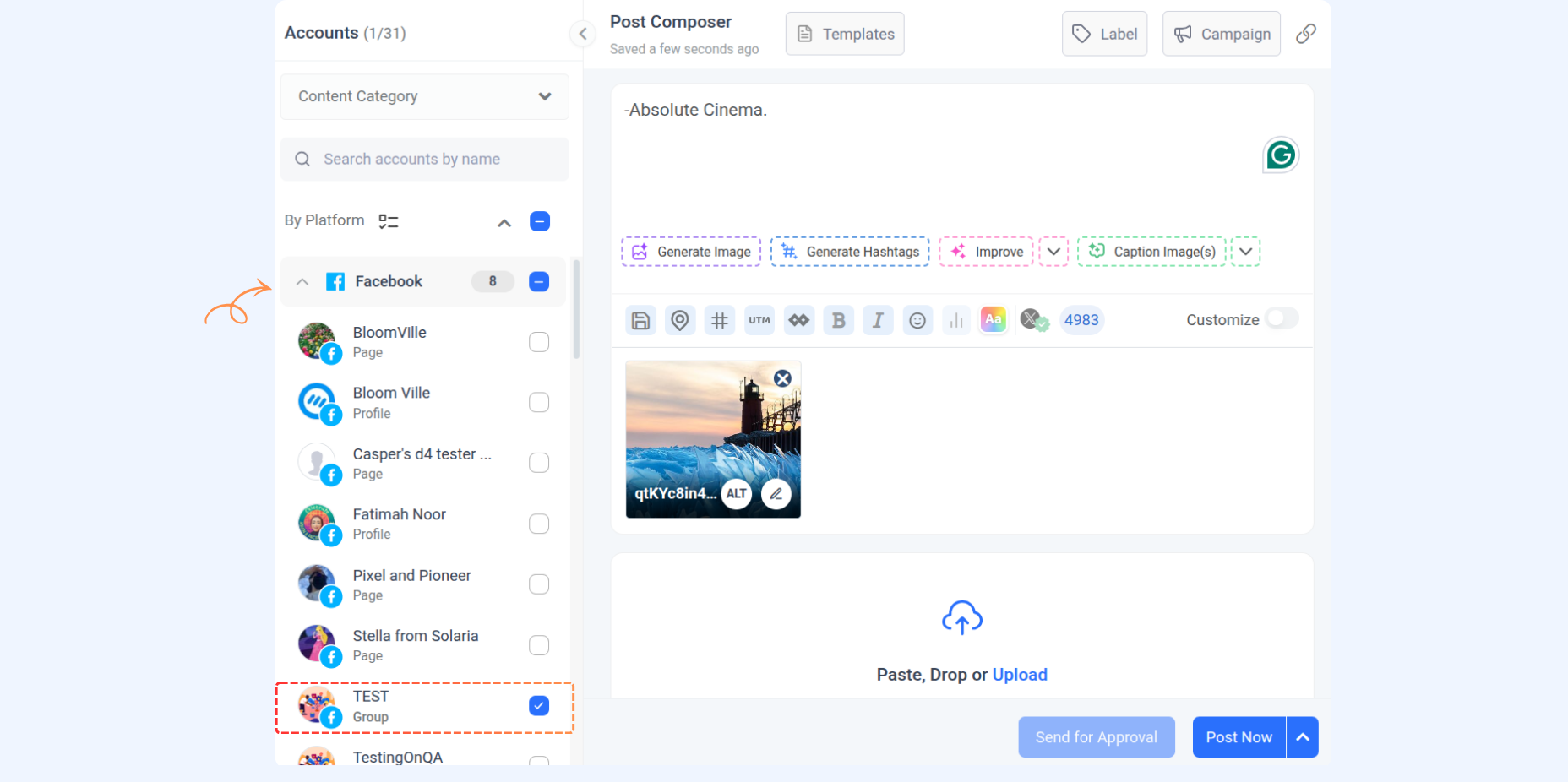
Choose your Facebook account and compose your social post.
Add your caption and include an image.
Feed Post Requirements
Requirement | Details |
|---|---|
Feed | Single image, up to 10 images, or a video |
Format | JPEG (JPG), PNG |
File Size | Maximum 10 MB |
Aspect Ratio | Must be within 4:5 to 1.91:1 |
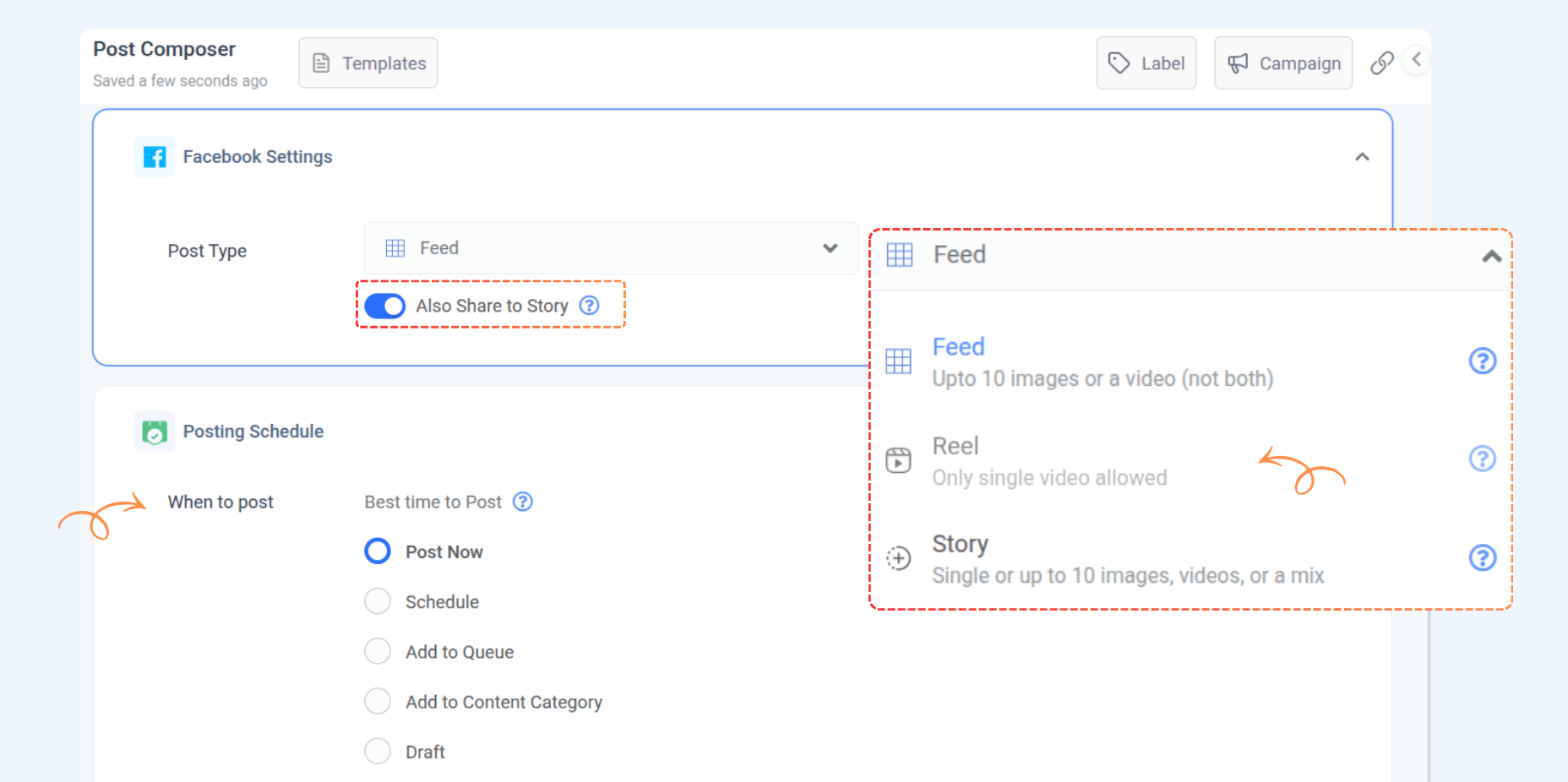
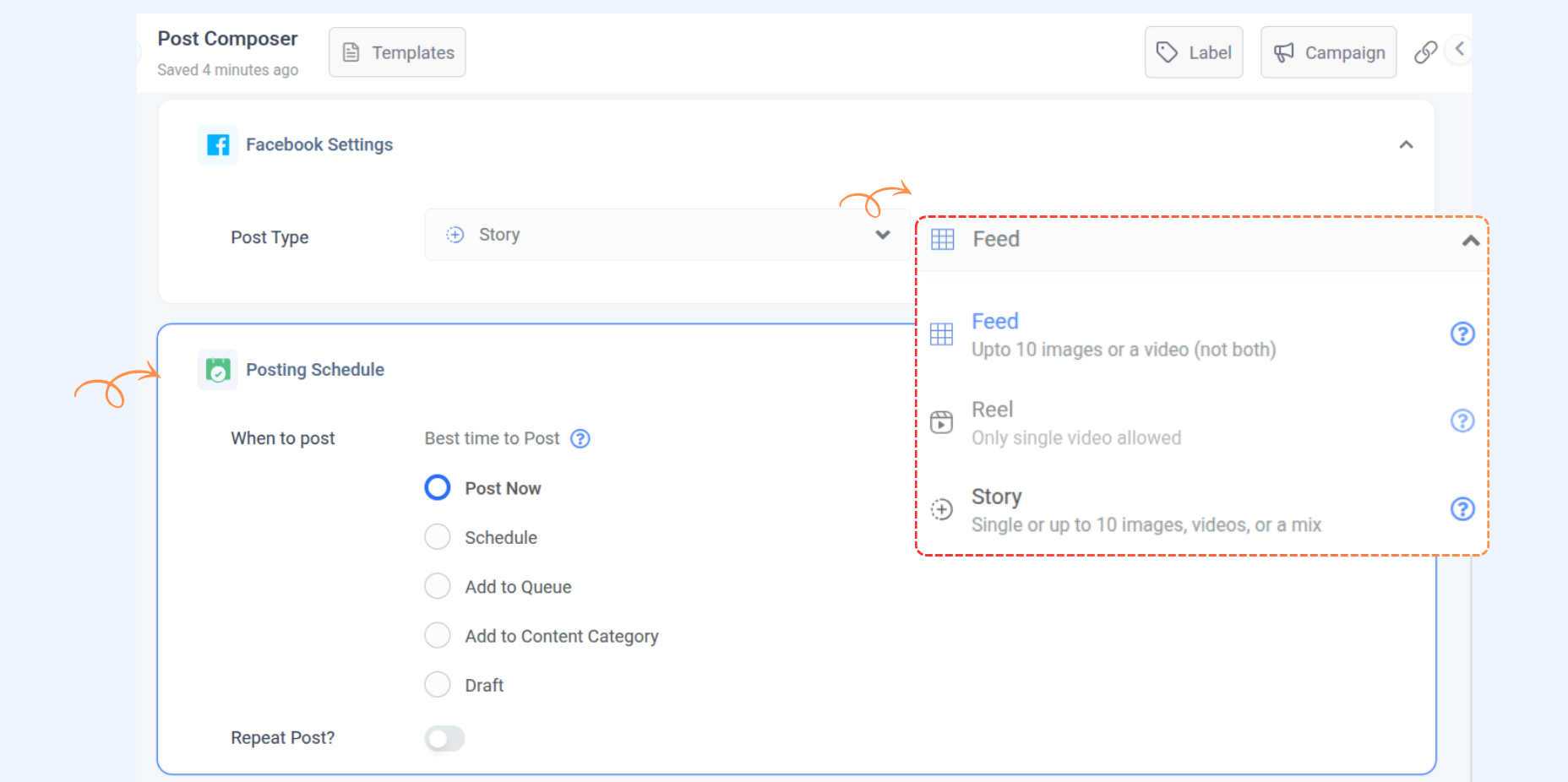
In the Facebook settings, select the post type as "Feed".
Toggle on the Also share to Story option.
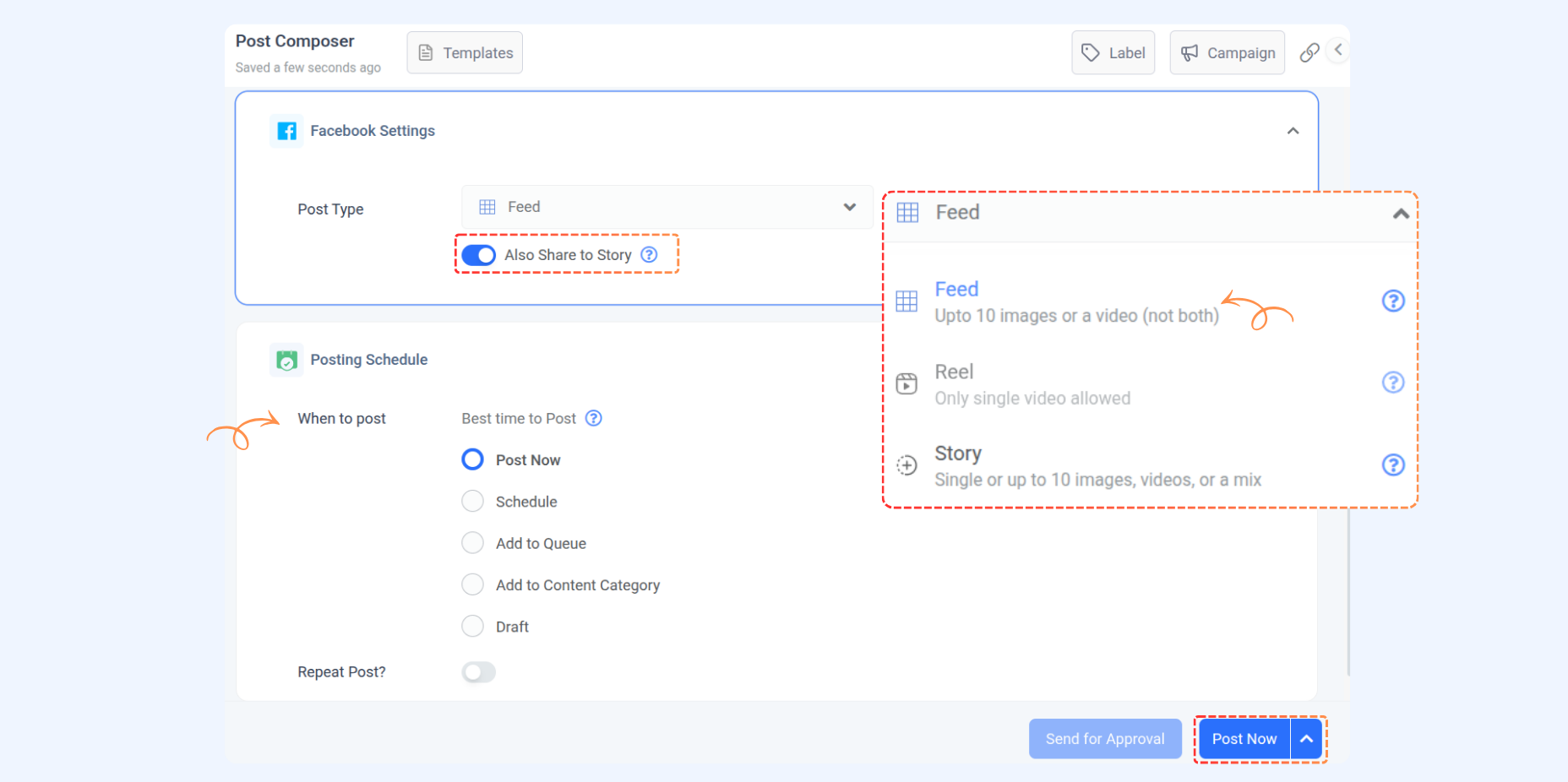
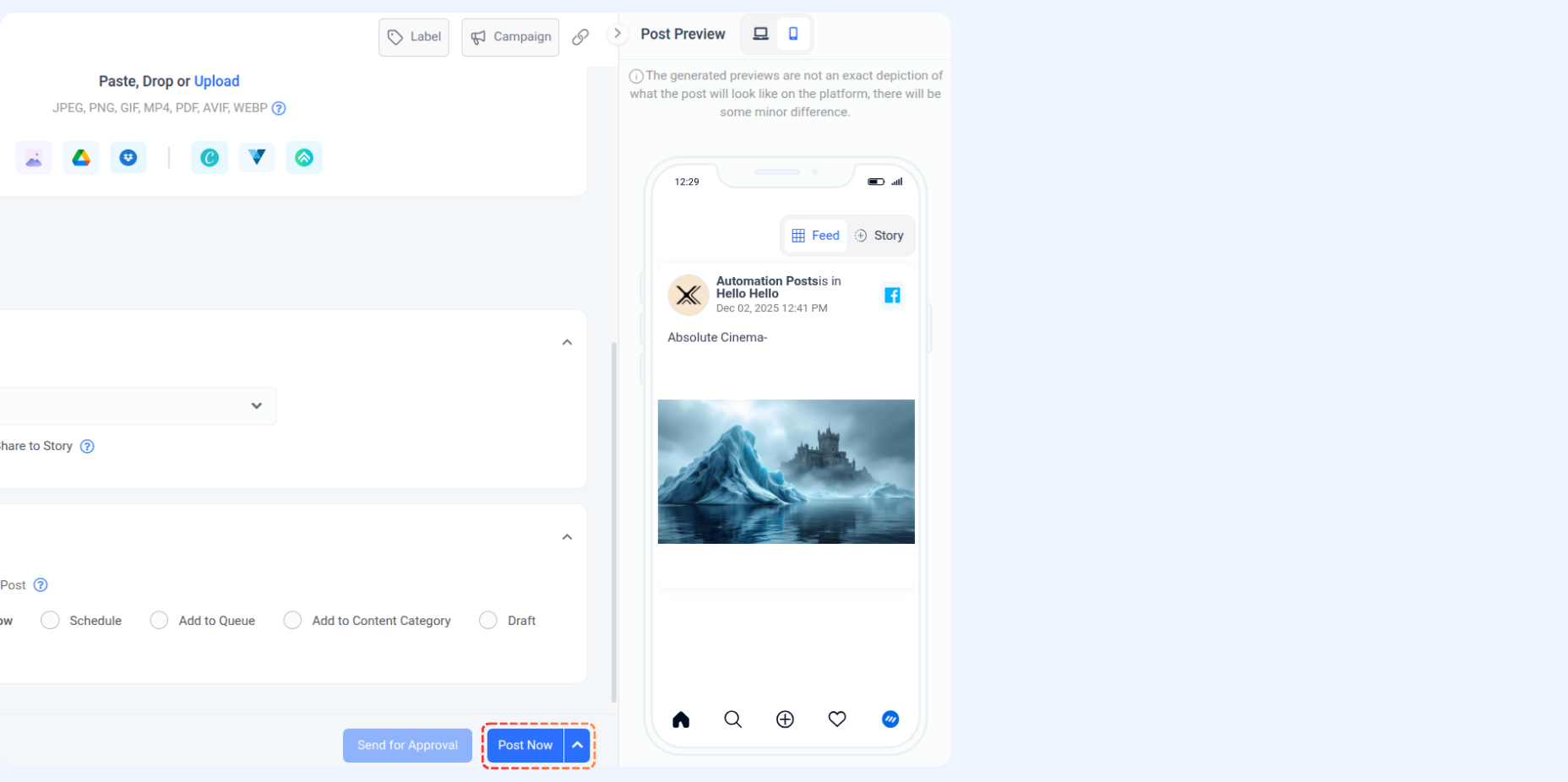
You will see previews of both the feed and the story on the right side of the screen.
When you publish this post, it will be shared as a feed post and a story.
Posting a Reel post with the Story
Head to Compose → Social Post
Choose your Facebook account and compose your social post.
Add your caption and include the media.
Reel Post Requirements
Requirement | Details |
|---|---|
Video | Only single video |
Format | MOV or MP4 |
File Size | Maximum 1 GB |
Duration | Maximum 60 minutes, minimum 4 seconds |
Aspect Ratio | Recommended 9:16 to avoid cropping or black space |
In the Facebook settings, select the post type "Reel".
Toggle on the Also share to Story option.
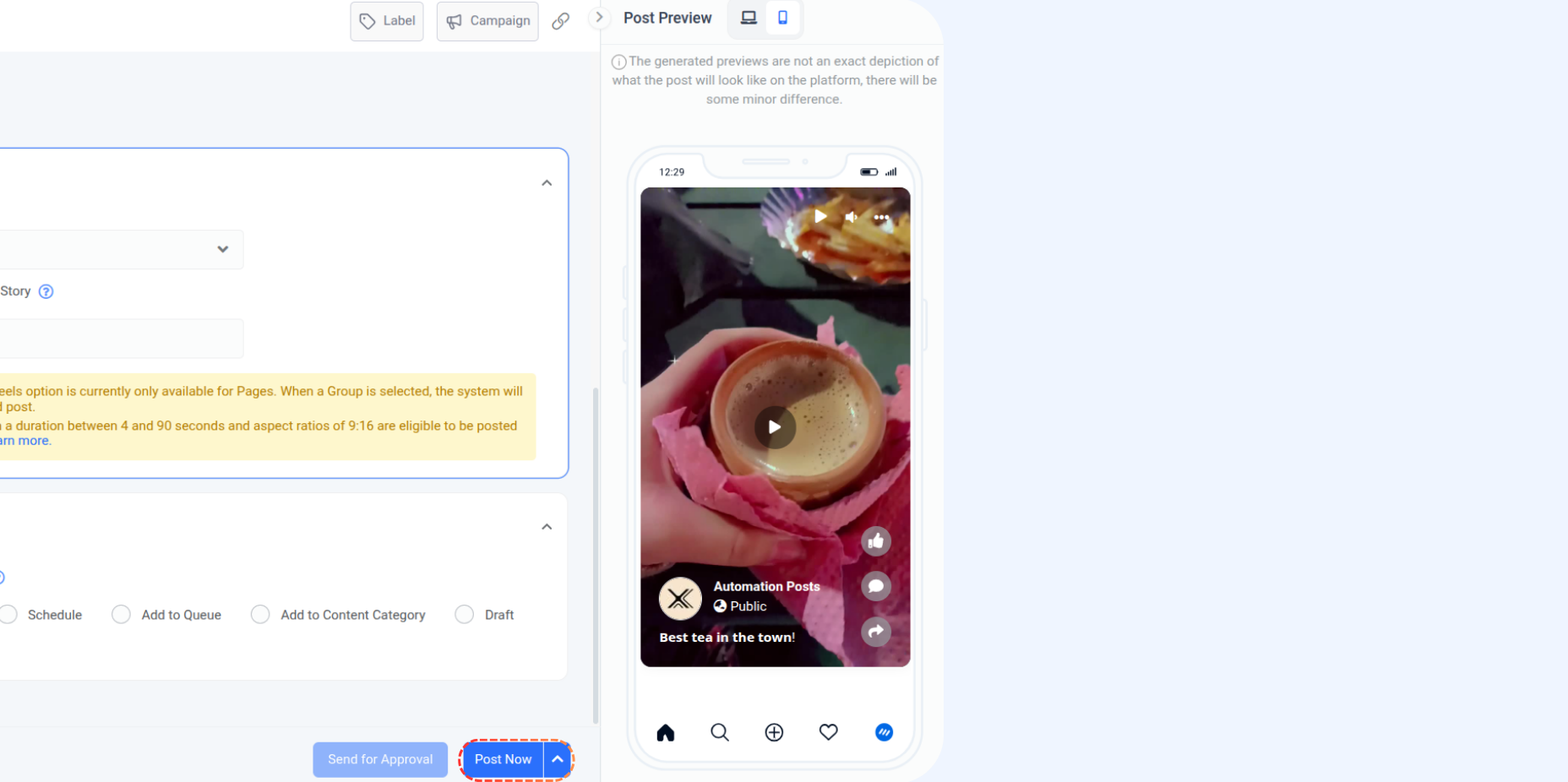
The screen's right side shows previews of the reel and story.
When you publish this post, it will be shared as a reel and a story.
Posting as a single Story
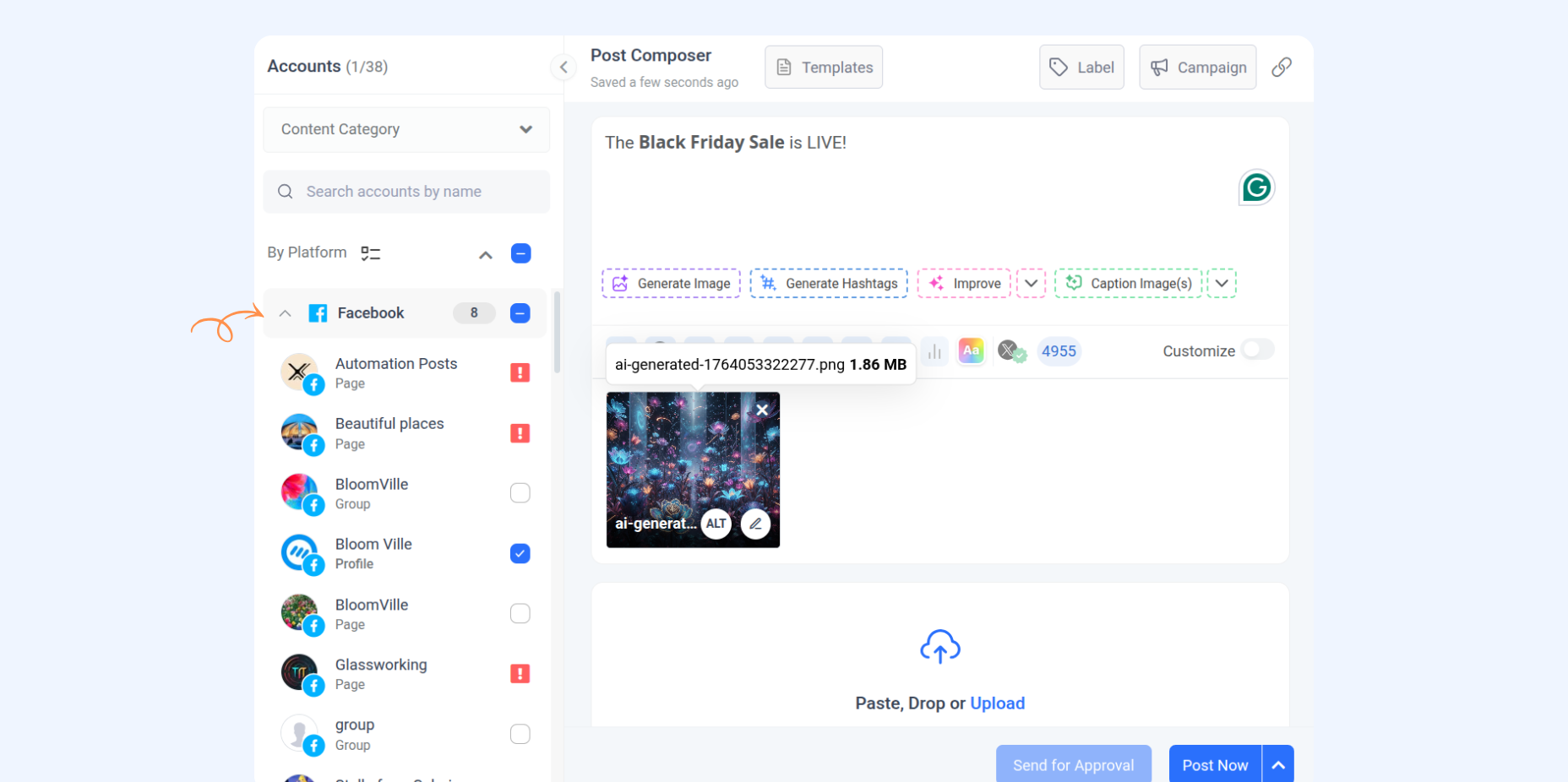
Head to Compose → Social Post
Choose your Facebook account and compose your social post.
Add your caption and include your media.
Story Post Requirements
Requirement | Details |
|---|---|
Content | Single or up to 10 images, videos, or a mix |
Image Format | JPEG (JPG), PNG |
Image File Size | Maximum 8 MB |
Image Aspect Ratio | Recommended 9:16 to avoid cropping or blank space |
Video Format | MOV or MP4 |
Video File Size | Maximum 100 MB |
Video Duration | Maximum 60 seconds, minimum 3 seconds |
Video Aspect Ratio | Recommended 1:1 to avoid cropping or black space |
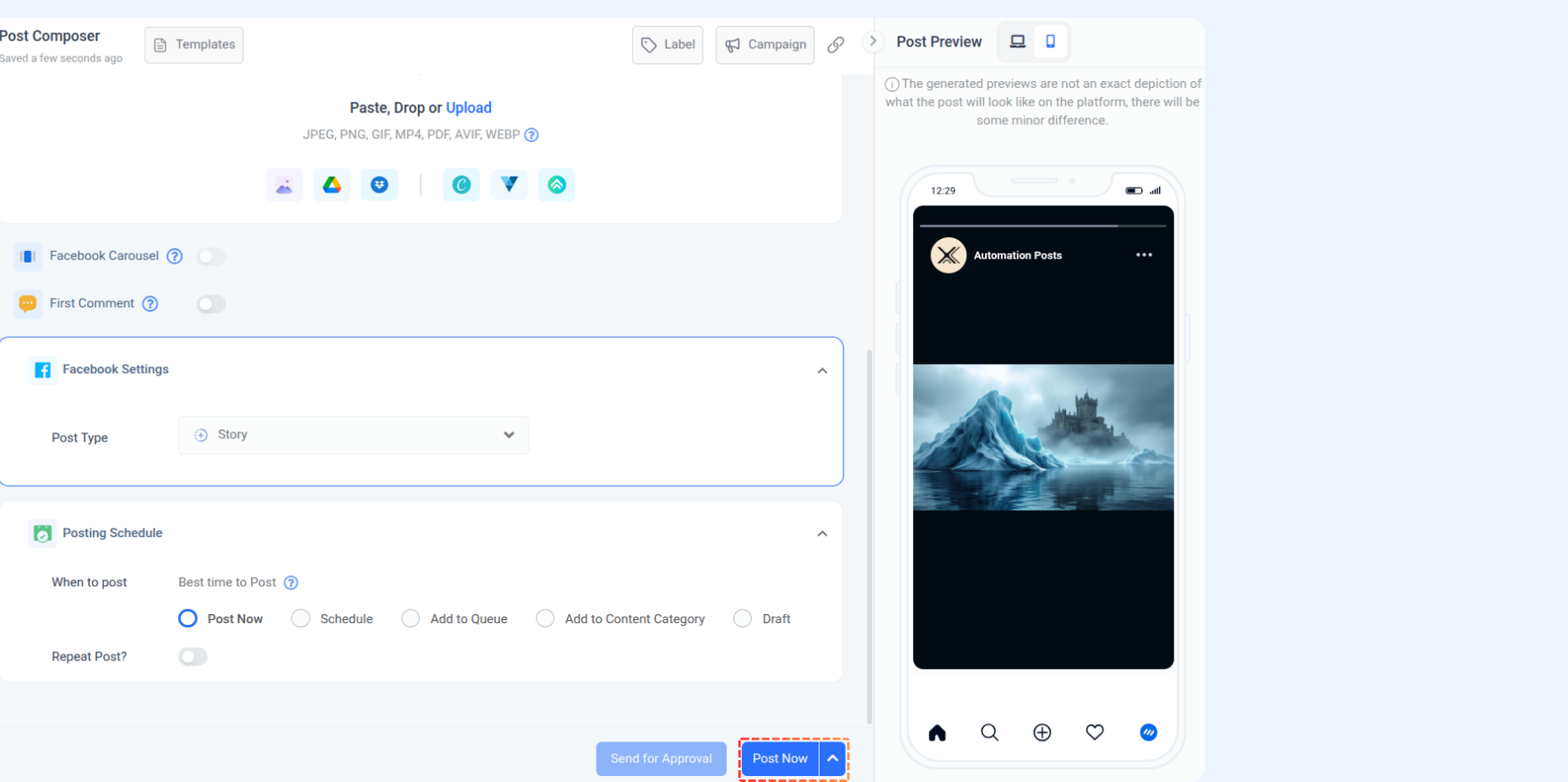
In the Facebook settings, select the post type "Story".
The right side of the screen shows previews of the story.
When you publish this post, it will be shared as a story.
That is all about Facebook posting 😊
FAQs
Q1: How many images can I include in a Facebook feed?
A: You can add from 1 to 10 images to the Facebook feed.
Q2: What does the "Also Share to Story" option do?
A: The "Also Share to Story" option allows you to share your content as a story alongside the selected primary format, such as a feed or reel post.
Q3: Can I upload multiple images or videos in a Facebook story post?
A: Yes, you can upload up to 10 images, videos, or a combination of both in a single story post.
Q4: Are there specific size and format requirements for Facebook feed posts?
A: Yes, images must be in JPEG or PNG format, with a maximum size of 10MB, and adhere to an aspect ratio between 4:5 and 1.91:1.
Was this article helpful?