

Campaign/Label performance report
With the Label Performance Report, you can enhance your social marketing strategies by gaining deeper insights into your label performance. Labeling offers an effective method to monitor the performance of your outgoing posts in campaigns and content, providing valuable insights into how your audience engages with your content.
Let's explore how to use it 😊
In this article:
Accessing Campaign/Label performance report
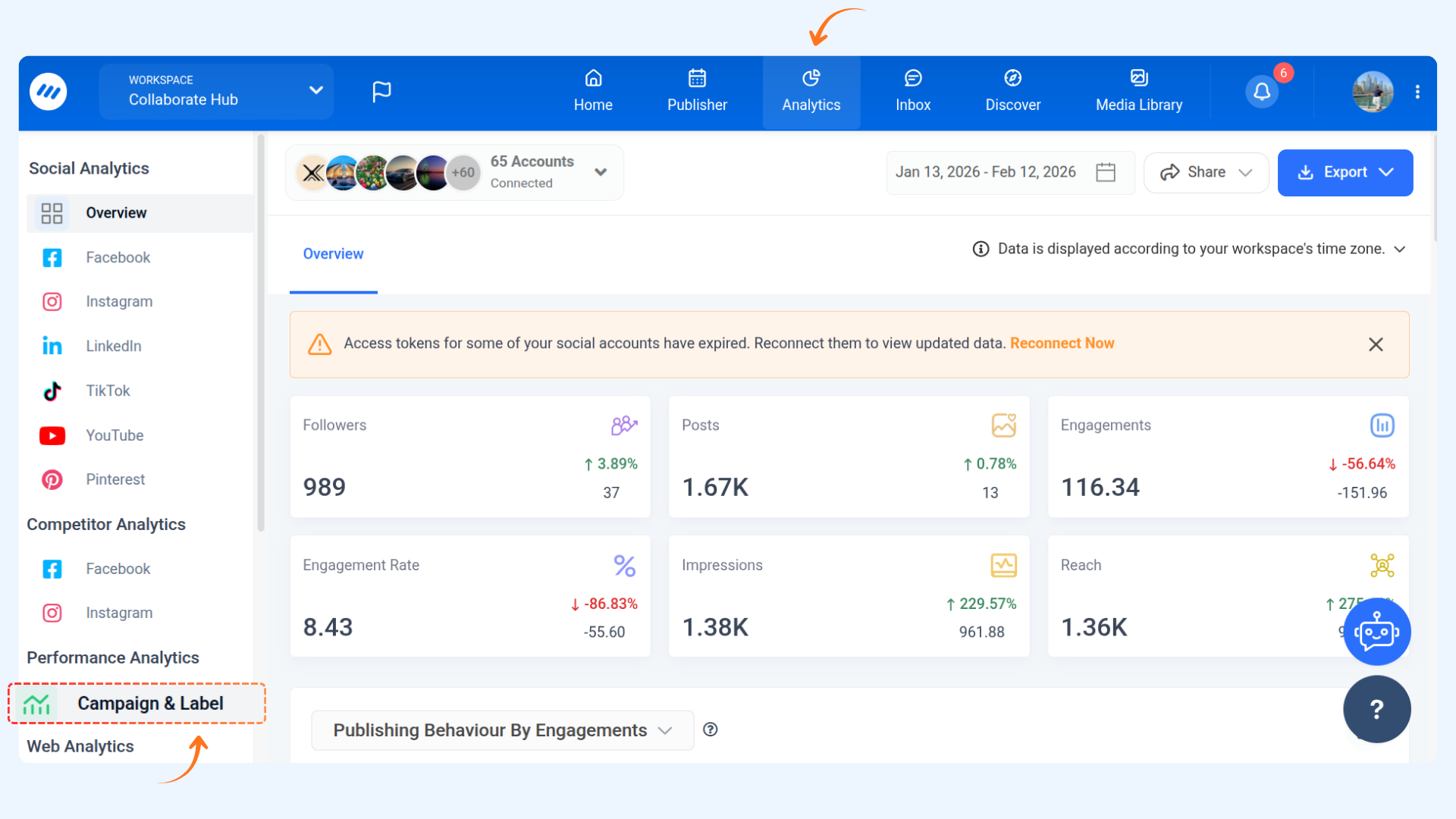
Navigate to Analytics from the Home.
Go to Performance Analytics → click Campaign and Label in the left panel. This opens your Campaign and Label report dashboard.
Overview Dashboard
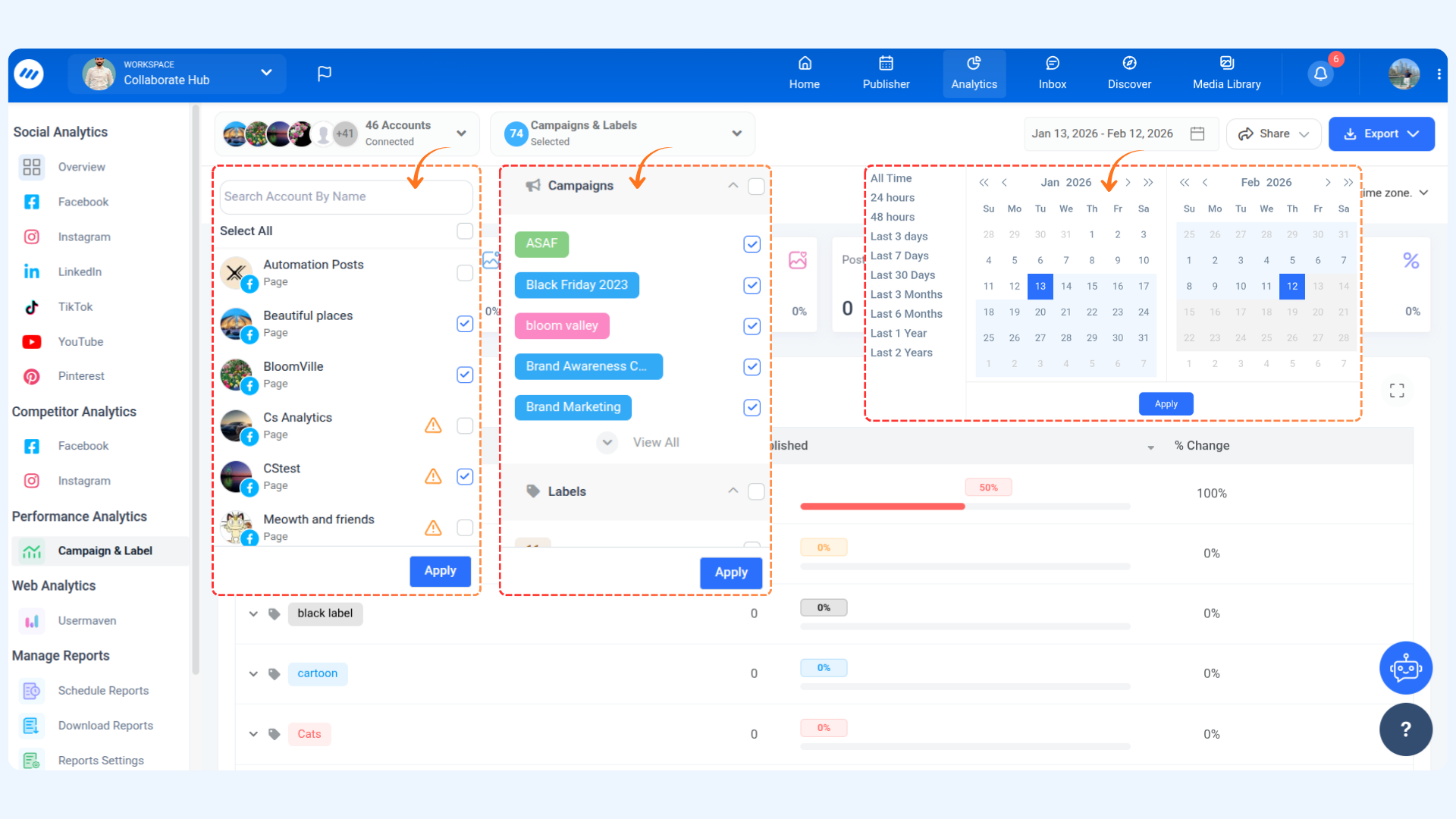
The dashboard gives a high-level snapshot of your label performance:
All social accounts are selected by default, but you can choose from the dropdown.
Select a campaign and label from the dropdown.
Choose a date range (default: last 30 days). Predefined ranges are available for quick selection.
Cards
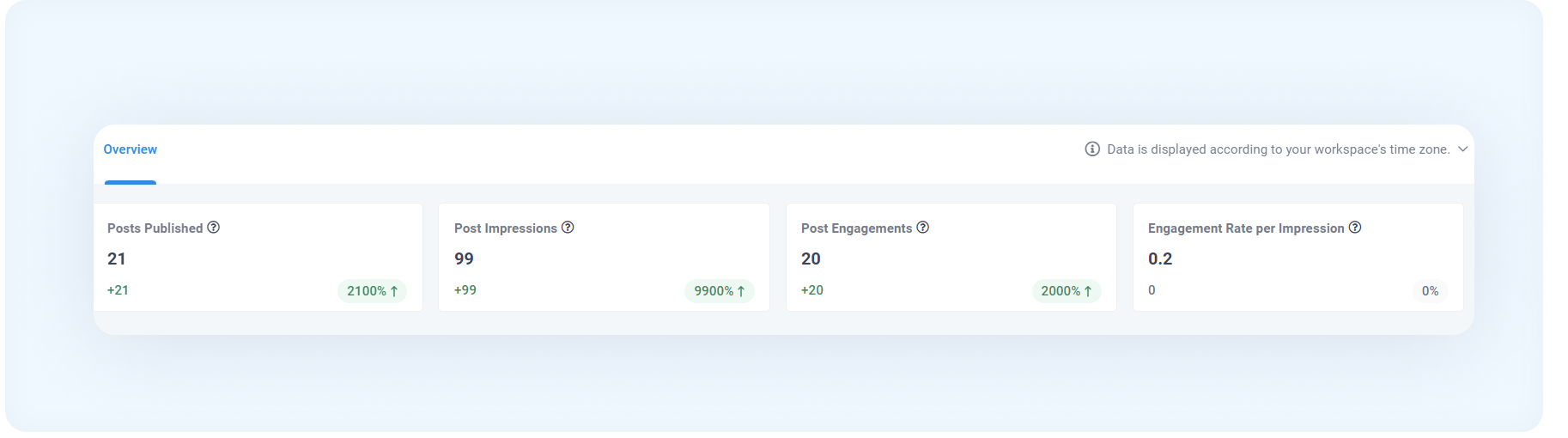
Post Published: Total posts published during the selected period under the chosen campaign/label.
Post Impressions: Total impressions received by posts (lifetime performance).
Post Engagements: Total engagement actions (likes, comments, shares, etc.) across selected accounts.
Engagement Rate per Impression: Percentage of interactions relative to post impressions.
Graphs
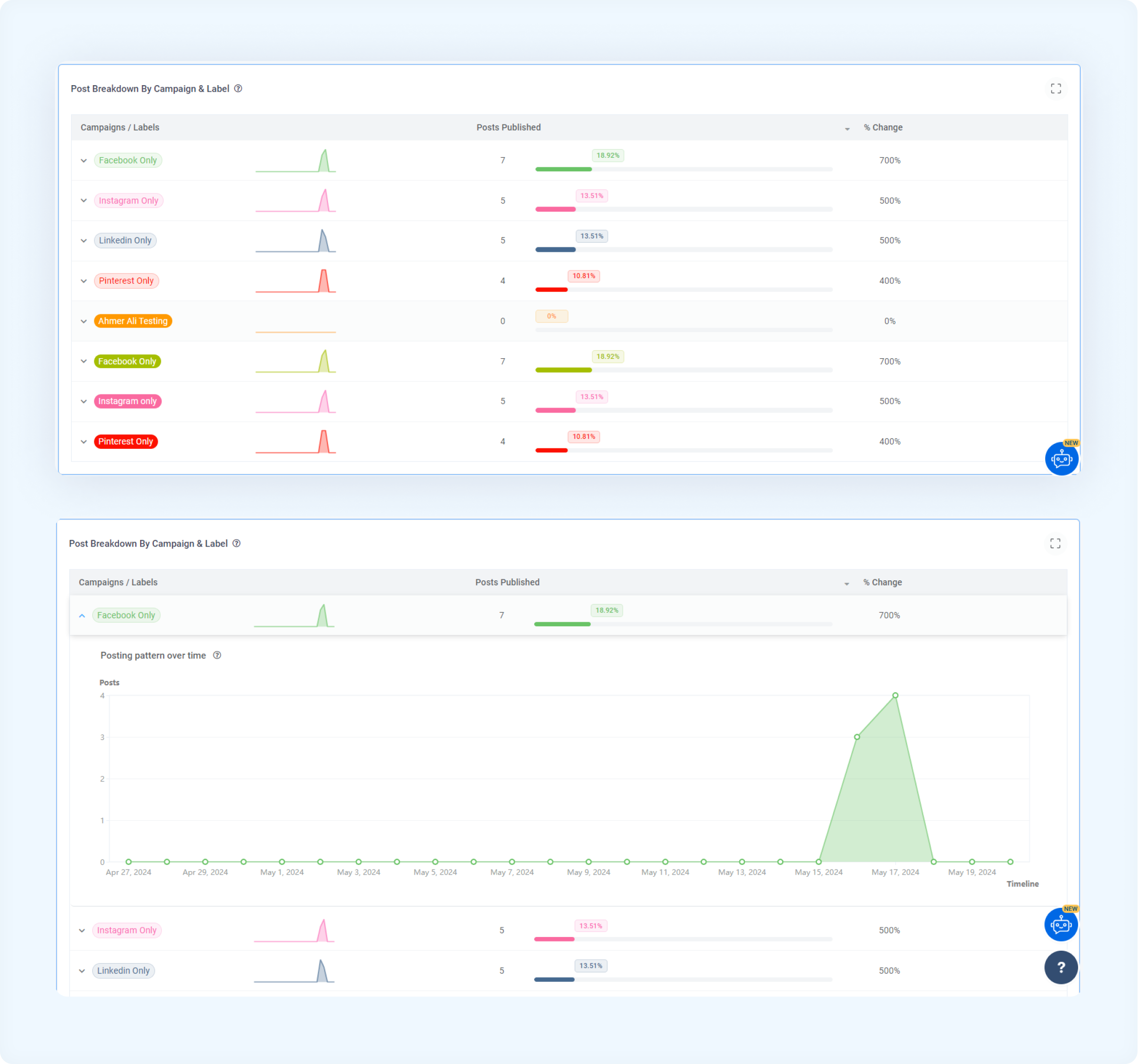
Post breakdown by campaign and label
It provides insights into how posts are distributed across campaigns and labels, ensuring comprehensive coverage across all categories and areas of focus. Expanding each row gives you a detailed view of the posting pattern over time for each campaign/label.
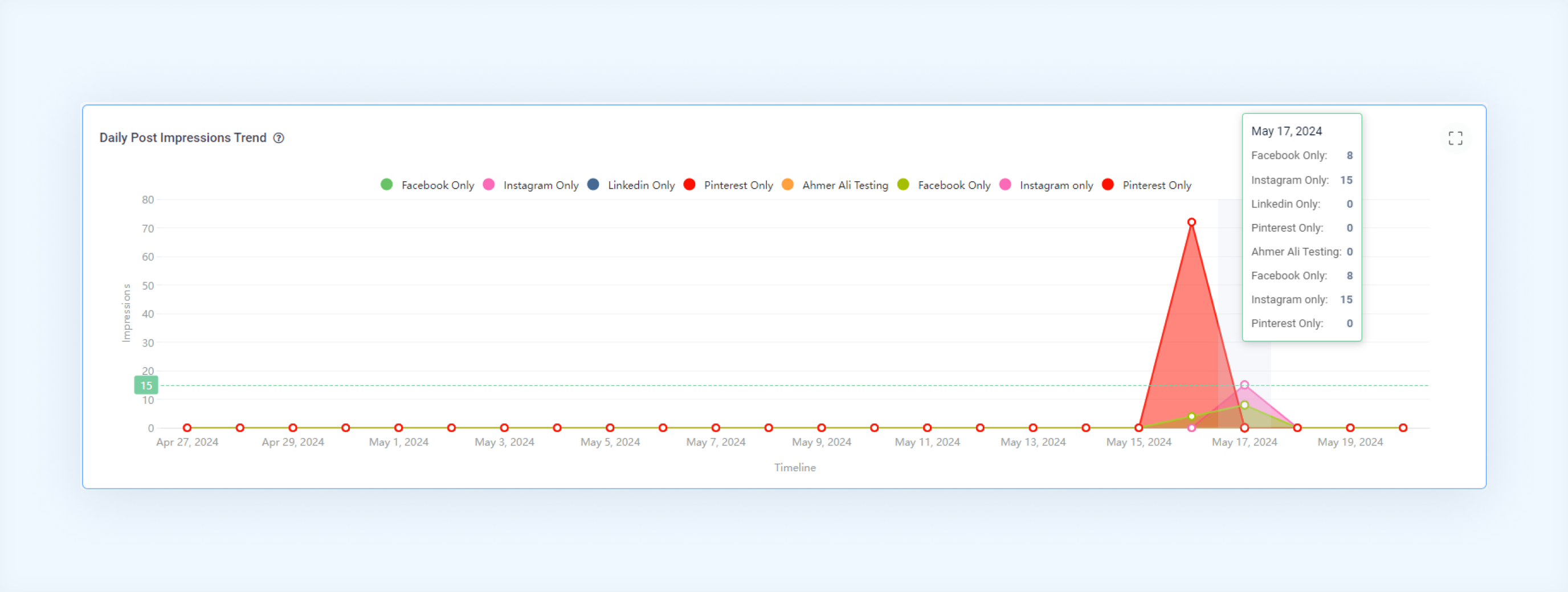
Daily post impression trend
Analyze the trend of impressions received by posts associated with the specified campaigns and labels over the selected period. This helps identify peak engagement times and patterns.
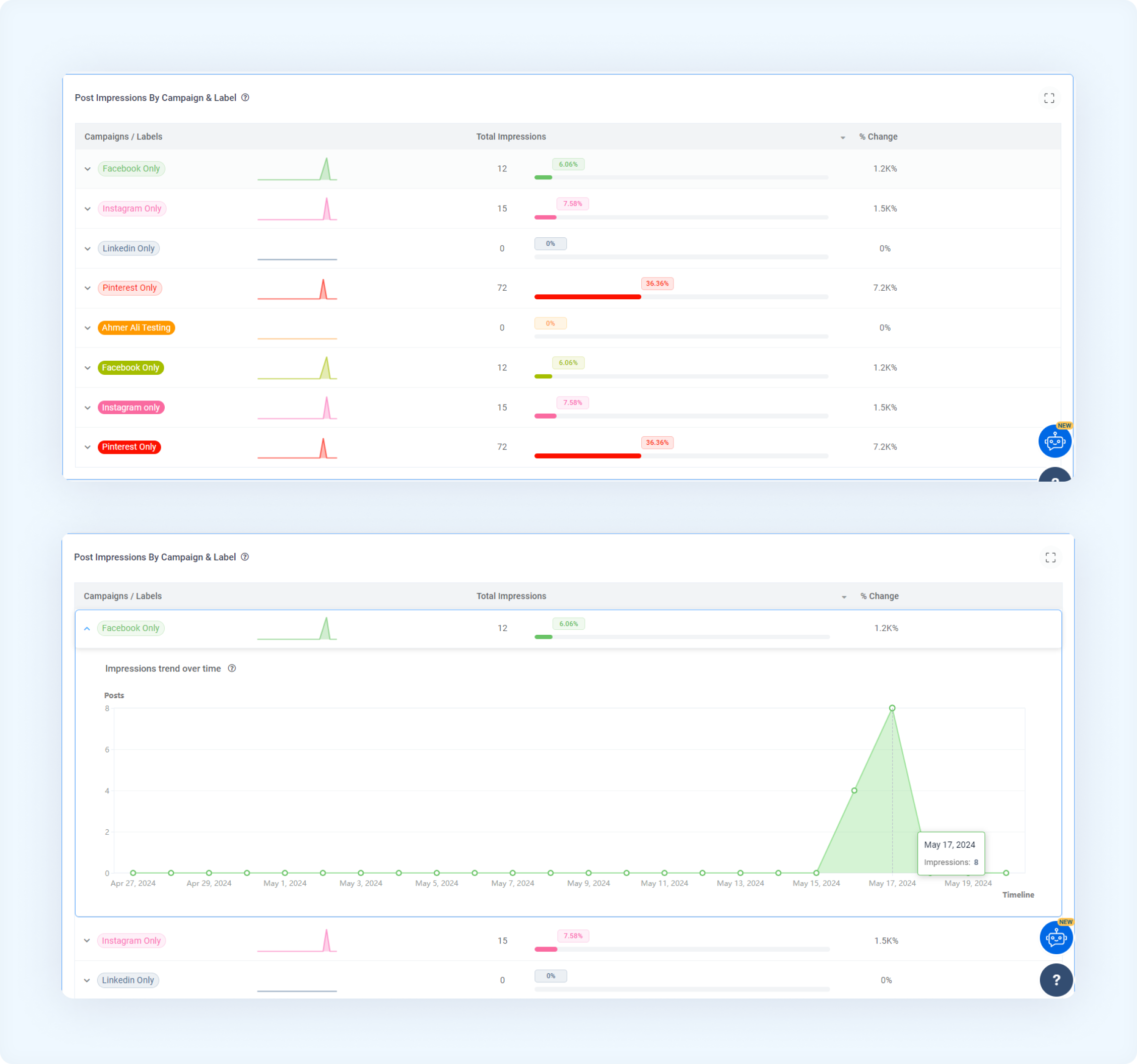
Post impressions by campaign and label
Evaluate the impressions received on posts categorized by their associated campaigns and labels. Expanding each row gives a detailed view of the impression trend over time for each campaign/label.
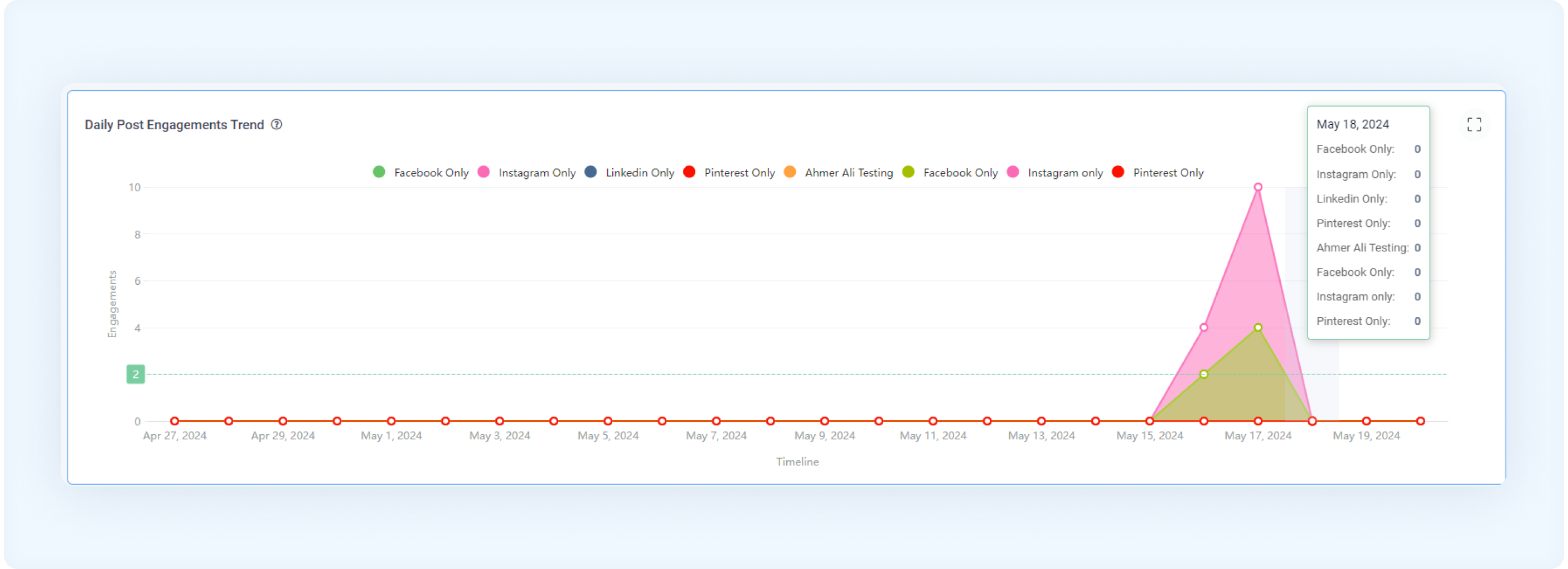
Daily post engagements trend
Analyze the trend of engagements received by posts associated with the specified campaigns and labels over the selected time period. This helps track user interaction patterns and campaign effectiveness.
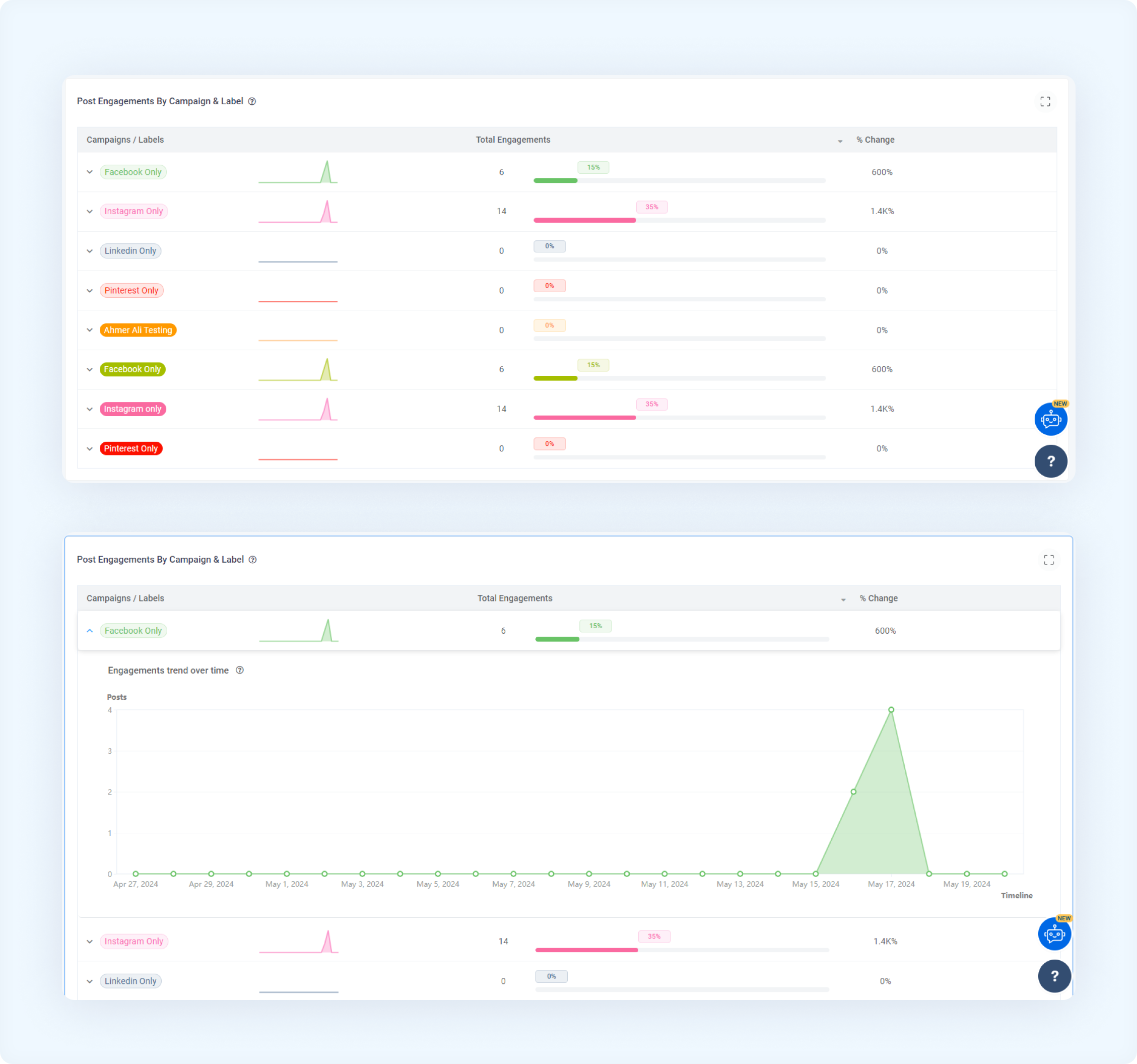
Post engagements by campaign and label
Evaluate the engagements received on posts categorized by their associated campaigns and labels. Expanding each row gives detailed insight into which campaigns/labels drive the most interaction.
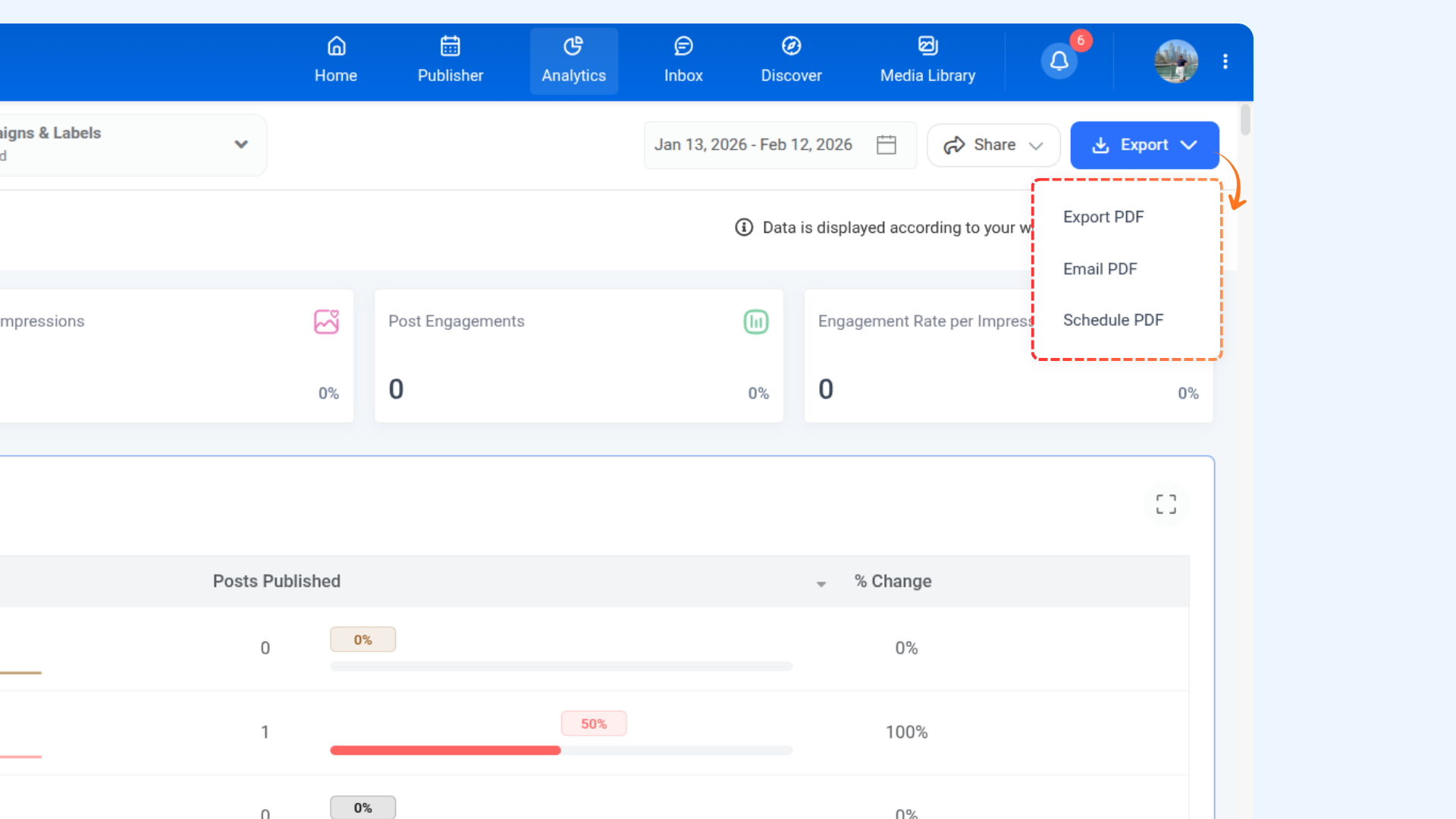
Save and analyze your label performance report
Use the Export button to save your report for further analysis. Options include:
Export PDF
Email PDF
Schedule PDF
FAQs
Q1: How often is the Campaign/Label Analytics data updated?
A: Data will be updated once a day
Q2: Can I export Campaign/Label Analytics data for further analysis?
A: Yes, you can export the data using the export button. For more details, read Save and analyze your label performance report
Q3: Can I access Campaign/Label Analytics for multiple social accounts?
A: Yes, you can view the report for multiple social accounts.
Was this article helpful?