

Publishing to the Facebook group via mobile app push notification method
ContentStudio provides a streamlined method for publishing to Facebook Groups via push notifications through the mobile app. This guide outlines the steps to efficiently create, schedule, and share your posts. Let’s get started! 💫
In this article:
Are Facebook groups already connected? Install ContentStudio Mobile app
Create a post for a Facebook group via the mobile app push notification method
Are Facebook groups already connected? Install ContentStudio Mobile app
You do not need to reconnect if you have already connected the Facebook group to ContentStudio. However, you may need to install the ContentStudio Mobile app (iOS/Android) to receive push notifications and continue publishing.
Connect the new Facebook group to ContentStudio
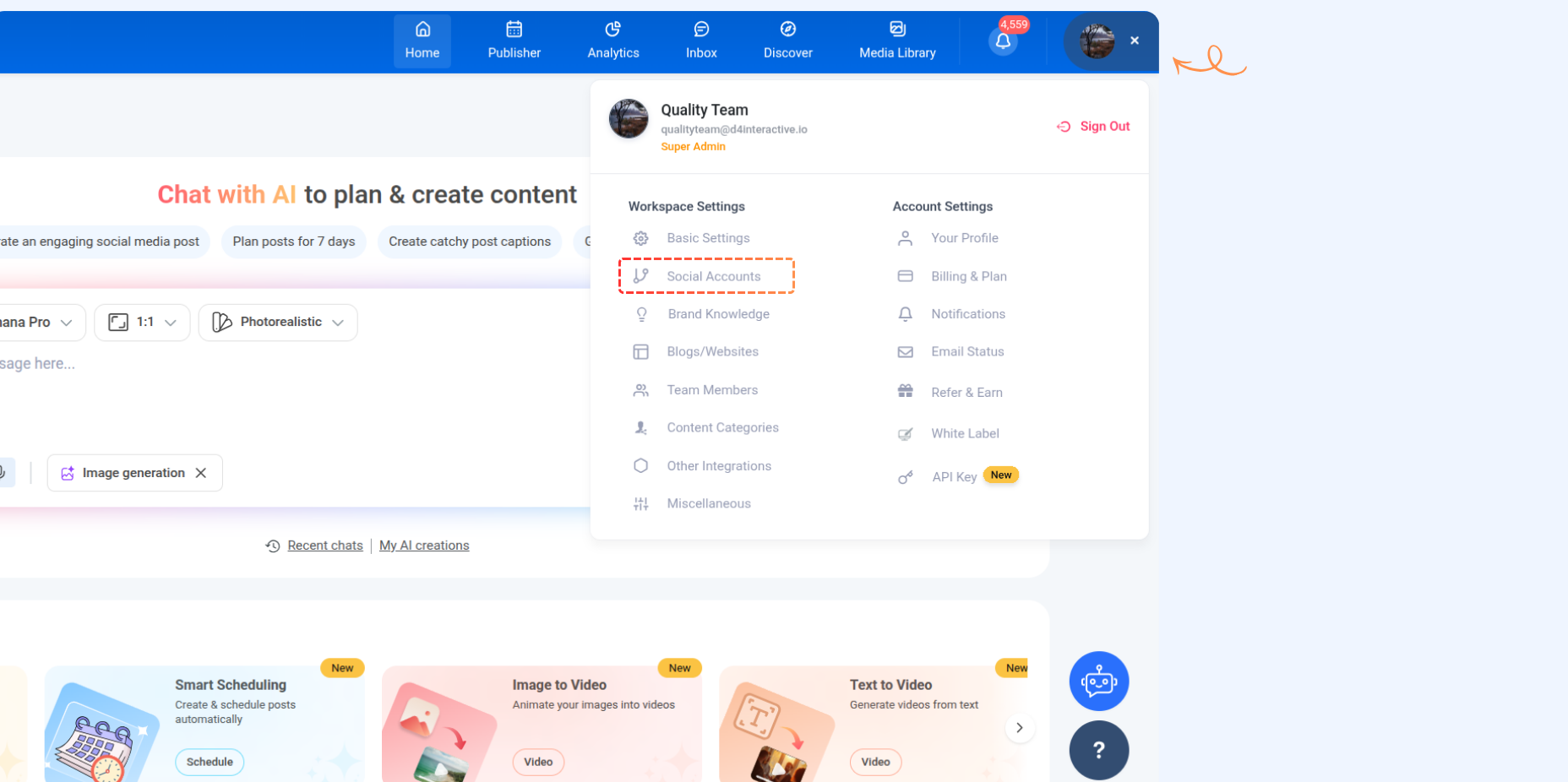
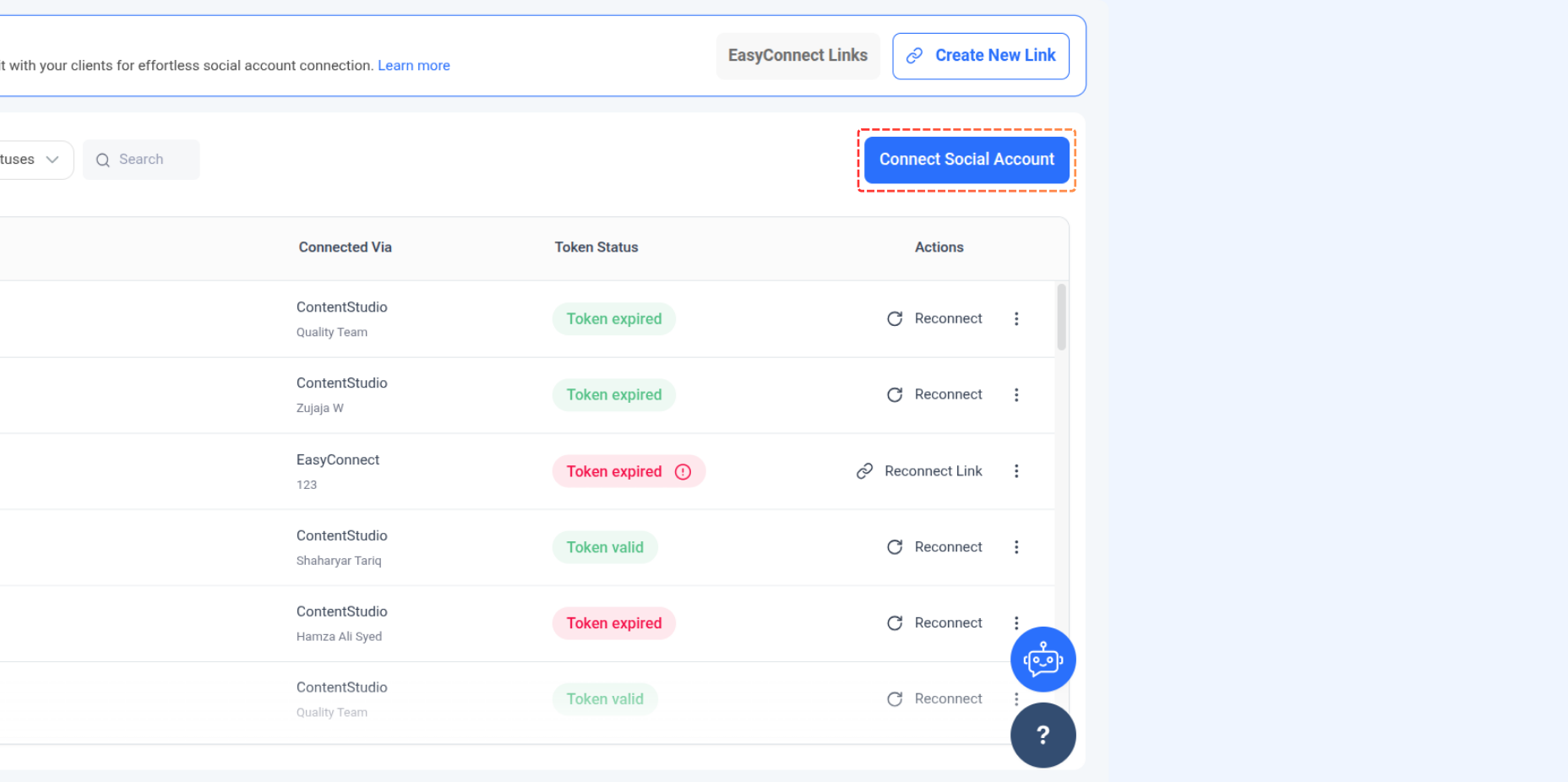
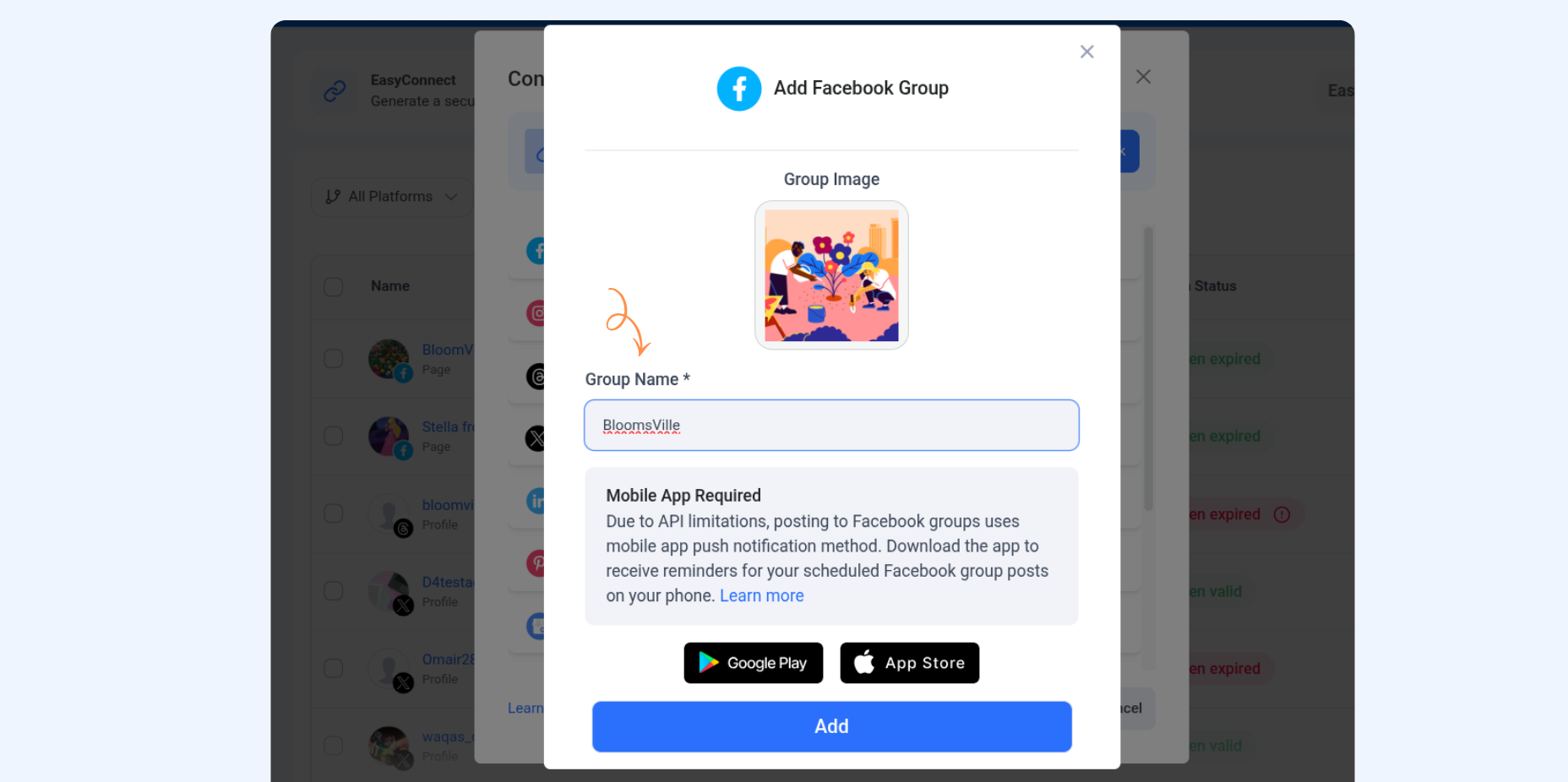
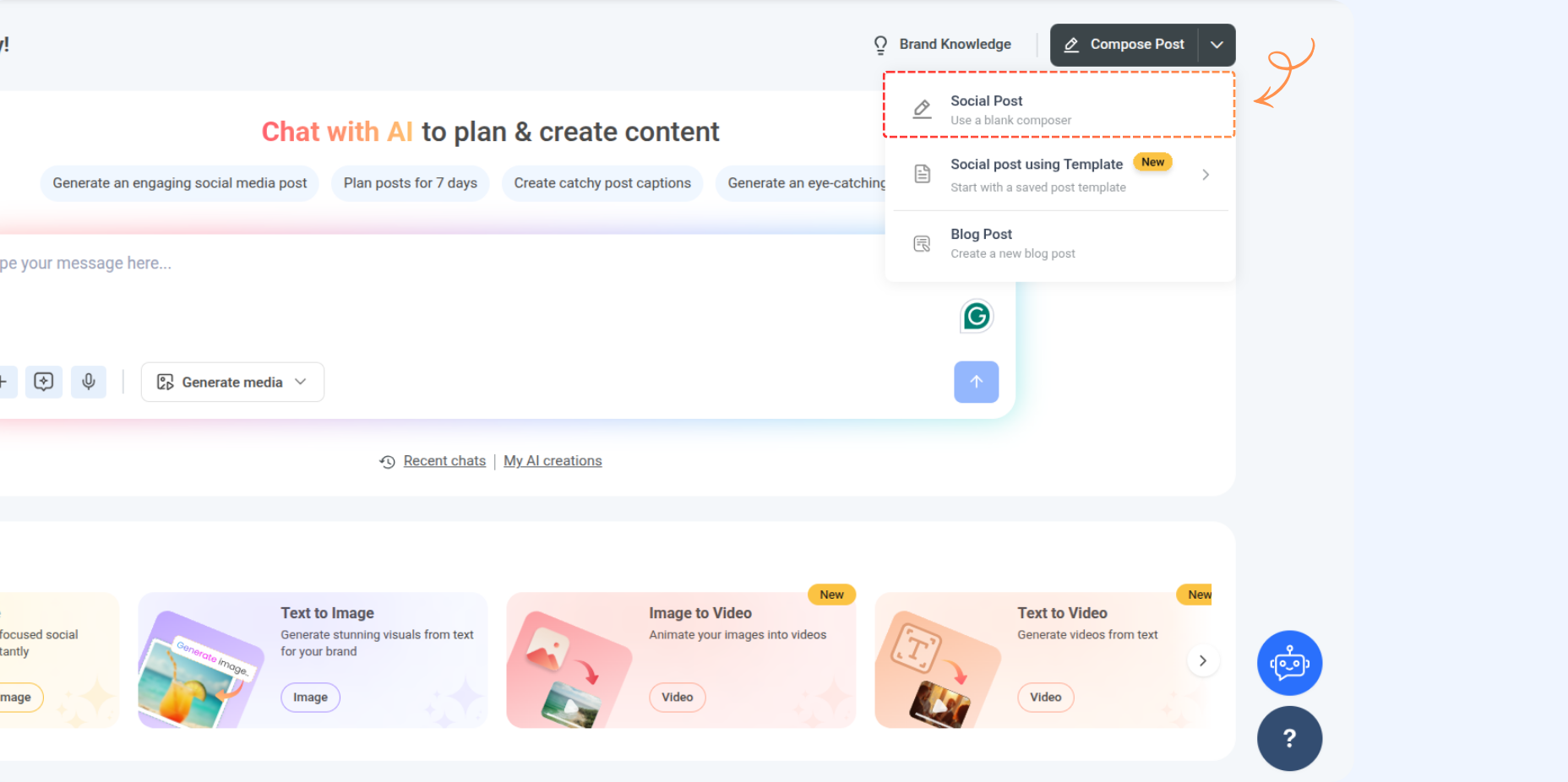
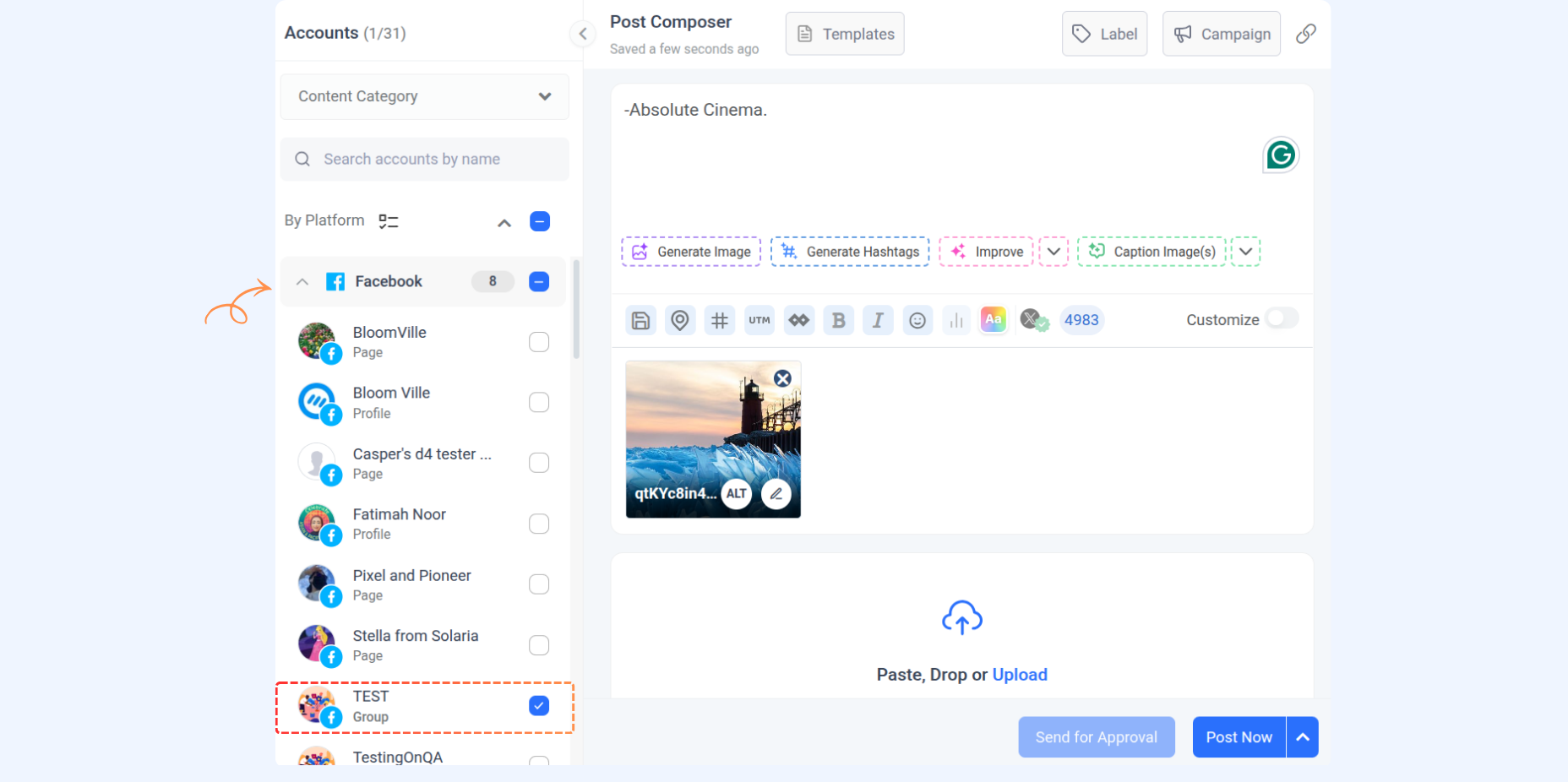
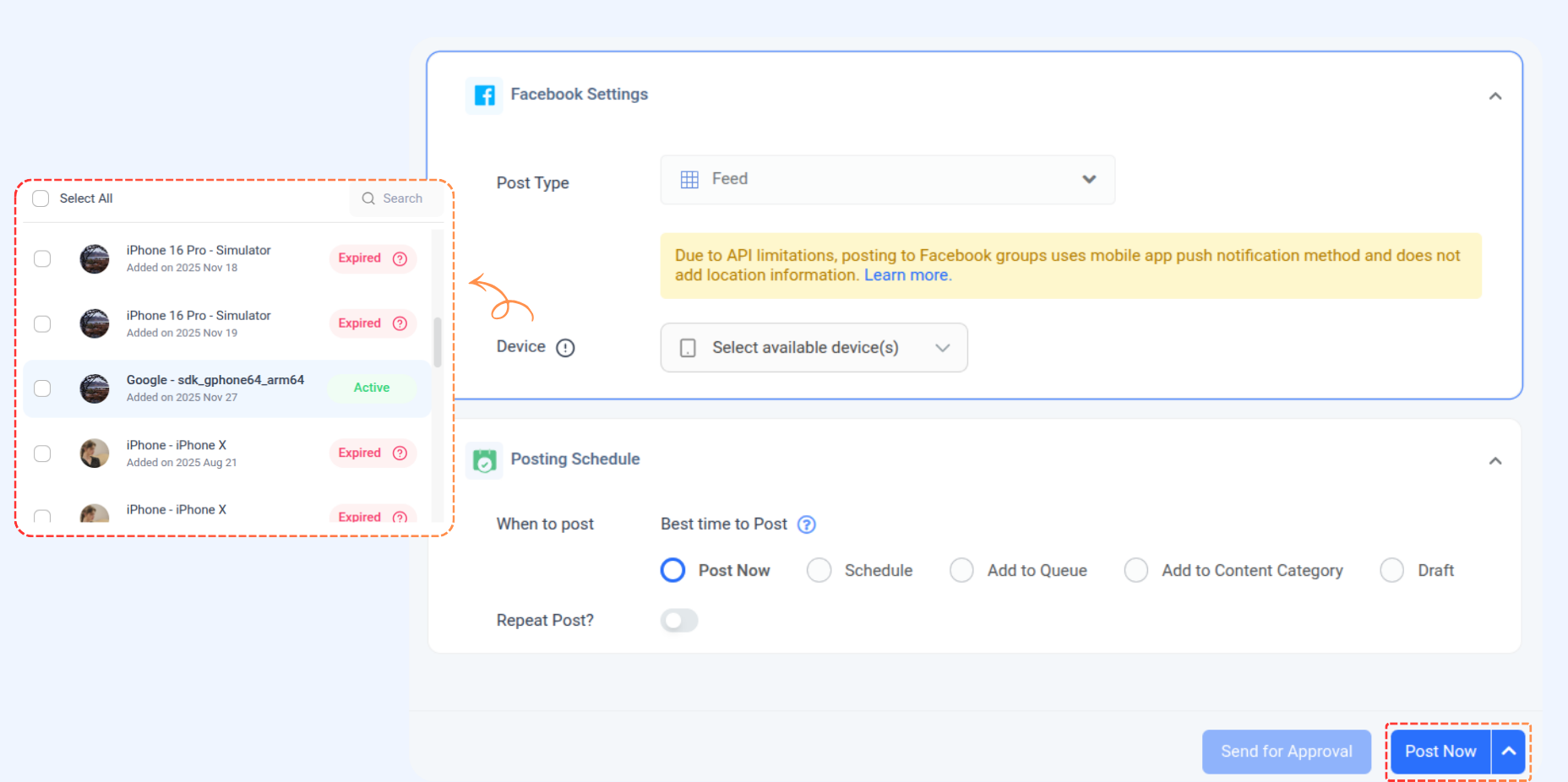
Create a new post for a Facebook group via mobile app push notifications
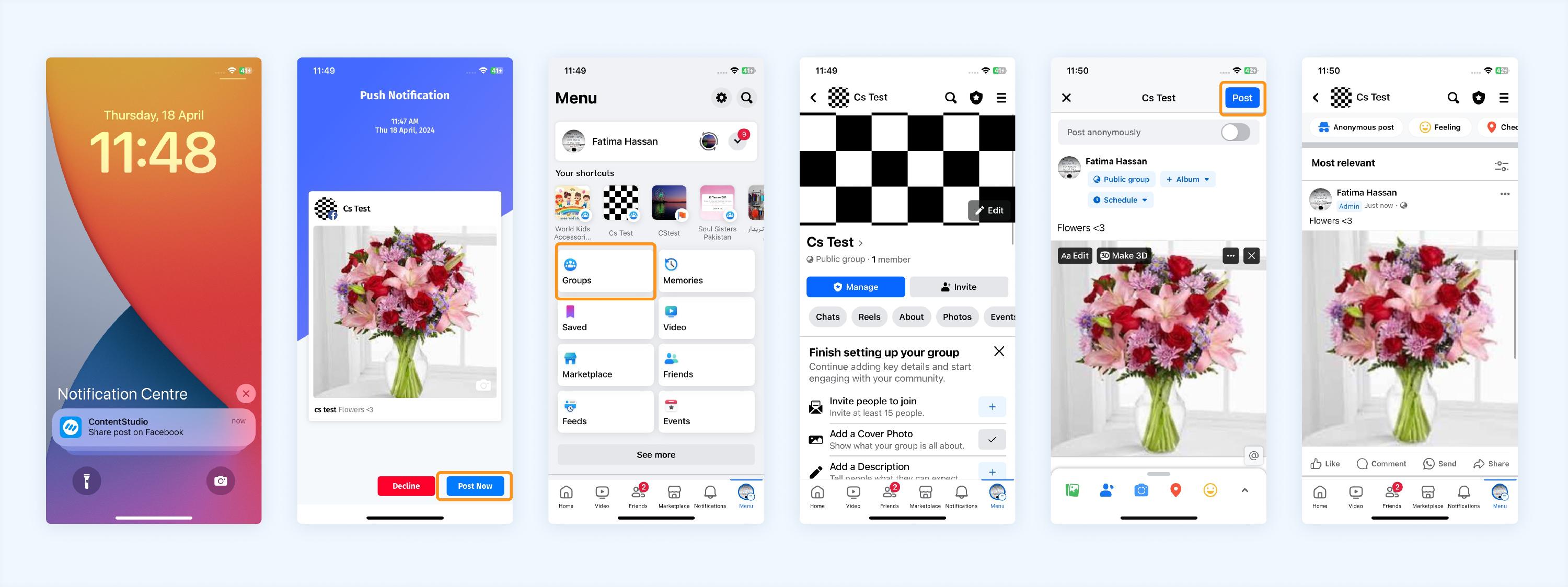
Push notification on ContentStudio mobile app (iOS)
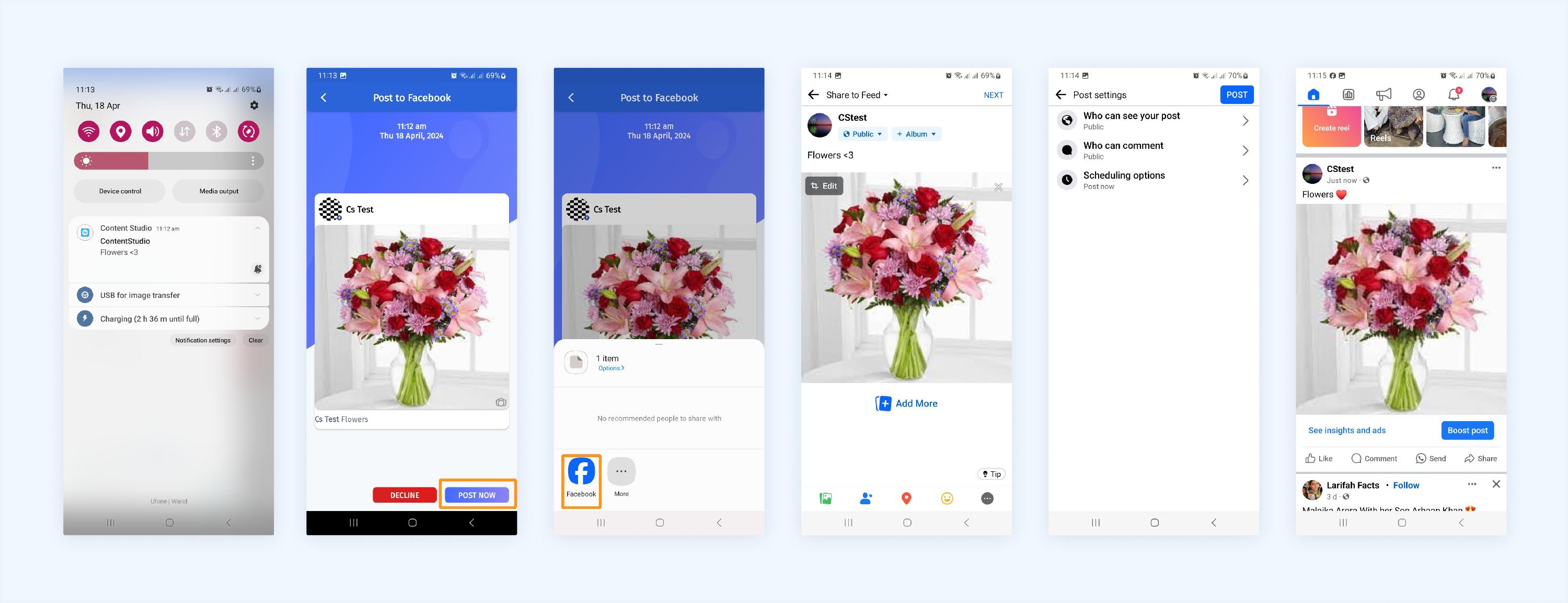
Push notification on ContentStudio mobile app (Android)
FAQs
Q1: Will the Facebook group in ContentStudio be linked to my original Facebook group?
A: The Facebook API no longer allows data fetching, so the groups are not directly linked. You'll manually manage your posts using the ContentStudio and Facebook apps.
Q2: What should I do if my push notifications aren't working?
A: First, ensure all notifications are enabled for the ContentStudio app. Check your device's notification settings or contact support for further assistance if the issue persists.
Q3: Can I manage multiple Facebook groups using ContentStudio?
A: You can add multiple Facebook groups and manage them all through ContentStudio.
Was this article helpful?