

Managing X (Twitter) posting limits
X (Twitter) has updated its policy, which is why we’ve revised the posting limits in ContentStudio. You can now view your current X posting limits directly in the Composer and increase them at any time using the Add-ons modal.
As a Super Admin or Admin with billing access, you can now manage your X (Twitter) posting credits conveniently using the Add-ons modal in ContentStudio.
Let us get in!
In this article:
Compose X (Twitter) post
Head to Composer:
Go to Home → Composer to start creating your X (Twitter) post.Select Account and Compose:
Choose your desired X (Twitter) account and start composing your post.
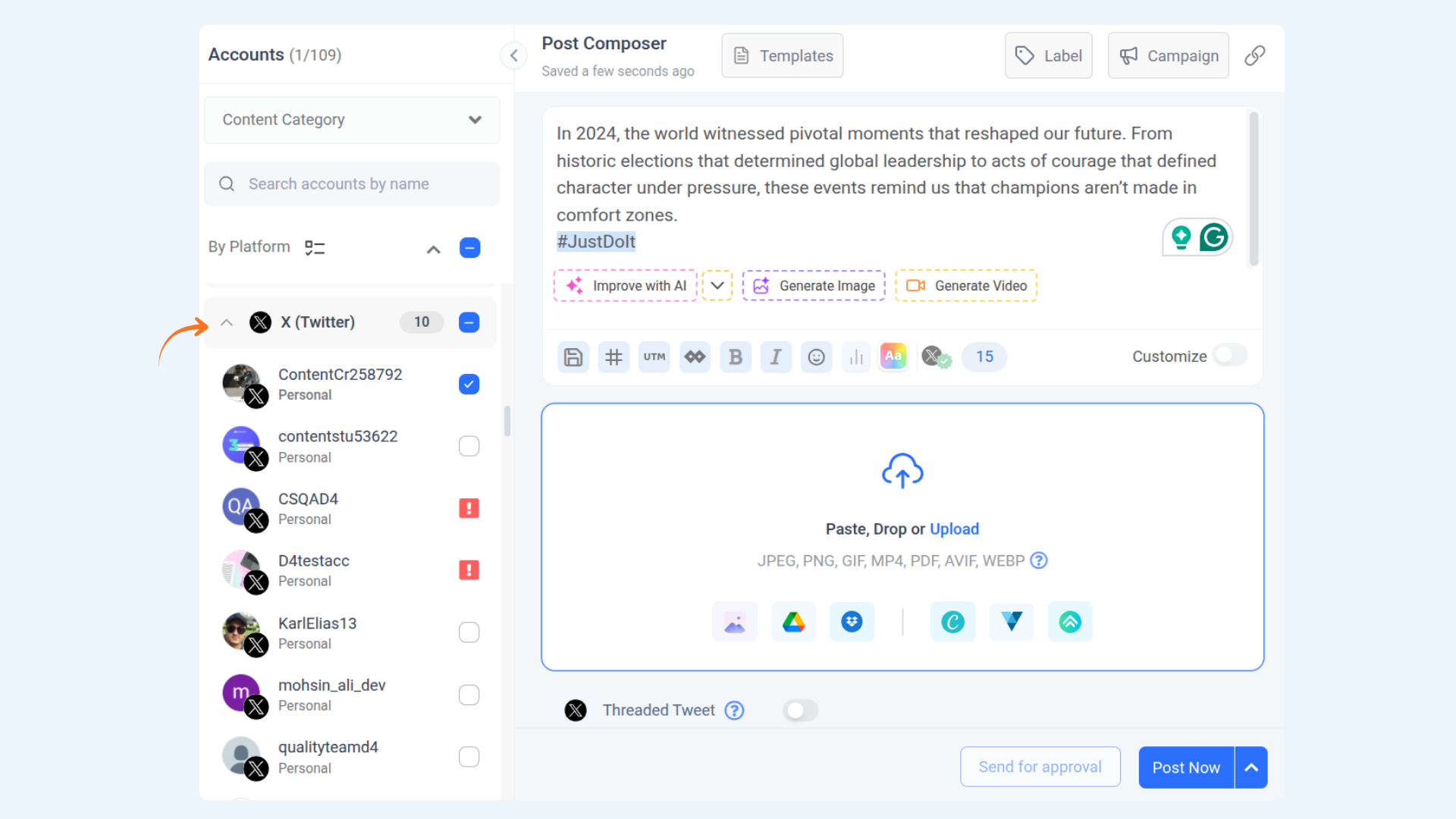
Check Posting Limits:
In the posting schedule section, your monthly posting limits will be displayed. These limits are set at the super admin level.
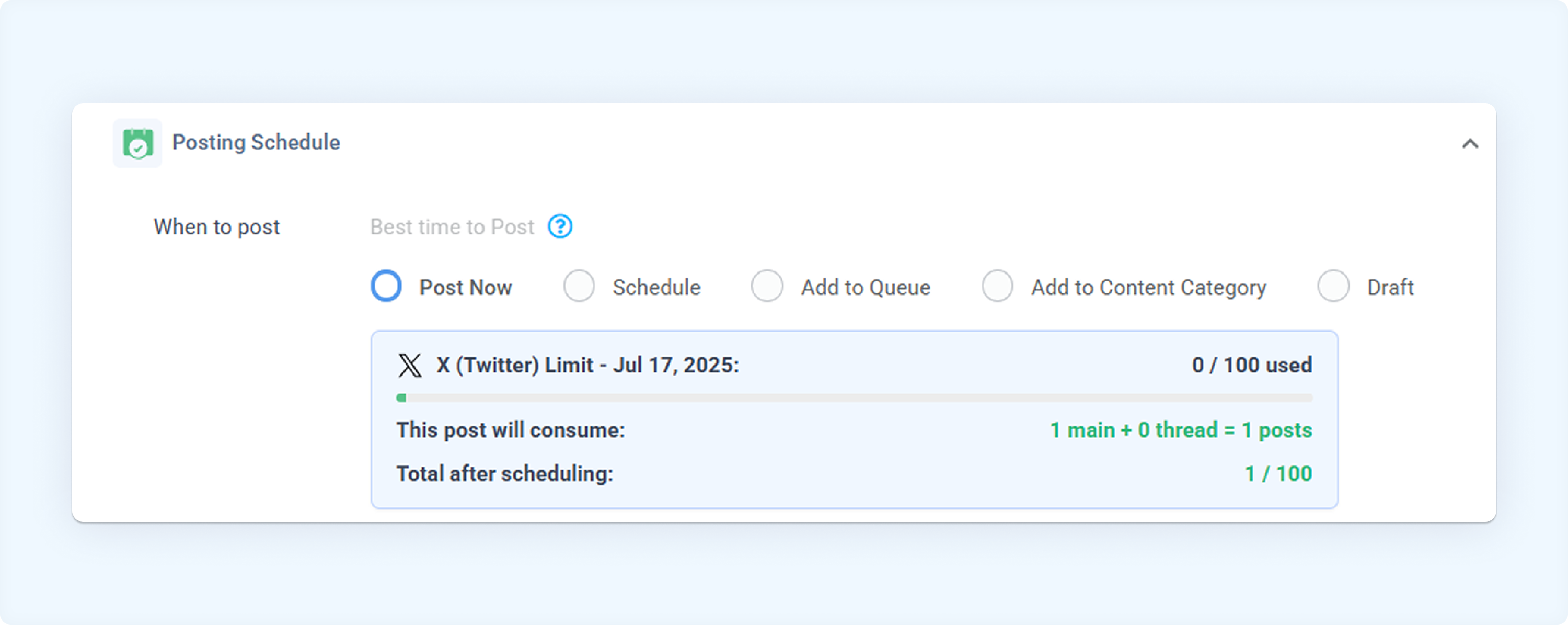
Increase Limits:
If your monthly limits have been reached, you can increase them using add-on credits as described below.
Increase add-on limits.
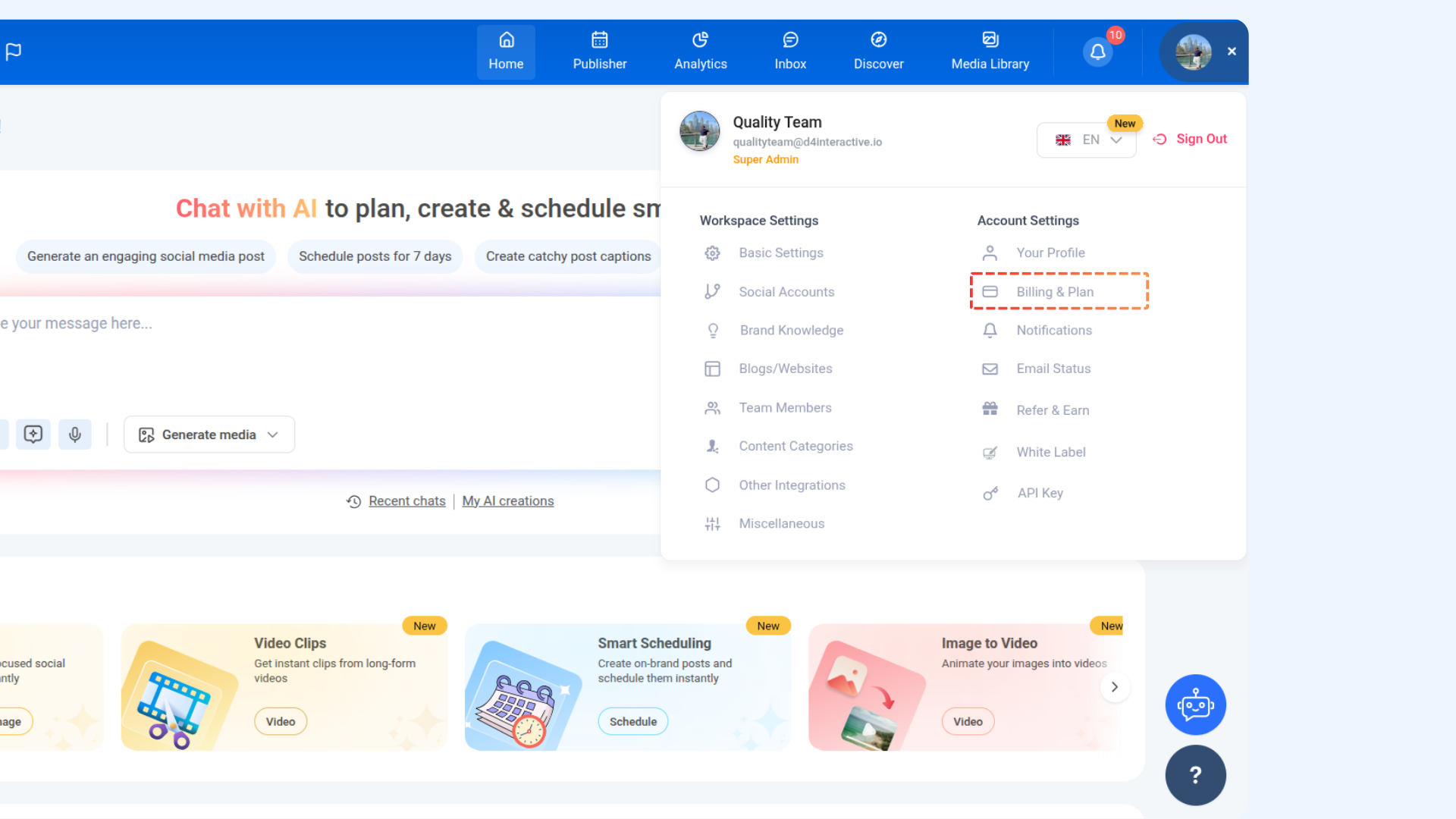
To manage X (Twitter) posting credits:
Go to Settings → Billing & Plan.
Click Manage add-ons.
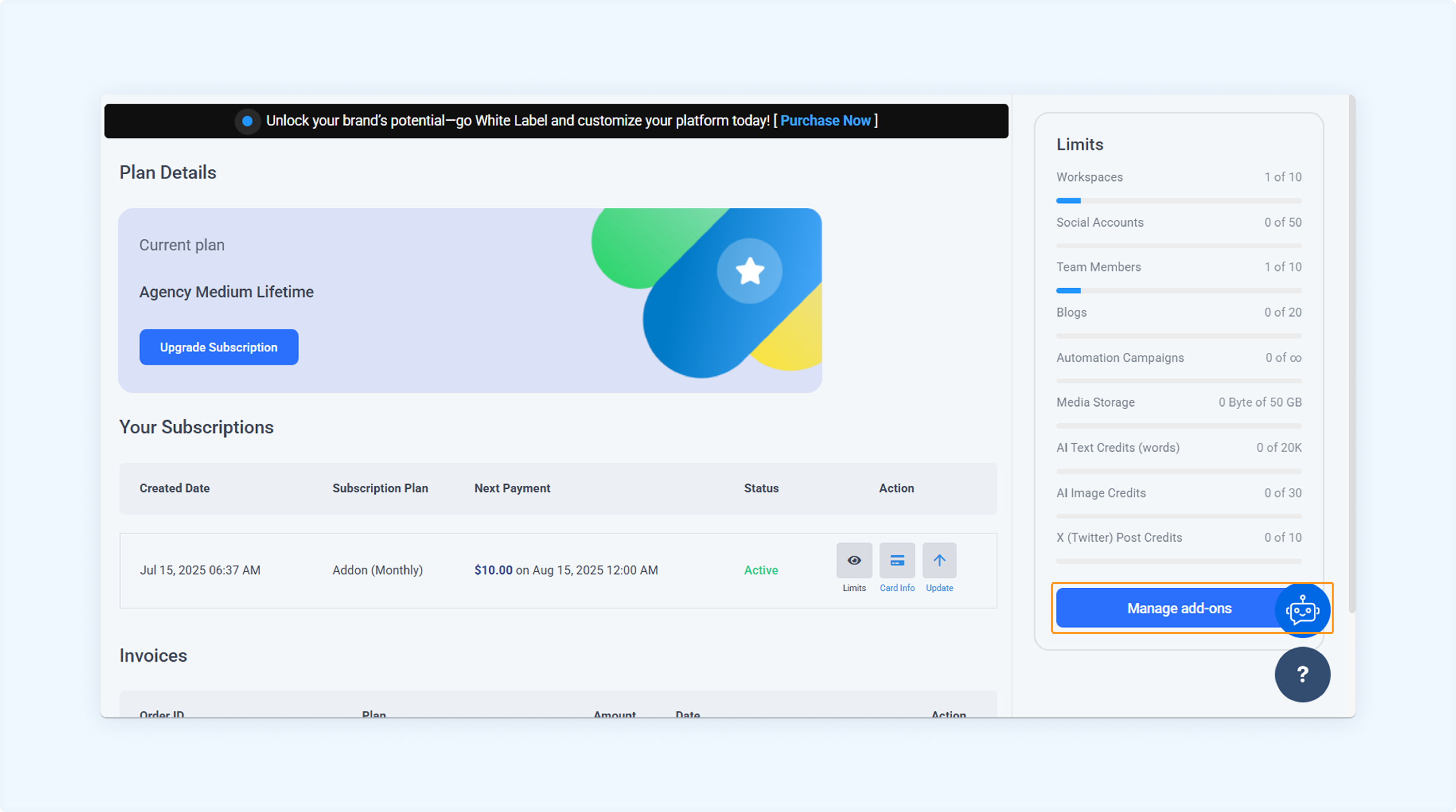
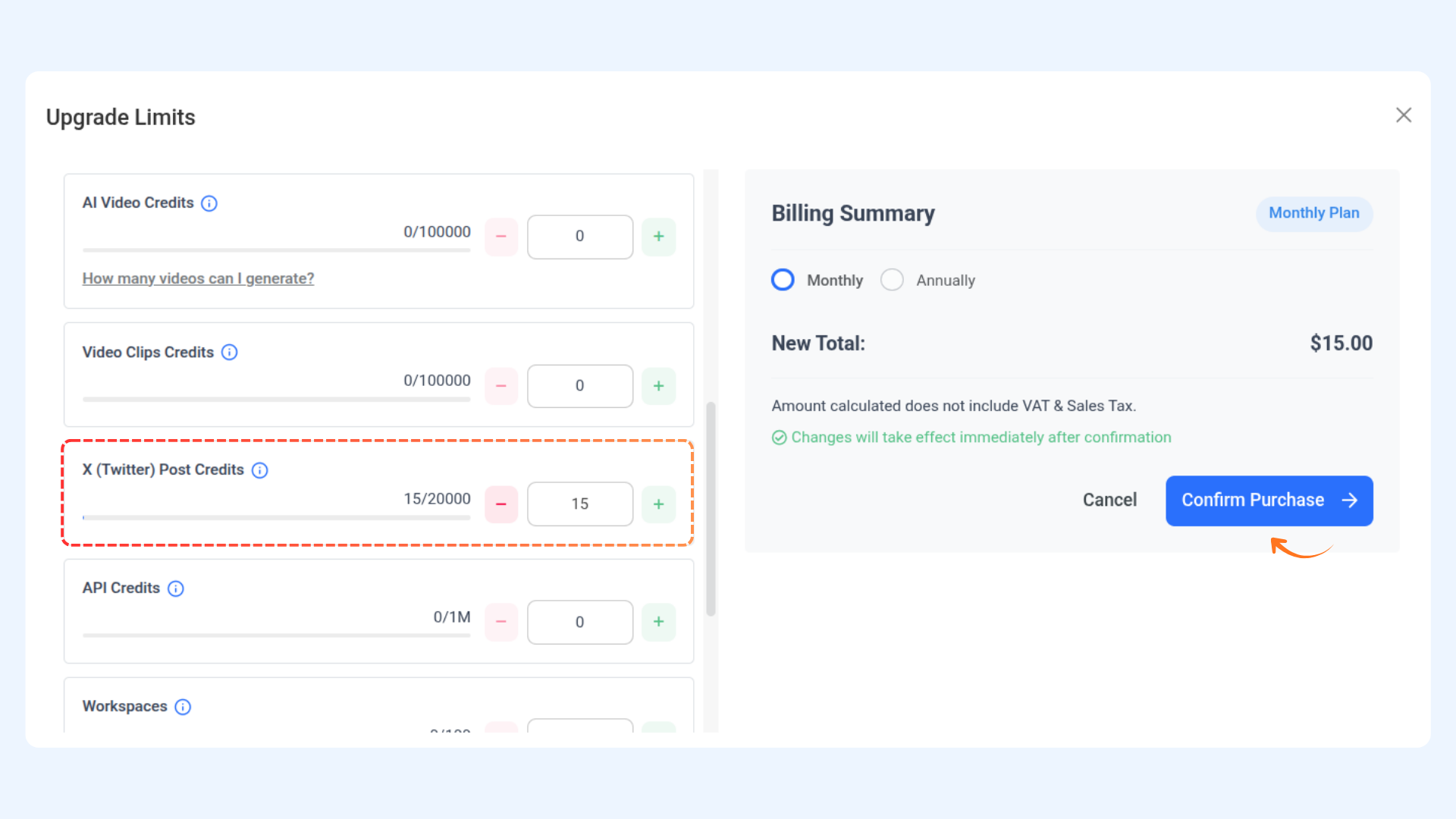
In the X (Twitter) Posting Credits section, choose the number of units to add and confirm purchase. The cost will be added to your billing.
Plan limits
Plan Name | Monthly credits | Simple posts | Link posts (with URLs) |
|---|---|---|---|
Standard | 45 | up to 45 | up to 3 |
Advanced | 80 | up to 80 | up to 5 |
Agency Unlimited | 150 | up to 150 | up to 10 |
Starter | 45 | up to 45 | up to 3 |
Pro | 80 | up to 80 | up to 5 |
Agency Small | 150 | up to 150 | up to 10 |
Agency Medium | 150 | up to 150 | up to 10 |
Agency Large | 150 | up to 150 | up to 10 |
If your plan is not listed above, please contact our customer support.
FAQs
Q1: What happens if I reach my monthly X posting limit?
A: Once you hit the monthly cap, your scheduled X posts will fail to publish until your limit resets or you purchase additional add-on units.
Q2: Will I be notified when I’m close to reaching my X posting limit?
A: Currently, notifications are not triggered automatically, so we recommend monitoring your posting activity regularly to avoid hitting the cap unexpectedly.
Q3: Does the add-on support threaded (multi-part) X posts?
A: Yes, threaded posts are supported. However, each tweet in a thread counts as a separate post towards your monthly quota.
Q4: Can I connect multiple X accounts under one add-on purchase?
A: Yes, the add-on applies account-wide, meaning all connected X profiles across all workspaces share the same posting quota.
Was this article helpful?