

How to Approve/Reject a post using ContentStudio
As an Approver in ContentStudio, you can review posts assigned to you and take the necessary action before they are published. You have the ability to approve or reject posts, leave comments, mention team members, and even reschedule posts if the scheduled time has passed. This ensures content is properly reviewed and aligned with your team’s workflow before going live.
In this Article:
Roles of an Approver
Get access to the assigned post
Option A: Via Email
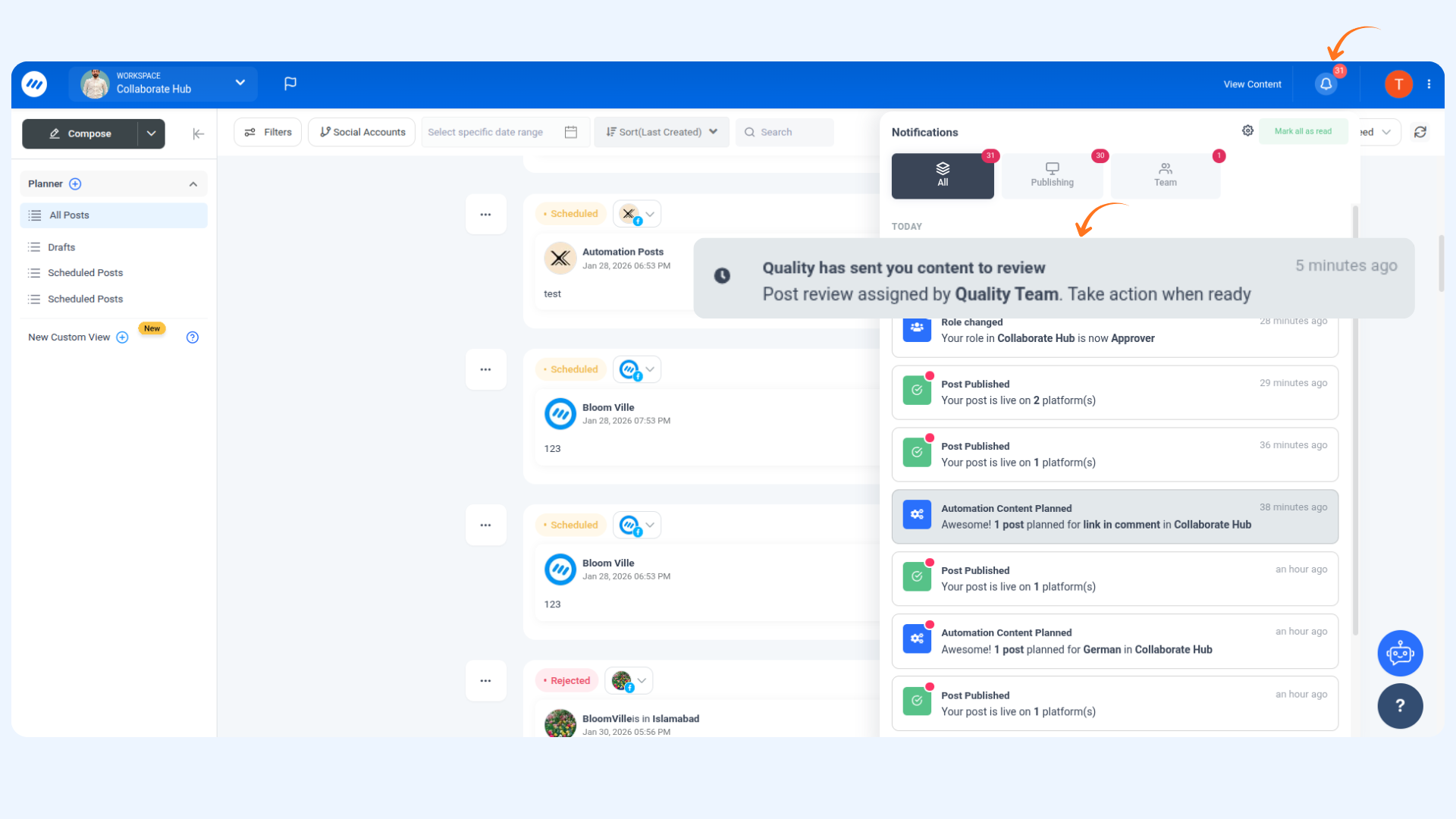
Option B: Via In-App Notification
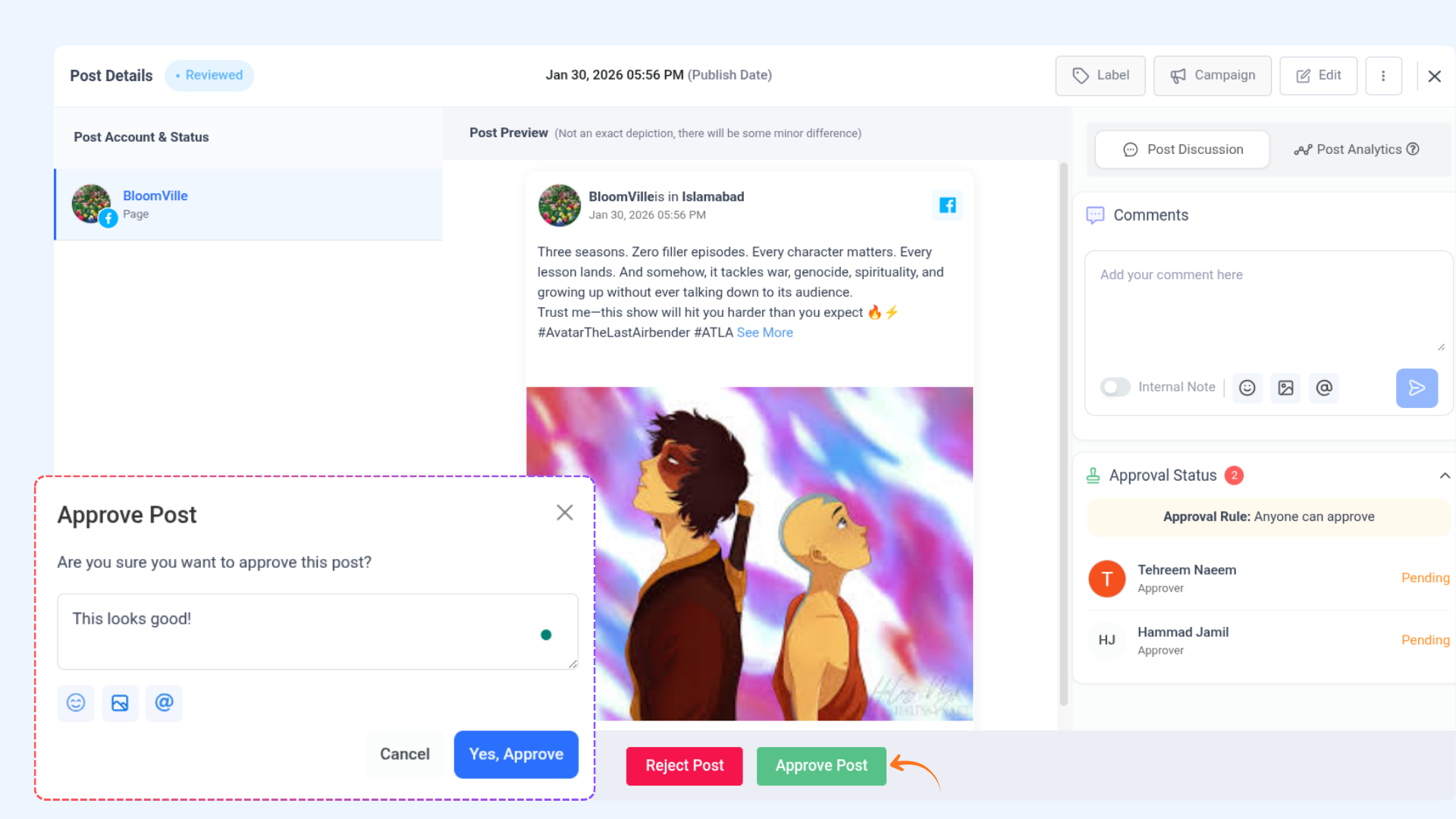
Approve a post
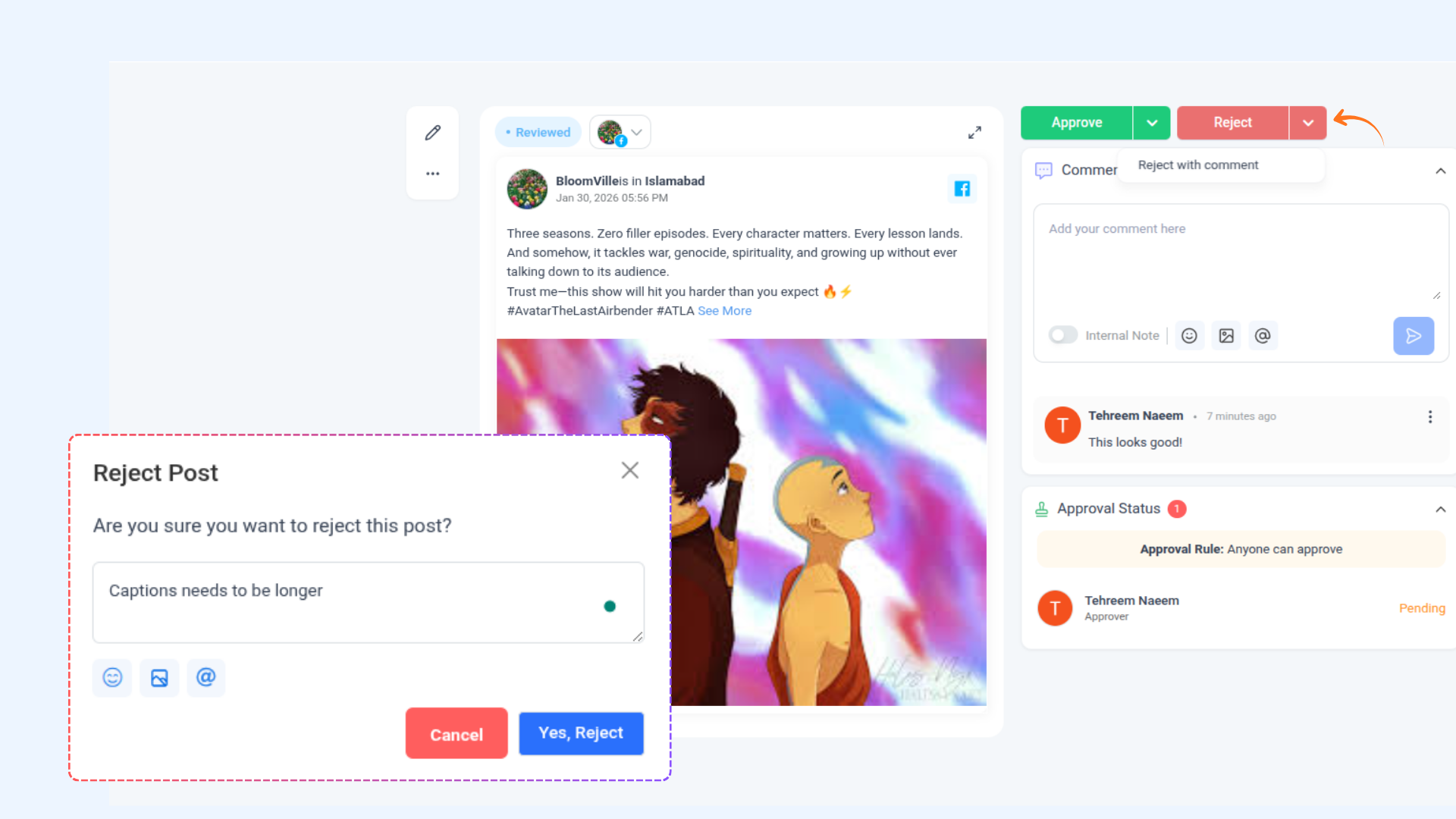
Reject a Post
FAQ's
Q1: Can I approve a post without leaving a comment?
A: Yes, you can approve a post directly without adding comments. The post will be marked as approved and the assignor will be notified automatically.
Q2: What happens if I reject a post with comments?
A: The post will move to the Rejected status, and your comments will be sent to the assignor and visible to other team members for feedback.
Q3: Can I reschedule a post if the scheduled time has already passed?
A: Yes, as an approver, you can reschedule posts that haven’t been reviewed before their scheduled time. You also have options to add them to the queue or a content category.
Q4: What is the difference between “Approval from Everyone” and “Approval from Anyone”?
Approval from Everyone: All assigned team members must approve before publishing. A single rejection will override approvals.
Approval from Anyone: Any assigned team member can approve. Rejection must occur before approval; otherwise, the post will be scheduled.
Q5: How can I access posts assigned for approval?
A: You can open assigned posts via the notification bell in-app or through the “Review Content” button sent to your registered email.
Was this article helpful?