

X (Twitter) long post
With this new feature, X (Twitter) Premium account holders can now post long-form tweets with captions of up to 25,000 characters directly through ContentStudio. This enhancement is perfect for users looking to share detailed insights, extended discussions, or long-form content, enabling greater flexibility and engagement. 💥
In this article:
Prerequisites
Ensure to connect your X (Twitter) Premium account to ContentStudio! If you haven’t done so yet, now’s the time! Click the banner to get started!

How to post long-form tweets
Navigate to the Composer:
Log in to your ContentStudio account. From the Home page, go to Compose Post.
Create your post:
Select an X (Twitter) Premium account (indicated with a green tick ✅). In the text field, start crafting your tweet. Premium accounts can enter up to 25,000 characters. A character count is visible to help you track usage. The post preview is shown on the right-hand side.
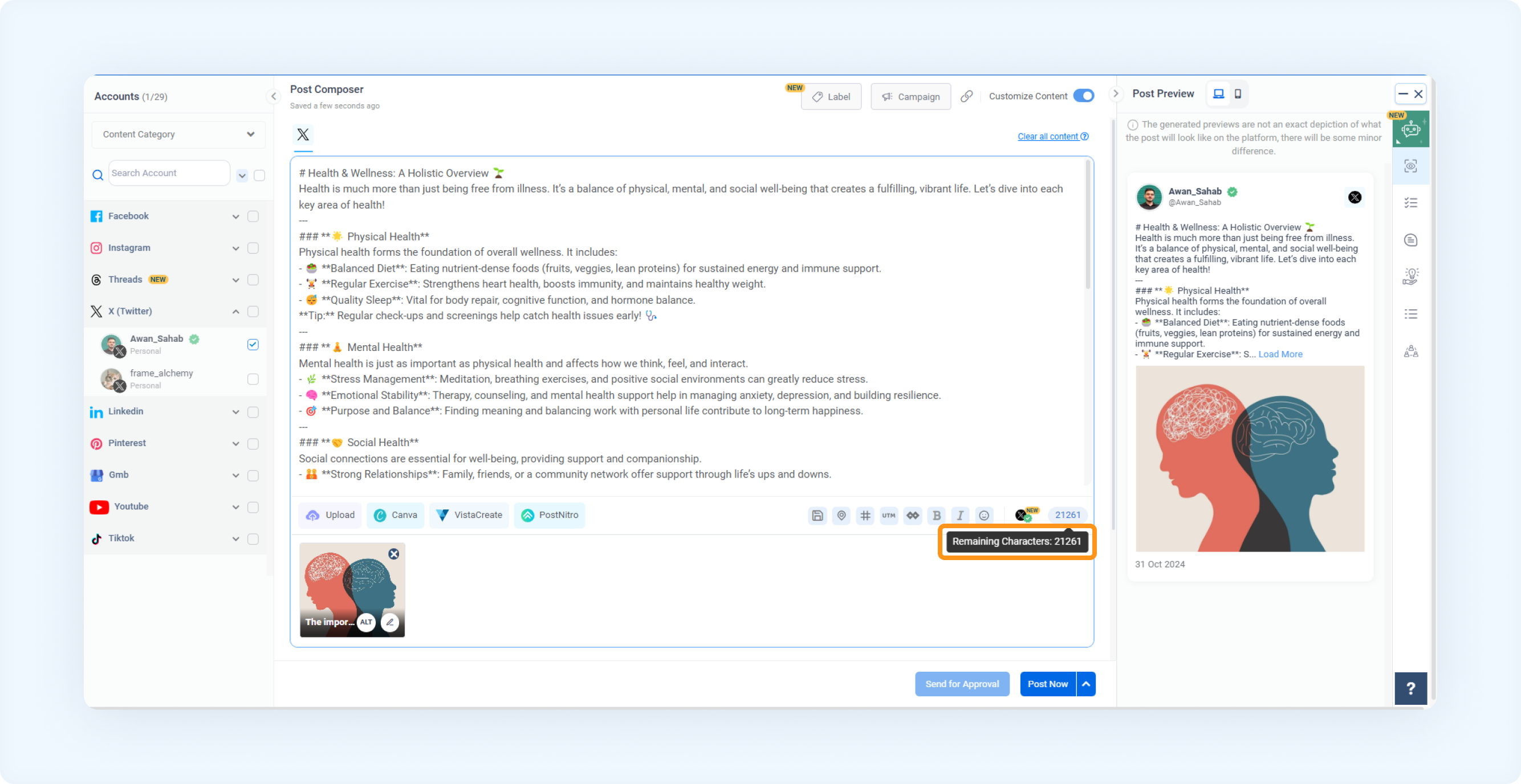
Schedule or Post:
Publish your tweet immediately or schedule it for a later date and time.
FAQs
Q1: Who can use the 25,000-character limit feature on Twitter?
A: Only premium Twitter account holders can use the extended 25,000-character limit. You will still be restricted to Twitter's usual character limit if you have a standard account.
Q2: What happens if I try to post more than 25,000 characters?
A: ContentStudio will provide a character count in the composer. If you exceed the limit, the platform will notify you, and you will need to reduce your character count before posting or scheduling.
Q3: Can I add media (images, videos) to long-form tweets?
A: You can add media like images and videos to your long-form tweets, just like regular tweets.
Was this article helpful?