

Media Library: Global Media Management
The Global Media Folder in ContentStudio provides a centralized space to store and access media across all workspaces. Say goodbye to file duplication and switching between workspaces—now, you can organize, share, and manage assets effortlessly in one place! 🚀
Let’s explore how this feature simplifies media management! 🚀
In this article:
Step by step process
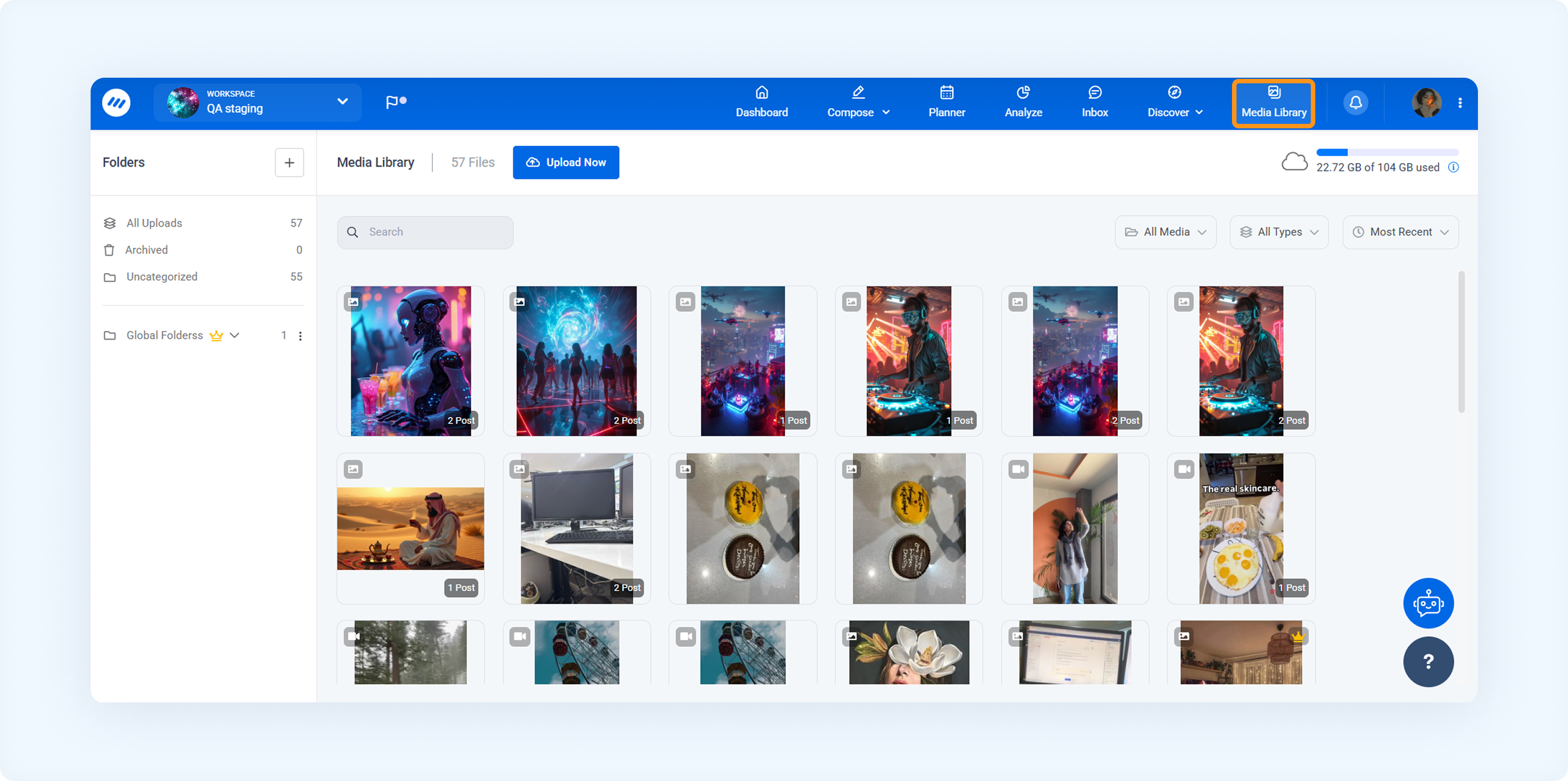
You can access the media library through the composer or by directly clicking on the Media Library.
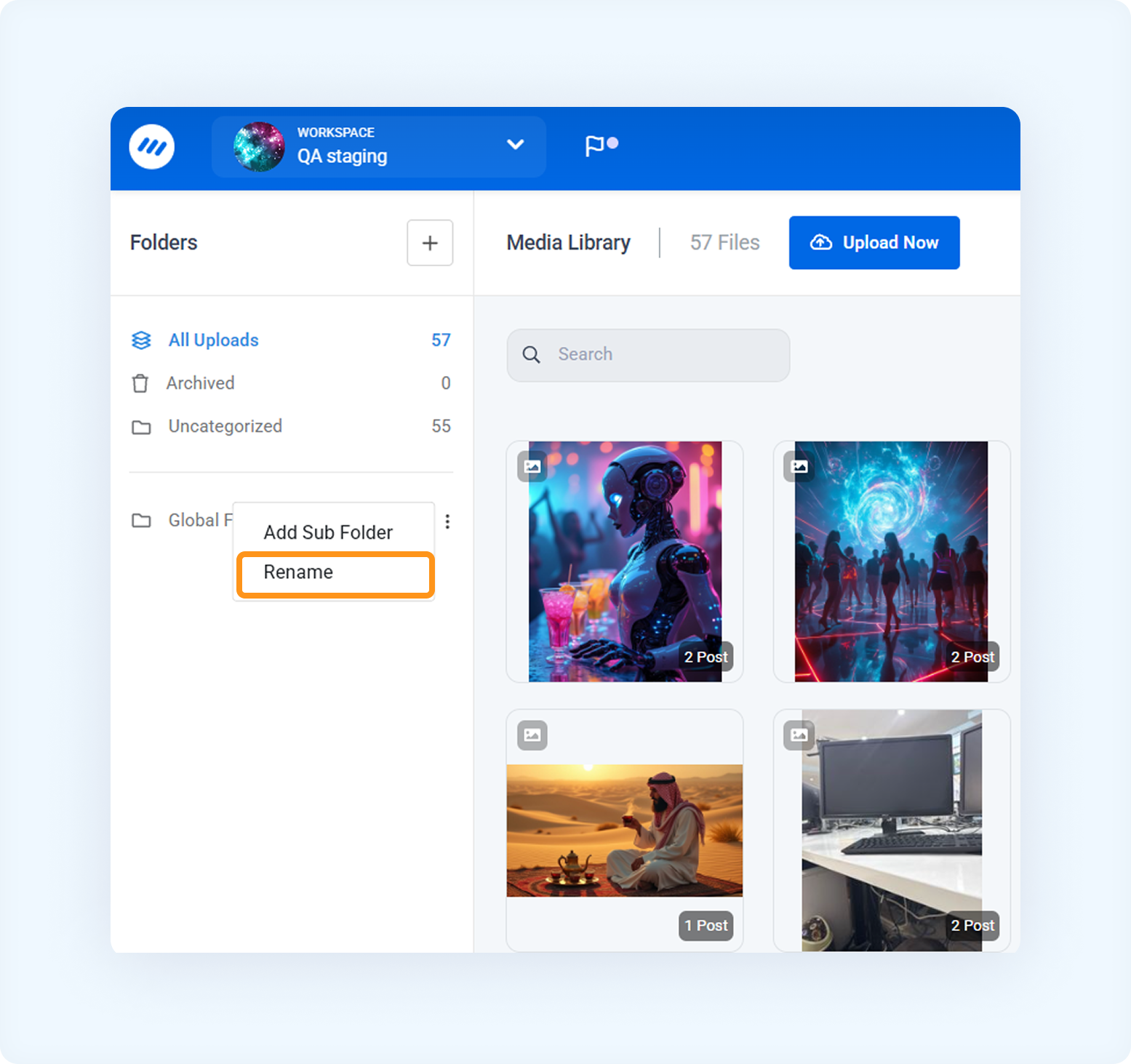
You can rename the folder by clicking the three dots next to the folder name.
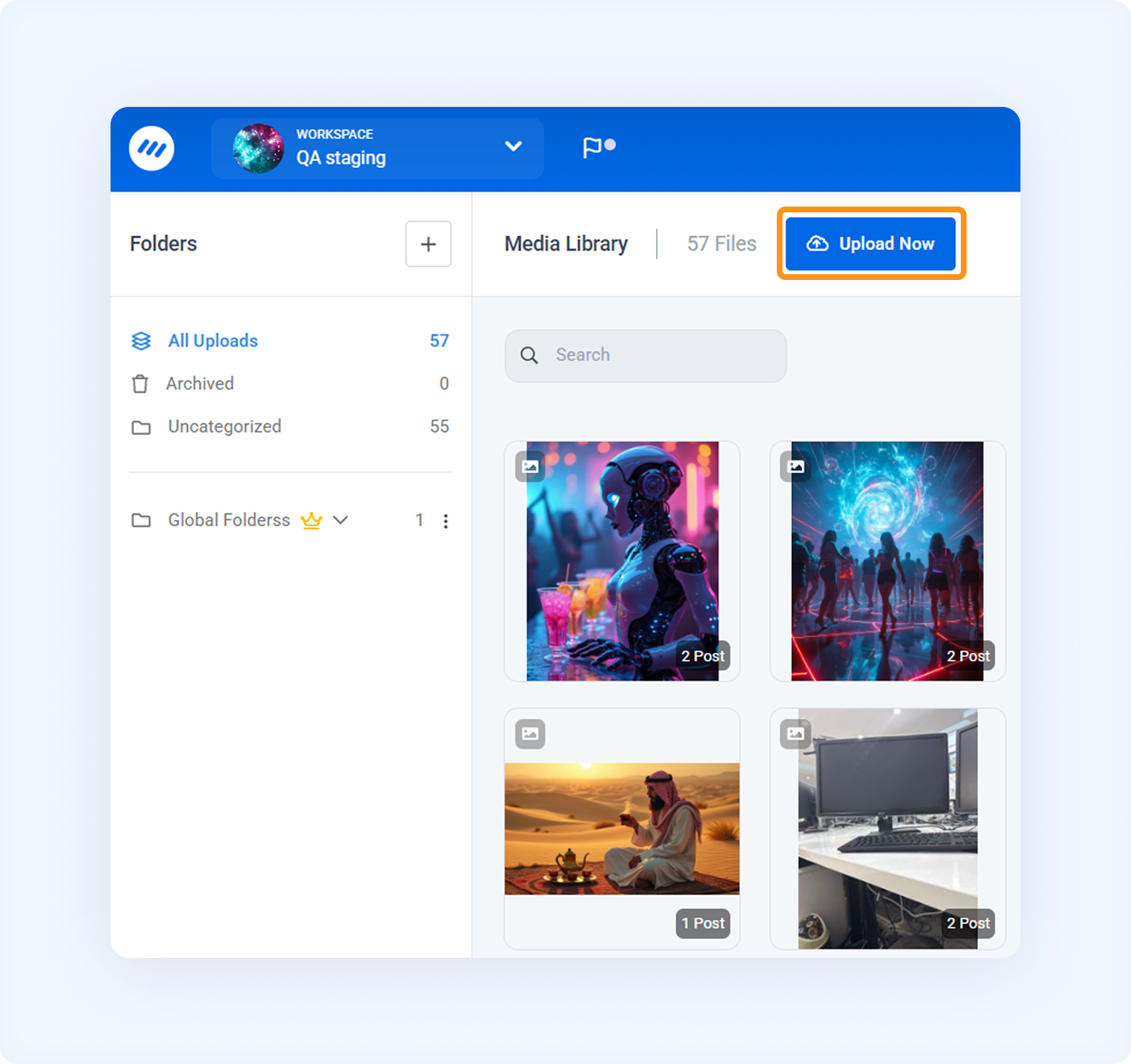
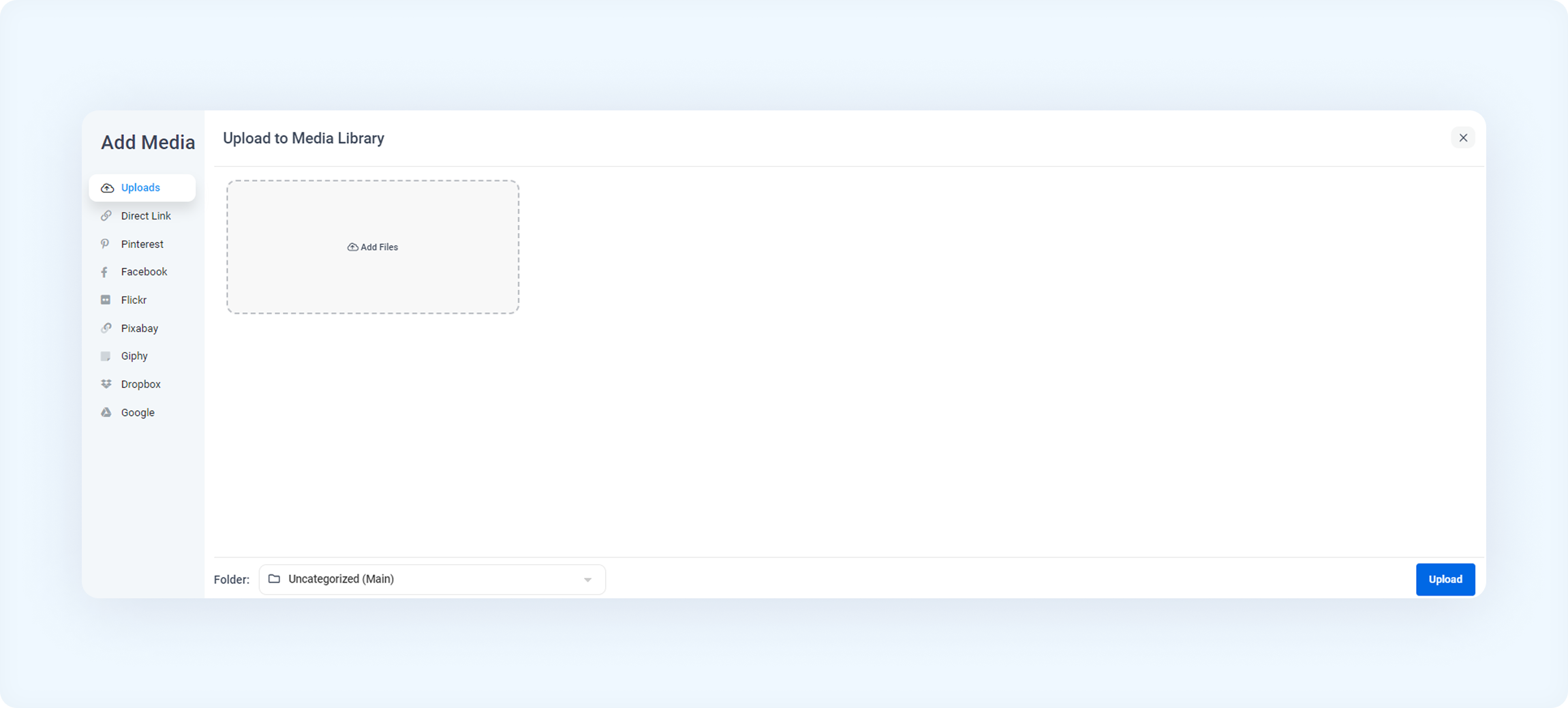
To upload a file, click on the Upload button.
FAQs
Q1: Can I delete the Global Media Folder?
A: No, the Global Media Folder cannot be deleted as it is a shared repository across all workspaces.
Q2: Can I create subfolders within the Global Media Folder?
A: Yes! You can create subfolders inside the Global Media Folder to better organize your media assets.
Q3: How can I move files between the Global Media Folder and other folders?
A: Drag and drop media files between the Global Media Folder and other folders within ContentStudio.
Was this article helpful?