

Create and manage post templates
With Post Templates in ContentStudio, you can save, apply, and manage reusable content structures—making your social publishing process faster, easier, and more consistent.
Let’s explore how this feature works! 🛠️
In this article:
What is a post template?
A Post Template lets you save a composed post—complete with all its content, media, settings, and scheduling preferences—so you can reuse it whenever needed without starting from scratch. It's perfect for recurring campaigns, weekly reminders, or brand-standard formats.
How to save a post as a template
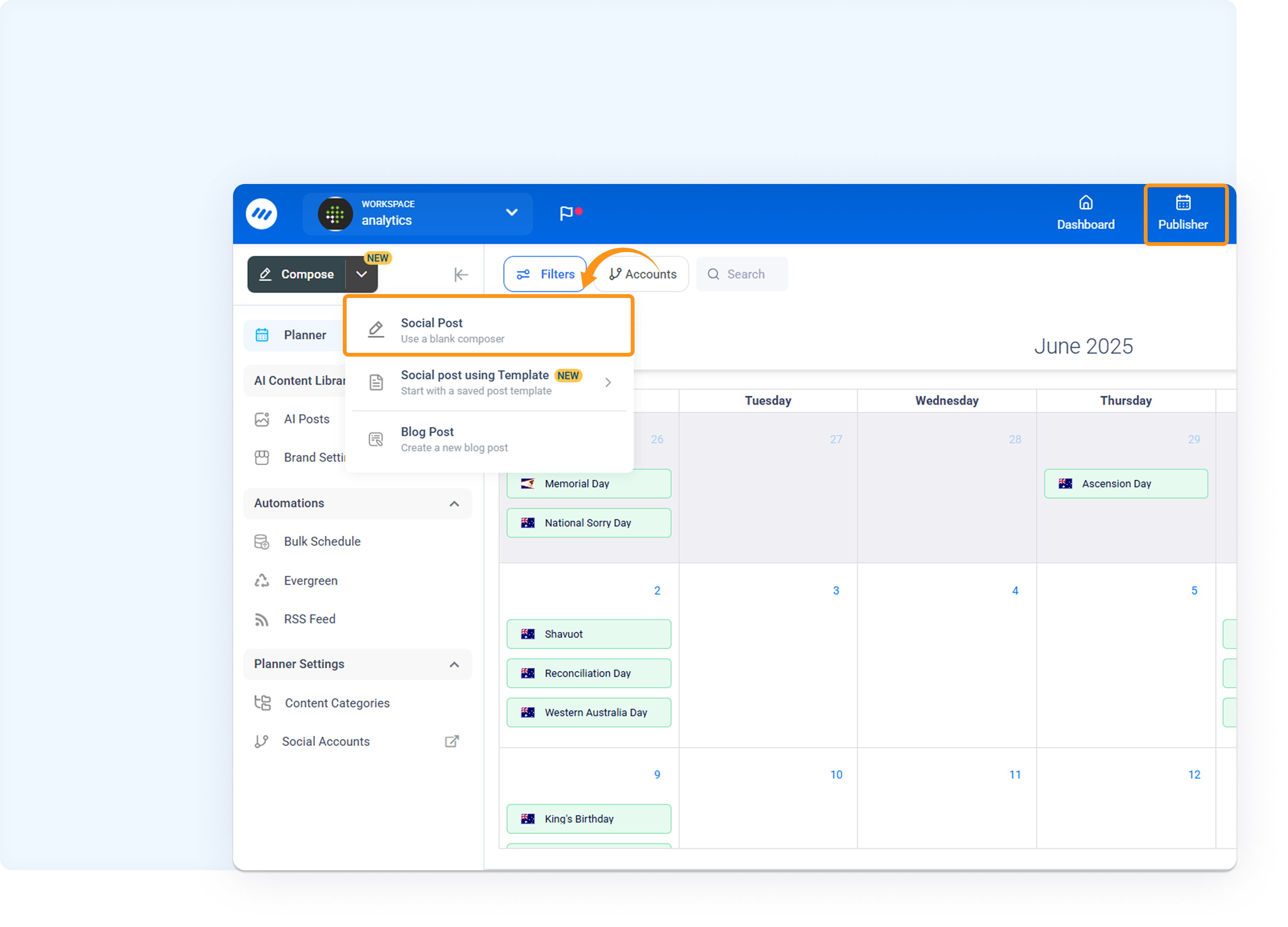
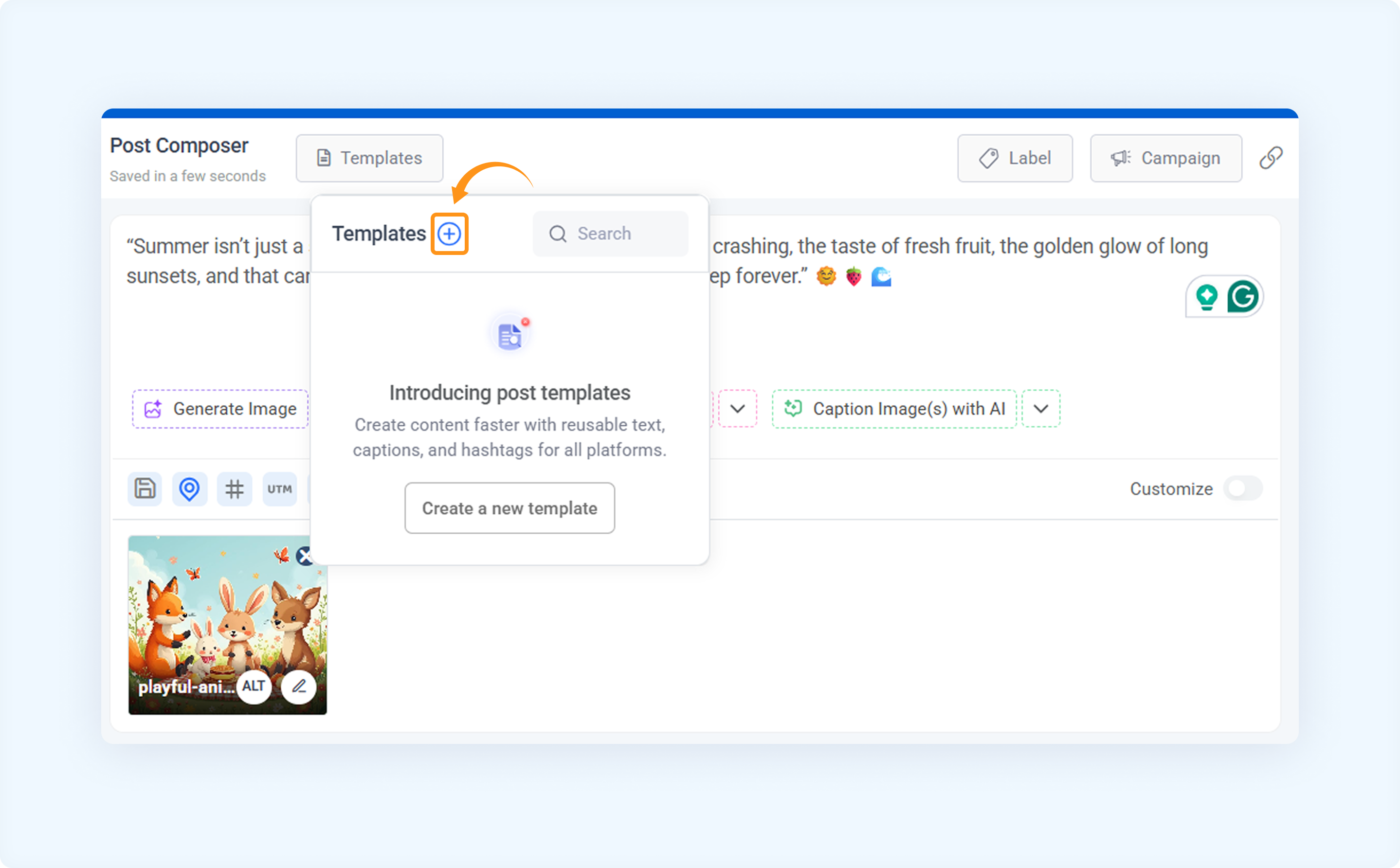
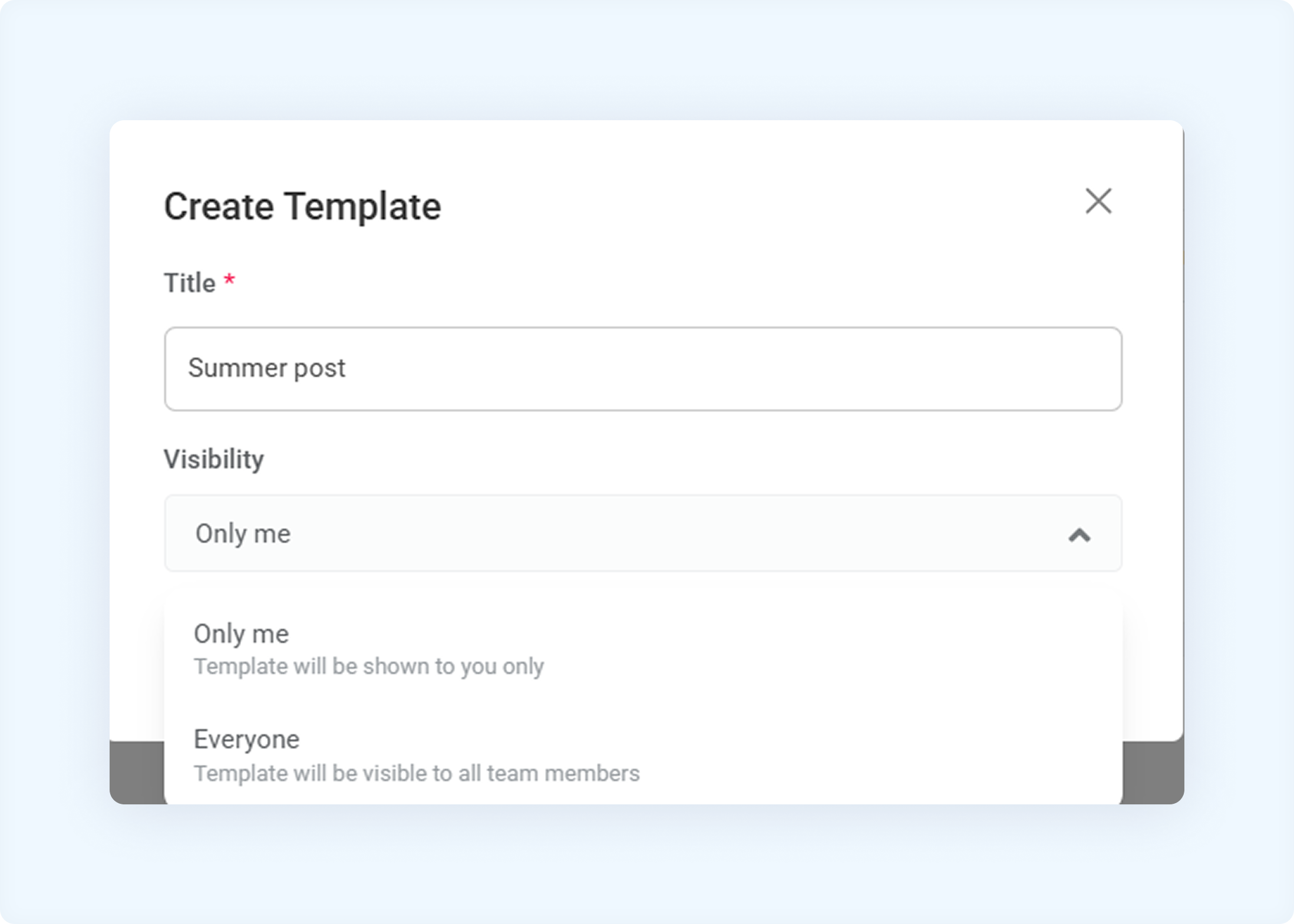
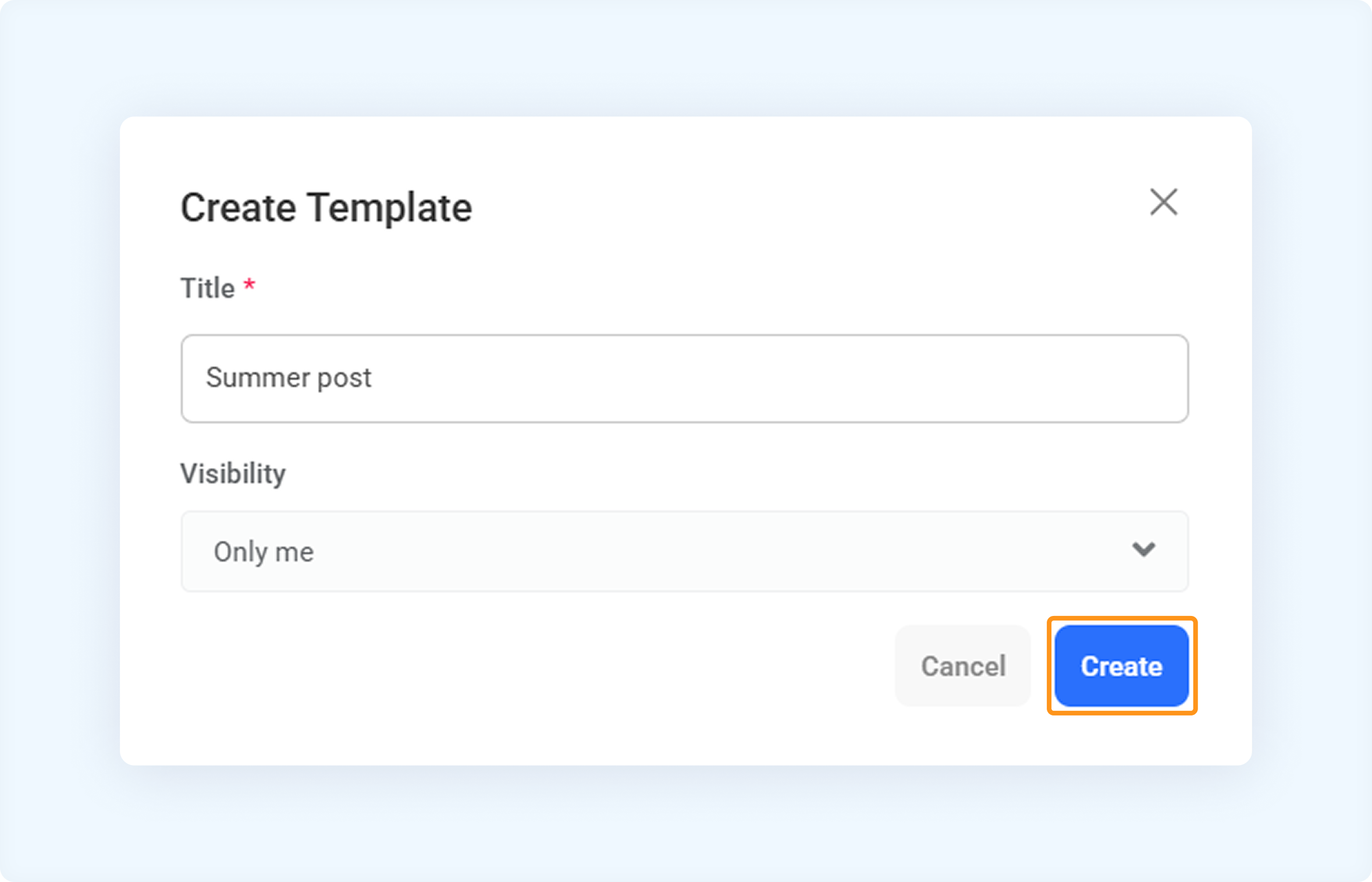
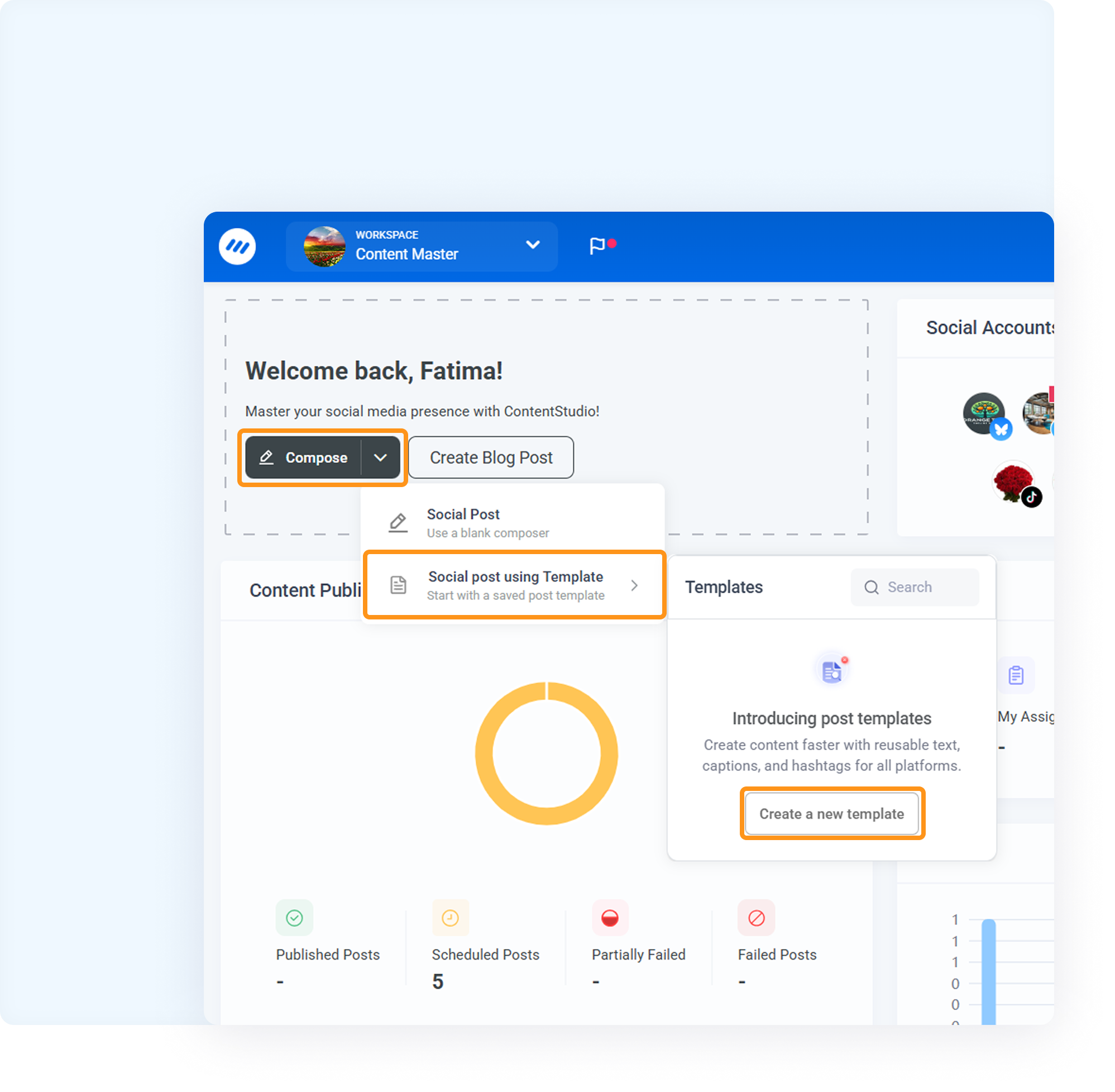
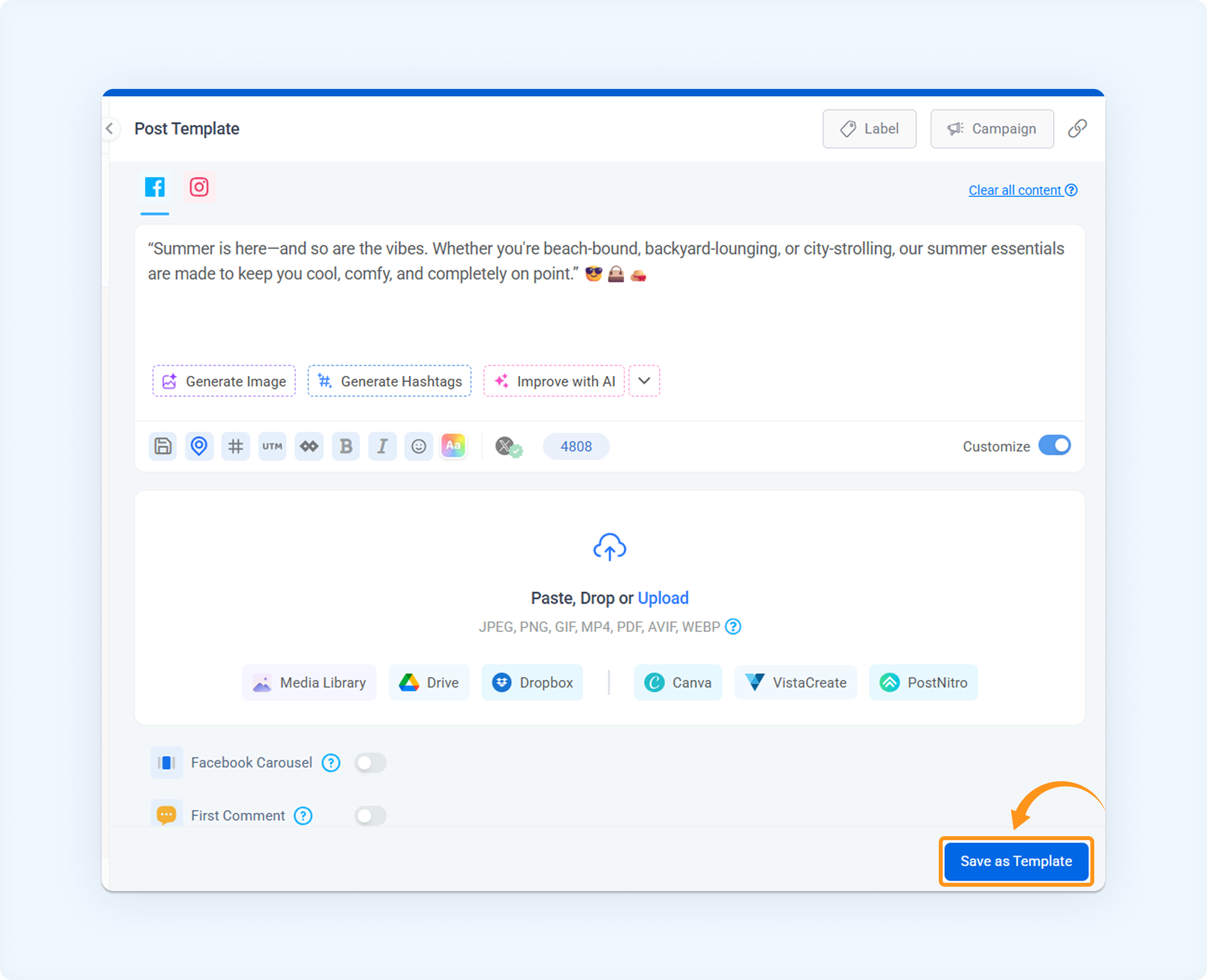
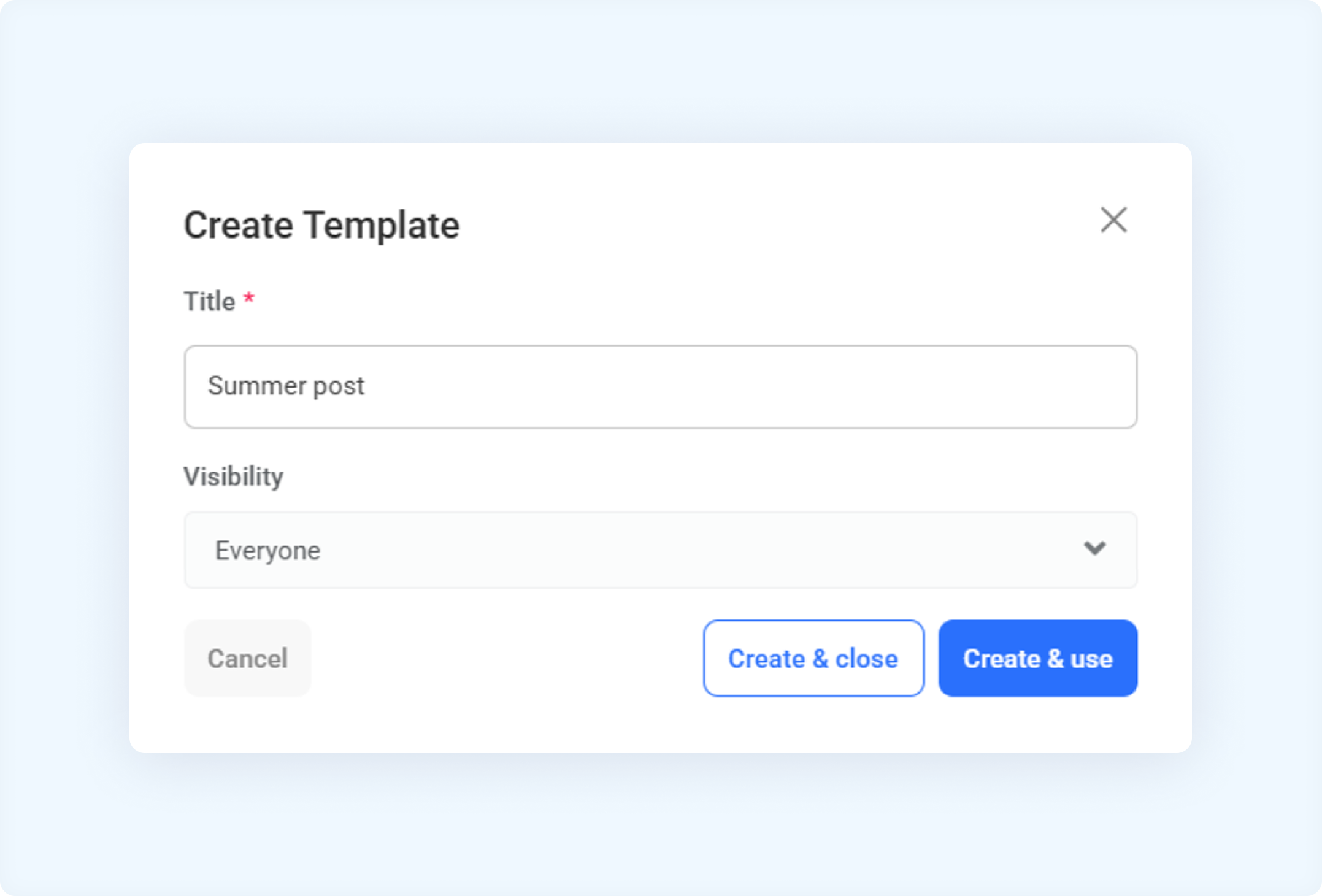
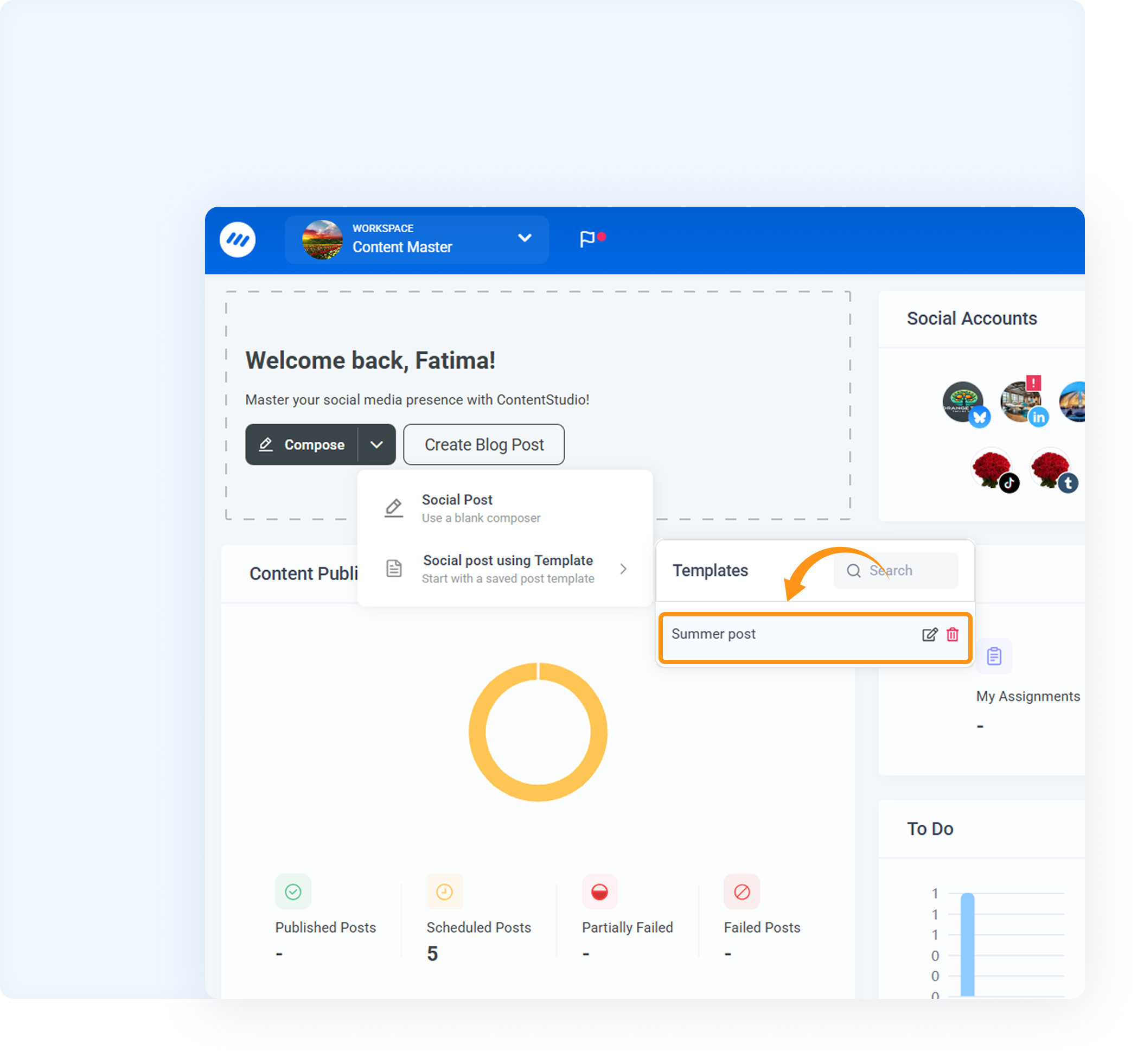
How to use a saved template
Templates can be applied in two ways:
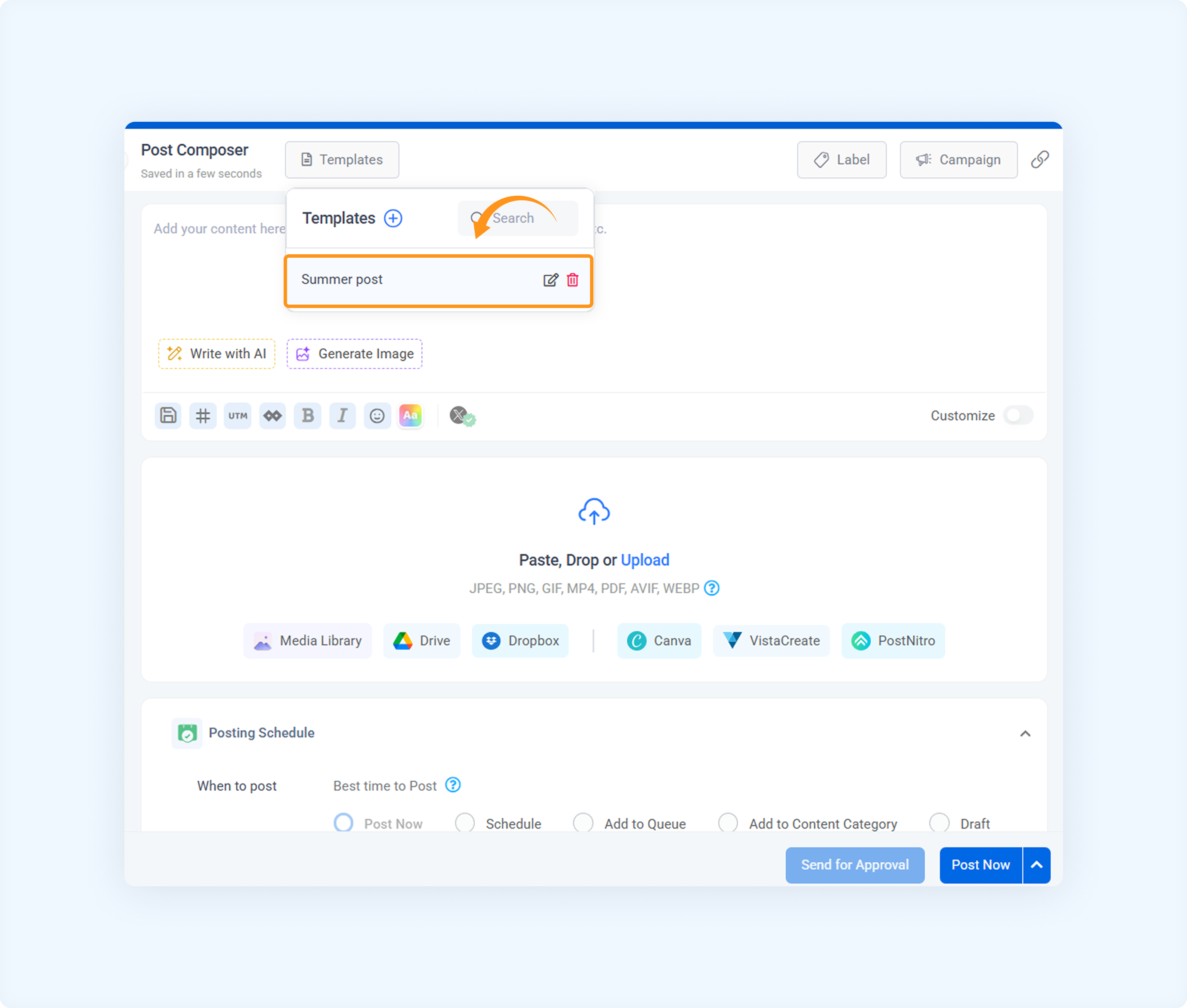
Managing your templates
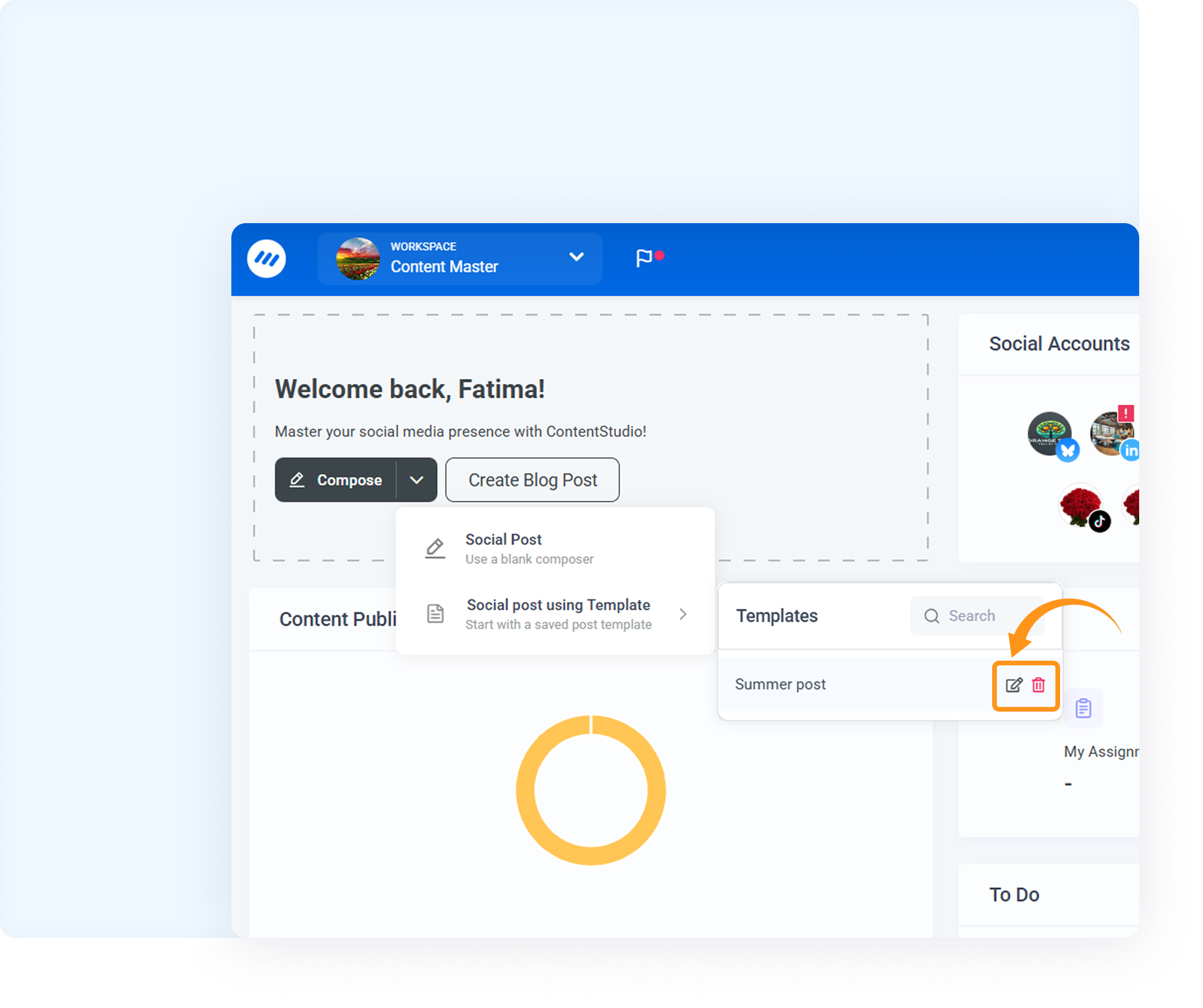
Your template list can grow quickly, so we’ve made it easy to rename or delete them as needed.
💡 Use Cases: Smart ways to use post templates
Post Templates aren't just about saving time—they solve real workflow problems for content creators and teams. Here are common scenarios where templates make your life easier:
📌 Posting to the Same Social Accounts Repeatedly
Problem: You always post to the same accounts (e.g., Facebook Page, Instagram, LinkedIn), and selecting them every time is repetitive.
Solution: Save a template with those accounts pre-selected. Next time, load the template and skip the manual setup.
🏷️ Always Adding the Same Campaigns or Labels
Problem: You frequently forget to add the correct campaign or label to posts.
Solution: Store those tags in your template so they’re auto-applied when you use it.
👥 Instagram Collaborators
Problem: You regularly tag the same collaborators (like influencers or partner brands) in Instagram posts.
Solution: Set up a template with your frequently used Instagram collaborators pre-filled to save time and ensure accuracy.
🎵 TikTok Settings
Problem: You need to repeatedly apply the same TikTok settings (e.g., Who can see, Allow user to "Comment, Duet, Stitch"), but end up setting them manually.
Solution: Set up a template with your preferred TikTok post settings and save time.
📺 YouTube Titles, Descriptions & Tags
Problem: You often forget to include standard titles, playlists, video tags, and formatting for YouTube uploads.
Solution: Save templates with YouTube-specific details for quick publishing.
These use cases demonstrate the power and flexibility of templates in real-world publishing scenarios. Create once—reuse forever! 💪
FAQs
Q1: What happens to the platform-specific settings when I apply a template?
A: All platform-specific settings (like Instagram tags, Twitter threads, etc.) saved in the template are applied just as they were when saved.
Q2: Can I share my templates with team members?
A: Yes! Set the template privacy to “Everyone” when saving.
Q3: Can I edit the content of a saved template directly?
A: No, but you can apply the template, edit the content, and re-save it as a new template.
Was this article helpful?